
14 ClickUp-Alternativen im Jahr 2026 für Projekt- und Aufgabenmanagement

10 ClickUp Alternativen Kurzliste
Here's my pick of the 10 best software from the 14 tools reviewed.


Eine überzeugende ClickUp-Alternative bietet Ihrem Team flexible Projektverfolgung, anpassbare Workflows und übersichtliche Zusammenarbeit – ohne dabei auf Benutzerfreundlichkeit oder Transparenz zu verzichten. Wenn Sie nach ClickUp-Alternativen suchen, benötigen Sie vermutlich eine Lösung, die zu den individuellen Prozessen Ihres Teams passt, sich mit Ihren bestehenden Tools integrieren lässt und sich hinsichtlich der Skalierbarkeit Ihrem Unternehmenswachstum anpasst. Diese Liste hilft Ihnen, führende Optionen zu vergleichen, herauszufinden, was jede jeweils besonders macht, und die richtige Plattform für Ihr Projektmanagement und die Zusammenarbeit auszuwählen.
Was ist ClickUp?
ClickUp ist eine Projektmanagement-Plattform, mit der Teams Aufgaben organisieren, Fortschritte nachverfolgen und gemeinsam an einem zentralen Ort arbeiten können. Sie bietet Funktionen wie Aufgabenlisten, Workflow-Automatisierung, Dokumentenfreigabe und Integrationen mit anderen Business-Tools. Teams nutzen ClickUp, um Projekte zu steuern, Verantwortlichkeiten zuzuweisen und Fristen im Blick zu behalten. Durch ihre Flexibilität eignet sie sich für verschiedenste Branchen und Teamgrößen – von Startups bis zu Großunternehmen.
Beste ClickUp Alternativen Zusammenfassung
| Tool | Best For | Trial Info | Price | ||
|---|---|---|---|---|---|
| 1 | Best for customizable work management | 14-day free trial + free plan + free demo available | From $12/user/month (billed annually) | Website | |
| 2 | Best for database-driven task organization | Free plan + free demo available | From $20/user/month (billed annually) | Website | |
| 3 | Best for simple team communication tools | 30-day free trial + + free plan + free demo available | From $15/user/month | Website | |
| 4 | Best for Kanban-style task boards | 14-day free trial + free plan available | From $5/user/month (billed annually) | Website | |
| 5 | Best for combining docs and project tracking | Free plan + free demo available | From $10/member/month (billed annually) | Website | |
| 6 | Best for cross-team task coordination | 30-day free trial + free plan available | From $10.99/user/month (billed annually) | Website | |
| 7 | Best for built-in time tracking features | Not available | Pricing upon request | Website | |
| 8 | Best for spreadsheet-style project planning | Free trial + free demo available | From $9/member/month (billed annually) | Website | |
| 9 | Best for advanced workflow automation | Free plan + free demo + 14-day free trial available | From $10/user/month (billed annually) | Website | |
| 10 | Best for visual project dashboards | Free plan + free demo available | From $9/seat/month (billed annually) | Website |

Why Trust Our Software Reviews
-

LiveFlow
Visit WebsiteThis is an aggregated rating for this tool including ratings from Crozdesk users and ratings from other sites.4.9 -
Float Financial
Visit WebsiteThis is an aggregated rating for this tool including ratings from Crozdesk users and ratings from other sites.4.1 -
Rippling Spend
Visit WebsiteThis is an aggregated rating for this tool including ratings from Crozdesk users and ratings from other sites.4.8


ClickUp Alternativen Testberichte
Im Folgenden finden Sie meine ausführlichen Zusammenfassungen der ClickUp-Alternativen, die es auf meine Kurzliste geschafft haben. Meine Bewertungen geben Ihnen einen detaillierten Einblick in die Funktionen, wichtigsten Anwendungsfälle und Integrationen jeder Plattform, damit Sie die beste Wahl für sich treffen können.

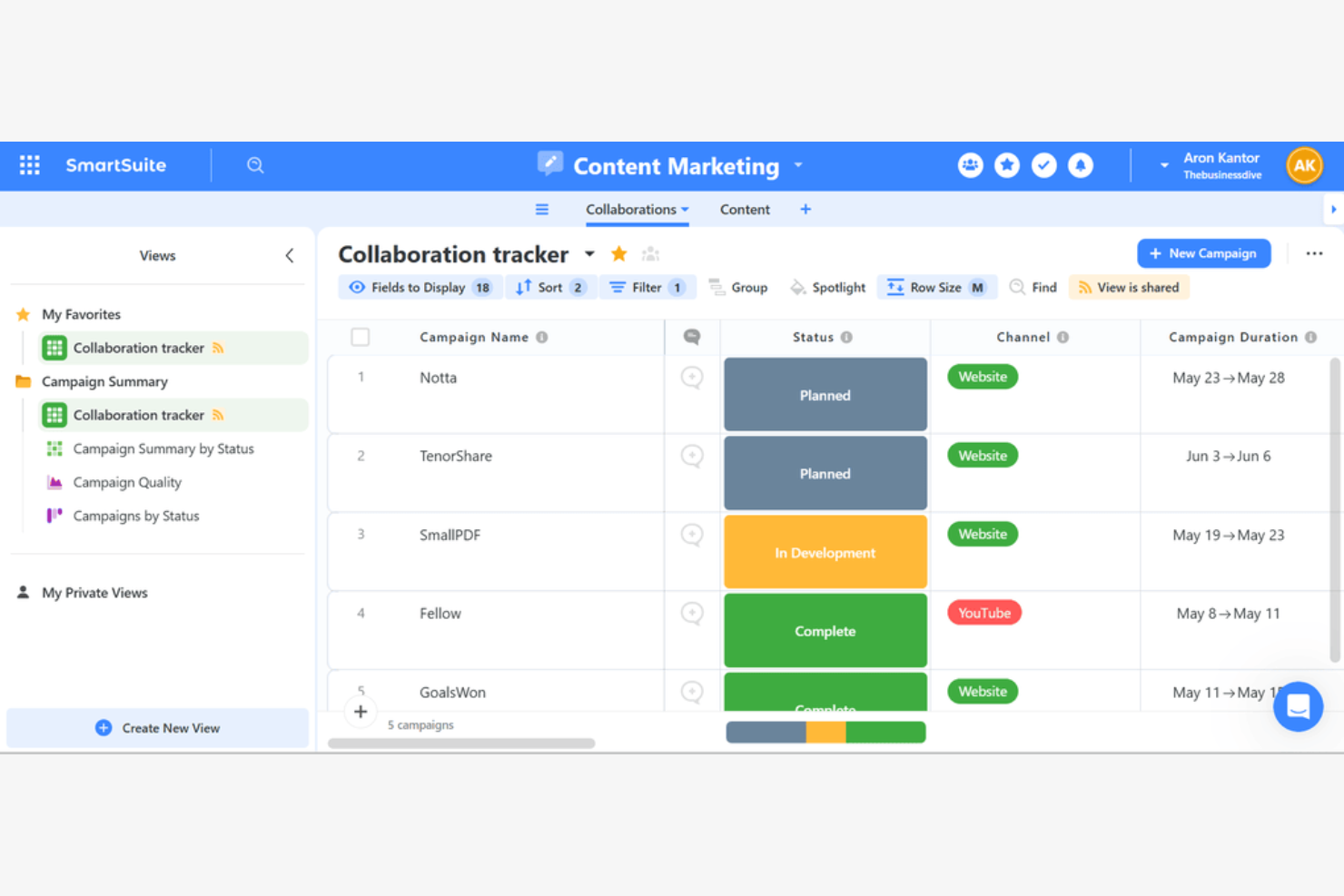
For teams that want to tailor every aspect of their work management, SmartSuite offers a highly customizable platform. It’s a strong fit for operations, finance, and project leads who need to adapt workflows, fields, and views to match unique business processes. Unlike many ClickUp alternatives, SmartSuite lets you build and modify solutions from the ground up without coding.
Why SmartSuite Is a Good ClickUp Alternative
If you need a work management tool that adapts to your processes, SmartSuite stands out for its deep customization options. I picked SmartSuite because you can design custom workflows, fields, and views for any business function without writing code. The platform also lets you create templates and automate processes to match your team’s exact needs. This flexibility makes it a strong ClickUp alternative for organizations with unique or evolving requirements.
SmartSuite Key Features
Some other features in SmartSuite help teams manage projects and data more efficiently:
- Multiple View Options: Switch between grid, kanban, calendar, timeline, and map views to visualize work in different ways.
- Role-Based Permissions: Set granular access controls for users, teams, and guests at the workspace or solution level.
- Document Management: Upload, organize, and collaborate on files directly within records.
- Built-In Reporting: Create dashboards and charts to track project metrics and performance in real time.
SmartSuite Integrations
Integrations include Salesforce, Gmail, Slack, Microsoft Teams, Google Drive, Google Sheets, HubSpot, Box, Dropbox, and Outlook Email.
Pros and Cons
Pros:
- Role-based permissions for controlled cross-team access
- Multiple view types, including grid, kanban, timeline, and map
- Deep workflow and field customization without coding
Cons:
- Fewer third-party integrations than larger competitors
- Limited native time tracking capabilities

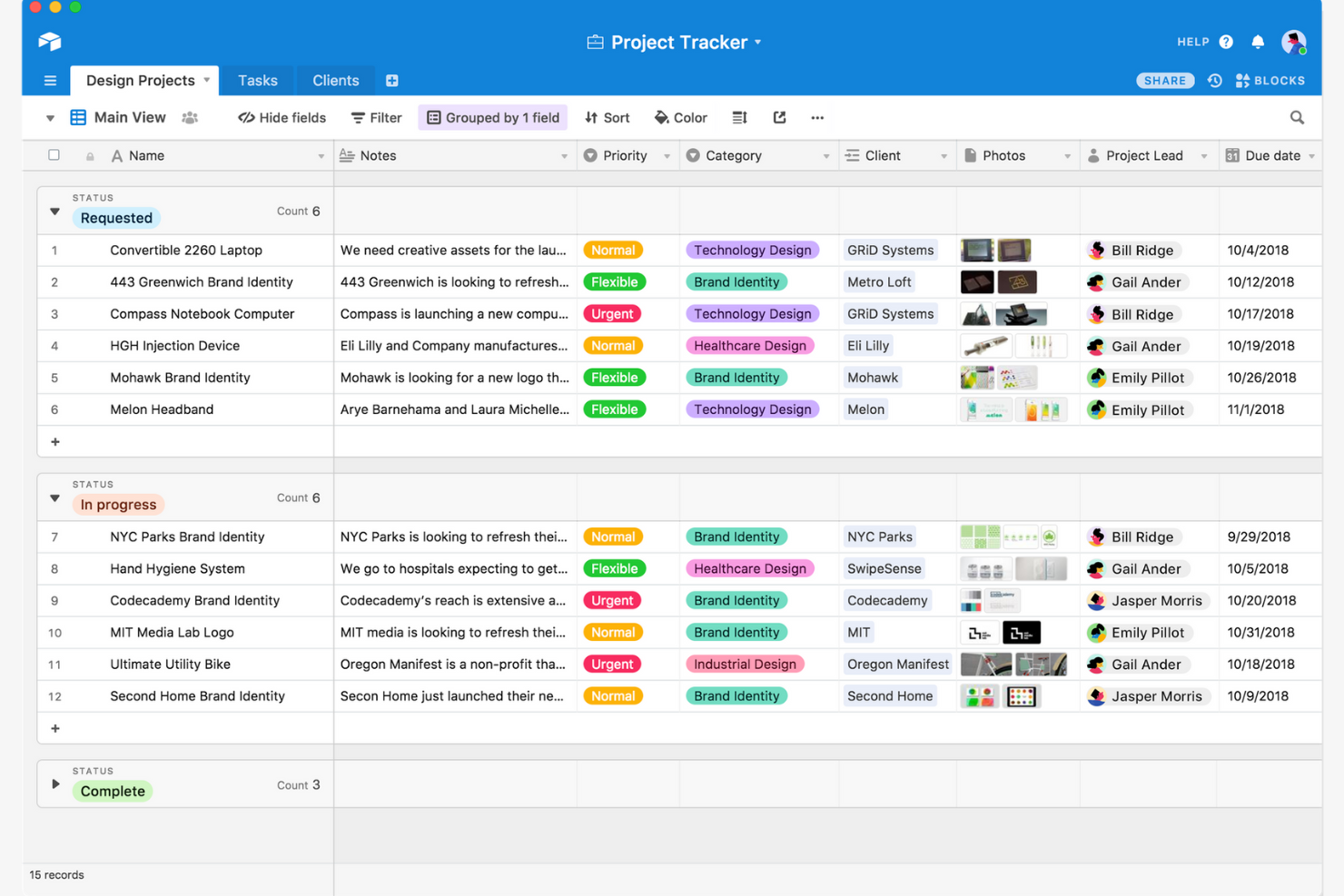
Airtable stands out for teams that need a flexible, database-style approach to organizing projects and tasks. It’s a strong fit for operations, marketing, and product teams that want to build custom workflows with relational data and advanced filtering. Unlike many ClickUp alternatives, Airtable lets you design your own task-tracking systems with linked records, formulas, and multiple view types.
Why Airtable Is a Good ClickUp Alternative
If you want more control over how you organize and relate your project data, Airtable is a strong choice. I picked Airtable because its database-driven structure lets you link tasks, projects, and resources in ways that go beyond standard lists or boards. You can create custom fields, set up relational tables, and use formulas to automate calculations or status updates. This flexibility makes Airtable especially useful for teams that need to manage complex workflows or track interconnected information.
Airtable Key Features
Some other features in Airtable help teams customize and collaborate on projects more easily:
- Kanban View: Visualize tasks as cards and move them through customizable workflow stages.
- Calendar View: Display records on a calendar to track deadlines and key dates.
- Interface Designer: Build custom dashboards and interfaces for different team roles or project needs.
- Revision History: Access a detailed log of changes made to records and tables.
Airtable Integrations
Integrations include Slack, Google Drive, Salesforce, Jira, Zendesk, Box, Dropbox, GitHub, Gmail, and Outlook Calendar.
Pros and Cons
Pros:
- Interface Designer builds tailored dashboards for stakeholders
- Formula fields automate calculations and status updates
- Relational databases link projects, tasks, and resources
Cons:
- Advanced reporting often requires external integrations
- Permission controls lack granular field-level settings

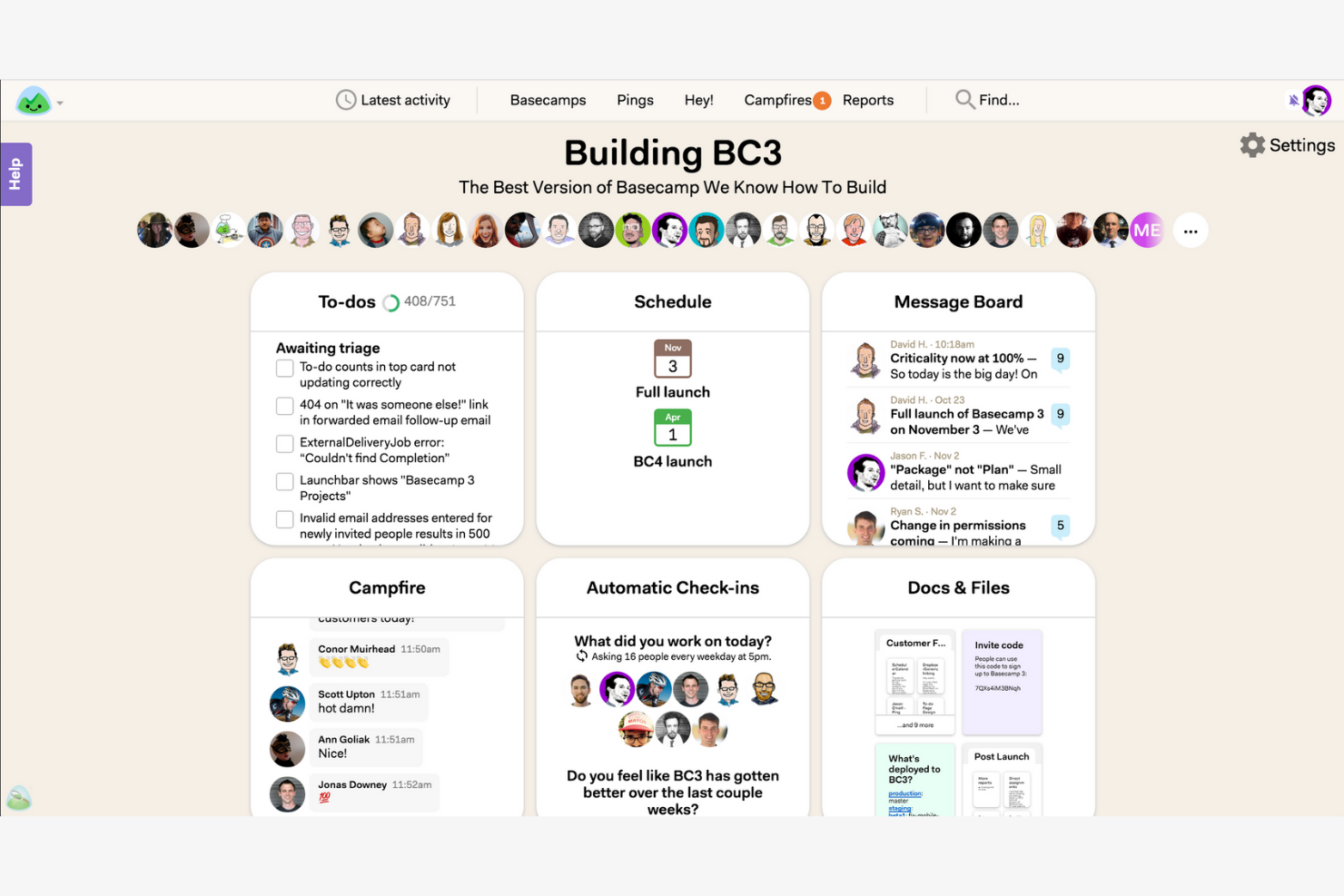
For teams that want to simplify communication and project updates, Basecamp offers a focused alternative to feature-heavy platforms. It’s especially useful for small businesses and agencies that need built-in chat, message boards, and shared schedules without complex task dependencies. Unlike many ClickUp alternatives, Basecamp keeps collaboration straightforward by centering everything around clear, team-wide conversations.
Why Basecamp Is a Good ClickUp Alternative
Basecamp stands out for teams that want simple, built-in communication tools without the clutter of advanced project management features. I picked Basecamp because its group chat, message boards, and automatic check-ins keep everyone in the loop without relying on external apps. The centralized schedule and document sharing features help teams coordinate work and share updates in one place. For businesses that value straightforward, transparent communication, Basecamp offers a focused alternative to more complex platforms.
Basecamp Key Features
Some other features in Basecamp help teams organize and manage their work more efficiently:
- To-Do Lists: Assign tasks, set due dates, and track progress for each project.
- Docs & Files: Store, organize, and share documents and files within each project space.
- Hill Charts: Visualize project progress and identify potential bottlenecks with a unique status view.
- Client Access: Invite clients to specific projects and control what they can see or interact with.
Basecamp Integrations
Integrations include Slack, Google Hangouts Chat, GitHub, Jira, Zendesk, Trello, Asana, Evernote, Clockify, and Harvest.
Pros and Cons
Pros:
- Client access controls support external collaboration
- Automatic check-ins encourage consistent status updates
- Message boards and group chat simplify team communication
Cons:
- Limited reporting and analytics functionality
- No native time tracking or task dependencies

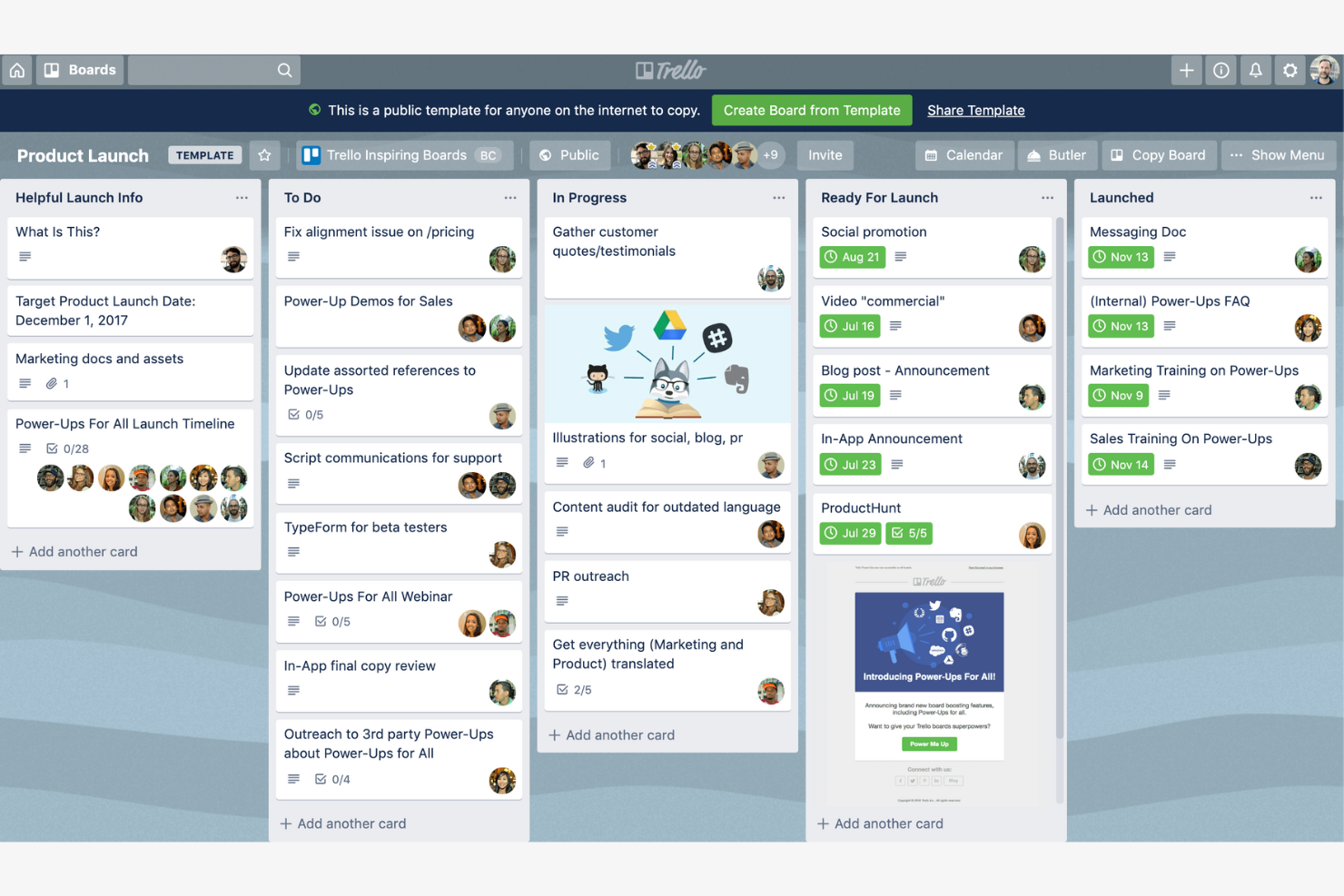
If you’re looking for a visual, card-based way to manage projects, Trello offers a flexible alternative to more structured platforms. Its Kanban-style boards appeal to teams that want to organize tasks, track progress, and collaborate without complex workflows. Trello stands out among ClickUp alternatives for its simplicity and adaptability to a wide range of project types.
Why Trello Is a Good ClickUp Alternative
For teams that want a straightforward, visual approach to project management, Trello’s kanban-style task boards offer a clear advantage over more complex tools. I picked Trello because its drag-and-drop cards, customizable lists, and board templates make it easy to map out workflows and track progress at a glance. You can quickly move tasks between stages, assign team members, and add checklists or attachments directly to cards. Trello is especially useful for teams that value flexibility and want to keep project tracking simple and visual.
Trello Key Features
Some other features in Trello help teams customize their boards and automate routine work:
- Power-Ups: Add extra functionality like calendar views, voting, or integrations with other tools.
- Butler Automation: Automate repetitive actions with rule-based triggers and custom buttons.
- Card Covers and Labels: Visually organize and prioritize tasks using color-coded labels and image covers.
- Activity Feed: Track all board activity and updates in a single, chronological stream.
Trello Integrations
Native integrations include Slack, Jira, Miro, Hubstaff, Evernote, Microsoft Teams, Google Drive, Dropbox, Planyway, and CloudApp.
Pros and Cons
Pros:
- Flexible card system supports checklists and attachments
- Butler automation reduces repetitive actions
- Kanban boards offer streamlined visual task management
Cons:
- Lacks user roles, meaning users can easily delete boards or move cards
- Reliance on Poer Ups to get advanced functionality (like calendar views or custom fields)

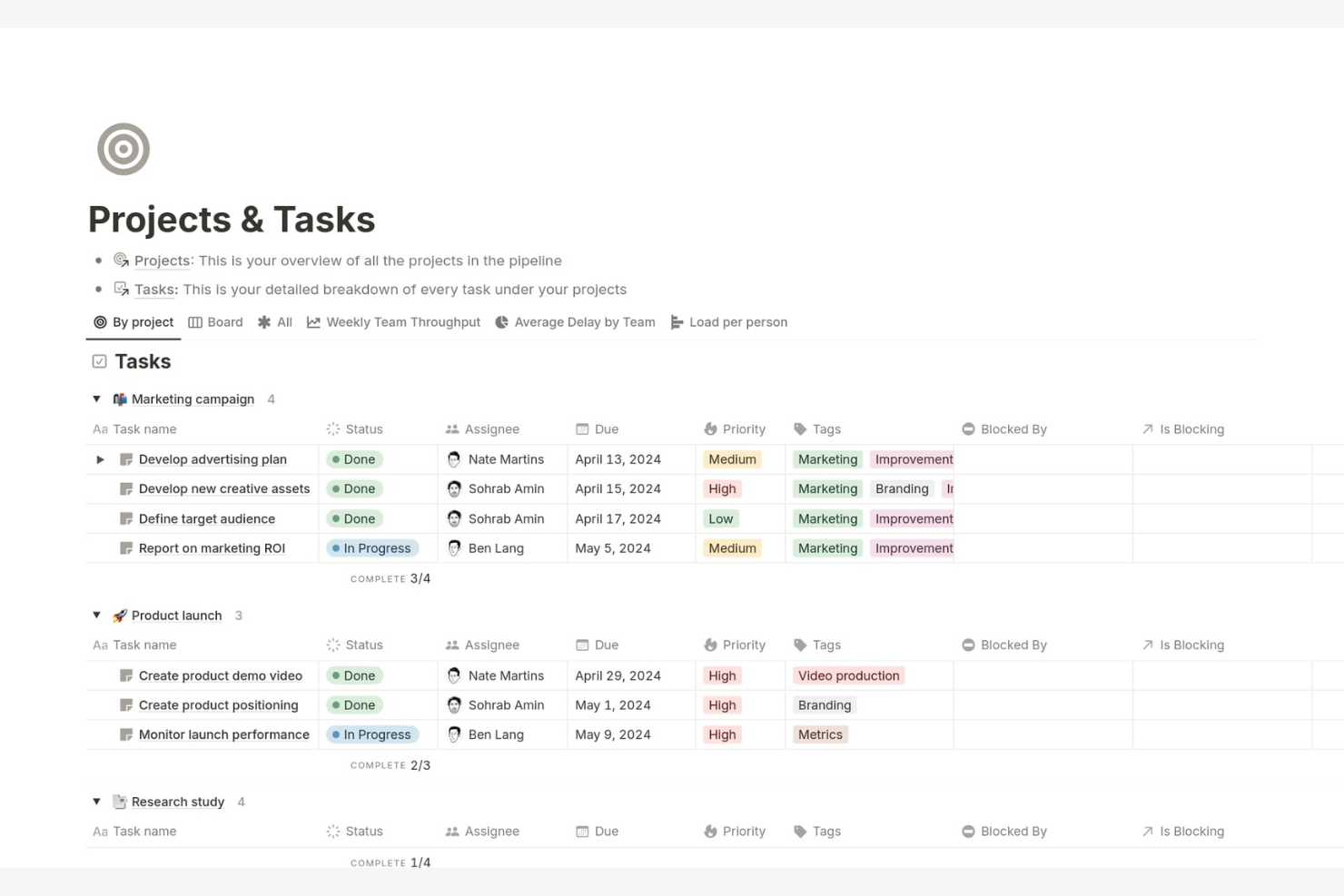
Notion blends document creation and project tracking in a single workspace, making it a strong fit for teams that want to manage knowledge and tasks side by side. If you need a flexible platform for building custom workflows and organizing both projects and documentation, Notion stands out from more rigid project management tools. Its modular approach lets you tailor pages, databases, and boards to match your team’s unique processes.
Why Notion Is a Good ClickUp Alternative
What sets Notion apart as a ClickUp alternative is its ability to combine project tracking with robust documentation features. I picked Notion for teams that want to keep meeting notes, project plans, and task boards all in one place. Its database-driven pages let you link tasks to docs, wikis, and knowledge bases, so everything stays connected. This flexibility makes it easy to build custom workflows that go beyond standard task lists.
Notion Key Features
Some other features in Notion make it a versatile choice for project management and collaboration:
- Custom Templates: Create and reuse templates for project plans, meeting notes, or task boards to standardize workflows across your team.
- Kanban Boards: Visualize tasks and projects using drag-and-drop kanban boards for easy status tracking.
- Calendar View: Organize and schedule tasks or events with a built-in calendar that syncs with your project databases.
- Permission Controls: Set granular access levels for pages and databases to manage who can view or edit specific content.
Notion Integrations
Integrations include Slack, Jira, GitHub, Asana, Google Drive, Figma, Trello, GitLab, Typeform, and Webex.
Pros and Cons
Pros:
- Strong internal knowledge management for content-heavy teams
- Highly customizable databases and layouts for tailored workflows
- Combines documentation, wikis, and task tracking in one workspace
Cons:
- No built-in time tracking for project billing
- Limited native Gantt and advanced dependency management
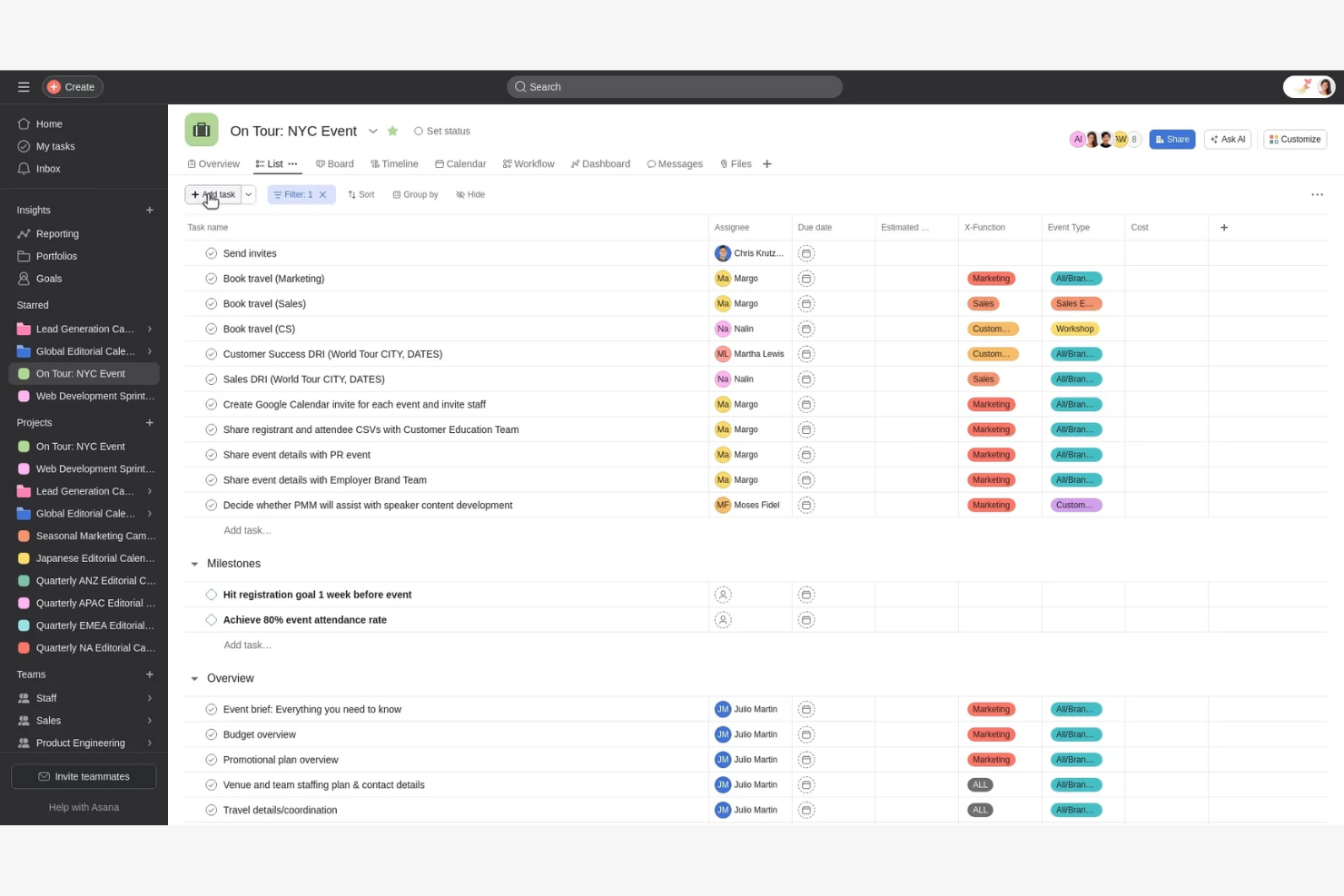
If your team needs to coordinate tasks across multiple departments, Asana offers structured project management with strong cross-team visibility. It’s especially useful for operations, marketing, and finance teams that need to align on shared goals and dependencies. Unlike many ClickUp alternatives, Asana’s timeline and workload features help you manage overlapping projects and resource allocation in one place.
Why Asana Is a Good ClickUp Alternative
For teams that need to coordinate work across departments, Asana offers features designed for cross-team alignment. I picked Asana because its timeline view and project dependencies make it easy to visualize how tasks connect across multiple groups. The workload management tool helps you balance assignments and avoid overloading team members. These features make Asana a strong ClickUp alternative for organizations focused on collaboration and resource planning.
Asana Key Features
Some other features in Asana help teams organize and track work more precisely:
- Custom Fields: Add specific data points to tasks for better tracking and reporting.
- Forms: Collect and route work requests directly into projects using customizable forms.
- Milestones: Mark key project checkpoints to track progress toward major goals.
- Task Comments: Collaborate and clarify details by adding comments directly to tasks.
Asana Integrations
Integrations include Slack, Google Drive, Microsoft Teams, Dropbox, Salesforce, Zoom, Gmail, Outlook, Jira, and HubSpot.
Pros and Cons
Pros:
- Built-in forms to standardize and automate work intake
- Task dependencies and workload management for resource planning
- Strong timeline view for cross-team project coordination
Cons:
- Advanced reporting requires higher-tier plans
- Limited native time tracking functionality
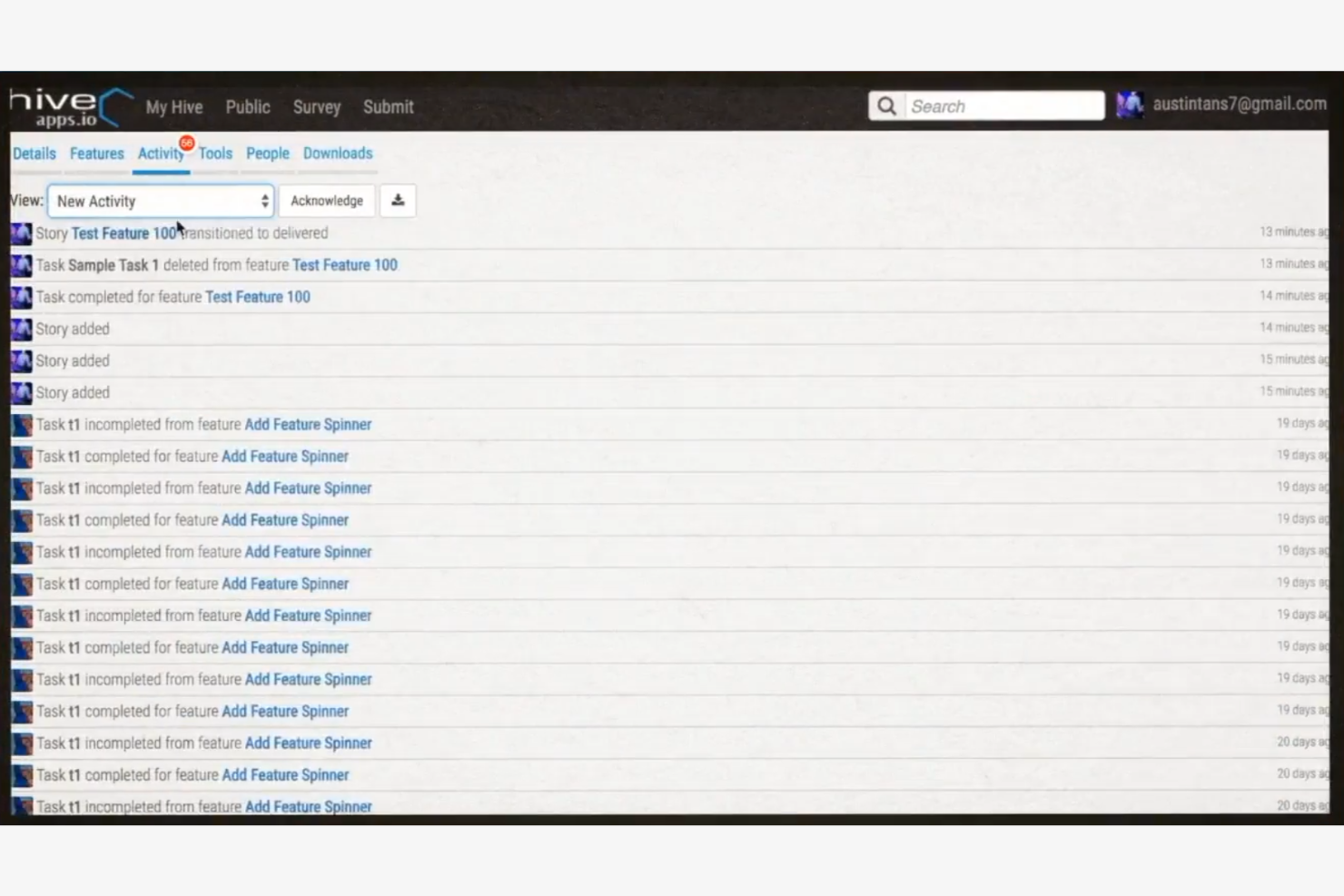
Teams looking for a ClickUp alternative with built-in time tracking will find Hive especially useful. It’s designed for project managers and operations leads who need to monitor hours spent on tasks without relying on third-party tools. Hive stands out by offering native time tracking alongside project management features, making it easier to manage productivity and billing in one place.
Why Hive Is a Good ClickUp Alternative
Unlike many ClickUp alternatives, Hive offers native time tracking built directly into its project management platform. I picked Hive because you can track time spent on tasks without needing external plugins or manual workarounds. The timesheet and reporting features let you monitor billable hours and analyze team productivity in real time. For teams that need to manage both projects and time tracking together, Hive provides a unified solution.
Hive Key Features
Some other features in Hive help teams manage projects and communication more efficiently:
- Action Cards: Assign, track, and update tasks with detailed cards that include attachments and comments.
- Gantt View: Visualize project timelines and dependencies using an interactive Gantt chart.
- Native Email Integration: Send and receive emails directly within Hive to keep all project communication in one place.
- Proofing and Approval Tools: Review, annotate, and approve files and documents without leaving the platform.
Hive Integrations
Integrations include Google Drive, Google Calendar, Dropbox, QuickBooks, Zoom, Microsoft OneDrive, Microsoft Teams, Outlook Calendar, Jira, and Slack.
Pros and Cons
Pros:
- Email integration centralizes project communication
- Proofing and approval tools for creative teams
- Native time tracking and timesheet reporting
Cons:
- Reporting customization options are limited
- Mobile app has reduced functionality compared to desktop

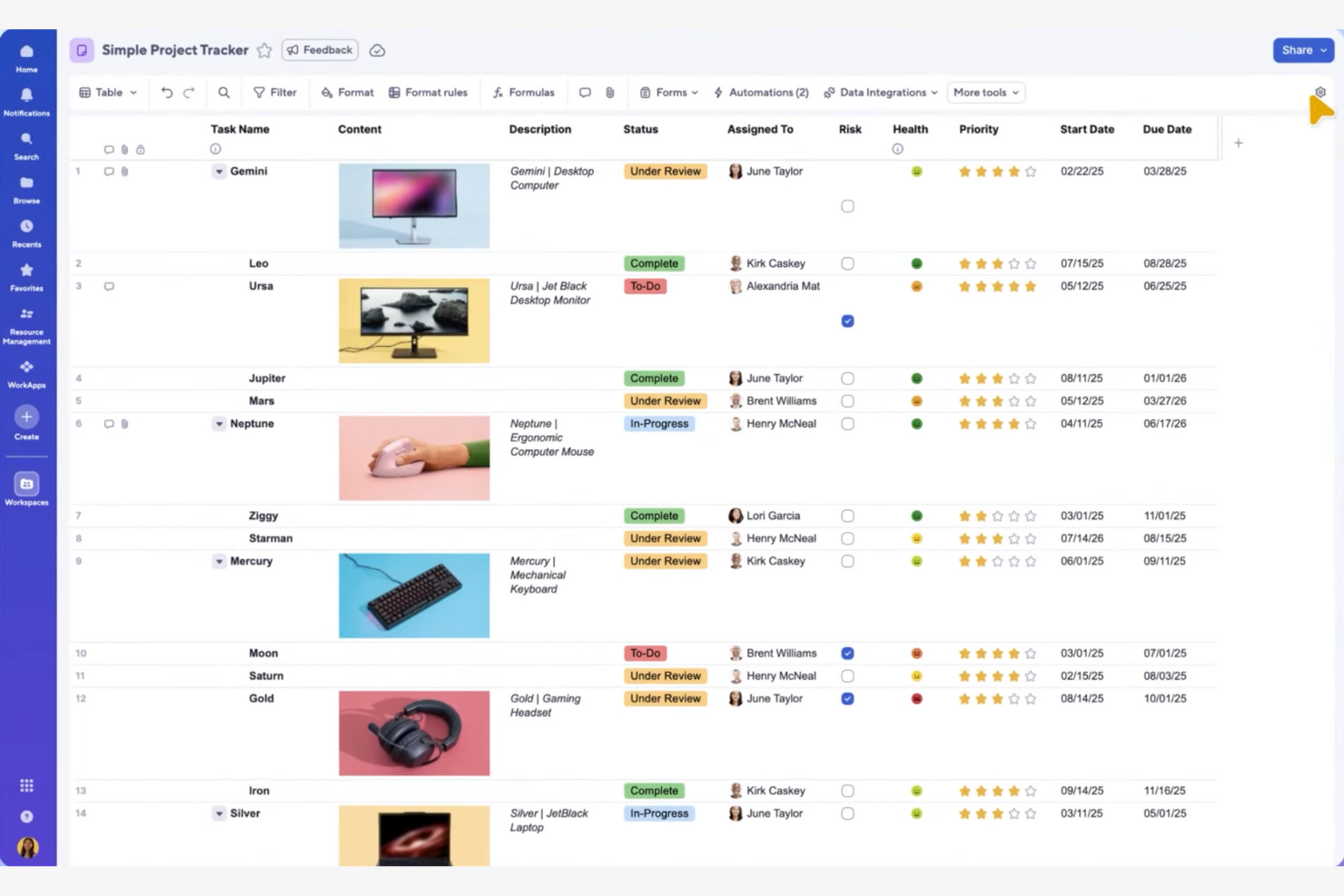
If your team prefers managing projects in a familiar spreadsheet format, Smartsheet offers a unique approach compared to other ClickUp alternatives. It’s especially useful for finance, operations, and project management professionals who rely on grid-based planning and data tracking. Smartsheet stands out by combining spreadsheet flexibility with project automation and collaboration tools.
Why Smartsheet Is a Good ClickUp Alternative
Unlike most ClickUp alternatives, Smartsheet gives you a spreadsheet-style interface for project planning and tracking. I picked Smartsheet because it lets you build custom grids, formulas, and conditional formatting directly into your project sheets. You can also automate workflows and set up approval processes using familiar spreadsheet logic. This approach is ideal for teams that want the structure of spreadsheets with the added power of project management features.
Smartsheet Key Features
Some other features in Smartsheet help teams coordinate and execute projects at scale:
- Gantt Chart View: Visualize project timelines and dependencies with interactive Gantt charts.
- Resource Management: Assign resources, monitor workloads, and forecast team capacity within projects.
- Cell Linking: Connect data across multiple sheets to keep information synchronized and up to date.
- Attachment Management: Store and share files directly within rows or sheets for easy reference.
Smartsheet Integrations
Integrations include Jira, Salesforce, Microsoft Teams, Slack, Google Drive, Power BI, Tableau, Adobe Creative Cloud, ServiceNow, and Docusign.
Pros and Cons
Pros:
- Interactive Gantt charts with dependency mapping
- Powerful formulas and cell linking for data-driven project tracking
- Spreadsheet-style interface familiar to operations and finance teams
Cons:
- Dashboards require separate configuration per project
- No built-in team chat or messaging tools
New Product Updates from Smartsheet

Smartsheet Adds Direct Data Import to Existing Sheets
Smartsheet introduces direct data import to existing sheets in table view. This update lets you import CSV, XLS, and XLSX files directly into sheets, reducing manual work and speeding up data setup. For more information, visit Smartsheet's official site.
 .
.
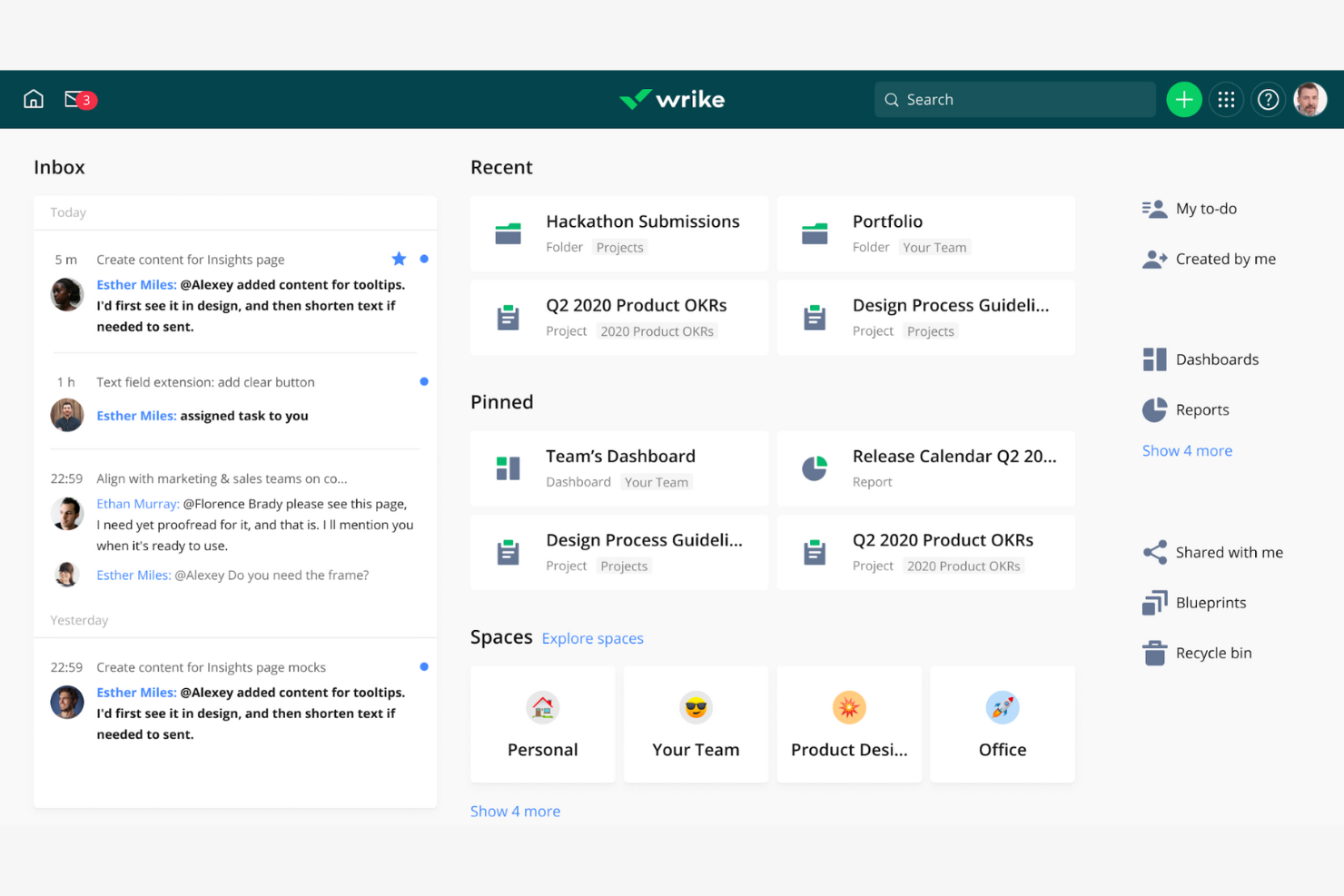
Wrike stands out for teams that need enterprise-grade workflow automation and detailed process control. If your business manages complex projects with multiple dependencies and approval steps, Wrike offers automation tools that go beyond most ClickUp alternatives. Its customizable workflows and automation rules help reduce manual work and keep projects moving without constant oversight — even at enterprise-level scale.
Why Wrike Is a Good ClickUp Alternative
For teams that need more advanced workflow automation than ClickUp provides, Wrike is a strong contender. I picked Wrike because its automation engine lets you set up custom triggers, actions, and approvals that fit complex business processes. You can automate repetitive tasks, route work based on status changes, and build multi-step approval chains without coding. This level of automation helps teams reduce manual intervention and maintain consistency across large projects.
Wrike Key Features
Some other features in Wrike help teams manage projects and collaborate more efficiently:
- Dynamic Request Forms: Collect project requests and automatically assign tasks based on form responses.
- Resource Management Tools: Allocate team members, track workloads, and forecast resource needs within projects.
- Document Versioning: Store, share, and manage multiple versions of files directly in project folders.
- Time Tracking: Log hours worked on tasks and generate time reports for billing or analysis.
Wrike Integrations
Integrations include Salesforce, Microsoft Teams, Google Drive, Slack, Zoom, Tableau, Power BI, QuickBooks, Jira, and Adobe Creative Cloud.
Pros and Cons
Pros:
- Custom request forms that auto-route work to the right teams
- Built-in resource management with workload visibility
- Advanced automation builder for complex, multi-step workflows
Cons:
- Interface can require a steep learning curve
- Key reporting and Gantt features are locked behind higher-tier plans
New Product Updates from Wrike

Streamlining Workspaces with New Updates
Wrike announces custom space templates, AI Agents in Wrike Labs, and a new Guage widget to improve project management. For more information, visit Wrike's official site.

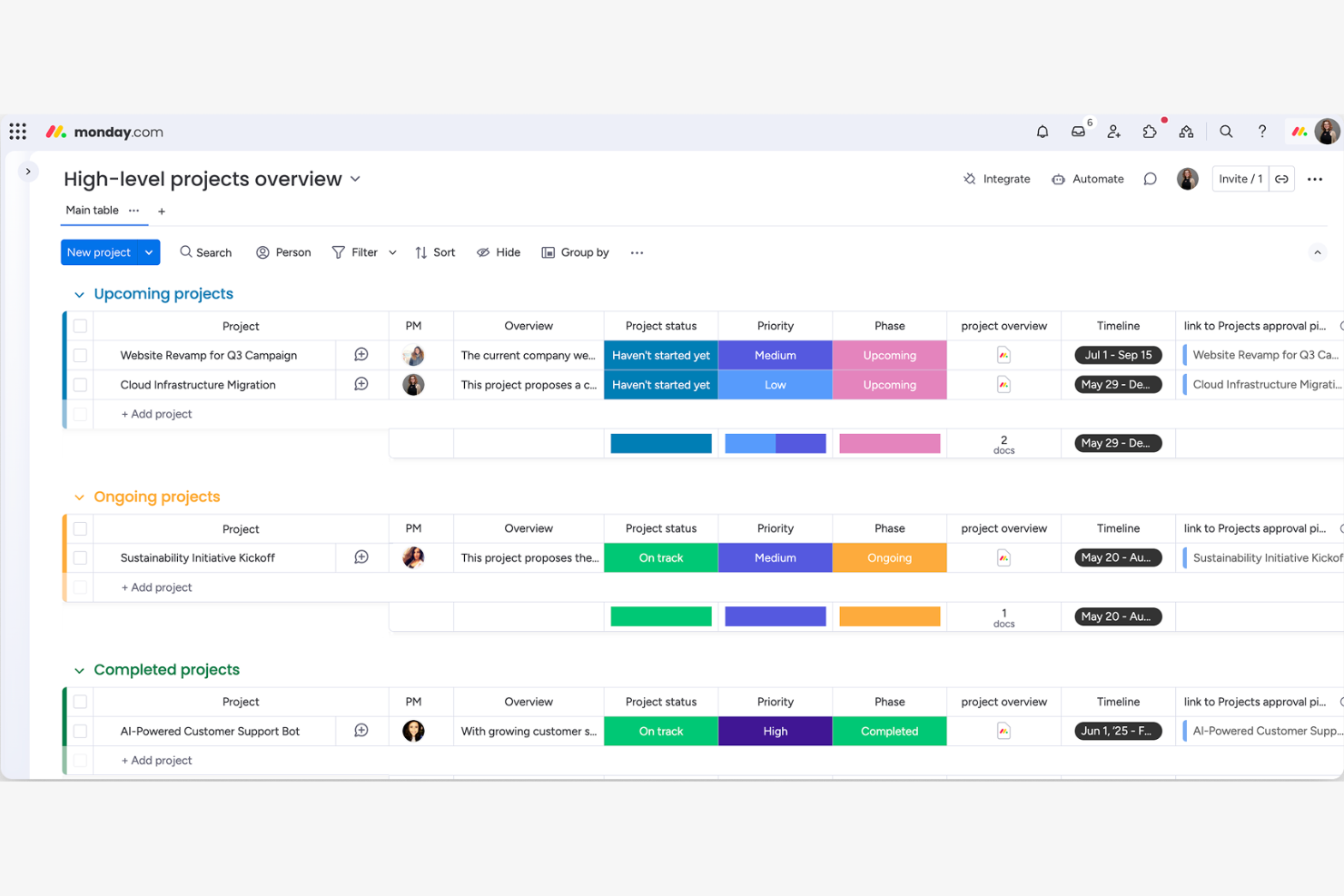
If you’re searching for a ClickUp alternative with standout visual dashboards, monday.com is worth a close look. It’s especially useful for teams that need to track projects, KPIs, and workflows at a glance. monday.com’s customizable boards and widgets make it easy to build visual overviews that help teams spot trends and bottlenecks quickly.
Why monday.com Is a Good ClickUp Alternative
For teams that want more visual control over their projects, monday.com offers a dashboard experience that’s hard to match. I picked monday.com because its dashboards let you combine charts, timelines, workload views, and custom widgets all in one place. You can tailor these dashboards to show project status, resource allocation, or key metrics at a glance. This level of visual customization helps teams quickly identify priorities and track progress in ways that ClickUp’s dashboards can’t always match.
monday.com Key Features
Some other features in monday.com help teams manage projects and collaboration more flexibly:
- Automations: Set up custom rules to automate repetitive tasks and notifications across your boards.
- Form Builder: Create shareable forms that feed responses directly into your project boards.
- File Management: Upload, organize, and share files within tasks and boards for easy access.
- Time Tracking: Track time spent on tasks directly from each item to monitor workloads and project hours.
monday.com Integrations
Integrations include Slack, Gmail, Microsoft Teams, GitLab, Mailchimp, Excel, Outlook, Docusign, Google Drive, and Trello.
Pros and Cons
Pros:
- Time tracking is integrated directly into task items
- Built-in automations for repetitive workflow actions
- Customizable visual dashboards for high-level project visibility
Cons:
- File storage limits vary significantly by pricing tier
- Advanced timeline and Gantt features require premium plans
Weitere ClickUp Alternativen
Hier sind weitere Optionen für ClickUp-Alternativen, die es nicht auf meine Kurzliste geschafft haben, aber trotzdem einen Blick wert sind:
- GoodDay
For built-in goal tracking features
- Teamwork.com
For billable-hour business models
- Backlog
For software development teams
- Screendragon
For managing complex approval workflows


Auswahlkriterien für ClickUp Alternativen
Bei der Auswahl der besten ClickUp-Alternativen habe ich mich auf die Punkte konzentriert, die für Software-Käufer wirklich relevant sind. Um die Bewertung konsistent und praxisnah zu gestalten, habe ich das folgende Schema verwendet:
Kernfunktionalität (25% der Gesamtbewertung)
Um in diese Liste aufgenommen zu werden, mussten alle Lösungen folgende allgemeine Anwendungsfälle abdecken:
- Projektfortschritte mit klaren Visualisierungstools nachverfolgen
- Fristen setzen und Erinnerungen einrichten
- Echtzeit-Zusammenarbeit im Team ermöglichen
- Dateifreigabe und das Anhängen von Dokumenten unterstützen
Zusätzliche Alleinstellungsmerkmale (25% der Gesamtbewertung)
Um die Konkurrenz weiter einzugrenzen, habe ich außerdem auf besondere Funktionen geachtet, etwa:
- Integrierte Automatisierungstools zur Reduzierung manueller Arbeit
- Anpassbare Dashboards zur Datenvisualisierung
- Eigenständige Zeiterfassung und Rechnungsstellung
- Erweiterte Funktionen für Berichtswerkzeuge und Analysen
- CRM-Funktionen für Kunden- oder Marketingteams
Benutzerfreundlichkeit (10% der Gesamtbewertung)
Um ein Gefühl für die Benutzerfreundlichkeit jedes Systems zu bekommen, habe ich Folgendes berücksichtigt:
- Saubere und benutzerfreundliche Oberfläche
- Minimale Klicks, um Aktionen abzuschließen
- Logische und effiziente Navigationsstruktur
- Responsives Design auf allen Geräten
- Klare visuelle Hierarchie
Onboarding (10% der Gesamtbewertung)
Um die Onboarding-Erfahrung jeder Plattform zu bewerten, habe ich Folgendes berücksichtigt:
- Verfügbarkeit von Schulungsvideos und Tutorials
- Vorgefertigte Vorlagen für einen schnellen Einstieg
- Interaktive Produkttouren oder Einführungen
- Zugang zu Onboarding-Webinaren oder Live-Sitzungen
- In-App-Chatbots oder geführte Hilfen
Kundensupport (10% der Gesamtbewertung)
Um die Kundensupport-Dienste jedes Softwareanbieters zu bewerten, habe ich Folgendes berücksichtigt:
- Verfügbarkeit mehrerer Support-Kanäle
- Schnelle Reaktionszeiten
- Zugang zu einer durchsuchbaren Hilfezentrale
- Verfügbarkeit von Live-Chat oder Telefonsupport
- Qualität der Fehlerbehebung und Nachverfolgung
Preis-Leistungs-Verhältnis (10% der Gesamtbewertung)
Um das Preis-Leistungs-Verhältnis jeder Plattform zu beurteilen, habe ich Folgendes berücksichtigt:
- Transparente und flexible Preismodelle
- Umfang der Funktionen in jeder Preiskategorie
- Verfügbarkeit eines kostenlosen Plans oder Testzeitraums
- Keine versteckten Gebühren oder überraschende Kosten
- Rabatte bei jährlicher Zahlung oder für gemeinnützige Organisationen
Kundenbewertungen (10% der Gesamtbewertung)
Um einen Eindruck von der allgemeinen Kundenzufriedenheit zu erhalten, habe ich beim Lesen von Kundenbewertungen Folgendes berücksichtigt:
- Konsistenz der positiven Rückmeldungen
- Häufigkeit von Beschwerden über Fehler oder Ausfälle
- Lob für bestimmte Funktionen oder den Support
- Berichte über erfolgreiche Teamübernahme
- Feedback zu Updates und neuen Funktionen
Warum sollte man nach einer ClickUp-Alternative suchen?
Obwohl ClickUp eine gute Wahl unter den ClickUp-Alternativen ist, gibt es eine Reihe von Gründen, warum manche Nutzer nach anderen Lösungen suchen. Möglicherweise suchen Sie eine ClickUp-Alternative, weil…
- Sie eine einfachere, weniger funktionsüberladene Oberfläche möchten
- Sie speziellere Projektansichten oder Layouts benötigen
- Sie ein integriertes Zeiterfassungs- oder erweitertes Berichtswesen brauchen
- Sie ein Tool mit branchenspezifischen Vorlagen bevorzugen
- Sie besseren Offline-Zugang oder mobile Funktionalität benötigen
- Sie transparentere oder flexiblere Preise wünschen
Wenn Sie sich in einem dieser Punkte wiederfinden, sind Sie hier genau richtig. Meine Liste enthält mehrere ClickUp-Alternativen, die besser zu Teams passen, die vor diesen Herausforderungen bei ClickUp stehen und nach Alternativen suchen.
Wichtige Funktionen von ClickUp
Nachfolgend finden Sie einige der wichtigsten Funktionen von ClickUp, damit Sie vergleichen und abwägen können, was Alternativlösungen bieten:
- Aufgabenmanagement: Erstellen, zuweisen und organisieren Sie Aufgaben mit benutzerdefinierten Status, Prioritäten und Fälligkeitsdaten, um Projekte im Zeitplan zu halten.
- Mehrere Projektansichten: Wechseln Sie zwischen Listen-, Board-, Kalender-, Gantt- und Zeitstrahlansichten, um die Arbeit passend zum Workflow Ihres Teams zu visualisieren.
- Individuelle Felder: Fügen Sie Aufgaben individuelle Datenpunkte hinzu, etwa Dropdowns, Daten oder Zahlen, um prozessespezifische Informationen zu erfassen.
- Dokumente und Wikis: Erstellen, teilen und bearbeiten Sie Dokumente und Wissensdatenbanken direkt innerhalb Ihres Arbeitsbereichs.
- Automatisierungen: Richten Sie regelbasierte Auslöser und Aktionen ein, um wiederkehrende Aufgaben zu automatisieren und manuelle Arbeit zu reduzieren.
- Zeiterfassung: Erfassen Sie aufgewendete Zeit für Aufgaben direkt oder über Integrationen, um Produktivität zu überwachen und Abrechnung zu unterstützen.
- Zielverfolgung: Setzen, verfolgen und visualisieren Sie Fortschritte zu Team- oder individuellen Zielen mit messbaren Zielwerten und Meilensteinen.
- Berichte und Dashboards: Erstellen Sie individuelle Dashboards und Berichte, um Projektleistung, Arbeitsauslastung und Produktivitätskennzahlen zu analysieren.
- Integrationen: Verbinden Sie sich mit beliebten Tools wie Slack, Google Drive, Zoom und GitHub, um Arbeit und Kommunikation zu zentralisieren.
- Berechtigungen und Datenschutz: Steuern Sie den Zugriff auf Projekte, Aufgaben und Dokumente mit detaillierten Benutzerrechten und Datenschutzeinstellungen.
Wie geht es weiter:
Wenn Sie gerade eine Projektmanagement-Software recherchieren, verbinden Sie sich mit einem SoftwareSelect-Berater für kostenlose Empfehlungen.
Sie füllen ein Formular aus und führen ein kurzes Gespräch, in dem Ihre spezifischen Anforderungen geklärt werden. Anschließend erhalten Sie eine Auswahlliste an Software zum Überprüfen. Die Berater begleiten Sie sogar durch den gesamten Kaufprozess, inklusive Preisverhandlung.