
14 Rippling Alternativen für 2026

10 Beste Rippling-Alternativen Shortlist
Here's my pick of the 10 best software from the 14 tools reviewed.


Eine starke Rippling-Alternative vereint verlässliche Human Resources (HR), Lohnabrechnungsfunktionen und Features für das Workforce Management mit der Flexibilität, die individuellen Anforderungen deines Unternehmens zu erfüllen. Wenn du nach Alternativen zu Rippling suchst, vergleichst du wahrscheinlich Optionen, die mit komplexen Compliance-Anforderungen umgehen, Routineprozesse automatisieren und klare Einblicke in die Belegschaft bieten können – und das, ohne Kompromisse bei Benutzerfreundlichkeit oder Integration mit deinen bestehenden Systemen. Diese Liste hilft dir, führende Workforce-Management-Plattformen zu vergleichen, damit du mit Zuversicht eine Lösung wählen kannst, die zu deinen betrieblichen Anforderungen passt, dein Team unterstützt und dein Startup oder großes Unternehmen weiter voranbringt.
Was ist Rippling?
Rippling ist eine Workforce-Management-Software, die HR, Lohnabrechnung, Benefits-Administration und IT-Management auf einer Plattform vereint. Sie hilft Unternehmen, die Mitarbeiter-Onboarding-Prozesse zu automatisieren, die Einhaltung von Compliance-Vorgaben zu gewährleisten und Personaldaten zu zentralisieren. Rippling richtet sich an Organisationen, die ihre Kern-HR-Prozesse optimieren, sich mit Drittanbieter-Tools verbinden und einen besseren Überblick über die Belegschaft behalten wollen. Die Flexibilität und vielfältigen Integrationsmöglichkeiten machen Rippling zu einer beliebten Wahl für Unternehmen mit sich wandelnden operativen Anforderungen.
Zusammenfassung der besten Rippling-Alternativen
Diese Vergleichstabelle fasst die Preisinformationen meiner besten Rippling-Alternativen zusammen und hilft dir, eine Auswahl passend zu deinem Budget und deinen geschäftlichen Anforderungen zu treffen.
| Tool | Best For | Trial Info | Price | ||
|---|---|---|---|---|---|
| 1 | Best for continuous pay calculation | Free demo available | Pricing upon request | Website | |
| 2 | Best for unified HR and finance analytics | Free demo available | Pricing upon request | Website | |
| 3 | Best for AI-driven scheduling optimization | Free demo available | Pricing upon request | Website | |
| 4 | Best for payroll and tax automation | Free demo available | Pricing upon request | Website | |
| 5 | Best for integrating employee support tickets | Free trial + free demo available | From $19/user/month (billed annually) | Website | |
| 6 | Best for enterprise-scale workforce planning | Free demo available | Pricing upon request | Website | |
| 7 | Best for global compliance management | Free demo available | Pricing upon request | Website | |
| 8 | Best for international contractor management | Free demo available | Pricing upon request | Website | |
| 9 | Best for workforce productivity insights | 14-day free trial + free plan + free demo available | From $10/user/month (billed annually) | Website | |
| 10 | Best for hourly team scheduling | 14-day free trial + free plan + free demo available | From $30/location/month (billed annually) | Website |

Why Trust Our Software Reviews
-

LiveFlow
Visit WebsiteThis is an aggregated rating for this tool including ratings from Crozdesk users and ratings from other sites.4.9 -
Float Financial
Visit WebsiteThis is an aggregated rating for this tool including ratings from Crozdesk users and ratings from other sites.4.1 -
Rippling Spend
Visit WebsiteThis is an aggregated rating for this tool including ratings from Crozdesk users and ratings from other sites.4.8


Bewertungen zu den besten Rippling-Alternativen
Nachfolgend findest du meine ausführlichen Zusammenfassungen der Rippling-Alternativen, die es auf meine Shortlist geschafft haben. Meine Bewertungen geben einen detaillierten Überblick über die Funktionen, besten Anwendungsfälle und Integrationen jeder Plattform, damit du die beste Lösung für dich auswählen kannst.

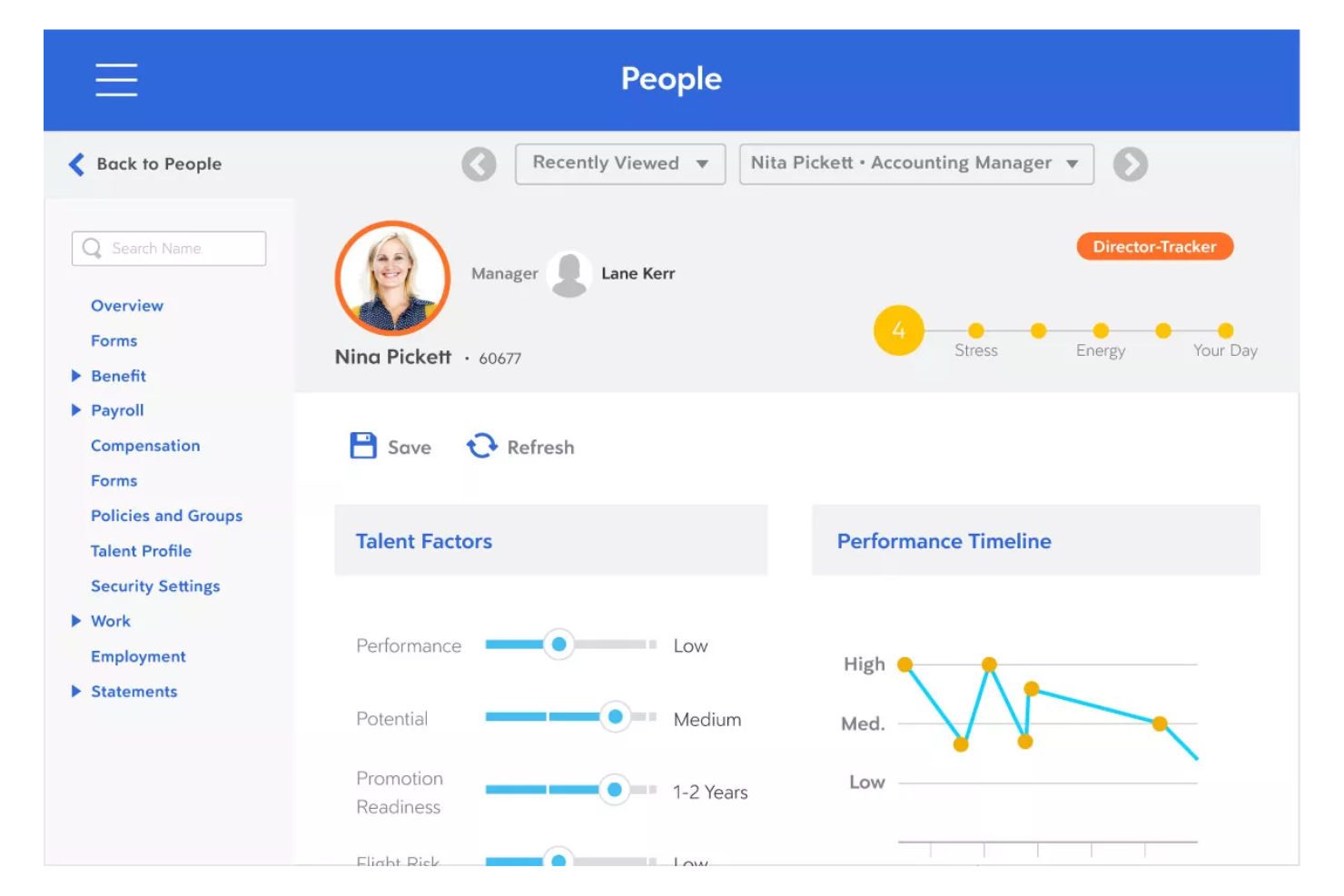
Dayforce stands out for organizations that need real-time payroll accuracy and up-to-date labor cost insights. It’s especially useful for finance and HR teams in industries with complex scheduling or variable pay, like retail, manufacturing, and healthcare. Unlike Rippling, Dayforce calculates pay continuously, so you can spot errors and manage compliance before payroll deadlines.
Why Dayforce Is a Good Rippling Alternative
What sets Dayforce apart is its continuous pay calculation engine, which updates payroll data in real time as hours are worked and changes occur. I picked Dayforce for teams that need to catch payroll errors early and manage compliance risks before payroll is finalized.
The HR platform’s single data record system means time, attendance, and pay are always in sync, reducing manual reconciliation. If you want more control and visibility over payroll throughout the pay cycle, Dayforce is a strong alternative to Rippling.
Dayforce Key Features
In addition to its real-time payroll capabilities, I also found these features valuable:
- Workforce Scheduling: Build, manage, and adjust employee schedules based on business needs and labor rules.
- Mobile App Access: Employees and managers can review schedules, request time off, and approve changes from their mobile devices.
- Document Management: Store, organize, and access employee documents securely within the platform.
- Analytics and Reporting: Generate detailed workforce and payroll reports to support compliance and decision-making.
Dayforce Integrations
Native integrations are not currently listed by Dayforce.
Pros and Cons
Pros:
- Advanced scheduling features
- Mobile app to manage schedules and requests
- Single data record keeps HR and pay in sync
Cons:
- Slow loading and laggy performance
- Clunky, non user-friendly interface

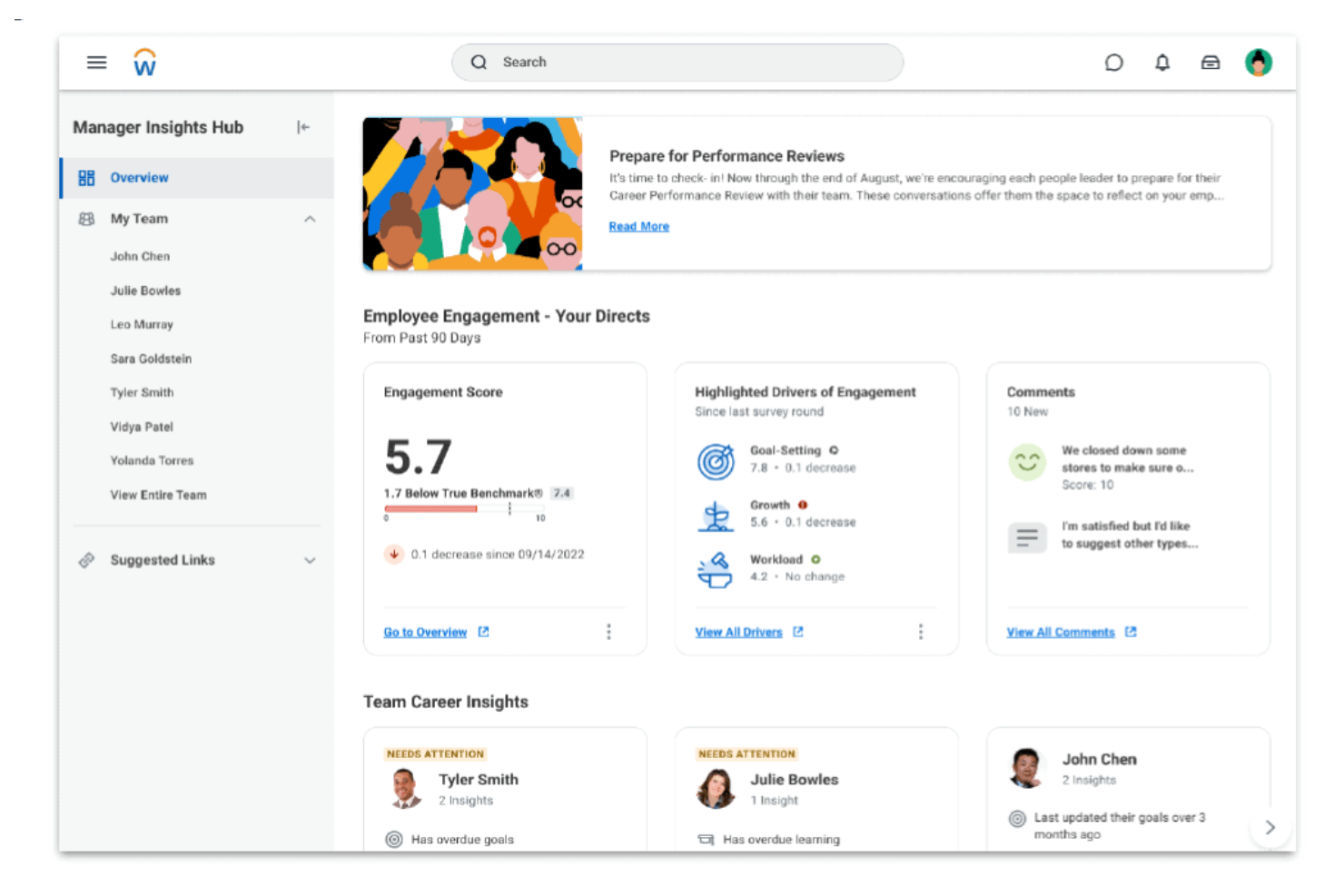
Workday brings HR and finance data together in a single cloud platform, making it a strong fit for organizations that want unified analytics and reporting. This solution is especially useful for finance and HR leaders who need to connect workforce planning with budgeting, forecasting, and operational insights. If your business is looking to improve cross-functional decision-making, Workday offers a level of integration that goes beyond what most workforce management tools provide.
Why Workday Is a Good Rippling Alternative
For organizations that want to unify HR and finance analytics, Workday offers a level of integration that’s hard to match. I picked Workday because it connects workforce management, payroll, and financial planning in one platform, allowing you to analyze headcount, costs, and performance side by side.
Its real-time analytics and customizable dashboards help finance and HR teams collaborate on forecasting and resource allocation. If you need a workforce management solution that breaks down data silos between HR and finance, Workday is a strong alternative to Rippling.
Workday Key Features
Some other features that make Workday appealing for workforce management include:
- Talent Management Suite: Manage recruiting, onboarding, performance, and learning in one place.
- Time Tracking: Capture employee hours, attendance, and absences with built-in tools.
- Mobile App: Give employees and managers access to HR and finance tasks on the go.
- Compliance Monitoring: Track regulatory changes and automate compliance tasks across regions.
Workday Integrations
Integrations include Salesforce, Microsoft Teams, Slack, ServiceNow, ADP, and Google Workspace.
Pros and Cons
Pros:
- Talent management suite
- Mobile app allows remote access
- Built-in compliance tools for global requirements
Cons:
- Lacks transparent pricing
- Custom reporting setup can require technical expertise
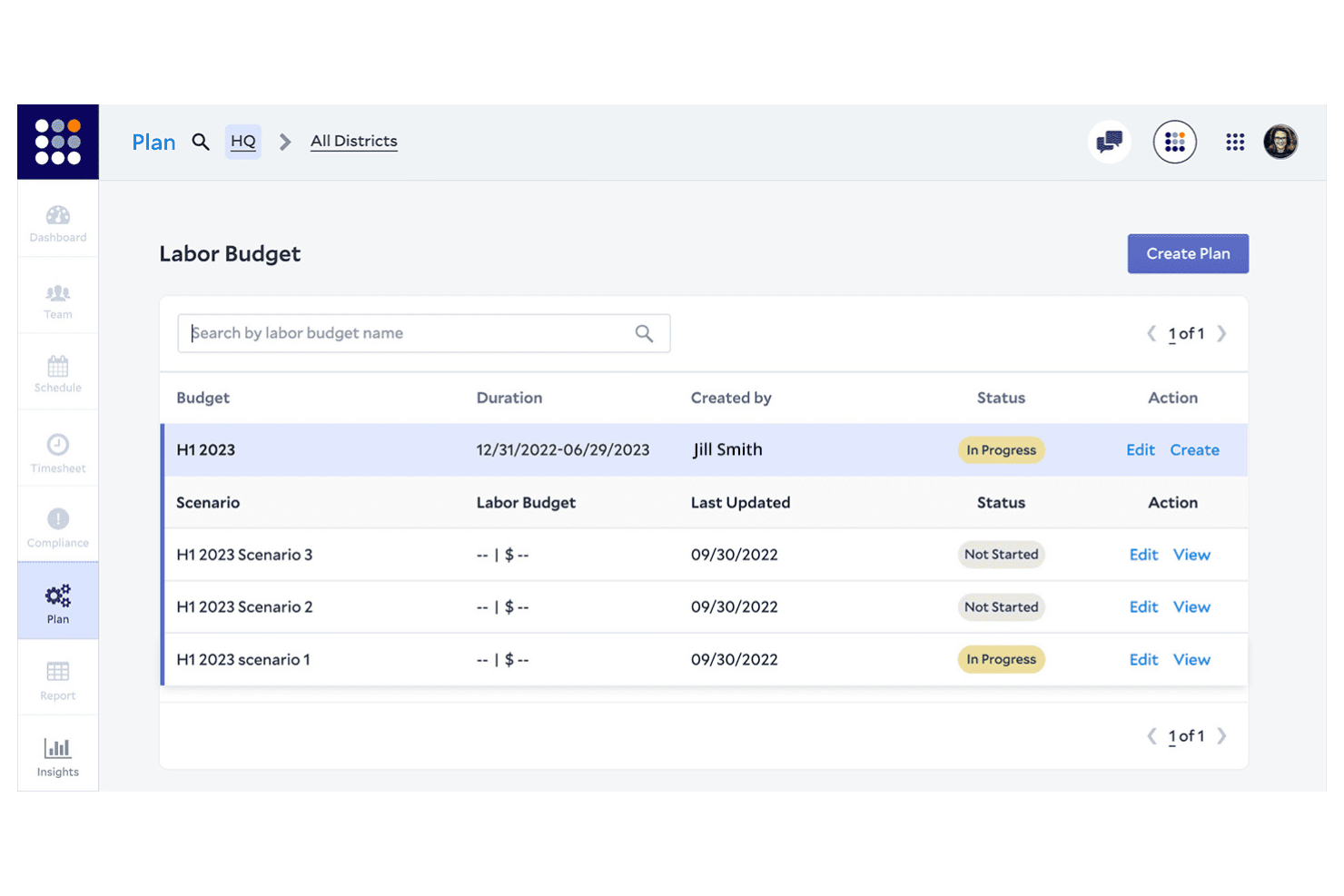
If you’re looking for workforce management software that uses AI to optimize scheduling, Legion is worth a close look. Retailers, restaurants, and other businesses with hourly staff can use Legion to match labor to demand and reduce over- or understaffing. Unlike Rippling, Legion’s AI-driven engine automatically generates schedules that balance business needs, compliance, and employee preferences.
Why Legion Is a Good Rippling Alternative
Legion stands out for its AI-driven scheduling optimization, which is especially valuable for businesses with fluctuating staffing needs. I picked Legion because its machine learning models forecast demand and automatically generate shift schedules that align labor with real-time business requirements.
The platform also factors in employee preferences and compliance rules, reducing manual scheduling work and potential conflicts. If you want to move beyond manual or rules-based scheduling, Legion offers a level of automation and intelligence that Rippling doesn’t match.
Legion Key Features
Some other features I found useful in Legion include:
- Employee Self-Service Portal: Staff can view schedules, swap shifts, and request time off directly from the portal.
- Automated Time and Attendance Tracking: The system records employee hours and attendance, reducing manual entry.
- Labor Cost Management: Track and manage labor costs in real time to stay within budget.
- Compliance Monitoring: Built-in tools help ensure schedules comply with labor laws and company policies.
Legion Integrations
Integrations include Workday, SAP SuccessFactors, ADP, UKG, and Zipline.
Pros and Cons
Pros:
- Reduces labor cost and waste
- Intuitive mobile app for staff
- AI-driven precision scheduling
Cons:
- Complex integration process
- Occasional AI forecast errors

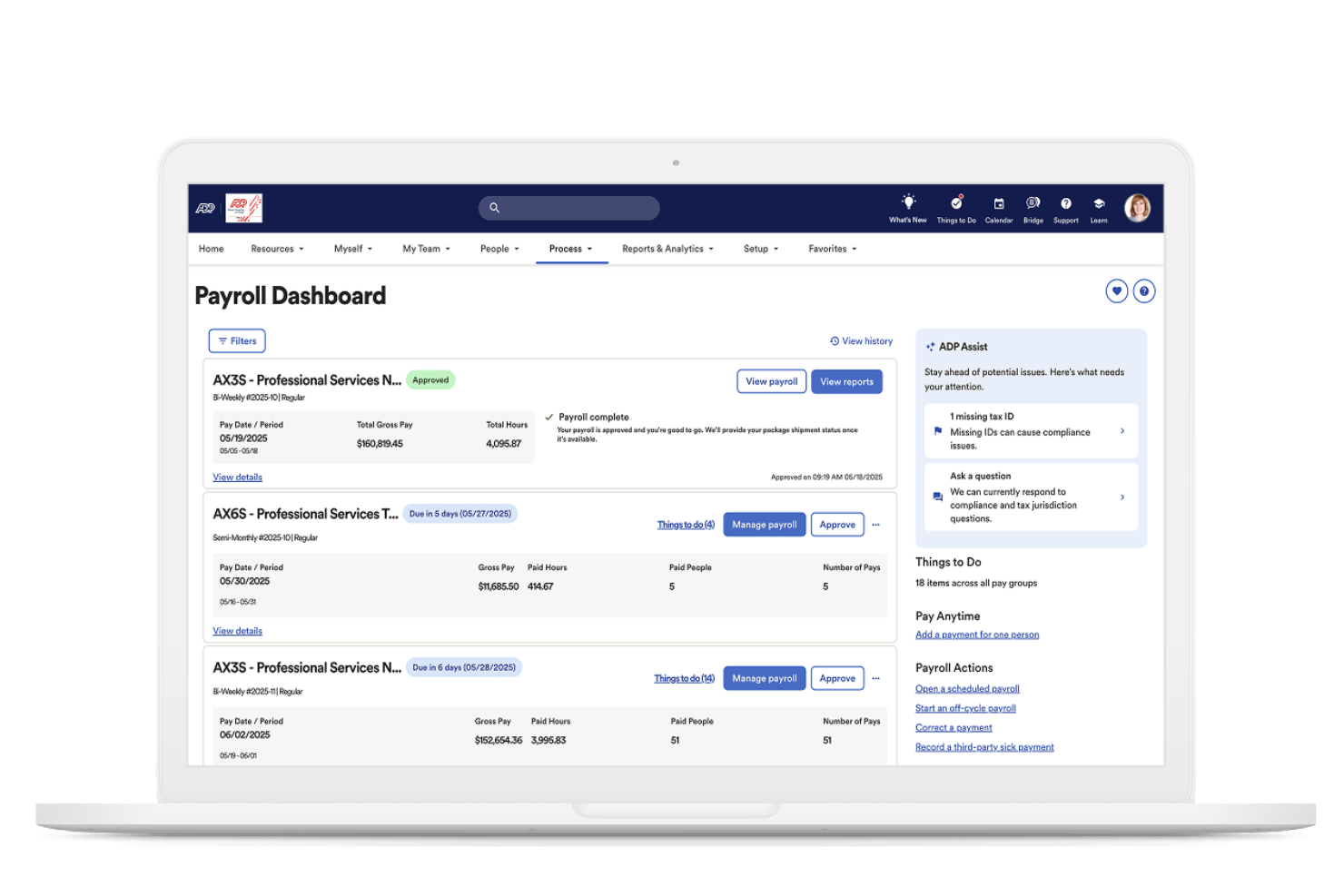
When payroll accuracy and tax compliance are top priorities, ADP offers automation tools designed to reduce manual work and risk. It’s a strong fit for finance teams and HR professionals in businesses of all sizes that need to manage complex payroll, deductions, and government remittances. Unlike Rippling, ADP specializes in automating payroll calculations and tax filings across multiple jurisdictions, helping you stay compliant as your workforce grows.
Why ADP Is a Good Rippling Alternative
For businesses that need a reliable payroll solution and tax automation, ADP delivers specialized tools that go beyond what Rippling offers. I picked ADP because it automatically calculates payroll, manages deductions, and files taxes in compliance with local, state, and federal regulations.
Its platform also handles year-end tax forms and supports multi-jurisdiction payroll, which is essential for companies with employees in different regions. If you want to reduce manual payroll work and minimize compliance risks, ADP is a strong alternative to consider.
ADP Key Features
Some other features that make ADP useful for workforce management include:
- Employee Self-Service Portal: Employees can access pay statements, update personal details, and manage direct deposit information.
- Time and Attendance Tracking: Track employee hours, manage schedules, and monitor attendance in real time.
- Benefits Administration: Manage health, dental, retirement, and other employee benefits from a centralized dashboard.
- Recruitment and Onboarding Tools: Post jobs, track applicants, and automate onboarding workflows for new hires.
ADP Integrations
Integrations include QuickBooks, Xero, Sage, Microsoft Dynamics 365, Oracle, SAP SuccessFactors, and Salesforce.
Pros and Cons
Pros:
- Integrates with major accounting and HR software platforms
- Supports multi-country payroll
- Automated payroll tax filing
Cons:
- Reporting tools may require additional training
- Inconsistent customer support response times
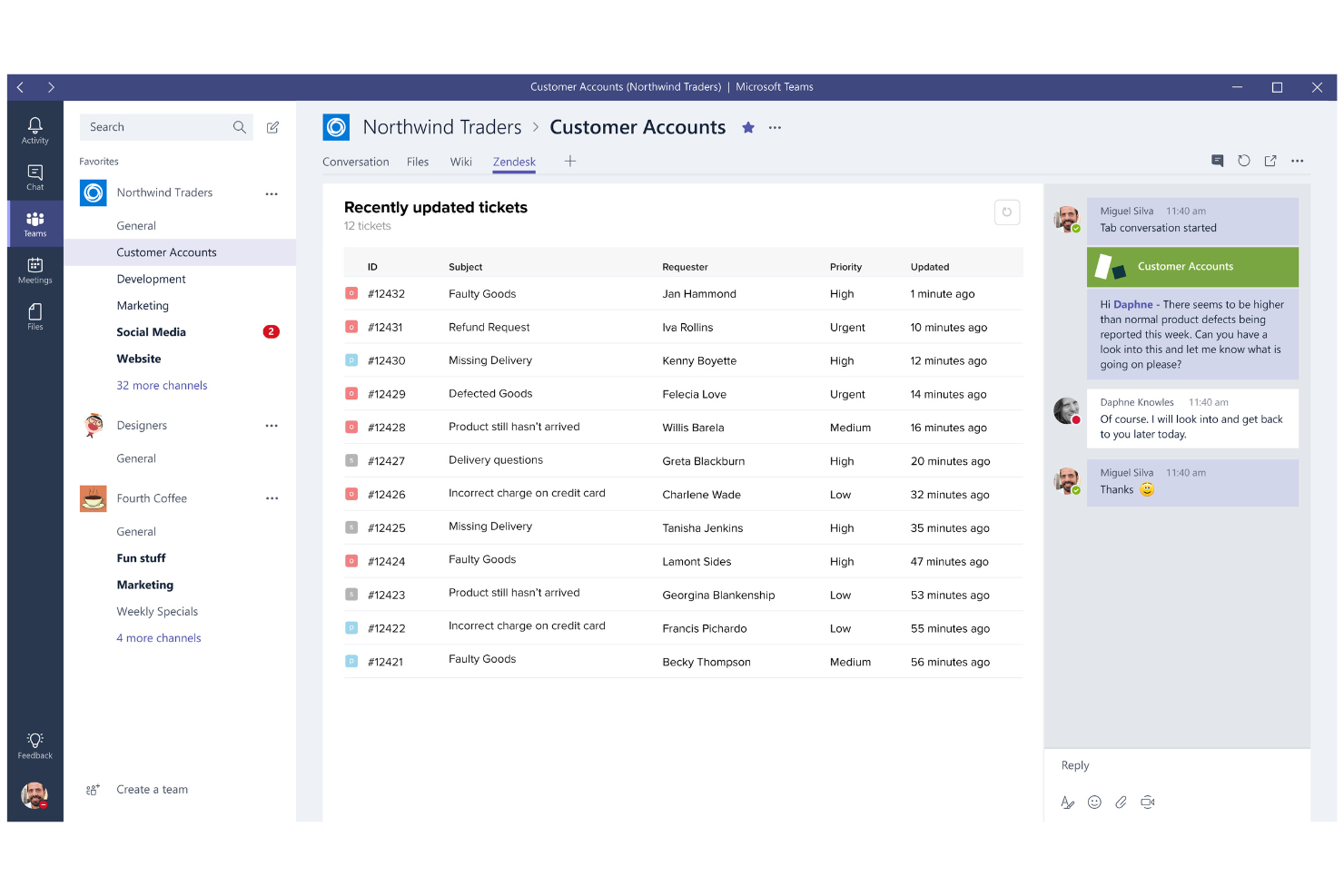
If your team needs a dedicated platform for managing employee support tickets, Zendesk offers specialized HR tools and key features for internal help desks. It’s a strong choice for HR, IT, and operations teams that want to centralize requests, streamline workflows, automate ticket routing, and track resolution times. Unlike most workforce management platforms, Zendesk focuses on improving the employee experience by optimizing support functions and integrating with your existing communication channels via its wide range of integrations.
Why Zendesk Is a Good Rippling Alternative
When it comes to managing employee support tickets, Zendesk brings a level of ticketing automation and workflow customization that’s hard to find in traditional HRIS or payroll software. I picked Zendesk as one of the top Rippling alternatives because it lets you centralize all employee requests, set up automated ticket routing, and track resolution metrics in real-time.
Its internal help desk modules are designed for HR, IT, and operations teams that need to handle high volumes of support inquiries efficiently. If your business wants to improve employee support processes beyond what Rippling offers, Zendesk is a strong, scalable HR solution and a standout among Rippling competitors.
Zendesk Key Features
Some other features that make Zendesk useful for workforce management include:
- Knowledge Base Management: Build and maintain a searchable library of internal articles and FAQs.
- Customizable Ticket Forms: Create tailored forms to capture the right information for different request types.
- SLA Management: Set and monitor service level agreements to ensure timely responses.
- Multi-Channel Support: Handle employee requests from email, chat, phone, and web forms in one place.
Zendesk Integrations
Integrations include Slack, Salesforce, Microsoft Teams, Jira, Shopify, and Zoom.
Pros and Cons
Pros:
- Multi-channel support via chat, email, or web
- Knowledge base reduces repetitive questions
- Centralized ticketing system
Cons:
- Initial setup for internal help desk can be time-consuming
- Advanced reporting features require higher-tier plans

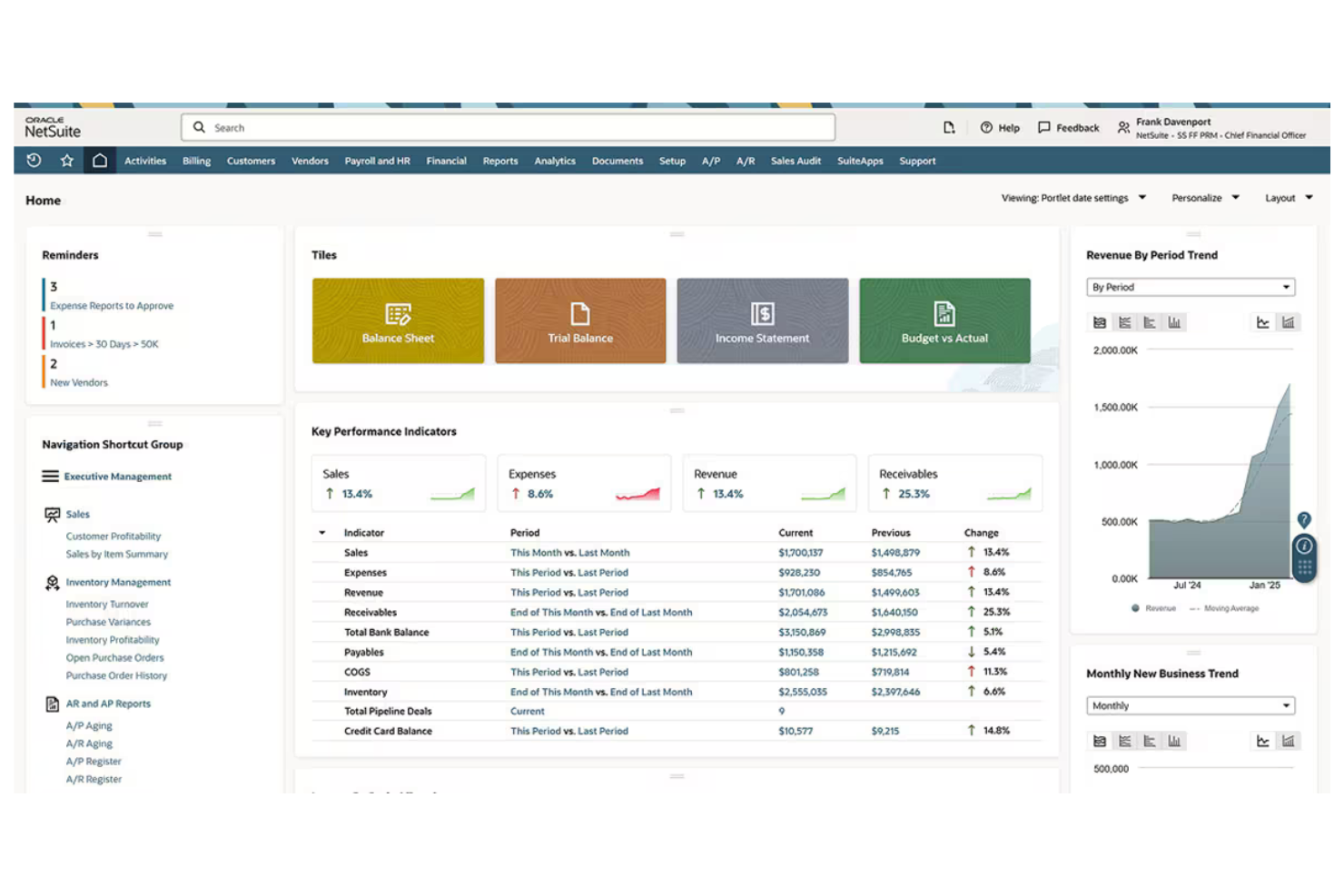
For organizations managing large, complex workforces, Oracle offers a suite of tools designed for enterprise-scale workforce planning and analytics. It’s especially well-suited for global businesses and HR leaders who need to align talent, budgets, and business strategy across multiple locations. Unlike Rippling, Oracle provides advanced modeling, scenario planning, and deep integration with financial systems to support long-term workforce decisions.
Why Oracle Is a Good Rippling Alternative
If your business needs to manage workforce planning at an enterprise scale, Oracle stands out for its advanced modeling and analytics capabilities. I picked Oracle because it lets you forecast headcount, model different workforce scenarios, and align staffing plans with business goals.
Its platform supports complex organizational structures and provides deep visibility into labor costs and resource allocation. For companies that need more than basic HR features and payroll management, Oracle offers the strategic planning and employee management tools that Rippling doesn’t cover.
Oracle Key Features
Some other features that make Oracle valuable for workforce management include:
- Time and Labor Management: Track employee hours, attendance, and scheduling across multiple locations.
- Global Payroll Processing: Handle payroll compliance and payments in different countries from a single platform.
- Talent Acquisition Suite: Manage recruiting, applicant tracking, and onboarding workflows.
- Employee Self-Service Portal: Let employees update personal information, view pay slips, and request time off.
Oracle Integrations
Integrations include Salesforce, SAP, Workday, Microsoft Office 365, ServiceNow, and Adobe Sign.
Pros and Cons
Pros:
- Built-in compliance for global regulatory requirements
- Deep integration with financial planning modules
- Advanced workforce modeling
Cons:
- Limited HR and payroll features for small businesses
- Requires significant IT resources
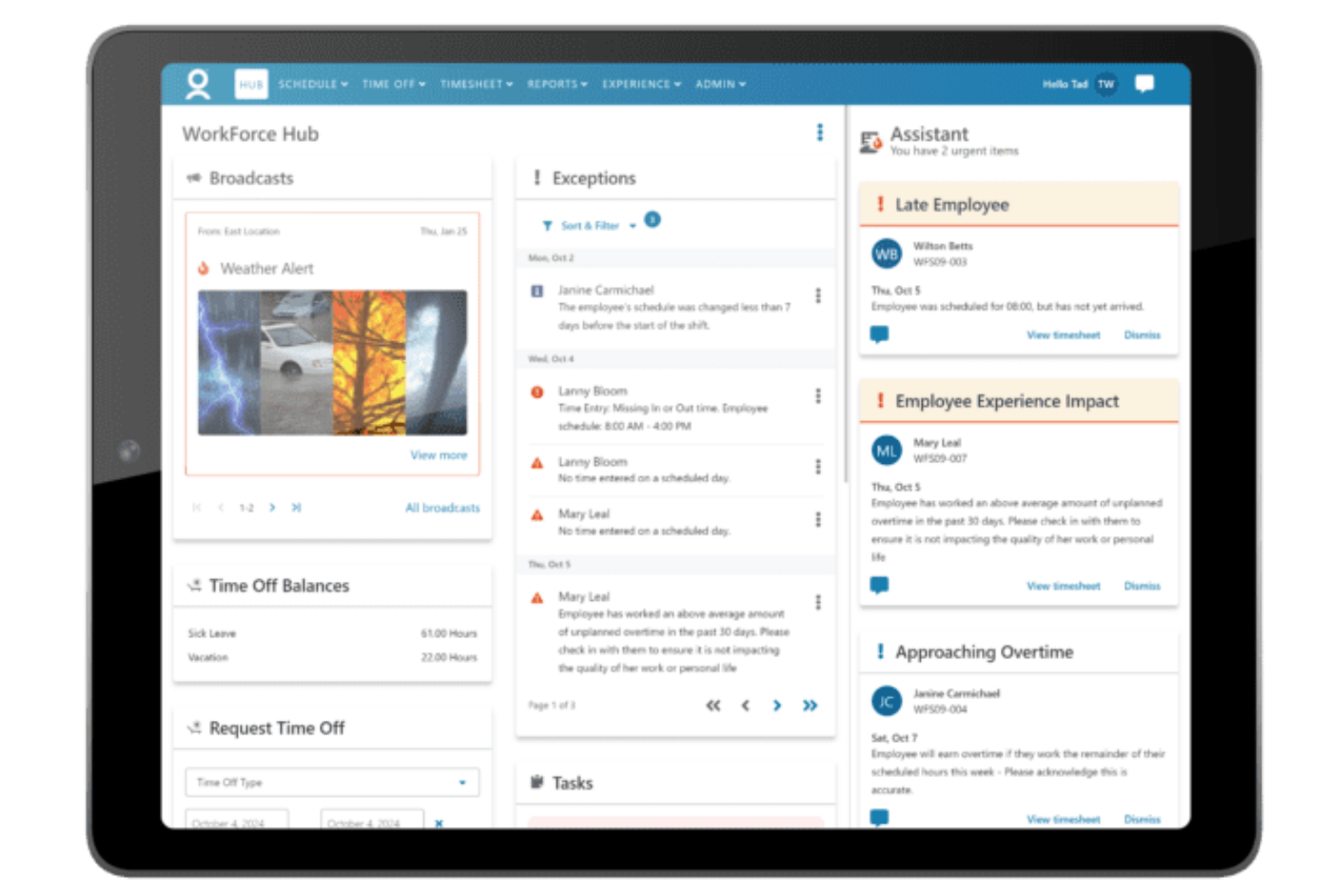
For organizations managing teams across multiple countries, WorkForce Software offers a workforce management platform built for global hiring and compliance. This solution is designed for HR, payroll, and operations leaders who need to navigate complex labor laws and local regulations. It’s especially valuable for multinational businesses that want to reduce compliance risk and standardize processes across diverse regions.
Why WorkForce Software Is a Good Rippling Alternative
If you need a workforce management solution that prioritizes global expansion and compliance, WorkForce Software is worth considering. I picked this tool because it offers built-in support for country-specific labor laws, time-off rules, and pay policies, which helps multinational organizations stay compliant across regions.
Its automated compliance monitoring and audit-ready reporting make it easier to manage risk and respond to regulatory changes. For businesses operating in multiple countries, these features set WorkForce Software apart from more U.S.-centric platforms like Rippling.
WorkForce Software Key Features
Some other features that stand out for workforce management include:
- Automated Scheduling: Create and manage complex shift patterns and rotations for large teams.
- Mobile Self-Service Portal: Employees can view schedules, request time off, and swap shifts from their mobile devices.
- Absence Management: Track and manage all types of employee absences, including sick leave and vacation, in one system.
- Analytics Dashboard: Access real-time data visualizations on workforce trends, attendance, and productivity.
WorkForce Software Integrations
Integrations include SAP, Oracle, Workday, ADP, UKG, Microsoft, ServiceNow, Salesforce, Infor, and Ceridian.
Pros and Cons
Pros:
- Real-time analytics dashboard
- Deep integration with SAP
- Automated scheduling handles large workforces
Cons:
- Implementation process lengthy for large organizations
- No built-in payroll processing

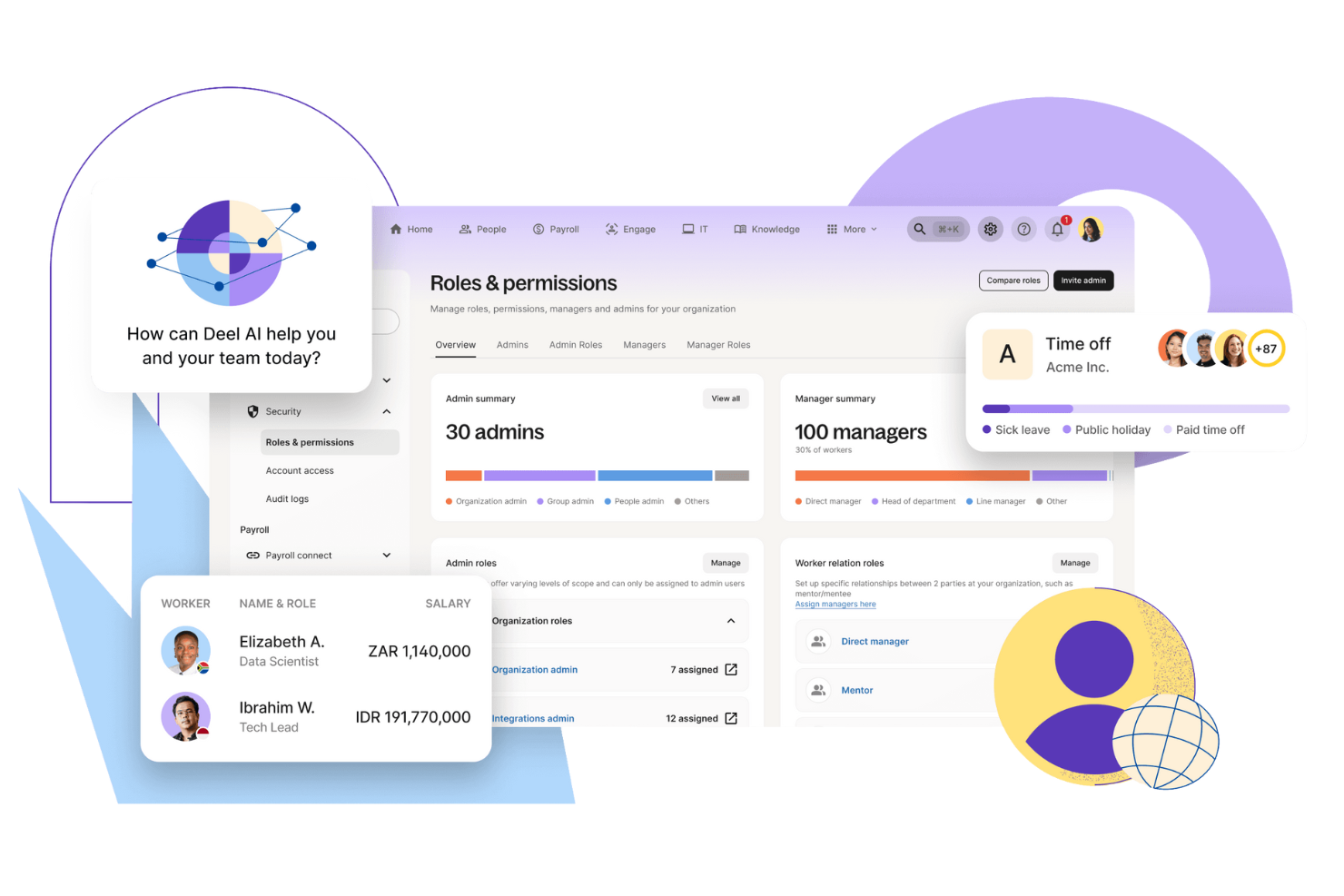
If you need a management system for international employees and contractors, Deel offers a global-first approach that goes beyond what Rippling covers. It’s designed for finance, HR, and operations teams at companies hiring across borders or dealing with complex local compliance. Deel handles localized contracts, payments in multiple currencies, EOR services, and country-specific onboarding, making it easier to expand your workforce worldwide without legal headaches.
Why Deel Is a Good Rippling Alternative
For businesses that need to manage a global contractor workforce, Deel stands out as a strong Rippling alternative. I picked Deel because it specializes in handling international employment compliance, localized contracts, and cross-border payments. The platform automates contractor onboarding and ensures you meet local labor laws in over 150 countries. If your team is expanding internationally, Deel’s focus on global contractor management helps you avoid compliance risks and administrative headaches.
Deel Key Features
Some other Deel features that caught my attention include:
- Automated Invoice Generation: Create and send invoices automatically for contractors and employees.
- Global Payroll Processing: International payroll for employees in multiple countries from a single dashboard.
- Expense Management Tools: Track, approve, and reimburse expenses submitted by your global workforce.
- Document Storage and E-Signature: Store contracts and HR documents securely and collect signatures digitally.
Deel Integrations
Native integrations are not currently listed for Deel.
Pros and Cons
Pros:
- Excellent 24/7 customer support
- Quick contract generation
- Pay team in 150+ currencies
Cons:
- Limited perks for contractors
- Exchange rates include markups
New Product Updates from Deel HR

Deel Expands Workplace Integrations With Microsoft Teams and Slack Alerts
Deel introduces Microsoft Teams HR approvals and consolidated Slack alerts for payouts, security, and compliance notifications. These updates help teams act faster and stay informed without leaving their communication tools. For more information, visit Deel’s official site.
 .
.
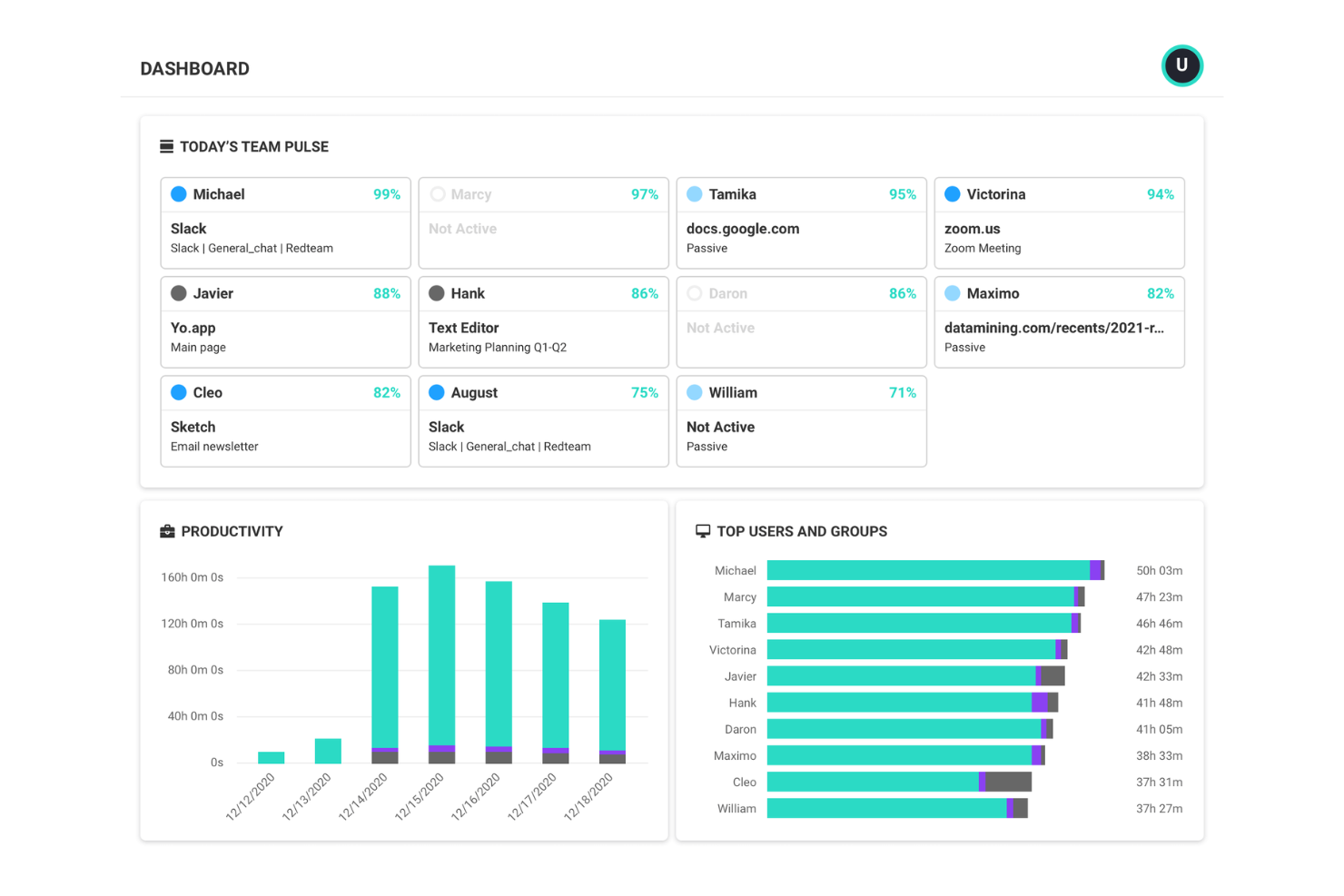
If you’re looking to understand how your teams actually work, ActivTrak gives you deep visibility into workforce productivity patterns. It’s especially useful for finance leaders, operations managers, and IT teams who need to analyze activity data and undertake performance management across remote or hybrid teams. Unlike Rippling, ActivTrak focuses on actionable analytics and real-time monitoring to help you identify bottlenecks, workload imbalances, and opportunities for process improvement.
Why ActivTrak Is a Good Rippling Alternative
When you need detailed insights into how your workforce spends their time, ActivTrak offers a level of productivity analytics that Rippling doesn’t match. I picked ActivTrak because it tracks application usage, website activity, and work patterns to help you pinpoint productivity trends and inefficiencies.
The software solution’s dashboards and reports let you visualize team performance and identify areas for coaching or process changes. For organizations focused on optimizing output and understanding work habits, ActivTrak’s analytics-driven approach sets it apart.
ActivTrak Key Features
Some other ActivTrak features worth noting include:
- Real-Time User Activity Monitoring: View live activity data for individuals or teams as work happens.
- Automated Alerts and Notifications: Set up custom alerts for unusual behavior or policy violations.
- Role-Based Access Controls: Assign permissions and restrict data access based on user roles.
- USB Device Detection: Monitor and log the use of external USB devices on company machines.
ActivTrak Integrations
Integrations include Microsoft Entra ID, SCIM, Google Calendar, and Outlook Calendar.
Pros and Cons
Pros:
- Easy to install and deploy
- Provides deep workflow insights
- Identifies employee burnout early
Cons:
- Potential privacy concerns
- Can feel like micromanagement

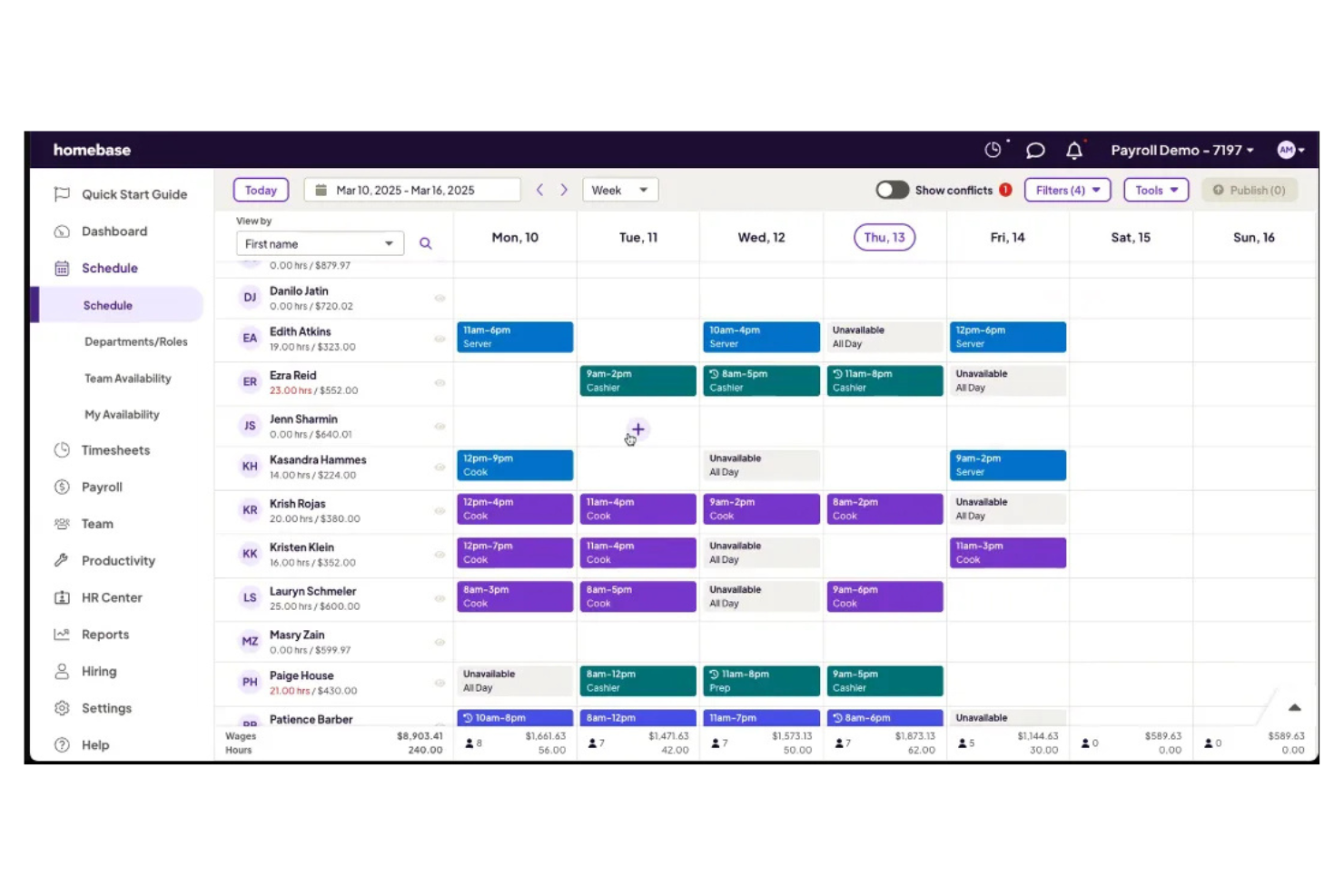
Managing hourly teams can get complicated fast, especially for retail, restaurant, and service businesses. Homebase is designed for managers and business owners who need to simplify shift scheduling, time tracking, team communication, and other HR functions in one place. Unlike Rippling, Homebase focuses on the unique needs of hourly workforces, making it easier to handle last-minute changes and labor compliance.
Why Homebase Is a Good Rippling Alternative
If you’re managing hourly staff, Homebase offers scheduling tools that are purpose-built for shift-based teams. I picked Homebase because it lets you create, publish, and update schedules quickly, with features like shift swapping and automated schedule notifications that help reduce no-shows. The time clock functionality tracks hours worked and breaks, making payroll prep and labor compliance much simpler. For businesses where hourly scheduling is a daily challenge, Homebase delivers targeted HR tasks that Rippling doesn’t prioritize.
Homebase Key Features
Some other Homebase features that caught my attention include:
- Hiring and Applicant Tracking: Post jobs, track applicants, and manage the hiring process directly within the platform.
- Built-In Team Messaging: Communicate with your team through a secure, centralized chat feature.
- Document Storage: Store and organize important employee documents and certifications in one place.
- Labor Cost Forecasting: Estimate labor costs based on scheduled hours and wage rates.
Homebase Integrations
Integrations include Square, Clover, Toast, and Shopify POS.
Pros and Cons
Pros:
- Time clock GPS
- Free basic tier
- Easy scheduling
Cons:
- UI is cluttered
- Support is slow
New Product Updates from Homebase

Homebase Adds AI Scheduling Assistant for Faster Shift Planning
Homebase introduces Scheduling Assistant, AI-optimized shift creation, and automated conflict resolution. These updates reduce manual scheduling work while keeping teams aligned and shifts fully staffed. For more information, visit Homebase's official site.
 .
.Weitere Rippling-Alternativen
Hier sind einige weitere Rippling-Alternativen, die es nicht auf meine Shortlist geschafft haben, aber dennoch einen Blick wert sind:
- ChartHop
For organizational visualization
- Workforce.com
For real-time labor cost tracking
- Deputy
For shift swapping by frontline staff
- Connecteam
For mobile-first employee communication


Auswahlkriterien für Rippling-Alternativen
Bei der Auswahl der besten Rippling-Alternativen in dieser Liste habe ich die häufigsten Bedürfnisse und Herausforderungen der Nutzer von Workforce-Management-Software berücksichtigt, etwa die Verwaltung komplexer Schichtpläne und die Sicherstellung einer genauen Zeiterfassung. Außerdem kam folgendes Bewertungsraster zum Einsatz, um die Auswahl strukturiert und fair zu halten:
Kernfunktionen (25% der Gesamtpunktzahl) Um in diese Liste aufgenommen zu werden, musste jede Lösung diese typischen Anwendungsfälle abdecken:
- Mitarbeiterschichten planen
- Mitarbeiterzeit und Anwesenheit erfassen
- Urlaubs- und Abwesenheitsanträge verwalten
- Teamkommunikation erleichtern
- Datenexport für die Lohnabrechnung
Zusätzliche herausragende Funktionen (25% der Gesamtpunktzahl) Um die Auswahl weiter einzugrenzen, habe ich auch auf einzigartige Funktionen geachtet, wie etwa:
- Automatisierte Hinweise zur Einhaltung von Arbeitsgesetzen
- Integriertes Bewerbermanagement-System
- Mobilorientierte Schichtplanung und Benachrichtigungen
- Echtzeit-Prognosen der Personalkosten
- Integrierte Team-Messaging-Funktion
Benutzerfreundlichkeit (10% der Gesamtpunktzahl) Um ein Gefühl für die Bedienbarkeit der jeweiligen Systeme zu bekommen, habe ich folgende Punkte betrachtet:
- Einfache und intuitive Navigation
- Klare und moderne Oberflächengestaltung
- Minimale Schritte zur Erledigung zentraler Aufgaben
- Individuell anpassbare Dashboards oder Ansichten
- Zugänglichkeit auf mobilen Geräten und am Desktop
Onboarding (10% der Gesamtbewertung) Bei der Bewertung des Onboarding-Erlebnisses jeder Plattform habe ich Folgendes berücksichtigt:
- Verfügbarkeit von Schritt-für-Schritt-Produktführungen
- Zugang zu Schulungsvideos und Dokumentation
- Vorgefertigte Vorlagen für einen schnellen Einstieg
- Live-Chat- oder Chatbot-Support während des Onboardings
- Webinare oder Live-Schulungen
Kundensupport (10% der Gesamtbewertung) Um die Kundensupportleistungen jedes Softwareanbieters zu bewerten, habe ich Folgendes betrachtet:
- Mehrere Support-Kanäle wie Chat, E-Mail und Telefon
- Schnelle Reaktionszeiten auf Anfragen
- Zugang zu einer durchsuchbaren Hilfe- oder Wissensdatenbank
- Verfügbarkeit von Onboarding- oder Implementierungsspezialisten
- Community-Foren oder Anwendergruppen
Preis-Leistungs-Verhältnis (10% der Gesamtbewertung) Um das Preis-Leistungs-Verhältnis jeder Plattform zu beurteilen, habe ich Folgendes berücksichtigt:
- Transparente und vorhersehbare Preisstruktur
- Leistungsumfang im Grundpreis enthalten
- Verfügbarkeit eines kostenlosen Plans oder einer Testversion
- Flexibilität, um mit dem Geschäftswachstum zu skalieren
- Keine versteckten Gebühren oder unerwarteten Kosten
Kundenbewertungen (10% der Gesamtbewertung) Um einen Eindruck von der allgemeinen Kundenzufriedenheit zu erhalten, habe ich bei der Lektüre von Kundenbewertungen Folgendes beachtet:
- Konsistenz positiver Rückmeldungen über die Plattformen hinweg
- Berichte über verlässlichen Kundensupport
- Anwenderkommentare zur Nützlichkeit der Funktionen
- Feedback zur Systemstabilität und Verfügbarkeit
- Einblicke in Erfahrungen aus realen Implementierungen
Warum nach einer Rippling-Alternative suchen?
Auch wenn Rippling eine gute Wahl für Workforce-Management-Software ist, gibt es verschiedene Gründe, weshalb manche Nutzer nach alternativen Lösungen suchen. Möglicherweise suchen Sie eine Rippling-Alternative, weil …
- Sie erweiterte Werkzeuge für die stündliche Einsatzplanung benötigen
- Ihr Unternehmen außerhalb der von Rippling unterstützten Länder tätig ist
- Sie eine kosteneffizientere Lösung für schichtbasierte oder Frontline-Teams wünschen
- Sie eine tiefere Gehaltsabrechnungsintegration mit lokalen Anbietern benötigen
- Ihrem Team integrierte Kommunikations- oder Messaging-Funktionen fehlen
- Sie Gehaltsabrechnung und Benefits-Verwaltung für internationale Einstellungen benötigen
Wenn einer dieser Punkte auf Sie zutrifft, sind Sie hier genau richtig. Meine Liste enthält mehrere Optionen für Workforce- und HR-Management-Software, die besser für Teams geeignet sind, die bei Rippling vor diesen Herausforderungen stehen und nach alternativen Lösungen suchen.
Rippling Hauptfunktionen
Hier finden Sie einige der wichtigsten Funktionen von Rippling, um Ihnen bei der Gegenüberstellung von Alternativen zu helfen:
- Automatische Lohnabrechnung für Mitarbeiter mit Festgehalt und Stundenlohn
- Mitarbeiter-Onboarding-Workflows mit Dokumentenverwaltung
- Zeiterfassung und Anwesenheitskontrolle mit Geolokalisierungsunterstützung
- Verwaltung von Zusatzleistungen und Tools für offene Einschreibungen
- Integrierte HRIS für Mitarbeiterdaten und Compliance
- Anpassbare Workflow-Automatisierung für HR- und IT-Aufgaben
- Globale Personalverwaltung mit Multi-Länder-Unterstützung
- Eingebauter App-Marktplatz zur Anbindung von Drittanbieter-Tools
- Rollenbasierte Zugriffskontrolle und Berechtigungsverwaltung
- Reporting-Funktionen und Analyse-Dashboards für Workforce-Daten
Wie geht es weiter:
Wenn Sie gerade Rippling-Alternativen recherchieren, kontaktieren Sie einen SoftwareSelect-Berater für kostenlose Empfehlungen.
Sie füllen ein Formular aus und führen ein kurzes Gespräch, in dem gezielt auf Ihre Anforderungen eingegangen wird. Anschließend erhalten Sie eine Auswahlliste mit Softwareoptionen zur Überprüfung. Sie werden sogar während des gesamten Kaufprozesses, einschließlich Preisverhandlungen, unterstützt.