
15 beste SAP Concur Alternativen im Jahr 2026

SAP Concur Alternativen Shortlist
Hier ist meine Shortlist mit SAP Concur Alternativen:


Eine überzeugende Alternative zu SAP Concur bietet zuverlässige Funktionen für das Ausgabenmanagement, flexible Richtlinienkontrollen und eine nahtlose Integration mit Ihren bestehenden Finanzsystemen. Wenn Sie nach Alternativen zu SAP Concur suchen, wünschen Sie sich vermutlich Lösungen, die Ausgabenverfolgung vereinfachen, Genehmigungen automatisieren und Ihrem Team helfen, compliant zu bleiben – ohne Einbußen bei Bedienfreundlichkeit oder Transparenz.
Angesichts der zahlreichen verfügbaren Optionen ist es wichtig, eine Lösung zu finden, die zu den Arbeitsabläufen, Berichtserfordernissen und Wachstumsplänen Ihres Unternehmens passt. Diese Liste hilft Ihnen, führende Plattformen zum Ausgabenmanagement zu vergleichen, damit Sie eine fundierte Entscheidung für Ihr Finanzteam treffen können.
Was ist SAP Concur?
SAP Concur ist eine Software für das Ausgabenmanagement, die Unternehmen dabei unterstützt, die Spesenabrechnung zu automatisieren, Reisekosten und Buchungen zu verwalten sowie Ausgabenrichtlinien durchzusetzen. Sie zentralisiert Ausgabendaten, vereinfacht Genehmigungsprozesse und integriert sich in Buchhaltungssysteme, um eine genaue Finanzberichterstattung zu ermöglichen. Finanzteams nutzen SAP Concur, um die Einhaltung von Richtlinien zu verbessern, mehr Transparenz über Unternehmensausgaben zu gewinnen und manuelle Dateneingaben zu reduzieren.
Zusammenfassung der besten SAP Concur Alternativen
Diese Vergleichstabelle fasst die Preisinformationen meiner wichtigsten SAP Concur Alternativen zusammen, um Ihnen die Suche nach der besten Lösung für Ihr Budget und Ihre Geschäftsanforderungen zu erleichtern.
| Tool | Best For | Trial Info | Price | ||
|---|---|---|---|---|---|
| 1 | Best for AI-powered unified travel and expense management | Free plan available | From $15/user/month | Website | |
| 2 | Best for automated expense reporting | 14-day free trial + free plan + free demo available | From C$4/user/month (billed annually) | Website | |
| 3 | Best for real-time expense management with global compliance | Free demo available | From $8/user/month (billed annually) | Website | |
| 4 | Best for customizable expense workflows | Free demo available | From $8.50 to $12/active user | Website | |
| 5 | Best for unified spend management with advanced analytics | Free demo available | Pricing upon request | Website | |
| 6 | Best for corporate cards with automated expense controls | Free plan + free demo available | From $15/user/month | Website | |
| 7 | Best for automated receipt scanning and expense reporting for teams | Free demo available | From $5/member/month | Website | |
| 8 | Best for corporate cards with built-in expense tracking | Free plan + free demo available | From $12/user/month | Website | |
| 9 | Best for unified corporate card and expense management | Free demo available | Pricing upon request | Website | |
| 10 | Best for global expense management with built-in payments | 7-day free trial + free demo available | From $299/month | Website |
Why Trust Our Software Reviews
We’ve been testing and reviewing financial software since 2023. As finance specialists ourselves, we know how critical and difficult it is to make the right decision when selecting software.
We invest in deep research to help our audience make better software purchasing decisions. We’ve tested more than 2,000 tools for different finance use cases and written over 1,000 comprehensive software reviews. Learn how we stay transparent & our software review methodology.
-

LiveFlow
Visit WebsiteThis is an aggregated rating for this tool including ratings from Crozdesk users and ratings from other sites.4.9 -
Float Financial
Visit WebsiteThis is an aggregated rating for this tool including ratings from Crozdesk users and ratings from other sites.4.1 -
Creatio CRM
Visit WebsiteThis is an aggregated rating for this tool including ratings from Crozdesk users and ratings from other sites.4.7


SAP Concur Alternativen Bewertungen
Nachfolgend finden Sie meine ausführlichen Zusammenfassungen zu den SAP Concur Alternativen, die es auf meine Shortlist geschafft haben. Meine Bewertungen bieten einen detaillierten Einblick in die Funktionen, Integrationen und Preisgestaltung jeder Ausgabenmanagement-Plattform, damit Sie die beste Lösung für sich finden können.

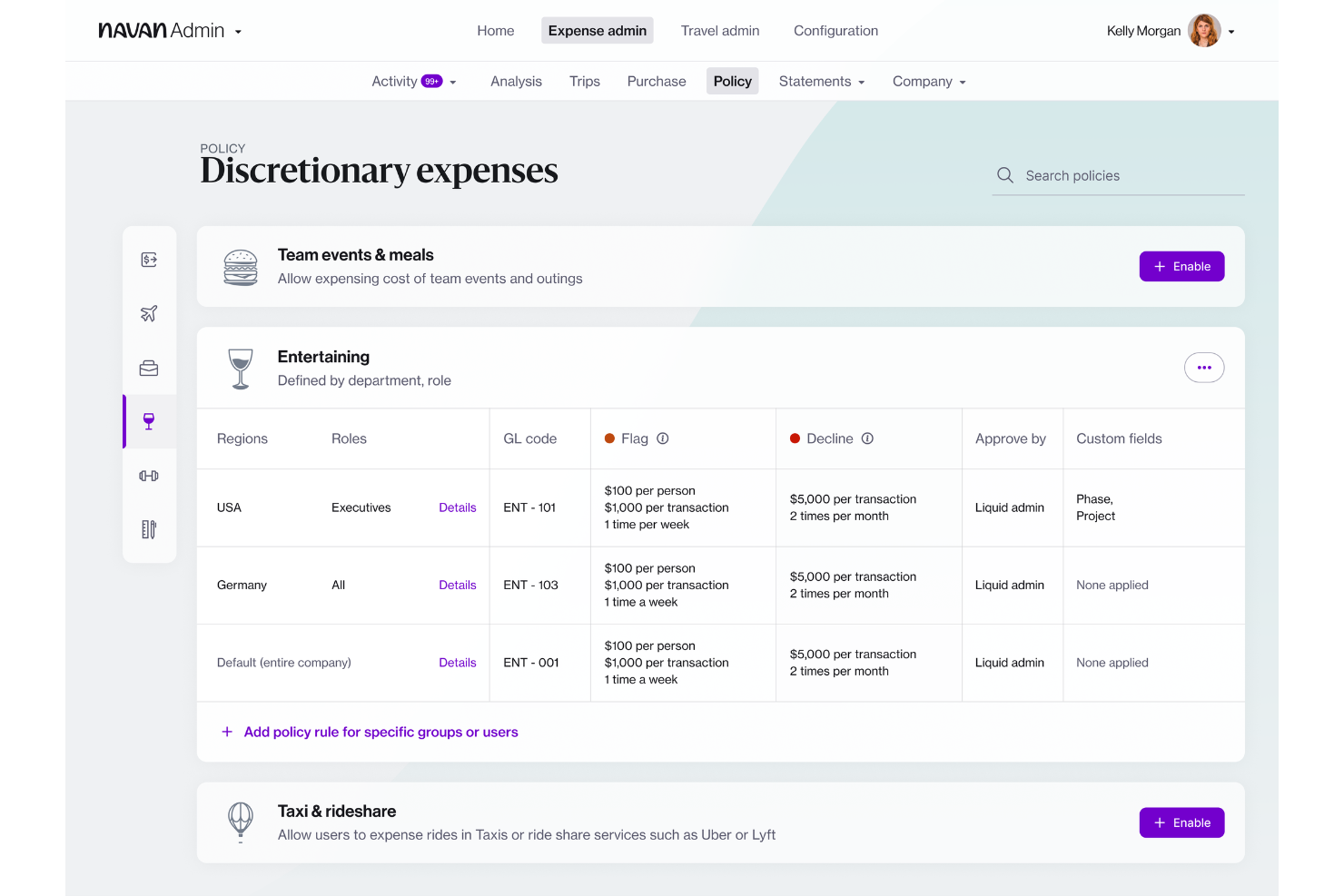
Navan offers expense management software that combines travel booking and expense tracking in one platform. It’s a strong fit for companies that want to manage business travel and expenses together, especially those with frequent travelers or distributed teams. If you’re looking to simplify policy enforcement and automate reconciliation for both travel and non-travel spend, Navan is worth considering.
Who Is Navan Best For?
Navan suits mid-sized to large organizations with frequent business travel and a need for unified expense and travel management.
Why Navan Is a Good SAP Concur Alternative
What sets Navan apart as a SAP Concur alternative is its unified approach to travel and expense management, powered by AI-driven automation. I picked Navan because it lets you book travel and manage expenses in a single workflow, eliminating the need to juggle multiple systems. The platform uses AI to automatically categorize expenses and flag policy violations, which helps finance teams maintain compliance without manual review. If you want to centralize travel booking, expense capture, and policy compliance, Navan offers a tightly integrated solution.
Navan Key Features
Some other features in Navan that may interest finance teams include:
- Real-Time Spend Analytics: Access up-to-date dashboards that break down spend by category, department, or employee.
- Mobile Receipt Capture: Snap and upload receipts directly from the mobile app for faster expense submission.
- Custom Policy Controls: Set granular rules for spend limits, approval flows, and travel preferences across teams or locations.
- Corporate Card Integration: Issue and manage physical or virtual cards with built-in controls for expense tracking.
Navan Integrations
Integrations include NetSuite, QuickBooks Online, Xero, Sage Intacct, and Microsoft Azure.
Pros and Cons
Pros:
- Integrates with major ERP and HR systems
- Real-time spend analytics and reporting tools
- Mobile app supports receipt capture and approvals
Cons:
- Some users report slow customer support response
- Requires separate setup for corporate card program

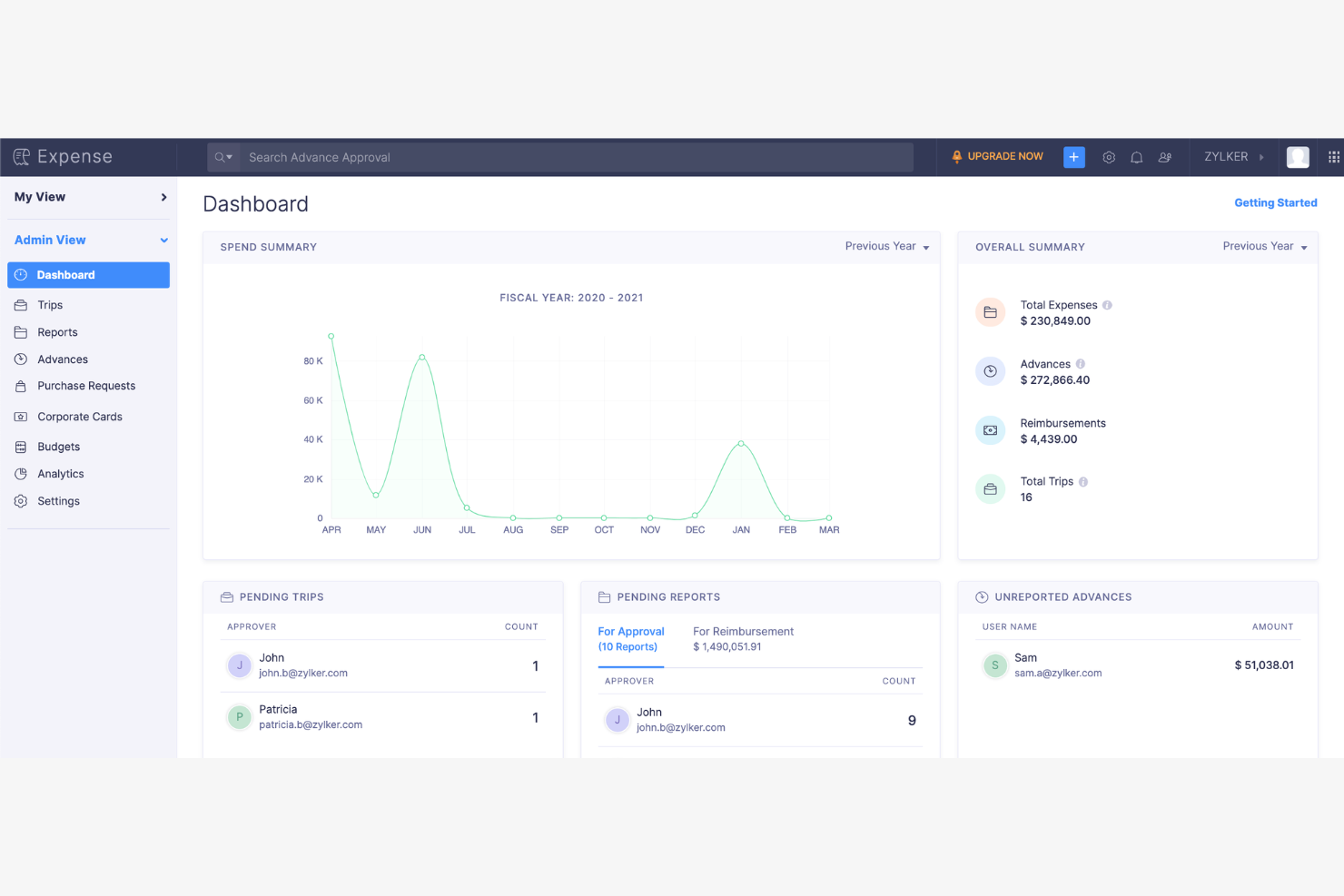
Zoho Expense is a cloud-based expense management platform designed for businesses that want to automate and control employee spending. It’s a strong fit for organizations seeking granular policy enforcement and customizable approval workflows. If you need a solution that helps reduce manual entry and improves compliance, Zoho Expense is worth a closer look.
Who Is Zoho Expense Best For?
Zoho Expense fits small to mid-sized businesses that need automated expense reporting and strict policy controls.
Why Zoho Expense Is a Good SAP Concur Alternative
What sets Zoho Expense apart as a SAP Concur alternative is its automated expense reporting paired with deep policy controls. I picked Zoho Expense because it lets you create highly detailed approval workflows and enforce custom spending rules at multiple levels. The platform also supports automated receipt scanning and policy violation alerts, which help finance teams maintain compliance without manual oversight. If your business needs granular control over expense policies and automated compliance checks, Zoho Expense delivers focused solutions in these areas.
Zoho Expense Key Features
Some other features in Zoho Expense that may interest finance teams include:
- Multi-currency support: Manage and reimburse expenses in multiple currencies for global teams.
- Corporate card reconciliation: Automatically match card transactions with submitted expenses for faster month-end close.
- Per diem management: Set up and enforce per diem rates for business travel based on location and employee role.
- Mileage tracking: Employees can log mileage using built-in GPS or manual entry for accurate reimbursement.
Zoho Expense Integrations
Integrations include QuickBooks Online, Xero, Sage Accounting, Zoho Books, Zoho People, Uber for Business, Lyft, Slack, Office 365, and G Suite.
Pros and Cons
Pros:
- Very affordable pricing tiers
- Strong mileage tracking tools
- Highly intuitive mobile app
Cons:
- Setup is complex for big teams
- UI feels cluttered sometimes

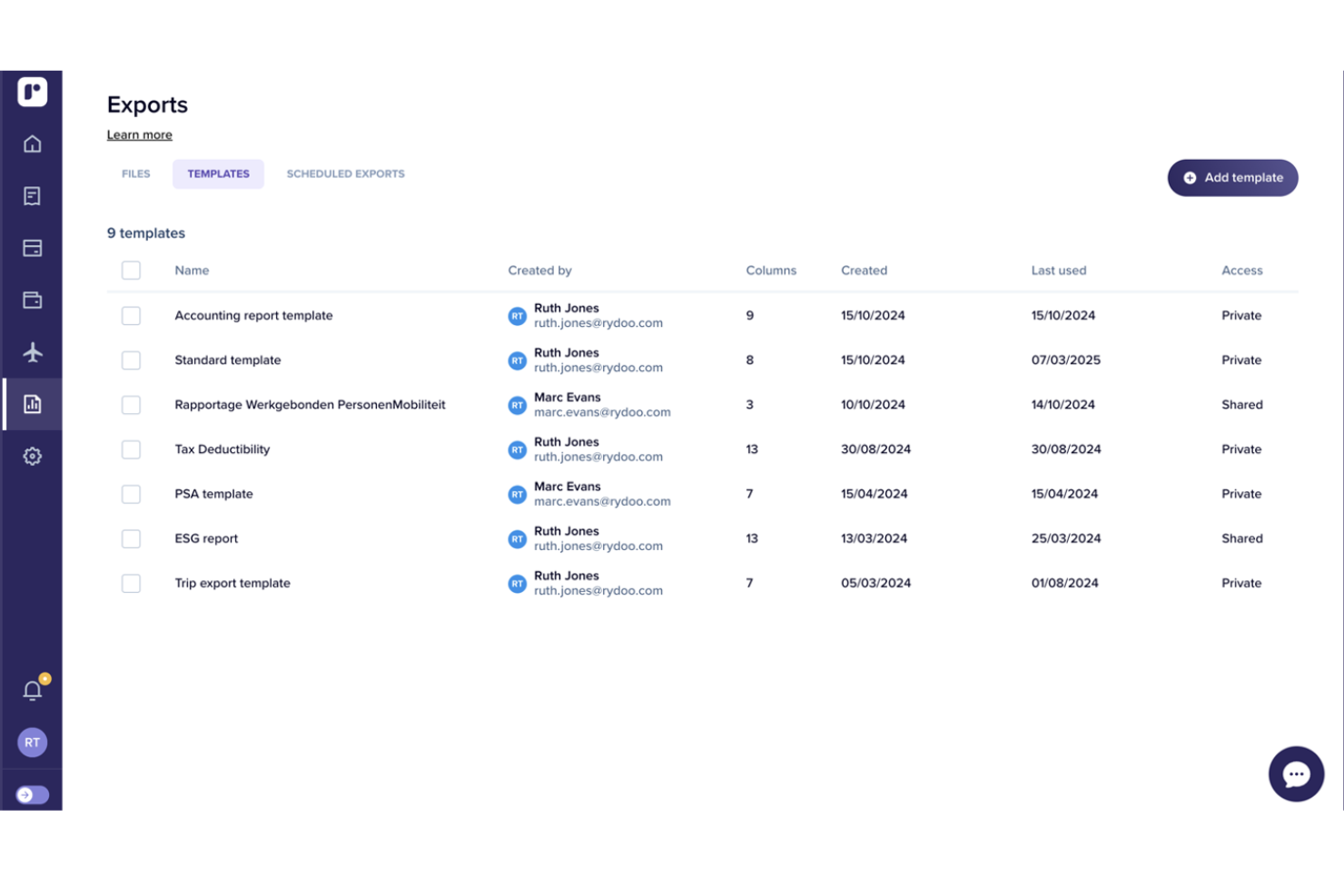
Rydoo is a cloud-based expense management platform designed for companies with international operations and distributed teams. It appeals to finance professionals who need real-time expense tracking and compliance across multiple countries. If your business struggles with manual processes or cross-border policy enforcement, Rydoo addresses these challenges with automation and global coverage.
Who Is Rydoo Best For?
Rydoo suits mid-sized to large businesses with global operations that need real-time expense management and compliance across multiple countries.
Why Rydoo Is a Good SAP Concur Alternative
Rydoo stands out for its real-time expense management and strong global compliance capabilities. I picked Rydoo because it lets finance teams monitor and approve expenses as they happen, reducing delays and improving visibility. The platform also supports country-specific tax rules and per diem rates, which helps multinational organizations stay compliant with local regulations. If your business needs to manage expenses across borders with up-to-date policy enforcement, Rydoo offers focused solutions in these areas.
Rydoo Key Features
Some other features in Rydoo that may interest finance teams include:
- Mobile receipt scanning: Employees can capture and submit receipts instantly using the mobile app.
- Corporate card integration: Syncs transactions from company cards directly into expense reports for faster reconciliation.
- Custom approval workflows: Configure multi-level approval chains to match your organization’s policies.
- Integration with ERP and accounting systems: Connects natively with platforms like NetSuite, SAP, and Xero for streamlined data transfer.
Rydoo Integrations
Integrations include SAP S/4HANA, NetSuite, QuickBooks, Xero, Sage, and Uber.
Pros and Cons
Pros:
- Real-time expense approvals
- Integrates well with ERPs
- Good mileage tracking tools
Cons:
- Occasional app crashing bugs
- Limited custom reporting tools

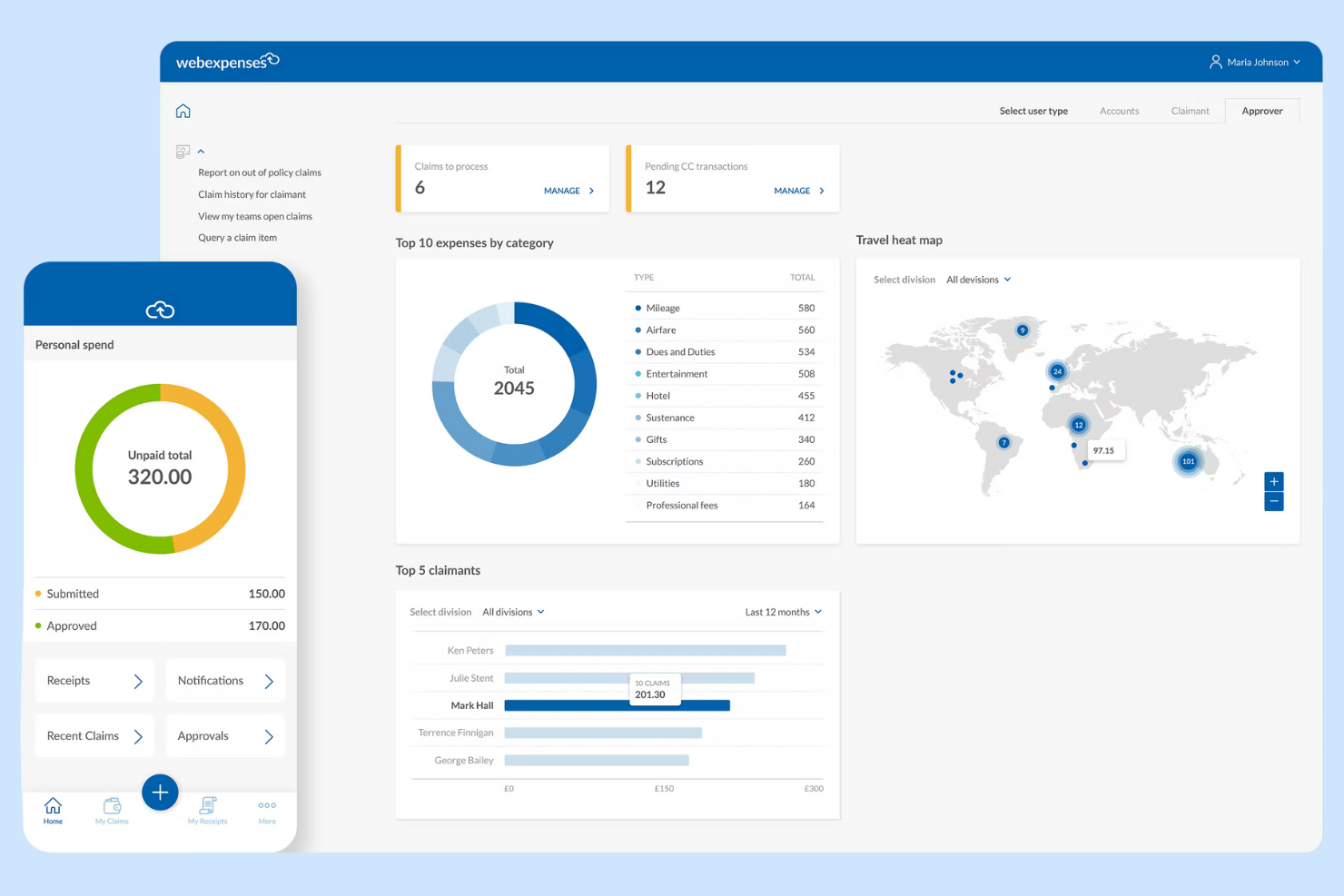
Webexpenses offers expense management software designed for organizations that want to automate and control business spending. It’s a strong choice for finance teams in mid-sized to large companies that need configurable workflows and policy enforcement. If you’re looking to reduce manual errors and improve compliance compared to traditional expense tools, Webexpenses is worth a closer look.
Who Is Webexpenses Best For?
Webexpenses fits mid-sized to large businesses that need configurable expense management and policy controls across multiple departments or locations.
Why Webexpenses Is a Good SAP Concur Alternative
What sets Webexpenses apart as a SAP Concur alternative is its unified spend management and advanced analytics capabilities. I picked Webexpenses because it brings expense, invoice, and procurement management together in one platform, making it easier to track and control all business spend. The analytics dashboard provides real-time insights into spending patterns, helping finance teams identify trends and compliance risks quickly. For organizations that want more than basic expense tracking, Webexpenses offers a centralized solution for managing and analyzing company-wide spend.
Webexpenses Key Features
Some other features in Webexpenses that may interest finance teams include:
- Mobile Receipt Capture: Users can photograph and upload receipts directly from their mobile devices for faster expense submission.
- Automated Policy Enforcement: The system flags out-of-policy expenses and routes them for additional review before approval.
- Multi-Currency Support: Webexpenses handles expenses in multiple currencies, making it suitable for global teams.
- Audit Trail and Compliance Tracking: Every action is logged, supporting audit readiness and regulatory compliance.
Webexpenses Integrations
Integrations include NetSuite, Sage Intacct, Oracle, Microsoft Dynamics, and Amazon.
Pros and Cons
Pros:
- Very responsive customer support
- Highly customizable approval flows
- Great ERP/accounting integrations
Cons:
- Can be pricey for small businesses
- Occasional app syncing glitches

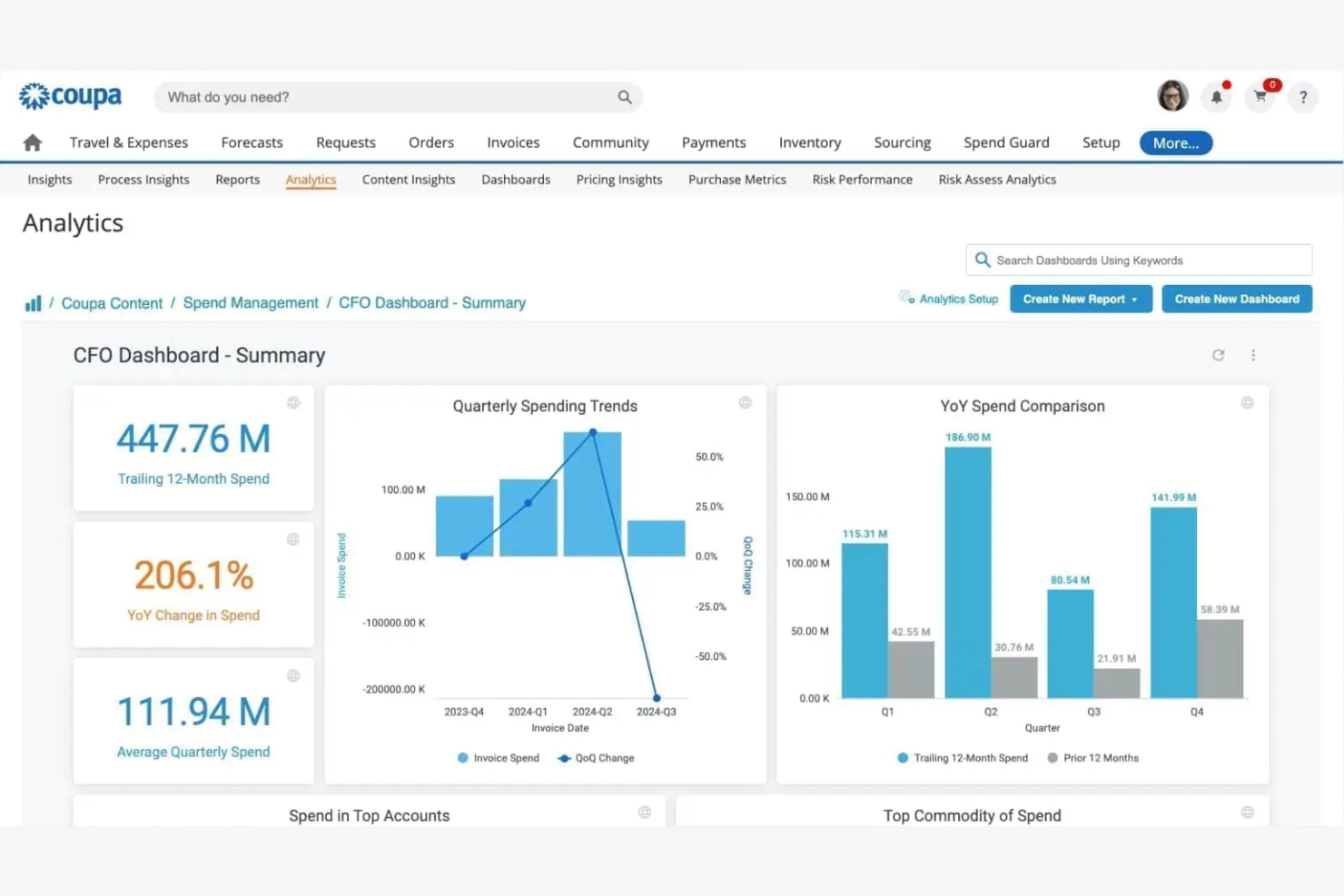
Coupa offers expense management software designed for organizations that want to unify spend control across departments and subsidiaries. It’s a strong fit for finance teams in larger enterprises or global businesses that need advanced visibility and compliance features. If you’re looking to centralize expense policies and gain actionable insights into company-wide spending, Coupa is worth considering.
Who Is Coupa Best For?
Coupa suits large enterprises and multinational organizations that need centralized control and visibility over global expense management.
Why Coupa Is a Good SAP Concur Alternative
I chose Coupa as a SAP Concur alternative because it brings unified spend management and advanced analytics into one platform. Coupa’s expense management solution connects expense, invoice, and procurement data, giving finance teams an end-to-end view of company spend. I also appreciate the platform’s built-in analytics tools, which help identify savings opportunities and compliance risks in real time. For organizations that want to move beyond basic expense tracking and gain actionable insights across all spend categories, Coupa offers a compelling option.
Coupa Key Features
Some other features in Coupa that may interest finance teams include:
- Mobile Receipt Capture: Users can upload receipts and submit expenses directly from their mobile devices.
- Policy Enforcement Engine: The platform automatically flags out-of-policy expenses for review before approval.
- Multi-Currency and Multi-Language Support: Coupa accommodates global teams with support for multiple currencies and languages.
- Audit Trail and Compliance Tracking: Every expense action is logged for audit readiness and regulatory compliance.
Coupa Integrations
Integrations include NetSuite, Oracle, SAP, Workday, and Slack.
Pros and Cons
Pros:
- Advanced analytics for spend optimization
- Automated policy enforcement for global compliance
- Real-time spend visibility across all business units
Cons:
- Custom reporting options are limited
- Implementation process can be lengthy

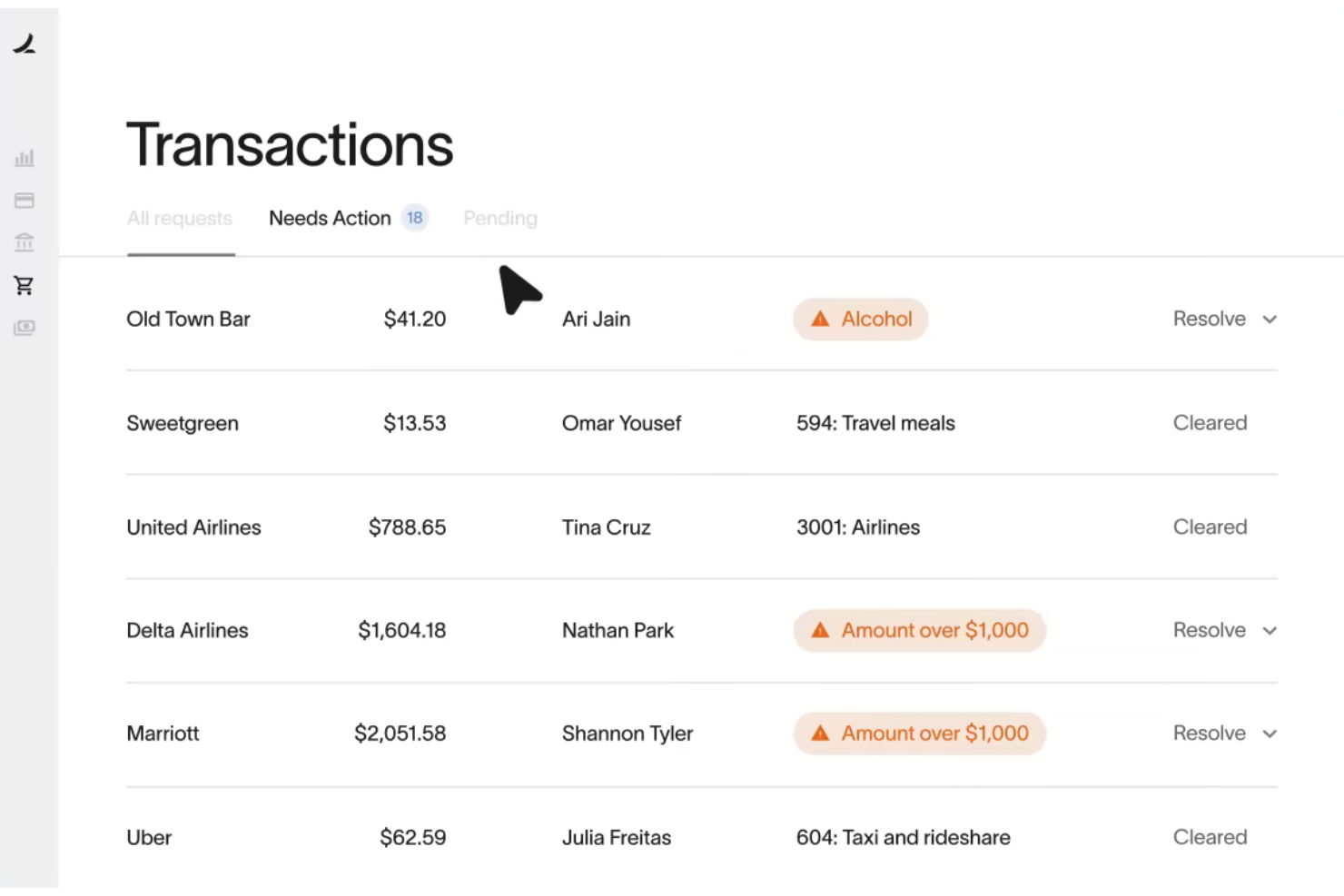
Ramp offers expense management software designed for finance teams that want to automate spend controls and gain deeper visibility into company expenses. It’s a strong fit for mid-sized and growing businesses looking to replace manual processes with real-time policy enforcement and analytics. If you need a solution that combines corporate cards with automated workflows, Ramp is worth a closer look.
Who Is Ramp Best For?
Ramp fits mid-sized and enterprise finance teams that need automated expense controls and real-time spend visibility.
Why Ramp Is a Good SAP Concur Alternative
Ramp is a strong SAP Concur alternative because it combines corporate cards with automated expense controls and real-time insights. I picked Ramp for its ability to automatically enforce spend policies at the point of purchase, which helps finance teams reduce out-of-policy expenses. The platform also provides detailed analytics on company spending, making it easier to spot trends and optimize budgets. If you want a solution that tightly links card usage with expense management, Ramp delivers a unified approach.
Ramp Key Features
Some other features in Ramp that may interest finance teams include:
- Automated Receipt Collection: Ramp automatically requests and matches receipts to transactions, reducing manual follow-up.
- Multi-Level Approval Workflows: Set up custom approval chains for expenses based on amount, department, or policy.
- Real-Time Accounting Sync: Sync transactions directly with accounting platforms like NetSuite and QuickBooks for up-to-date books.
- Vendor Management Dashboard: Track and manage vendor spend, contracts, and renewal dates in one place.
Ramp Integrations
Integrations include NetSuite, QuickBooks Online, Xero, Sage Intacct, Slack, and Workday.
Pros and Cons
Pros:
- Customizable approval workflows for expenses
- Automated receipt capture and matching
- Corporate cards with real-time spend controls
Cons:
- No mileage tracking or per diem management
- Expense reporting less detailed than SAP Concur

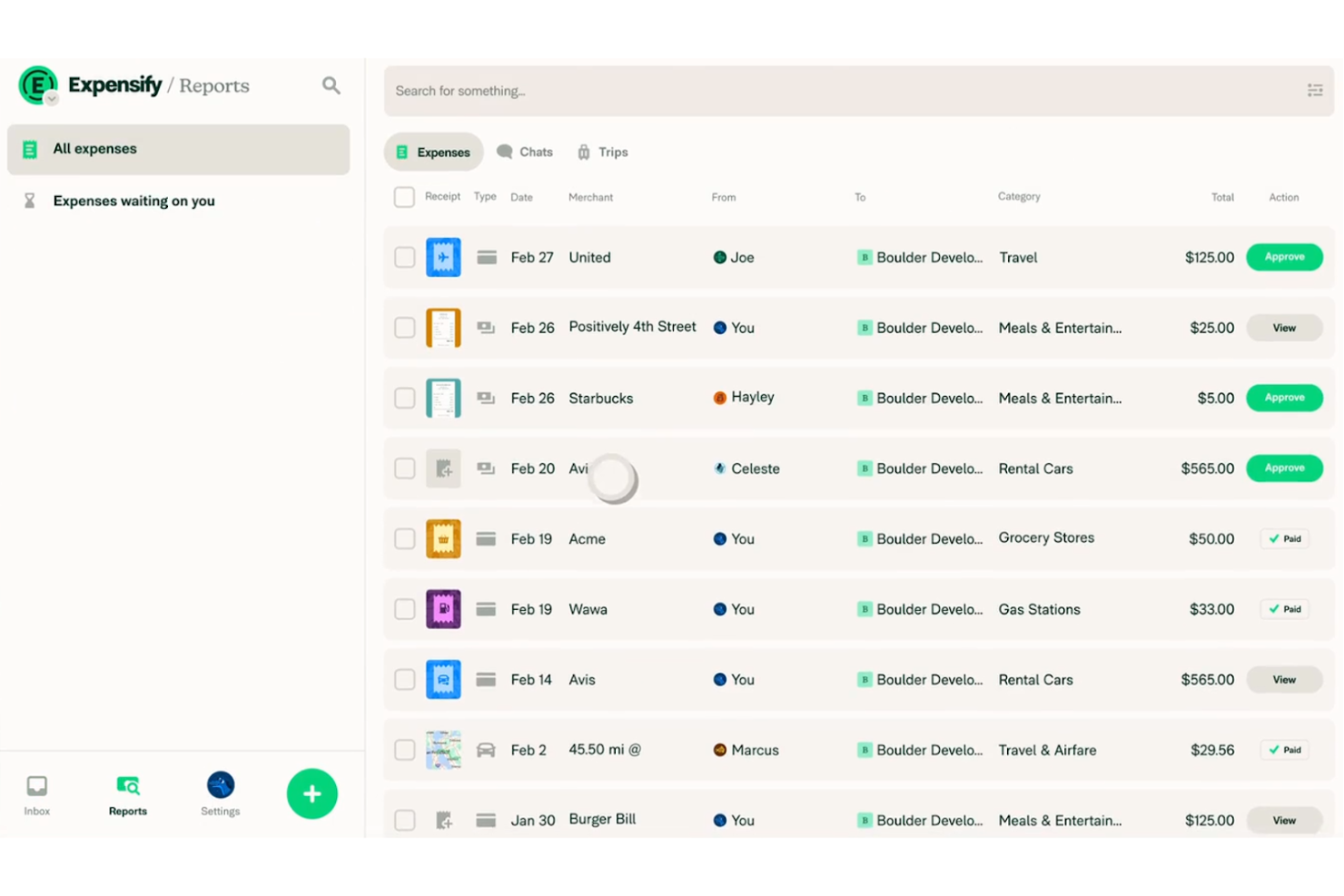
Expensify offers expense management software designed for businesses that want to automate receipt capture and reporting. It’s a strong fit for teams looking to simplify expense submission and approval without complex setup. If you need a tool that helps reduce manual entry and speeds up reimbursement, Expensify is worth a look.
Who Is Expensify Best For?
Expensify fits small to mid-sized businesses and finance teams that want to automate expense reimbursement and tracking, and simplify receipt management.
Why Expensify Is a Good SAP Concur Alternative
I picked Expensify as a SAP Concur alternative because it automates receipt scanning and expense reporting in a way that’s accessible for teams of any size. The SmartScan feature lets users snap photos of receipts, which are then automatically coded and matched to expenses. I also appreciate that Expensify can auto-generate expense reports and route them for approval without manual intervention. If you want to reduce time spent on data entry and streamline expense workflows, Expensify’s automation stands out.
Expensify Key Features
Some other features in Expensify that may interest finance teams include:
- Corporate Card Management: Issue and manage Expensify Cards with built-in spend controls and real-time transaction tracking.
- Multi-Level Approval Workflows: Set up custom approval chains to match your organization’s expense policy and hierarchy.
- Automatic Reimbursement: Enable direct deposit reimbursements to employees’ bank accounts once expenses are approved.
- Policy Enforcement Tools: Configure rules to flag out-of-policy expenses and require additional documentation or justification.
Expensify Integrations
Integrations include QuickBooks, Xero, NetSuite, Sage Intacct, and TravelPerk.
Pros and Cons
Pros:
- Mobile app supports on-the-go expense capture
- Multi-level approval workflows for expense policies
- Expensify Card offers real-time spend controls
Cons:
- Occasional syncing issues with accounting software
- Reporting customization options are restricted

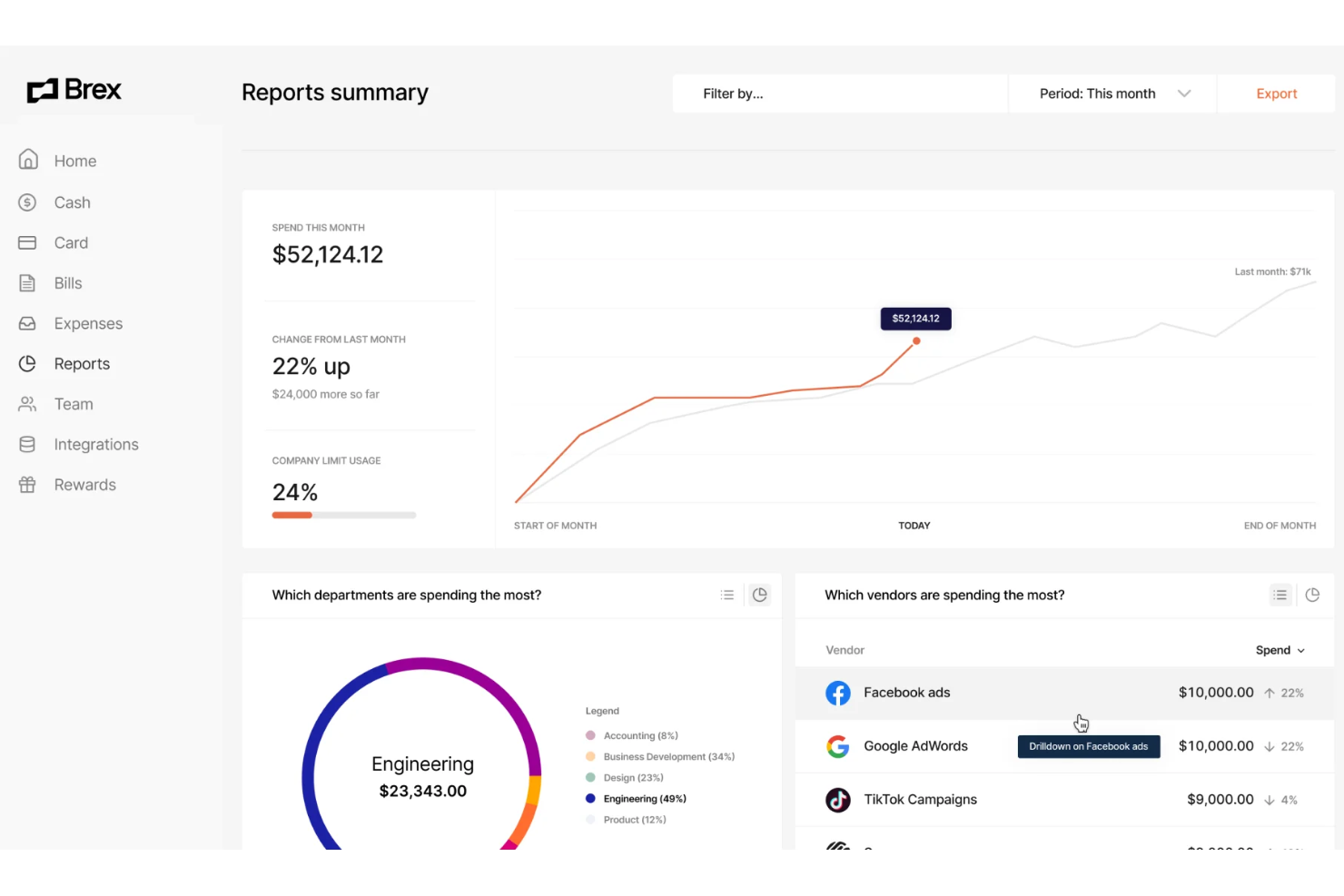
Brex offers expense management software designed for fast-growing companies and finance teams that want more control over corporate spending. Its platform appeals to businesses looking for integrated card issuing, real-time expense tracking, and automated policy enforcement. If you need a solution that combines spend management with flexible controls and modern integrations, Brex is worth considering.
Who Is Brex Best For?
Brex suits finance teams at startups and mid-sized companies that need integrated expense management and corporate card solutions.
Why Brex Is a Good SAP Concur Alternative
Brex stands out for its corporate cards that come with built-in expense tracking and policy controls. I picked Brex because it lets you issue physical and virtual cards to employees, automatically categorizing and tracking spend as transactions happen. The platform enforces custom spending rules at the card level, reducing manual review and helping your team stay compliant. These features make Brex a strong choice if you want to manage expenses and control spending in one unified system.
Brex Key Features
Some other features in Brex that may interest finance teams include:
- Automated Receipt Matching: The platform automatically matches uploaded receipts to transactions, reducing manual reconciliation work.
- Real-Time Spend Insights: Brex provides dashboards and analytics that show up-to-date spending by team, category, or project.
- Multi-Entity Support: Manage expenses and cards across multiple subsidiaries or business units from a single account.
- ERP Integrations: Brex connects with accounting systems like NetSuite and QuickBooks to sync expense data directly into your financial workflows.
Brex Integrations
Integrations include NetSuite, QuickBooks Online, Xero, Sage Intacct, and BambooHR.
Pros and Cons
Pros:
- Customizable spend controls at card level
- Direct ERP and HRIS integrations
- Multi-entity and subsidiary management
Cons:
- Limited international currency support
- No mileage or travel booking management

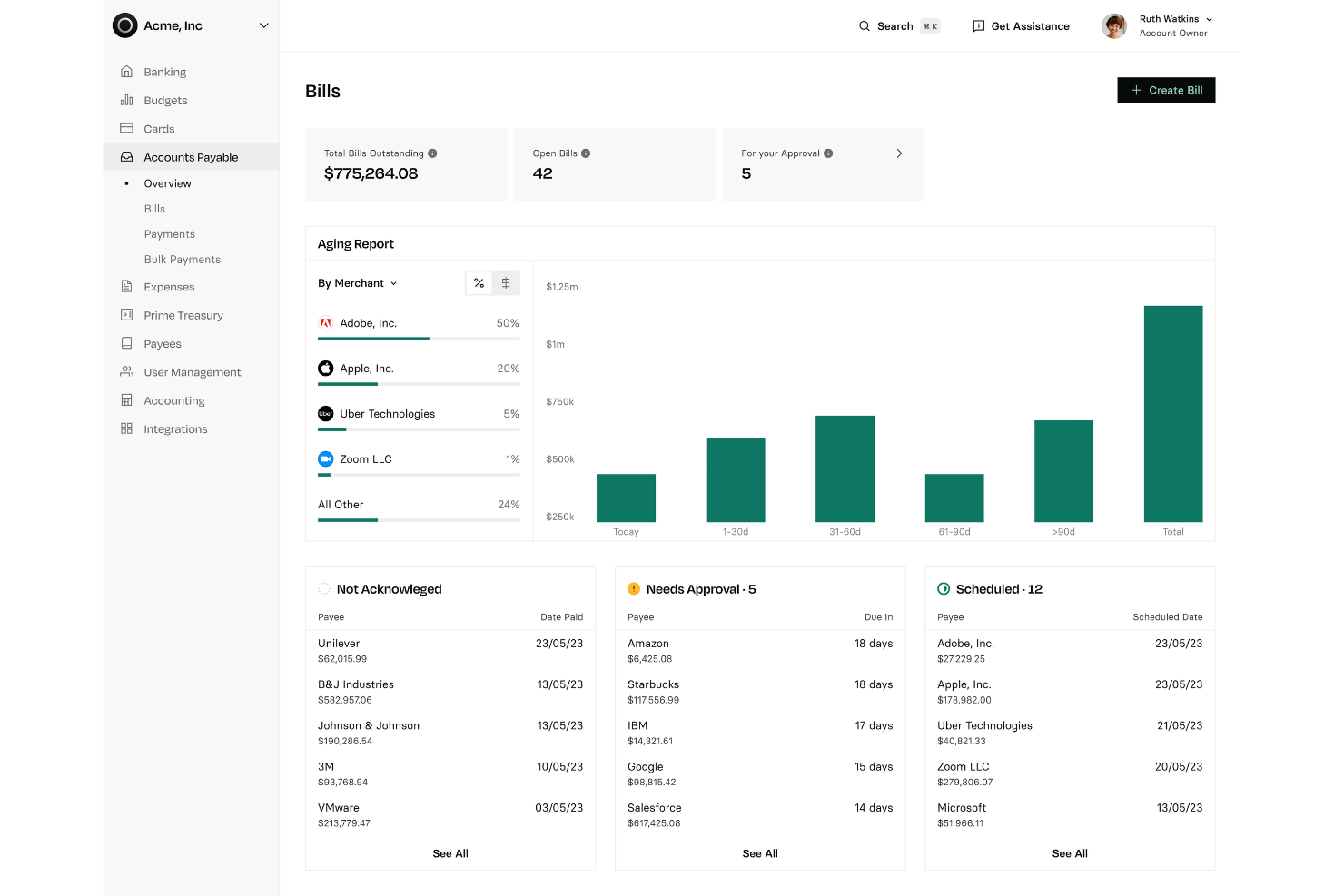
Rho offers an integrated expense management and corporate card platform designed for finance teams seeking tighter control over company spending. It appeals to businesses that want to unify card issuance, expense tracking, and policy enforcement in one place. If your organization needs real-time visibility and automated controls for employee expenses, Rho addresses these needs directly.
Who Is Rho Best For?
Rho fits mid-sized to large businesses that want unified expense management and corporate card controls within a single platform.
Why Rho Is a Good SAP Concur Alternative
Rho stands out for combining corporate card issuance and expense management in a single platform. I picked Rho because it lets finance teams issue physical and virtual cards, set granular spending controls, and track expenses in real time—all from one dashboard. This unified approach reduces the need for multiple tools and manual reconciliation between card and expense data. If you want to centralize spend management and policy enforcement, Rho offers a focused solution that’s different from traditional expense platforms.
Rho Key Features
Some other features in Rho that may interest finance teams include:
- Automated receipt matching: Rho automatically matches uploaded receipts to transactions, reducing manual entry and reconciliation work.
- Custom approval workflows: Set up multi-level approval chains to align with your organization’s expense policies.
- Real-time spend analytics: Access dashboards and reports that break down spending by department, cardholder, or category.
- ACH and wire payment support: Initiate ACH and wire transfers directly from the platform for vendor payments and reimbursements.
Rho Integrations
Integrations include QuickBooks, Xero, NetSuite, Sage Intacct, BambooHR, and SAP Concur.
Pros and Cons
Pros:
- Strong corporate card with cashback
- Fast highly responsive support
- Zero platform ACH or user fees
Cons:
- Lacks a native payroll system
- Bill pay features can feel clunky

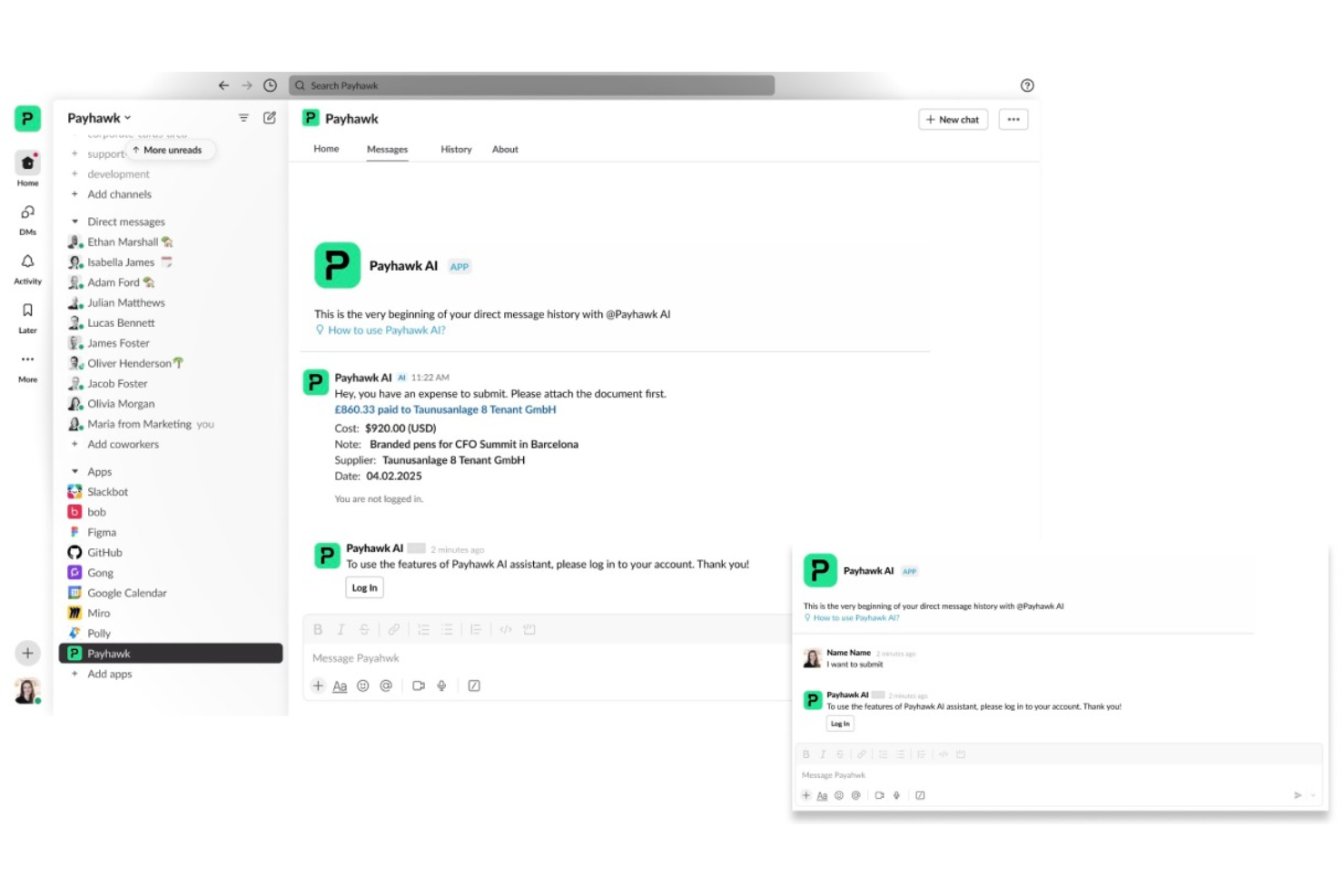
Payhawk is an expense management platform designed for finance teams in multinational companies. It appeals to organizations that need to unify card payments, reimbursements, and spend controls across multiple entities. If you’re looking for a solution that handles global expense policies and real-time visibility, Payhawk is worth considering.
Who Is Payhawk Best For?
Payhawk suits mid-sized to large multinational companies that need centralized control over global expenses and payments.
Why Payhawk Is a Good SAP Concur Alternative
What makes Payhawk a strong SAP Concur alternative is its ability to combine global expense management with built-in payments in one platform. I picked Payhawk because it lets you issue company cards, manage reimbursements, and enforce spend policies across multiple countries from a single dashboard. The platform also supports real-time spend tracking and automated VAT extraction, which is especially useful for multinational finance teams. If your business needs unified control over global expenses and payments, Payhawk offers a focused solution.
Payhawk Key Features
Some other features in Payhawk that may interest finance teams include:
- Automated Receipt Matching: The platform automatically matches receipts to card transactions, reducing manual reconciliation work.
- Custom Approval Workflows: You can set up multi-level approval chains tailored to your company’s expense policies.
- Mileage Tracking: Payhawk allows employees to submit mileage claims with built-in distance calculations.
- Real-Time Budget Controls: Managers can set and adjust spend limits instantly for teams or individuals.
Payhawk Integrations
Integrations include NetSuite, Sage Intacct, Microsoft Dynamics 365, Xero, QuickBooks, and Workday.
Pros and Cons
Pros:
- Fast and helpful customer support
- Excellent accounting integrations
- Very intuitive and easy to use
Cons:
- Receipt OCR can sometimes glitch
- Occasional invoice syncing delays
Weitere SAP Concur Alternativen
Hier sind einige weitere Optionen für SAP Concur Alternativen, die es zwar nicht auf meine Shortlist geschafft haben, die aber dennoch einen Blick wert sind:
- Spendesk
For all-in-one spend management for teams
- Tipalti
For global payables automation and expense management
- Pleo
For smart company cards with automated expense tracking
- BILL Spend & Expense
For corporate cards and expense management for SMBs
- Yokoy
For AI-driven spend management and automation


Auswahlkriterien für SAP Concur Alternativen
Bei der Auswahl der besten SAP Concur Alternativen für diese Liste habe ich gängige Anforderungen und Schmerzpunkte von Käufern rund um Ausgabenmanagement-Software berücksichtigt, etwa die Kontrolle von Mitarbeiterausgaben und die Automatisierung von Spesenabstimmungen. Zudem habe ich das folgende Framework verwendet, um die Bewertung strukturiert und fair zu halten:
Kernfunktionen (25% der Gesamtnote)
Um in diese Liste aufgenommen zu werden, musste jede Lösung die folgenden Anwendungsfälle abdecken:
- Erfassung und Kategorisierung von Mitarbeiterausgaben
- Ausgabe und Verwaltung von Firmenkarten
- Festlegung und Durchsetzung von Ausgaberichtlinien
- Automatisierte Belegerfassung und Zuordnung
- Erstellung von Spesenberichten für die Buchhaltung
Zusätzliche besondere Funktionen (25% der Gesamtnote)
Um die Auswahl weiter zu verfeinern, habe ich auch auf besondere Merkmale geachtet, zum Beispiel:
- Echtzeit-Ausgabenanalyse in Dashboards
- Automatisierte Mehrwährungsunterstützung
- Integrierte Tools zur Reisebuchung
- Erweiterte Anpassung von Genehmigungsworkflows
- Direkte ERP- und Lohnbuchhaltungsintegrationen
Benutzerfreundlichkeit (10% der Gesamtnote)
Um die Bedienbarkeit jedes Systems einzuschätzen, habe ich Folgendes berücksichtigt:
- Übersichtliche und intuitive Benutzeroberfläche
- Logische Navigation und Menüstruktur
- Geringer manueller Dateneingabeaufwand
- Verfügbarkeit und Funktionalität einer mobilen App
- Zugänglichkeit für Nutzer ohne Finanzhintergrund
Onboarding (10 % der Gesamtbewertung)
Um das Onboarding-Erlebnis jeder Plattform zu bewerten, habe ich Folgendes berücksichtigt:
- Schritt-für-Schritt-Produkteinführungen oder interaktive Rundgänge
- Verfügbarkeit von Schulungsvideos und Webinaren
- Vorgefertigte Vorlagen für Ausgabenrichtlinien
- In-App-Chatbots oder Live-Support für die Einführung
- Übersichtliche Dokumentation für Einrichtung und Migration
Kundensupport (10 % der Gesamtbewertung)
Um den Kundensupport jedes Softwareanbieters zu beurteilen, habe ich Folgendes berücksichtigt:
- Verfügbarkeit von Live-Chat oder telefonischem Support
- Reaktionszeit auf Support-Tickets
- Zugriff auf ein durchsuchbares Hilfezentrum
- Optionen für dediziertes Account-Management
- Community-Foren oder Nutzergruppen
Preis-Leistungs-Verhältnis (10 % der Gesamtbewertung)
Für die Bewertung des Preis-Leistungs-Verhältnisses habe ich folgende Kriterien berücksichtigt:
- Transparente und vorhersehbare Preisstruktur
- Leistungsumfang je Preiskategorie
- Keine versteckten Gebühren oder unerwartete Kosten
- Rabatte für Jahres- oder Großkundenverträge
- Verfügbarkeit von kostenlosen Testphasen oder Demos
Kundenbewertungen (10 % der Gesamtbewertung)
Um einen Gesamteindruck der Kundenzufriedenheit zu erhalten, habe ich bei der Auswertung von Kundenbewertungen auf Folgendes geachtet:
- Positives Feedback zur Automatisierung von Spesen
- Berichte über zuverlässigen Kundensupport
- Kommentare zur Qualität der Integrationsmöglichkeiten
- Zufriedenheit der Nutzer mit der mobilen Anwendung
- Feedback zu Reporting- und Analysetools
Warum nach einer SAP Concur-Alternative suchen?
Obwohl SAP Concur eine gute Wahl für Ausgabenmanagement-Software ist, gibt es mehrere Gründe, warum sich manche Nutzer nach alternativen Lösungen umsehen. Möglicherweise suchen Sie nach einer SAP Concur-Alternative, weil…
- Sie eine einfachere, modernere Benutzeroberfläche bevorzugen
- Sie eine schnellere Implementierung und Einführung benötigen
- Sie flexiblere Genehmigungsprozesse verlangen
- Sie eine bessere Integration mit Ihrem Buchhaltungssystem möchten
- Sie transparentere oder besser planbare Preise benötigen
- Sie in Regionen tätig sind, in denen der SAP Concur-Support eingeschränkt ist
Wenn Sie sich in einem dieser Punkte wiederfinden, sind Sie hier richtig. Meine Liste enthält verschiedene Optionen für Ausgabenmanagement-Software, die für Teams mit diesen Herausforderungen bei SAP Concur besser geeignet sind und alternative Lösungen bieten.
Wesentliche Funktionen von SAP Concur
Hier sind einige der wichtigsten Funktionen von SAP Concur, damit Sie vergleichen und bewerten können, was alternative Lösungen bieten:
- Automatisierte Spesenerfassung: SAP Concur nutzt OCR und mobile Apps, um Daten automatisch aus Belegen auszulesen und Spesenberichte auszufüllen – das reduziert manuelle Eingaben.
- Integration mit Reisebuchungen: Flüge, Hotels und Mietwagen direkt in der Plattform buchen; Reiserouten werden mit der Spesenerfassung synchronisiert.
- Durchsetzung von Richtlinien: Individuelle Ausgaberichtlinien können so konfiguriert werden, dass Ausgaben außerhalb der Richtlinie automatisch zur Prüfung markiert oder gesperrt werden.
- Multiwährungsunterstützung: Verwaltung von Ausgaben und Rückerstattungen in mehreren Währungen mit automatischer Umrechnung und Compliance-Tracking.
- Genehmigungs-Workflows: Mehrstufige, anpassbare Genehmigungsketten entsprechend dem Freigabeprozess Ihres Unternehmens einrichten.
- Mobile App: Spesen auch unterwegs einreichen, prüfen und genehmigen – mit der eigenen mobilen Anwendung von SAP Concur.
- Integration mit ERP- und Buchhaltungssystemen: SAP Concur lässt sich mit führenden ERP- und Buchhaltungslösungen verbinden, um Spesendaten zu synchronisieren und die Abrechnung zu optimieren.
- Audit- und Compliance-Tools: Mit integrierten Prüfpfaden, Compliance-Prüfungen und Reportings werden gesetzliche Anforderungen und interne Kontrollen unterstützt.
- Reporting und Analysen: Zugriff auf Dashboards und anpassbare Berichte, um Ausgabemuster zu analysieren, Einsparpotenziale aufzudecken und die Einhaltung zu überwachen.
- Kreditkartenintegration für Unternehmen: Firmenkreditkarten verknüpfen, um Transaktionen automatisch zu importieren und mit eingereichten Spesen abzugleichen.
Was kommt als Nächstes:
Wenn Sie gerade nach SAP Concur-Alternativen recherchieren, verbinden Sie sich mit einem SoftwareSelect-Berater für kostenlose Empfehlungen.
Sie füllen ein Formular aus und führen ein kurzes Gespräch, in dem Ihre spezifischen Anforderungen besprochen werden. Danach erhalten Sie eine Auswahlliste an Software, die Sie prüfen können. Die Berater unterstützen Sie sogar während des gesamten Kaufprozesses, einschließlich Preisverhandlungen.