
16 Best Billing Software for Mac Reviewed in 2026

Best Billing Software for Mac Shortlist
Here’s my shortlist of the best billing software for Mac:


Managing finances efficiently is a top priority for any CFO. Billing software for Mac can help you tackle invoicing challenges and ensure accuracy. You need tools that fit your specific needs and make your life easier.
I've tested and reviewed various billing software options to help you find the right fit. I know what works and what doesn't, and I'm here to share my unbiased insights. In my experience, the right software can save time and reduce headaches.
This article will dive into the best billing software for Mac, highlighting features, pricing, and benefits. Whether you're looking for something simple or a solution with more features, you'll find valuable guidance here.
Why Trust Our Software Reviews
Best Billing Software for Mac Summary
This comparison chart summarizes pricing details for my top billing software for Mac selections to help you find the best one for your budget and business needs.
| Tool | Best For | Trial Info | Price | ||
|---|---|---|---|---|---|
| 1 | Best for invoicing with time tracking | 30-day free trial + free demo available | From $23/month | Website | |
| 2 | Best for small businesses with global clients | Free plan + free demo available | From $0/month | Website | |
| 3 | Best for global subscription scaling | Free trial available | From $7,188/year | Website | |
| 4 | Best for advanced SaaS metrics | 30-day free trial + free demo available | From $599/month | Website | |
| 5 | Best for open-source invoicing needs | Free plan available | From $14/month | Website | |
| 6 | Best for Mac users needing project billing | 30-day free trial + free demo available | From $5/user/month | Website | |
| 7 | Best for freelancers needing quick invoices | Free to use | Free | Website | |
| 8 | Best for detailed custom invoice templates | Free trial available | From €5.90/month | Website | |
| 9 | Best for complete accounting needs | 45-day free trial + free plan available | From $19.80/month | Website | |
| 10 | Best for simple invoicing solutions | Free demo available | From $8.83/month (billed quarterly) | Website |
-

LiveFlow
Visit WebsiteThis is an aggregated rating for this tool including ratings from Crozdesk users and ratings from other sites.4.9 -
Float Financial
Visit WebsiteThis is an aggregated rating for this tool including ratings from Crozdesk users and ratings from other sites.4.1 -
Creatio CRM
Visit WebsiteThis is an aggregated rating for this tool including ratings from Crozdesk users and ratings from other sites.4.7


Best Billing Software for Mac Review
Below are my detailed summaries of the best billing software for Mac that made it onto my shortlist. My reviews offer a detailed look at the key features, pros and cons, integrations, and ideal use cases of each tool to help you find the best one for you.

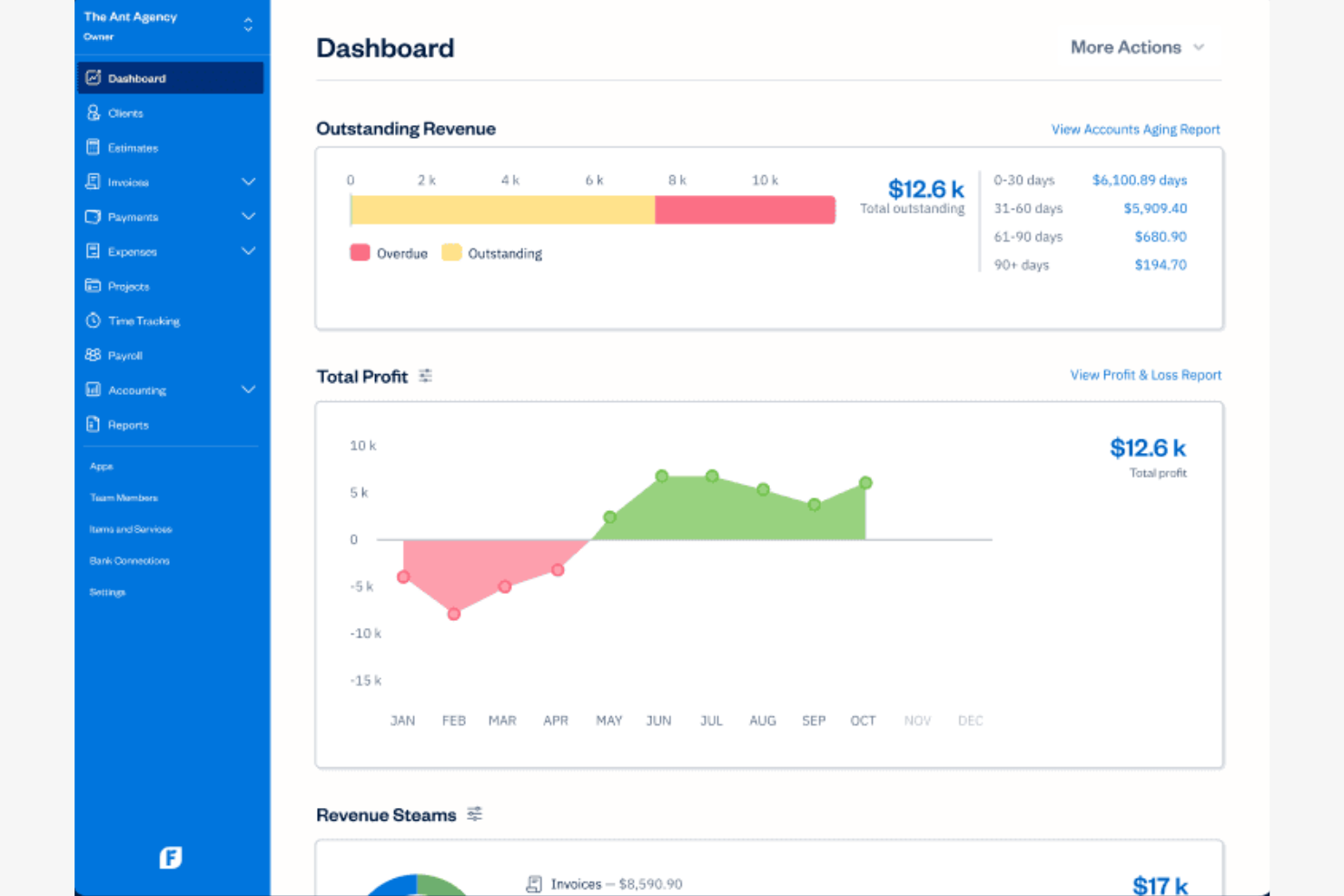
FreshBooks is an accounting software designed for small businesses and freelancers. It offers tools for invoicing, expense tracking, and time management to help optimize financial operations.
Why I picked FreshBooks: FreshBooks provides invoicing with time tracking, making it an excellent choice for service-based businesses. The platform allows you to track billable hours and convert them into invoices with ease. You can also customize invoices to reflect your brand, adding a personal touch to your billing process. With its simple interface, you can manage your finances without getting bogged down by complexity.
Standout Features and Integrations:
Features include automated expense tracking to save time on manual entries, project collaboration tools that help your team stay organized, and payment reminders to ensure timely payments from clients.
Integrations include Gusto, Wagepoint, HubSpot, Zapier, and more.
Pros and Cons
Pros:
- Project collaboration tools
- Automated expense tracking
- Easy time tracking
Cons:
- Limited advanced reporting
- No inventory management
New Product Updates from FreshBooks

Faster Payouts and Smarter Payroll With FreshBooks
FreshBooks introduces Instant Payouts, Buy Now, Pay Later through Affirm, and smarter payment defaults to improve cash flow and payment flexibility. These updates help businesses access funds faster while giving clients more convenient ways to pay. For more information, visit FreshBooks' official site.
 .
.
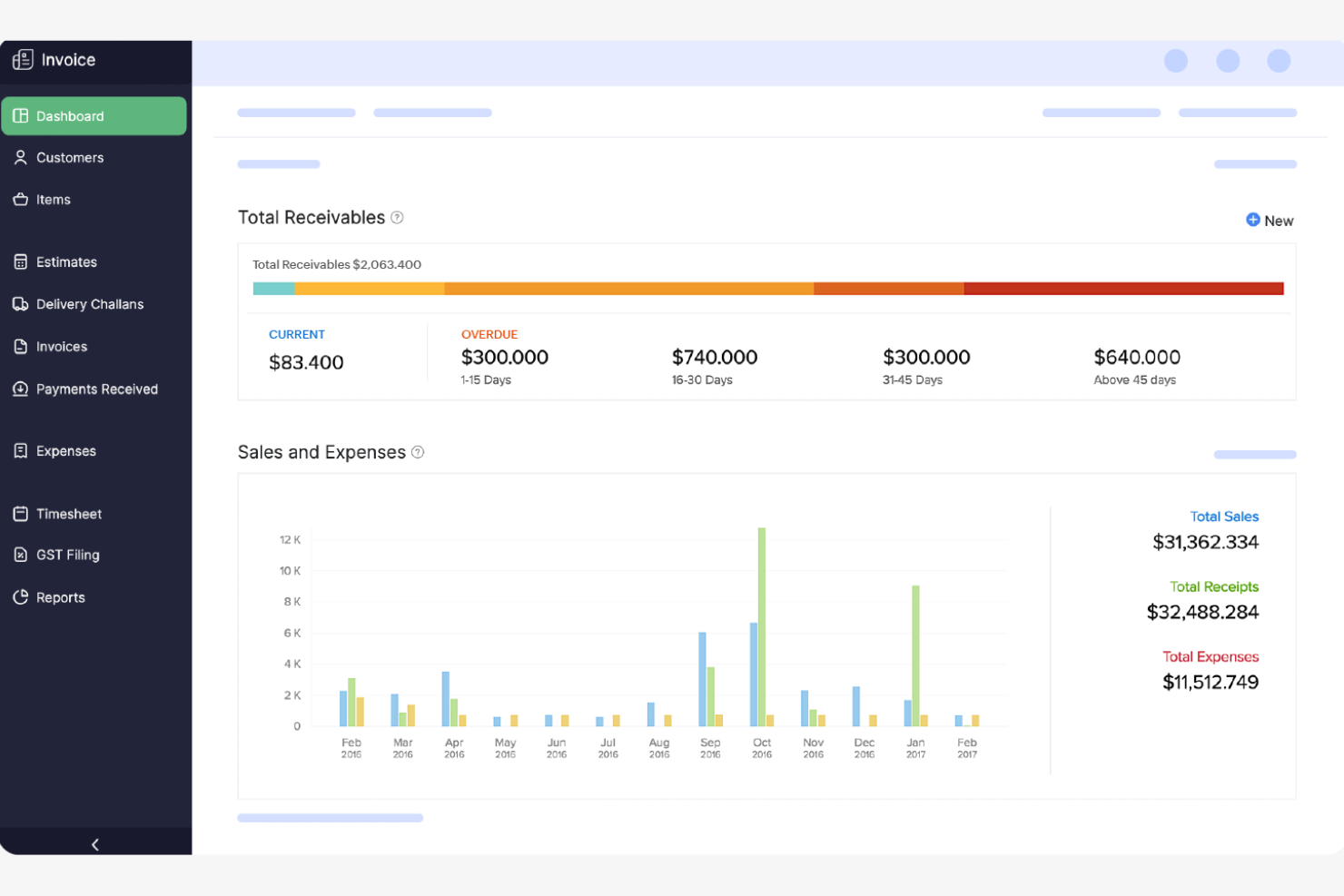
Zoho Invoice is a cloud-based invoicing software designed for small businesses and freelancers. It enables users to create professional invoices, manage expenses, and accept online payments.
Why I picked Zoho Invoice: Zoho Invoice is an invoicing app that caters to small businesses with global clients by offering multi-currency support and customizable invoice templates. The software includes features such as automated payment reminders that help you stay on top of overdue payments. You can also track time and bill clients accurately, improving your billing efficiency. These features make it a reliable choice for businesses operating internationally.
Standout Features and Integrations:
Features include automated recurring invoices to eliminate time-consuming busywork, detailed expense tracking to help you manage your finances effectively, and customizable templates that let you create branded invoices with ease.
Integrations include Zoho CRM, PayPal, Stripe, Microsoft 365, Slack, Dropbox, QuickBooks, Google Drive, OneDrive, Evernote, and more.
Pros and Cons
Pros:
- Cloud-based access
- Multi-currency invoicing
- Time tracking for billing
Cons:
- Occasional feature limitations
- Requires internet for full functionality


Chargebee is designed for businesses managing global subscriptions and recurring billing on Mac. It’s a strong fit for SaaS companies and digital services that need to handle complex pricing models, tax compliance, and multi-currency support.
Why I picked Chargebee: I chose Chargebee because it’s built to handle the demands of businesses scaling subscriptions globally from a Mac environment. Its automated tax management and multi-currency billing features make it easy to stay compliant and collect payments from customers in different countries. I also appreciate how Chargebee supports complex subscription models, including metered billing and add-ons, which is essential for SaaS and digital service providers.
Standout Features and Integrations:
Features include dunning management, customizable invoicing, revenue recognition, and a customer self-service portal.
Integrations include BigCommerce, Mailchimp, Slack, and more.
Pros and Cons
Pros:
- Offers automated dunning
- Supports complex subscription models
- Handles multi-currency billing
Cons:
- Limited reporting customization options
- Restricted offline payment handling

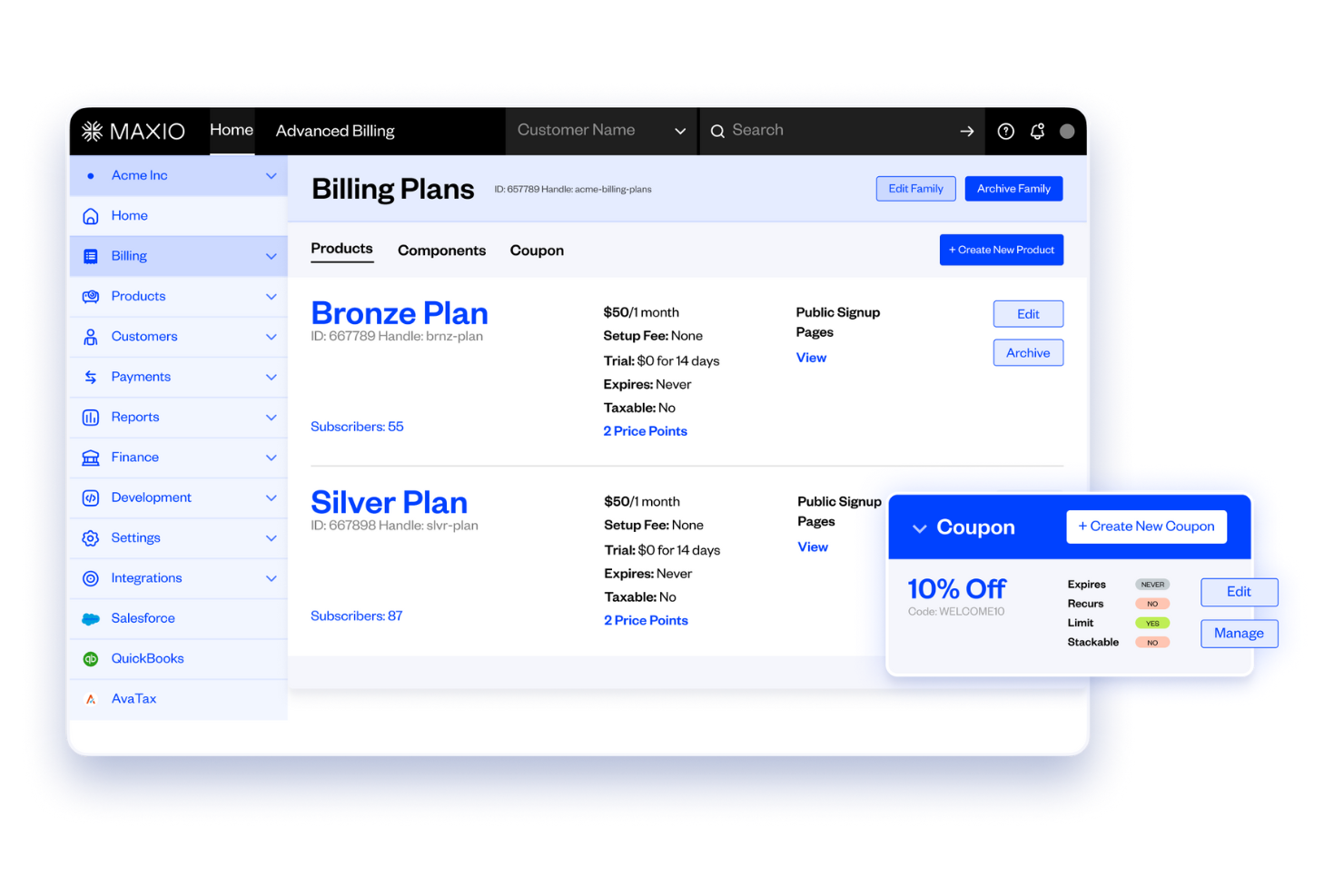
Maxio stands out for SaaS finance teams that need deep insight into recurring revenue and advanced subscription analytics on Mac. It’s especially useful for businesses that want to track complex metrics like MRR, churn, and cohort analysis alongside their billing operations.
Why I Picked Maxio: What drew me to Maxio is its focus on advanced SaaS metrics that go far beyond basic billing. For finance teams using Mac, Maxio offers built-in dashboards for tracking MRR, ARR, churn, and cohort analysis right alongside subscription management. I appreciate how you can drill into granular revenue data and segment performance by product, plan, or customer group.
Standout Features and Integrations:
Features include automated invoicing, dunning management, customizable billing schedules, and revenue recognition.
Integrations include Anrok, Mailchimp, HubSpot, NetSuite, and more.
Pros and Cons
Pros:
- Cohort and segmentation analysis
- Revenue recognition workflows
- Tracks advanced SaaS metrics
Cons:
- Complex initial billing rules setup
- Limited invoice design flexibility

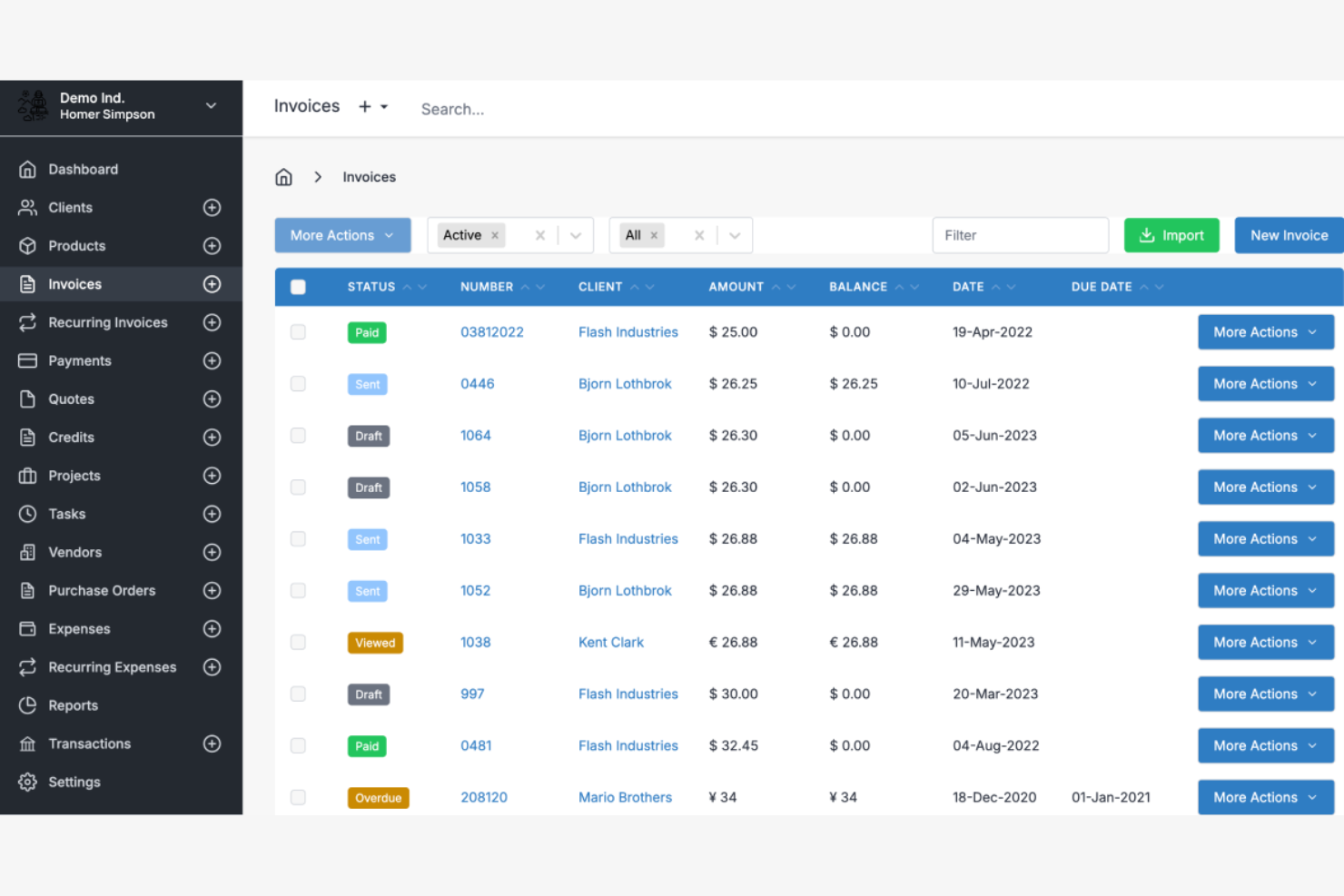
Invoice Ninja is an open-source invoice maker and billing software designed for freelancers and small businesses. It offers tools for creating invoices, tracking payments, and efficiently managing client information.
Why I picked Invoice Ninja: Invoice Ninja is unique because it offers an open-source solution for invoicing, enabling greater customization and flexibility. You can manage multiple clients and projects without difficulty, making it ideal for freelancers. The software supports a wide range of payment gateways, ensuring you can offer your clients convenient payment options. You can also personalize invoices with your branding, elevating your professional image.
Standout Features and Integrations:
Features include time tracking to help you bill clients accurately, a client portal that allows your clients to view their invoices and make payments, and recurring billing for automated invoice generation.
Integrations include Zapier and more.
Pros and Cons
Pros:
- Broad payment gateway capabilities
- Client portal access
- Open-source customization
Cons:
- Requires technical knowledge
- Limited customer support

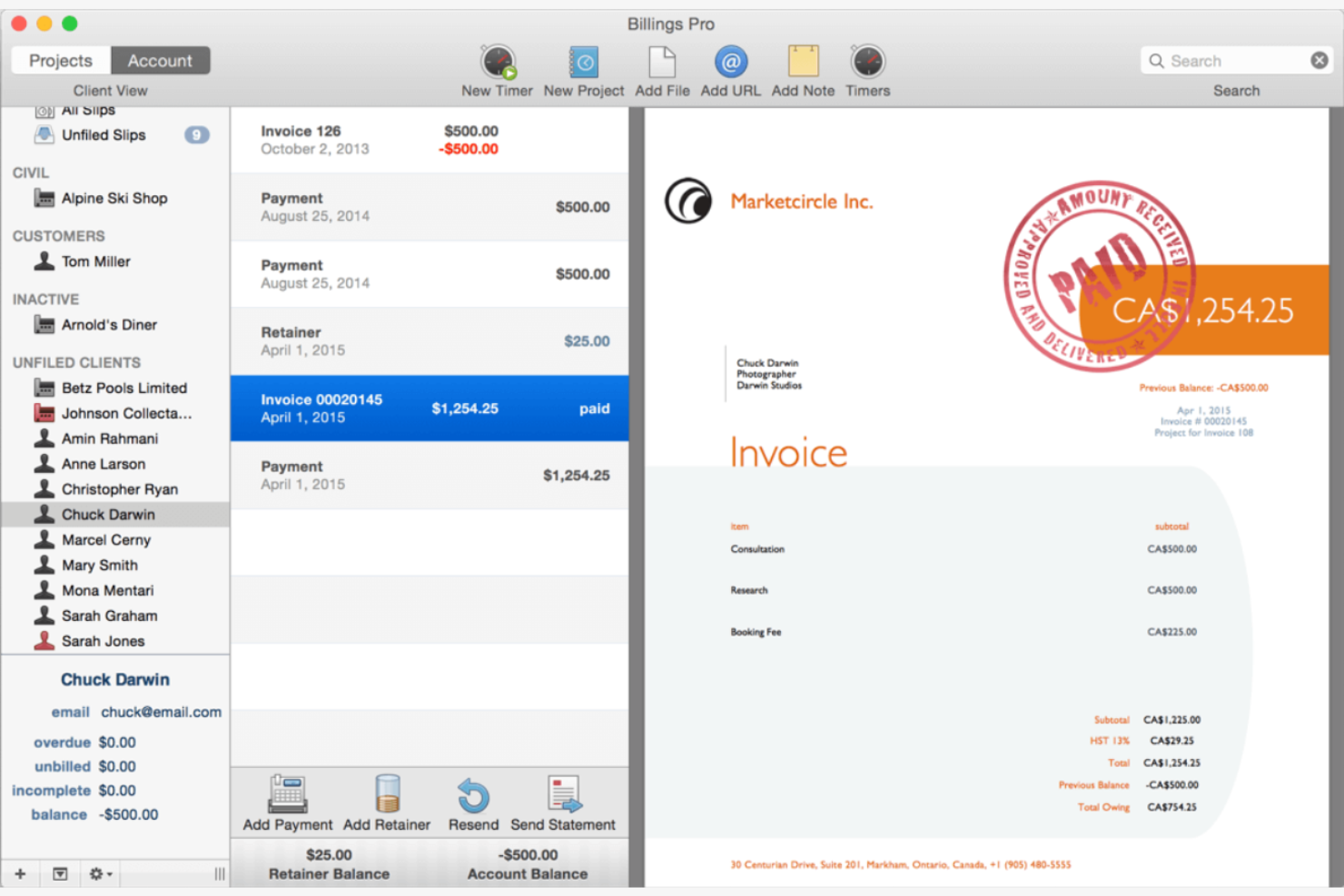
Billings Pro is a billing and invoicing software tailored for Mac users, particularly freelancers and small businesses. It provides tools for project management, time tracking, and efficient invoice generation.
Why I picked Billings Pro: Billings Pro is ideal for Mac users who need project billing capabilities, offering detailed time-tracking and project management features. You can generate invoices directly from tracked time, ensuring accurate billing. The software also allows for easy management of multiple clients and projects simultaneously. Its user-friendly interface makes it accessible for those familiar with Mac systems.
Standout Features and Integrations:
Features include customizable invoice templates to personalize your billing documents, detailed project management tools to track client work, and expense tracking to monitor costs effectively.
Integrations include Apple Calendar, Apple Contacts, Apple Mail, Daylite, QuickBooks, MoneyWorks, and more.
Pros and Cons
Pros:
- Mac-friendly interface
- Specialized client mileage tracking features
- Detailed time tracking
Cons:
- Limited to Mac users
- Occasional sync issues

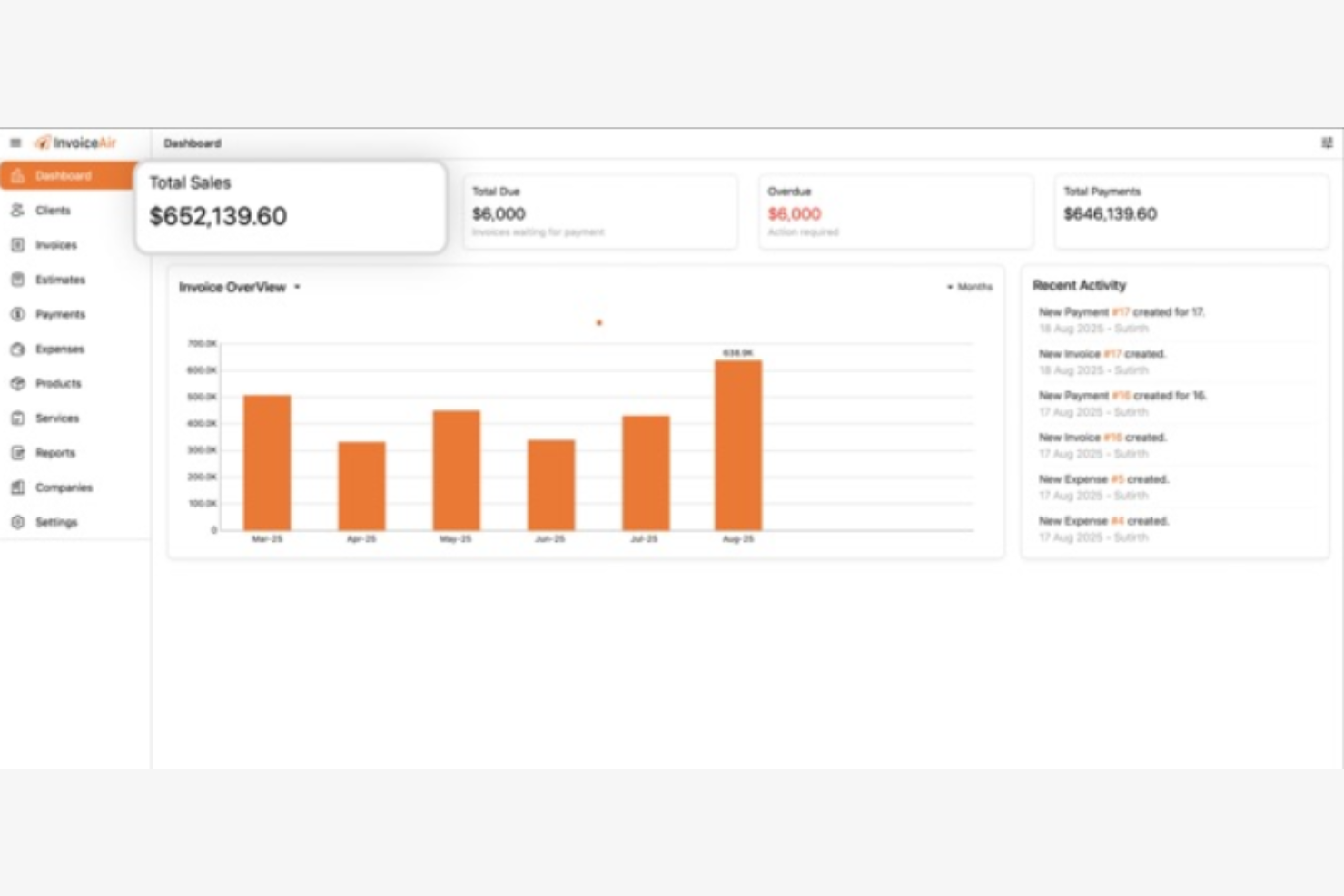
InvoiceAir is an invoicing and expense management tool designed for freelancers and small business owners using Mac systems. It helps users with their bookkeeping needs, allowing them to manage invoices, estimates, and receipts efficiently.
Why I picked InvoiceAir: The app caters to freelancers who need quick and easy invoicing. Its user-friendly interface allows you to create invoices without hassle.
Standout Features and Integrations:
Features include professional document creation with customizable templates, expense tracking for simplified tax reporting, and export options for sharing invoices via email or as PDFs.
Integrations include Moon Technolabs and more.
Pros and Cons
Pros:
- Direct emailing from the app
- Aesthetic appeal
- Offline functionality
Cons:
- Unclear upgrade costs
- No Android version
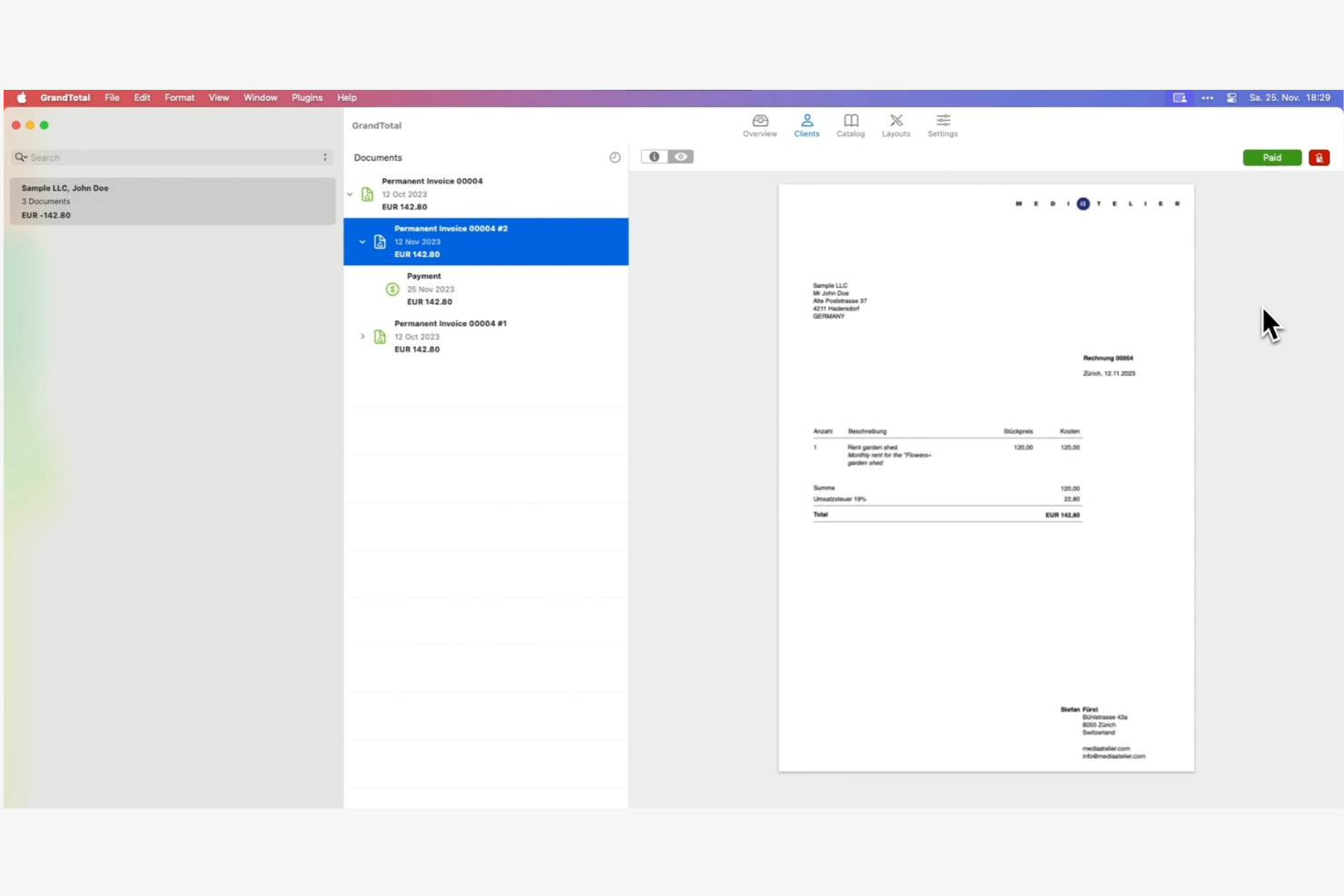
GrandTotal is an invoicing software designed for freelancers and small businesses, particularly those using Mac. It provides tools for creating detailed invoices and estimates, with a focus on customization to meet specific business needs.
Why I picked GrandTotal: GrandTotal offers detailed, customizable invoice templates, allowing you to tailor your invoices to fit your brand identity. You can quickly track invoices and payments, helping you maintain a clear financial overview. The software also includes features like estimate creation, which lets you provide clients with precise project costs upfront. These capabilities make it an excellent choice if you value personalization in your billing process.
Standout Features and Integrations:
Features include built-in reporting tools to analyze your financial data, a dashboard view to monitor your business performance, and the ability to set up recurring invoices for ongoing projects.
Integrations include Agenda, MyHours, Clockify, Harvest, Xero, MoneyMoney, Microsoft Outlook, GarageSale, Postbox, Apple Mail, and more.
Pros and Cons
Pros:
- Mac-centric design
- Recurring invoice setup
- Easy estimate creation
Cons:
- Requires macOS for full functionality
- Limited customer support

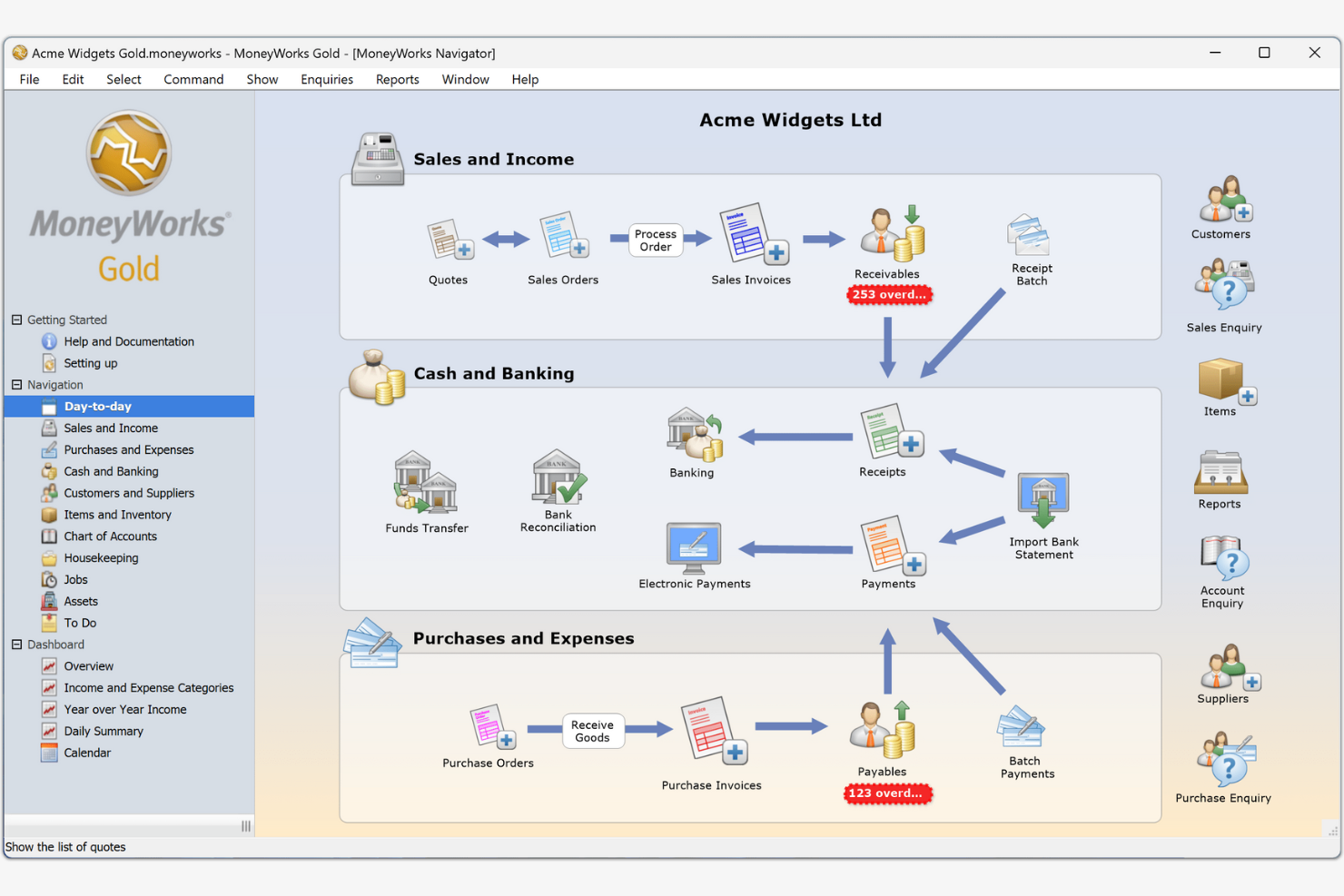
MoneyWorks is an accounting software solution designed for small to medium-sized businesses. It offers tools for financial management, including invoicing, payroll, and inventory control.
Why I picked MoneyWorks: MoneyWorks delivers extensive accounting capabilities, making it suitable for businesses with diverse financial needs. It provides detailed financial reporting to help you make informed decisions. The software supports multi-currency transactions, which is beneficial if your business deals with international clients. It also offers strong inventory management, ensuring you can efficiently track and manage your stock.
Standout Features and Integrations:
Features include customizable financial reports to suit your business needs, networked multi-user access to collaborate with your team, and a secure backup system to protect your financial data.
Integrations include Microsoft Excel, Apple Contacts, FileMaker Pro, PayPal, Shopify, WooCommerce, Twilio SendGrid, Google BigQuery, and more.
Pros and Cons
Pros:
- Networked multi-user access
- Customizable financial reports
- Strong inventory management
Cons:
- Complex user interface
- Requires a desktop for data entry

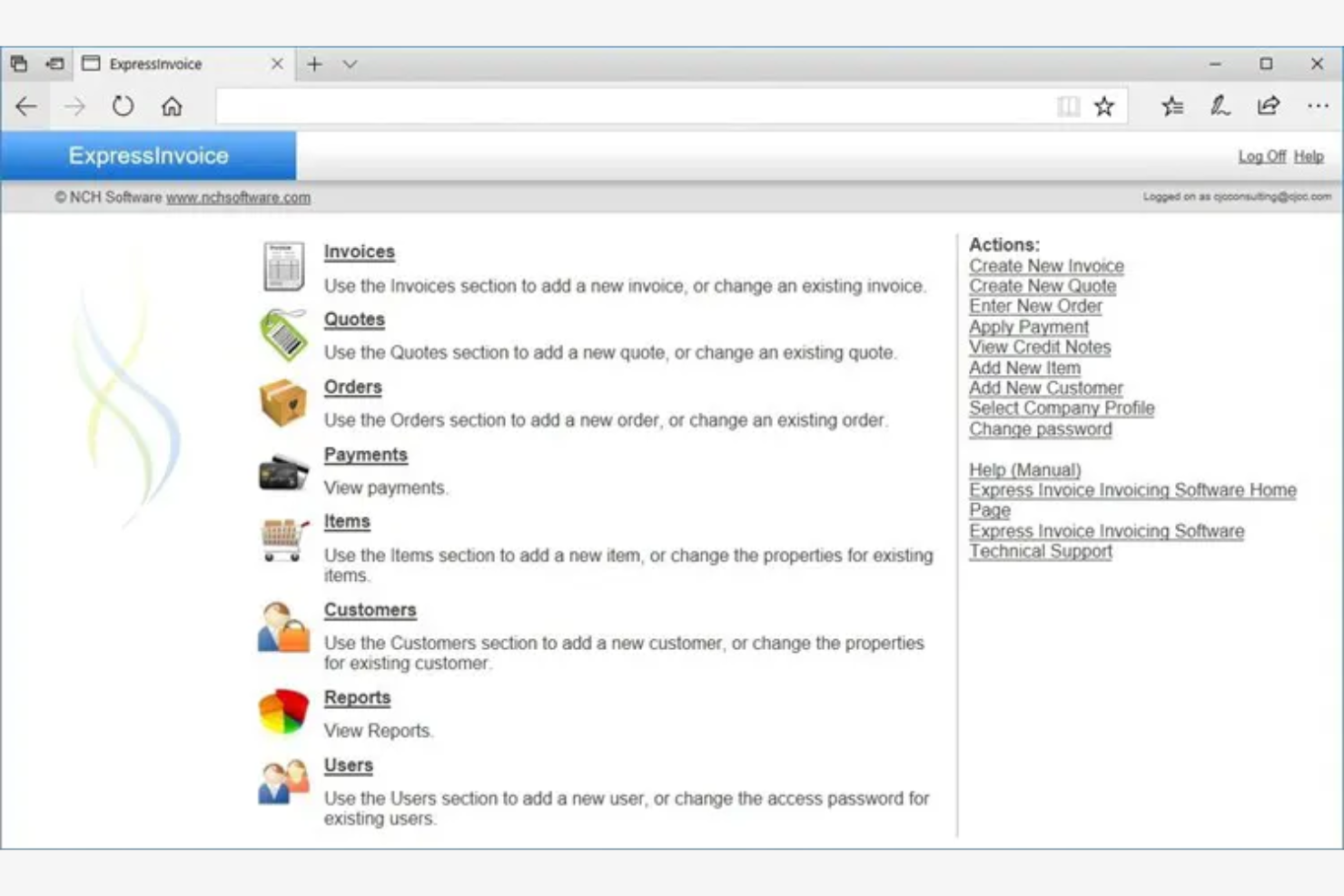
Express Invoice (NCH Software) is a billing and invoicing software designed for small businesses and freelancers. It focuses on providing straightforward invoicing, billing, and reporting functions to help manage finances efficiently.
Why I picked Express Invoice: Express Invoice is tailored for those who need a simple invoicing solution without unnecessary complexities. You can create invoices quickly and send them directly to clients via email. The software also lets you generate reports on paid and unpaid invoices, keeping your finances organized. Its simplicity makes it a great option if you're looking for a no-frills invoicing tool.
Standout Features and Integrations:
Features include customizable invoice templates that allow you to maintain a consistent brand image, automatic recurring invoices to save time on repetitive tasks, and online access so that you can manage your invoices from anywhere.
Integrations include Microsoft Excel, Microsoft Outlook, Inventoria, PayPal, and more.
Pros and Cons
Pros:
- Quick invoice creation
- Direct email invoicing
- Simple user interface
Cons:
- Requires a local server setup
- Basic reporting without deep forecasting
Other Billing Software for Mac
Here are some additional options that didn’t make it onto my shortlist, but are still worth checking out:
- QuickBooks Online
For integration with QuickBooks ecosystem
- Xero
For real-time collaboration
- myBillBook
For Indian businesses with GST compliance
- Wave
For free invoicing with payment options
- Square Invoices
For integrated payments
- Stripe Invoicing
For online businesses with global reach


Billing Software for Mac Selection Criteria
When selecting the best billing software for Mac to include in this list, I considered common buyer needs and pain points, such as ease of use and compatibility with Mac systems. I also used the following framework to keep my evaluation structured and fair:
Core Functionality (25% of total score)
To be considered for inclusion in this list, each solution had to fulfill these common use cases:
- Create and send invoices
- Track payments and expenses
- Generate financial reports
- Support multiple currencies
- Manage client information
Additional Standout Features (25% of total score)
To help further narrow down the competition, I also looked for unique features, such as:
- Customizable invoice templates
- Automated payment reminders
- Integration with other financial tools
- Time tracking for billable hours
- Multi-user collaboration capabilities
Usability (10% of total score)
To get a sense of the usability of each system, I considered the following:
- Intuitive interface design
- Easy navigation and accessibility
- Minimal learning curve
- Responsive and fast performance
- Aesthetic appeal of the design
Onboarding (10% of total score)
To evaluate the onboarding experience for each platform, I considered the following:
- Availability of training videos
- Access to interactive product tours
- Use of chatbots for guidance
- Helpful webinars and tutorials
- Ready-to-use templates for quick setup
Customer Support (10% of total score)
To assess each software provider's customer support services, I considered the following:
- Availability of live chat support
- Email and phone support options
- Access to an effective help center
- Response time to customer queries
- Quality of support documentation
Value for Money (10% of total score)
To evaluate the value for money of each platform, I considered the following:
- Competitive pricing compared to features
- Availability of free trials or demos
- Transparent pricing structure
- Flexibility in pricing plans
- Discounts for annual subscriptions
Customer Reviews (10% of total score)
To get a sense of overall customer satisfaction, I considered the following when reading customer reviews:
- Overall satisfaction ratings
- Feedback on ease of use
- Comments on feature effectiveness
- Reports on customer support experiences
- Insights on software reliability and performance
How To Choose Billing Software for Mac
It's easy to get bogged down in long feature lists and complex pricing structures. To help you stay focused as you work through your unique software selection process, here's a checklist of factors to keep in mind:
| Factor | What To Consider |
|---|---|
| Scalability | Will the software grow with your business? Consider future needs and whether the tool can handle increased invoices or clients without performance issues. |
| Integrations | Does it work with tools you already use? Check compatibility with your existing systems, like accounting software or CRM, to ensure smooth data flow. |
| Customizability | Can you tailor the software to fit your processes? Look for options to customize invoices, reports, and workflows to match your business operations. |
| Ease of use | Is the interface intuitive for your team? Choose software that minimizes training time and allows users to perform tasks efficiently without frustration. |
| Implementation and onboarding | How easy is it to get started? Evaluate the setup process and available support, like training materials or customer service, to ensure a smooth transition. |
| Cost | Does the pricing fit your budget? Compare plans and consider total costs, including any hidden fees or additional charges for extra features or users. |
| Security safeguards | How does the software protect your data? Ensure it offers encryption, backups, and compliance with data protection regulations to keep information secure. |
| Support availability | When can you reach support if issues arise? Check for 24/7 availability and multiple channels like chat, email, or phone to get timely help when needed. |
What Is Billing Software for Mac?
Billing software for Mac is a tool that helps businesses manage invoicing, payments, and financial records on Mac devices. Professionals such as accountants, small business owners, and freelancers typically use these tools to simplify billing processes and improve financial accuracy.
Features like invoice creation, payment tracking, and reporting capabilities support efficient financial management and decision-making. Overall, these tools help users save time and maintain organized financial records.
Features
When selecting billing software for Mac, keep an eye out for the following key features:
- Invoice creation: Allows you to generate professional invoices quickly, ensuring you get paid on time.
- Payment tracking: Monitors incoming payments and outstanding balances to maintain clear financial records.
- Expense management: Helps you track and categorize expenses, providing a complete view of your financial health.
- Customizable templates: Let you tailor invoices and documents to reflect your brand identity for a personalized touch.
- Multi-currency support: Facilitates transactions with international clients, expanding your business reach.
- Automated reminders: Send notifications for due payments, reducing the risk of missed or late payments.
- Time tracking: Enables you to log billable hours and convert them into invoices, ideal for service-based businesses.
- Financial reporting: Offers insights into your business performance with detailed reports, facilitating informed decision-making.
- Integration capabilities: Connects with other tools, such as accounting software or CRM systems, to smooth workflows.
- Data security: Protects sensitive financial information through encryption and compliance with data protection regulations.
Benefits
Implementing billing software for Mac provides several benefits for your team and your business. Here are a few you can look forward to:
- Time savings: Automated invoicing and payment reminders free up time for you to focus on other tasks.
- Improved accuracy: Reduces manual errors in billing and financial records through automated processes and tracking.
- Superior cash flow management: Helps maintain a steady cash flow with timely payment tracking and automated reminders.
- Professional branding: Customizable templates allow you to create invoices that reflect your brand, elevating your professional image.
- Global reach: Multi-currency support enables transactions with international clients, expanding your business opportunities.
- Better decision-making: Financial reporting provides insights into your business performance, aiding in strategic planning.
- Security compliance: Ensures your financial data is protected with encryption and compliant with data protection regulations.
Costs and Pricing
Selecting billing software for Mac requires an understanding of the various pricing models and plans available. Costs vary based on features, team size, add-ons, and more. The table below summarizes common plans, their average prices, and typical features included in billing software for Mac solutions:
Plan Comparison Table for Billing Software for Mac
| Plan Type | Average Price | Common Features |
|---|---|---|
| Free Plan | $0 | Basic invoicing, payment tracking, and limited customer support. |
| Personal Plan | $5-$20/user/month | Customizable invoices, expense management, and basic reporting. |
| Business Plan | $20-$40/user/month | Multi-currency support, automated reminders, and advanced reporting. |
| Enterprise Plan | $199-$599/month | Extensive integrations, priority customer support, and advanced security features. |
Billing Software for Mac FAQs
Here are some answers to common questions about billing software for Mac:
Is billing software for Mac compatible with other operating systems?
Yes, many billing software solutions for Mac are also compatible with other operating systems, such as Windows and Linux. Check the software’s specifications or consult with the vendor to ensure cross-platform compatibility. This flexibility allows your team to work on different devices without compatibility issues. Be sure to look for web-based solutions, as these typically offer the greatest compatibility across various operating systems.
Can billing software for Mac integrate with my existing accounting tools?
Yes, most billing software for Mac offers integrations with popular accounting platforms like QuickBooks, Xero, and FreshBooks. You can usually connect your existing tools directly or through third-party apps. Double-check the compatibility information on the vendor’s site and test integrations before rollout to ensure smooth workflow transitions.
Can I use billing software for Mac offline?
Some billing software for Mac offers offline capabilities, but many require an internet connection for full functionality. Offline features usually include basic invoicing and data entry, with synchronization occurring once you’re back online. If this issue is important to you, check with the vendor to see if offline usage is supported and what limitations might exist.
How secure is my data with billing software for Mac?
Data security varies by software vendor, but most reputable billing software includes encryption and other security measures to protect your information. Look for software that complies with data protection regulations like GDPR or CCPA. It’s also wise to inquire about backup options and data recovery plans to ensure your data remains safe.
Can I migrate data from legacy billing systems to Mac billing software?
Yes, most leading Mac billing platforms support importing data from CSV or Excel files, and some provide migration services for legacy systems. Prepare a detailed data map and schedule a trial migration before full deployment to prevent data loss and minimize disruptions.
Do I need technical expertise to set up billing software for Mac?
No, most billing software for Mac is designed to be user-friendly and doesn’t require extensive technical expertise for setup. Look for solutions that offer guided setup processes, tutorials, or customer support to assist you. If you encounter challenges, many vendors provide resources such as video guides and FAQs to help you get started quickly.
What's Next:
If you're in the process of researching billing software for Mac, connect with a SoftwareSelect advisor for free recommendations.
You fill out a form and have a quick chat where they get into the specifics of your needs. Then you'll get a shortlist of software to review. They'll even support you through the entire buying process, including price negotiations.