
19 Best Cost Management Software Reviewed in 2026

Best Cost Management Software Shortlist
Here’s my shortlist of the best cost management software:


Managing costs is a constant challenge for CFOs. You're often juggling budgets, tracking expenses, and maintaining cost control while ensuring financial efficiency. Cost management software can help by simplifying these tasks and providing clarity.
In my experience, the right software can transform how you handle your finances. I've independently tested and reviewed various tools to bring you a well-researched list of the best options available.
This article will guide you through top picks, highlighting their features and benefits. You'll gain insights into how these solutions can support your team and improve financial oversight.
Why Trust Our Software Reviews
Best Cost Management Software Summary
This comparison chart summarizes pricing details for my top cost management software selections to help you find the best one for your budget and business needs.
| Tool | Best For | Trial Info | Price | ||
|---|---|---|---|---|---|
| 1 | Best for automated expense reportin | 14-day free trial and free plan available | From $4/user/month | Website | |
| 2 | Best for construction projects | Free demo available | From $29/user/month (billed annually) | Website | |
| 3 | Best for manufacturing industries | 30 days free trial | Pricing Upon Request | Website | |
| 4 | Best for small business expenses | Free trial available | From $5/user/month | Website | |
| 5 | Best for travel expense management | Free demo available | Pricing upon request | Website | |
| 6 | Best for mid-sized manufacturers | Free demo available | Pricing available upon request | Website | |
| 7 | Best for AI-powered employee expense management | Free demo available | Pricing upon request | Website | |
| 8 | Best for collaboration tools | Free demo available | Pricing upon request | Website | |
| 9 | Best for cloud cost tracking | 30-day free trial available | Pricing upon request | Website | |
| 10 | Best for detailed cost analysis | Free demo + free trial available | Pricing upon request | Website |
-

LiveFlow
Visit WebsiteThis is an aggregated rating for this tool including ratings from Crozdesk users and ratings from other sites.4.9 -
Float Financial
Visit WebsiteThis is an aggregated rating for this tool including ratings from Crozdesk users and ratings from other sites.4.1 -
Rippling Spend
Visit WebsiteThis is an aggregated rating for this tool including ratings from Crozdesk users and ratings from other sites.4.8


Best Cost Management Software Reviews
Below are my detailed summaries of the best cost management software that made it onto my shortlist. My reviews offer a detailed look at the key features, pros and cons, integrations, and ideal use cases of each tool to help you find the best one for you.

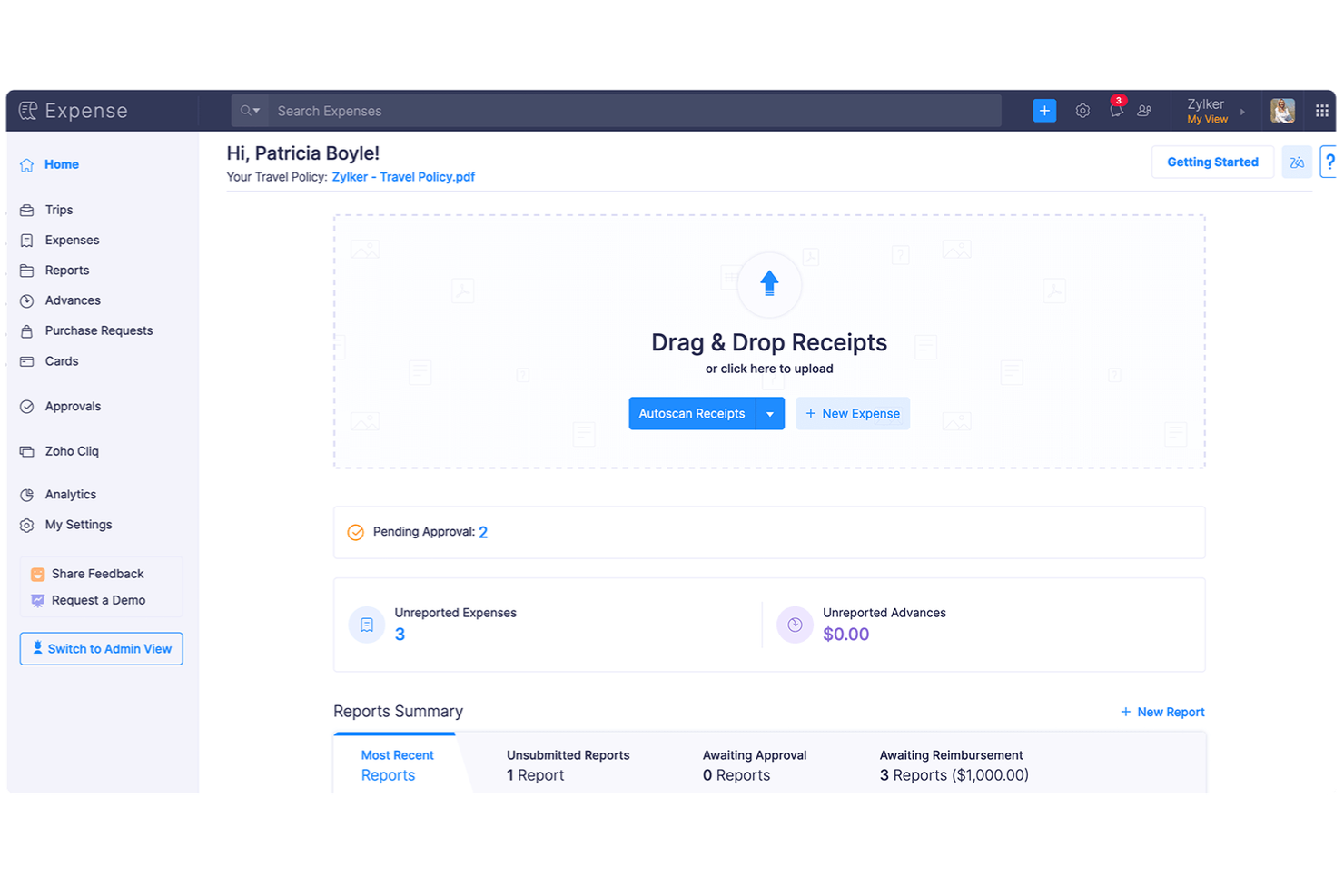
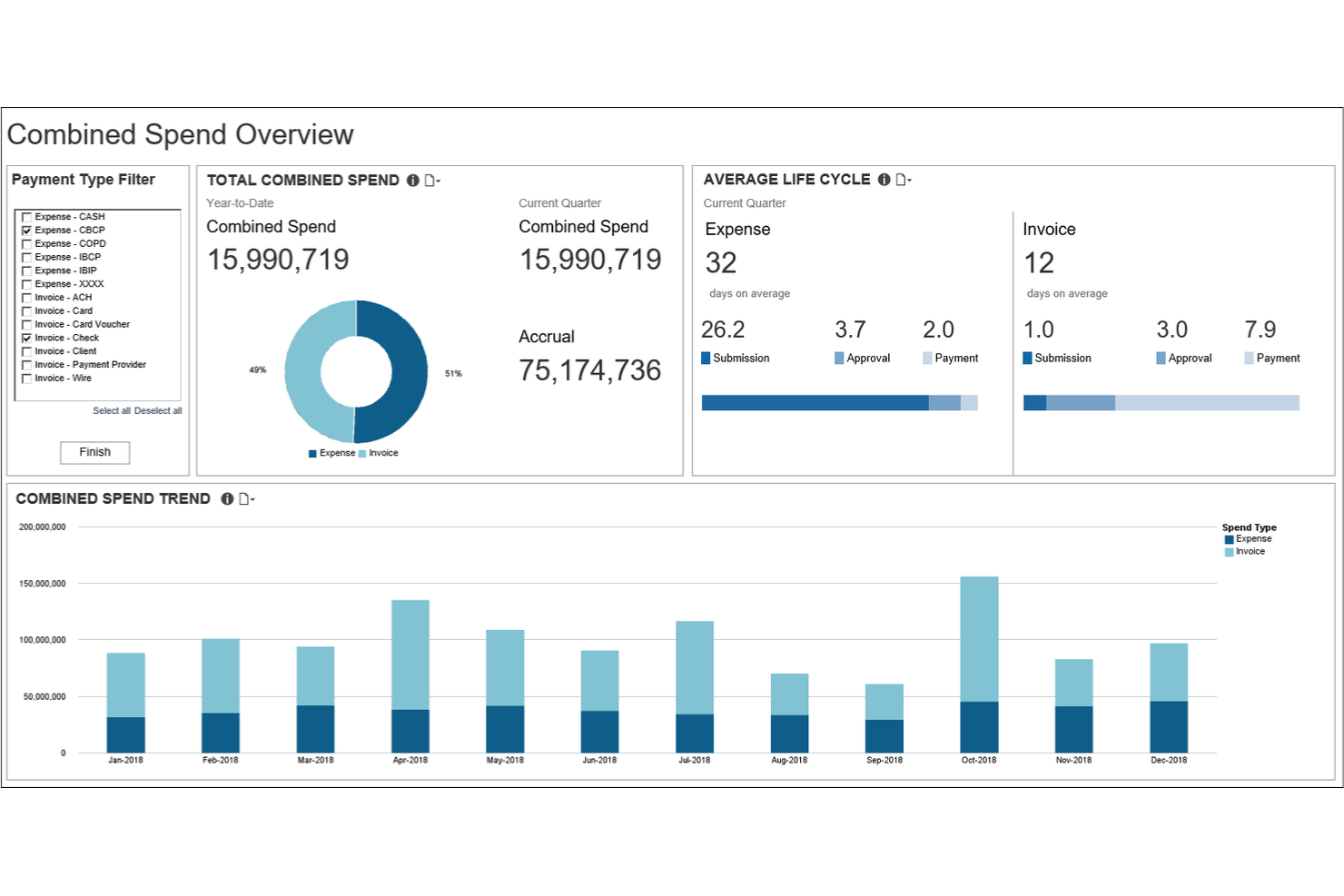
Zoho Expense is a cost management tool aimed at businesses looking to automate their expense reporting processes. It helps in tracking expenses, managing approvals, and ensuring compliance with company policies.
Why I picked Zoho Expense: This tool is great for automated expense reporting, which saves your team time on manual data entry. It features receipt auto-scanning, reducing the hassle of paperwork. The tool also offers multi-level approval workflows, ensuring that expenses are reviewed in a timely manner. Its policy compliance checks help maintain adherence to company guidelines.
Standout Features and Integrations:
Features include real-time expense tracking, which helps you monitor spending as it occurs. The tool provides customizable expense policies, so you can tailor rules to fit your organization's needs. Additionally, it offers analytics and reporting tools that give insights into a project's financial spending patterns and trends.
Integrations include Zoho Practice, Zoho Books, QuickBooks, Xero, and more.
Pros and Cons
Pros:
- Variety of analytics and reporting tools
- Customizable expense policies
- Multi-level approval workflows
Cons:
- Cluttered UI for some users
- Limited advanced automation
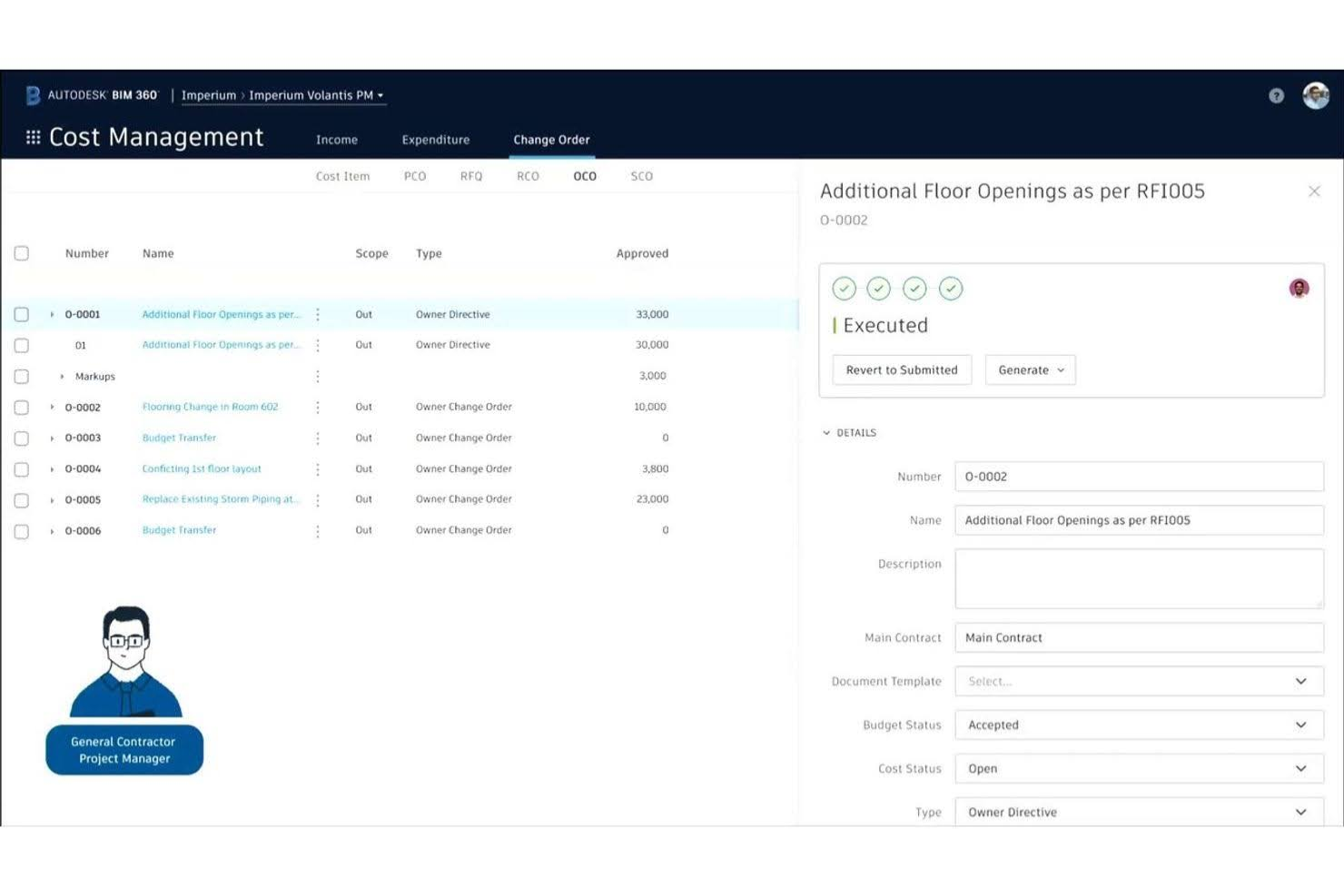
Autodesk offers a cost management software solution tailored for the construction industry. It helps construction teams manage budgets, track project expenses, and ensure financial accuracy.
Why I picked Autodesk Construction Cloud: This tool is ideal for construction projects due to its specialized features for managing complex project budgets, cost overruns, and tracking project costs. It provides real-time financial insights, allowing your team to make informed decisions on the go. The software includes tools for change order management and cost forecasting. Its focus on construction makes it a top choice for those in the industry.
Standout Features and Integrations:
Features include real-time budget tracking, which helps you stay on top of project costs. The software also offers change order management, simplifying how you handle unexpected adjustments. Additionally, cost forecasting tools allow you to anticipate future expenses and plan accordingly.
Integrations include BIMLauncher, Rock CAD Support, NavVis, Finch, and more.
Pros and Cons
Pros:
- Handles complex budgets
- Real-time financial insights
- Tailored for construction projects
Cons:
- Pricing transparency issues
- Expensive licensing
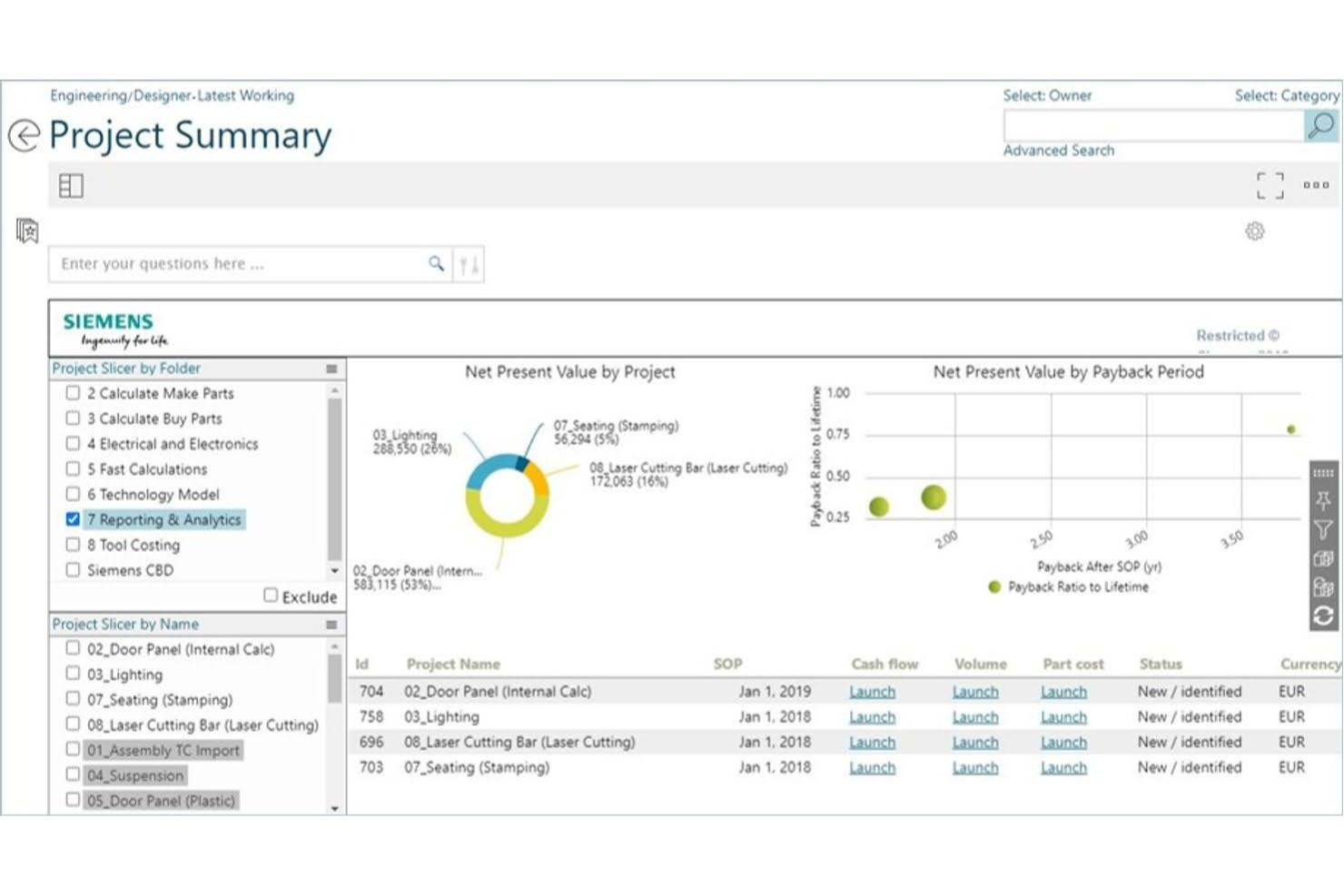
Teamcenter by Siemens offers a cost management software solution designed for manufacturers to improve product development. It helps in measuring and reducing costs and carbon footprints while conducting profitability analyses.
Why I picked Teamcenter: This tool is ideal for manufacturing industries due to its focus on early cost and emissions analysis during the design phase. It features integrated cost and emissions data management and standardized methods for calculations. The software supports cross-functional collaboration, allowing your team to make informed decisions that balance cost pressures with sustainability goals. Its scalability makes it suitable for businesses of all sizes.
Standout Features and Integrations:
Features include integrated cost and emissions data management, database-driven calculations, and supplier scenario analyses. These capabilities help you perform preliminary cost estimations and quotation calculations, which are important for comparing pricing strategies and cash flow. The software also supports cross-functional collaboration, improving teamwork across departments.
Integrations include SAP Business Suite, Oracle EBS, Excel, and more.
Pros and Cons
Pros:
- Early cost analysis in design phase
- Scalable for all business sizes
- Supports sustainability goals
Cons:
- Support is inconsistent across regions
- High implementation costs

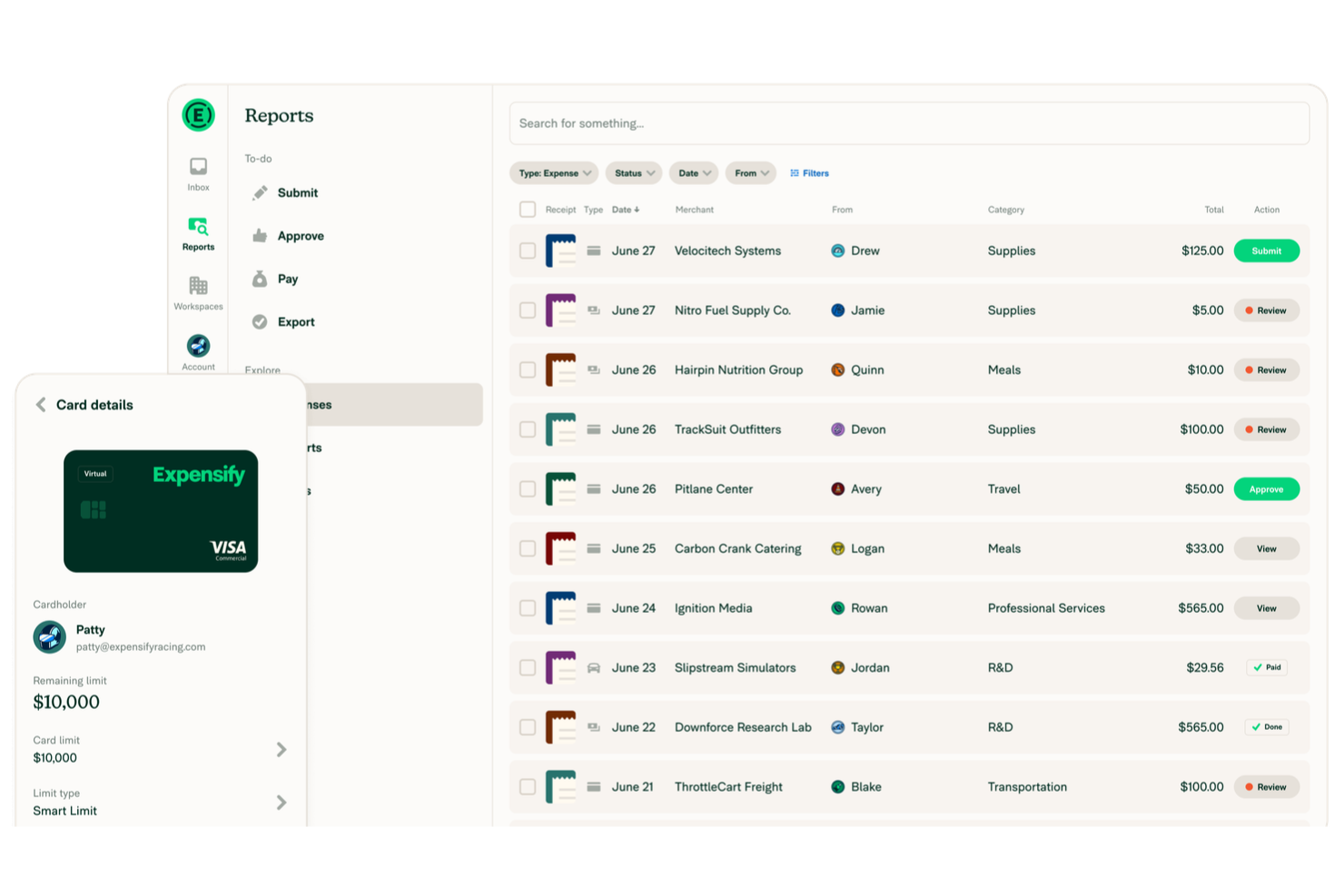
Expensify is a cost management tool tailored for small businesses to handle expense reporting and reimbursement. It simplifies the process of tracking and managing business expenses.
Why I picked Expensify: This tool is perfect for small businesses due to its straightforward approach to expense management. It features automatic receipt scanning, which saves your team time on manual entry. The tool also allows for easy report submission and approval workflows. Its user-friendly interface makes it accessible even for those without extensive technical knowledge.
Standout Features and Integrations:
Features include automatic receipt scanning, which helps eliminate manual entry errors. The tool offers mileage tracking, allowing you to accurately record travel expenses. Additionally, it provides customizable policy settings, so you can tailor the system to fit your company's specific requirements.
Integrations include QuickBooks, Xero, NetSuite, Oracle, and more.
Pros and Cons
Pros:
- User-friendly interface
- Easy report submission
- Automatic receipt scanning
Cons:
- Automation glitchy
- May need occasional troubleshooting

SAP Concur is a cost management tool tailored for managing travel expenses aimed at businesses that require detailed tracking of travel-related costs. It simplifies the process of booking, expense reporting, and reimbursement.
Why I picked SAP Concur: This tool is ideal for organizations focusing on travel expense management. It features automated travel booking, which improves the planning and decision-making process for your team. The tool provides detailed expense tracking, allowing you to monitor travel spending. Its ability to integrate travel and expense data offers a detailed view of your travel expenditure.
Standout Features and Integrations:
Features include automated policy compliance, which ensures all travel expenses adhere to company guidelines. The tool offers receipt capture, so you can document expenses, such as purchase orders, without hassle. Additionally, it provides detailed reporting tools that allow you to analyze travel spending and identify trends.
Integrations include SAP, QuickBooks, NetSuite, Xero, ADP, and more.
Pros and Cons
Pros:
- Automated policy compliance
- Detailed travel data integration
- Automated travel booking
Cons:
- Poor user experience
- Requires training for new users

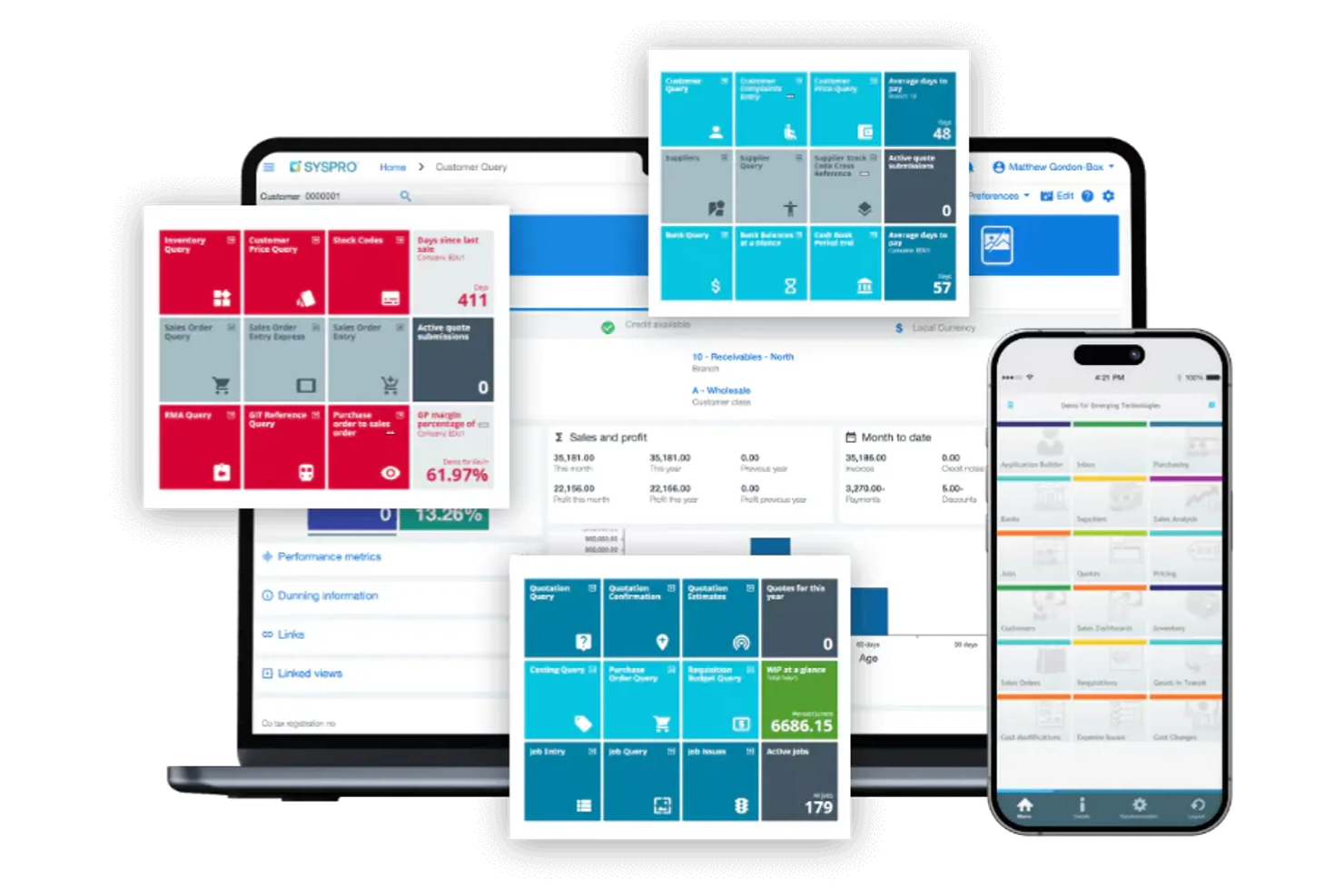
SYSPRO ERP offers a cost management solution tailored for mid-sized manufacturing businesses. It aids in controlling costs, managing inventory, and analyzing financial data.
Why I picked SYSPRO ERP: This tool is perfect for mid-sized manufacturers due to its focus on industry-specific requirements. It provides detailed inventory management, which helps your team maintain optimal stock levels. The software's financial analysis tools give insights into cost structures and project profitability. Its ability to integrate with existing systems ensures a smooth transition for your business operations.
Standout Features and Integrations:
Features include real-time inventory tracking, which helps you maintain accurate stock levels. The software offers detailed cost analysis tools, allowing you to have more financial control. Additionally, it provides customizable reporting, so you can tailor the information to fit your needs.
Integrations are not currently listed by SYSPRO ERP.
Pros and Cons
Pros:
- Mobile app available
- Detailed cost analysis tools
- Tailored for manufacturing needs
Cons:
- Missing modules and features
- May need additional technical support
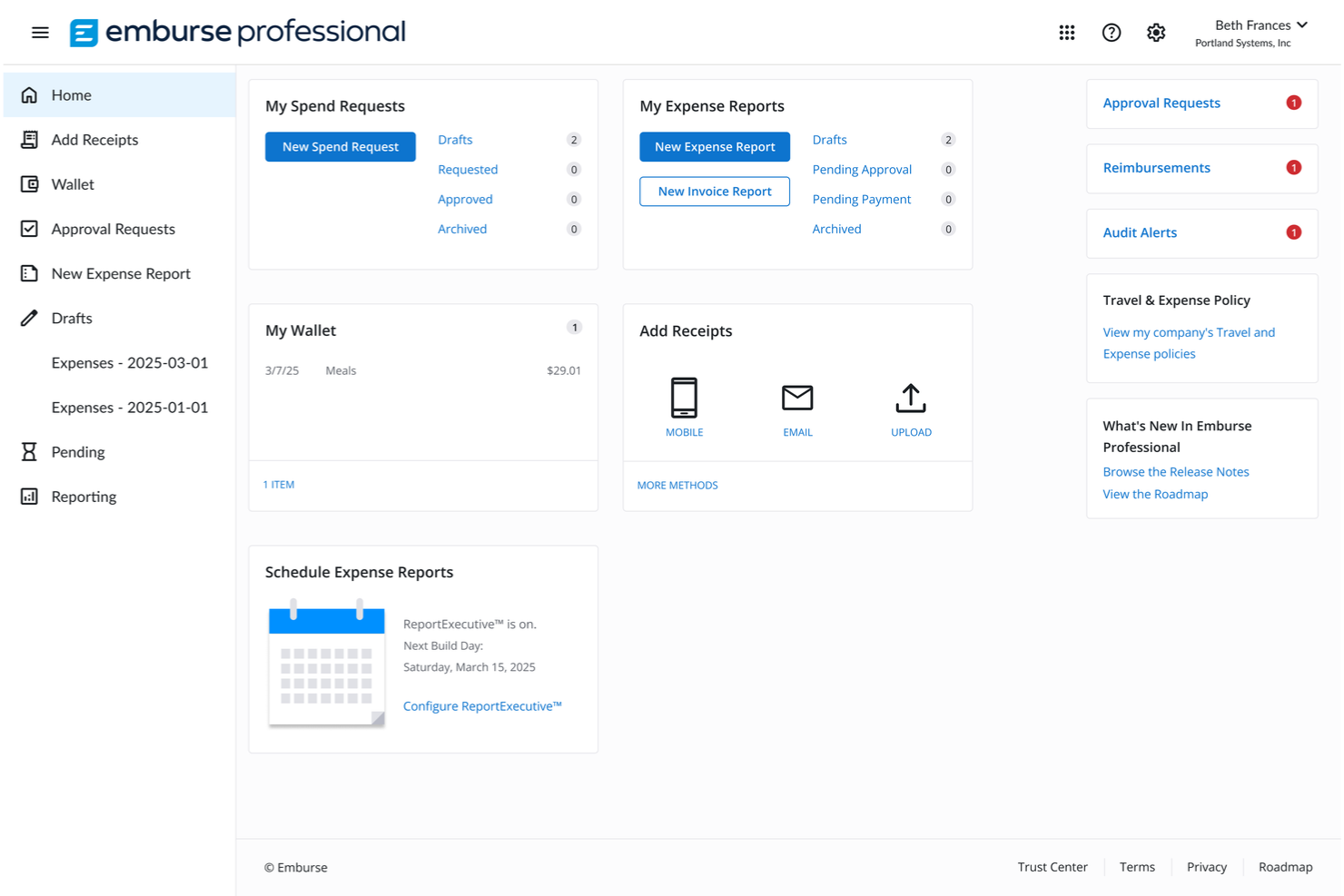
Emburse is a cost management tool designed to improve employee expense processing. It caters to businesses seeking efficient ways to manage employee expenses and reimbursements.
Why I picked Emburse: This tool excels in managing employee expenses, making it a top professional service. It features automated expense reporting, reducing the time your team spends on manual data entry. The tool also offers real-time expense tracking, giving you insights into spending patterns. Its virtual card feature allows for controlled spending, improving budget management.
Standout Features and Integrations:
Features include automated approval workflows that help speed up the expense approval process. The tool offers policy compliance checks to ensure all expenses align with company guidelines. It provides analytics and reporting capabilities, allowing you to monitor expenses and identify trends.
Integrations include QuickBooks, Xero, NetSuite, SAP Concur, Salesforce, Workday, Slack, and more.
Pros and Cons
Pros:
- Policy compliance checks
- Virtual card for controlled spending
- Automated expense reporting
Cons:
- Pricing can be high
- Complex rollout for new users

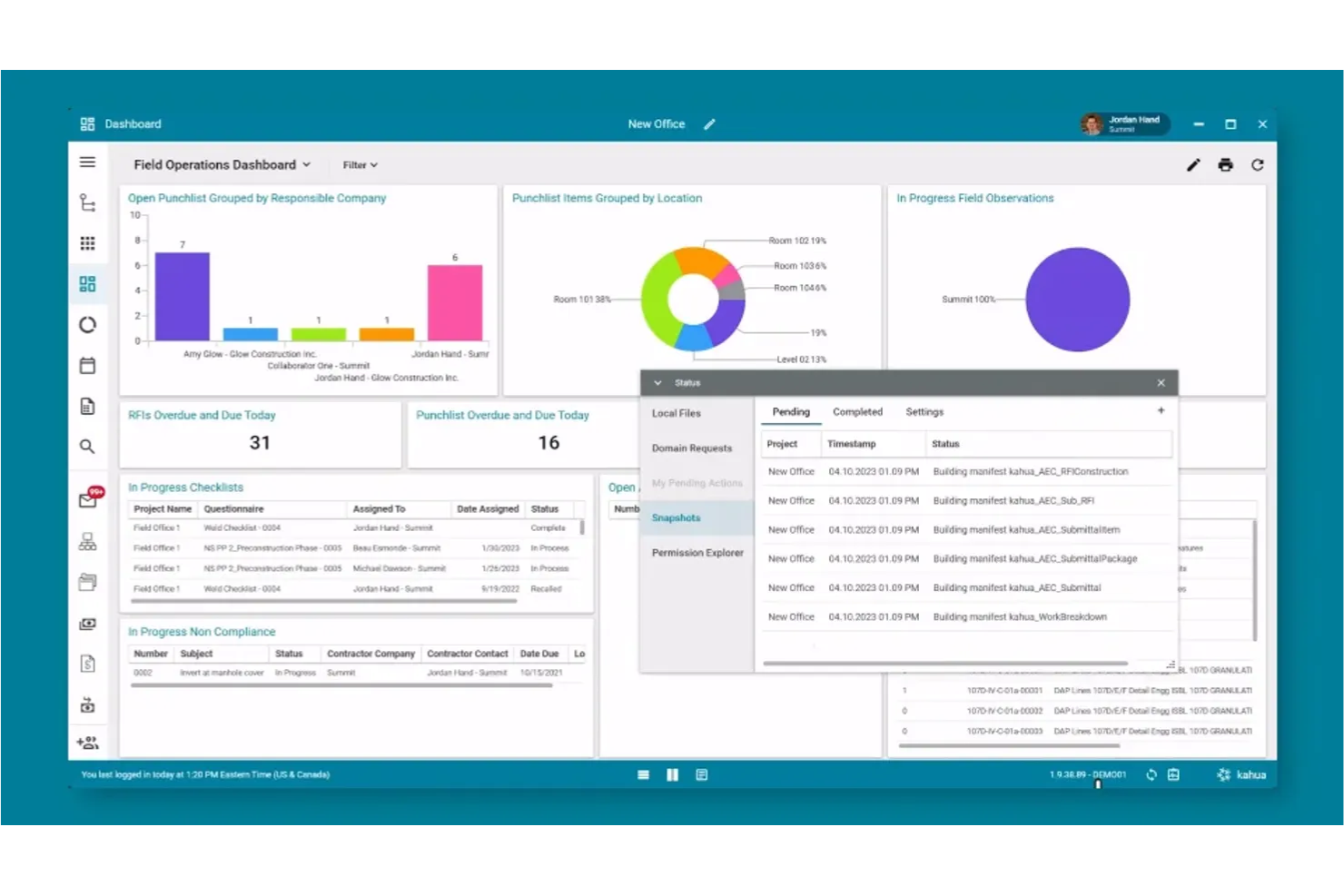
Kahua offers a cost management suite designed for the construction industry, focusing on improving collaboration among project teams. It helps manage budgets, track costs, and improve communication between stakeholders.
Why I picked Kahua Cost Management Suite: It excels in collaboration tools, making it ideal for teams that need to work closely together. It features project management capabilities that allow your team to share documents and updates in real-time. The software's cloud-based platform ensures everyone has access to the latest information, reducing miscommunication. Its flexibility in customizing workflows aligns well with diverse project needs.
Standout Features and Integrations:
Features include various project management software tools that allow your team to work. The software offers document sharing, so everyone has real-time visibility. It also provides workflow customization, letting you tailor processes to fit your specific project requirements.
Integrations include Sage Intacct, Viewpoint, Box, Docusign, Microsoft Dynamics 365, SAP, Autodesk, and more.
Pros and Cons
Pros:
- Cloud-based accessibility
- Customizable workflows
- Strong focus on collaboration
Cons:
- Speed and performance issues
- Steep setup complexity

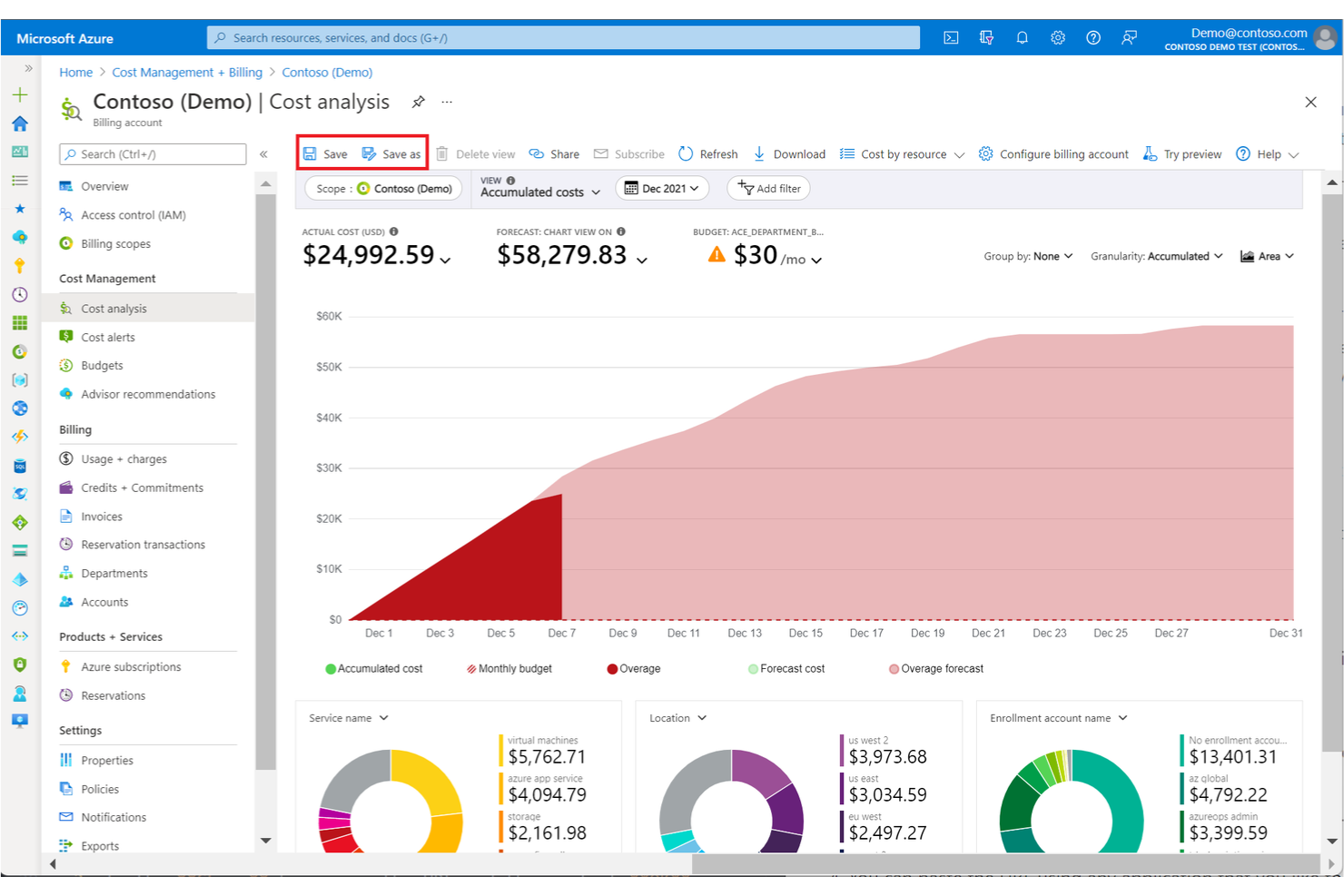
Microsoft Cost Management is an AI-powered, cloud-based tool designed for businesses using Azure services. It helps track cloud spending, optimize costs, and manage budgets.
Why I picked Microsoft Cost Management: Its ability to track cloud costs in real-time is important for businesses heavily reliant on Azure. The tool includes project cost management features that allow your team to set spending limits and receive alerts when they are nearing those limits. It also provides detailed cost analysis, helping you understand profit margins and labor costs. Its integration with Azure makes it a natural fit for managing cloud expenses.
Standout Features and Integrations:
Features include detailed cost analysis that helps you break down expenses by service. The tool offers budgeting capabilities, so you can set financial limits and receive notifications. Additionally, it provides cost optimization recommendations, allowing you to make informed resource planning decisions.
Integrations include Microsoft Entra ID, Azure Monitor, Power BI, Microsoft 365, and more.
Pros and Cons
Pros:
- Budgeting alerts and notifications
- Detailed expense breakdowns
- Real-time cost tracking
Cons:
- Requires Azure expertise
- Native cost management features are lacking
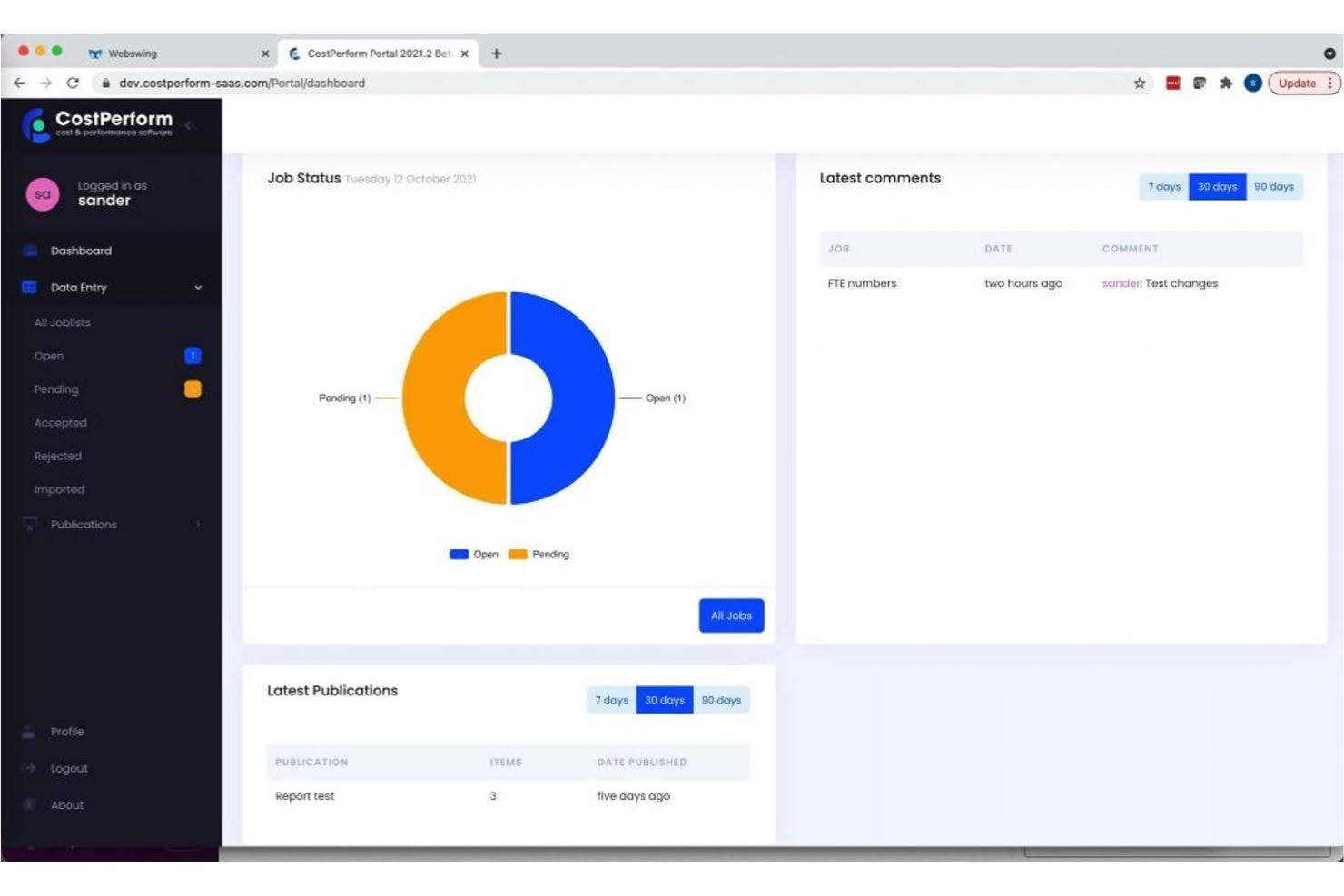
CostPerform is a project cost management tool designed for organizations needing in-depth financial analysis. It's used by various industries to perform detailed cost modeling and profitability analysis.
Why I picked CostPerform: This tool excels in providing detailed cost analysis, which is essential for businesses seeking to understand their financial intricacies. It offers advanced modeling features that allow your team to simulate different financial scenarios. The software's ability to drill down into cost data helps identify areas for improvement. Its focus on detailed analysis makes it a valuable asset for financial strategists.
Standout Features and Integrations:
Features include advanced cost modeling that supports scenario planning. The tool provides a data analysis dashboard, giving you insights into financial metrics. Additionally, it offers customizable reporting, so you can tailor the information to meet your specific needs.
Integrations are not currently listed by CostPerform.
Pros and Cons
Pros:
- Supports scenario planning
- Advanced cost modeling features
- Detailed financial analysis capabilities
Cons:
- Limited to financial analysis
- Requires financial expertise
Other Cost Management Software
Here are some additional cost management software options that didn’t make it onto my shortlist but are still worth checking out:
- nOps
For AWS environments
- Cleopatra Enterprise
For complex projects
- Ramp
For automated expense controls
- Scoro
For project-based businesses
- Sage Expense Management (formerly Fyle)
For small business solutions
- Productive
For agency profitability tracking
- Paychex Flex
For payroll integration
- Brex
For corporate card management
- Workamajig
For creative teams


Cost Management Software Selection Criteria
When selecting the best cost management software to include in this list, I considered common buyer needs and pain points such as budget accuracy and expense tracking. I also used the following framework to keep my evaluation structured and fair:
Core Functionality (25% of total score)
To be considered for inclusion in this list, each solution had to fulfill these common use cases:
- Expense tracking
- Budget management
- Financial reporting
- Cost allocation
- Invoice processing
Additional Standout Features (25% of total score)
To help further narrow down the competition, I also looked for unique features, such as:
- Real-time analytics
- Customizable dashboards
- Multi-currency support
- Integration with ERP systems
- Predictive cost forecasting
Usability (10% of total score)
To get a sense of the usability of each system, I considered the following:
- Intuitive interface
- Easy navigation
- Minimal learning curve
- Responsive design
- Clear instructions
Onboarding (10% of total score)
To evaluate the onboarding experience for each platform, I considered the following:
- Availability of training videos
- Interactive product tours
- Access to webinars
- Ready-made templates
- Supportive chatbots
Customer Support (10% of total score)
To assess each software provider’s customer support services, I considered the following:
- 24/7 availability
- Multi-channel support
- Knowledgeable staff
- Quick response times
- Comprehensive help center
Value For Money (10% of total score)
To evaluate the value for money of each platform, I considered the following:
- Competitive pricing
- Features offered for the price
- Flexible pricing plans
- Transparency in fees
- Discounts for annual plans
Customer Reviews (10% of total score)
To get a sense of overall customer satisfaction, I considered the following when reading customer reviews:
- Overall satisfaction ratings
- Feedback on usability
- Comments on customer support
- Reports on reliability
- Experience with integrations
How To Choose Cost Management Software
It’s easy to get bogged down in long feature lists and complex pricing structures. To help you stay focused as you work through your unique software selection process, here’s a checklist of factors to keep in mind:
| Factor | What To Consider |
|---|---|
| Scalability | Will the software grow with your business? Consider if it can handle increased data volume and user numbers as your company expands. |
| Integrations | Does the software connect with your existing tools? Check compatibility with systems like ERP, CRM, and accounting software. |
| Customizability | Can you tailor the software to fit your processes? Look for options to modify workflows, reports, and dashboards. |
| Ease of use | Is the software user-friendly for your team? Evaluate the learning curve and availability of training resources. |
| Implementation and onboarding | How long will it take to implement? Consider the time and resources needed for setup, along with the support provided during onboarding. |
| Cost | Does the pricing fit your budget? Compare the total cost of ownership, including licenses, upgrades, and ongoing support. |
| Security safeguards | How does the software protect your data? Look for encryption, access controls, and compliance with regulations like GDPR. |
| Support availability | What support options are available? Check for 24/7 support, response times, and the availability of help centers or community forums. |
What Is Cost Management Software?
Cost management software is a tool that helps businesses track, control, and analyze their expenses. It's commonly used by finance professionals, project managers, and business owners to ensure budgets are adhered to and financial efficiency is maintained. Expense tracking, budget management, and financial reporting features help with accurate financial oversight and decision-making. These tools ultimately provide value by helping organizations better manage their finances and avoid overspending.
Features of Cost Management Software
When selecting cost management software, keep an eye out for the following key features:
- Expense tracking: Enables the recording and monitoring of expenditures, ensuring accurate financial records.
- Budget management: Helps in setting, maintaining, and adjusting budgets to prevent overspending.
- Financial reporting and financial control: Provide detailed reports on financial data, assisting in analysis and decision-making.
- Cost allocation: Allows for the distribution of costs across different departments or projects for better financial management.
- Receipt scanning: Automates data entry by capturing and processing receipts, saving time and reducing errors.
- Approval workflows: Improve the process of approving expenses, ensuring compliance with company policies.
- Real-time analytics: Offer insights into spending patterns and trends, aiding in proactive financial management.
- Customizable dashboards: Provide personalized views of financial data, improving user experience and accessibility.
- Policy compliance checks: Ensure all expenses adhere to company policies, reducing the risk of non-compliance.
- Integration capabilities: Connect with other systems such as ERP and CRM, ensuring data flow across platforms.
Benefits of Cost Management Software
Implementing cost management software provides several benefits for your team and your business. Here are a few you can look forward to:
- Improved accuracy: Reduces manual errors through automated expense tracking and receipt scanning.
- Time tracking: Accurate time reporting helps you and your team gain insights about which tasks are the most time-consuming.
- Time savings: Speed up processes such as expense approval and reporting, freeing up time for more strategic tasks.
- Better financial oversight: Offers real-time analytics and reporting, providing insights into financial health and spending patterns.
- Better compliance: Ensures adherence to company policies through automated compliance checks and approval workflows.
- Budget control: Helps maintain and adjust budgets, preventing overspending and financial mismanagement.
- Improved operations: Integrate with other systems, ensuring smooth data flow and reducing administrative workload.
- Increased transparency: Provides clear visibility into expenses and allocations, fostering trust and accountability within teams.
Costs and Pricing of Cost Management Software
Selecting cost management software requires an understanding of the various pricing models and plans available. Costs vary based on features, team size, add-ons, and more. The table below summarizes common plans, their average prices, and typical features included in cost management software solutions:
Plan Comparison Table for Cost Management Software
| Plan Type | Average Price | Common Features |
|---|---|---|
| Free Plan | $0 | Basic expense tracking, receipt scanning, and limited reporting. |
| Personal Plan | $5+/user/month | Improved reporting, budget management, and basic integrations. |
| Business Plan | $150-$300/user/month | Advanced analytics, multi-level approval workflows, and custom dashboards. |
| Enterprise Plan | Custom pricing | Full customization, dedicated support, and integration with ERP systems. |
Cost Management Software FAQs
Here are some answers to common questions about cost management software:
How does cost management software integrate with other systems?
Cost management software typically integrates with ERP, CRM, and accounting systems through APIs or built-in connectors. Before purchasing, check if the software supports your current tools to ensure a smooth data flow. Integration can save time by automating data transfers and reducing manual entry errors. If you’re unsure, ask the vendor for a demonstration of the integration process.
Can cost management software be customized?
Yes, many cost management software solutions offer customization options to fit your specific needs. You can often tailor dashboards, reports, and workflows to match your processes. This flexibility allows you to focus on the metrics that matter most to your business. Before committing, inquire about the level of customization available and whether there are any additional costs involved.
What kind of support is available for cost management software?
Support varies by vendor but often includes online help centers, live chat, and phone support. Some providers offer dedicated account managers for enterprise clients. When evaluating options, consider your team’s support needs and the availability of resources such as tutorials or community forums. It’s also wise to check response times and the quality of support through user reviews.
How secure is cost management software?
Most cost management software uses encryption and access controls to protect your data. Look for compliance with standards like GDPR or ISO 27001 for added assurance. Security is important, so ask vendors about their security measures and if they conduct regular audits. Implement internal policies to complement the software’s security features and safeguard your financial information.
What’s Next:
If you're in the process of researching cost management software, connect with a SoftwareSelect advisor for free recommendations.
You fill out a form and have a quick chat where they get into the specifics of your needs. Then you'll get a shortlist of software to review. They'll even support you through the entire buying process, including price negotiations.