
14 Best Enterprise Invoicing Software Reviewed in 2026

Best Enterprise Invoicing Software Shortlist
Here’s my shortlist of the best enterprise invoicing software:


Managing invoicing at the enterprise level requires accuracy, consistency, and the ability to operate at scale. Between complex billing structures, compliance requirements, and tight close cycles, even small inefficiencies can create downstream issues. Enterprise invoicing software helps address these challenges with features like automated data entry, payment notifications, and integrated online payments that improve accuracy and control.
Through independent testing and research, I’ve evaluated the leading invoicing solutions to understand which ones truly support enterprise finance teams. My focus is on tools that reduce manual effort, improve visibility, and integrate smoothly with existing financial systems.
In this article, you’ll find my top picks for enterprise invoicing software, along with practical insights into their strengths and ideal use cases. The goal is to help you choose a solution that simplifies invoicing, supports compliance, and fits the needs of your organization.
Why Trust Our Software Reviews
Best Enterprise Invoicing Software Summary
This comparison chart summarizes pricing details for my top enterprise invoicing software selections to help you find the best one for your budget and business needs.
| Tool | Best For | Trial Info | Price | ||
|---|---|---|---|---|---|
| 1 | Best for scaling enterprises | Free trial available | From $7,188/year | Website | |
| 2 | Best for recurring payments | Free demo available | Pricing upon request | Website | |
| 3 | Best for revenue operations | Free demo available | Pricing upon request | Website | |
| 4 | Best for CRM-connected enterprise invoicing | 30-day free trial | From $165/user/month (billed annually) | Website | |
| 5 | Best for subscription management | Free demo available | From 0.7% of billing volume | Website | |
| 6 | Best for global enterprises | Free demo available | Pricing upon request | Website | |
| 7 | Best for automated billing | Free demo available | Pricing upon request | Website | |
| 8 | Best for professional services | Free demo available | Pricing upon request | Website | |
| 9 | Best for usage-based billing | Free demo available | Pricing upon request | Website | |
| 10 | Best for Salesforce integration | Free demo available | Pricing upon request | Website |
-

LiveFlow
Visit WebsiteThis is an aggregated rating for this tool including ratings from Crozdesk users and ratings from other sites.4.9 -
Float Financial
Visit WebsiteThis is an aggregated rating for this tool including ratings from Crozdesk users and ratings from other sites.4.1 -
Creatio CRM
Visit WebsiteThis is an aggregated rating for this tool including ratings from Crozdesk users and ratings from other sites.4.7


Best Enterprise Invoicing Software Review
Below are my detailed summaries of the best enterprise invoicing software that made it onto my shortlist. My reviews offer a detailed look at the key features, pros and cons, integrations, and ideal use cases of each tool to help you find the best one for you.

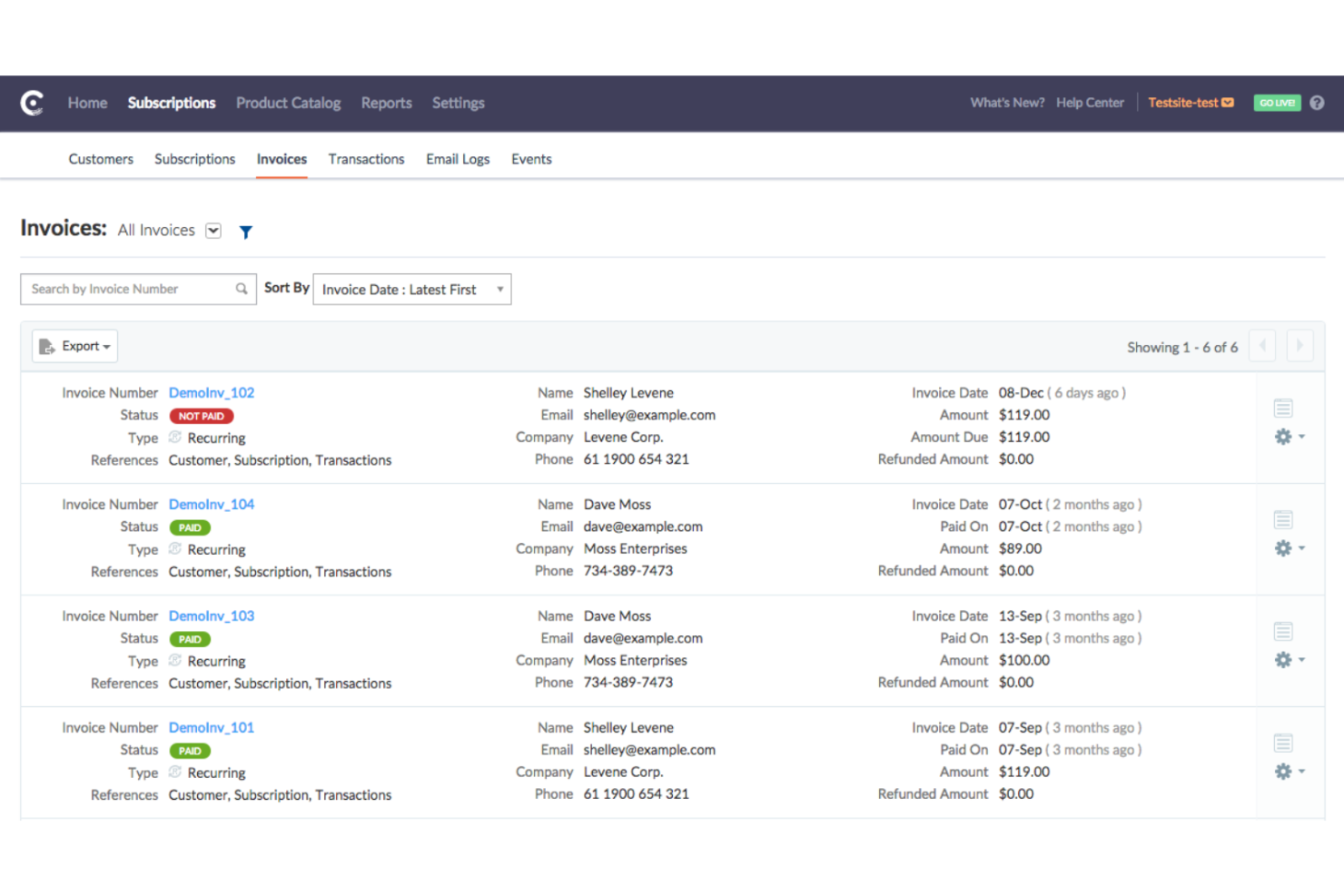
Chargebee is a subscription billing and revenue management platform designed for growing businesses. It focuses on automating billing, managing subscriptions, and optimizing revenue, providing seamless integration for scaling operations.
Why I picked Chargebee: It's ideal for scaling startups, offering features that facilitate growth. Your team can automate recurring billing, reducing manual tasks to focus on growth. Detailed analytics help you follow revenue and customer trends, and the platform's flexible pricing models allow you to adapt to market changes.
Standout features and integrations:
Features include customizable subscription models that let your team tailor offerings to customer needs. Revenue recognition automation ensures compliance with financial standards. Additionally, the platform offers advanced reporting, which provides data on financial performance and customer behavior. The starter plan offers free invoicing when offline.
Integrations include Salesforce, Xero, QuickBooks, HubSpot, Stripe, PayPal, Braintree, Shopify, WooCommerce, and Mailchimp.
Pros and Cons
Pros:
- Ideal for startups and growth
- Automates revenue recognition
- Supports scaling with flexible pricing
Cons:
- Complex advanced billing setup
- Inflexible invoice customization

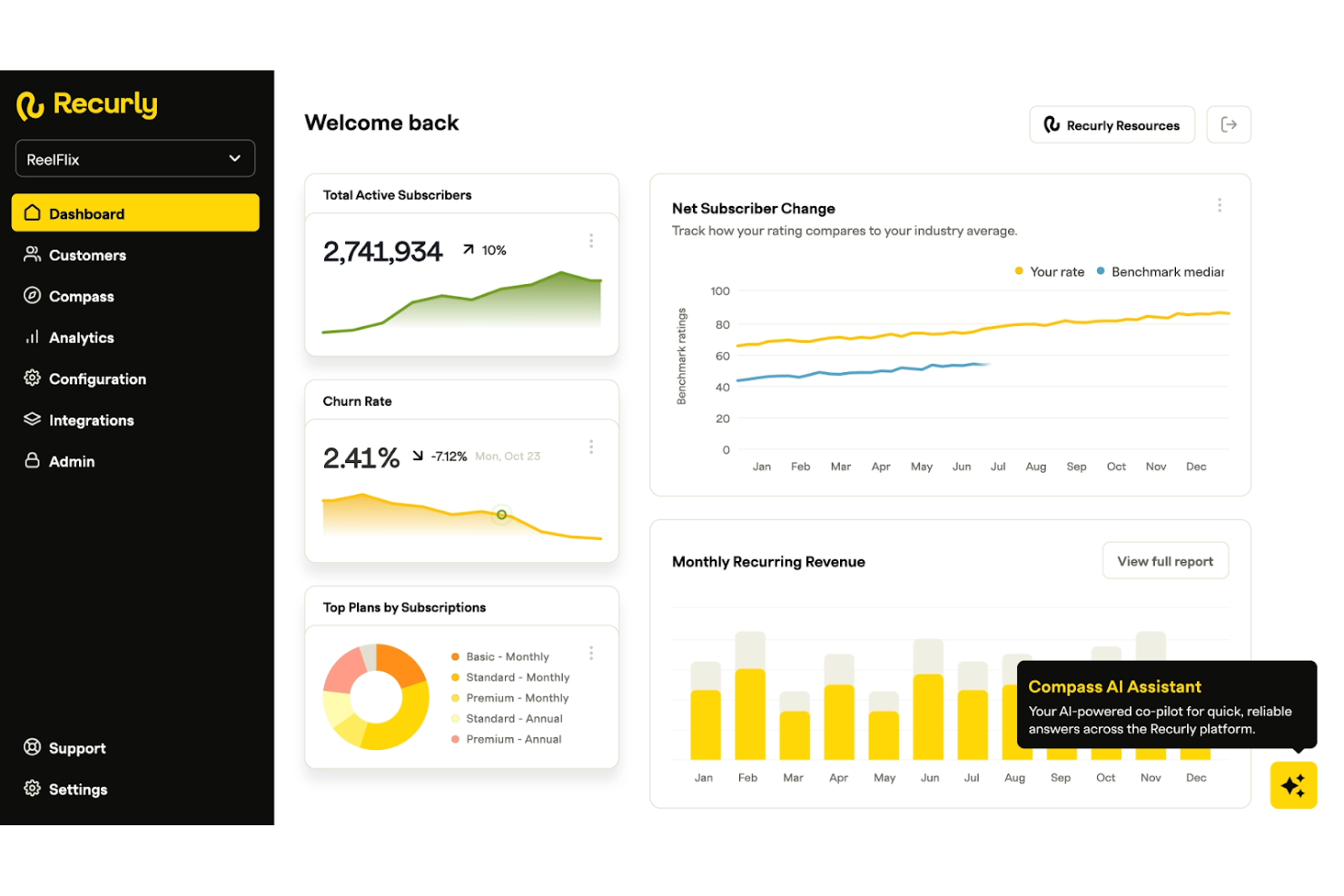
Recurly is a subscription billing platform designed for businesses that rely on recurring payments. It serves SaaS companies, digital media, and other subscription-based businesses, offering tools to automate billing, manage subscriptions, and optimize revenue.
Why I picked Recurly: It specializes in managing recurring payments, making it ideal for subscription-based models. Your team can automate invoice management, significantly reducing manual tasks, and its multiple payment gateways ensuring flexible customer experience. With its focus on revenue optimization, Recurly helps maximize financial outcomes.
Standout features and integrations:
Features include tools for revenue recovery that help reduce churn and increase retention. Subscription analytics provide insights into customer behavior and trends related to subscriptions. Additionally, the software offers flexible billing cycles, allowing your team to modify plans to fit customer needs.
Integrations include Salesforce, NetSuite, QuickBooks, Xero, HubSpot, Zapier, Stripe, PayPal, Braintree, and more.
Pros and Cons
Pros:
- Offers flexible billing cycles
- Includes revenue recovery tools
- Specializes in subscription management
Cons:
- No in-app document uploads
- Limited non-subscription billing support

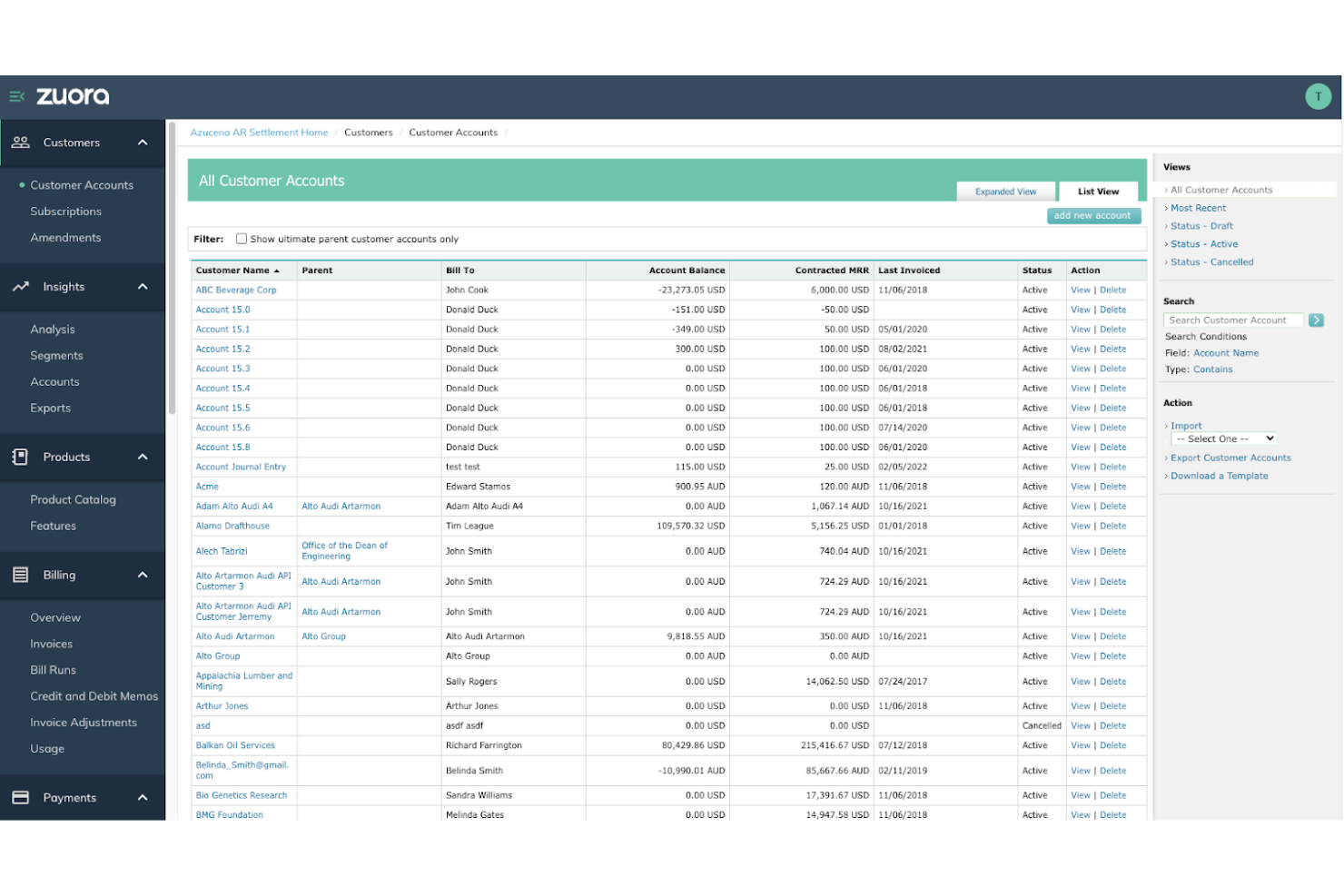
Zuora is a subscription management platform designed for businesses that operate on a subscription model. It assists enterprises by automating billing, managing subscriptions, and optimizing revenue operations. The platform offers essential tools for navigating complex financial processes.
Why I picked Zuora: It's specifically designed for revenue operations, providing extensive billing and subscription management features. Automated recurring invoices reduce manual workloads, and complex pricing strategies can accommodate various business models. Detailed financial reporting allows you to understand revenue trends and optimize operations.
Standout features and integrations:
Features include automated billing that simplifies your invoicing process and reduces errors. Flexible pricing strategies allow you to adapt to market needs and customer demands. Thorough financial reporting helps your team track revenue and identify growth opportunities.
Integrations include Salesforce, NetSuite, Microsoft Dynamics 365, QuickBooks, Xero, HubSpot, Zendesk, Adobe Commerce, SAP, Oracle, and more.
Pros and Cons
Pros:
- Ideal for large enterprises
- Detailed financial reporting
- Supports complex pricing strategies
Cons:
- Non-intuitive UI for new users
- Complex setup process

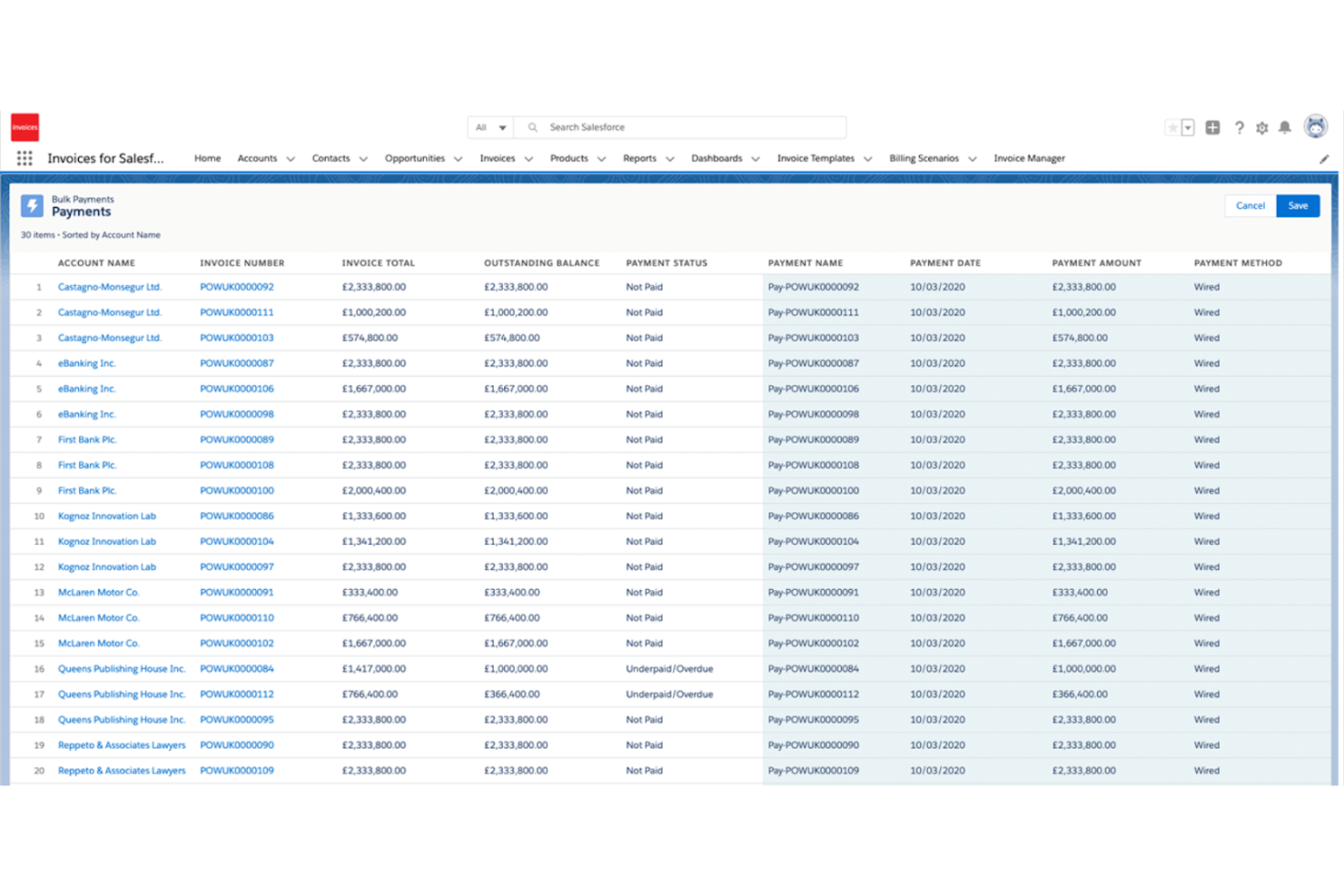
Salesforce Revenue Cloud is an enterprise-grade quote-to-cash platform built for organizations with complex sales, billing, and revenue recognition requirements. It connects invoicing directly to CRM, CPQ, contracts, and finance processes, giving revenue teams end-to-end visibility from deal creation through billing and collection.
Why I picked Salesforce Revenue Cloud: Salesforce Revenue Cloud stands out for enterprises that need invoicing tightly connected to sales operations and customer data. It supports automated invoicing from contracts and subscriptions, complex pricing and discount structures, and usage-based or milestone billing. Revenue Cloud also includes revenue recognition and compliance tooling, helping finance teams meet accounting standards while reducing manual reconciliation. For organizations already invested in Salesforce, it offers a unified revenue system without relying on disconnected billing tools.
Standout features and integrations:
Features include automated invoice generation from quotes and contracts, support for subscription, usage-based, and milestone billing models, and built-in revenue recognition aligned with ASC 606 and IFRS standards. Advanced analytics provide visibility into billed vs. unbilled revenue, customer lifecycle value, and forecasting accuracy. Role-based approvals and audit trails support enterprise governance and compliance.
Integrations include Salesforce CRM, Salesforce CPQ, NetSuite, SAP, Oracle, Microsoft Dynamics 365, QuickBooks, DocuSign, Avalara, Workday, Slack, and more.
Pros and Cons
Pros:
- Scales well for global, multi-entity organizations
- Strong support for complex enterprise billing and revenue recognition
- Native integration with Salesforce CRM and CPQ
Cons:
- Implementation and configuration can be complex and time-intensive
- Requires Salesforce ecosystem adoption to realize full value

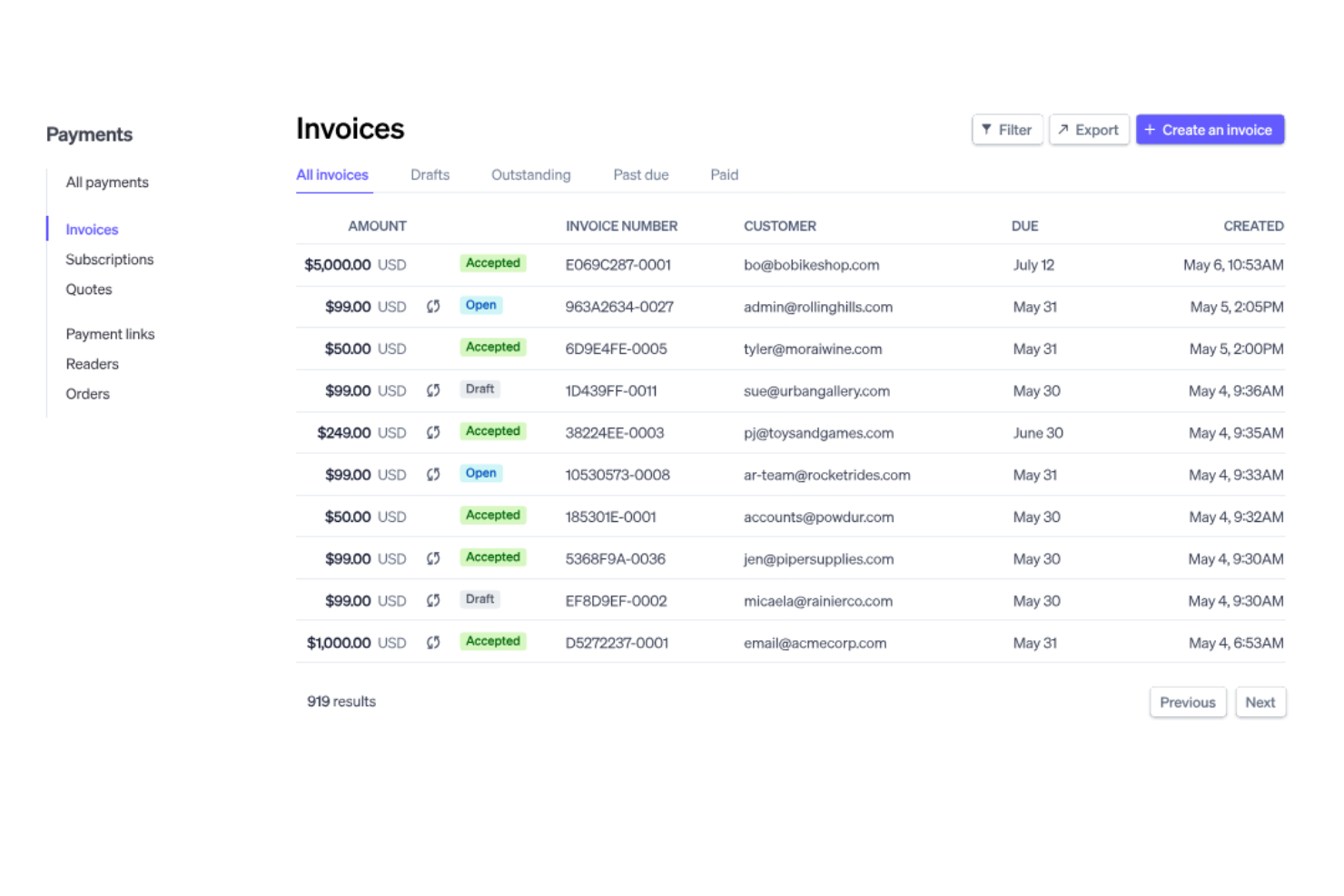
Stripe Billing is subscription management and recurring billing software designed for businesses that need to manage complex billing cycles. Its main users include SaaS companies and subscription-based businesses, providing tools to automate billing and improve revenue management.
Why I picked Stripe Billing: It excels in subscription management and offers tools that simplify complex billing cycles. Your team can automate invoicing and manage recurring payments without the hassle of updating spreadsheets. The platform supports global payments with user-friendly customer portal access, making it ideal for businesses with international customers.
Standout features and integrations:
Features include advanced invoicing solutions letting your team manage recurring bills efficiently, while multiple payment methods ensure an excellent customer experience. The platform also includes extensive reporting tools to track revenue and customer trends.
Integrations include Shopify, WooCommerce, Xero, QuickBooks, NetSuite, Salesforce, HubSpot, Zapier, Squarespace, BigCommerce, and more.
Pros and Cons
Pros:
- Multiple payment options
- Versatile models support subscriptions and usage-based pricing
- Supports global payments
Cons:
- Limited multi-entity support
- Complex tax-rule configuration

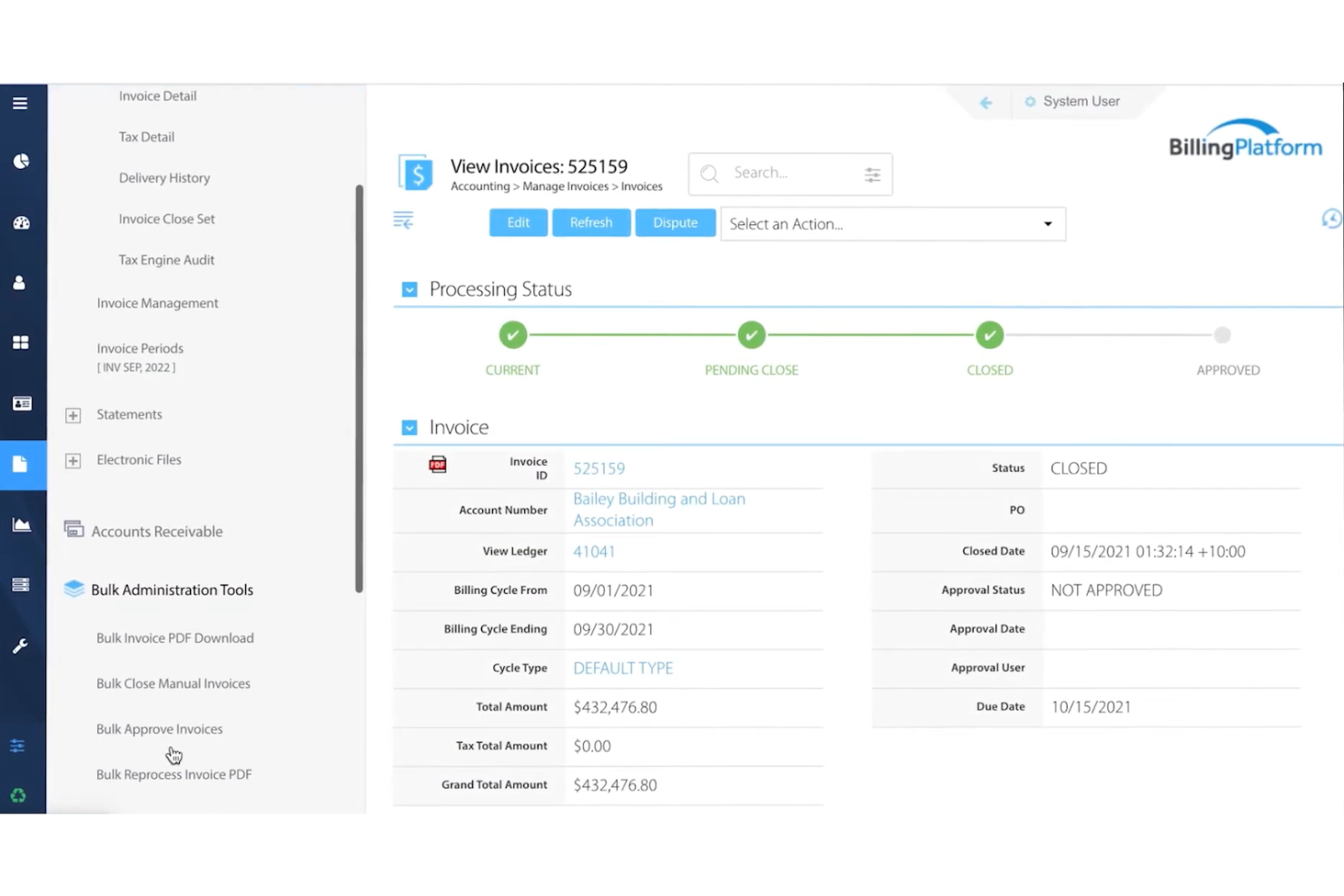
BillingPlatform is cloud-based enterprise billing software designed for large companies with complex billing needs. It supports global enterprises by managing billing processes, revenue recognition, and monetization strategies.
Why I picked BillingPlatform: It's tailored for global enterprises, offering features that handle complex billing scenarios. You can create customized pricing models in multiple currencies to fit various business needs, making it suitable for international operations. Automated revenue recognition ensures compliance and accuracy in financial reporting.
Standout features and integrations:
Features include customizable pricing models, allowing your team to tailor billing to specific customers. Multi-currency support manages international transactions, while automated revenue recognition ensures compliance with financial standards.
Integrations include Salesforce, NetSuite, QuickBooks, Microsoft Dynamics 365, SAP, Oracle, Zendesk, Workday, Slack, Adobe Commerce, and more.
Pros and Cons
Pros:
- Automated revenue recognition
- Multi-currency transaction handling
- Supports complex billing scenarios
Cons:
- Limited mobile support features
- Customization complexity makes maintenance difficult

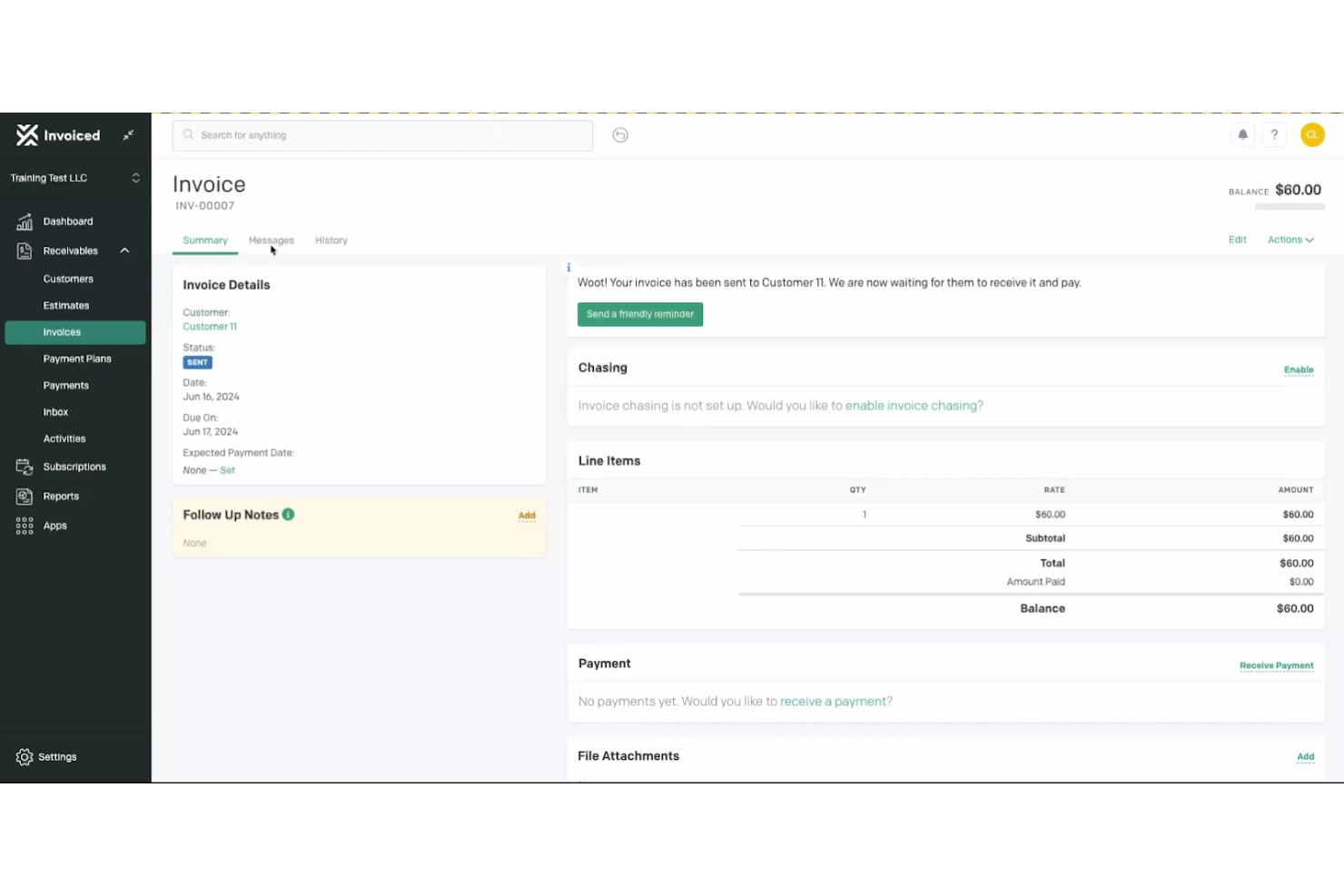
Invoiced is an accounts receivable automation software designed for businesses aiming to improve their billing processes. It's popular among finance teams and accountants for businesses across various sectors and offers automated invoicing, collections, and analytics to improve cash flow.
Why I picked Invoiced: Automated billing reduces manual workload for your team. All-in-one features such as automated invoicing and payment notifications simplify the invoice-to-cash cycle, while AI-powered reconciliation improves accuracy. Customizable workflows adapt to your business needs, making it suitable for businesses aiming to automate and streamline their billing operations.
Standout features and integrations:
Features include flexible workflows allowing your team to tailor processes specifically to your company's needs. AI-powered reconciliation ensures accuracy in financial records. Analytics highlight payment trends and cash flow, helping you make decisions.
Integrations include QuickBooks, Xero, NetSuite, Salesforce, Sage Intacct, Microsoft Dynamics 365, and more.
Pros and Cons
Pros:
- Accepts online payments, including PayPal
- Ideal for B2B transactions
- Customizable workflows
Cons:
- Slow customer support
- Limited template branding customization
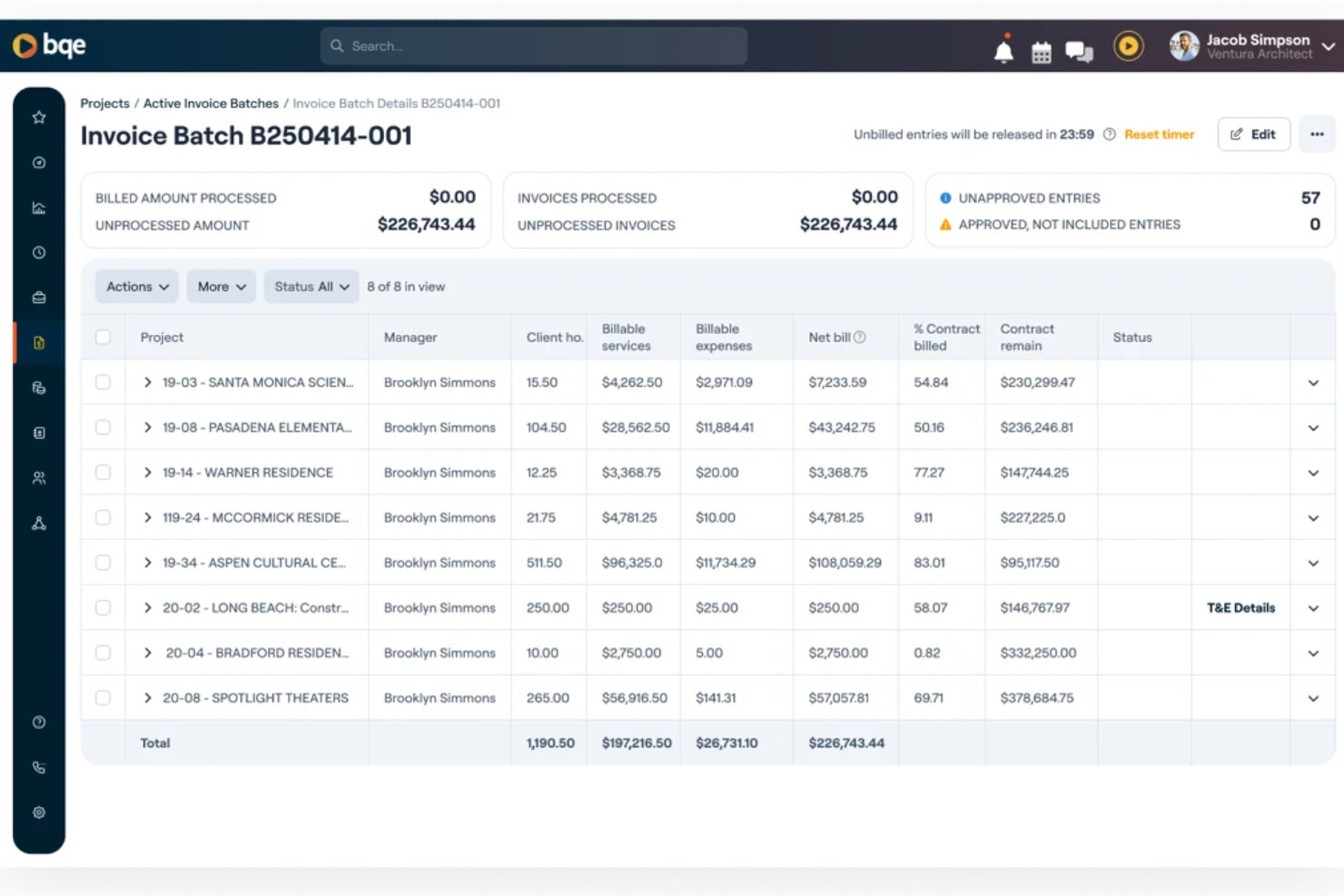
BQE is management software designed for architecture and engineering firms, focusing on project management, billing, and financial processes. Its main users are professionals looking to boost productivity and profitability through integrated functionalities.
Why I picked BQE: Designed specifically for professional services, it integrates project management and billing tools in an all-in-one platform. Real-time data access improves decision-making and operational efficiency. Personalized implementation and 24/7 support meet the distinct needs of architecture and engineering firms, making BQE ideal for businesses aiming to improve project outcomes.
Standout features and integrations:
Features include project management tools that allow your team to plan and execute projects efficiently. Financial management capabilities, such as expense tracking, help you keep track of budgets. Real-time data access ensures you have up-to-date information for decision-making.
Integrations include QuickBooks, Xero, MYOB, Zapier, Dropbox, Docusign, Google, Microsoft Office 365, Slack, Salesforce, and more.
Pros and Cons
Pros:
- Real-time data access
- Strong project management tools
- Tailored for architecture and engineering firms
Cons:
- Slow loading times
- Requires significant training for new users
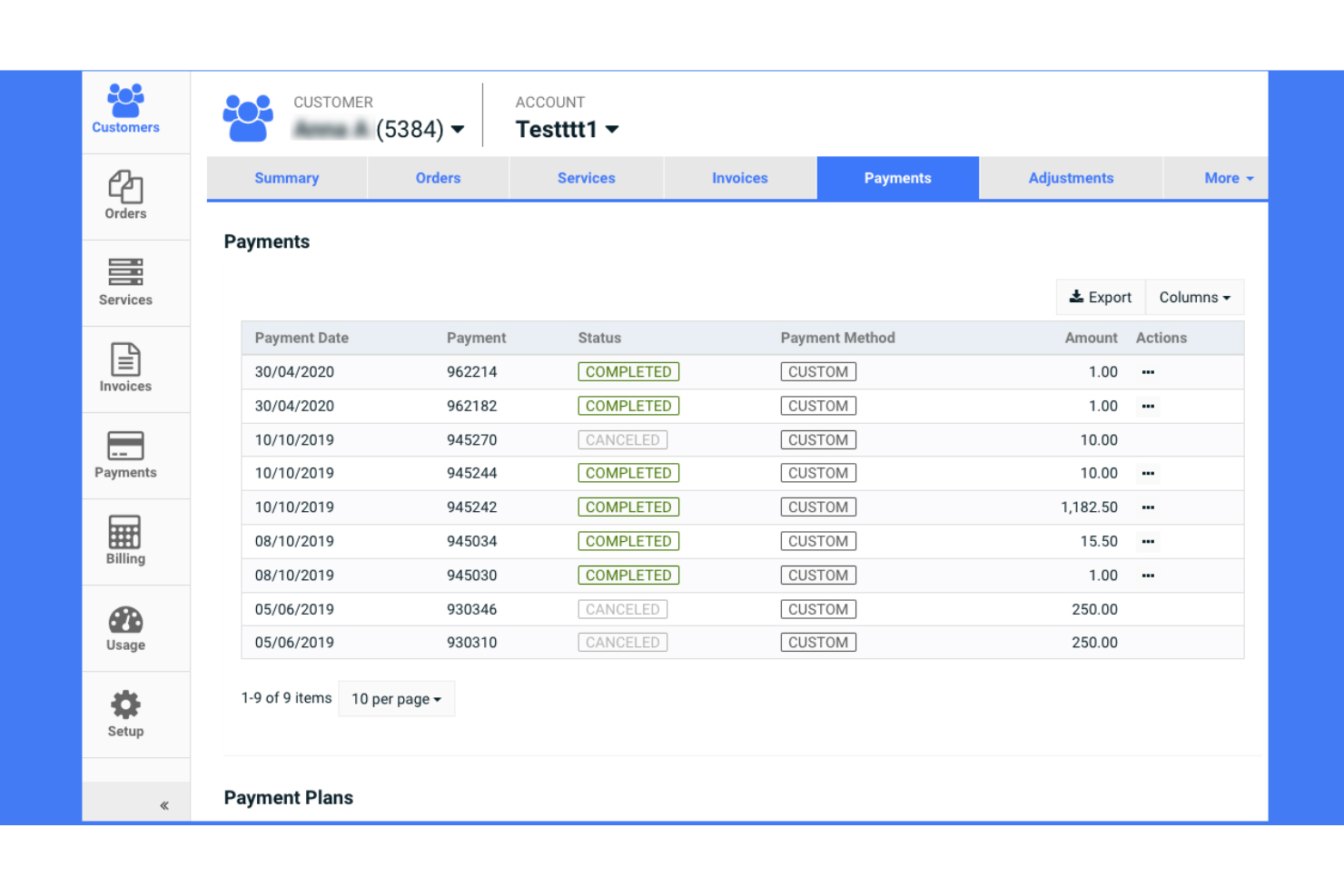
Gotransverse is a billing platform designed for businesses that require complex usage-based billing models with dynamic pricing. It provides tools designed to support intricate financial operations.
Why I picked Gotransverse: It excels in handling usage-based billing, which is crucial for businesses with variable pricing needs. To improve efficiency, automated invoicing features and dynamic pricing models allow you to adapt to customer usage patterns. Detailed analytics provide insights into billing trends and customer behavior, aiding strategic decision-making.
Standout features and integrations:
Features include dynamic pricing models based on customer usage and demand. Automated billing processes help your team reduce manual tasks and errors. The software's detailed analytics give you insights into financial trends and customer usage patterns.
Integrations include Salesforce, NetSuite, Microsoft Dynamics 365, QuickBooks, Xero, SAP, Oracle, Workday, Adobe Commerce, Zendesk, and more.
Pros and Cons
Pros:
- Offers good integration options
- Ideal for complex high-volume billing
- Detailed billing analytics
Cons:
- May need extensive customization
- Learning curve for new users

Other Enterprise Invoicing Software
Here are some additional enterprise invoicing software options that didn’t make it onto my shortlist but are still worth checking out:
- Sage Intacct
For financial management
- NetSuite
For global operations
- Zone&Co
For NetSuite users


Enterprise Invoicing Software Selection Criteria
When selecting the best enterprise invoicing software to include in this list, I considered common buyer needs and pain points such as managing complex billing cycles and ensuring compliance with financial regulations. I also used the following framework to keep my evaluation structured and fair:
Core Functionality (25% of total score)
To be considered for inclusion in this list, each solution had to fulfill these common use cases:
- Generate and send invoices
- Automate billing processes
- Track payments and outstanding balances
- Support multiple currencies
- Integrate with accounting systems
Additional Standout Features (25% of total score)
To help further narrow down the competition, I also looked for unique features, such as:
- Customizable invoice templates
- Advanced reporting tools
- AI-driven analytics
- Subscription and usage-based billing
- Multi-language support
Usability (10% of total score)
To get a sense of the usability of each system, I considered the following:
- Intuitive user interface
- Easy navigation
- Minimal learning curve
- Clear and concise instructions
- Responsive design for mobile use
Onboarding (10% of total score)
To evaluate the onboarding experience for each platform, I considered the following:
- Availability of training videos
- Access to interactive product tours
- Comprehensive user guides
- Supportive chatbots for guidance
- Regular webinars for new users
Customer Support (10% of total score)
To assess each software provider’s customer support services, I considered the following:
- 24/7 support availability
- Multiple support channels
- Knowledgeable support staff
- Quick response times
- Access to a comprehensive help center
Value for Money (10% of total score)
To evaluate the value for money of each platform, I considered the following:
- Competitive pricing
- Flexible payment options
- Transparent pricing structure
- Discounts for annual subscriptions
- Features included in base pricing
Customer Reviews (10% of total score)
To get a sense of overall customer satisfaction, I considered the following when reading customer reviews:
- Overall satisfaction ratings
- Commonly mentioned pros and cons
- User feedback on reliability
- Comments on ease of use
- Experiences with customer support
How To Choose Enterprise Invoicing Software
It’s easy to get bogged down in long feature lists and complex pricing structures. To help you stay focused as you work through your unique software selection process, here’s a checklist of factors to keep in mind:
| Factor | What to Consider |
|---|---|
| Scalability | Can the software grow with your business? Ensure it handles increased transactions and users without performance issues. Look for tools with scalable infrastructure. |
| Integrations | Does it integrate with your existing systems? Verify it connects with your accounting, CRM, and ERP systems to avoid data silos and duplicate entries. |
| Customizability | How flexible is the software? Check if you can tailor workflows and templates to fit your specific needs, avoiding rigid solutions that don't adapt to your processes. |
| Ease of Use | Is the software intuitive? Consider user interface design and navigation. A steep learning curve can slow down adoption and reduce efficiency. |
| Implementation and Onboarding | How long does it take to get up and running? Assess the time and resources needed for setup, training, and data migration. Look for vendors offering robust support. |
| Cost | Does it fit your budget? Compare pricing models, hidden fees, and the value offered. A higher cost doesn't always mean better quality. |
| Security Safeguards | Is your data protected? Ensure the software complies with data protection laws and offers encryption, access controls, and regular security audits. |
| Compliance Requirements | Does it meet industry standards? Verify the software supports relevant regulations such as GDPR or HIPAA, especially if you operate in heavily regulated sectors. |
What Is Enterprise Invoicing Software?
Enterprise invoicing software is designed to manage high-volume, complex billing operations across large organizations. These platforms go beyond basic invoice creation by supporting multi-entity structures, complex pricing models, and strict compliance requirements.
Unlike SMB invoicing tools, enterprise-grade invoicing solutions include capabilities such as approval workflows, revenue recognition, audit trails, and deep ERP integrations. They’re built to handle consolidated invoicing across regions or subsidiaries, enforce role-based controls, and integrate with tax engines and financial systems to ensure accuracy, compliance, and scalability.
Features
When selecting enterprise invoicing software, keep an eye out for the following key features:
- Automated billing & invoicing: Generate and send invoices automatically to reduce manual work and billing errors.
- Multi-currency & global billing: Support international transactions with multiple currencies and localized billing rules.
- Deep system integrations: Connect with ERP, CRM, accounting, and tax systems to keep financial data consistent across the stack.
- Flexible pricing & subscriptions: Support recurring billing, subscriptions, and usage-based or dynamic pricing models.
- Revenue recognition & compliance: Automate revenue recognition and ensure compliance with accounting standards and regulatory requirements.
- Advanced analytics & reporting: Provide visibility into billing performance, revenue trends, and customer behavior.
- Security, controls & auditability: Protect financial data with encryption, role-based access controls, approval workflows, and audit trails
- Customizable invoice presentation: Adapt invoice layouts and formats to meet branding, customer, and contractual requirements.
Benefits
Implementing enterprise invoicing software provides several benefits for your team and your business. Here are a few you can look forward to:
- Time savings: Automated billing reduces manual tasks, allowing your team to focus on more strategic activities.
- Improved accuracy: Integration capabilities ensure data consistency across systems, minimizing errors in financial records.
- Enhanced cash flow: Subscription management and dynamic pricing models help optimize revenue streams for better cash flow.
- Compliance assurance: Revenue recognition and compliance support features ensure adherence to financial regulations, reducing legal risks.
- Informed decision-making: Detailed analytics provide insights into financial performance, aiding strategic business decisions.
- Scalability: Multi-currency support and customizable templates allow your business to grow and adapt to new markets and demands.
Costs and Pricing
Selecting enterprise invoicing software requires an understanding of the various pricing models and plans available. Costs vary based on features, team size, add-ons, and more. The table below summarizes common plans, their average prices, and typical features included in enterprise invoicing software solutions:
Plan Comparison Table for Enterprise Invoicing Software
| Plan Type | Average Price | Common Features |
|---|---|---|
| Solo/ Freelancer Plan | $0 | Basic invoicing, limited templates, and basic reporting. |
| Professional Plan | $10-$30/user/month | Customizable templates, multi-currency support, and simple analytics. |
| Business Plan | $40-$80/user/month | Automated billing, integration capabilities, and subscription management. |
| Enterprise Plan | $100-$200/user/ month | Advanced analytics, custom pricing models, and enhanced security safeguards. |
Enterprise Invoicing Software FAQs
Here are some answers to common questions about enterprise invoicing software:
How do I know if my business needs enterprise invoicing software?
If your business deals with a high volume of invoices, complex billing cycles, or needs to manage multiple currencies and compliance requirements, enterprise invoicing software can help. It automates processes and reduces manual tasks, which saves time and minimizes errors. Consider your current invoicing challenges and whether automation could alleviate them.
Can enterprise invoicing software integrate with existing systems?
Yes, most enterprise invoicing software integrates with existing systems such as accounting, CRM, and ERP platforms. This ensures data consistency and reduces duplicate entries. Before purchasing, check the integration capabilities of the software to ensure it connects with your current systems.
How long does it take to implement enterprise invoicing software?
Implementation time varies by vendor and business complexity. Some systems may take a few weeks, while others could take several months. Consider factors such as data migration, team training, and system customization. Ask vendors for a detailed implementation timeline to better plan your transition.
What’s Next:
If you're in the process of researching enterprise invoicing software, connect with a SoftwareSelect advisor for free recommendations.
You fill out a form and have a quick chat where they get into the specifics of your needs. Then you'll get a shortlist of software to review. They'll even support you through the entire buying process, including price negotiations.