

10 Expense Management Software for Nonprofits in 2026

10 Expense Management Software for Nonprofits Shortlist


Expense management software for nonprofits helps your organization track, control, and report on spending, donations, and grants while meeting unique compliance and fund accounting requirements. If you’re searching for the best spend management software for nonprofits, you likely need tools that provide accurate reporting, support donor transparency, and help you manage restricted funds without adding manual work.
Choosing the right platform can make it easier to meet regulatory obligations, keep stakeholders informed, and ensure every dollar is accounted for. In this guide, you’ll find a curated shortlist of solutions designed to address the specific financial challenges nonprofits face, so you can confidently select the right fit for your team.
Why Trust Our Software Recommendations
Our team has been testing and reviewing software since 2012. As finance leaders ourselves, we know how difficult—and important—it is to choose the right software.
For this guide, we evaluated tools using hands-on testing and independent research, scoring tools using our selection criteria.
Our reviews reflect our human editorial judgment, not a sales pitch.
Best Expense Management Software Summary
Pressed for time? Skip the deep dive. Here’s a quick comparison of my top expense management software picks. It includes pricing, standout features, and links.
| Tool | Best For | Trial Info | Price | ||
|---|---|---|---|---|---|
| 1 | Best for HR-connected spend controls at scale | Free demo available | Pricing upon request | Website | |
| 2 | Best for automated policy violation detection | Free demo available | From $11.99/user/month (billed annually) | Website | |
| 3 | Best for automated accounts payable processing | Free plan + free demo available | From$49/user/month | Website | |
| 4 | Best for donor and fund reporting | 30-day free trial | From $38/month | Website | |
| 5 | Best for multi-currency donation management | 30-day free trial available | From $2.50/month | Website | |
| 6 | Best for nonprofit-specific budgeting | 15-day free trial | From $79/month | Website | |
| 7 | Best for free accounting essentials | Free plan + 30-day free trial available | From $15/month | Website | |
| 8 | Best for automated receipt scanning | Not available | From $5/user/month | Website | |
| 9 | Best for integrated fund accounting tools | Free plan available | From $45/month | Website | |
| 10 | Best for managing restricted funds | Free trial available | $25/transaction (pay-as-you-go) | Website |

Expense Management Software for Nonprofits Reviews
Below are my detailed summaries of expense management software for nonprofits that made it onto my shortlist. My reviews offer a detailed look at the features, best use cases, and integrations of each software to help you find the best one for your organization.

Best for HR-connected spend controls at scale
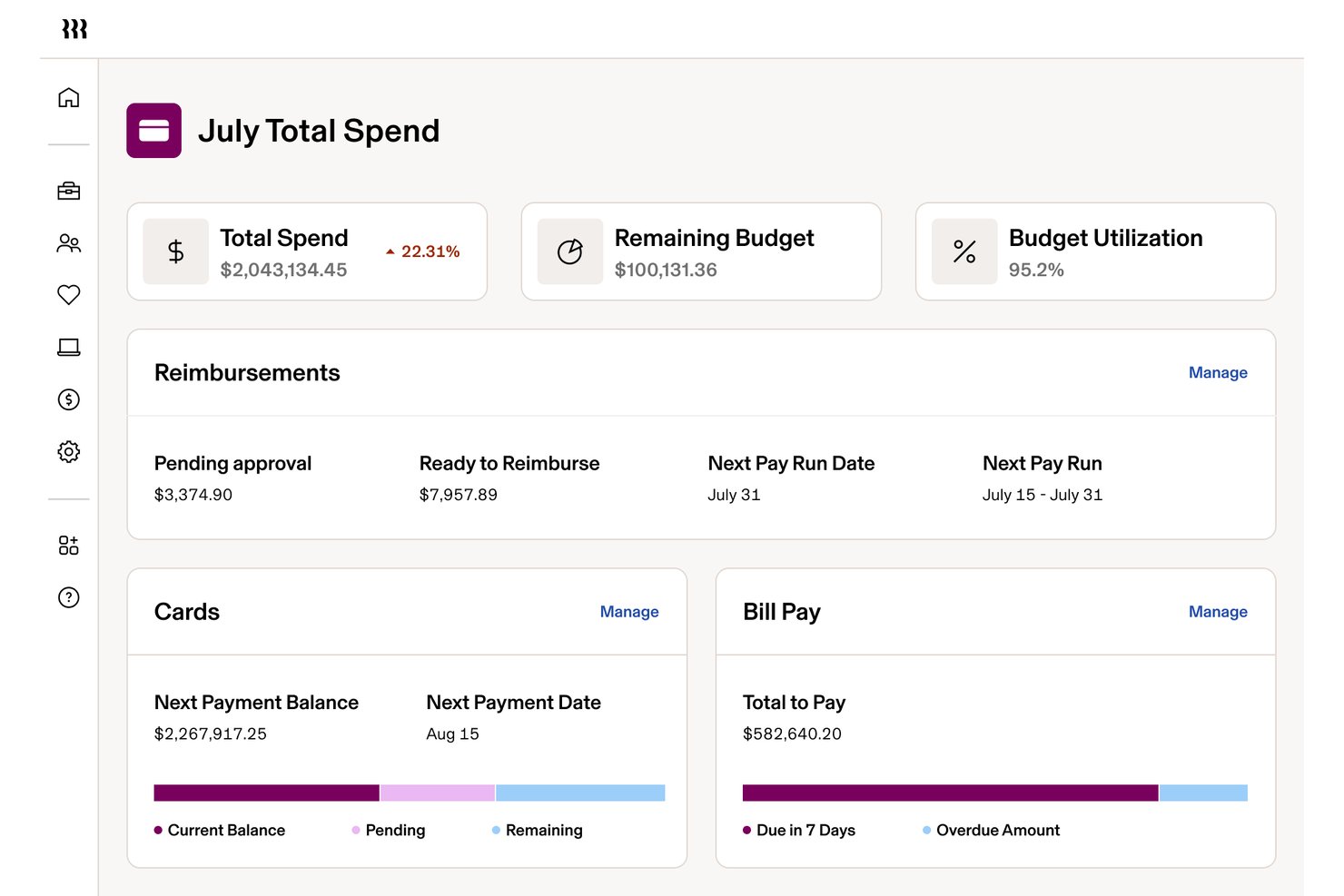
Rippling Spend is a spend management platform that unifies expense tracking, corporate card controls, reimbursement workflows, and accounting integrations within a broader HR and payroll system.
Who Is Rippling Spend Best For?
Mid-sized to large nonprofits that already use QuickBooks Online, NetSuite, or Sage Intacct and need tight, HR-connected approval controls across a salaried employee base.
Why I Picked Rippling Spend
I've included Rippling Spend in my top picks because its HR-connected approval engine is genuinely unlike anything else I've seen at this scale. When an employee changes roles or departments, spend policies and card controls update automatically, without anyone touching a settings menu. I also rate its pre-purchase card enforcement highly: category and merchant restrictions block non-compliant transactions at the point of sale, which keeps salaried nonprofit staff within budget before the charge ever posts.
Rippling Spend Key Features
- AI-powered receipt capture: Employees submit receipts via email forwarding, text message, or mobile upload, and the system auto-matches and categorizes each one.
- Multi-currency reimbursement: Rippling processes reimbursements in 100+ currencies across 185+ countries, with automatic currency conversion and foreign-language receipt translation.
- Automated card lifecycle management: Corporate cards are auto-issued at onboarding and revoked at offboarding, with spend policies updating automatically when employees change roles.
- Native accounting integrations: Rippling syncs bidirectionally with QuickBooks Online, NetSuite, Xero, and Sage Intacct, automating GL categorization and reducing manual reconciliation at month-end close.
Rippling Spend Integrations
Rippling Spend offers native integrations with QuickBooks Online, NetSuite, Xero, and Sage Intacct. It lacks documented native integrations with Blackbaud, Aplos, and QuickBooks Nonprofit.
Pros and Cons
Pros:
- Pre-purchase controls update with employee changes
- AI-powered receipt capture and matching
- Unified HR and spend approval workflows
Cons:
- No volunteer or non-employee reimbursement
- No restricted fund or grant accounting

Best for automated policy violation detection
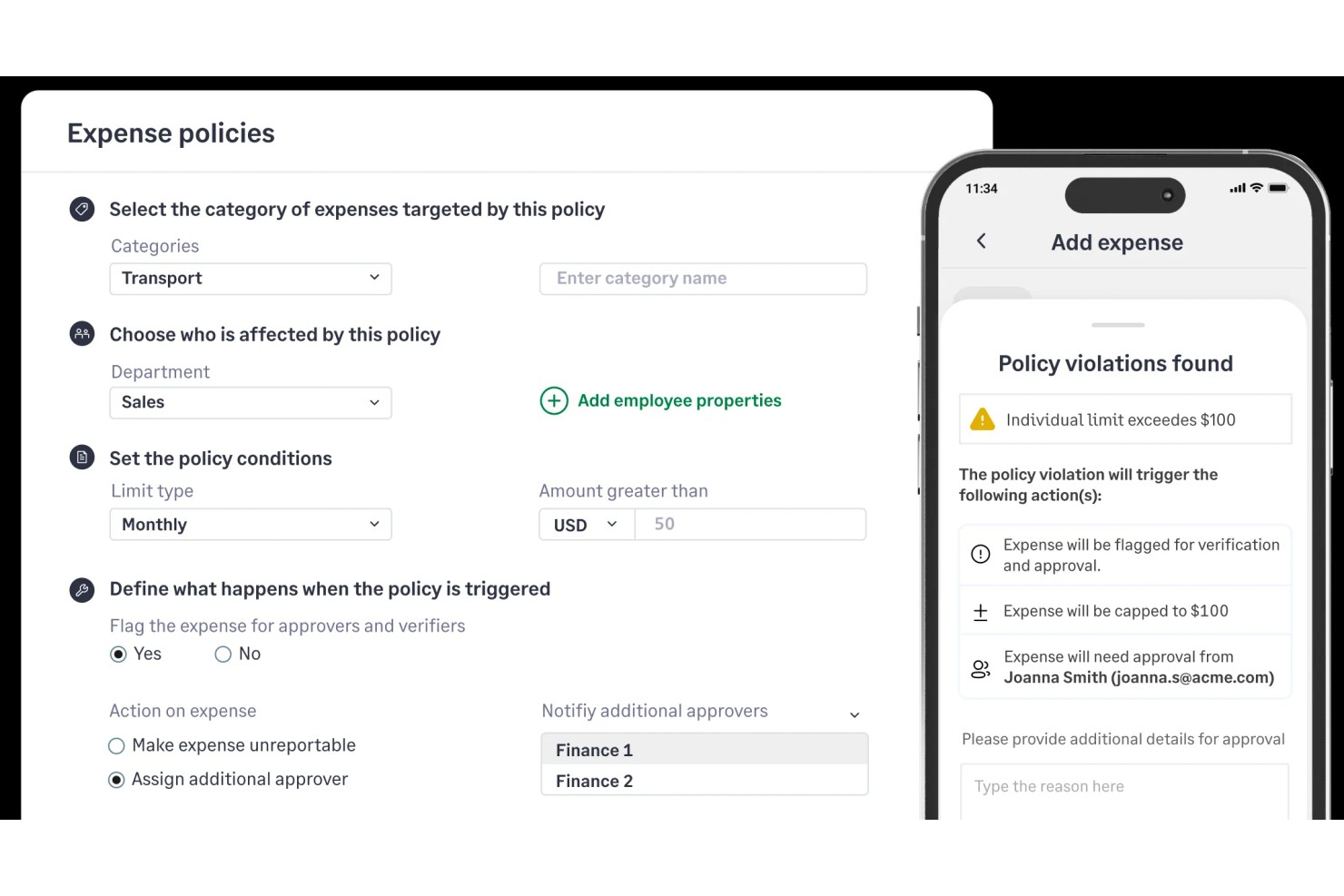
Sage Expense Management (formerly Fyle) is a nonprofit expense management platform that handles credit card transaction tracking, receipt capture, policy enforcement, multi-level approvals, and accounting integrations with tools like QuickBooks, Sage Intacct, and Xero.
Who Is Sage Expense Management Best For?
Sage Expense Management is a good fit for nonprofit finance teams that need grant-level spend tracking and audit-ready expense records.
Why I Picked Sage Expense Management
Sage Expense Management earns its spot on my shortlist because of how it handles policy enforcement before a violation can slip through the approval process. The real-time violation checks flag, warn, or block a submission the moment an employee files an expense that breaks a rule, whether that's a receipt missing from a category, a spend amount over the limit, or a duplicate charge. The fraud detection layer adds another check by automatically catching duplicate, fictitious, or weekend submissions at the point of entry.
Sage Expense Management Key Features
- Custom expense categories: Create organization-specific expense categories that map directly to your chart of accounts and fund accounting structure.
- Project and cost center coding: Tag expenses to specific projects, departments, or cost centers at the point of submission.
- Mobile receipt capture: Snap and upload receipts from the mobile app with automatic data extraction for merchant, date, and amount.
- Employee reimbursement tracking: Monitor reimbursement status from approval through payment in a single dashboard view.
Sage Expense Management Integrations
Sage Expense Management has two-way integrations with QuickBooks Online, QuickBooks Desktop, NetSuite, Sage Intacct, Sage 50, Xero, and Sage 300 CRE. An API is available for custom integrations.
Pros and Cons
Pros:
- Only charges for active users monthly
- Tracks grant-level budget
- Real-time card feed via text notifications
Cons:
- Report export formatting options are limited
- Delayed sync for email receipts
New Product Updates from Sage Expense Management (formerly Fyle)

Sage Expense Management Adds Reconciliation and Expense Review Updates
Sage Expense Management introduced a new Reconciliation module, faster expense review tools, expanded admin controls, and new AI and security features. These help finance teams reconcile transactions, review expenses, manage permissions, and access corporate card data more efficiently. For more information, visit Sage Expense Management’s official site.
 .
.
BILL
Best for automated accounts payable processing
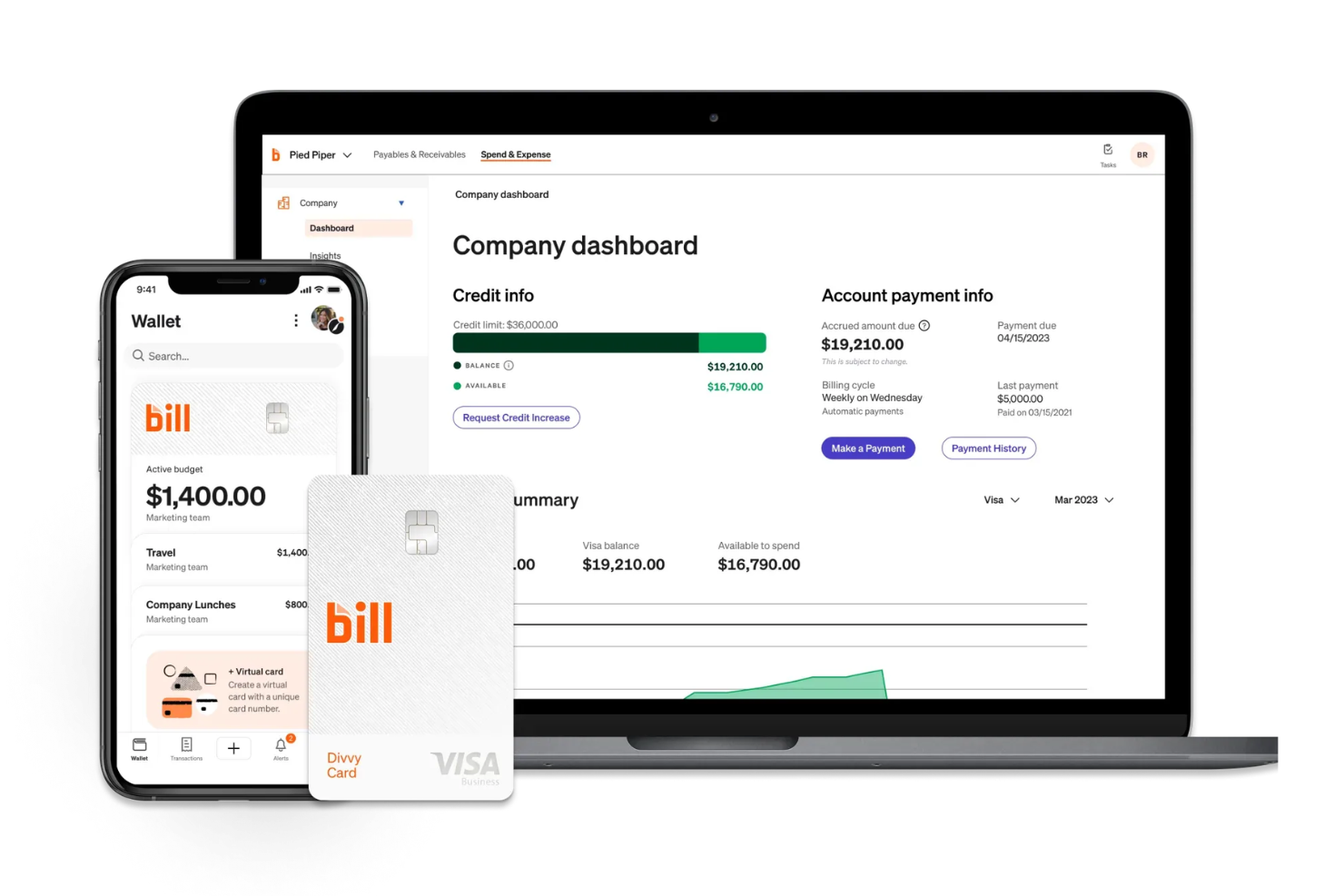
BILL is a cloud-based accounts payable automation and expense management platform that handles invoice capture, multi-step approval workflows, corporate card spend tracking, and domestic and international vendor payments for organizations, including nonprofits.
Who Is BILL Best For?
BILL is a good fit for small to mid-sized nonprofits that need structured AP controls, spend visibility, and payment processing across multiple departments or fund categories.
Why I Picked BILL
I picked BILL as one of the best because its AI-powered invoice capture is genuinely impressive for nonprofit AP teams. BILL's AI reads and codes multi-line item invoices with 99% accuracy, automatically handles 2- and 3-way PO matching, and routes each bill through your custom approval workflows without manual hand-holding. For a nonprofit juggling vendor payments across multiple programs or grant-funded cost centers, that level of automated control over the full AP cycle—from invoice receipt to payment—is hard to come by in one platform.
BILL Key Features
- Corporate card controls: Issue virtual and physical cards with category-level spending limits and real-time transaction visibility across your team.
- Separation of duties: Assign distinct roles to approvers, payers, and administrators to maintain internal controls and audit readiness.
- Receipt capture: Photograph and attach receipts to transactions directly using the BILL mobile app.
- Multi-method payments: Pay vendors via ACH, check, virtual card, or international wire from a single platform.
BILL Integrations
BILL offers native two-way sync with QuickBooks Online, QuickBooks Desktop, QuickBooks Enterprise, Xero, Oracle NetSuite, Sage Intacct, and Microsoft Dynamics, plus data integration support for Acumatica and other ERPs via customizable file templates.
Pros and Cons
Pros:
- Free corporate cards with spend limits
- AI-powered invoice data extraction
- Multi-step approval chains for bill payments
Cons:
- Customer support relies heavily on chat
- No built-in grant tracking or reporting
New Product Updates from BILL
BILL Travel Adds Employee Booking Permissions
BILL Travel adds booking permissions that let admins and travel managers control which employees can book trips. This gives teams more flexibility over travel access and spending policies. For more information, visit BILL’s official site.

Best for donor and fund reporting
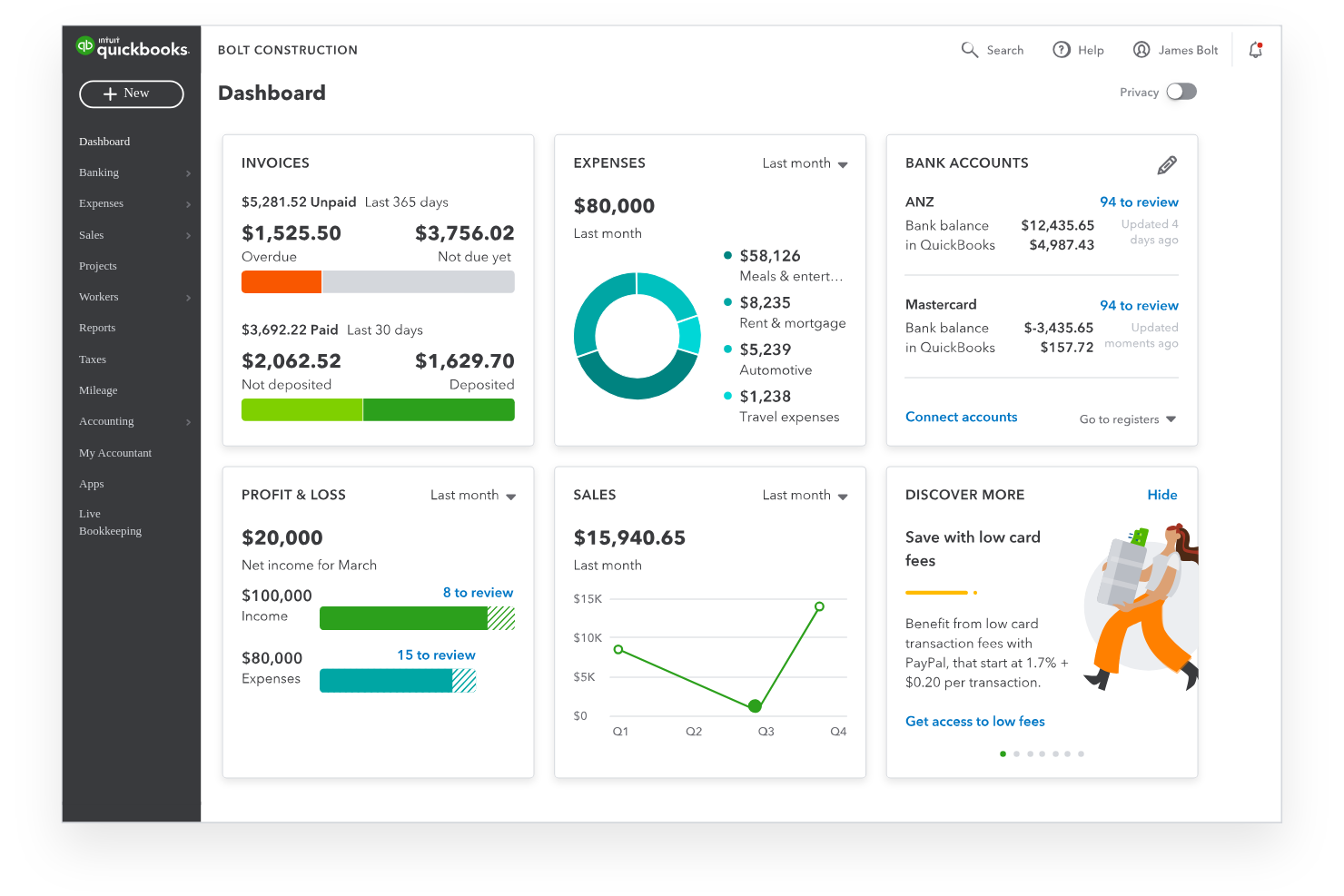
Nonprofit organizations looking for clear financial oversight often turn to QuickBooks for its specialized nonprofit accounting features. The platform helps you manage donations, grants, and fund allocations with tools designed for nonprofit workflows. Finance teams can use QuickBooks to streamline reporting and maintain transparency for boards and donors.
Who Is QuickBooks Best For?
QuickBooks is a strong choice for nonprofit finance teams that need to manage and report on donations, grants, and fund balances.
Why I Picked QuickBooks
I picked QuickBooks because it offers dedicated tools for tracking donations, grants, and fund balances, which are essential for nonprofit reporting. The platform lets you create donor and fund-specific reports, making it easier to show stakeholders exactly how funds are allocated and spent. I also appreciate that QuickBooks supports class and location tracking, so you can break down expenses and income by program, campaign, or funding source. These features help nonprofit finance teams maintain transparency and accountability in their financial management.
QuickBooks Key Features
Some other features that support nonprofit accounting and expense management include:
- Bank feeds: Connect your bank accounts to automatically import and categorize transactions for up-to-date records.
- Receipt capture: Upload and attach digital receipts to expenses using the mobile app or web interface.
- Custom chart of accounts: Set up and manage a chart of accounts tailored to nonprofit needs, including funds, grants, and programs.
- Recurring transactions: Schedule and automate regular expenses or income entries to reduce manual data entry.
QuickBooks Integrations
Integrations include PayPal, Square, Shopify, Amazon, eBay, Etsy, SOS Inventory, QuickBooks Time, and Gusto.
Pros and Cons
Pros:
- Offers recurring transaction scheduling
- Allows attaching receipts to transactions
- Supports audit trails for compliance needs
Cons:
- Limited multi-entity or chapter support
- Lacks built-in volunteer management tools

Xero
Best for multi-currency donation management
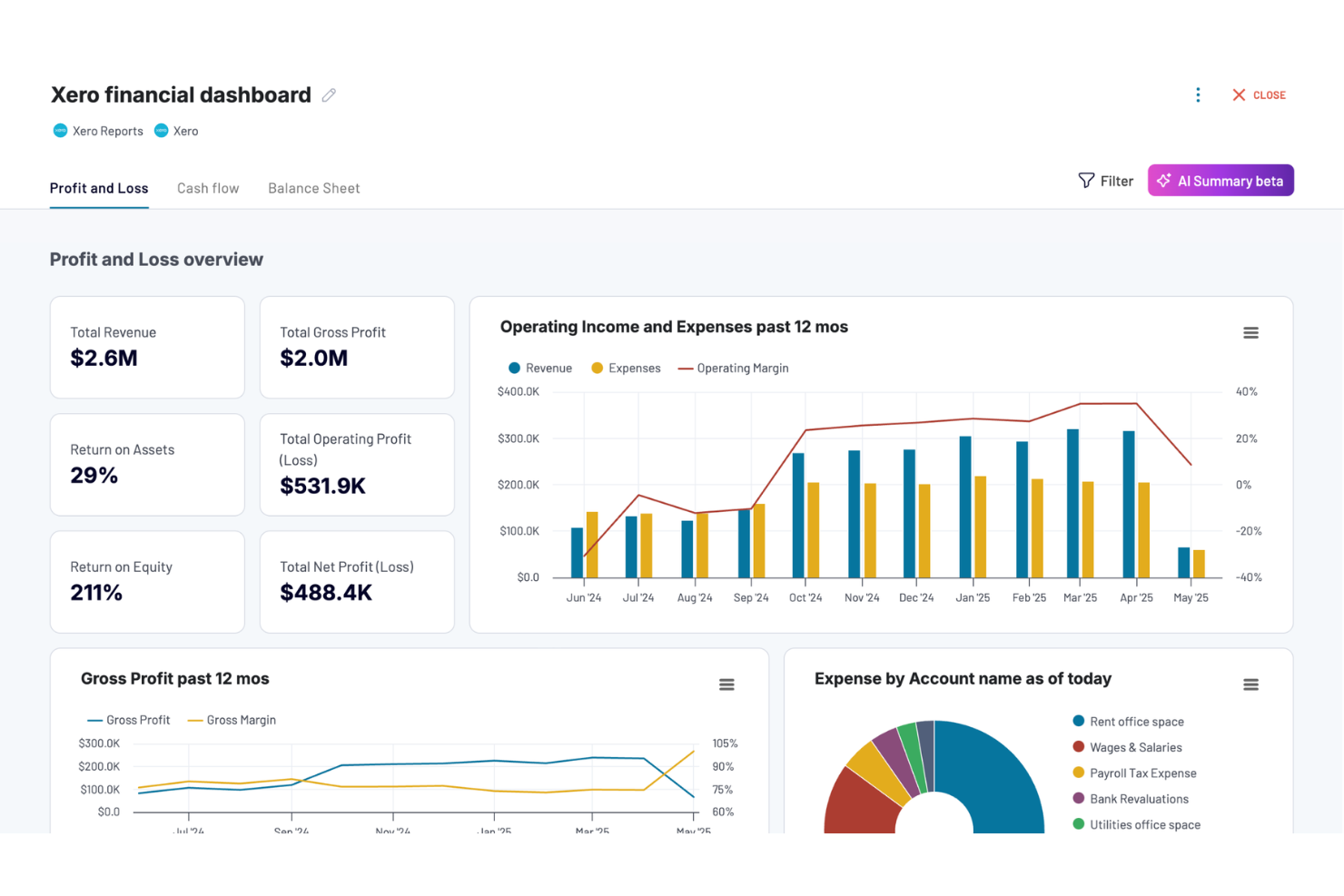
Nonprofit finance teams looking for a flexible, cloud-based accounting platform often turn to Xero. The software appeals to organizations that need to manage grants, donations, and expenses across multiple projects or locations. Xero helps nonprofits simplify bookkeeping, improve financial oversight, and stay organized as they grow.
Who Is Xero Best For?
Xero is a good fit for mid-sized nonprofits that manage international donations and need multi-currency accounting capabilities.
Why I Picked Xero
I picked Xero because it offers built-in multi-currency support, which is essential for nonprofits that receive donations or incur expenses in different currencies. The platform automatically converts and tracks foreign currency transactions, so finance teams can manage global funding and spending without manual calculations. I also appreciate that Xero lets you generate reports that show real-time currency gains and losses, helping organizations maintain transparency and compliance. These features make Xero a strong choice for nonprofits with international operations or donor bases.
Xero Key Features
In addition to its multi-currency capabilities, Xero offers several other features that support nonprofit expense management:
- Bank reconciliation: Automatically match bank transactions with your records to keep accounts accurate and up to date.
- Expense claim management: Allow staff and volunteers to submit expenses for review and reimbursement directly within the platform.
- Budget tracking: Set up and monitor budgets for different projects, grants, or funds to maintain financial control.
- Customizable chart of accounts: Tailor account categories to fit your nonprofit’s unique reporting and compliance needs.
Xero Integrations
Integrations include Hubdoc, Syft, Stripe, Shopify, Gusto, Expensify, and Capsule CRM.
Pros and Cons
Pros:
- Unlimited users for board and staff
- Audit-ready reports for donor trust
- Snap receipts via mobile for auto-scan
Cons:
- No phone support only email or chat
- Starter plan has tight invoice limits

Aplos
Best for nonprofit-specific budgeting
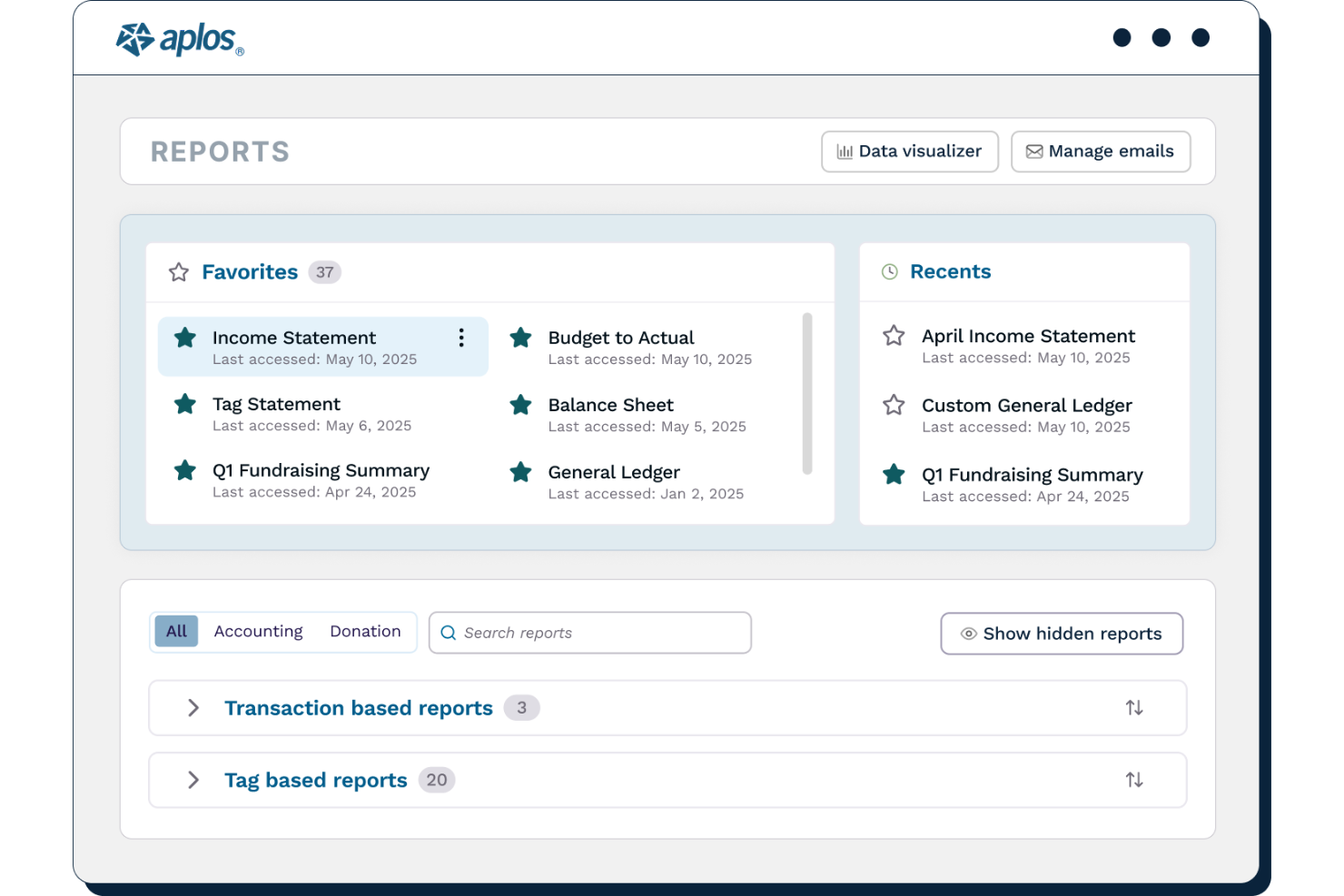
Aplos is a cloud-based financial management platform designed specifically for nonprofits and faith-based organizations. It appeals to finance professionals who need to manage fund accounting, donations, and compliance in one place. The platform helps organizations track restricted funds, generate nonprofit-specific reports, and simplify day-to-day accounting tasks.
Who Is Aplos Best For?
Aplos is a strong fit for nonprofit finance teams that need dedicated fund accounting and budgeting tools tailored to nonprofit compliance requirements.
Why I Picked Aplos
I chose Aplos because it offers budgeting tools designed specifically for nonprofit organizations, which is rare among expense management platforms. The software lets you create and manage budgets by fund, program, or project, making it easier to track restricted and unrestricted funds separately. I also appreciate that Aplos provides real-time budget-to-actual reporting, so finance teams can monitor spending and adjust allocations as needed. These features help nonprofits maintain compliance and transparency with donors and grantors.
Aplos Key Features
Some other features that help nonprofits manage their finances and operations include:
- Fund accounting: Track income and expenses by fund to ensure proper allocation and reporting for grants and donations.
- Donation tracking: Record, acknowledge, and report on donations with integrated donor management tools.
- Bank integration: Connect bank accounts for automatic transaction imports and easier reconciliation.
- Event registration: Manage event sign-ups and payments directly within the platform.
Aplos Integrations
Integrations include Gusto, PEX, Stripe, Keela, Raisely, DonorElf, Church Community Builder, and Ramp.
Pros and Cons
Pros:
- Tracks grants and restricted funds easily
- Free expert support for nonprofit teams
- Generates audit-ready financial reports
Cons:
- Extra fees for advanced budgeting tools
- Complex reporting needs a learning curve

ZipBooks
Best for free accounting essentials
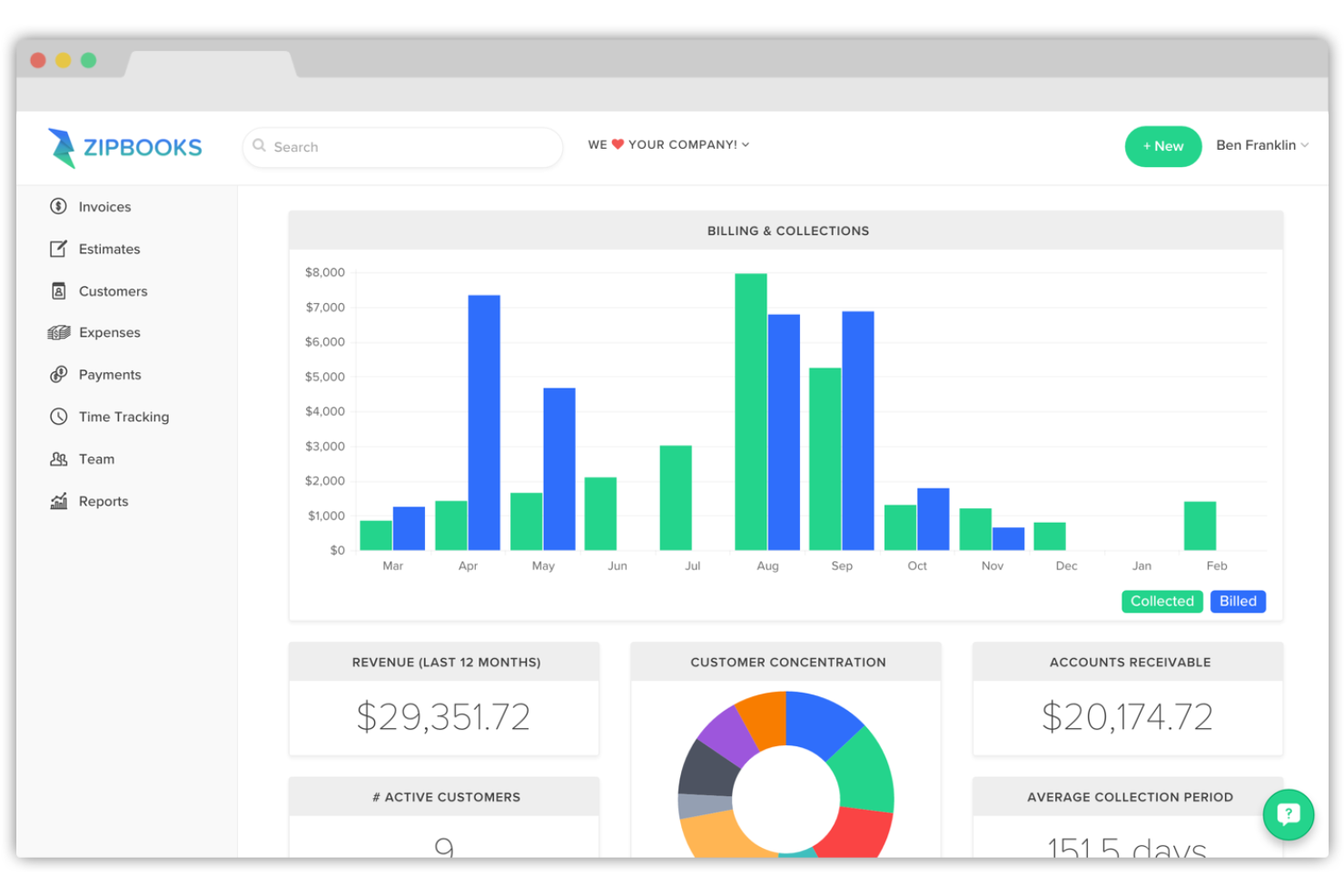
ZipBooks offers cloud-based accounting software designed for small nonprofits and organizations with limited budgets. It appeals to teams that need straightforward tools for tracking expenses, managing donations, and handling basic bookkeeping. The platform helps simplify financial oversight without requiring advanced accounting expertise.
Who Is ZipBooks Best For?
ZipBooks is a good fit for small nonprofit organizations that need essential accounting and expense tracking features without a large financial investment.
Why I Picked ZipBooks
I picked ZipBooks because it offers a genuinely free plan with core accounting features that many small nonprofits need to manage expenses. The platform lets you track spending, categorize transactions, and generate basic financial reports without requiring a paid upgrade. I also like that ZipBooks includes invoicing and donor tracking tools, which help nonprofits keep their finances organized. For organizations with limited resources, these essentials make it possible to maintain transparency and accountability without extra costs.
ZipBooks Key Features
In addition to its core accounting essentials, I also found several features that help nonprofits manage their finances more easily:
- Bank reconciliation: Match transactions from your bank account with those in ZipBooks to keep records accurate.
- Time tracking: Track billable hours for staff or volunteers directly within the platform.
- Customizable invoicing: Create and send branded invoices with custom fields and payment options.
- Basic reporting: Generate simple financial reports, such as profit and loss statements and balance sheets, for board meetings or audits.
ZipBooks Integrations
Integrations include Square, Stripe, and PayPal.
Pros and Cons
Pros:
- Discounts on paid tiers for nonprofits
- Direct bank sync for real-time tracking
- Auto-categorizes expenses with AI
Cons:
- No built-in donor management system
- Advanced features gated by monthly fee

Best for automated receipt scanning
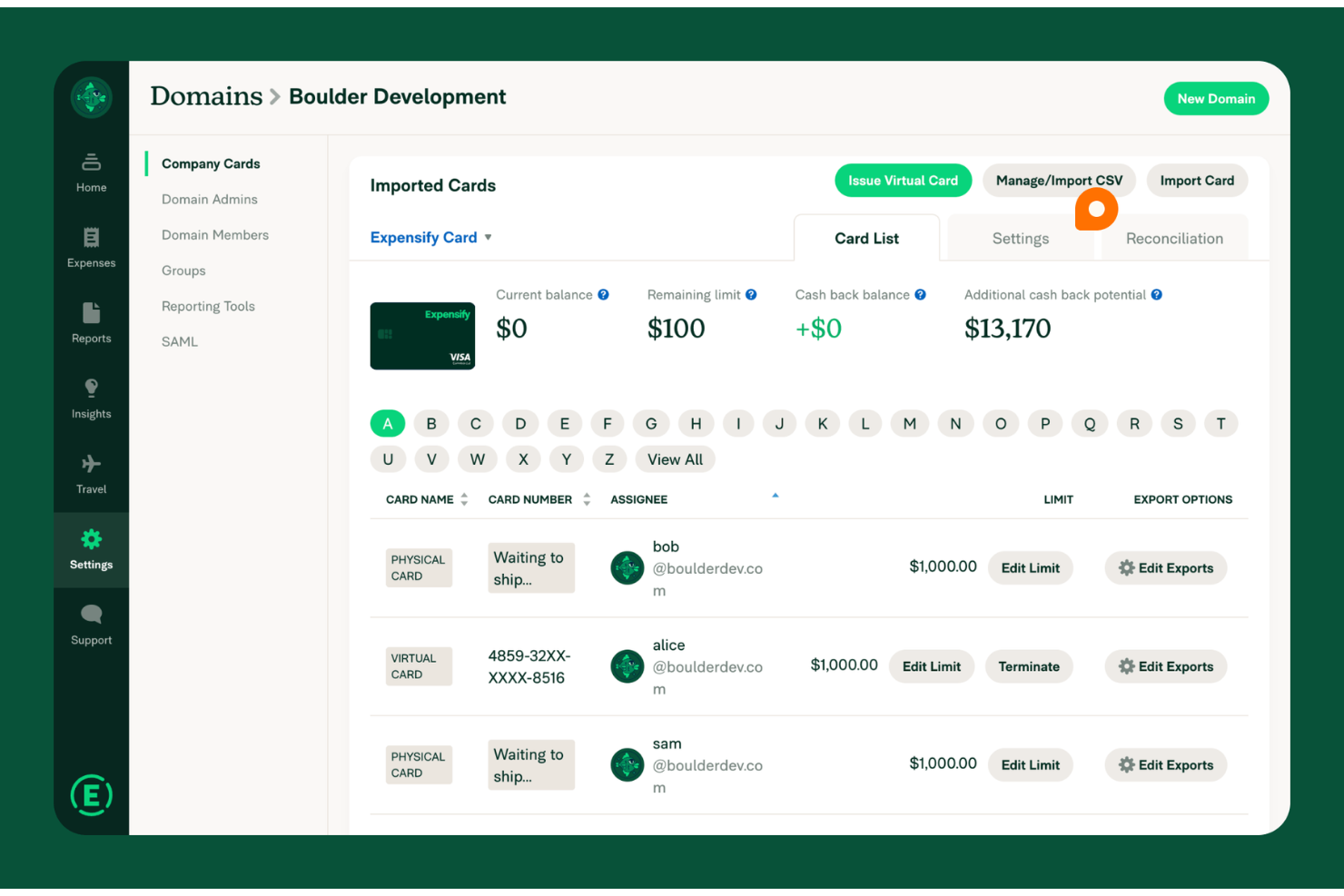
Expensify is a cloud-based expense management platform designed for organizations that need to track and control spending across teams or projects. Nonprofit finance teams often choose Expensify to simplify expense reporting, automate policy enforcement, and reduce manual data entry. The platform helps organizations stay audit-ready and maintain transparency in how funds are spent.
Who Is Expensify Best For?
Expensify is a strong choice for nonprofit finance teams that need to automate expense tracking and receipt management across multiple staff or volunteers.
Why I Picked Expensify
What sets Expensify apart for nonprofits is its automated receipt scanning, which eliminates the hassle of manual data entry and reduces errors in expense reporting. I picked Expensify because its SmartScan technology lets users snap a photo of a receipt and have the details automatically extracted and matched to expenses. This is especially useful for nonprofits with distributed teams or volunteers who need to submit receipts on the go. The platform also supports automated policy enforcement, so finance teams can ensure compliance with grant or donor requirements without extra administrative work.
Expensify Key Features
Some other features that make Expensify useful for nonprofit expense management include:
- Multi-level approval workflows: Route expense reports through customizable approval chains to match your organization’s internal controls.
- Grant and fund tracking: Tag expenses to specific grants or funding sources for easier reporting and compliance.
- Corporate card reconciliation: Automatically match card transactions with submitted expenses to simplify month-end close.
- Mileage tracking: Allow users to log and reimburse mileage for volunteer or staff travel directly within the platform.
Expensify Integrations
Integrations include QuickBooks, Xero, NetSuite, Uber, Lyft, Oracle, and Workday.
Pros and Cons
Pros:
- Mobile app simplifies volunteer uploads
- Syncs well with QuickBooks and Xero
- SmartScan OCR is top-tier for receipts
Cons:
- Requires pre-funding for card benefits
- Concierge AI support is often generic

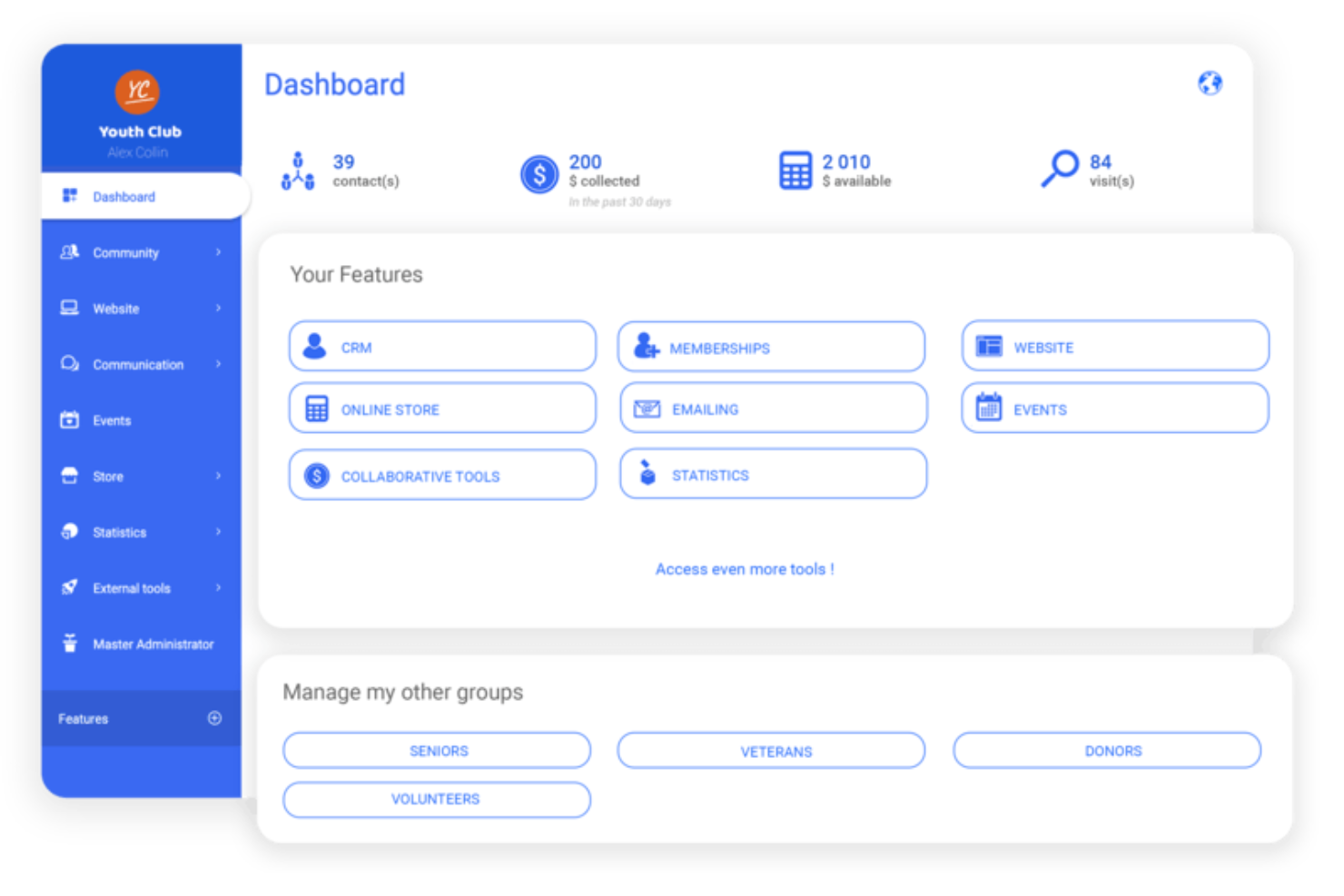
Springly offers nonprofit organizations a dedicated platform for managing accounting and expenses in one place. It’s designed for teams that need to handle multiple funding sources and track spending across projects or programs. If your nonprofit requires clear separation of funds and transparent financial reporting, Springly addresses these needs with nonprofit-specific workflows.
Who Is Springly Best For?
Springly is a good fit for small to mid-sized nonprofits that need to manage multiple funds and track program-specific expenses.
Why I Picked Springly
I chose Springly because its integrated fund accounting tools address a core challenge for nonprofits: managing restricted and unrestricted funds with accuracy. The platform lets you create and track multiple funds, ensuring that each donation or grant is allocated and reported according to donor intent. I appreciate how Springly’s accounting workflows are tailored for nonprofit compliance, including features for tracking expenses by project or program. This makes it easier for finance teams to maintain transparency and meet reporting requirements without manual workarounds.
Springly Key Features
Some other features in Springly that support nonprofit financial management include:
- Automated bank reconciliation: This feature matches transactions from your bank account to your accounting records, reducing manual entry and errors.
- Customizable chart of accounts: You can tailor your chart of accounts to reflect your organization’s unique structure and reporting needs.
- Document storage: Store and organize receipts, invoices, and supporting documents directly within the platform for easy access during audits.
- Member and donor management: Track contact details, contributions, and engagement history for both members and donors in one place.
Springly Integrations
Integrations include QuickBooks.
Pros and Cons
Pros:
- Integrated donor and member management tools
- Customizable chart of accounts for nonprofits
- Built-in document storage for receipts and invoices
Cons:
- Limited multi-currency support for international nonprofits
- Invoicing features are basic compared to peers

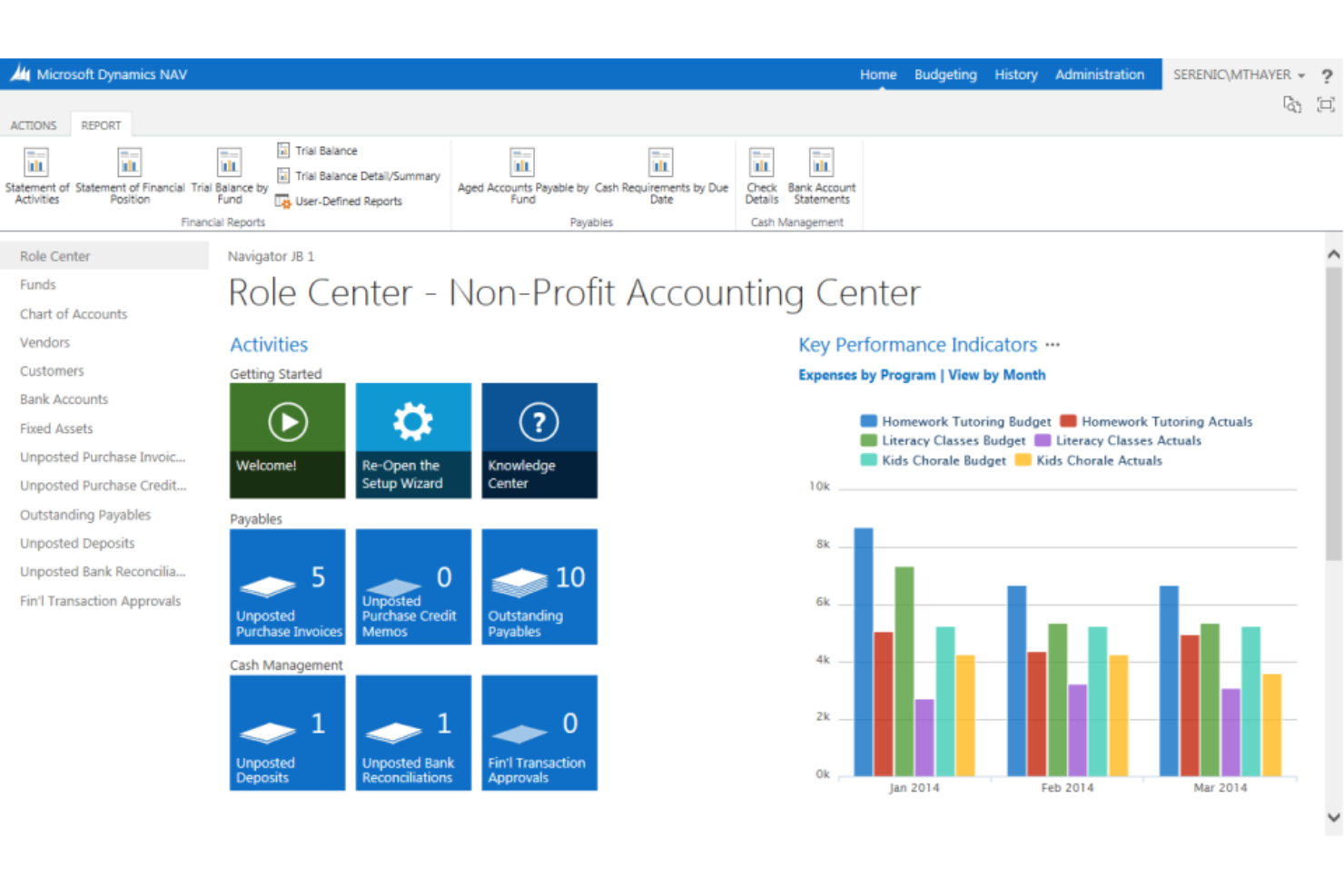
Serenic Navigator is a financial management platform designed specifically for nonprofit organizations and public sector entities. It appeals to finance teams that need to handle complex fund accounting, grant management, and compliance requirements. The software helps organizations track expenses, manage budgets, and maintain transparency for stakeholders and auditors.
Who Is Serenic Navigator Best For?
Serenic Navigator is a strong choice for nonprofit finance teams that need to manage complex fund restrictions and grant compliance.
Why I Picked Serenic Navigator
I picked Serenic Navigator because it’s purpose-built for nonprofits that need to manage restricted funds with precision. The platform lets you set up detailed fund structures, track expenses against specific grants or funding sources, and enforce spending rules at the transaction level. I also appreciate how it supports compliance by providing clear audit trails and real-time reporting on fund balances. These features make it much easier for nonprofit finance teams to ensure every dollar is used according to donor intent and regulatory requirements.
Serenic Navigator Key Features
Some other features that make Serenic Navigator valuable for nonprofit expense management include:
- Automated approval workflows: Route expense submissions through multi-level, customizable approval chains to maintain internal controls.
- Budget management tools: Set, monitor, and adjust budgets for projects, programs, or departments directly within the platform.
- Document attachment: Attach receipts, invoices, and supporting files to transactions for easier audits and recordkeeping.
- Role-based dashboards: Give users tailored dashboards with real-time financial and operational data relevant to their responsibilities.
Serenic Navigator Integrations
Native integrations are not currently listed by Serenic Navigator.
Pros and Cons
Pros:
- Real-time visibility into donor funds
- FASB compliant audit trails and reports
- Automated multi-entity fund accounting
Cons:
- Requires significant initial training
- Interface feels dated to some users
Other Expense Management Software for Nonprofits
Here are some additional expense management software for nonprofits options that didn’t make it onto my shortlist, but are still worth checking out:


How I Evaluate Expense Management Software for Nonprofits
I evaluate every tool on two levels: the baseline requirements a grant accountant needs to reconcile restricted funds and prepare for an audit, and the differentiators that separate the best fits.
Core Functionality (Table Stakes For This List)
When I'm selecting tools for my list, I rank each one on a scale from 0 (does not offer the functionality) to 5 (excels in this area) for each core functionality listed below. Then, I calculate the tool's total score into a percentage. Each tool needs to achieve a minimum total score of 55% to be considered for inclusion.
- Fund & Grant Expense Tracking: I check whether expenses can be tagged and split across specific grants, programs, or restricted funds—like allocating a shared office lease across three federal grants by percentage.
- Receipt Capture & Digitization: A good tool lets staff snap a photo of a lunch receipt on-site and have OCR pull the vendor, amount, and date automatically rather than requiring manual data entry later.
- Configurable Approval Workflows: I look for multi-level routing that adapts to real scenarios, such as sending anything over a set threshold to a finance director while program leads approve smaller day-to-day purchases.
- Accounting System Integration: The platform should connect with accounting tools nonprofits actually use—Sage Intacct, QuickBooks, Blackbaud—with proper GL and fund dimension mapping, not just a generic CSV export.
- Corporate Card Issuance & Controls: I evaluate whether the tool offers virtual and physical cards with spend limits and merchant restrictions, so a program coordinator can only use their card at approved vendors.
- Audit-Ready Reporting: Reports should include full audit trails with timestamps and approver details, plus exportable formats that align with what auditors and grantors expect during annual reviews or 990 preparation.
Once I have a list of tools that meet the criteria, I consider what sets each platform apart.
Differentiating Factors (What Sets Vendors Apart)
Here's how I compare and contrast different vendors:
Standout Features
Budget vs. actual alerts matter a lot here—I want to see real-time notifications when a program's spending nears its grant ceiling, so finance directors can course-correct before compliance becomes an issue. Volunteer reimbursement workflows are another differentiator, since many nonprofits need to process mileage and out-of-pocket claims for board members who aren't on payroll. For organizations with chapters or affiliates, I also evaluate multi-entity consolidation to see how well the tool rolls up expenses across separate legal entities into one view.
Beyond Features
Pricing structure matters here more than in most categories. I look for nonprofit-specific plans or discounts through programs like TechSoup, since many organizations work with grant-funded budgets that leave little room for high per-seat costs. Ecosystem integrations also weigh heavily—a tool that syncs with Bloomerang or Salesforce NPSP alongside the accounting system saves finance teams from manually reconciling donor-related expenses. I also evaluate onboarding support, because a two-person finance team at a mid-sized nonprofit rarely has bandwidth to self-implement a new platform.
How to Choose Expense Management Software for Nonprofits
It’s easy to get bogged down in long feature lists and complex pricing structures. To help you stay focused as you work through your unique software selection process, here’s a checklist of factors to keep in mind:
| Factor | What to Consider |
| Scalability | Will the software handle your organization’s growth, such as more users, programs, or locations? Check for user limits and upgrade paths. |
| Integrations | Does it connect natively with your accounting, fundraising, or CRM systems? Avoid manual data entry by confirming direct integrations. |
| Customizability | Can you tailor categories, approval flows, and reporting to match your nonprofit’s structure and grant requirements? |
| Ease of use | Will staff and volunteers with varying tech skills be able to use it confidently? Look for clear workflows and minimal training needs. |
| Implementation and onboarding | How long will it take to get up and running? Ask about migration support, training resources, and typical onboarding timelines. |
| Cost | Are there nonprofit discounts, transparent pricing, or hidden fees? Compare total cost of ownership, not just monthly rates. |
| Security safeguards | Does the tool offer data encryption, user permissions, and audit trails to protect sensitive financial and donor information? |
| Compliance requirements | Will the software help you meet IRS, grant, or donor reporting standards? Look for built-in controls and audit support. |
What Is Expense Management Software for Nonprofits?
Expense management software for nonprofits is a digital tool that helps organizations track, categorize, and control spending related to their programs, operations, and fundraising activities. It enables nonprofits to manage receipts, approvals, and reporting in one place, supporting transparency and compliance with donor, grant, and regulatory requirements. This software is designed to address the unique financial oversight needs of nonprofit organizations.
Features of Expense Management Software for Nonprofits
When selecting expense management software for nonprofits, keep an eye out for the following key features:
- Expense categorization: Organize spending by program, grant, or project to ensure accurate tracking and reporting for each funding source.
- Receipt capture: Upload and store digital copies of receipts, making it easier to document expenses and prepare for audits.
- Approval workflows: Set up multi-step approval processes so expenses are reviewed and authorized according to your organization’s policies.
- Budget tracking: Monitor spending against predefined budgets in real time to prevent overspending and support financial planning.
- Grant and fund tracking: Assign expenses to specific grants or restricted funds, helping you comply with donor requirements and grant agreements.
- Multi-user access: Allow staff, volunteers, and board members to submit, review, or approve expenses based on their roles and permissions.
- Customizable reporting: Generate detailed reports tailored to your nonprofit’s needs, such as by program, funder, or fiscal year.
- Integration with accounting systems: Sync expense data directly with your accounting software to reduce manual entry and maintain accurate financial records.
- Audit trail: Maintain a complete history of expense submissions, approvals, and changes to support transparency and compliance.
- Mobile access: Enable users to submit expenses and receipts from anywhere using a mobile device, supporting fieldwork and remote teams.
Common Expense Management Software for Nonprofits AI Features
Beyond the standard expense management software for nonprofits features listed above, many of these solutions are incorporating AI with features like:
- Automated receipt data extraction: AI scans uploaded receipts, recognizes key details such as date, vendor, and amount, and auto-fills expense forms to reduce manual entry and errors.
- Anomaly detection: AI monitors spending patterns and flags unusual transactions or potential policy violations, helping organizations catch errors or fraud early.
- Smart expense categorization: AI learns from past entries to automatically assign expenses to the correct categories, improving accuracy and saving time for finance teams.
- Predictive budget alerts: AI analyzes historical spending and current trends to forecast when a program or grant is at risk of overspending, prompting proactive budget management.
- Natural language expense queries: AI enables users to ask questions about expenses or budgets in plain language and receive instant, data-driven answers, making reporting more accessible.
Benefits of Expense Management Software for Nonprofits
Implementing expense management software for nonprofits provides several benefits for your team and your business. Here are a few you can look forward to:
- Improved financial transparency: Centralized expense tracking and audit trails make it easier to demonstrate responsible stewardship to donors and grantors.
- Faster reimbursement cycles: Automated approval workflows and digital receipt capture speed up the process of reimbursing staff and volunteers.
- Accurate grant and fund reporting: Grant-specific tagging and customizable reporting help ensure compliance with donor and regulatory requirements.
- Reduced manual data entry: Integrations with accounting systems and AI-powered data extraction minimize repetitive tasks and lower the risk of errors.
- Real-time budget oversight: Live budget tracking and predictive alerts help prevent overspending and support proactive financial management.
- Enhanced security and compliance: User permissions, data encryption, and compliance controls protect sensitive information and support audit readiness.
- Greater accessibility for distributed teams: Mobile access and multi-user support enable staff and volunteers to submit and approve expenses from anywhere.
Costs and Pricing of Expense Management Software for Nonprofits
Selecting expense management software for nonprofits requires an understanding of the various pricing models and plans available. Costs vary based on features, team size, add-ons, and more. The table below summarizes common plans, their average prices, and typical features included in expense management software for nonprofits solutions:
Plan Comparison Table for Expense Management Software for Nonprofits
| Plan Type | Average Price | Common Features |
| Free Plan | $0 | Basic expense tracking, limited receipt uploads, single-user access, and simple reporting. |
| Personal Plan | $5-$13/user/month (or $15 - $45 flat/mo) | Multi-user access, receipt capture, basic approval workflows, and standard reporting. |
| Business Plan | $15-$35/user/month (or $25 - $199 flat/mo) | Advanced approval workflows, grant and fund tracking, integrations with accounting software, and custom reports. |
| Enterprise Plan | Custom | Customizable workflows, advanced security controls, dedicated support, API access, and compliance management. |
Expense Management Software for Nonprofits FAQs
Here are some answers to common questions about expense management software for nonprofits:
How does expense management software help with grant compliance?
Expense management software helps with grant compliance by allowing you to tag and track expenses by grant, restrict spending to approved categories, and generate reports that align with funder requirements. This makes it easier to document how funds are used and prepare for audits.
Can nonprofits use expense management software for volunteer reimbursements?
Yes, nonprofits can use expense management software to manage volunteer reimbursements. Most solutions let volunteers submit expenses, upload receipts, and track approval status, making it easier to reimburse out-of-pocket costs and maintain accurate records.
What should nonprofits look for when evaluating expense management software security?
Nonprofits should look for features like data encryption, user permissions, audit trails, and compliance certifications. These safeguards help protect sensitive financial and donor information and support regulatory and grantor requirements.
Is it possible to integrate expense management software with nonprofit accounting systems?
Yes, many expense management software solutions offer integrations with popular nonprofit accounting systems. This reduces manual data entry, improves accuracy, and ensures that expense data flows directly into your financial records.
How long does it take to implement expense management software for a nonprofit?
Implementation time varies, but most nonprofits can get started within a few days to a few weeks. Factors include data migration needs, user training, and the complexity of approval workflows. Many vendors offer onboarding support and resources to speed up the process.
What’s Next:
If you're in the process of researching expense management software for nonprofits, connect with a SoftwareSelect advisor for free recommendations.
You fill out a form and have a quick chat where they get into the specifics of your needs. Then you'll get a shortlist of software to review. They'll even support you through the entire buying process, including price negotiations.