
13 Best Financial Analysis Software for Small Businesses Reviewed in 2026

10 Best Financial Analysis Software for Small Businesses Shortlist
Here’s my shortlist of the best financial analysis software for small businesses:


As a CFO, you're juggling numbers, managing budgets, and making sure your business stays financially healthy. It's not easy, and the pressure can be intense. Financial analysis software can be a game-changer, helping you make informed decisions and save time.
I've tested and reviewed numerous options to give you an unbiased look at the best tools on the market. My goal is to help you find the right fit for your team, so you can focus on what matters most.
In this article, I'll share my top picks, highlighting what makes each one stand out. You'll find insights tailored to your needs, helping you tackle challenges with confidence.
Why Trust Our Software Reviews
Best Financial Analysis Software for Small Business Summary
This comparison chart summarizes pricing details for my top selections of financial analysis software for small businesses to help you find the best one for your budget and business needs.
| Tool | Best For | Trial Info | Price | ||
|---|---|---|---|---|---|
| 1 | Best for cash flow management | 30-day free trial available | From $38/user/month | Website | |
| 2 | Best for data visualization | Free demo + 14-day free trial available | From $75/user/month (billed annually) | Website | |
| 3 | Best for visual reporting | 14-day free trial | From $53/company/month | Website | |
| 4 | Best for business planning | Free demo available | From $15/month (billed annually) | Website | |
| 5 | Best for mid-sized companies | Free demo available | Pricing upon request | Website | |
| 6 | Best for Excel integration | Free demo available | Pricing upon request | Website | |
| 7 | Best for Microsoft users | Free plan available | From $14/user/month (billed annually) | Website | |
| 8 | Best for freelancers | Free plan + free demo available | From $155/month (billed annually) | Website | |
| 9 | Best for budget planning | Free demo available | Pricing upon request | Website | |
| 10 | Best for financial reconciliation at scale | Free demo available | From $22,000/year | Website |
-

LiveFlow
Visit WebsiteThis is an aggregated rating for this tool including ratings from Crozdesk users and ratings from other sites.4.9 -
Float Financial
Visit WebsiteThis is an aggregated rating for this tool including ratings from Crozdesk users and ratings from other sites.4.1 -
Rippling Spend
Visit WebsiteThis is an aggregated rating for this tool including ratings from Crozdesk users and ratings from other sites.4.8


Best Financial Analysis Software for Small Businesses Review
Below are my detailed summaries of the best financial analysis software for small businesses that made it onto my shortlist. My reviews offer a detailed look at the key features, pros and cons, integrations, and ideal use cases for each tool to help you find the best one for you.

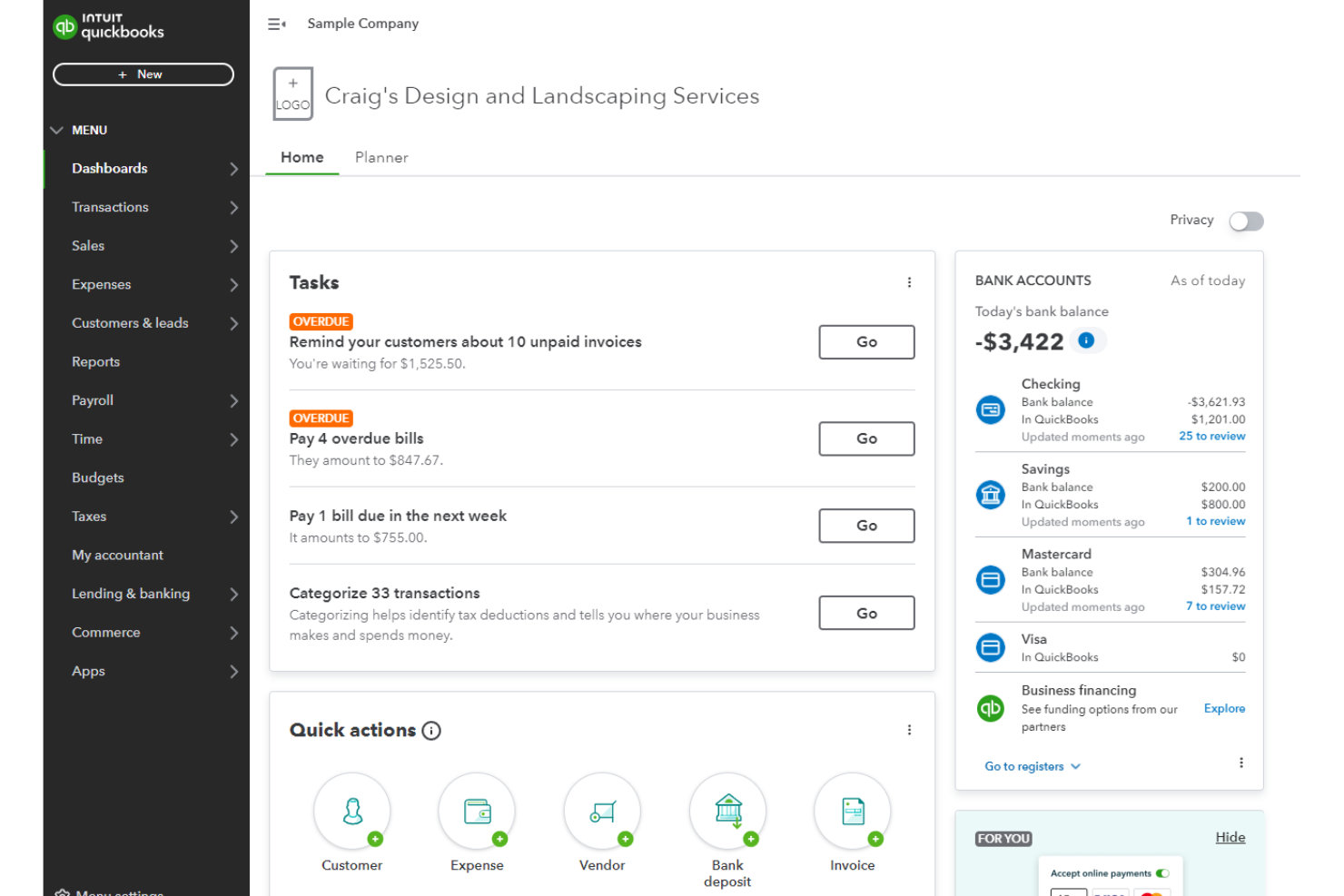
QuickBooks is an accounting software solution tailored for small businesses. It offers essential tools for managing finances, invoicing, and bookkeeping to simplify your financial tasks.
Why I picked QuickBooks: It provides user-friendly features specifically tailored for the needs of small business owners. Tracking income and expenses is straightforward, making it perfect for managing day-to-day finances. The invoicing feature helps you get paid faster by creating and sending invoices directly from the platform. With its business intelligence reporting tools, you can gain insights into your business performance without hassle.
Standout features and integrations:
Features include expense tracking to help manage costs, invoicing capabilities to facilitate quick payments, and customizable reports to provide insights into your financial health.
Integrations include PayPal, Shopify, Square, TSheets, HubSpot, Expensify, Stripe, Salesforce, Mailchimp, and more.
Pros and Cons
Pros:
- Highly customizable
- Strong community support
- Easy setup process
Cons:
- Minimal cash flow forecasting
- Job costing tools are not as robust as some competitors

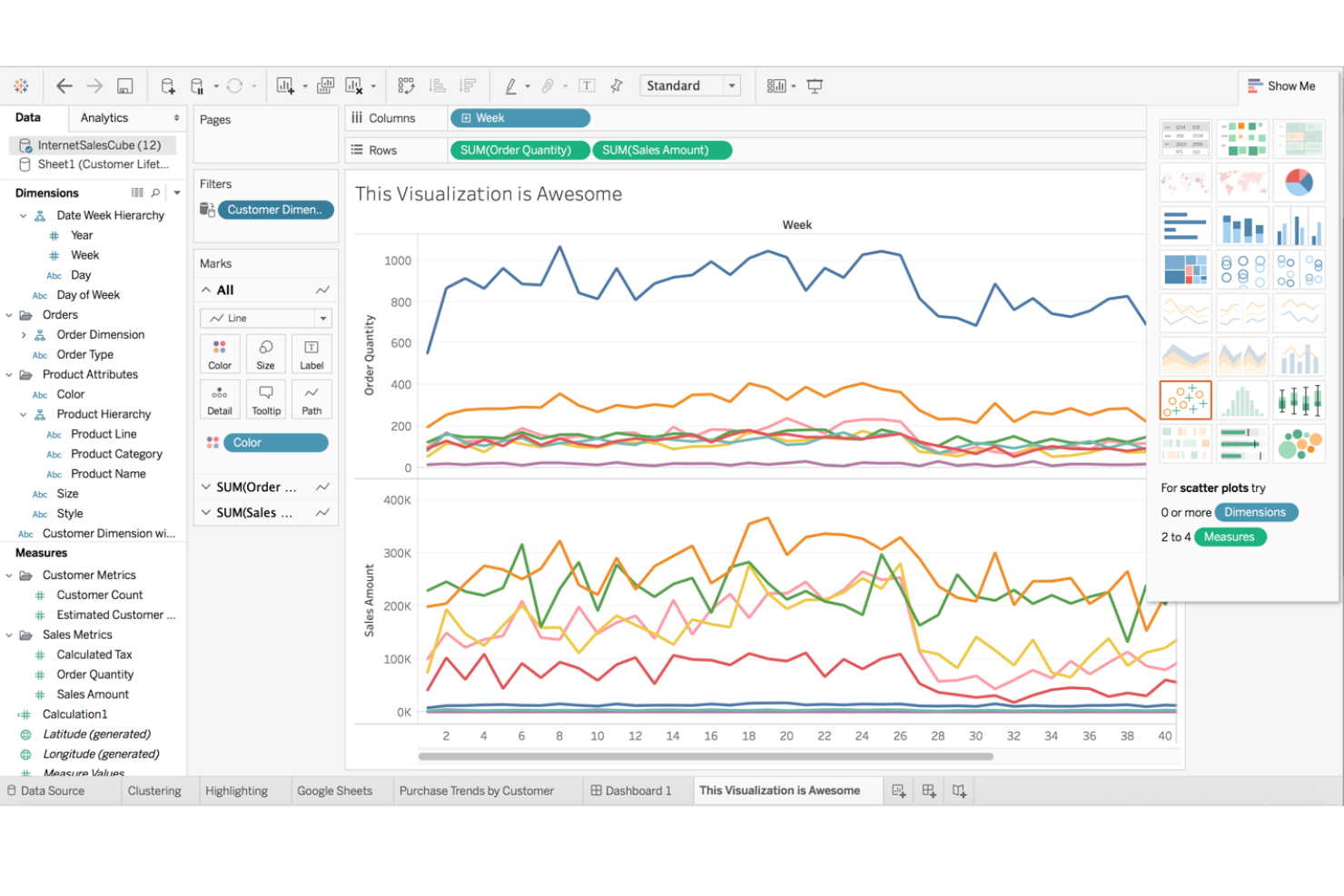
Tableau is a data visualization tool designed for businesses of all sizes. It helps users transform raw data into interactive, shareable dashboards that provide insights and inform decision-making.
Why I picked Tableau: You can create stunning visualizations that make complex data easy to understand. Its drag-and-drop interface simplifies the process of building dashboards. The tool offers a variety of chart types, allowing you to customize visualizations to fit your needs. With Tableau, you can connect to multiple data sources, ensuring in-depth analysis.
Standout features and integrations:
Features include a drag-and-drop interface for easy dashboard creation, a wide range of chart types to fit your data needs, and the ability to connect to various data sources for complete analysis.
Integrations include Salesforce, Microsoft Excel, Google Sheets, Amazon Redshift, Google BigQuery, Snowflake, Oracle, SAP, SQL Server, Hadoop, and more.
Pros and Cons
Pros:
- Customizable dashboards
- Connects to multiple data sources
- Stunning data visualizations
Cons:
- Limited statistical modeling tools
- Limited formatting flexibility

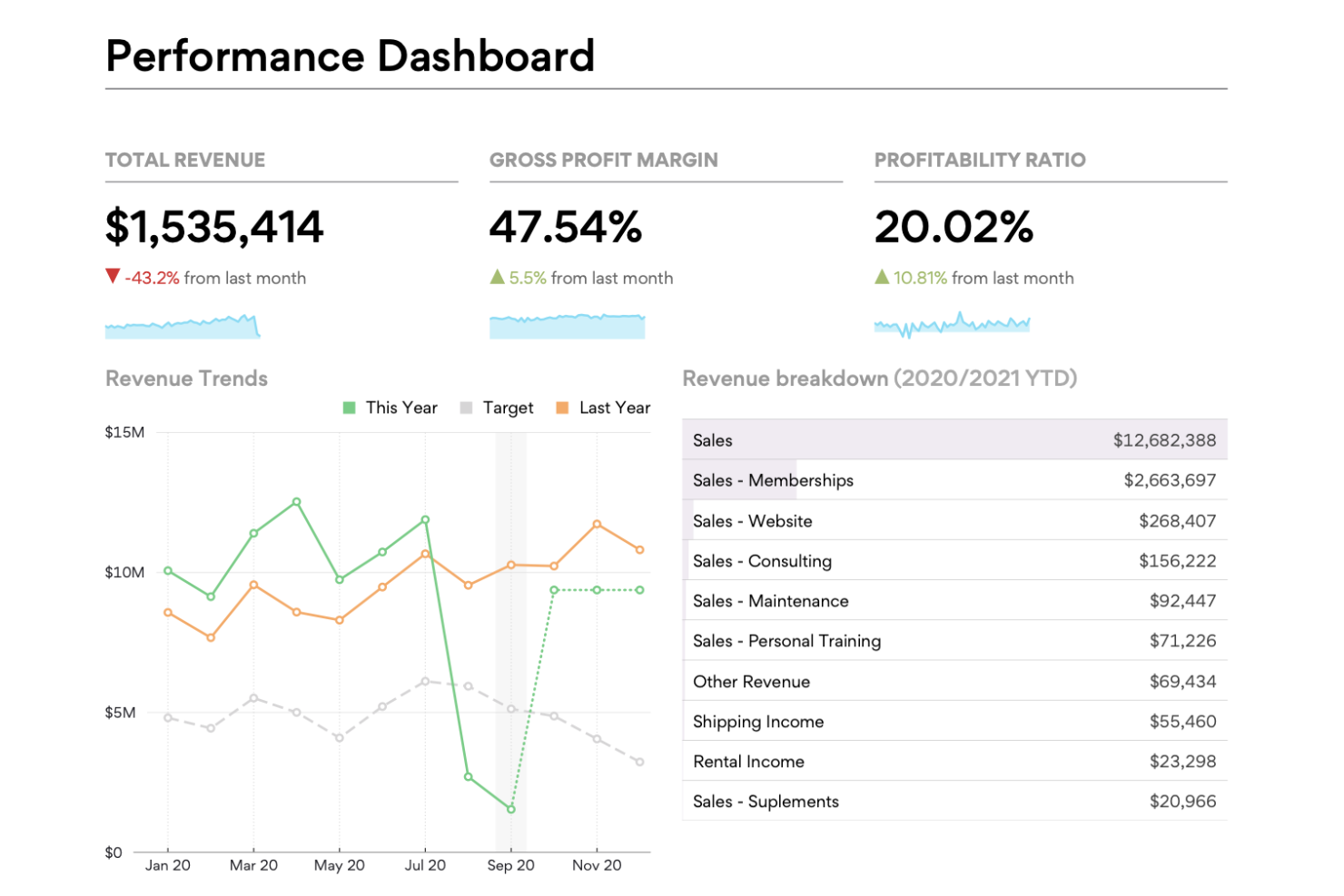
Fathom is a financial analysis and management reporting tool designed for small businesses and accountants. It helps you create insightful visual reports and track key performance indicators.
Why I picked Fathom: You can turn complex financial data into clear visual reports without difficulty, making it great for visual reporting. The tool offers customizable dashboards that allow you to focus on what's important to your team. Its KPI tracking helps you monitor your business performance effectively. The flexibility in report creation ensures you get the insights you need without hassle.
Standout features and integrations:
Features include the ability to create custom reports, track financial performance with KPIs, and generate dashboards that provide a clear view of your business metrics, supporting business decisions.
Integrations include Xero, QuickBooks Online, MYOB AccountRight, Excel, Google Sheets, and more.
Pros and Cons
Pros:
- Clear financial insights
- Customizable dashboards
- Visual report generation
Cons:
- Basic forecasting tools
- Limited real-time data syncing

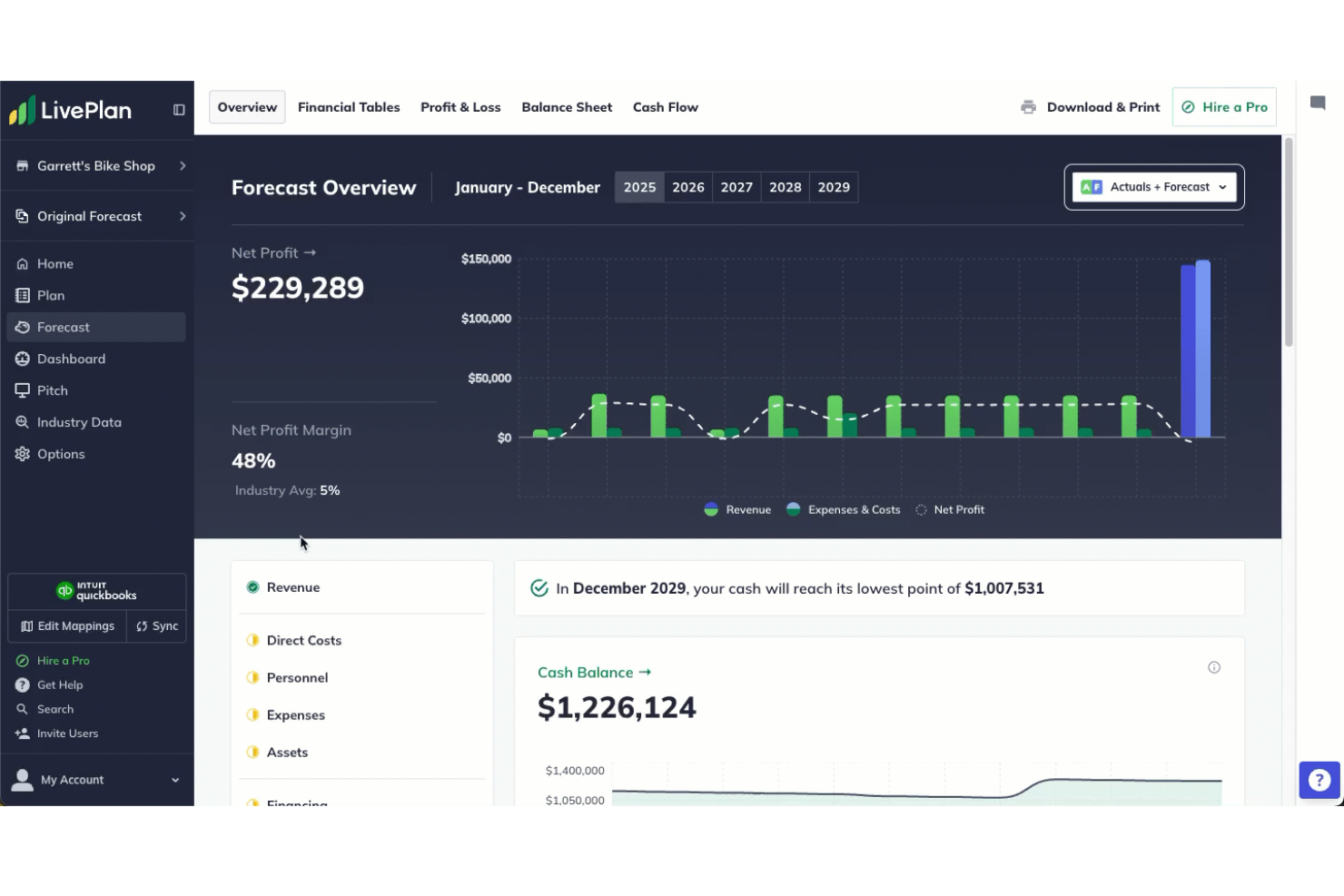
LivePlan is a business planning software designed for entrepreneurs and small businesses. It helps you with scenario planning to create detailed business plans and forecasts to guide your business growth.
Why I picked LivePlan: The tool offers structured planning features that are ideal for business planning. Its step-by-step guidance helps you create detailed business plans with confidence. You can use the forecasting tools to input operational data, set financial goals, and track progress. The intuitive interface ensures you spend less time figuring out the software and more time planning your business.
Standout features and integrations:
Features include step-by-step business plan guidance, financial forecasting tools, and performance dashboards to track your business's progress. You can also find industry benchmarks to compare your business against competitors.
Integrations include QuickBooks, Xero, Excel, Google Sheets, OneDrive, Google Drive, and more.
Pros and Cons
Pros:
- Performance tracking dashboards
- Detailed financial forecasting
- Step-by-step business planning guidance
Cons:
- Minimal non-financial KPI tracking
- Limited to business planning tasks


Centage is budgeting and forecasting software designed for mid-sized companies. It provides tools to simplify financial planning, budget management, and performance tracking.
Why I picked Centage: The software is tailored for mid-sized companies and offers extensive budgeting and forecasting capabilities. You can manage complex financial data with ease, enhancing your planning process. The intuitive interface simplifies the setup and management of financial plans. Its ability to provide real-time insights ensures your team can make informed financial decisions quickly.
Standout features and integrations:
Features include real-time financial insights to help guide decisions, intuitive budgeting tools that simplify financial planning, and performance tracking to monitor your business's financial health.
Integrations include QuickBooks, Sage Intacct, NetSuite, Microsoft Dynamics 365, Xero, SAP, Oracle, Salesforce, Workday, ADP, and more.
Pros and Cons
Pros:
- Simplifies financial planning
- Real-time insights
- Tailored for SMBs
Cons:
- Limited reporting flexibility
- May need IT support

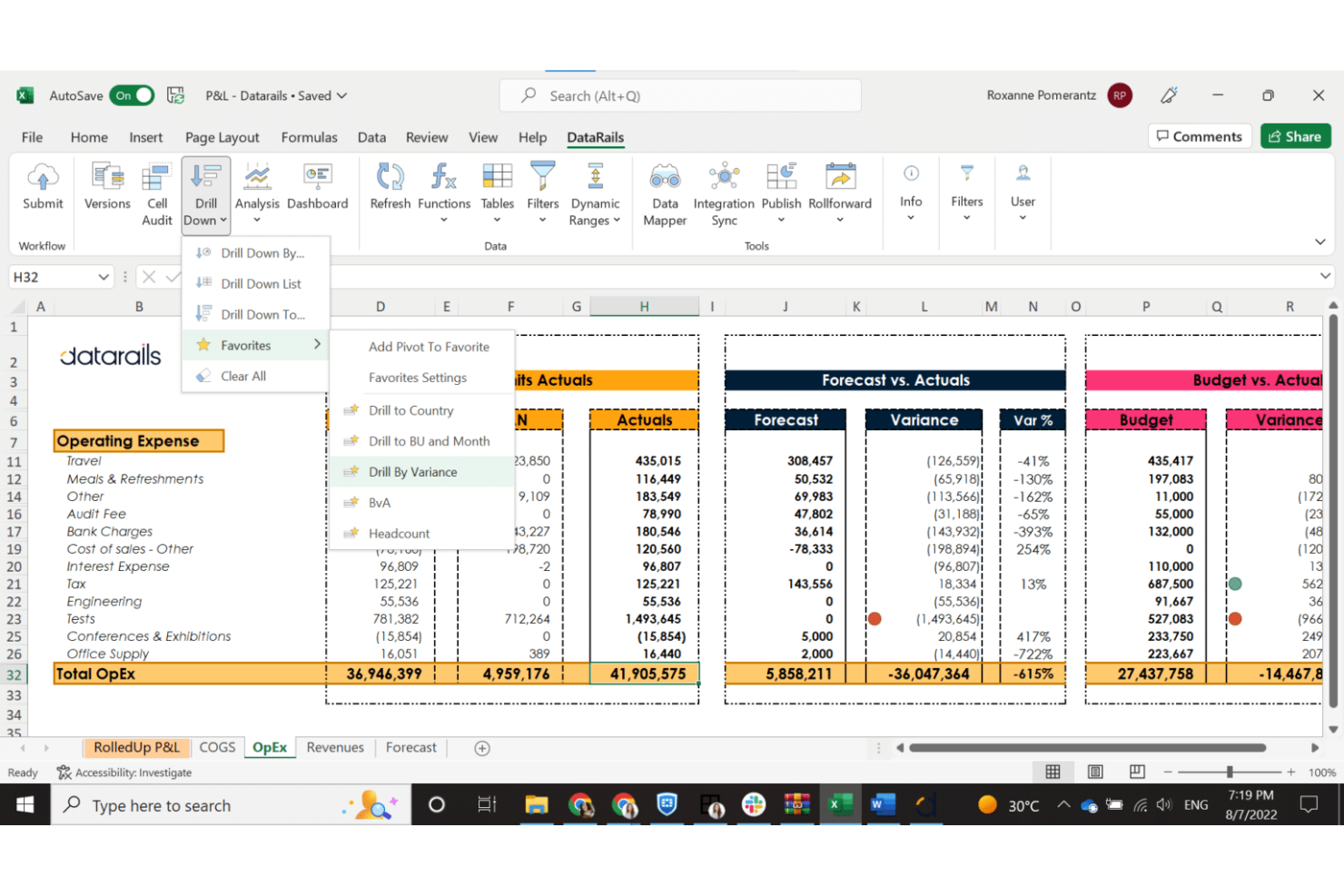
Datarails FP&A is a financial planning and analysis platform tailored for finance teams. It improves spreadsheet-based processes, providing tools for budgeting, forecasting, and financial reporting.
Why I picked Datarails: The tool integrates directly into Excel, allowing your team to leverage existing spreadsheets. You can automate data consolidation, reducing manual errors and saving time. Its powerful reporting capabilities provide insights that support informed, data-driven decisions. The ease of integration with Excel makes it a natural fit for teams already comfortable with spreadsheets.
Standout features and integrations:
Features include automated data consolidation to save time, advanced reporting tools for insights, and the ability to maintain spreadsheet functionality with added security and control.
Integrations include Microsoft Excel, QuickBooks, NetSuite, SAP, Oracle, Sage Intacct, Microsoft Dynamics, Salesforce, Xero, and more.
Pros and Cons
Pros:
- Improves existing spreadsheets
- Automates data analysis and consolidation
- Easy Excel integration
Cons:
- Inflexible workflow automation
- Limited non-Excel support
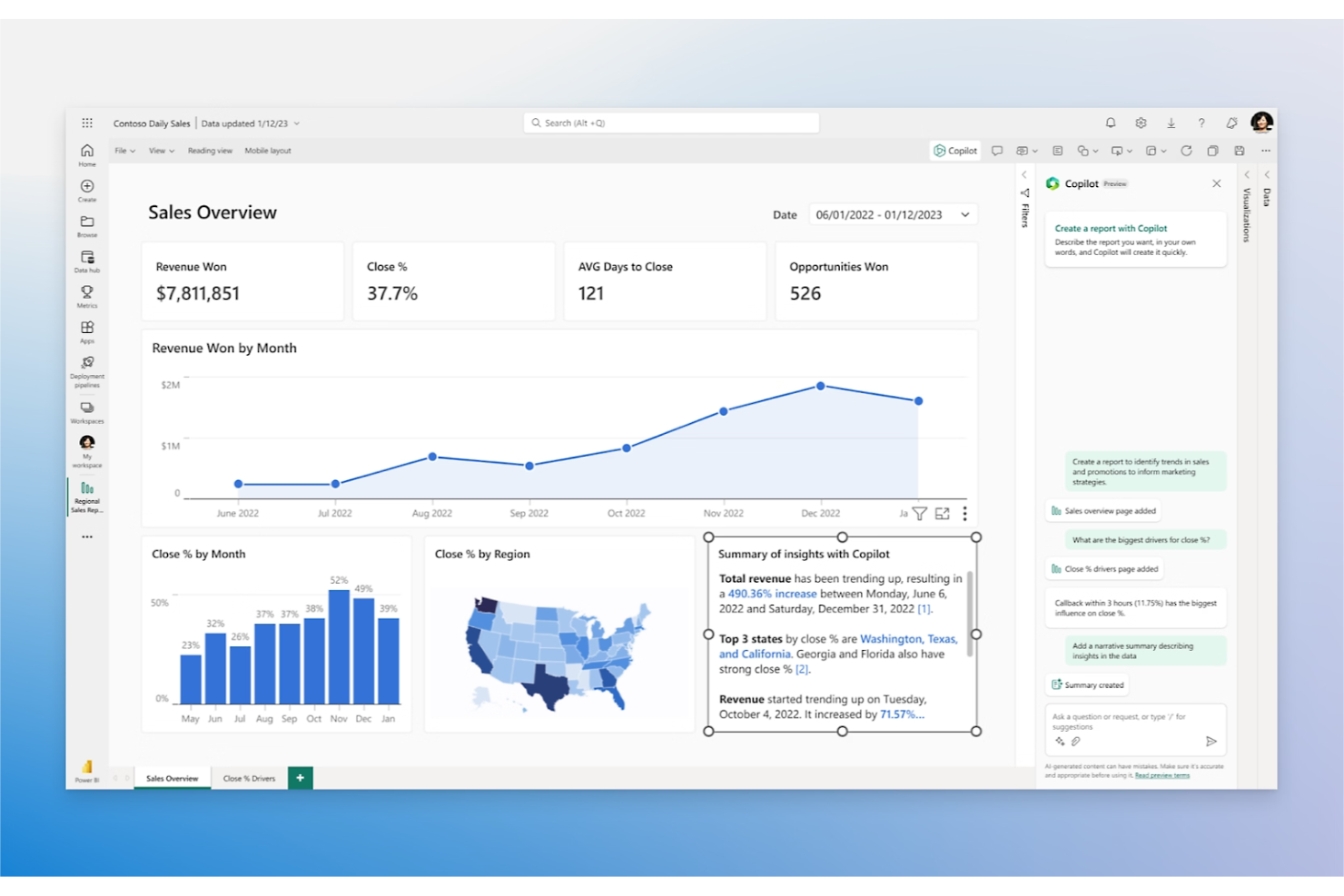
Power BI is a data analytics and visualization tool designed for businesses looking to transform their data into actionable insights. It primarily caters to Microsoft users, providing powerful tools for creating interactive reports and dashboards.
Why I picked Power BI: It's perfect for Microsoft users due to its native integration with Microsoft products. You can create interactive dashboards that bring your data to life. The tool supports a wide range of data sources, offering flexibility in how you gather information. Its ability to handle large datasets ensures you get extensive analytics without missing details.
Standout features and integrations:
Features include the ability to create interactive dashboards, support for a wide range of data sources, and tools to handle large datasets effectively. You can also benefit from real-time data updates that keep your insights up-to-date.
Integrations include Microsoft Excel, Azure, SQL Server, SharePoint, Dynamics 365, Salesforce, Google Analytics, Oracle, SAP, Adobe Analytics, and more.
Pros and Cons
Pros:
- Interactive dashboard creation
- Available on a mobile app
- Native Microsoft integration
Cons:
- Limited custom visual formatting
- Struggles with very large datasets

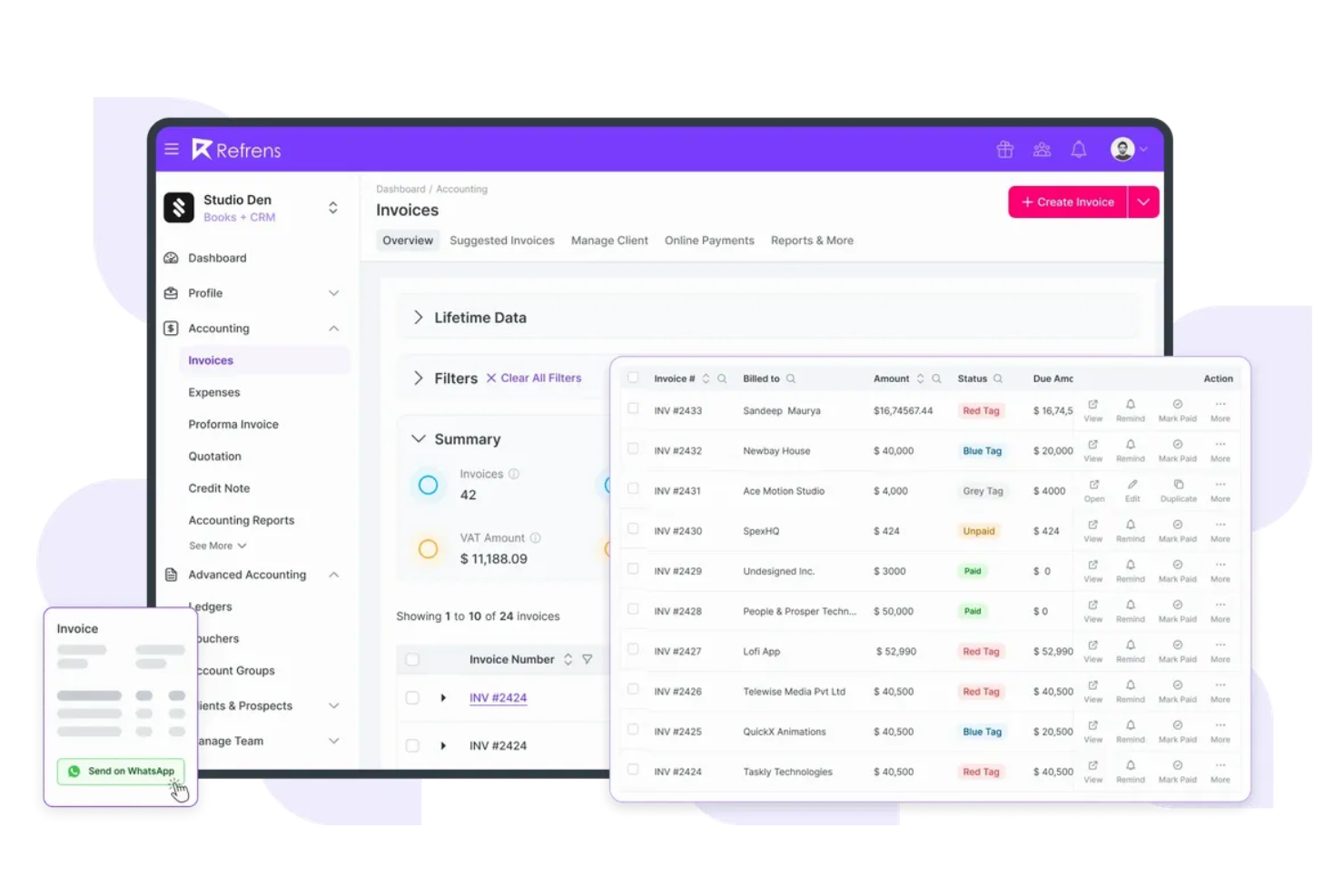
Refrens is an AI-powered invoicing and payment management tool designed primarily for freelancers. It simplifies the process of creating invoices and managing payments to help you keep your finances in order.
Why I picked Refrens: It caters specifically to freelancers, making invoicing and payment tracking easy. It's simple to generate professional invoices that suit your brand. The tool features payment tracking, so you know when you've been paid. Its user-friendly interface ensures you spend less time managing invoices and more time focusing on your work.
Standout features and integrations:
Features include the ability to create branded invoices, track payments, and manage multiple clients. You can also benefit from its expense management features, which help you keep track of your business costs.
Integrations include PayPal, Stripe, Razorpay, Paytm, Google Pay, PhonePe, UPI, Bank Transfer, and more.
Pros and Cons
Pros:
- Customizable invoice templates
- Tailored for freelancers
- Simple invoicing process
Cons:
- Bank reconciliation tools could be improved
- Limited financial report details

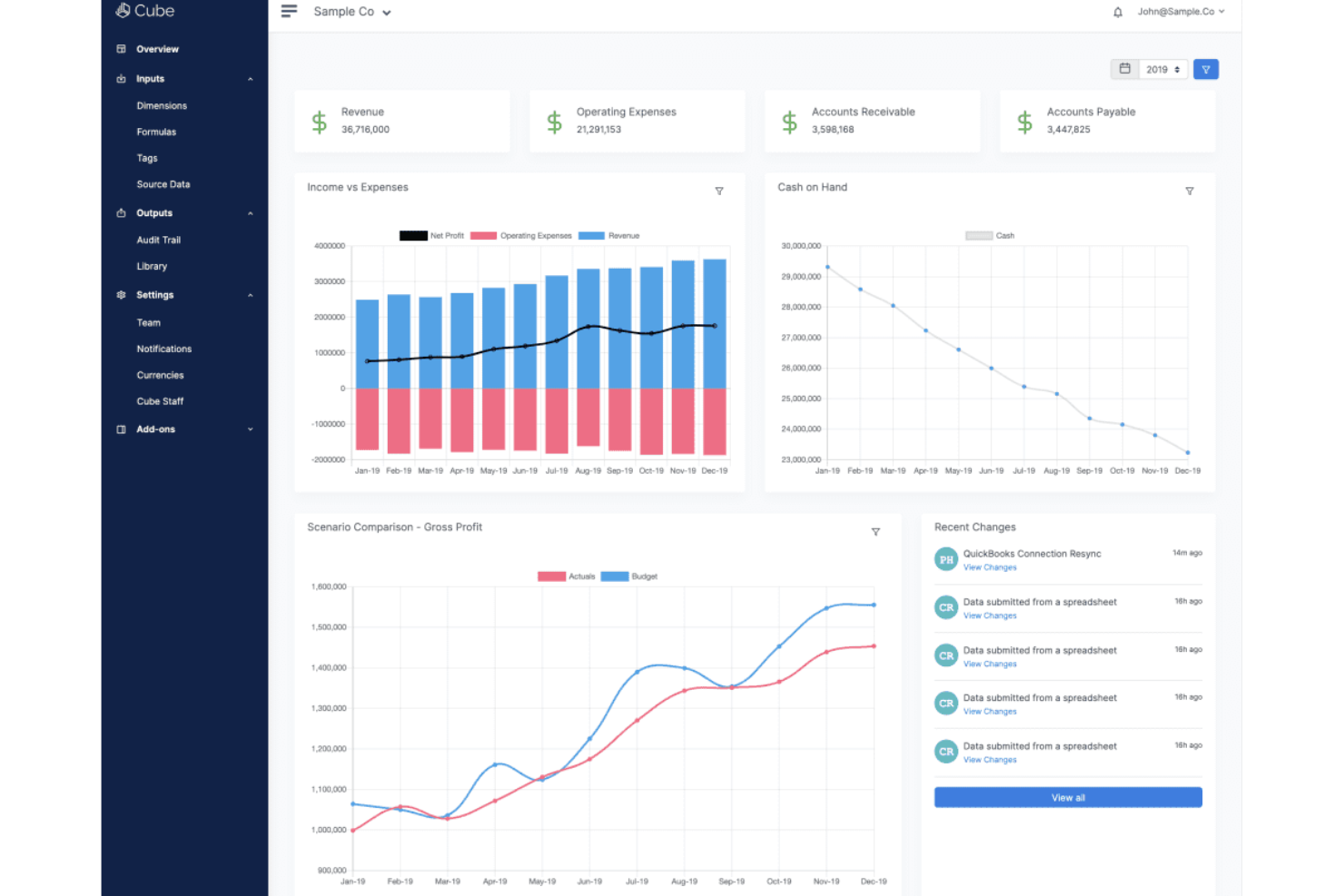
Cube is a financial planning and analysis tool designed for finance teams. It helps integrate your budgeting and forecasting process, offering tools to manage your financial planning efficiently.
Why I picked Cube: The software offers strong budget planning features that allow you to create and manage budgets with ease. You can quickly adjust forecasts to reflect changes in your business environment. Its intuitive interface makes it accessible for finance teams looking to improve their planning processes. The ability to collaborate on planning tasks ensures your team stays aligned and informed.
Standout features and integrations:
Features include real-time data updates to keep your financial plans current, a user-friendly interface that simplifies navigation, and collaborative tools that enable team input on financial plans.
Integrations include NetSuite, Salesforce, QuickBooks Online, Xero, Sage Intacct, Workday, SAP, Oracle, Microsoft Dynamics, Google Sheets, and more.
Pros and Cons
Pros:
- Supports complex financial models
- Real-time data updates
- Collaborative budget planning features
Cons:
- Spreadsheet-relink required
- Slow large-sheet loading
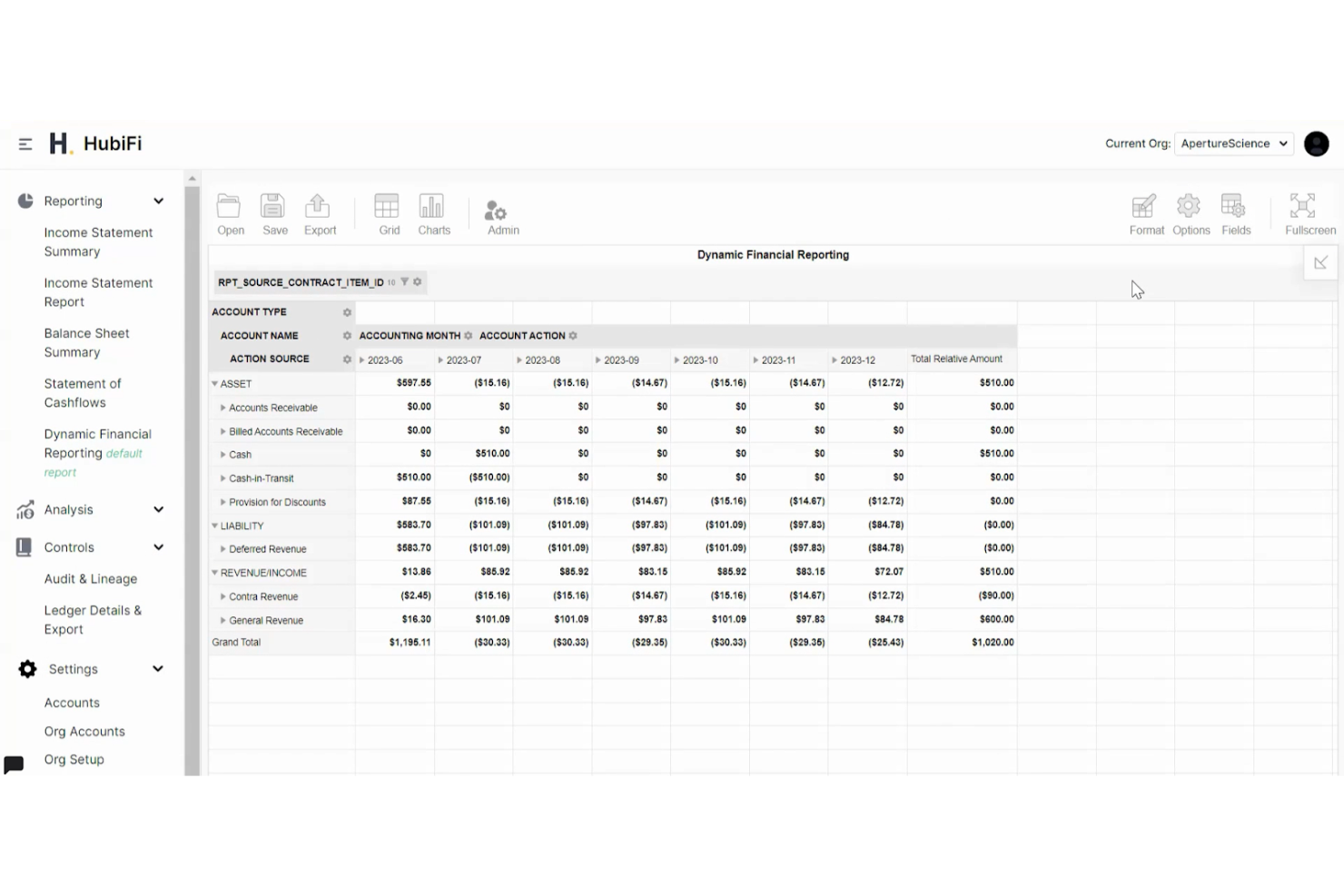
HubiFi is a cloud-based financial automation platform for businesses with high-volume transactions. It focuses on automating accounting workflows, revenue recognition, and financial reporting tasks. The system helps companies aggregate data from billing, payment, and contract systems to give a unified financial view.
Why I picked HubiFi: HubiFi automates revenue recognition, so you don’t have to manage complicated rules or manual calculations. It consolidates data from your billing, payment, ERP, or CRM tools into a single place, giving your team a clearer picture of your financial activity. You can close your books faster with reporting updates as your data changes.
The platform lets you dig into transaction-level details so you can catch issues early and understand what drives your revenue. It also gives your team a simple way to track financial performance across ongoing work.
Standout features and integrations:
Features include automated revenue recognition in accordance with accounting standards, with integrated order-to-cash reconciliations, and real-time financial reporting offering drill-down views.
Integrations include Stripe Connector, ERPs, billing systems, CRMs, payment gateways, and more.
Pros and Cons
Pros:
- Speedy month-end reporting
- Automates revenue recognition at scale
- Clear transaction-level visibility
Cons:
- Slow multi-system syncing
- Weak non-revenue metric tracking
Other Financial Analysis Software for Small Business
Here are some additional financial analysis software for small business options that didn’t make it onto my shortlist, but are still worth checking out:
- Sage Intacct
For scalable solutions
- Prophix
For automated budgeting
- Alteryx
For data blending


Financial Analysis Software for Small Businesses Selection Criteria
When selecting the best financial analysis software for small businesses to include in this list, I considered common buyer needs and pain points, such as the need for accurate financial forecasting and the challenge of managing multiple financial data sources. I also used the following framework to keep my evaluation structured and fair:
Core Functionality (25% of total score)
To be considered for inclusion in this list, each solution had to fulfill these common use cases:
- Generate financial reports
- Perform budget analysis
- Track key performance indicators
- Consolidate financial data
- Provide forecasting tools
Additional Standout Features (25% of total score)
To help further narrow down the competition, I also looked for advanced features, such as:
- Customizable dashboards
- Real-time data analytics
- Integration with multiple data sources
- Advanced security features
- Automated report generation
Usability (10% of total score)
To get a sense of the usability of each system, I considered the following:
- Intuitive navigation
- Clean interface design
- Minimal learning curve
- Responsive design across devices
- Availability of user guides
Onboarding (10% of total score)
To evaluate the onboarding experience for each platform, I considered the following:
- Availability of training videos
- Interactive product tours
- Access to webinars
- Use of chatbots for guidance
- Pre-built templates
Customer Support (10% of total score)
To assess each software provider’s customer support services, I considered the following:
- Availability of 24/7 support
- Access to live chat
- Response time to inquiries
- Quality of help documentation
- Availability of dedicated account managers
Value for Money (10% of total score)
To evaluate the value for money of each platform, I considered the following:
- Competitive pricing
- Features offered at each price tier
- Availability of free trials
- Cost of additional features
- Flexibility in pricing plans
Customer Reviews (10% of total score)
To get a sense of overall customer satisfaction, I considered the following when reading customer reviews:
- Overall satisfaction ratings
- Frequency of feature requests
- Feedback on customer service
- Comments on ease of use
- Reports on software reliability
How To Choose Financial Analysis Software for a Small Business
It’s easy to get bogged down in long feature lists and complex pricing structures. To help you stay focused as you work through your unique software selection process, here’s a checklist of factors to keep in mind:
| Factor | What to Consider |
|---|---|
| Scalability | Can the software grow with your business? Consider future needs and whether the tool can handle increased data volume and users without significant upgrades. |
| Integrations | Does it connect with your existing systems? Check for compatibility with your accounting software, CRM, and other tools to avoid data silos. |
| Customizability | Can you tailor it to fit your processes? Look for options to adjust dashboards, reports, and workflows to match your team's unique needs. |
| Ease of use | Is the interface intuitive? Test the demo to ensure team members can navigate without extensive training. |
| Implementation and onboarding | How long does it take to get started? Ask about the setup process and availability of onboarding support such as training sessions or guides. |
| Cost | Does it fit your budget? Compare pricing plans, consider hidden fees, and evaluate if the cost aligns with the value provided. |
| Security safeguards | Are your data protected? Check for encryption, access controls, and compliance with data protection regulations to safeguard sensitive financial information. |
| Support availability | Will help be there when needed? Confirm customer support hours, response times, and the availability of multiple support channels such as chat, email, and phone. |
What Is Financial Analysis Software for Small Businesses?
Financial analysis software for small businesses is a tool that helps companies manage and analyze their financial data. Typically used by CFOs, accountants, and financial analysts, these tools go beyond basic accounting systems to provide valuable insights into financial health and aid in decision-making.
Features such as budget analysis, forecasting, and data visualization help with tracking performance and planning for growth. Overall, these tools offer businesses the ability to make informed financial decisions efficiently.
Features
When selecting financial analysis software for a small business, keep an eye out for the following key features:
- Data visualization: Transforms complex data into easy-to-understand charts and graphs, helping teams quickly grasp financial insights.
- Budget analysis: Allows businesses to track expenses against budgets to manage financial resources effectively.
- Forecasting tools: Provide predictive insights to plan for future financial scenarios and make informed decisions.
- Customizable dashboards: Enable users to tailor their view of data and reports to fit their specific needs and preferences.
- Integration capabilities: Connects with other business systems such as accounting software and CRMs to ensure efficient data flow.
- Real-time data updates: Keep financial information current, allowing for timely analysis and decision-making.
- Security safeguards: Protects sensitive financial data with encryption and access controls to comply with regulations.
- Automated reporting: Generates regular financial reports automatically, including balance sheets, financial statements, and cash flow statements, saving time and reducing manual effort.
- Performance tracking: Monitors key performance indicators to assess financial health and business performance.
- Collaboration tools: Facilitate teamwork by allowing multiple users to access and work on financial data simultaneously.
Benefits
Implementing financial analysis software for a small business provides several benefits for your team and your business. Here are a few you can look forward to:
- Improved decision-making: With real-time data and forecasting tools, you can make informed financial decisions that drive business growth.
- Time savings: Automated reporting and data consolidation reduce manual tasks and data entry, freeing up time for strategic planning.
- Improved accuracy: By integrating data from various sources, these tools minimize errors, ensuring accurate financial analysis.
- Better resource management: Budget analysis features help track spending and manage financial resources efficiently.
- Increased collaboration: Collaboration tools allow team members to work together on financial data, fostering better communication and teamwork.
- Custom insights: Customizable dashboards provide tailored views of data, enabling you to focus on what's most important for your business.
- Data security: Security safeguards protect sensitive financial information, giving you peace of mind.
Costs and Pricing of Financial Analysis Software for Small Businesses
Selecting financial analysis software for a small business requires an understanding of the various pricing models and plans available. Costs vary based on features, team size, add-ons, and more. The table below summarizes common plans, their average prices, and typical features included in financial analysis software for small business solutions:
Plan Comparison Table for Financial Analysis Software for Small Businesses
| Plan Type | Average Price | Common Features |
|---|---|---|
| Free Plan | $0 | Basic reporting, limited data storage, and essential dashboards. |
| Personal Plan | $5-$25/user/month | Advanced reporting, data visualization tools, and integration with a few key platforms. |
| Business Plan | $30-$75/user/month | Full data integration, customizable dashboards, forecasting tools, and enhanced security measures. |
| Enterprise Plan | $100-$200/user/ month | Comprehensive data analytics, unlimited integrations, real-time collaboration features, and premium support. |
Financial Analysis Software for Small Businesses FAQs
Here are some answers to common questions about financial analysis software for small businesses:
How often should financial data be updated in the software?
Financial data should be updated as frequently as your business needs dictate. For most small businesses, updating data weekly or monthly is sufficient to keep track of trends and make informed decisions.
However, if you’re in a fast-paced industry, you might need daily updates. Real-time data updates can provide immediate insights, so consider software that supports this feature if it’s essential for your operations.
Can financial analysis software be used by non-financial team members?
Yes, financial analysis software can be used by non-financial team members, especially if the tool has an intuitive interface. Many software solutions offer user-friendly dashboards and visualizations that make financial data accessible to all team members.
Training sessions or tutorials can further ease the learning curve, ensuring everyone can contribute to financial planning and analysis.
Do I need IT support to implement financial analysis software?
It depends on the complexity of the software. Some tools are plug-and-play and don’t require IT support, while others might need technical assistance for setup and integration with existing systems. Evaluate your team’s technical skills and consider software that matches their capabilities. Look for vendors that offer onboarding support to ease the transition.
Is cloud-based financial analysis software secure?
Yes, most cloud-based financial analysis software is secure, as vendors invest heavily in security measures such as encryption and access controls. To ensure your data’s safety, choose software that complies with industry standards and offers strong security features. Always review the vendor’s security protocols and consider additional measures such as two-factor authentication for added protection.
What’s Next:
If you're in the process of researching financial analysis software for your small business, connect with a SoftwareSelect advisor for free recommendations.
You fill out a form and have a quick chat where they get into the specifics of your needs. Then you'll get a shortlist of software to review. They'll even support you through the entire buying process, including price negotiations.