
15 Best Receipt Management Software in 2026

10 Receipt Management Software Shortlist
Here's my pick of the 10 best software from the 15 tools reviewed.


Receipt management software lets you capture, organize, and track receipts digitally, reducing manual data entry and helping you stay audit-ready. If you’re searching for the best receipt management software, you’re likely looking to simplify expense tracking, improve accuracy, and keep your business compliant—without adding extra work to your team’s plate. This list will help you compare leading tools, understand their unique features, and choose the right solution to keep your financial records organized and accessible.
Why Trust Our Software Reviews
We’ve been testing and reviewing financial software since 2023. As finance specialists ourselves, we know how critical and difficult it is to make the right decision when selecting software.
We invest in deep research to help our audience make better software purchasing decisions. We’ve tested more than 2,000 tools for different finance use cases and written over 1,000 comprehensive software reviews. Learn how we stay transparent & our software review methodology.
Receipt Management Software Summary
This comparison chart summarizes pricing details for my top receipt management software to help you find the best one for your budget and business needs.
| Tool | Best For | Trial Info | Price | ||
|---|---|---|---|---|---|
| 1 | Best for automated bank and card transaction matching | 30-day free trial available | From $38/user/month | Website | |
| 2 | Best for bulk receipt import and automation | 14-day free trial + free plan + free demo available | From C$4/user/month (billed annually) | Website | |
| 3 | Best for mail-in paper receipt digitization | 30-day free trial + free demo available | From $97/year (billed annually) | Website | |
| 4 | Best for AI-powered compliance auditing | Free demo available | From $8/user/month (billed annually) | Website | |
| 5 | Best for multi-currency global reimbursements | Free demo available | From $5/member/month | Website | |
| 6 | Best with real-time accounting software sync | 14-day free trial + free demo available | From $20.80/client/month (billed annually) | Website | |
| 7 | Best for secure digital document storage | 14-day free trial available | From $200 (billed annually) | Website | |
| 8 | Best with line-item data extraction for receipts | 14-day free trial + free plan + free demo available | From $500+/month | Website | |
| 9 | Best for automatic email receipt imports | 7-day free trial | From $0.99/week | Website | |
| 10 | Best for IRS and CRA-compliant expense categories | Free plan available | From $5/month | Website |
-

LiveFlow
Visit WebsiteThis is an aggregated rating for this tool including ratings from Crozdesk users and ratings from other sites.4.9 -
Float Financial
Visit WebsiteThis is an aggregated rating for this tool including ratings from Crozdesk users and ratings from other sites.4.1 -
Creatio CRM
Visit WebsiteThis is an aggregated rating for this tool including ratings from Crozdesk users and ratings from other sites.4.7


Receipt Management Software Reviews
Below are my detailed summaries of the receipt management software that made it onto my shortlist. My reviews offer a detailed look at the features, integrations, and best use cases of each software to help you find the best one for you.

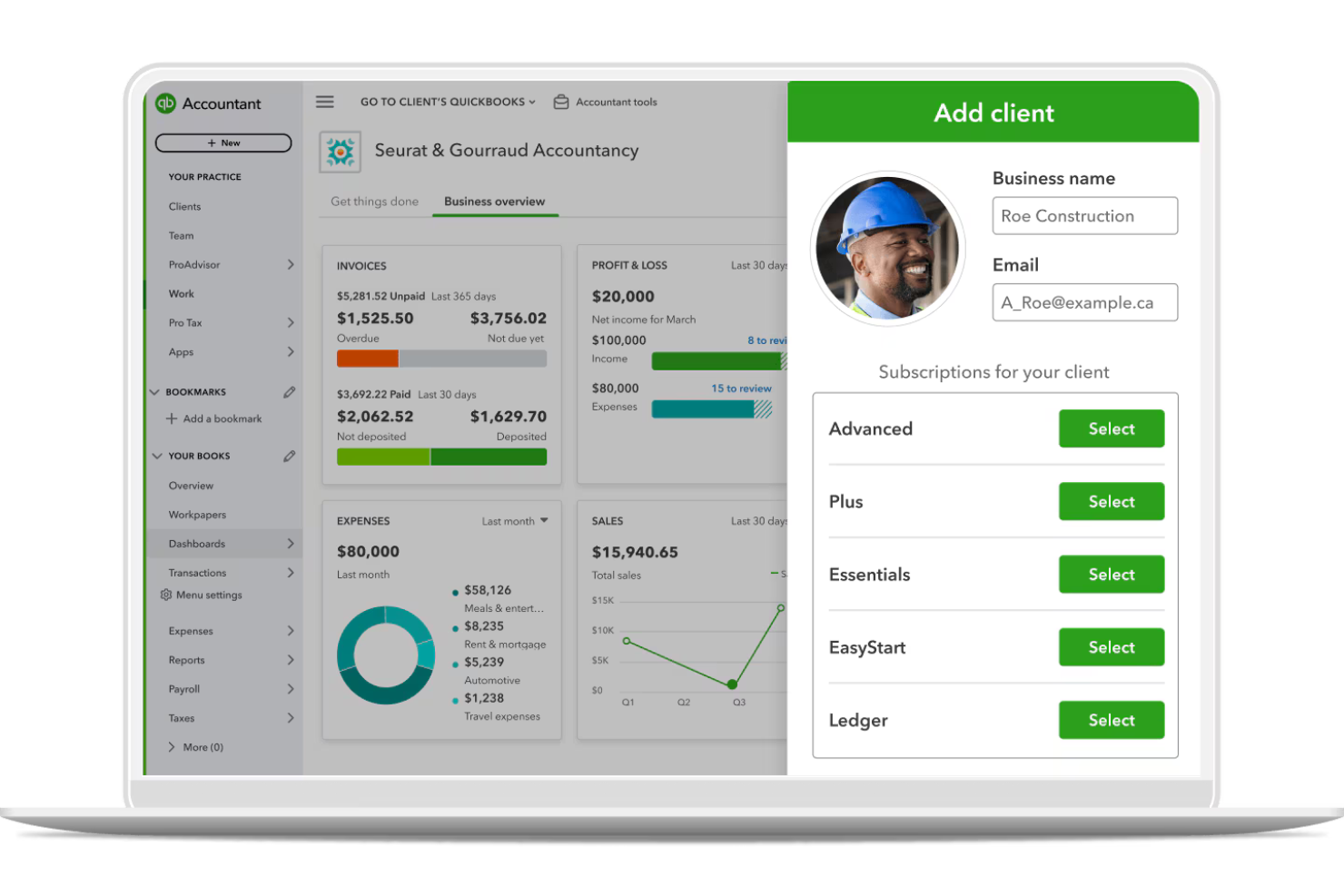
QuickBooks offers a digital platform for tracking expenses, managing receipts, and organizing financial records in one place. It’s a strong fit for small businesses and accountants who want to automate expense capture and keep audit trails clear. The tool helps reduce manual entry and supports accurate recordkeeping for tax and compliance needs.
Who Is QuickBooks Best For?
QuickBooks suits small businesses and accountants who need automated expense tracking and receipt management.
Why I Picked QuickBooks
I picked QuickBooks because it automates the process of matching receipts to bank and card transactions, which is a major challenge for finance teams handling high transaction volumes. The platform imports transactions directly from connected accounts and uses built-in logic to match them with uploaded receipts, reducing manual reconciliation work.
I also appreciate that QuickBooks flags unmatched or duplicate transactions, so you can quickly spot discrepancies and maintain accurate records. This level of automation is especially valuable for businesses that want to keep their expense tracking and audit trails up to date with minimal manual effort.
QuickBooks Key Features
Some other features that make QuickBooks useful for receipt management include:
- Receipt capture via mobile app: Snap photos of receipts on the go and upload them directly to your QuickBooks account.
- Automatic expense categorization: The system assigns expenses to the correct chart of accounts based on receipt details.
- Audit log tracking: Every change to receipts and expenses is logged for compliance and transparency.
- Multi-user access controls: Set permissions for who can upload, view, or edit receipts within your organization.
QuickBooks Integrations
Integrations include Amazon Business, PayPal, Square, Etsy, Amazon Seller, eBay, and Gusto.
Pros and Cons
Pros:
- Mobile app supports on-the-go receipt capture
- Imports bank and card data in real time
- Matches receipts to transactions automatically
Cons:
- Multi-currency receipt support is restricted
- No bulk receipt upload from desktop

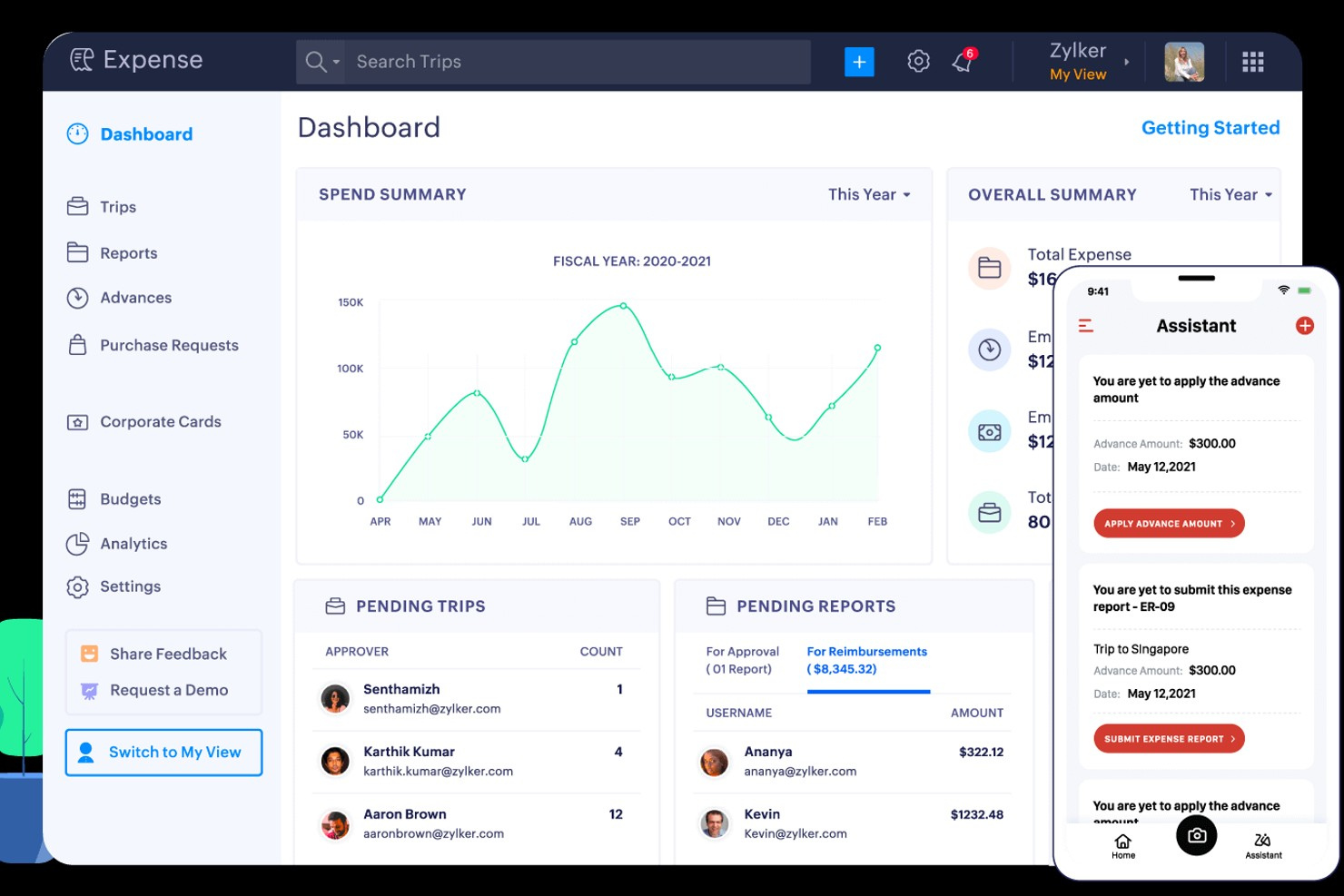
Zoho Expense is a digital expense management platform designed for finance teams and businesses that process high volumes of receipts. It appeals to organizations looking for automation and control over expense documentation and approvals. The software helps reduce manual entry and supports compliance with company policies.
Who Is Zoho Expense Best For?
Zoho Expense suits finance teams at mid-sized businesses that need to automate and manage large volumes of receipt data.
Why I Picked Zoho Expense
I chose Zoho Expense because its bulk receipt import and automation features address a real need for finance teams that handle large volumes of receipts. The platform lets users upload multiple receipts at once, whether through email, mobile app, or direct file import, which speeds up the documentation process. I also like that Zoho Expense uses OCR to automatically extract data from receipts and match them to expenses, reducing manual entry. These automation tools help businesses keep up with high transaction volumes and maintain accurate records.
Zoho Expense Key Features
Some other features in Zoho Expense that may support your finance operations include:
- Mileage expense tracking: Log and calculate mileage expenses using GPS or manual entry for business travel.
- Per diem automation: Set up and manage per diem rates for employees based on location and company policy.
- Multi-level approval workflows: Configure custom approval chains to match your organization’s expense authorization process.
- Audit trail: Maintain a detailed log of all actions taken on receipts and reports for compliance and transparency.
Zoho Expense Integrations
Integrations include QuickBooks Online, Xero, Sage Accounting, Zoho Books,and Slack.
Pros and Cons
Pros:
- Flagging of duplicate receipt entries
- Strong mileage and GPS tracking
- Direct sync with Zoho Books and CRM
Cons:
- Free plan has low monthly scan limits
- OCR can misread faded or messy text

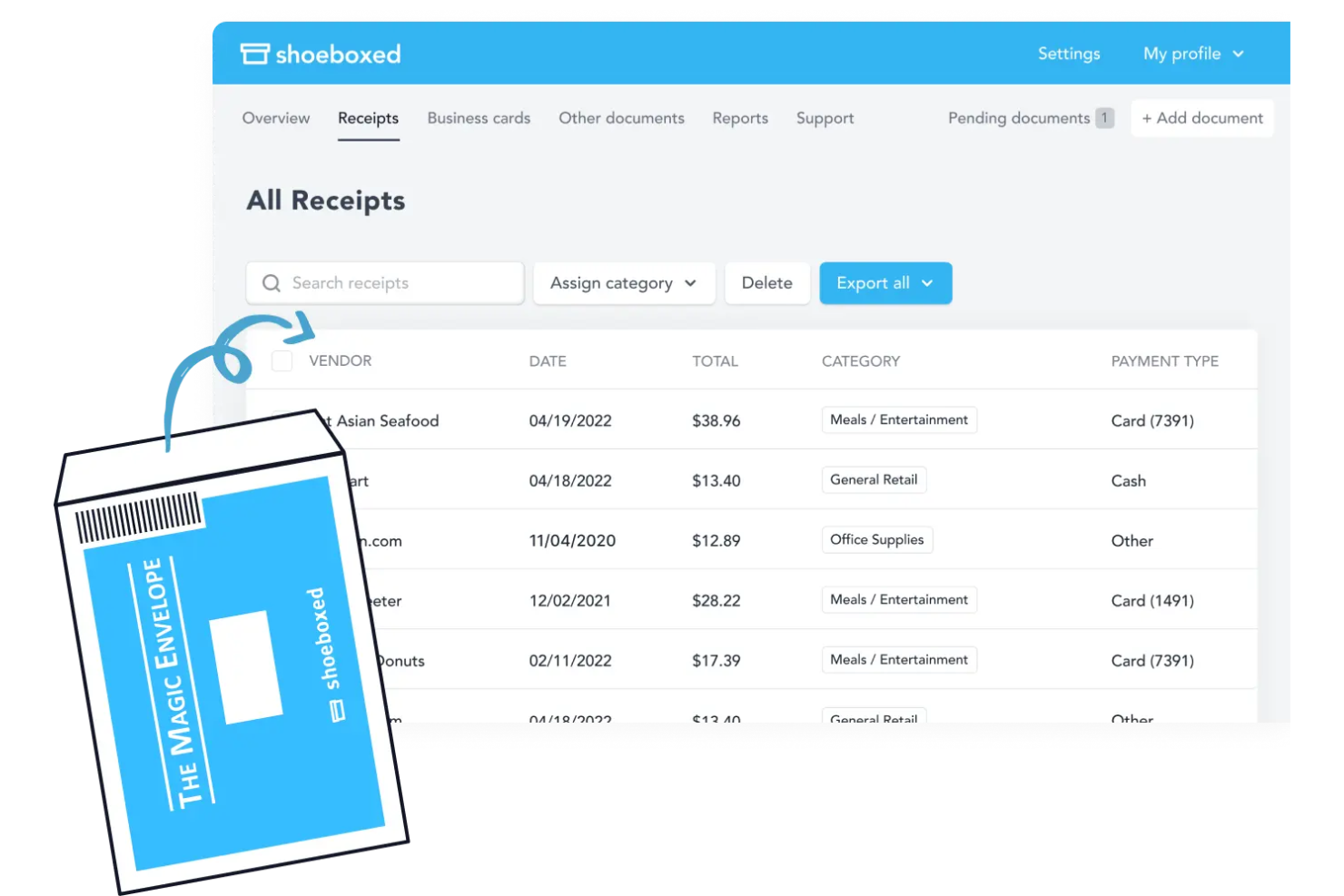
Shoeboxed offers a receipt management solution designed for businesses and professionals who handle large volumes of paper receipts. The platform is especially useful for accountants, bookkeepers, and small business owners who need to digitize and organize physical receipts for tax or expense reporting. Shoeboxed helps users convert paper clutter into searchable, categorized digital records.
Who Is Shoeboxed Best For?
Shoeboxed is a good fit for small businesses, accountants, and consultants who need to digitize and organize large volumes of paper receipts.
Why I Picked Shoeboxed
What makes Shoeboxed unique in the receipt management space is its mail-in paper receipt digitization service. I picked Shoeboxed because it lets you send physical receipts in prepaid envelopes, which their team then scans, categorizes, and uploads to your account as searchable digital records. This approach is especially helpful for businesses or professionals who still receive a lot of paper receipts and want to avoid manual data entry. Shoeboxed’s ability to handle physical paperwork sets it apart from most digital-only receipt management tools.
Shoeboxed Key Features
In addition to its mail-in digitization service, Shoeboxed offers several other features worth noting:
- Business card management: Scan and organize business cards, turning them into digital contacts within your account.
- Expense report generation: Create detailed expense reports with attached receipt images for easy sharing and recordkeeping.
- Mileage tracking: Use the mobile app to track and log mileage for business travel directly alongside your receipts.
- Multi-user access: Invite team members to your Shoeboxed account and set permissions for collaborative receipt management.
Shoeboxed Integrations
Integrations include QuickBooks, Xero, Evernote, WorkingPoint, Bench, RightSignature, and HP.
Pros and Cons
Pros:
- Searchable cloud storage for all documents
- Business card scanning for contact management
- Batch upload supports multiple receipt imports
Cons:
- Lacks advanced analytics or dashboarding tools
- Limited approval workflow for expense reports


Rydoo offers a cloud-based expense management platform designed for finance teams that need to automate receipt capture and expense workflows. The software appeals to organizations with global operations or strict compliance requirements. Rydoo helps businesses reduce manual review, improve audit readiness, and keep expense documentation organized in one place.
Who Is Rydoo Best For?
Rydoo fits finance teams at mid-sized to large companies that need automated compliance checks and global business expenses management.
Why I Picked Rydoo
I chose Rydoo because its AI-powered compliance auditing stands out for finance teams that need to enforce policy and reduce manual review. Rydoo automatically checks receipts and expenses against company policies, flagging potential issues before they reach approvers. I also appreciate that the platform uses machine learning to detect duplicates and suspicious activity, which helps teams catch errors and fraud early. These features make Rydoo a strong fit for organizations with strict audit requirements or complex approval chains.
Rydoo Key Features
Some other features in Rydoo that may help your finance team include:
- Real-time expense submission: Submit expenses instantly through the mobile app or web platform for faster processing.
- Per diem management: Set up and manage per diem allowances for business travel based on location and company policy.
- Integration with ERP systems: Connect Rydoo with ERP platforms like SAP and Microsoft Dynamics to sync expense data automatically.
- Multi-language interface: Access the platform in several languages to support global teams and users.
Rydoo Integrations
Integrations include NetSuite, SAP S/4HANA, Microsoft Dynamics 365 Business Central, QuickBooks, and Uber.
Pros and Cons
Pros:
- Real-time policy compliance checks
- Automatic currency & tax detection
- Easy multi-receipt batch uploading
Cons:
- Limited offline mode functionality
- Missing receipts can block submissions

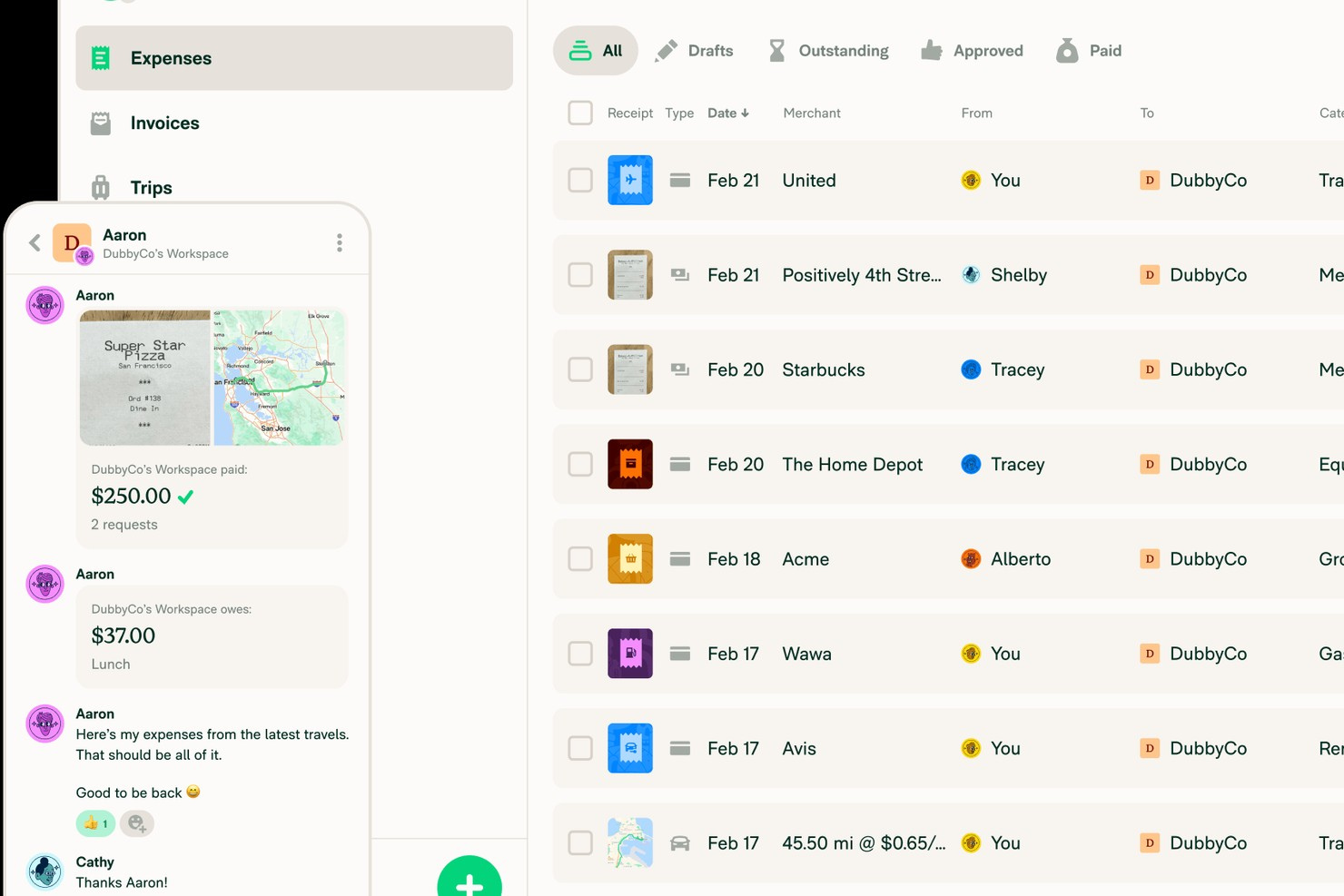
Expensify offers a digital platform for managing business receipts, expenses, and reimbursements in one place. It’s a strong fit for finance teams and businesses with distributed or traveling employees who need to track spending across different locations. The tool helps simplify receipt capture, automate expense reporting, and reduce manual work for busy professionals.
Who Is Expensify Best For?
Expensify suits finance teams and businesses that manage global or multi-currency employee reimbursements.
Why I Picked Expensify
I picked Expensify because it handles multi-currency global reimbursements with features that directly address the challenges of international expense management. The platform automatically converts receipts into your home currency and supports reimbursement workflows for employees in different countries. I also appreciate that Expensify tracks exchange rates and applies them to each transaction, so finance teams can maintain accurate records without manual calculations. This makes it a strong choice for businesses with global operations or remote teams who regularly deal with cross-border expenses.
Expensify Key Features
Some other features that make Expensify useful for receipt management include:
- SmartScan receipt capture: Upload receipts by snapping a photo, and Expensify automatically extracts and categorizes the data.
- Corporate card reconciliation: Link company cards to automatically match receipts and transactions for easier expense tracking.
- Policy enforcement tools: Set custom rules for expense approvals, spending limits, and compliance checks within the platform.
- Automated receipt forwarding: Forward emailed receipts directly to Expensify for instant processing and attachment to expense reports.
Expensify Integrations
Integrations include QuickBooks, Xero, NetSuite, Sage Intacct, Oracle, and Lyft.
Pros and Cons
Pros:
- Allows receipt forwarding via email
- Offers direct corporate card integration
- Supports automatic receipt data extraction
Cons:
- Lacks granular reporting on receipt-level data
- Mobile app can be slow with large uploads

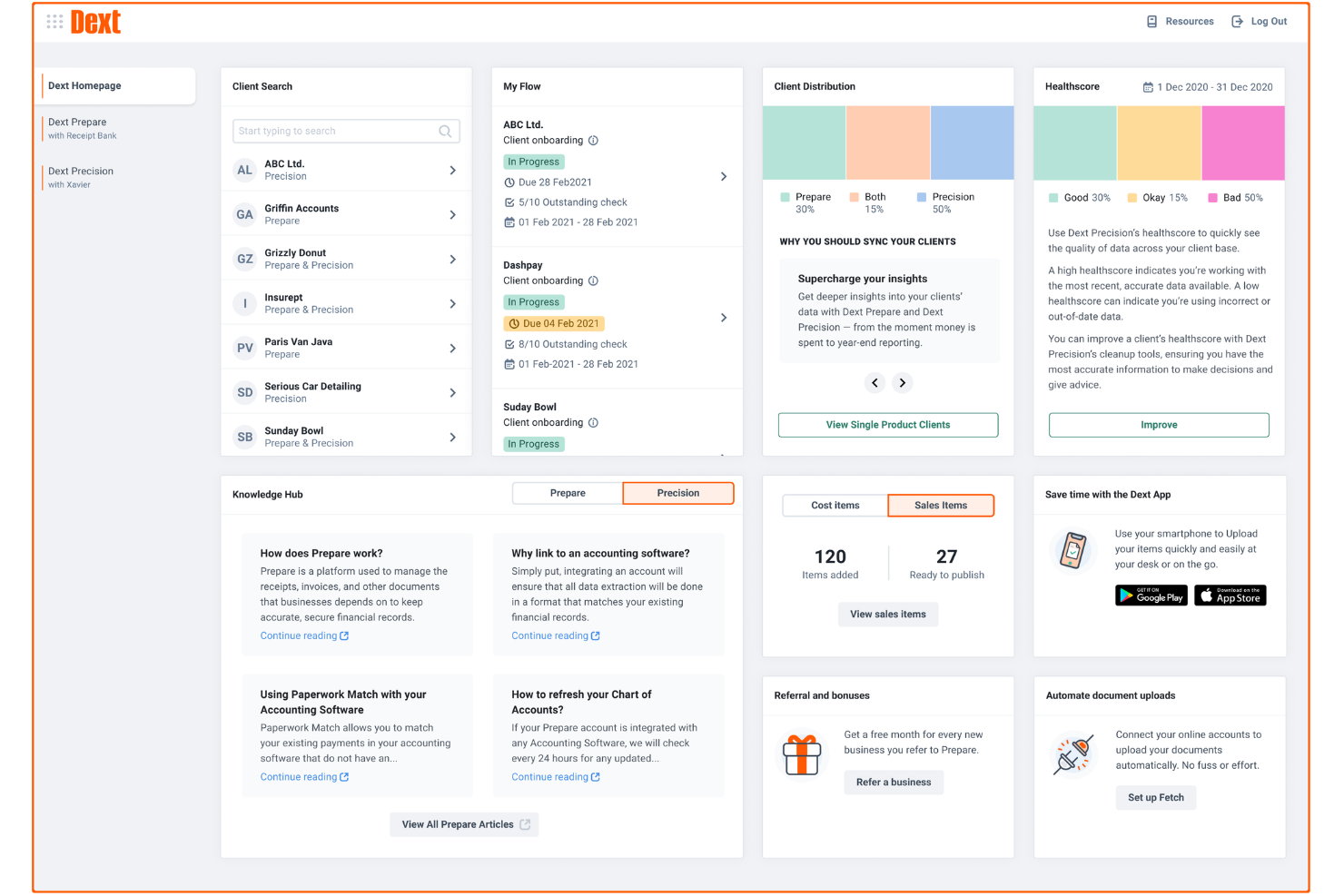
Dext offers a digital solution for businesses and accountants who need to capture, organize, and process receipts with minimal manual effort. The platform is designed for teams that want to automate data extraction and reduce time spent on expense documentation. It’s especially useful for firms managing high volumes of receipts and looking to improve accuracy in their financial workflows.
Who Is Dext Best For?
Dext suits accountants, bookkeepers, and small to mid-sized businesses that need to automate receipt capture and integrate expense data directly with their accounting systems.
Why I Picked Dext
I chose Dext because its real-time accounting software sync addresses a common challenge for finance teams: keeping expense data up to date across platforms. Dext lets you capture receipts and automatically push extracted data directly into your accounting system, reducing manual entry and reconciliation work. I appreciate how the tool supports live syncing with popular accounting platforms, so your records reflect the latest transactions without delay. This makes Dext especially valuable for businesses that need accurate, current expense data for reporting and compliance.
Dext Key Features
Some other features in Dext that support receipt management include:
- Mobile receipt capture: Snap photos of receipts using the mobile app for instant upload and processing.
- Multi-user access: Allow multiple team members to submit receipts and manage expenses within a single account.
- Automated expense categorization: Assigns receipts to the correct expense categories based on predefined rules.
- Export to multiple formats: Download receipt data and reports in formats like PDF, CSV, or Excel for further analysis or sharing.
Dext Integrations
Integrations include Xero, QuickBooks, Sage, PayPal, Shopify, and Stripe.
Pros and Cons
Pros:
- Handles multi-page and long receipts easily
- Secure cloud storage for all documents
- Mobile app supports offline receipt capture
Cons:
- Misreads or omits receipt line items
- Occasional errors in currency recognition

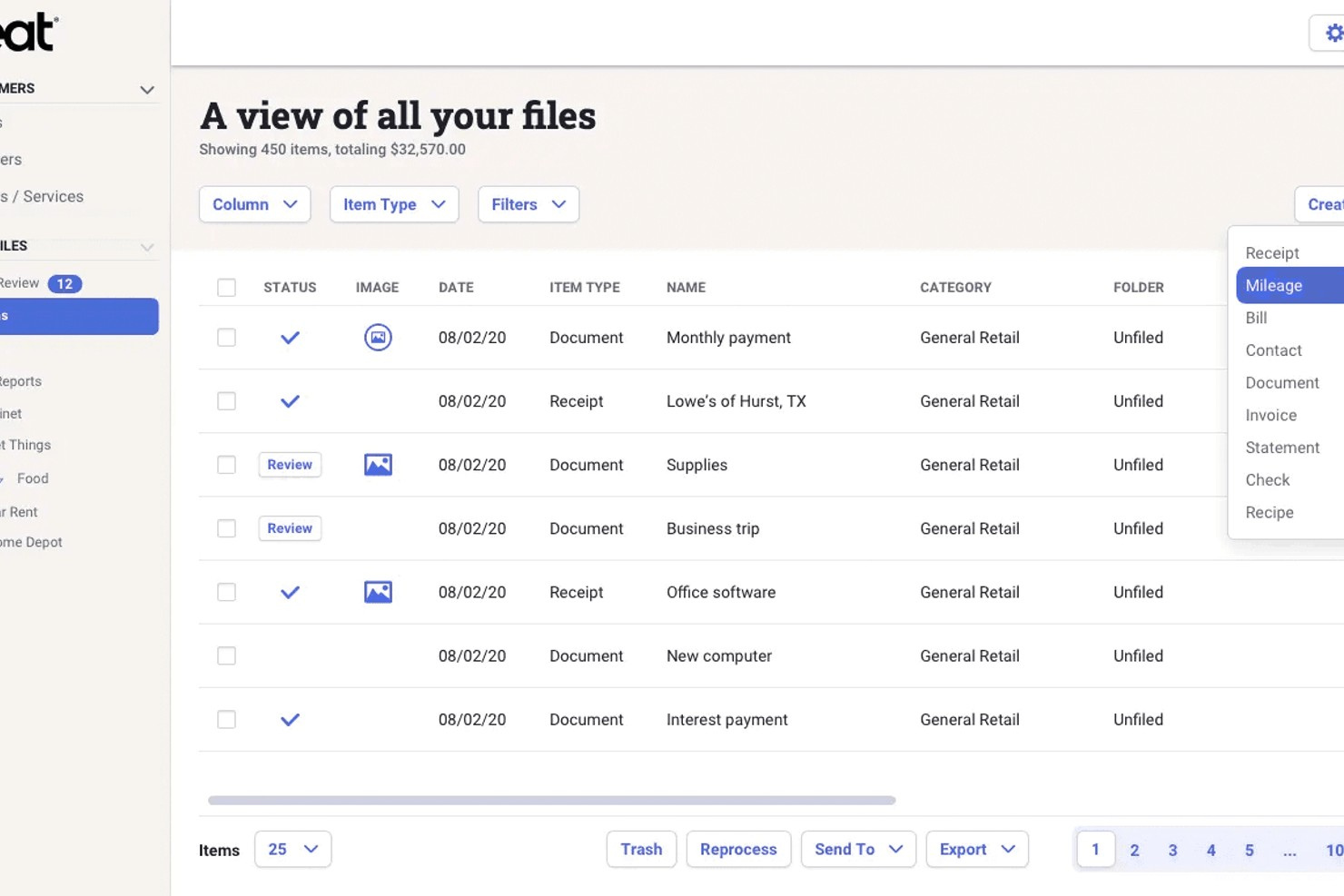
Neat offers a digital document management platform designed for small businesses and self-employed professionals who need to organize and store receipts securely. The tool helps users centralize financial documents, making it easier to find, share, and prepare records for accounting or tax purposes. Neat is especially useful for those who want to reduce paper clutter and improve document accessibility.
Who Is Neat Best For?
Neat is a strong fit for small businesses and self-employed professionals who need secure, centralized storage for financial documents and receipts.
Why I Picked Neat
What stands out about Neat for receipt management is its focus on secure digital document storage. I picked Neat because it offers bank-level encryption and role-based access controls, which help protect sensitive financial documents from unauthorized access. The platform also lets you organize, tag, and search receipts and other documents, making it easy to retrieve records during audits or tax season. For finance professionals who need to keep documents safe and accessible, Neat’s security and organization features are especially valuable.
Neat Key Features
Some other features in Neat that may interest your team include:
- Bank account integration: Connect your business bank accounts to automatically import and reconcile transactions within the platform.
- Custom expense categorization: Create and manage custom categories to organize receipts and expenses according to your business needs.
- Mobile receipt capture: Use the mobile app to snap photos of receipts and upload them directly to your Neat account.
- Export to accounting software: Export your financial data in formats compatible with QuickBooks, Excel, and other accounting platforms.
Neat Integrations
Integrations include QuickBooks Online, H&R Block, Quicken, TurboTax, Outlook, and Constant Contact.
Pros and Cons
Pros:
- Direct export to QuickBooks and TurboTax
- Custom expense categories for detailed tracking
- Batch upload for multiple receipt imports
Cons:
- Occasional data extraction errors with faded receipt
- No mobile app for on-the-go capture

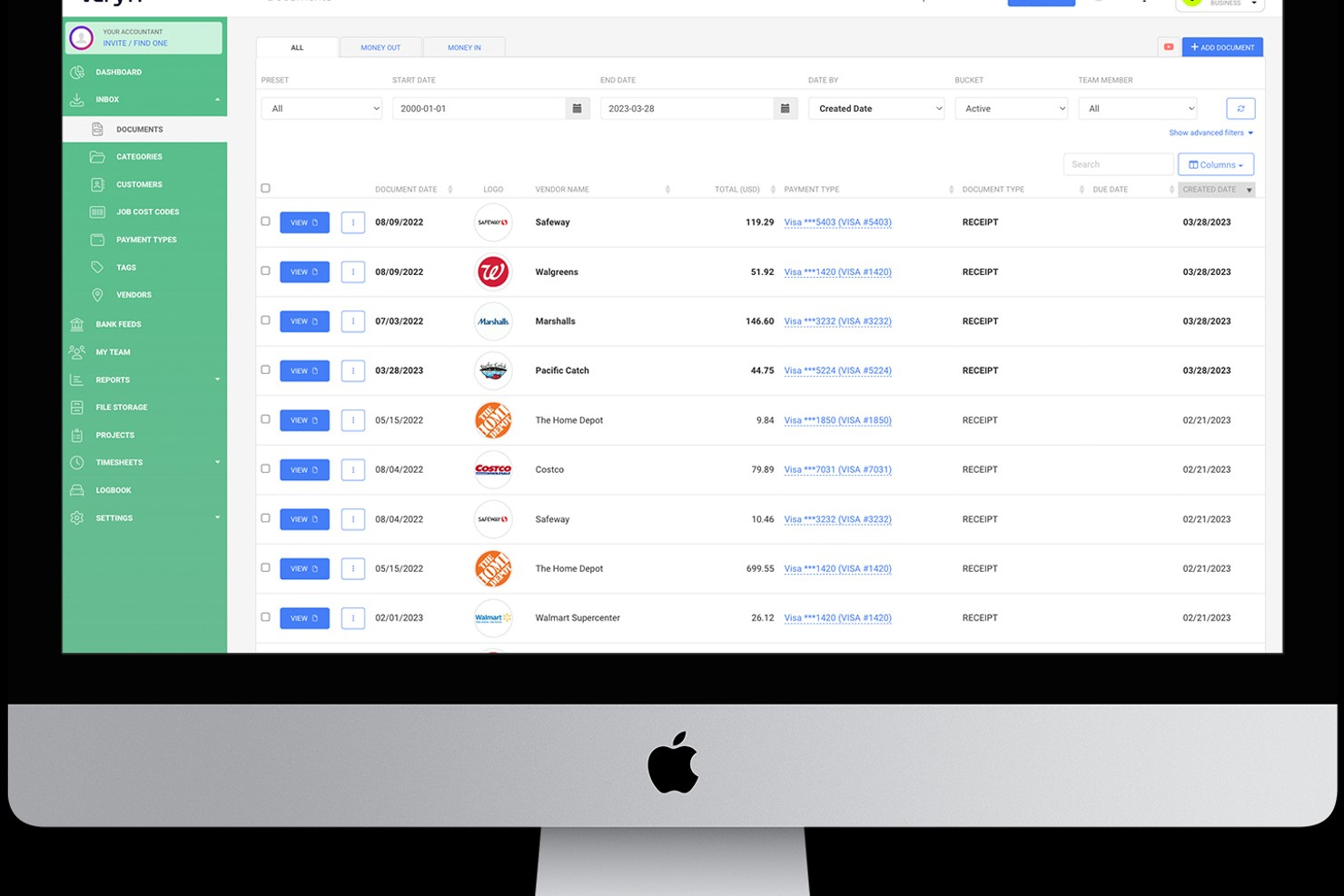
Veryfi is a receipt management platform designed for finance teams, accountants, and business owners who need fast, accurate data capture from receipts and invoices. The tool appeals to organizations that process high volumes of expense documents and want to automate manual entry. With its focus on real-time extraction and secure storage, Veryfi helps users reduce errors and improve expense tracking efficiency.
Who Is Veryfi Best For?
Veryfi is a strong choice for finance teams and accountants in mid-sized to large businesses that need detailed, automated extraction of receipt and invoice data.
Why I Picked Veryfi
What drew me to Veryfi for receipt management is its advanced line-item data extraction, which goes beyond just capturing totals and dates. The platform uses AI-powered OCR to pull out individual items, quantities, and prices from receipts, making it much easier to analyze spending at a granular level. I also appreciate that Veryfi processes documents in real time, so you get immediate access to structured data for reporting or audits. This level of detail is especially valuable for finance teams that need to track expenses by category or project without manual entry.
Veryfi Key Features
Some other features that make Veryfi useful for receipt management include:
- Mobile receipt capture: Snap photos of receipts using the mobile app for instant upload and processing.
- Multi-currency support: Automatically recognizes and converts foreign currencies on receipts.
- Audit trail tracking: Maintains a detailed log of all document actions and edits for compliance.
- Custom expense categories: Lets you assign receipts to user-defined categories for better organization.
Veryfi Integrations
Integrations include QuickBooks Online, Xero, Dropbox, and Google Drive.
Pros and Cons
Pros:
- Offers detailed audit trails for compliance
- Real-time data extraction and processing
- Fast and accurate OCR for receipts
Cons:
- Higher starting price than some competitors
- No built-in mileage or time tracking

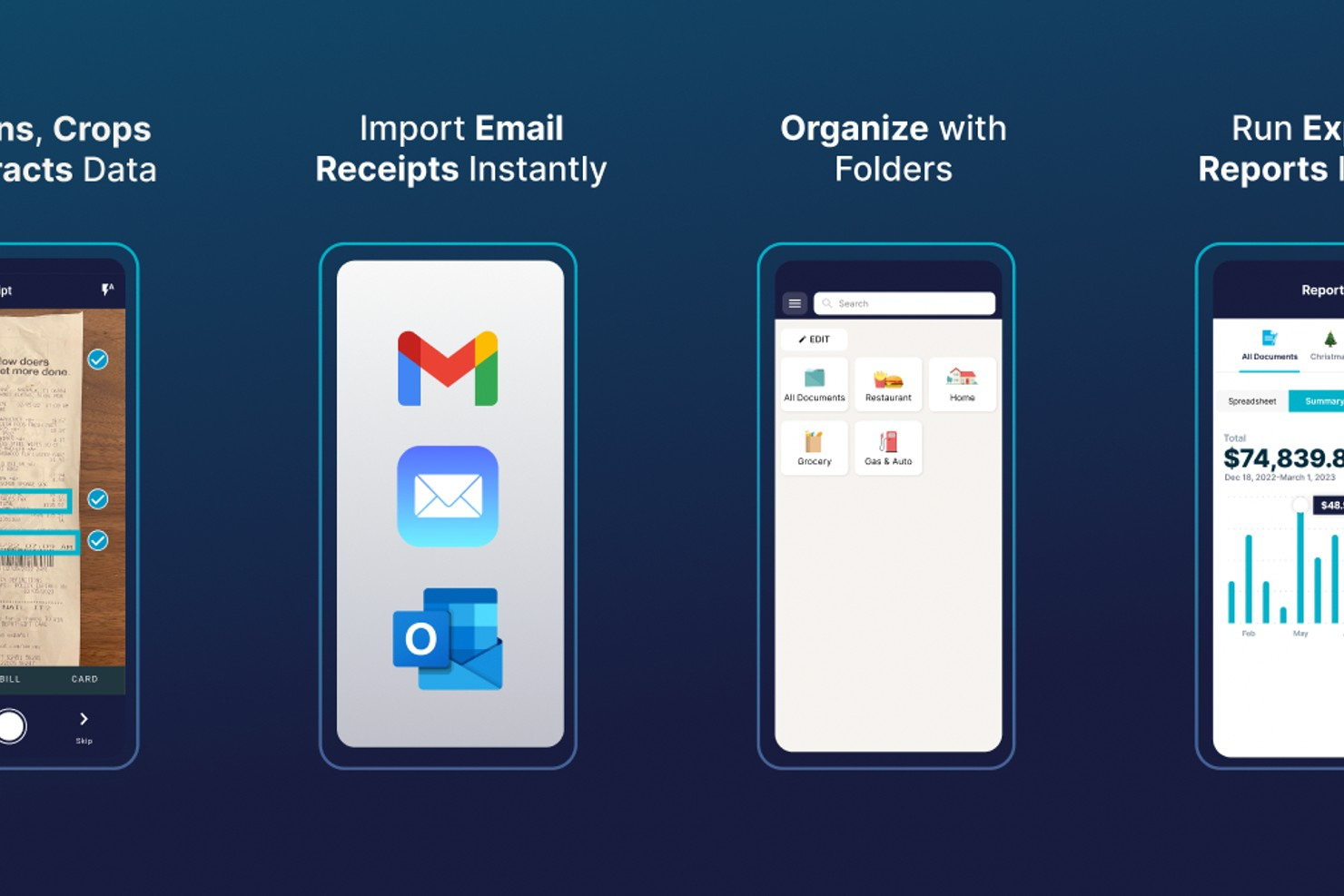
SimplyWise is a mobile app designed for individuals and small business owners who want to organize receipts digitally without manual entry. The app uses smart scanning and categorization to help users keep expense records tidy and accessible. It’s especially useful for anyone who needs to manage receipts from multiple sources in one place.
Who Is SimplyWise Best For?
SimplyWise is a good fit for freelancers, small business owners, and individuals who need a mobile-first solution for organizing and tracking receipts from multiple sources.
Why I Picked SimplyWise
What sets SimplyWise apart for receipt management is its ability to automatically import receipts from your email, which is a major time-saver for anyone who receives digital receipts from vendors or online purchases. I picked SimplyWise because it scans your inbox for receipts and pulls them into the app without manual forwarding or uploads. The app also uses OCR to extract key details from each receipt, so you can quickly categorize and search your expenses. This approach is especially helpful for users who want to centralize both paper and digital receipts in one place without extra steps.
SimplyWise Key Features
Some other features that make SimplyWise useful for receipt management include:
- Mobile receipt scanning: Capture paper receipts instantly using your phone’s camera and store them digitally.
- Custom expense categories: Create and manage your own categories to organize receipts according to your business or personal needs.
- Export to spreadsheet: Download your receipt data as a CSV or Excel file for further analysis or sharing with your accountant.
- Automatic backup to cloud storage: Securely back up all receipt images and data to the cloud for easy retrieval and peace of mind.
SimplyWise Integrations
Integrations include Gmail, Outlook, Amazon, Walmart, and PayPal.
Pros and Cons
Pros:
- Connects to Amazon and PayPal for purchase tracking
- Supports custom expense categories for sorting
- Exports receipt data to Excel or CSV
Cons:
- Mobile app only, no desktop version
- Lacks multi-user or team collaboration features

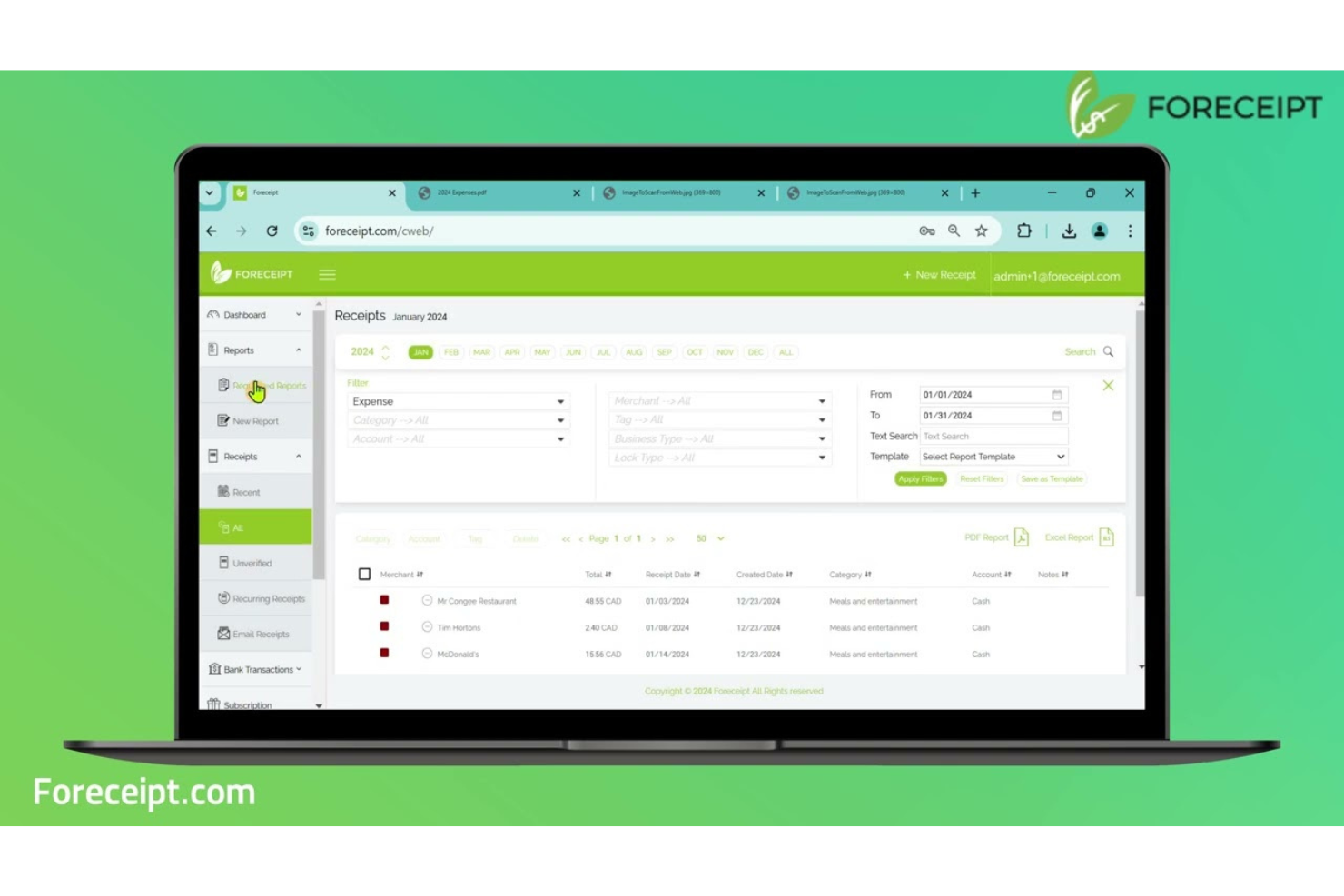
Foreceipt offers a cloud-based receipt and expense tracking solution designed for individuals and small businesses who need to organize financial records for tax or audit purposes. The platform appeals to users who want to capture, categorize, and store receipts digitally from any device. Its focus on compliance and detailed record-keeping helps users stay prepared for financial reporting and regulatory requirements.
Who Is Foreceipt Best For?
Foreceipt is a good fit for freelancers, small business owners, and self-employed professionals in the US and Canada who need to track expenses for tax compliance.
Why I Picked Foreceipt
I chose Foreceipt because it’s one of the few receipt management tools that specifically supports both IRS and CRA-compliant expense categories. This focus makes it especially useful for users who need to organize receipts and expenses in a way that aligns with US and Canadian tax regulations. Foreceipt lets you assign receipts to tax-compliant categories and generates reports formatted for audit or tax filing. I also appreciate that it automatically extracts and organizes key data from receipts, reducing manual entry and helping users stay prepared for tax season.
Foreceipt Key Features
Some other features in Foreceipt that may be useful for your business include:
- Cloud-based storage: Store all receipts and documents securely in the cloud for easy access from any device.
- Multi-currency support: Track and manage expenses in multiple currencies, which is helpful for international transactions.
- Recurring expense tracking: Set up and monitor recurring expenses to keep regular payments organized and visible.
- Customizable reports: Generate and customize financial reports to match your business’s specific reporting needs.
Foreceipt Integrations
Native integrations are not currently listed for Foreceipt.
Pros and Cons
Pros:
- Generous free plan for basic users
- Exports expense reports to PDF and Excel
- Auto-extracts data from receipt images
Cons:
- Support response times can vary
- Complex pricing for upgraded plans
Other Receipt Management Software
Here are some additional receipt management software options that didn’t make it onto my shortlist, but are still worth checking out:
- Ramp
For policy-based spend controls
- Sage Expense Management (formerly Fyle)
For text-based receipt submission
- Wave
For freelancers managing digital receipts
- BILL Spend & Expense
For customizable approval workflows
- Xero
With mobile expense claim submissions


Receipt Management Software Selection Criteria
When selecting the best receipt management software to include in this list, I considered common buyer needs and pain points like reducing manual data entry and ensuring accurate expense documentation. I also used the following framework to keep my evaluation structured and fair:
Core Functionality (25% of total score)
To be considered for inclusion in this list, each solution had to fulfill these common use cases:
- Capture and store digital receipts
- Extract data from scanned receipts
- Categorize expenses automatically
- Attach receipts to expense reports
- Export receipt data for accounting
Additional Standout Features (25% of total score)
To help further narrow down the competition, I also looked for unique features, such as:
- Bulk receipt import capabilities
- Automated policy compliance checks
- Multi-language OCR support
- Corporate card transaction matching
- Customizable approval workflows
Usability (10% of total score)
To get a sense of the usability of each system, I considered the following:
- Simple and intuitive user interface
- Clear navigation between modules
- Mobile app functionality and design
- Speed of uploading and processing receipts
- Accessibility for non-technical users
Onboarding (10% of total score)
To evaluate the onboarding experience for each platform, I considered the following:
- Availability of step-by-step setup guides
- Access to training videos and tutorials
- Interactive product tours for new users
- Pre-built templates for expense categories
- Responsive onboarding support or chatbots
Customer Support (10% of total score)
To assess each software provider’s customer support services, I considered the following:
- Multiple support channels like chat and phone
- Fast response times to inquiries
- Access to a searchable help center
- Availability of live training or webinars
- Quality of troubleshooting and follow-up
Value For Money (10% of total score)
To evaluate the value for money of each platform, I considered the following:
- Transparent and predictable pricing structure
- Range of features included in base plans
- Free trial or free plan availability
- Cost compared to similar tools
- Flexibility to scale with business needs
Customer Reviews (10% of total score)
To get a sense of overall customer satisfaction, I considered the following when reading customer reviews:
- Consistency of positive feedback across platforms
- Reports of reliable receipt data extraction
- User satisfaction with automation features
- Feedback on customer support experiences
- Frequency of complaints about bugs or downtime
How to Choose Receipt Management Software
It’s easy to get bogged down in long feature lists and complex pricing structures. To help you stay focused as you work through your unique software selection process, here’s a checklist of factors to keep in mind:
| Factor | What to Consider |
| Scalability | Will the software handle your current and projected receipt volume as your business grows? |
| Integrations | Does it connect natively to your accounting, ERP, HR, and card systems without manual workarounds? |
| Customizability | Can you tailor approval workflows, expense categories, and user permissions to fit your policies? |
| Ease of use | Will your team adopt the tool quickly, or will training and support be a constant need? |
| Implementation and onboarding | How long will it take to get up and running, and what resources or support will you need? |
| Cost | Are pricing tiers clear, and do they align with your usage patterns and budget constraints? |
| Security safeguards | Does the vendor offer encryption, audit trails, and access controls that meet your compliance needs? |
| Support availability | Can you reach support during your business hours, and are SLAs or escalation paths clearly defined? |
What Is Receipt Management Software?
Receipt management software is a digital tool that captures, stores, and organizes receipts for expense tracking and financial reporting. These platforms use features like data extraction, categorization, and document storage to help finance teams reduce manual entry and maintain accurate records. By centralizing receipt data, businesses can streamline audits, support compliance, and simplify reimbursement or reconciliation processes.
Features of Receipt Management Software
When selecting receipt management software, keep an eye out for the following key features:
- Digital receipt capture: Lets users upload or photograph receipts using a mobile device or desktop, creating a digital record for each transaction.
- Data extraction: Automatically pulls key information—such as date, amount, and vendor—from uploaded receipts to reduce manual entry.
- Expense categorization: Assigns receipts to predefined expense categories, helping maintain organized records and accurate reporting.
- Receipt storage: Stores digital copies of receipts in a searchable, centralized repository for easy retrieval and audit readiness.
- Approval workflows: Routes submitted expense receipts through customizable approval chains to ensure compliance with company policies.
- Integration with accounting systems: Connects directly to accounting or ERP platforms, syncing receipt data for streamlined reconciliation and reporting.
- Multi-currency support: Handles receipts in different currencies, converting amounts and supporting international business needs.
- Audit trail: Tracks all actions taken on receipts, providing a transparent history for compliance and internal controls.
- Mobile app access: Offers a dedicated mobile application so users can manage receipts and expenses on the go.
- Export and reporting tools: Allows users to generate reports or export receipt data in various formats for further analysis or sharing.
Common Receipt Management Software AI Features
Beyond the standard receipt management software features listed above, many of these solutions are incorporating AI with features like:
- Smart receipt classification: Uses AI to automatically recognize and assign receipts to the correct expense categories based on historical data and context.
- Anomaly detection: Flags unusual or potentially fraudulent receipts by analyzing spending patterns and identifying outliers that may require further review.
- Automated policy enforcement: Applies AI to review receipts against company policies in real time, alerting users or approvers to non-compliant submissions.
- Contextual data enrichment: Enhances receipt records by pulling in additional information—such as merchant details or location data—using AI-driven data matching.
- Predictive expense suggestions: Recommends likely expense categories or approvers for new receipts based on past user behavior and organizational trends.
Benefits of Receipt Management Software
Implementing receipt management software provides several benefits for your team and your business. Here are a few you can look forward to:
- Reduced manual data entry: Automated data extraction from receipts minimizes time spent on manual input and lowers the risk of errors.
- Improved compliance: Customizable approval workflows and audit trails help ensure adherence to company policies and regulatory requirements.
- Faster reimbursement cycles: Digital capture and streamlined approval processes speed up expense reporting and employee reimbursements.
- Centralized document storage: All receipts are stored in a searchable, secure repository, making audits and retrieval much easier.
- Enhanced financial visibility: Real-time reporting and integration with accounting systems provide up-to-date insights into spending patterns.
- Better fraud detection: AI-powered anomaly detection and policy enforcement help identify suspicious or non-compliant expenses early.
- Scalability for growing teams: Cloud-based platforms and bulk import features support increasing receipt volumes as your business expands.
Costs and Pricing of Receipt Management Software
Selecting receipt management software requires an understanding of the various pricing models and plans available. Costs vary based on features, team size, add-ons, and more. The table below summarizes common plans, their average prices, and typical features included in receipt management software solutions:
Plan Comparison Table for Receipt Management Software
| Plan Type | Average Price | Common Features |
| Free Plan | $0 | Basic receipt capture, limited storage, manual data entry, and basic export options. |
| Personal Plan | $5-$15/user/month | Digital receipt capture, data extraction, expense categorization, and mobile app access. |
| Business Plan | $15-$40/user/month | Automated approval workflows, accounting integrations, bulk import, audit trails, and reporting tools. |
| Enterprise Plan | $40-$80/user/month | Custom workflows, advanced security, multi-entity support, dedicated onboarding, and priority support. |
Receipt Management Software FAQs
Here are some answers to common questions about receipt management software:
Can receipt management software handle receipts in multiple currencies?
Yes, most receipt management software supports multi-currency receipts. This is important for businesses with international operations or employees who travel, as it ensures accurate conversion and reporting of expenses in different currencies.
How secure is receipt management software for storing sensitive financial documents?
Most solutions use encryption, access controls, and audit trails to protect sensitive data. When evaluating options, check for compliance with standards like SOC 2 or ISO 27001 and ask about data residency and backup policies.
What types of integrations should I look for in receipt management software?
Look for integrations with your accounting system, ERP, payroll, and corporate card providers. Seamless integrations reduce manual work and help maintain accurate, up-to-date financial records.
How long does it take to implement receipt management software?
Implementation time varies by vendor and company size, but most cloud-based solutions can be set up in a few days to a couple of weeks. Consider the availability of onboarding support, training resources, and data migration tools.
Can receipt management software help with audit preparation?
Yes, these tools centralize and organize receipts, provide searchable storage, and maintain audit trails. This makes it easier to retrieve documents and demonstrate compliance during internal or external audits.
What’s Next:
If you're in the process of researching receipt management software, connect with a SoftwareSelect advisor for free recommendations.
You fill out a form and have a quick chat where they get into the specifics of your needs. Then you'll get a shortlist of software to review. They'll even support you through the entire buying process, including price negotiations.