
13 Receipt Scanner Apps for 2026

Receipt Scanner App Shortlist
Here’s my shortlist of receipt scanner apps:


A receipt scanner app is a mobile or desktop tool that captures, digitizes, and organizes receipts for easier expense tracking and reporting. If you’re searching for the best receipt scanning apps, you’re likely looking to reduce manual data entry, improve accuracy, and keep your financial records audit-ready.
With so many options available, it’s important to find a solution that fits your workflow, integrates with your accounting tools, and handles the volume and types of receipts your business processes. This list will help you compare top apps for 2026, so you can choose the right one to simplify your expense management and stay focused on your financial goals.
Why Trust Our Software Reviews
Best Receipt Scanner App Summary
This comparison chart summarizes pricing details for my top receipt scanner app selections to help you find the best one for your budget and business needs.
| Tool | Best For | Trial Info | Price | ||
|---|---|---|---|---|---|
| 1 | Best for direct integration with bookkeeping | 30-day free trial available | From $38/user/month | Website | |
| 2 | Best for policy-based expense automation | 14-day free trial + free plan + free demo available | From C$4/user/month (billed annually) | Website | |
| 3 | Best for physical receipt mail-in service | 30-day free trial + free demo available | From $97/year (billed annually) | Website | |
| 4 | Best for automatic syncing with accounting tools | Free plan available | From $19/month | Website | |
| 5 | Best for multi-currency document processing | 14-day free trial + free demo available | From $20.80/client/month (billed annually) | Website | |
| 6 | Best for line item extraction from receipts | Free trial + free demo available | From $13/month (VAT excluded) | Website | |
| 7 | Best for organizing receipts with expense categorization | 14-day free trial available | From $200 (billed annually) | Website | |
| 8 | Best for real-time data extraction from receipts | 14-day free trial + free plan + free demo available | From $500+/month | Website | |
| 9 | Best for scanning receipts with OCR on mobile devices | Free download available | Pricing upon request | Website | |
| 10 | Best for customizable receipt templates | Free download available | Pricing upon request | Website |
-

LiveFlow
Visit WebsiteThis is an aggregated rating for this tool including ratings from Crozdesk users and ratings from other sites.4.9 -
Float Financial
Visit WebsiteThis is an aggregated rating for this tool including ratings from Crozdesk users and ratings from other sites.4.1 -
Creatio CRM
Visit WebsiteThis is an aggregated rating for this tool including ratings from Crozdesk users and ratings from other sites.4.7


Receipt Scanner App Reviews
Below are my detailed summaries of the receipt scanner apps that made it onto my shortlist. My reviews offer a detailed look at the features, best use cases, and integrations of each tool to help you find the best one for you.

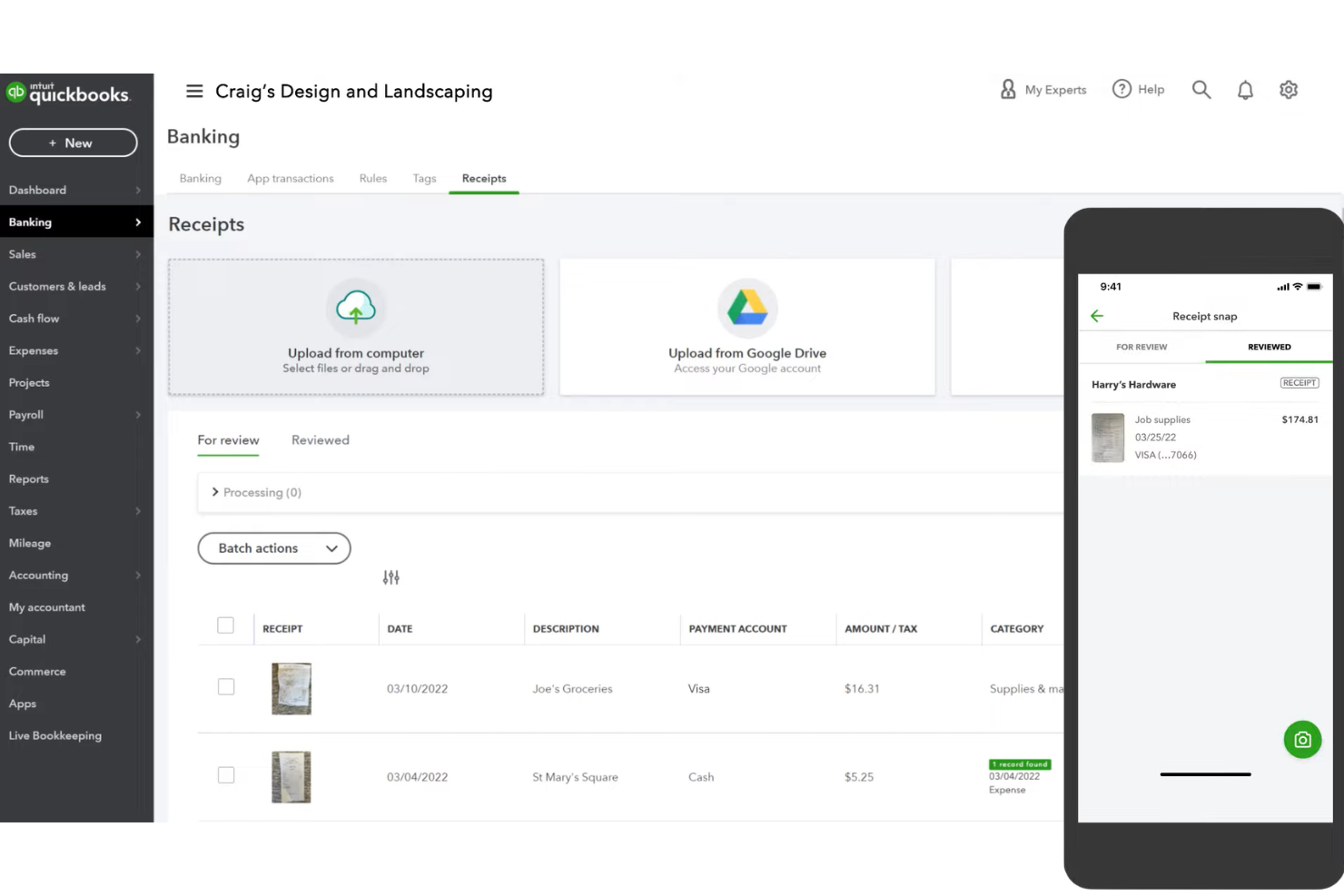
QuickBooks offers a receipt capture feature built directly into its accounting platform, making it a practical choice for small businesses and accountants who want to keep expense documentation tied to their books. The tool appeals to users who need to digitize, categorize, and store receipts alongside their financial transactions. It helps reduce manual entry and supports audit readiness by keeping receipts organized within the same system as your accounting records.
Who Is QuickBooks Best For?
QuickBooks is a good fit for small businesses and accountants who want to manage receipts and expenses directly within their accounting software.
Why I Picked QuickBooks
What makes QuickBooks a strong choice for receipt scanning is its direct integration with bookkeeping features. I picked this tool because it lets you capture and upload receipts straight into your accounting records, automatically matching them to transactions and categorizing expenses. This tight connection between receipt management and your general ledger reduces the risk of lost documentation and manual entry errors. For finance teams that want to keep expense tracking and accounting in one place, QuickBooks offers a seamless workflow from receipt capture to reconciliation.
QuickBooks Key Features
Some other features that make QuickBooks useful for receipt management include:
- Mobile receipt capture: Snap photos of receipts using the QuickBooks mobile app for instant upload.
- Automatic receipt data extraction: The system reads and fills in receipt details using OCR technology.
- Receipt attachment to transactions: Attach digital receipts directly to specific expenses or bills for easy reference.
- Audit log tracking: Track all changes and uploads to receipts for compliance and audit purposes.
QuickBooks Integrations
Integrations include Amazon Business, PayPal, Square, Etsy, Amazon Seller, eBay, and Gusto.
Pros and Cons
Pros:
- Attaches receipt images to invoices
- Organizes expenses for easy tax prep
- Matches receipts to bank transactions
Cons:
- Overkill if you just need a scanner
- Mobile app experiences frequent bugs

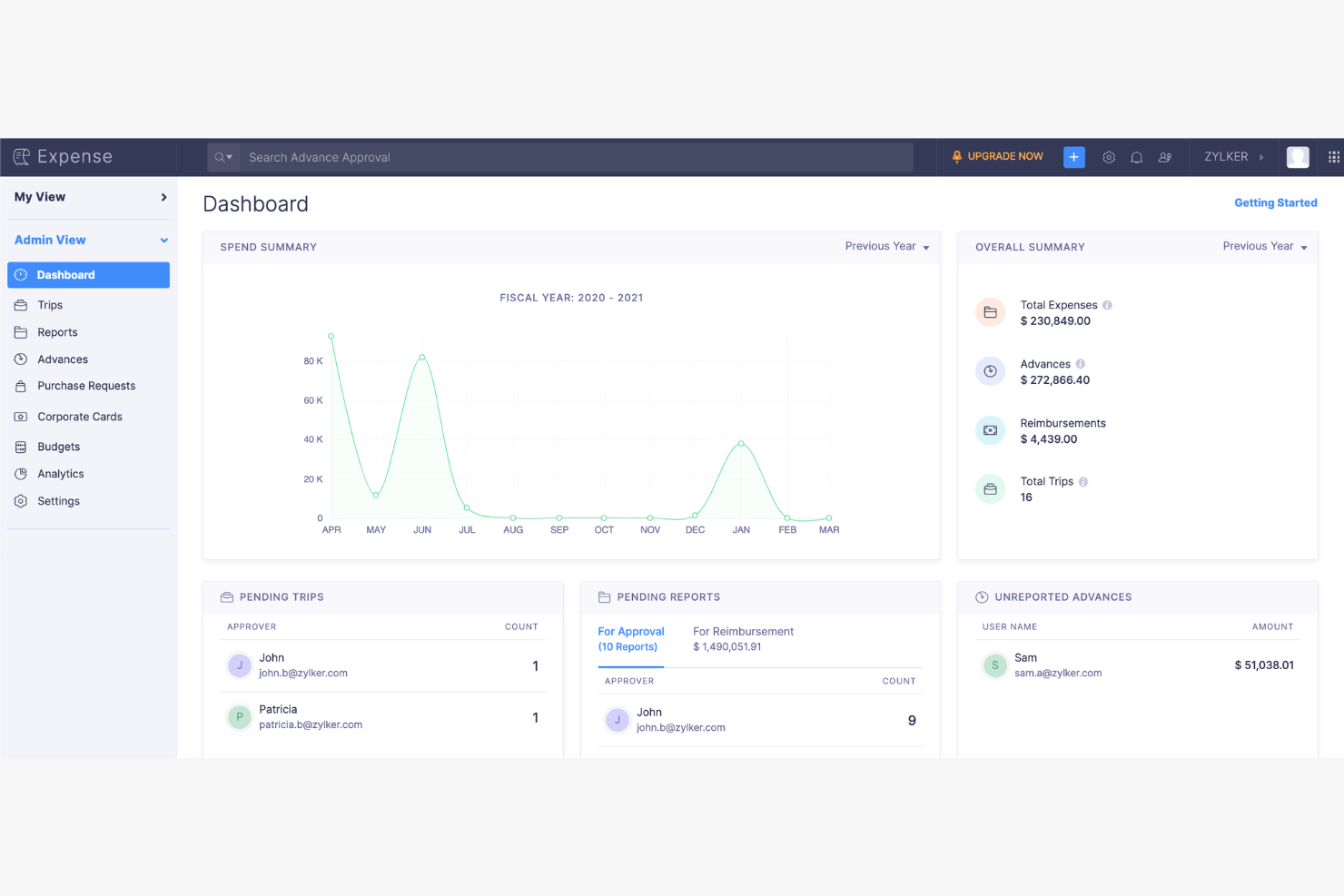
If your team needs a receipt scanner app that fits into a larger business expense management workflow, Zoho Expense is worth considering. The platform is designed for organizations that want to automate expense capture, approval, and compliance. It appeals to finance teams and business travelers who need to manage receipts, track spending, and simplify reimbursement processes.
Who Is Zoho Expense Best For?
Zoho Expense is a good fit for mid-sized businesses and finance teams that need automated expense policy enforcement and streamlined receipt management.
Why I Picked Zoho Expense
What stands out about Zoho Expense is its strong focus on policy-based automation for expense management. I picked this tool because it lets you set up detailed expense policies, automate approval workflows, and flag out-of-policy receipts right at the point of capture. The app also supports custom rules for receipt validation, which helps finance teams enforce compliance without manual review. For organizations that need to ensure every scanned receipt aligns with internal policies, Zoho Expense offers a level of control that’s hard to match.
Zoho Expense Key Features
Some other features that make Zoho Expense useful for receipt management include:
- Multi-currency support: The app automatically converts and records expenses in different currencies for global teams.
- Mobile receipt capture: Users can snap photos of receipts on the go using the mobile app.
- Corporate card reconciliation: The platform matches scanned receipts to corporate card transactions for easier reconciliation.
- Automated expense report generation: Zoho Expense compiles scanned receipts into organized expense reports with minimal manual input.
Zoho Expense Integrations
Integrations include QuickBooks Online, Xero, Sage Accounting, Zoho Books, Zoho Invoice, and Lyft.
Pros and Cons
Pros:
- Generates audit-ready expense reports instantly
- Offers mobile receipt capture and upload
- Links scanned receipts to corporate cards
Cons:
- Bulk receipt upload not always reliable
- Custom fields require admin setup

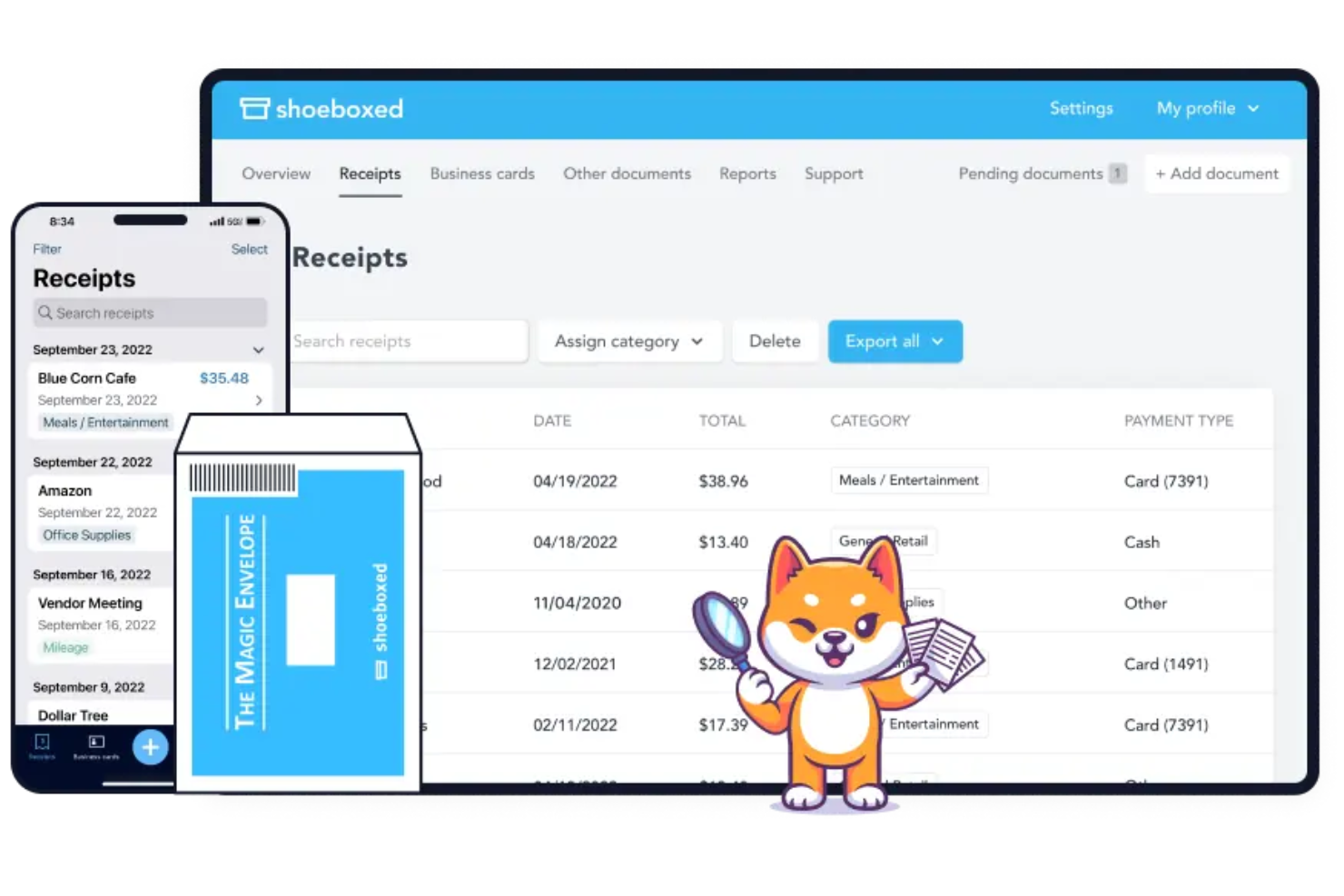
Shoeboxed offers a unique approach for businesses and professionals who deal with large volumes of paper receipts. The platform lets you mail in physical business receipts, which are then scanned, digitized, and organized for you. This service is especially useful for those who want to outsource manual receipt management and ensure their records are audit-ready.
Who Is Shoeboxed Best For?
Shoeboxed is a good fit for small business owners, accountants, and consultants who need to digitize and organize large quantities of physical receipts.
Why I Picked Shoeboxed
I picked Shoeboxed because it’s the only receipt scanner app that lets you physically mail in your paper receipts for digitization. This approach is especially valuable for businesses or professionals who accumulate stacks of receipts and want to avoid manual scanning. Shoeboxed’s Magic Envelope service handles the sorting, scanning, and data extraction, so you receive organized digital records without lifting a finger. I also appreciate that the platform verifies receipts for IRS compliance, which helps users stay audit-ready.
Shoeboxed Key Features
Some other features that make Shoeboxed useful for receipt management include:
- Business card scanning: Digitize business cards and automatically extract contact information for easy reference.
- Expense report generation: Create and export detailed expense reports with receipt images and categorized data.
- Mileage tracking: Log and track mileage for business trips using the mobile app’s built-in GPS.
- Cloud document storage: Store and access all scanned receipts and documents securely in the cloud.
Shoeboxed Integrations
Integrations include QuickBooks, Xero, Evernote, WorkingPoint, Bench, GetMyInvoices, and HP.
Pros and Cons
Pros:
- Includes mileage tracking for expense reports
- Exports data to QuickBooks and Xero
- Batch upload receipts via mobile app
Cons:
- Annual billing required for all plans
- Occasional delays with mail-in processing

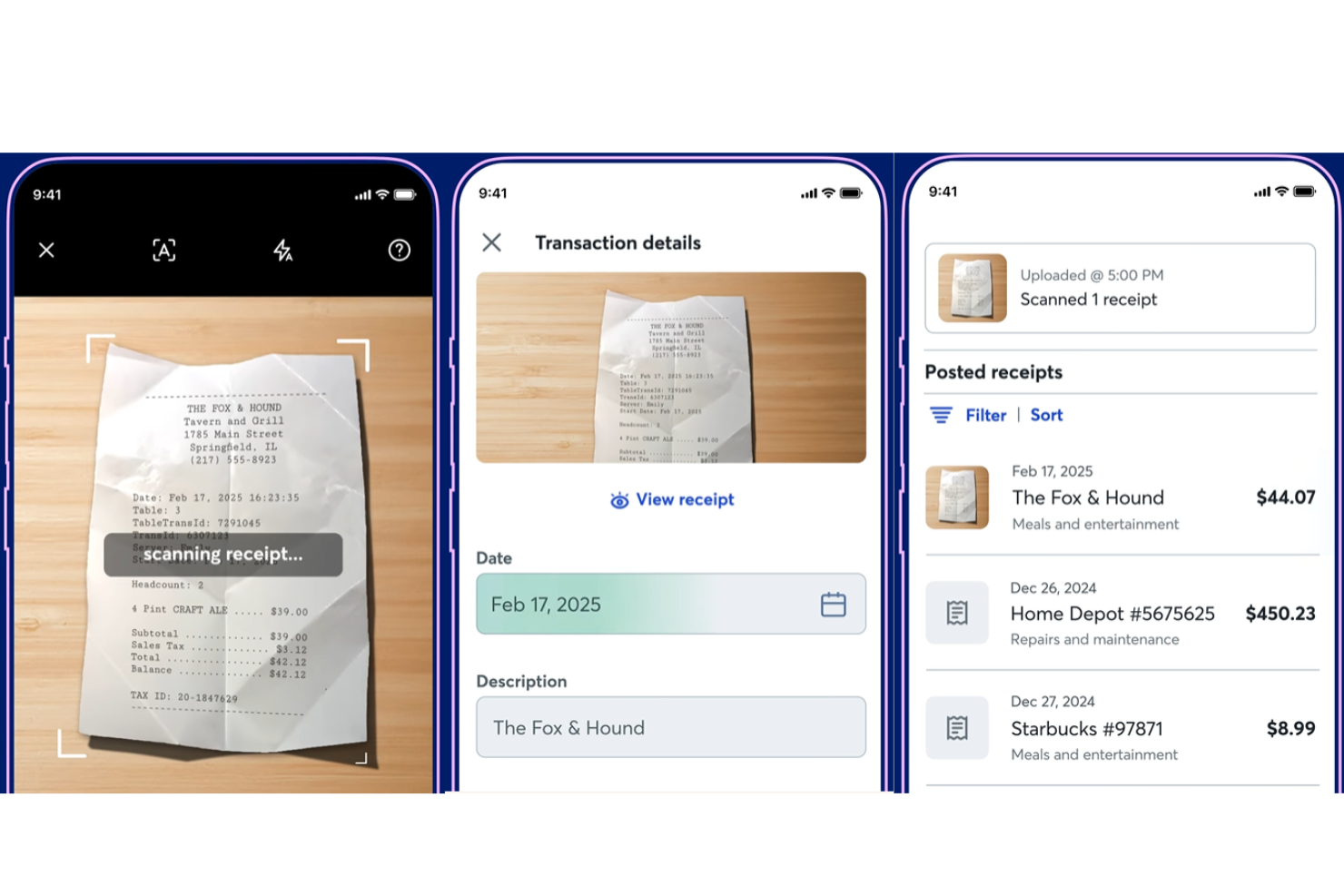
Wave offers a receipt scanning solution designed for small business owners and freelancers who want to keep their finances organized. The platform lets you capture, categorize, and store receipts directly from your mobile device. It’s especially useful for those who want their expense records to sync automatically with their accounting data.
Who Is Wave Best For?
Wave is a good fit for freelancers and small business owners who want integrated receipt scanning and accounting in one platform.
Why I Picked Wave
I picked Wave because it’s one of the few receipt scanner apps that automatically syncs scanned receipts with your accounting records in real time. This direct connection means you don’t have to manually transfer expense data or worry about mismatches between your receipts and your books. I also like that Wave lets you capture receipts from your phone and instantly categorize them, so your expense tracking stays up to date. For anyone who wants to minimize manual entry and keep their accounting organized, Wave’s automatic syncing stands out.
Wave Key Features
Some other features that make Wave useful for receipt management include:
- Multi-currency support: Capture and store receipts in multiple currencies for international transactions.
- Automatic receipt image enhancement: The app automatically sharpens and crops receipt images for better readability.
- Cloud-based document storage: All scanned receipts are securely stored and accessible from any device.
- Audit-ready export options: Export receipt data and images in formats suitable for audits or sharing with accountants.
Wave Integrations
Native integrations are not currently listed by Wave.
Pros and Cons
Pros:
- Good for freelancers and solos
- Unlimited receipt cloud storage
- Auto-extracts receipt details
Cons:
- Customer support is very slow
- OCR scanner can make mistakes

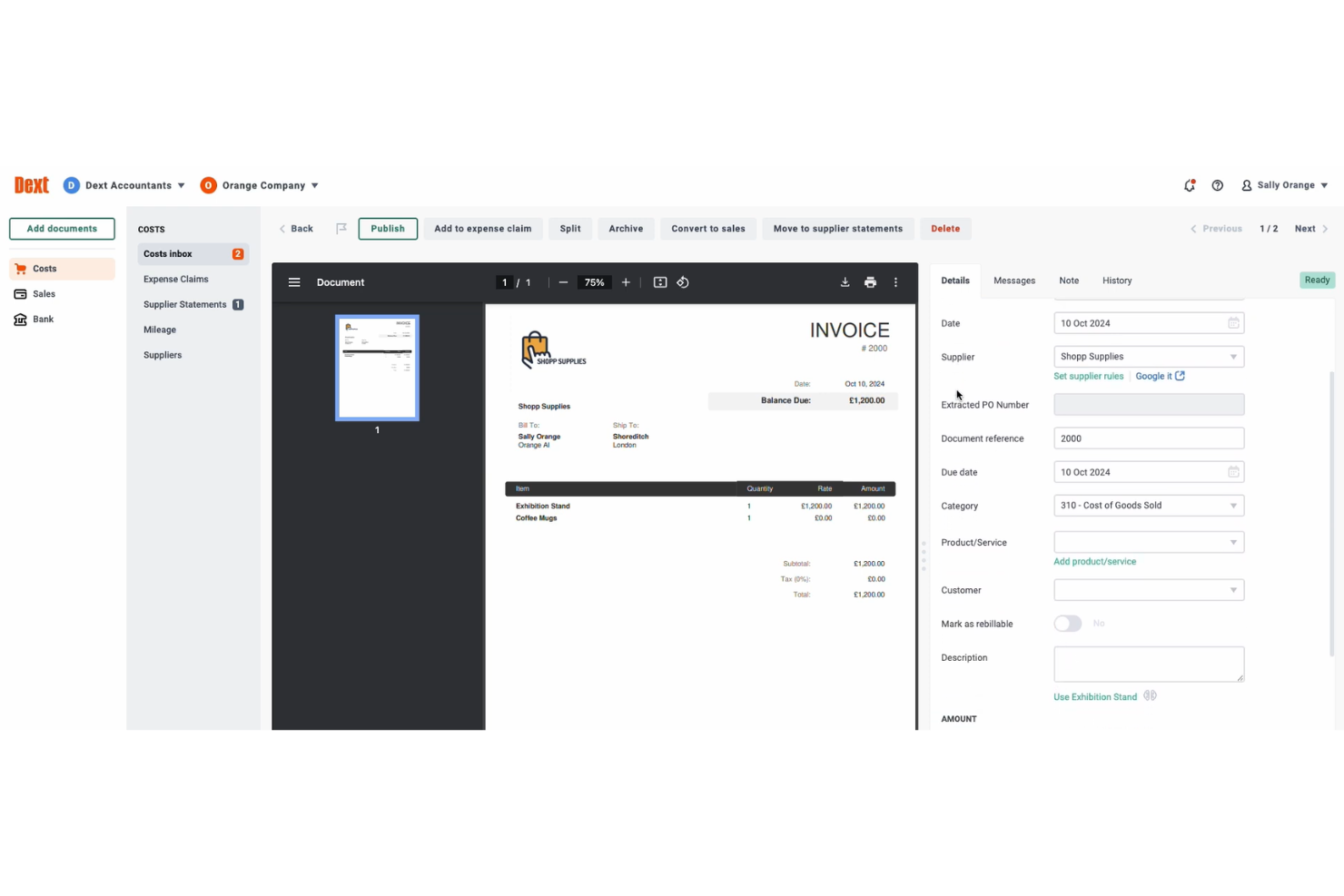
Dext offers a document capture solution designed for accountants, bookkeepers, and finance teams who need to manage receipts and invoices efficiently. The platform appeals to businesses handling diverse document types and looking to automate data entry. Its focus on accuracy and automation helps reduce manual workload and supports smoother financial workflows.
Who Is Dext Best For?
Dext is a good fit for accountants and finance teams in businesses that process receipts and invoices in multiple currencies.
Why I Picked Dext
I chose Dext because it stands out for businesses that need to process receipts and invoices in multiple currencies. The platform automatically detects and converts foreign currencies, which helps finance teams manage international transactions without manual calculations. I also appreciate that Dext captures and organizes supporting documents for cross-border expenses, making reconciliation much easier. These features make Dext especially useful for companies with global operations or frequent international purchases.
Dext Key Features
Some other features that make Dext useful for receipt management include:
- Automated line item extraction: The tool captures individual line items from receipts and invoices for detailed recordkeeping.
- Mobile receipt capture: Users can snap photos of receipts using the Dext mobile app for instant upload.
- Duplicate detection: Dext flags duplicate receipts and invoices to help prevent double entries.
- Cloud document storage: All scanned documents are stored securely in the cloud and can be accessed from any device.
Dext Integrations
Integrations include Xero, QuickBooks, Sage, PayPal, Shopify, KashFlow, Twinfield, and MYOB.
Pros and Cons
Pros:
- Flags duplicate receipts automatically
- Extracts line items from complex invoices
- Handles receipts in over 30 currencies
Cons:
- Limited customization for export formats
- Pricing details not shown on website

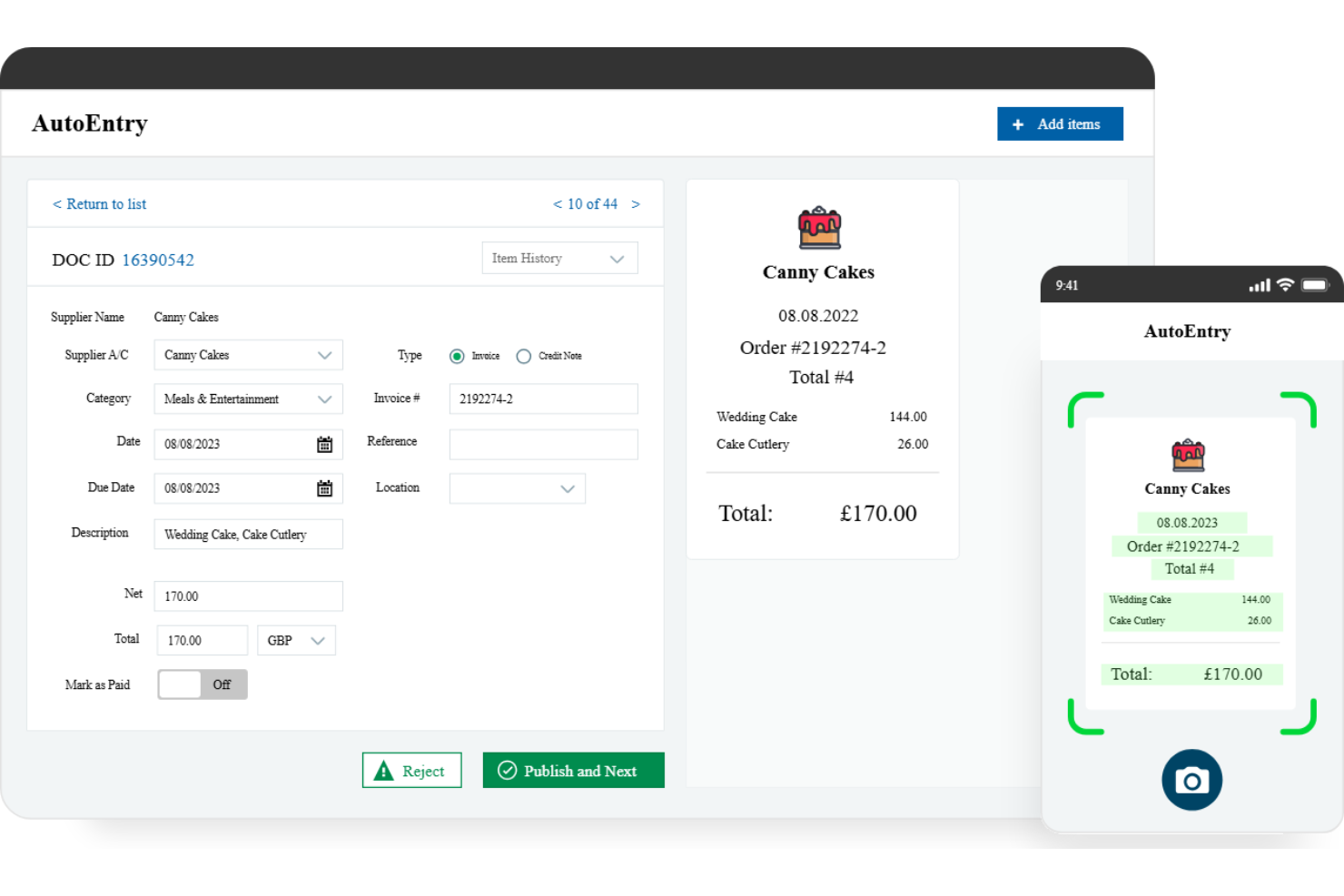
AutoEntry is designed for finance teams and accountants who need to digitize and organize receipts quickly. The platform automates data capture from receipts and invoices, helping businesses reduce manual entry and errors. It’s especially useful for those managing high volumes of paperwork and looking to streamline expense documentation.
Who Is AutoEntry Best For?
AutoEntry is a good fit for accountants and finance teams in small to mid-sized businesses that process large volumes of receipts and invoices.
Why I Picked AutoEntry
What drew me to AutoEntry is its ability to extract detailed line items from receipts, which is something many other apps miss. This feature lets you capture individual products, quantities, and prices directly from scanned receipts, making expense tracking much more granular. I also appreciate that AutoEntry can handle both digital and paper receipts, so you’re not limited by format. For finance teams that need precise data for expense analysis or audit trails, AutoEntry’s line item extraction stands out.
AutoEntry Key Features
Some other features that make AutoEntry useful for receipt scanning include:
- Mobile receipt capture: Snap photos of receipts using the mobile app for instant upload and processing.
- Automatic data categorization: The system assigns receipts to the correct expense categories based on your accounting setup.
- Duplicate detection: AutoEntry flags duplicate receipts to help prevent double entries in your records.
- Cloud document storage: All scanned receipts are stored securely in the cloud and can be accessed from any device.
AutoEntry Integrations
Integrations include Sage, Xero, QuickBooks, FreeAgent, KashFlow, SortMyBooks, ClearBooks, and AccountsPrep.
Pros and Cons
Pros:
- Integrates with major accounting platforms
- Flags duplicate receipts during processing
- Mobile app uploads receipts instantly
Cons:
- Manual review needed for low-quality scans
- Limited offline functionality in the mobile app

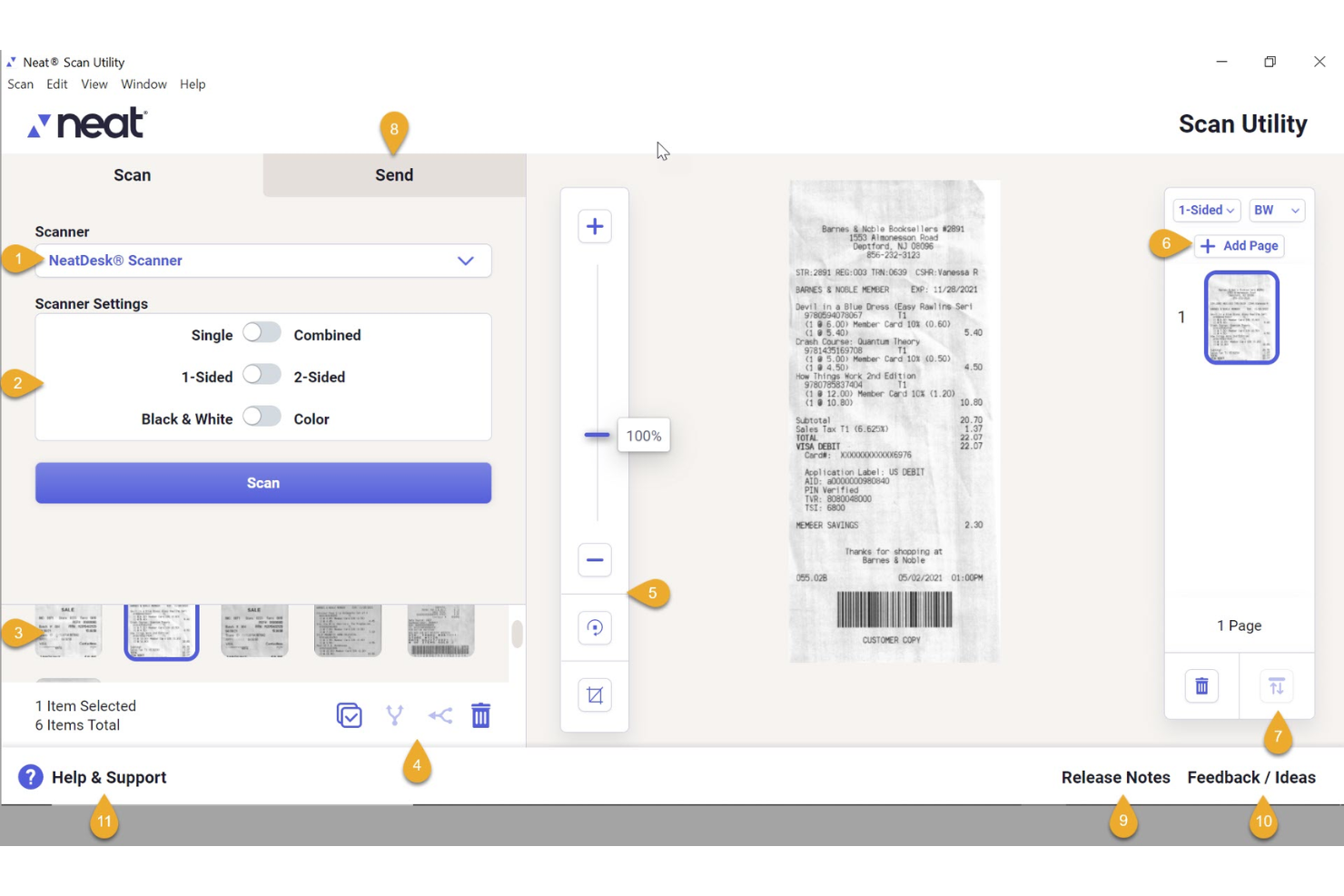
Neat offers a digital receipt management platform designed for small businesses and self-employed professionals who need to keep financial records organized. The tool helps users capture, store, and manage receipts digitally, reducing paper clutter and manual data entry. Neat is especially useful for those who want to track expenses and prepare for tax season with clear, categorized records.
Who Is Neat Best For?
Neat is a good fit for small business owners and self-employed professionals who need to organize and categorize receipts for expense tracking.
Why I Picked Neat
I chose Neat because it offers a focused approach to organizing receipts with built-in expense categorization. The platform automatically reads and sorts receipt data into IRS-accepted categories, which helps users keep their records audit-ready and organized for tax time. I also like that Neat lets you create custom categories, so you can tailor your expense tracking to your business needs. This makes Neat especially useful for anyone who wants to move beyond basic receipt storage and gain more control over how expenses are tracked and reported.
Neat Key Features
Some other features that make Neat useful for receipt management include:
- Mobile receipt capture: Snap photos of receipts using the Neat mobile app for instant upload and processing.
- Bank and credit card syncing: Connect financial accounts to automatically import and match transactions with receipts.
- Document search and filtering: Use keyword search and filters to quickly locate specific receipts or documents in your digital archive.
- Export to accounting software: Export organized receipt data directly to QuickBooks or download reports in multiple formats.
Neat Integrations
Integrations include QuickBooks, TurboTax, H&R Block, Quicken, Microsoft Outlook, and Constant Contact.
Pros and Cons
Pros:
- Searches receipts by keyword or filter
- Allows custom expense categories for tracking
- Exports data directly to QuickBooks and TurboTax
Cons:
- Limited reporting options for advanced analysis
- Occasional errors with faded or unclear receipts

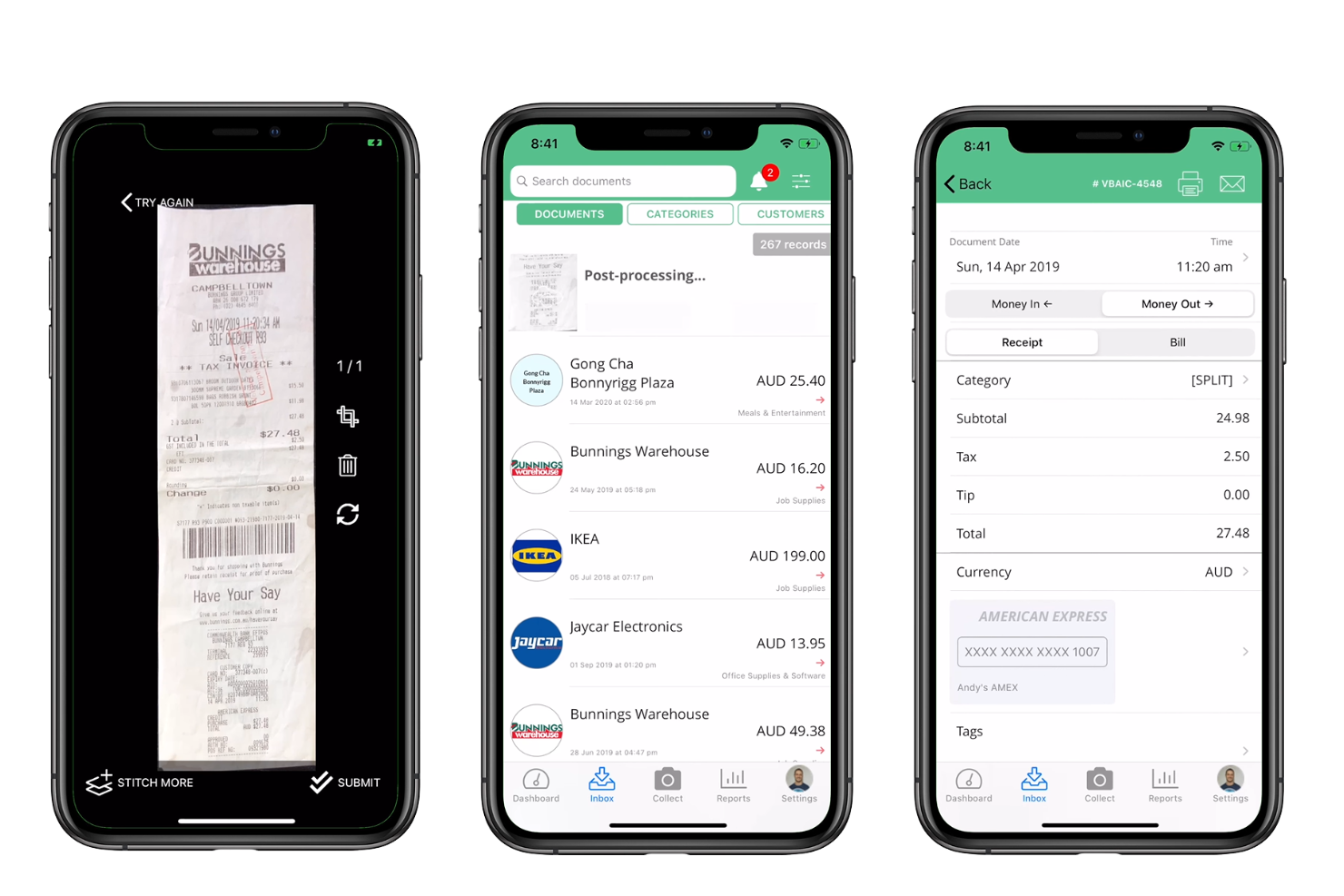
Veryfi offers a specialized receipt scanner app designed for finance teams and professionals who need fast, accurate data capture. The platform uses advanced OCR and AI to digitize receipts and extract key information for expense management. It’s a strong fit for businesses that process high volumes of receipts and want to minimize manual entry.
Who Is Veryfi Best For?
Veryfi is a good fit for finance teams and accountants in small to midsize businesses that need fast, automated receipt data extraction.
Why I Picked Veryfi
I picked Veryfi because its real-time data extraction capabilities set it apart from other receipt scanner apps. The platform uses advanced OCR and machine learning to instantly capture and categorize receipt details, which helps reduce manual entry and speeds up expense processing. I also appreciate that Veryfi can extract line items and vendor information as soon as a receipt is scanned. This makes it especially useful for finance professionals who need accurate, up-to-date expense data without delays.
Veryfi Key Features
Some other features I found useful in Veryfi include:
- Multi-language support: The app can process receipts in multiple languages, making it suitable for international teams.
- Mobile receipt capture: Users can snap photos of receipts directly from their smartphones for instant upload.
- Expense report generation: Veryfi automatically compiles scanned receipts into organized expense reports.
- Cloud-based document storage: All scanned receipts are securely stored and accessible from any device with an internet connection.
Veryfi Integrations
Integrations include QuickBooks Online, QuickBooks Desktop, Xero, Saasu, Dropbox, and Slack.
Pros and Cons
Pros:
- Secure cloud storage for all scanned receipts
- Exports data to major accounting platforms
- Mobile app captures receipts instantly
Cons:
- No built-in approval workflow for expenses
- Occasional misreads on handwritten receipts
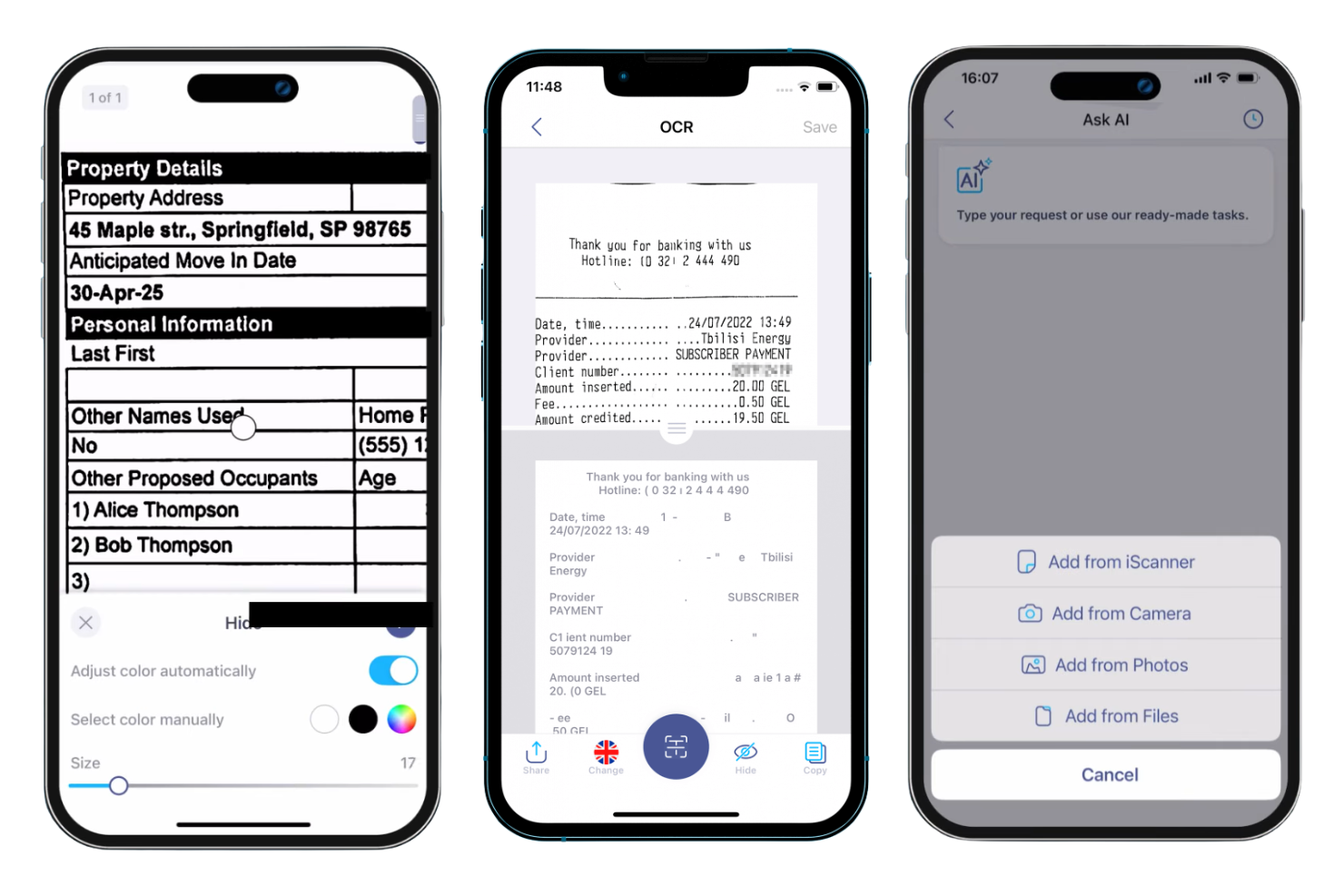
If you need a mobile-first solution for digitizing receipts, iScanner is worth considering. The app is designed for professionals and small businesses that want to capture, organize, and store receipts directly from their smartphones. Its focus on mobile scanning and document management helps users keep expense records accurate and accessible on the go.
Who Is iScanner Best For?
iScanner is a good fit for professionals and small business owners who need to scan and manage receipts directly from their mobile devices.
Why I Picked iScanner
What makes iScanner stand out for me is its strong focus on mobile OCR scanning, which is essential for users who need to digitize receipts on the go. The app uses built-in OCR technology to extract text and numbers from receipt images, making it easy to capture expense details directly from your phone. I also like that iScanner supports batch scanning, so you can process multiple receipts in one session. For anyone who relies on their mobile device for expense tracking, these features make iScanner a practical choice.
iScanner Key Features
Some other features that make iScanner useful for receipt management include:
- Document edge detection: The app automatically detects and crops the edges of receipts for cleaner scans.
- Cloud storage integration: You can save scanned receipts directly to Google Drive, Dropbox, or other cloud services.
- PDF and image export options: Export scanned receipts as PDFs or image files for easy sharing or archiving.
- Document folder organization: Organize receipts into folders within the app to keep expense records sorted and accessible.
iScanner Integrations
Integrations include Box, Dropbox, Google Drive, OneDrive, and Apple Files.
Pros and Cons
Pros:
- Auto-names files for easy searching
- Secures files with PIN and Face ID
- Removes shadows and fingers from scans
Cons:
- Scanning process can sometimes be slow
- Lacks direct accounting integrations
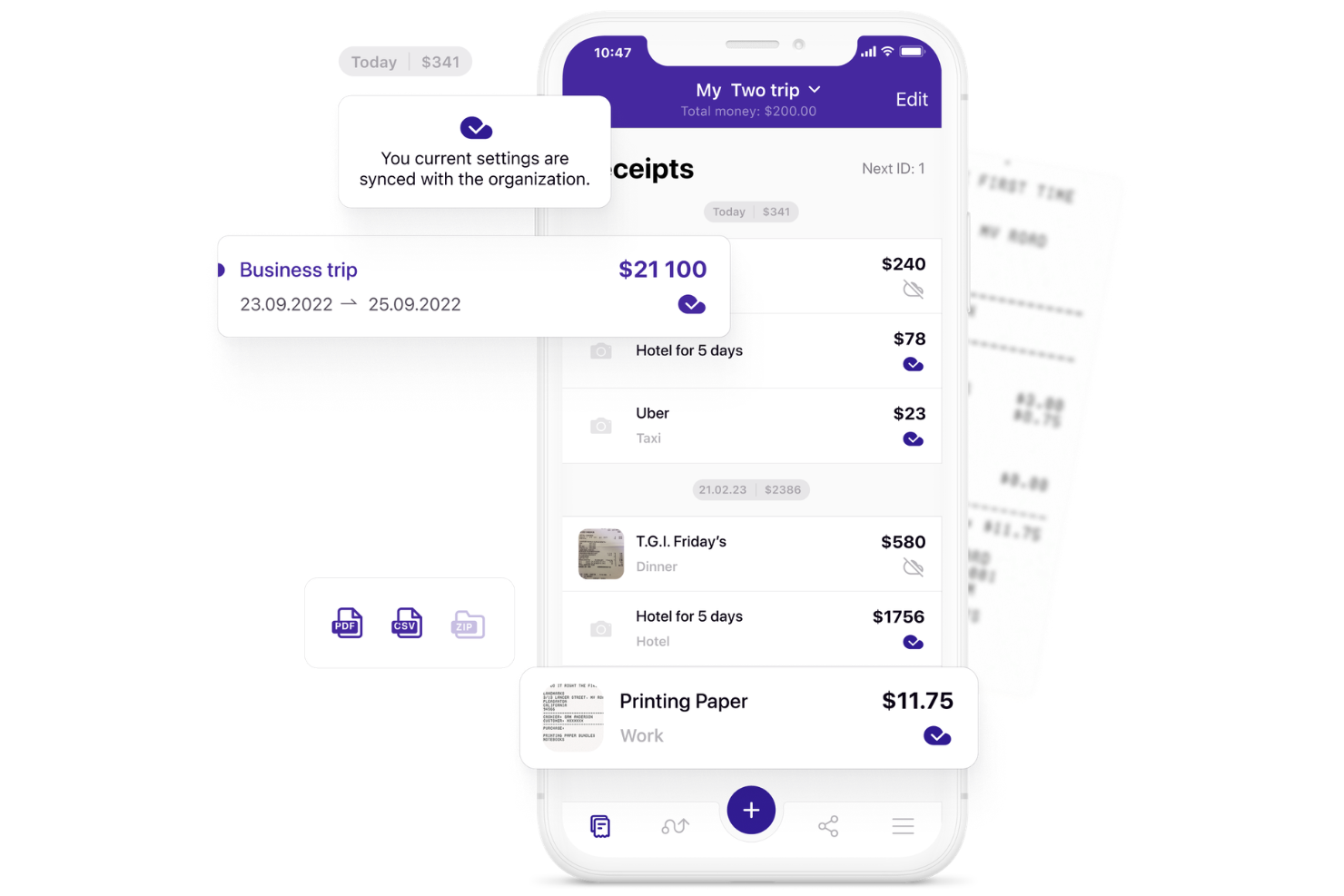
If you need a receipt scanner app that adapts to your workflow, Smart Receipts is worth a look. The platform is designed for professionals and businesses that want more control over how they capture and organize expense data. Its flexible approach helps users create detailed records that fit unique reporting or reimbursement needs.
Who Is Smart Receipts Best For?
Smart Receipts is a good fit for finance professionals and small businesses that need customizable receipt templates for expense tracking and reporting.
Why I Picked Smart Receipts
What drew me to Smart Receipts is its ability to let users build and customize receipt templates to match their specific reporting needs. This flexibility is especially useful for finance teams or consultants who need to capture different data fields for various clients or projects. I also appreciate that you can define custom categories and tags, making it easier to organize and filter expenses later. For anyone who wants more control over how receipt data is structured and exported, Smart Receipts offers a level of customization that most other apps don’t.
Smart Receipts Key Features
Some other features that make Smart Receipts useful for receipt management include:
- Automatic receipt scanning: The app uses your device’s camera to quickly capture and digitize paper receipts.
- Mileage tracking: Built-in mileage tracking lets you log travel expenses alongside receipts.
- Export to multiple formats: Export reports and receipts as PDF, CSV, or ZIP files for easy sharing or archiving.
- Bulk receipt import: Import multiple receipts at once from your device’s gallery to speed up expense capture.
Smart Receipts Integrations
Integrations include Google Drive, QuickBooks, and Xero.
Pros and Cons
Pros:
- Supports over 40 different currencies
- Works offline with data on your device
- Free tier allows unlimited manual entry
Cons:
- No automated email receipt extraction
- Users report aggressive upgrade prompts
Other Receipt Scanner App
Here are some additional receipt scanner app options that didn’t make it onto my shortlist, but are still worth checking out:
- FreshBooks
For freelancers needing expense tracking
- Ramp
For automated policy enforcement
- Emburse
With customizable approval workflows


Receipt Scanner App Selection Criteria
When selecting the best receipt scanner app to include in this list, I considered common buyer needs and pain points like reducing manual data entry and ensuring receipts are audit-ready. I also used the following framework to keep my evaluation structured and fair:
Core Functionality (25% of total score)
To be considered for inclusion in this list, each solution had to fulfill these common use cases:
- Capture receipts using a mobile device
- Extract data from scanned receipts
- Store digital copies of receipts securely
- Attach receipts to expense transactions
- Export receipt data for accounting or audits
Additional Standout Features (25% of total score)
To help further narrow down the competition, I also looked for unique features, such as:
- Real-time OCR with multi-language support
- Automated policy enforcement for expenses
- Customizable approval workflows for receipts
- Integration with travel booking tools
- AI-powered duplicate receipt detection
Usability (10% of total score)
To get a sense of the usability of each system, I considered the following:
- Simple and intuitive mobile interface
- Fast receipt upload and processing
- Clear navigation between receipt and expense modules
- Minimal steps to complete common tasks
- Accessibility features for diverse users
Onboarding (10% of total score)
To evaluate the onboarding experience for each platform, I considered the following:
- Step-by-step product tours for new users
- Availability of training videos and documentation
- Pre-built templates for expense categories
- Responsive onboarding support or chatbots
- Webinars or live sessions for user training
Customer Support (10% of total score)
To assess each software provider’s customer support services, I considered the following:
- Multiple support channels including chat and phone
- Fast response times to support requests
- Knowledgeable support staff for troubleshooting
- Access to a searchable help center
- Community forums for peer-to-peer help
Value For Money (10% of total score)
To evaluate the value for money of each platform, I considered the following:
- Transparent and predictable pricing plans
- Features included at each pricing tier
- Free trial or demo availability
- No hidden fees or surprise charges
- Discounts for annual or volume commitments
Customer Reviews (10% of total score)
To get a sense of overall customer satisfaction, I considered the following when reading customer reviews:
- Consistent praise for receipt scanning accuracy
- Positive feedback on integration reliability
- Reports of timely customer support
- User comments on mobile app stability
- Critiques about limitations or missing features
How to Choose Receipt Scanner App
It’s easy to get bogged down in long feature lists and complex pricing structures. To help you stay focused as you work through your unique software selection process, here’s a checklist of factors to keep in mind:
| Factor | What to Consider |
|---|---|
| Scalability | Will the tool handle your current and future receipt volume as your business grows or changes? |
| Integrations | Does the app connect natively with your accounting, expense, or ERP systems to avoid manual work? |
| Customizability | Can you tailor categories, workflows, or approval rules to match your organization’s processes? |
| Ease of use | Will your team adopt the tool quickly, or will the interface and workflows slow them down? |
| Implementation and onboarding | How long will it take to get up and running, and what resources or training will your team need? |
| Cost | Are pricing tiers clear, and do they align with your usage patterns and budget constraints? |
| Security safeguards | Does the vendor offer encryption, access controls, and audit logs to protect sensitive data? |
| Compliance requirements | Will the app help you meet industry or regional standards for document retention and audit trails? |
What Is a Receipt Scanner App?
A receipt scanner app is a digital tool that captures, reads, and stores images of paper receipts for expense tracking and recordkeeping. These apps use optical character recognition (OCR) to extract key details like date, amount, and vendor from scanned receipts. Finance teams and individuals use receipt scanner apps to reduce manual data entry, organize expense documentation, and support audit and compliance requirements.
Features of Receipt Scanner App
When selecting receipt scanner app, keep an eye out for the following key features:
- Mobile capture: Lets users snap photos of receipts using a smartphone or tablet, making it easy to record expenses on the go.
- Optical character recognition (OCR): Reads and converts printed receipt details into digital text, reducing manual data entry.
- Multi-format upload: Supports uploading receipts in various formats, such as jpg, png, or pdf, for flexible documentation.
- Expense categorization: Automatically assigns receipts to relevant expense categories, helping organize and track spending.
- Cloud storage: Stores digital copies of receipts securely online, ensuring documents are accessible and protected from loss.
- Receipt-to-transaction matching: Links scanned receipts to specific transactions or expense reports for accurate recordkeeping.
- Audit trail: Maintains a log of all receipt uploads, edits, and deletions to support compliance and internal controls.
- Export and reporting: Allows users to export receipt data or generate reports for accounting, audits, or reimbursement processes.
- Multi-user access: Enables multiple team members to upload and manage receipts within a shared account or workspace.
Common Receipt Scanner App AI Features
Beyond the standard receipt scanner app features listed above, many of these solutions are incorporating AI with features like:
- Smart receipt classification: Uses AI to automatically identify and sort receipts by type, vendor, or project, reducing manual sorting and improving organization.
- Duplicate detection: Leverages AI algorithms to flag and prevent duplicate receipt uploads, helping maintain clean and accurate records.
- Anomaly detection: Applies AI to spot unusual spending patterns or outlier expenses, supporting fraud prevention and policy compliance.
- Contextual data enrichment: Enhances receipt data by pulling in related information, such as matching merchant details or categorizing ambiguous expenses based on historical patterns.
- Automated currency conversion: Uses AI to recognize foreign receipts and apply real-time exchange rates, simplifying international expense management.
Benefits of Receipt Scanner App
Implementing a receipt scanner app provides several benefits for your team and your business. Here are a few you can look forward to:
- Reduced manual data entry: Automated OCR and AI features extract receipt details, minimizing time spent on manual input.
- Improved expense accuracy: Linking receipts to transactions and using audit trails helps ensure records are complete and error-free.
- Faster reimbursement cycles: Quick capture and categorization of receipts speed up expense reporting and approval processes.
- Enhanced compliance: Secure storage, audit logs, and policy enforcement features support audit readiness and regulatory requirements.
- Centralized document management: Cloud storage and multi-user access keep all receipts organized and accessible in one place.
- Fraud prevention: AI-powered anomaly and duplicate detection help identify suspicious or non-compliant expenses.
- Better financial visibility: Export and reporting tools provide clear insights into spending patterns and support informed decision-making.
Costs and Pricing of Receipt Scanner App
Selecting a receipt scanner app requires an understanding of the various pricing models and plans available. Costs vary based on features, team size, add-ons, and more. The table below summarizes common plans, their average prices, and typical features included in receipt scanner app solutions:
Plan Comparison Table for Receipt Scanner App
| Plan Type | Average Price | Common Features |
|---|---|---|
| Free Plan | $0 | Basic receipt capture, limited monthly scans, cloud storage, and manual data export. |
| Personal Plan | $4-$19/user/month | Unlimited scans, OCR data extraction, expense categorization, cloud backup, and email support. |
| Business Plan | $6-$38/user/month | Multi-user access, integration with accounting software, approval workflows, audit trails, and reporting tools. |
| Enterprise Plan | $57+/user/month | Custom integrations, advanced security, dedicated account manager, compliance features, and priority support. |
Receipt Scanner App FAQs
Here are some answers to common questions about receipt scanner app:
Can receipt scanner apps handle multi-currency receipts?
Yes, most receipt scanner apps can process receipts in multiple currencies. Many solutions automatically detect the currency and convert amounts based on current exchange rates, which is especially useful for teams with international expenses.
Are scanned receipts legally valid for audits and tax purposes?
Yes, digital copies of receipts are generally accepted by auditors and tax authorities if they are clear, unaltered, and stored securely. Always check your local regulations, as requirements for digital documentation can vary by country or industry.
How secure is the data stored in a receipt scanner app?
Most receipt scanner apps use encryption, access controls, and secure cloud storage to protect sensitive financial data. Look for solutions that offer audit logs and compliance certifications to ensure your information is safeguarded.
Can I integrate a receipt scanner app with my accounting software?
Yes, many receipt scanner apps offer direct integrations with popular accounting, ERP, and expense management platforms. This reduces manual data entry and helps keep your financial records synchronized.
What happens if a receipt is unreadable or damaged?
If a receipt is unreadable, most apps will flag it for manual review or allow you to enter details manually. Some solutions use AI to reconstruct missing information, but accuracy depends on the quality of the original image.