
13 Best Small Business Tax Software Reviewed in 2026

Best Small Business Tax Software Shortlist
Here’s my shortlist of the best small business tax software:


Managing taxes can be a headache for any small business. As a CFO, you juggle numerous tasks, and tax season only adds to the stress. You need solutions that simplify tax prep processes and ensure accuracy.
In my experience, small business tax software can be a real game-changer. It helps you approach tax filing efficiently and keeps your finances in check. I've reviewed and tested various options to bring you the best choices available.
This article will guide you through top software picks, highlighting features and benefits to help you decide what fits your needs. Whether you're looking for cost-effective DIY solutions or specialized features, I've got you covered.
Why Trust Our Software Reviews
Best Small Business Tax Software Summary
This comparison chart summarizes pricing details for my top small business tax software selections to help you find the best one for your budget and business needs.
| Tool | Best For | Trial Info | Price | ||
|---|---|---|---|---|---|
| 1 | Best for personal and business taxes | Free plan available | From $85/return | Website | |
| 2 | Best for straightforward returns | Free plan available | From $22.99/filing | Website | |
| 3 | Best for guided tax filing | Free plan available | From $99/filing | Website | |
| 4 | Best for AI-powered workflows | Free trial available | From $3,525/100 returns | Website | |
| 5 | Best for budget-conscious users | Free federal filing | From $15.99/state return | Website | |
| 6 | Best for growing businesses | Free plan available | From $74.99/filing | Website | |
| 7 | Best for in-person support | Not available | From $25 | Website | |
| 8 | Best for enterprise tax compliance | Free demo available | From $2,606.10/year | Website | |
| 9 | Best for freelancers | 30-day free trial available | From $10/user/month (billed annually) | Website | |
| 10 | Best for professional tax preparers | Free trial available | From $1,395/year | Website |
-

LiveFlow
Visit WebsiteThis is an aggregated rating for this tool including ratings from Crozdesk users and ratings from other sites.4.9 -
Float Financial
Visit WebsiteThis is an aggregated rating for this tool including ratings from Crozdesk users and ratings from other sites.4.1 -
Creatio CRM
Visit WebsiteThis is an aggregated rating for this tool including ratings from Crozdesk users and ratings from other sites.4.7


Best Small Business Tax Software Reviews
Below are my detailed summaries of the best small business tax software that made it onto my shortlist. My reviews offer a detailed look at the key features, pros and cons, integrations, and ideal use cases of each tool to help you find the best one for your small business or self-employment income.

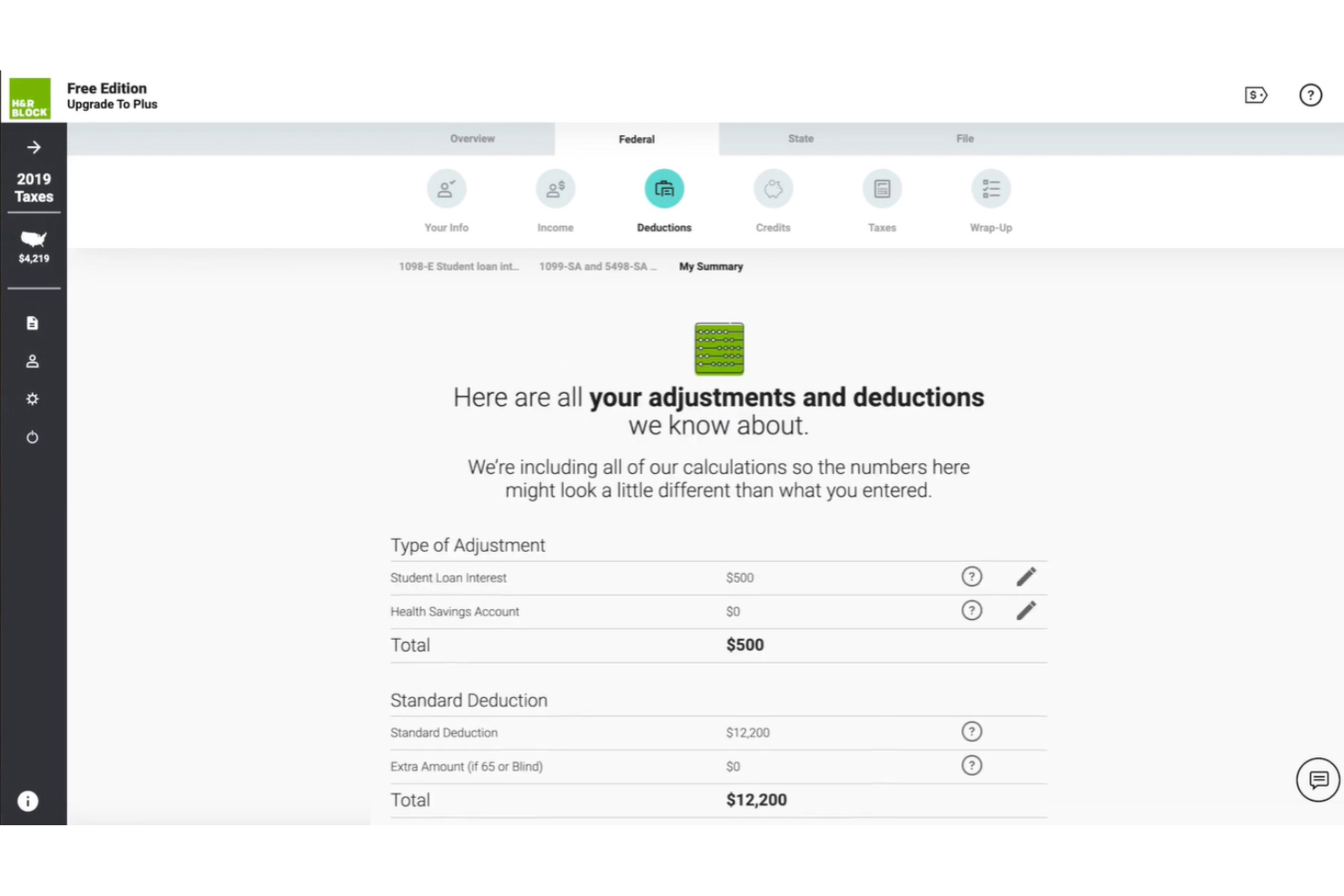
H&R Block provides a versatile tax filing solution for individuals and small business owners. It offers tax services that help users manage income tax, crypto reporting, and other obligations for personal and business finances.
Why I picked H&R Block: H&R Block caters to personal and business tax needs, making it a versatile choice for users with multiple tax obligations. The software features a user-friendly interface that guides you through the tax filing process. It also offers expert tax advice and audit support, ensuring you're well supported. The ability to switch between personal and business tax filing is a unique advantage.
Standout features and integrations:
Features include a step-by-step filing guide to simplify the process, expert tax advice to assist you, and a maximum refund guarantee. The software also offers a feature that lets you upload documents, ensuring all your tax information is in one place.
Integrations are not publicly listed.
Pros and Cons
Pros:
- Refund guarantee offered
- Easy document uploads
- Dual personal business filing
Cons:
- Costs more than many competing platforms
- Registration required upfront

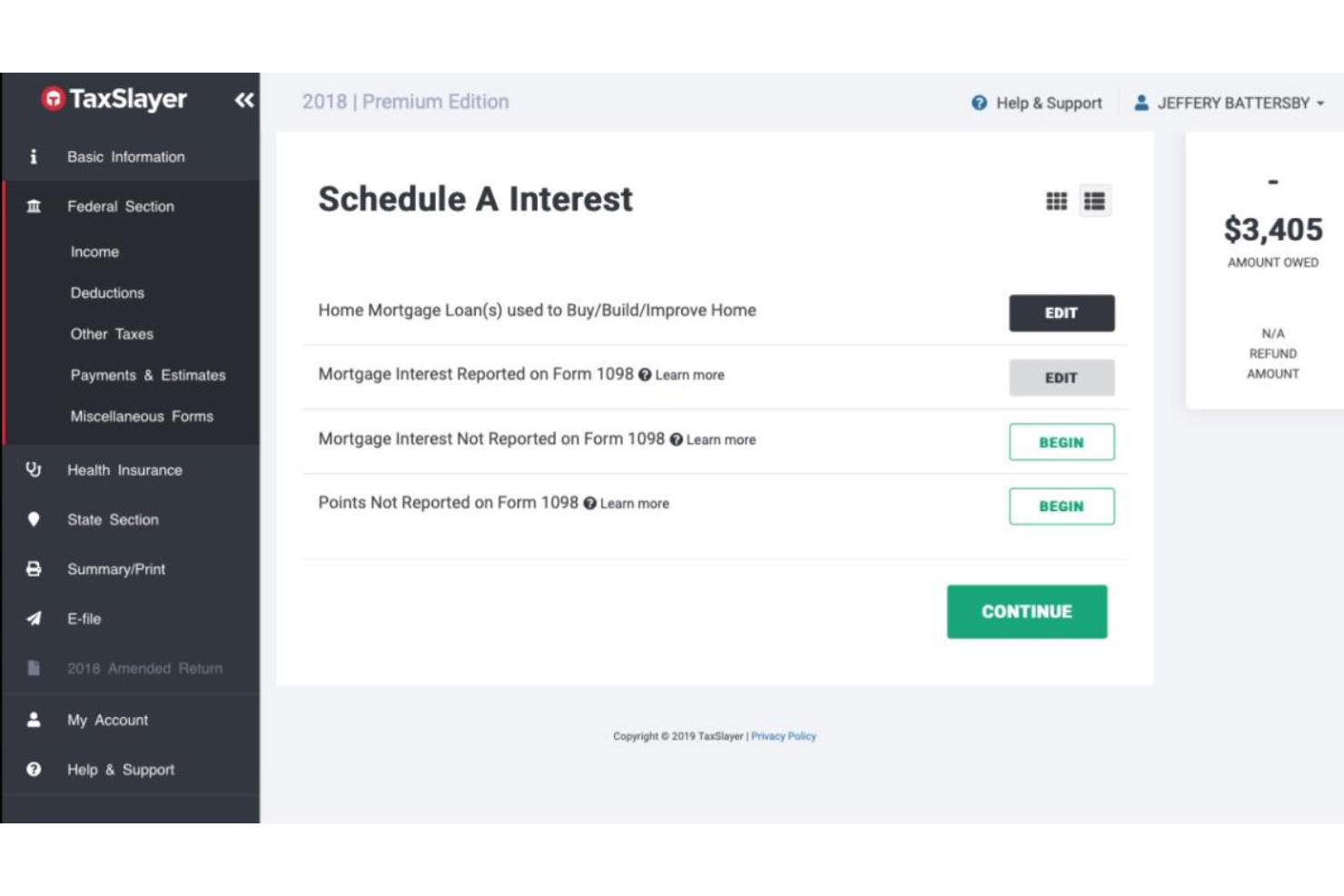
TaxSlayer is tax preparation software designed for individuals and small businesses seeking a straightforward way to file taxes. It provides essential tax filing functions, making it an accessible choice for users with simple tax needs.
Why I picked TaxSlayer: TaxSlayer offers a straightforward approach to tax filing, which is ideal if you're looking for simplicity. It includes easy-to-follow instructions that guide you through the filing process. Its focus on straightforward returns makes it a solid choice for users with uncomplicated tax situations.
Standout features and integrations:
Features include a deduction finder that helps you uncover savings, a refund calculator that estimates your tax refund quickly, and a tax returns archive to store past filings securely. The software also offers a step-by-step guide to assist you throughout the filing process.
Integrations include QuickBooks Online, TaxDome, and more.
Pros and Cons
Pros:
- Free filing for students
- Built-in deduction finder
- Simple filing workflow
Cons:
- Minimal customization
- Limited advanced features

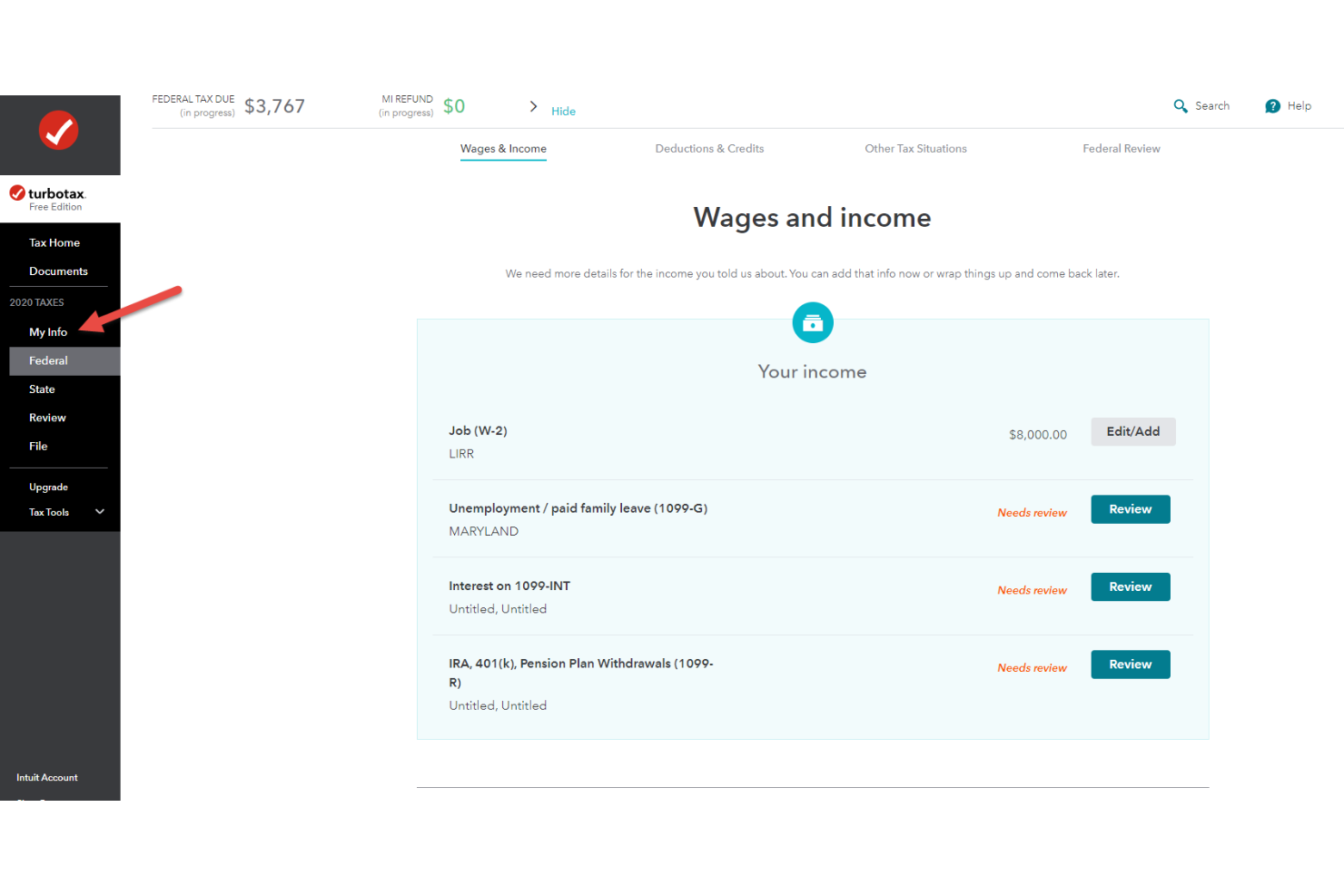
TurboTax is a tax software for small businesses, freelancers, and self-employed taxpayers. It simplifies the tax filing process by guiding users through each step.
Why I picked TurboTax: TurboTax offers a user-friendly interface that guides you through tax filing, ensuring you don't miss any critical steps. Its step-by-step guidance makes it easy for you to understand your tax situation. The software provides real-time calculations, allowing you to see how changes affect your refund or tax due. Importing data from QuickBooks is especially useful for small business owners.
Standout features and integrations:
Features include a deduction finder that helps you identify potential savings, an audit support guarantee to assist you if the IRS contacts you, and a W-2 import feature that saves time by automatically inputting data.
Integrations include QuickBooks, Quicken, and more.
Pros and Cons
Pros:
- QuickBooks data import
- Real-time tax calculations
- Guided filing workflow
Cons:
- Support access for higher plans
- U.S. tax only

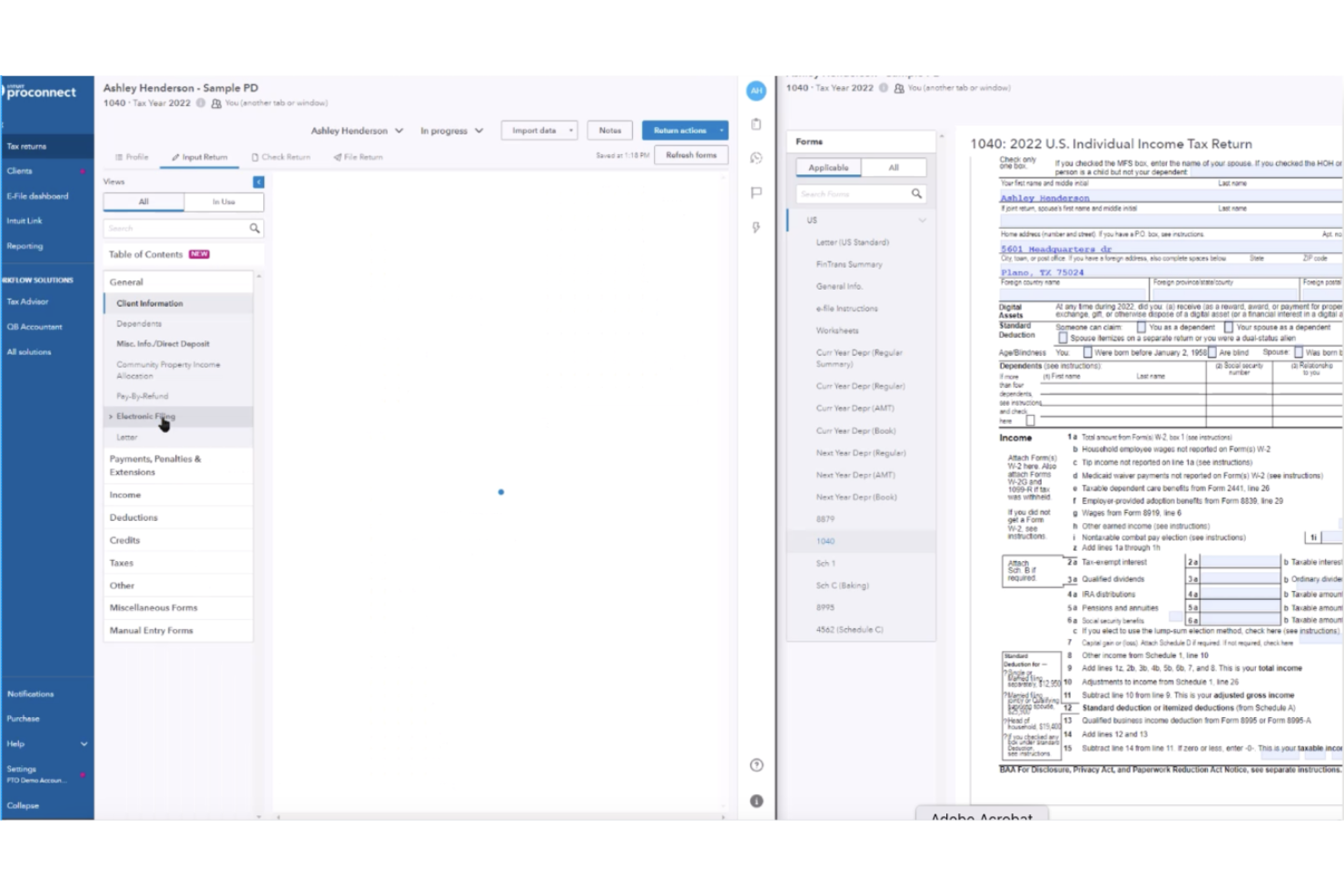
Intuit ProConnect Tax is a tax preparation software for tax professionals and accounting firms. It provides a cloud-based solution that makes it easy to access, prepare, and manage federal and state returns, including more complex filings, such as rental property income and deductions.
Why I picked Intuit ProConnect: Intuit ProConnect Tax offers a cloud-based platform that allows your team of CPAs to work remotely and access tax data securely. It includes features such as real-time collaboration, enabling you to collaborate with colleagues. The software also provides tax forms and e-filing capabilities, ensuring you can handle diverse tax needs. Its focus on cloud technology makes it a flexible choice for modern tax practices.
Standout features and integrations:
Features include a real-time collaboration tool for working with others simultaneously, a secure document storage system to keep your files safe, and an intuitive dashboard that provides a clear view of your tasks. The software also offers automatic updates to reflect changes to tax laws, ensuring accurate handling of tax credits.
Integrations include QuickBooks Online Accountant, Karbon, Ignition, SmartVault, and more.
Pros and Cons
Pros:
- Secure document storage
- Real-time team collaboration
- Cloud-based accessibility
Cons:
- Expensive professional-tier pricing
- Offline access unavailable

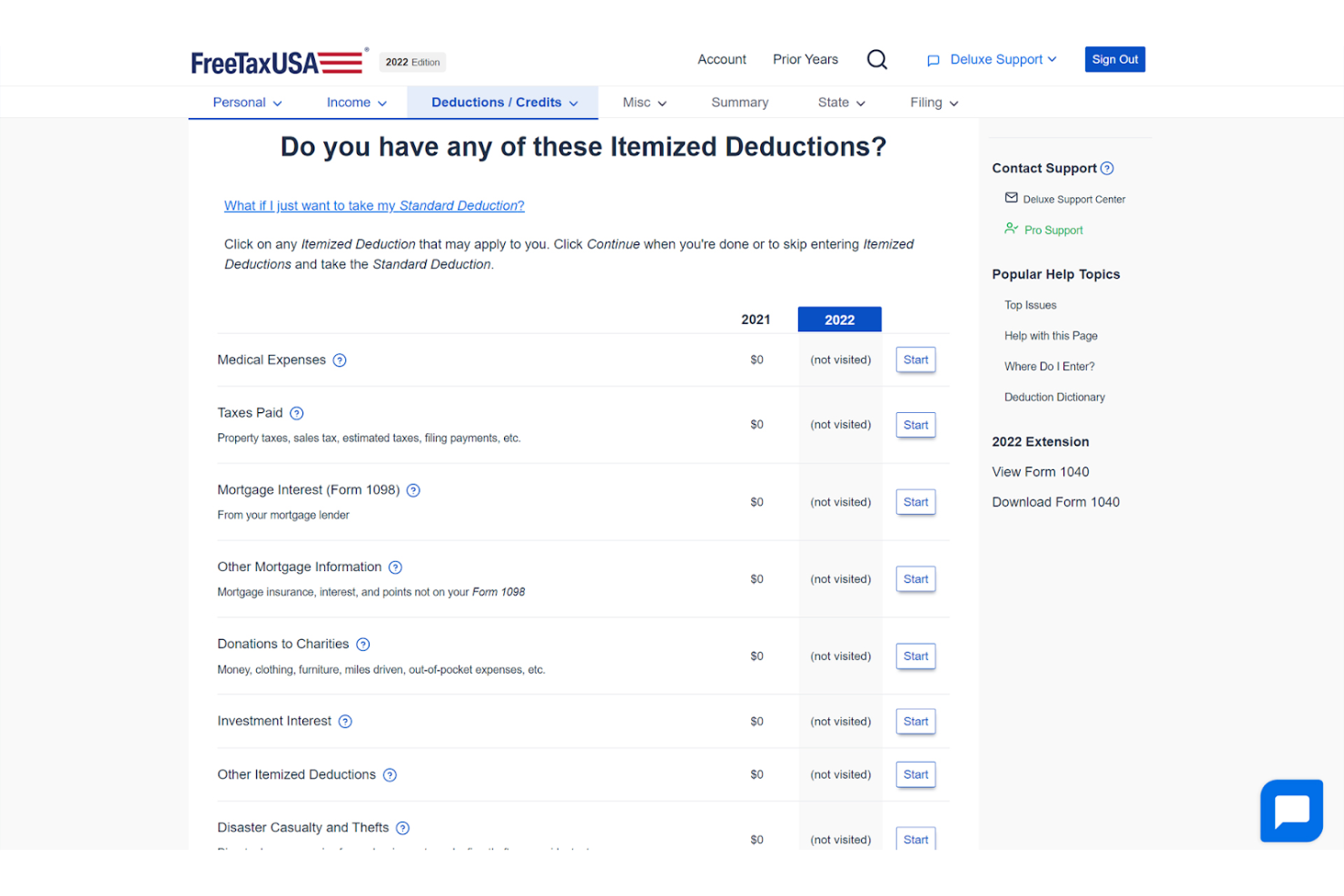
FreeTaxUSA is a tax filing software ideal for individuals and small business owners looking for a cost-effective solution. It provides essential federal and state filing services, focusing on affordability and ease of use.
Why I picked FreeTaxUSA: FreeTaxUSA is a budget-friendly option. The software includes all major tax forms, allowing you to file federal and state taxes. Its simple interface ensures you can complete your tax returns efficiently. The service also supports prior-year imports, which is particularly useful for returning users.
Standout features and integrations:
Features include a step-by-step guide to help you through the filing process, a refund calculator that estimates your refund in real-time, and free federal tax filing. The software also offers a deluxe edition with added support and features.
Integrations are not publicly listed.
Pros and Cons
Pros:
- Last year import support
- Free federal tax returns
- Low-cost filing option
Cons:
- Minimal live assistance
- Limited integrations
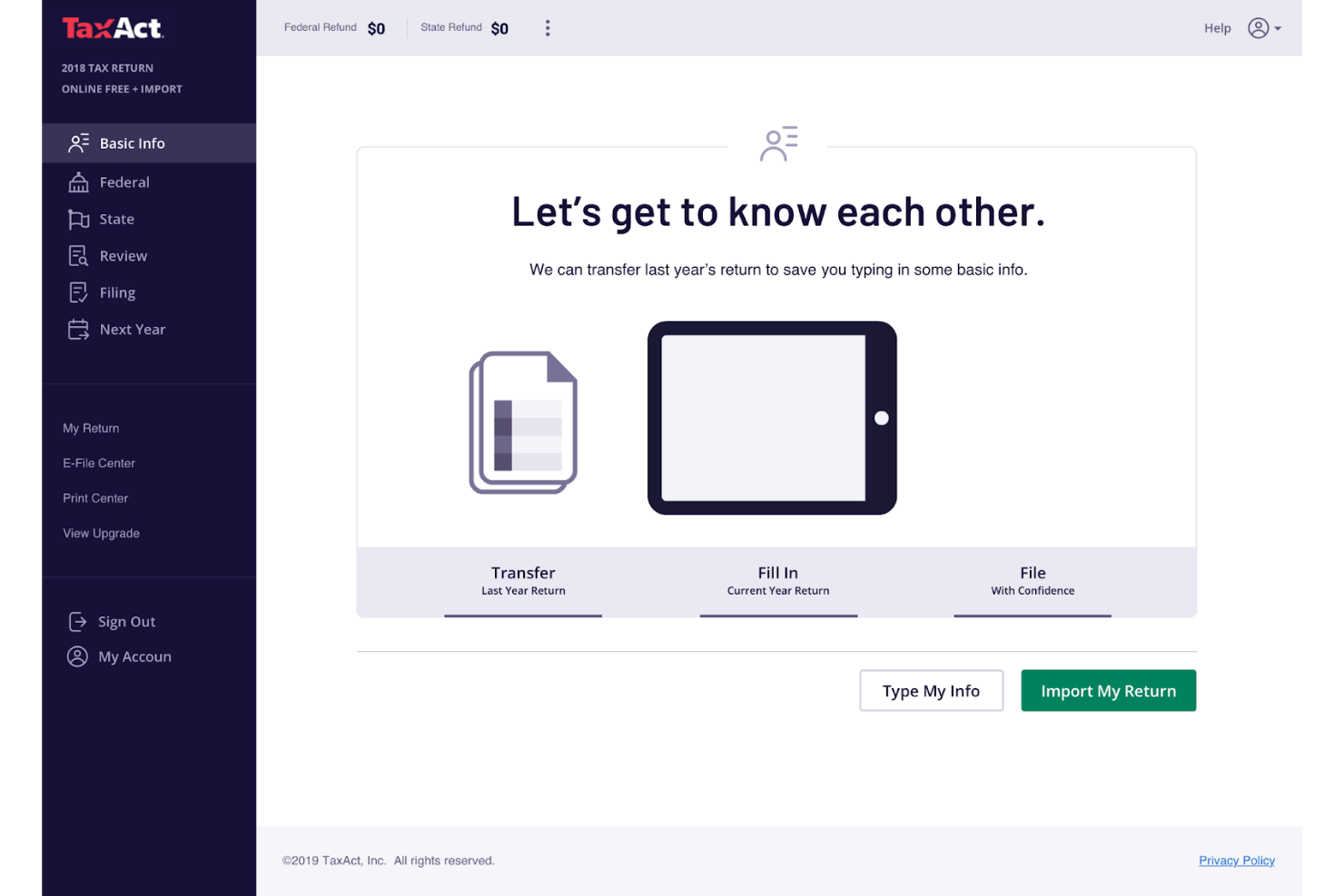
TaxAct Business is a tax software solution for small business owners and self-employed individuals. It focuses on providing essential tax filing services that cater specifically to business returns.
Why I picked TaxAct Business: TaxAct Business can handle the complexities of small business tax returns, offering a range of forms and schedules that meet your needs. With its easy-to-use interface, you can navigate through your tax filing process efficiently. The software includes a deduction maximizer to help you uncover potential savings. It also offers a complete support system to assist you with any questions or issues.
Standout features and integrations:
Features include a deduction maximizer that identifies every possible deduction, a step-by-step guide that simplifies the filing process, and a support system that provides access to tax experts. The software also offers a refund-tracking tool that keeps you informed on your return status.
Integrations are not publicly listed.
Pros and Cons
Pros:
- Refund tracking available
- Great for S Corps and growing businesses
- Business-focused tax forms
Cons:
- Support response time varies
- Interface feels dated

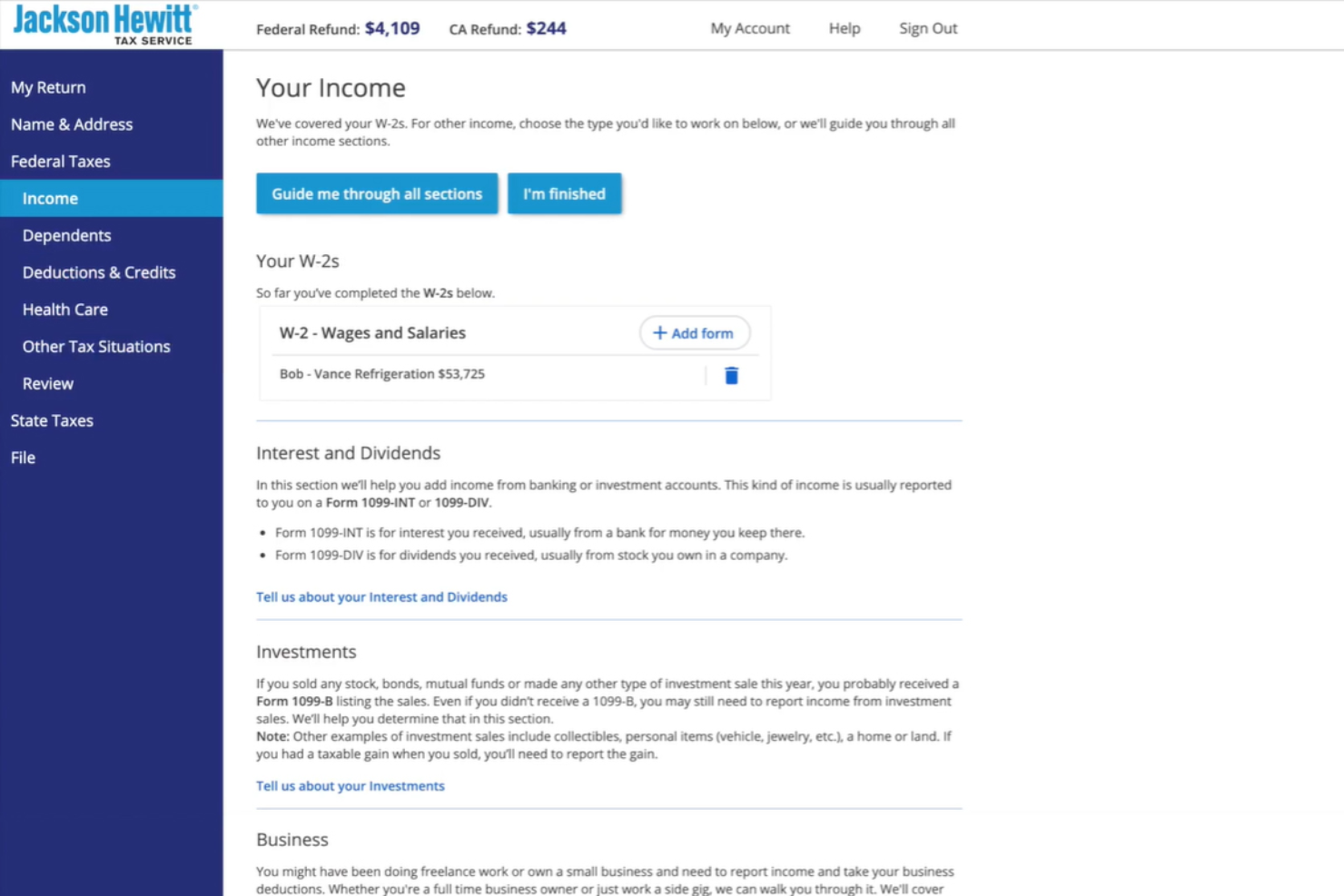
Jackson Hewitt offers tax preparation services that focus on providing personalized assistance to individuals and small businesses. It's ideal for users who prefer face-to-face interaction and expert guidance during tax season.
Why I picked Jackson Hewitt: Jackson Hewitt provides in-person support, which is great if you value direct interaction with tax professionals. The service offers a network of offices where you can meet with experts to address your tax needs. This approach ensures you have reliable support throughout the tax filing process.
Standout features and integrations:
Features include a tax refund advance option that allows you to access funds early, a maximum refund guarantee to ensure you get the most back, and a lifetime accuracy guarantee that covers penalties and interest. The service also offers flexible appointment scheduling.
Integrations are not publicly listed.
Pros and Cons
Pros:
- Lifetime accuracy guarantee
- Refund advance option
- Face-to-face assistance
Cons:
- Frequent follow-ups needed
- Scheduling availability varies
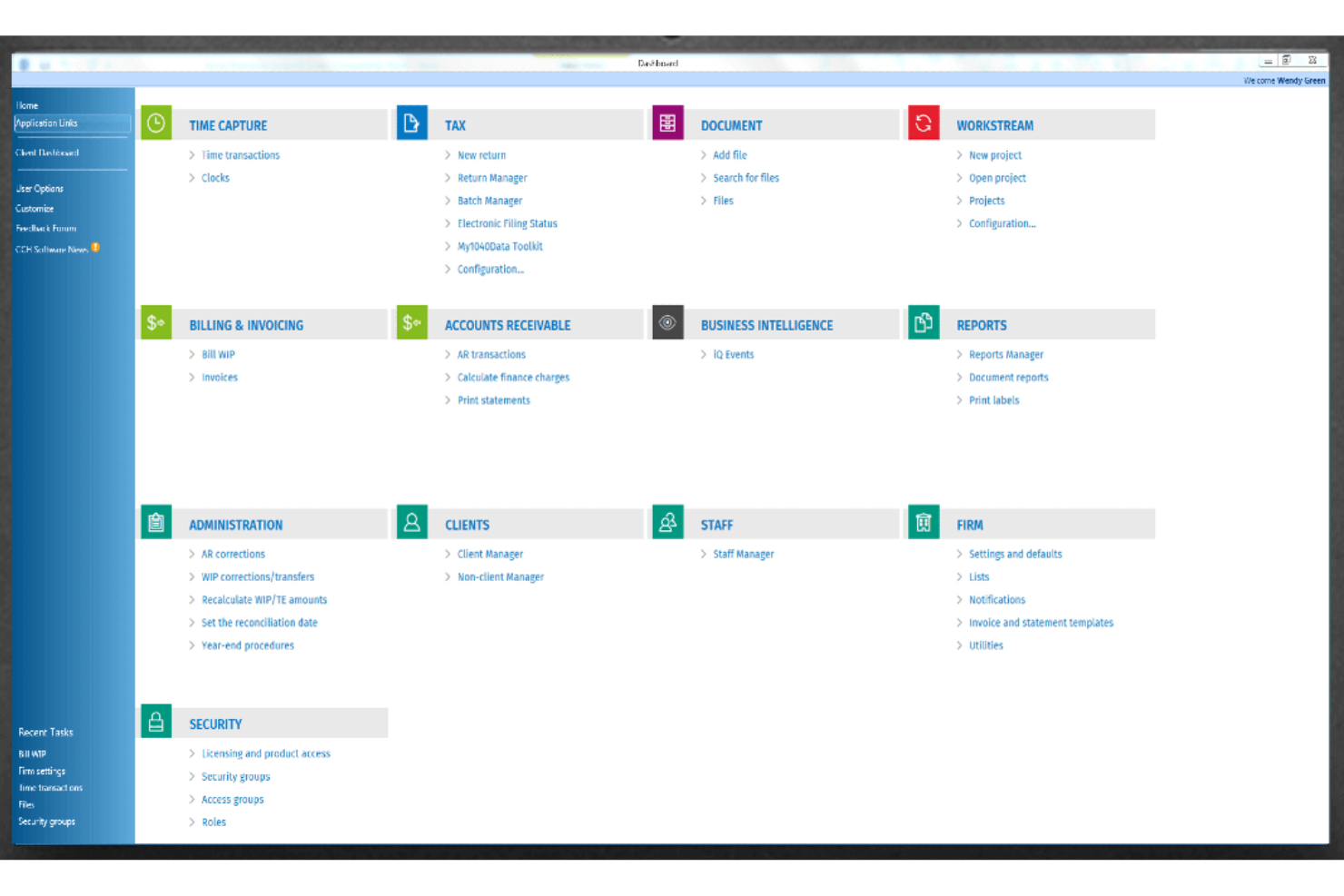
CCH Axcess Tax offers a tax software solution tailored for accountants and small business professionals who need compliance support. It helps manage complex tax regulations and ensures accurate reporting.
Why I picked CCH Axcess Tax: CCH Axcess Tax specializes in providing compliance support, a critical need for accountants and businesses navigating complex tax regulations. The software offers detailed reporting tools that help you stay on top of compliance requirements. It also includes a vast library of tax content and resources. This focus on compliance makes it an essential tool for professionals who need to adhere to strict regulations.
Standout features and integrations:
Features include a detailed reporting tool with insights into your tax obligations, a library of tax content and resources that keep you informed, and a compliance tracking system that ensures you meet all necessary regulations. The software also provides regular updates on tax law changes.
Integrations include AuditMiner, Compass, Empire Suite, Ignition, QuickFee, SurePrep, SafeSend, and more.
Pros and Cons
Pros:
- Enterprise reporting depth
- Advanced compliance monitoring
- Extensive regulatory content
Cons:
- Large resource demand can slow other applications
- May not suit all industries
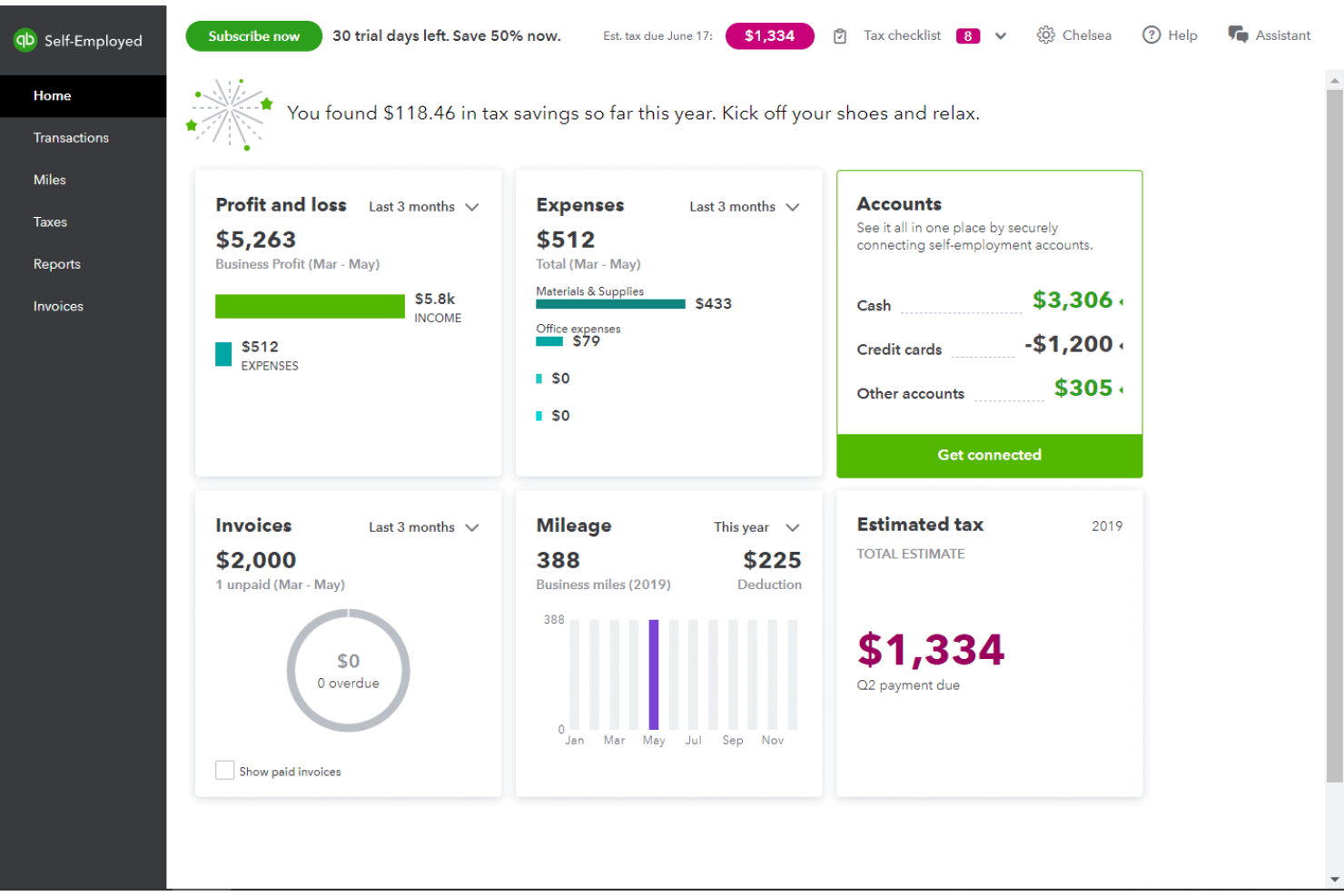
QuickBooks Solopreneur is a financial management tool for freelancers and solopreneurs. It helps users track income, expenses, and manage tax filings efficiently.
Why I picked QuickBooks Solopreneur: QuickBooks Solopreneur caters directly to freelancers by offering tools to track mileage, separate personal and business expenses, and estimate quarterly taxes. The software's ability to sync with bank accounts ensures your financial data stays up to date. It also provides a simple dashboard that makes it easy to monitor your business finances. This focus on freelancers' unique needs makes it a great choice for self-employment taxes.
Standout features and integrations:
Features include a mileage-tracking tool that automatically logs trips, a feature to separate personal and business expenses, and the ability to estimate quarterly taxes. The software also offers a year-end summary report that provides a clear overview of your financial activities.
Integrations include PayPal, Etsy, Amazon, Square, TurboTax, and more.
Pros and Cons
Pros:
- Quarterly tax estimates
- Automatic bank sync
- Automatic mileage tracking with app
Cons:
- Limited business scalability
- Freelancers-focused only

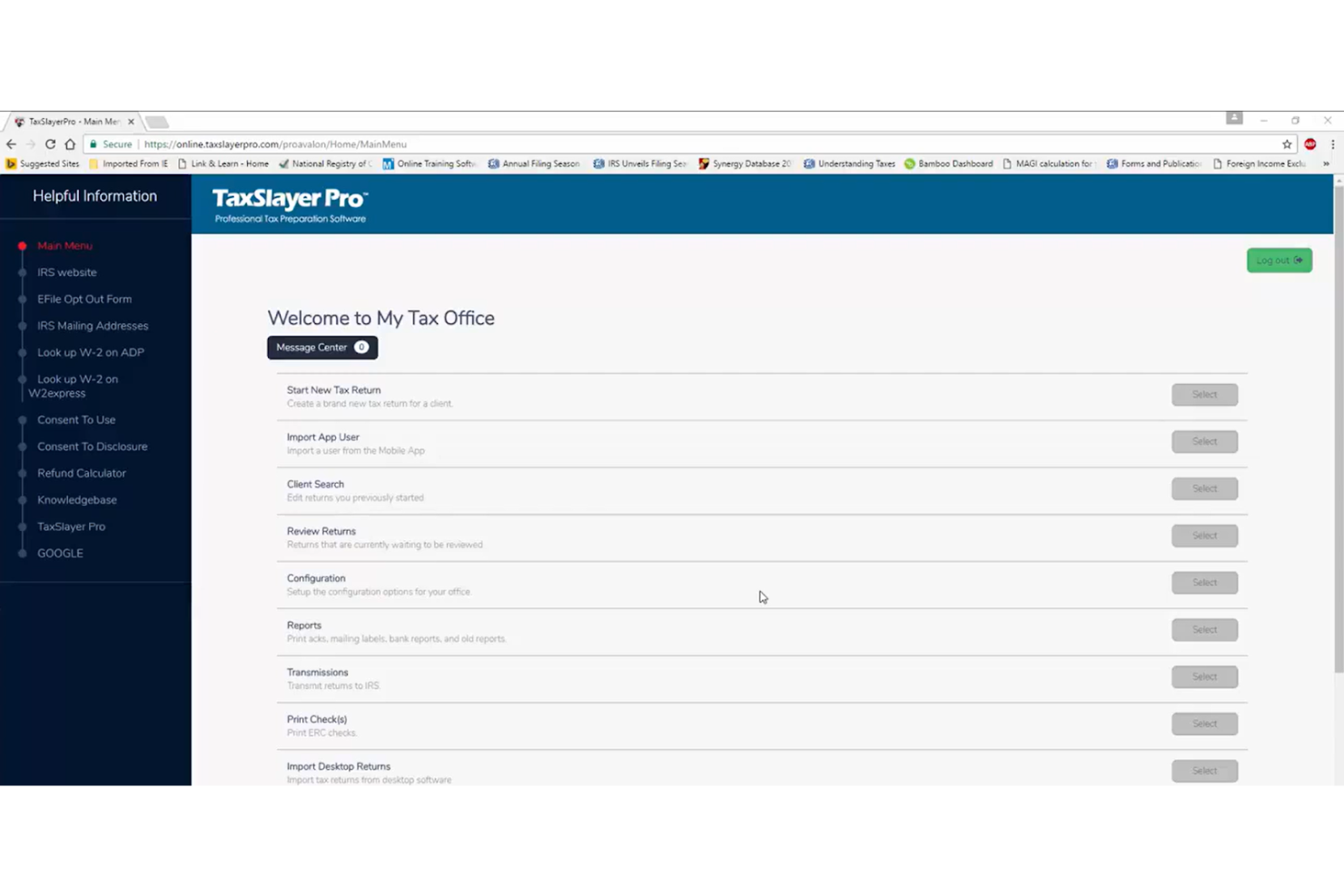
TaxSlayer Pro is a tax software for professional tax preparers and accounting firms. It offers a suite of tools to handle multiple client tax returns efficiently and accurately.
Why I picked TaxSlayer Pro: TaxSlayer Pro provides professional tax preparers with tax planning and tax preparation software to manage multiple client returns. It includes features such as multi-user access, allowing your team to work on different returns simultaneously. The software also offers e-filing capabilities, making it easy to submit returns electronically. Its client management system helps you track and organize client information.
Standout features and integrations:
Features include a built-in client communication tool for easy client interaction, a customizable dashboard to tailor your workspace, and a tax library for reference. It also provides detailed reporting tools to help you analyze client data.
Integrations include QuickBooks Online, and more.
Pros and Cons
Pros:
- Client management tools
- Native TaxesToGo app
- Multi-user collaboration
Cons:
- No free filing
- Professional use only
Other Small Business Tax Software
Here are some additional small business tax software options that didn’t make it onto my shortlist but are still worth checking out:
- CFS Small Business Tools
For payroll tax forms
- TaxAct Professional
For multiclient management
- Taxumo
For freelancers in the Philippines


Small Business Tax Software Selection Criteria
When selecting the best small business tax software to include in this list, I considered common buyer needs and pain points like ease of use and cost-effectiveness. I also used the following framework to keep my evaluation structured and fair:
Core Functionality (25% of total score)
To be considered for inclusion in this list, each solution had to fulfill these common use cases:
- Prepare and file tax returns
- Calculate tax liabilities
- Track income and expenses
- Generate financial reports
- Support e-filing capabilities
Additional Standout Features (25% of total score)
To help further narrow down the competition, I also looked for unique features, such as:
- Automated deduction finder
- Multi-user collaboration
- Real-time tax updates
- Integration with accounting software
- Customizable tax forms
Usability (10% of total score)
To get a sense of the usability of each system, I considered the following:
- Intuitive user interface
- Easy navigation
- Minimal learning curve
- Responsive design
- Accessibility options
Onboarding (10% of total score)
To evaluate the onboarding experience for each platform, I considered the following:
- Availability of training videos
- Informative user guides
- Interactive product tours
- Access to webinars
- Responsive chat support
Customer Support (10% of total score)
To assess each software provider's customer support services, I considered the following:
- 24/7 support availability
- Multiple support channels
- Access to a knowledge base
- Prompt response times
- Personalized assistance
Value for Money (10% of total score)
To evaluate the value for money of each platform, I considered the following:
- Competitive pricing
- Transparent pricing structure
- No hidden fees
- Scalable pricing options
- Free trial availability
Customer Reviews (10% of total score)
To get a sense of overall customer satisfaction, I considered the following when reading customer reviews:
- Overall satisfaction ratings
- Commonly praised features
- Frequently mentioned issues
- Feedback on support quality
- Value for money perceptions
How To Choose Small Business Tax Software
It's easy to get bogged down in long feature lists and complex pricing structures. To help you stay focused as you work through your unique software selection process, here's a checklist of factors to keep in mind:
| Factor | What To Consider |
|---|---|
| Scalability | Can the software grow with your business? Consider future needs and whether the tool can handle increased transactions or users without a hitch. |
| Integrations | Does it integrate with your existing tools, such as QuickBooks or Xero? Check for smooth data transfer to avoid manual entry errors. |
| Customizability | Can you tailor the software to match your specific workflow? Look for flexible settings that let you adjust to your business's unique needs. |
| Ease of use | Is the interface intuitive for your team? Avoid steep learning curves by choosing tools that offer straightforward navigation and clear instructions. |
| Implementation and onboarding | How long will it take to get up and running? Consider the support provided during setup and whether there are training resources, such as videos or guides. |
| Cost | Are there hidden fees or tiered pricing? Ensure the pricing aligns with your budget and clearly reflects the value of the features you need. |
| Security safeguards | How does the software protect your data? Look for encryption, regular updates, and compliance with data protection regulations. |
| Support availability | Is help available when you need it? Check for 24/7 support options and multiple contact methods, such as chat, phone, or email, to ensure timely assistance. |
What Is Small Business Tax Software?
Small business tax software is a tool that helps businesses accurately and efficiently manage and file their taxes. Accountants, bookkeepers, and small business owners typically use these tools to simplify tax-related tasks and ensure compliance. Features such as e-filing, deduction tracking, and integration with accounting systems help ensure accurate filing and financial management. Overall, these tools save time and reduce the risk of errors in tax submissions.
Features of Small Business Tax Software
When selecting small business tax software, keep an eye out for the following key features:
- E-filing: Allows you to submit tax returns electronically, saving time and reducing paperwork.
- Deduction tracking: Helps you identify and track eligible deductions to maximize potential tax savings.
- Integration capabilities: Connects with accounting software such as QuickBooks or Xero for data syncing.
- Real-time updates: Keep you informed of changes in tax laws and regulations to ensure compliance.
- Customizable reports: Provides tailored financial reports to match your business's specific needs and requirements.
- Secure data storage: Ensures your financial information is protected with encryption and regular security updates.
- User-friendly interface: Offers an intuitive design that makes navigation and tax filing straightforward.
- Multi-user access: Allows multiple team members to work on tax returns simultaneously, increasing efficiency.
- Client management tools: Help organize and maintain client information for easy access and communication.
- Audit support: Provides assistance during an audit, offering peace of mind and guidance throughout the process.
Benefits of Small Business Tax Software
Implementing small business tax software offers several benefits for your team and your business. Here are a few you can look forward to:
- Time savings: Automates tax calculations and filing, freeing up time for other business tasks.
- Accuracy: Reduces errors with features such as e-filing and deduction tracking, ensuring precise tax submissions.
- Cost efficiency: Helps identify deductions and credits, potentially lowering your tax bill.
- Compliance: Keeps you up to date on real-time tax law changes, ensuring you meet all regulatory requirements.
- Data security: Protects sensitive financial information with encryption and secure storage.
- Collaboration: Supports multi-user access, allowing your team to work together on tax returns efficiently.
- Peace of mind: Offers audit support and guidance, providing reassurance during tax season.
Costs and Pricing of Small Business Tax Software
Selecting small business tax software requires an understanding of the various pricing models and plans available. Costs vary based on features, team size, add-ons, and more. The table below summarizes common plans, their average prices, and typical features included in small business tax software solutions:
Plan Comparison Table for Small Business Tax Software
| Plan Type | Average Price | Common Features |
|---|---|---|
| Free Plan | $0 | Basic filing capabilities, limited support, and basic reporting. |
| Personal Plan | $22.99-$52.99/return $19-$137.50/month | E-filing, deduction tracking, basic support, and secure data storage. |
| Business Plan | $1,395-$1,695/year | Multi-user access, integration capabilities, advanced reporting, and audit support. |
| Enterprise Plan | $3,477-$9,744/year | Customizable features, priority support, compliance tools, and improved security. |
Small Business Tax Software FAQs
Here are some answers to common questions about small business tax software:
What types of businesses benefit from tax software?
Small businesses of all sizes benefit from tax software, including sole proprietors, partnerships, and corporations. If you manage your own finances or have a small team, tax software can simplify the process. It helps you stay organized and track expenses, and it helps ensure compliance with tax laws. Whether you’re a freelancer or run a small firm, using tax software can save you time and reduce errors.
Is tax software secure for sensitive financial data?
Yes, reputable tax software has security in mind. Ensure the software you choose uses encryption to protect your data. Look for providers that comply with data protection regulations and offer regular security updates. It’s important to check reviews and security features before purchasing to ensure your financial information remains safe.
How often do tax software updates occur?
Tax software is typically updated annually, but some providers offer more frequent updates. These updates ensure compliance with the latest tax laws and regulations. It’s important to choose a provider that offers regular updates, especially if you’re managing complex tax situations. Staying up to date on updates ensures your filings are accurate and compliant.
Can tax software integrate with other accounting tools?
Yes, most tax software can integrate with popular accounting tools such as QuickBooks and Xero. These integrations allow smooth data transfer, saving you time and reducing manual entry errors. Before purchasing, check the software’s compatibility with your current tools to ensure a smooth workflow. This integration can greatly improve your team’s efficiency.
What's Next:
If you're in the process of researching small business tax software, connect with a SoftwareSelect advisor for free recommendations.
You fill out a form and have a quick chat where they get into the specifics of your needs. Then you'll get a shortlist of software to review. They'll even support you through the entire buying process, including price negotiations.