
18 Best Spend Analysis Software Reviewed in 2026

10 Best Spend Analysis Software Shortlist
Here's my pick of the 10 best software from the 18 tools reviewed.


Managing expenses is one of the toughest challenges you face as a CFO. You're constantly seeking ways to cut costs and improve efficiency. That's where spend analysis software comes in. It helps you track spending, identify savings opportunities, and make informed financial decisions.
In my experience, choosing the right software can feel overwhelming with so many options out there. I've independently tested and reviewed the leading spend analysis tools to help you make the best choice for your team.
In this article, I'll share my top picks and explain how each solution can address your specific needs. You'll get an unbiased look at features, benefits, and potential drawbacks to find the perfect fit for your organization.
Why Trust Our Software Reviews
Best Spend Analysis Software Summary
This comparison chart summarizes pricing details for my top spend analysis software selections to help you find the best one for your budget and business needs.
| Tool | Best For | Trial Info | Price | ||
|---|---|---|---|---|---|
| 1 | Best for team expense management | Free trial available | Pricing upon request | Website | |
| 2 | Best for financial modeling | Free demo available | Pricing upon request | Website | |
| 3 | Best for real-time expense tracking | Free demo available | Pricing upon request | Website | |
| 4 | Best for multinational enterprises | Free demo available | From $2,420/user/month | Website | |
| 5 | Best for AI-driven analytics | Free demo available | Pricing upon request | Website | |
| 6 | Best for supplier collaboration | Free demo available | Pricing upon request | Website | |
| 7 | Best for customizable workflows | Free demo available | Pricing upon request | Website | |
| 8 | Best for procurement insights | Free demo available | Pricing upon request | Website | |
| 9 | Best for small businesses | Free demo available | Pricing upon request | Website | |
| 10 | Best for unified procurement | Free demo available | Pricing upon request | Website |
-

LiveFlow
Visit WebsiteThis is an aggregated rating for this tool including ratings from Crozdesk users and ratings from other sites.4.9 -
Float Financial
Visit WebsiteThis is an aggregated rating for this tool including ratings from Crozdesk users and ratings from other sites.4.1 -
Creatio CRM
Visit WebsiteThis is an aggregated rating for this tool including ratings from Crozdesk users and ratings from other sites.4.7


Best Spend Analysis Software Reviews
Below are my detailed summaries of the best spend analysis software that made it onto my shortlist. My reviews offer a detailed look at the key features, pros and cons, integrations, and ideal use cases of each tool to help you find the best one for you.

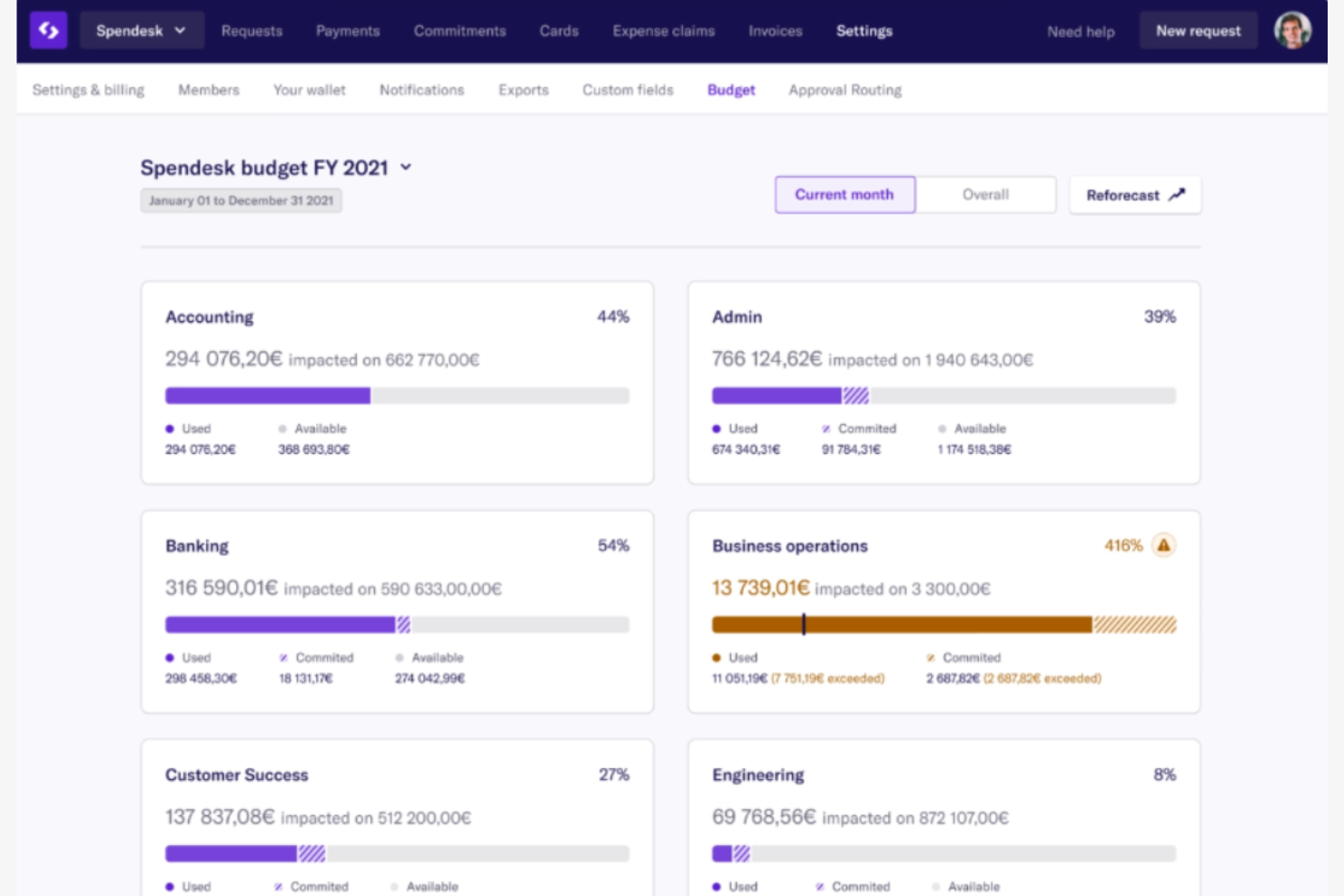
Spendesk is a spend management platform designed for businesses that need to streamline team expenses and financial workflows. It helps finance teams manage company spending, automate expense reports, and control budgets.
Why I picked Spendesk: It simplifies team expense management, which is essential for businesses looking to control spending. The platform includes features such as virtual cards and automated expense reports to facilitate easy financial tracking. Spendesk's budget control tools help your team manage and allocate resources. Its focus on team collaboration ensures smooth financial operations across business units.
Standout features and integrations:
Features include virtual cards, automated expense reporting, and budget tracking. These features support your team in managing and monitoring expenses in real time. The platform also offers approval workflows to ensure compliance and control over spending.
Integrations include Xero, QuickBooks, Oracle NetSuite, Sage, SAP, Slack, Google Workspace, and more.
Pros and Cons
Pros:
- Facilitates team collaboration
- Automated expense reporting
- Effective team expense management
Cons:
- Limited card acceptance, receipt automation, and pre-loaded funds
- Basic reporting capabilities

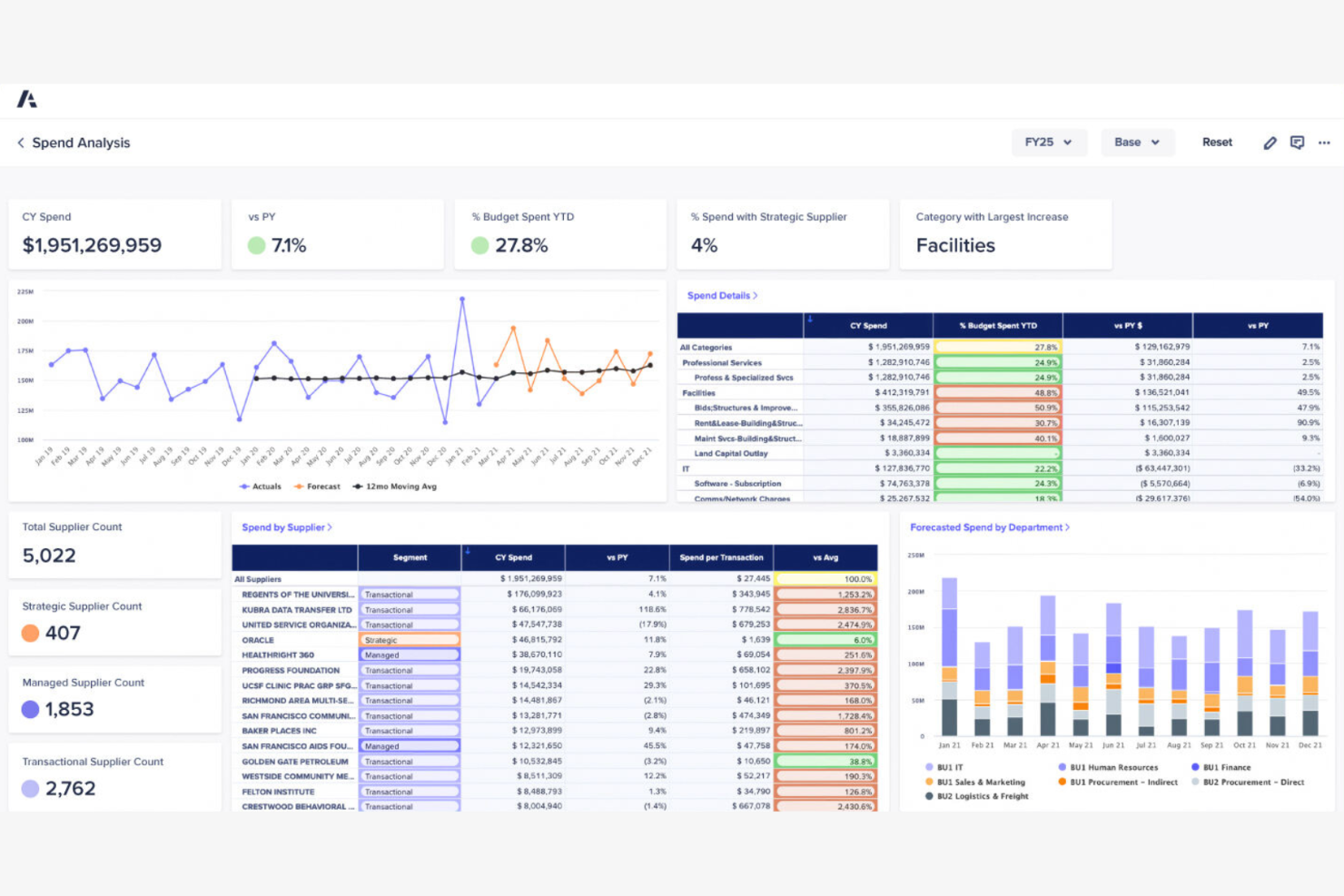
Anaplan is a cloud-based platform designed for enterprises that need advanced planning and financial modeling capabilities. It serves finance teams by providing tools to analyze spending, forecast budgets, and optimize financial strategies.
Why I picked Anaplan: Its strength lies in financial modeling, which is important for businesses focused on strategic planning. The platform offers features such as scenario planning and budget forecasting to support decision-making. Anaplan's intuitive modeling interface helps your team create and manage complex financial plans. Its collaborative features ensure that finance teams can work together on financial models.
Standout features and integrations:
Features include scenario planning, budget forecasting, and real-time data analysis. These tools help you anticipate financial outcomes and adjust strategies accordingly. The platform also supports collaborative planning to enhance team coordination.
Integrations include Salesforce, Microsoft Dynamics, SAP, Oracle, NetSuite, Google Workspace, Office 365, and more.
Pros and Cons
Pros:
- Effective scenario planning
- Real-time data analysis
- Strong financial modeling capabilities
Cons:
- Limited specialized procurement tools
- Not a dedicated spend analytics tool

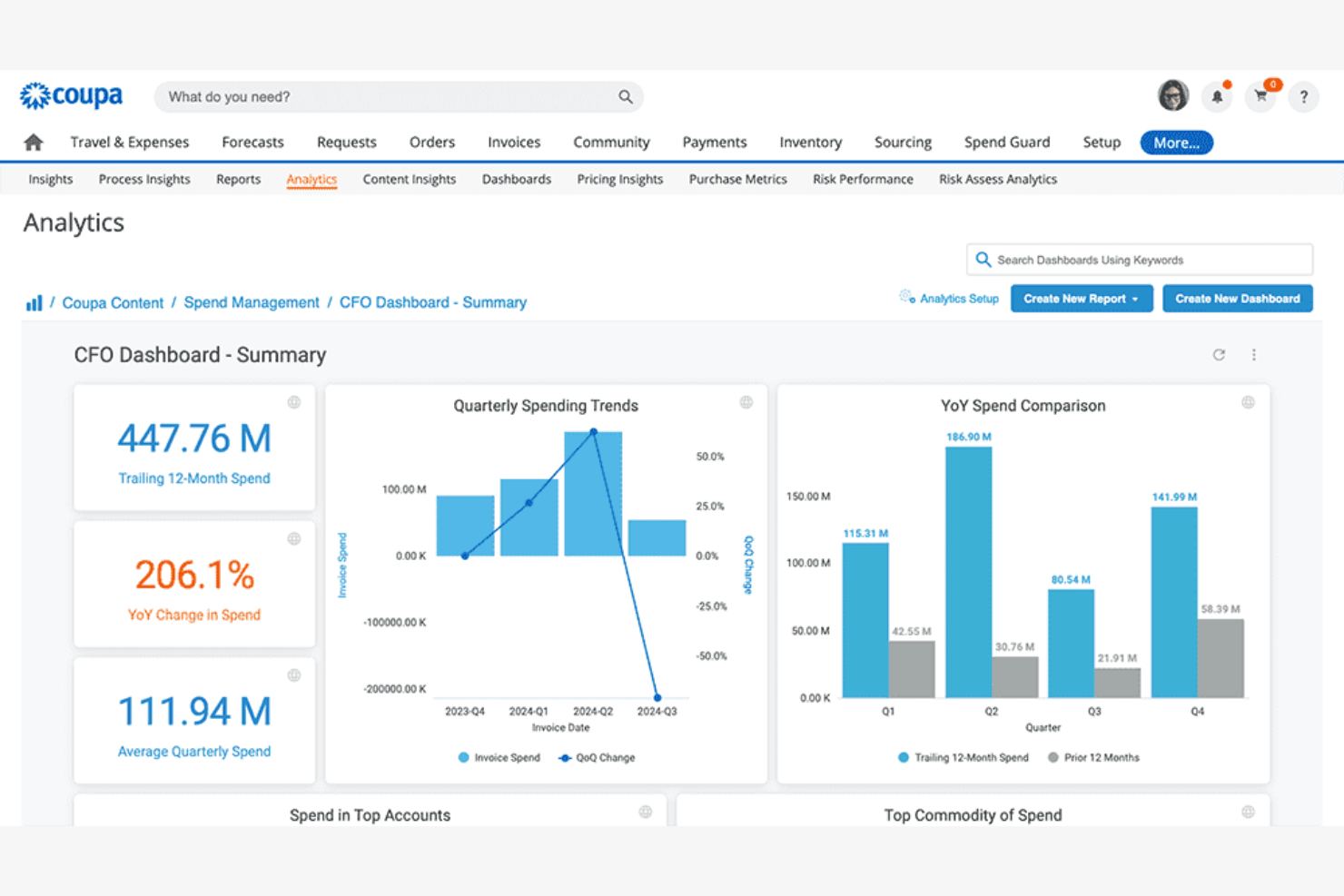
Coupa is a spend management platform primarily used by large organizations to manage finance, procurement, and supply chain functions. It offers tools that help businesses optimize their spending and improve decision-making processes.
Why I picked Coupa: Its real-time spend analytics tools are key for organizations needing immediate visibility into their spending. The platform's AI-driven insights allow for quick adjustments and cost control. Coupa's extensive network connects businesses with millions of suppliers, enhancing procurement efficiency. Its user-friendly interface ensures your team can easily navigate and utilize the platform's features.
Standout features and integrations:
Features include supply chain solutions, procure-to-pay processes, and AP automation. These features support your team in managing procurement and finance tasks. The platform also offers treasury management for better cash and liquidity control.
Integrations include Oracle, SAP, NetSuite, Microsoft Dynamics, Salesforce, Workday, QuickBooks, Sage, and more.
Pros and Cons
Pros:
- Effective cost control
- Extensive supplier network
- Real-time tracking features
Cons:
- Broad feature scope can feel overwhelming
- Dependency on internet access

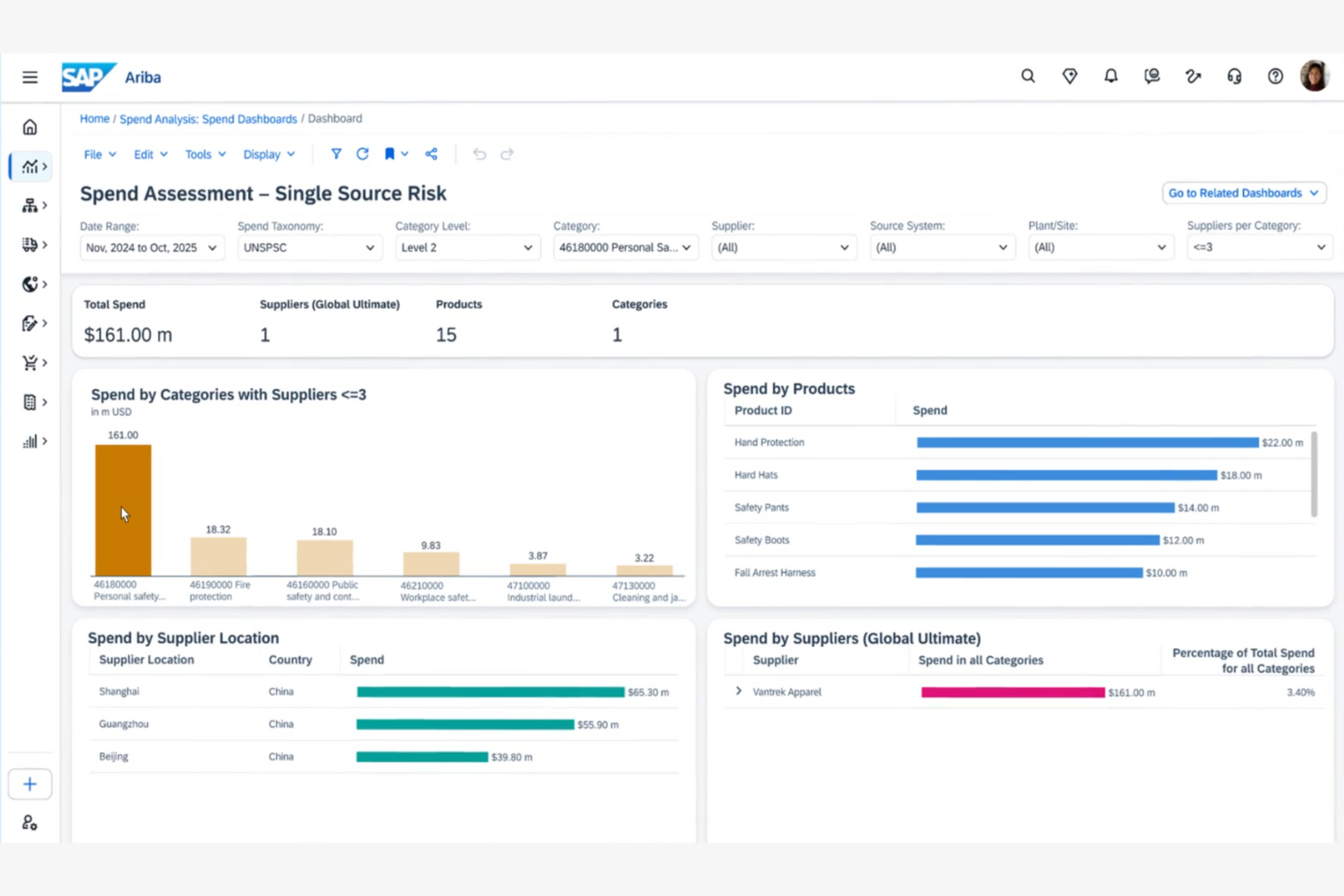
SAP Ariba is a spend management software designed for large enterprises, particularly in sectors such as manufacturing and retail. It connects businesses with a vast supplier network, facilitating smarter spending decisions and stronger stakeholder relationships.
Why I picked SAP Ariba: It offers advanced analytics and automated procurement processes, which are important for multinational enterprises managing complex supply chains. The platform's extensive supplier access supports global procurement needs. Its integration with SAP S/4HANA enhances collaboration and data flow across systems. Although it may have a steep learning curve, the tool's capabilities in supplier collaboration make it valuable for large organizations.
Standout features and integrations:
Features include procurement automation, spend analysis, and contract management. These tools help you gain insights into spending patterns and ensure compliance. The software also offers invoice management and catalog management to control purchasing and reduce risks.
Integrations include Oracle, Microsoft Dynamics 365, Salesforce, Xero, and more.
Pros and Cons
Pros:
- Add-ons expand usage
- Global procurement support
- AI and automation tools spot emerging procurement trends
Cons:
- Challenging onboarding process
- Complex user interface

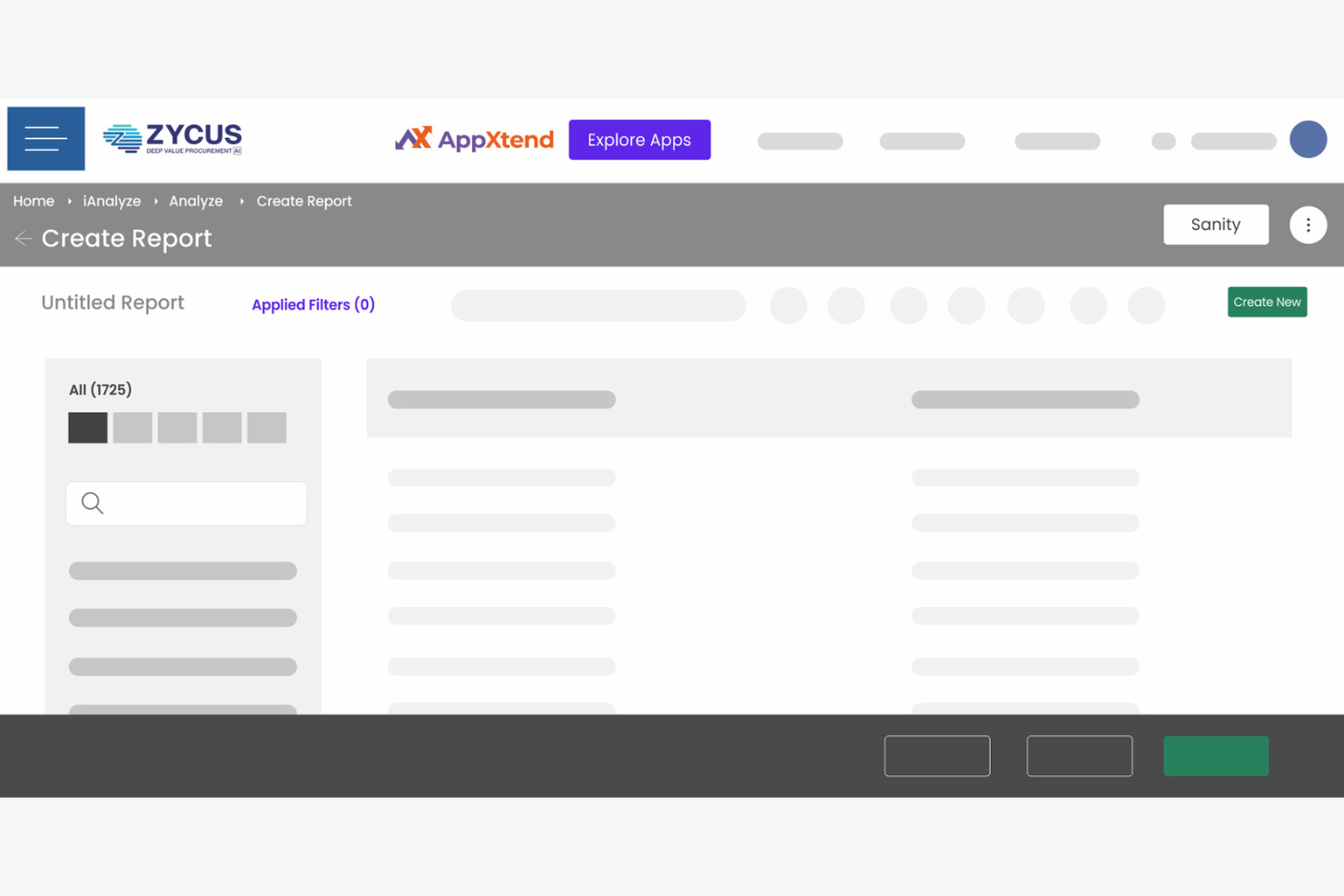
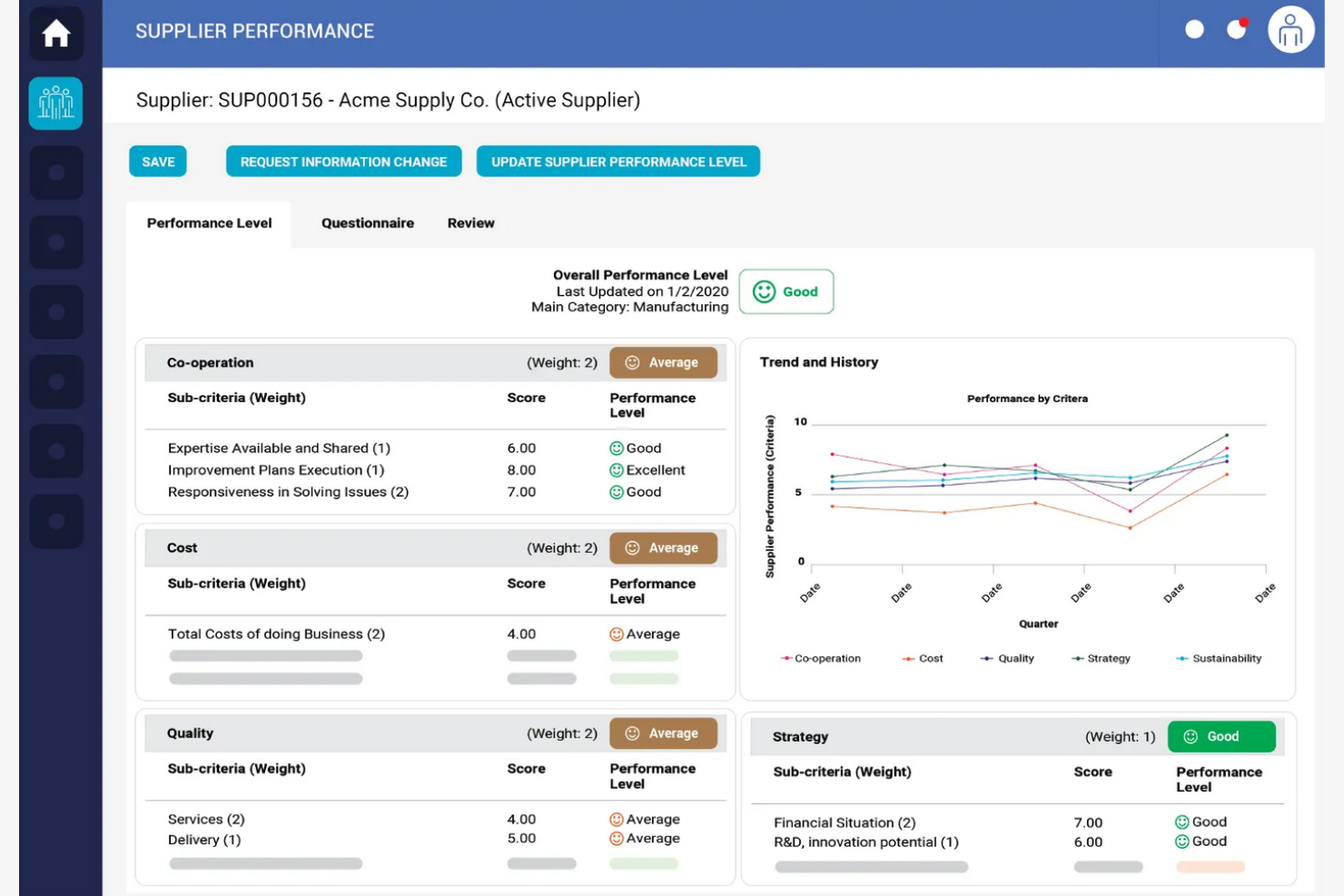
Zycus is a procurement and spend management software aimed at large organizations seeking to leverage AI for analytics. It offers solutions across procurement, supplier management, and spend analysis to help businesses optimize their spending and supplier interactions.
Why I picked Zycus: Its AI-driven analytics empower your team to gain deep insights into spending patterns and supplier performance. The platform includes spend analysis and procurement automation features that enhance efficiency. Zycus's supplier management tools help maintain strong supplier relationships. Its focus on AI-driven insights sets it apart, providing valuable data to validate strategic decision-making.
Standout features and integrations:
Features include procurement automation, supplier performance management, and contract lifecycle management. These features help your team manage procurement processes. The platform also offers spend visibility and compliance management to ensure regulatory adherence.
Integrations include SAP, Oracle, Microsoft Azure, Salesforce, Workday, QuickBooks, and more.
Pros and Cons
Pros:
- Efficient compliance management
- Effective procurement automation
- Strong AI-driven analytics
Cons:
- Steep learning curve
- Complex setup process

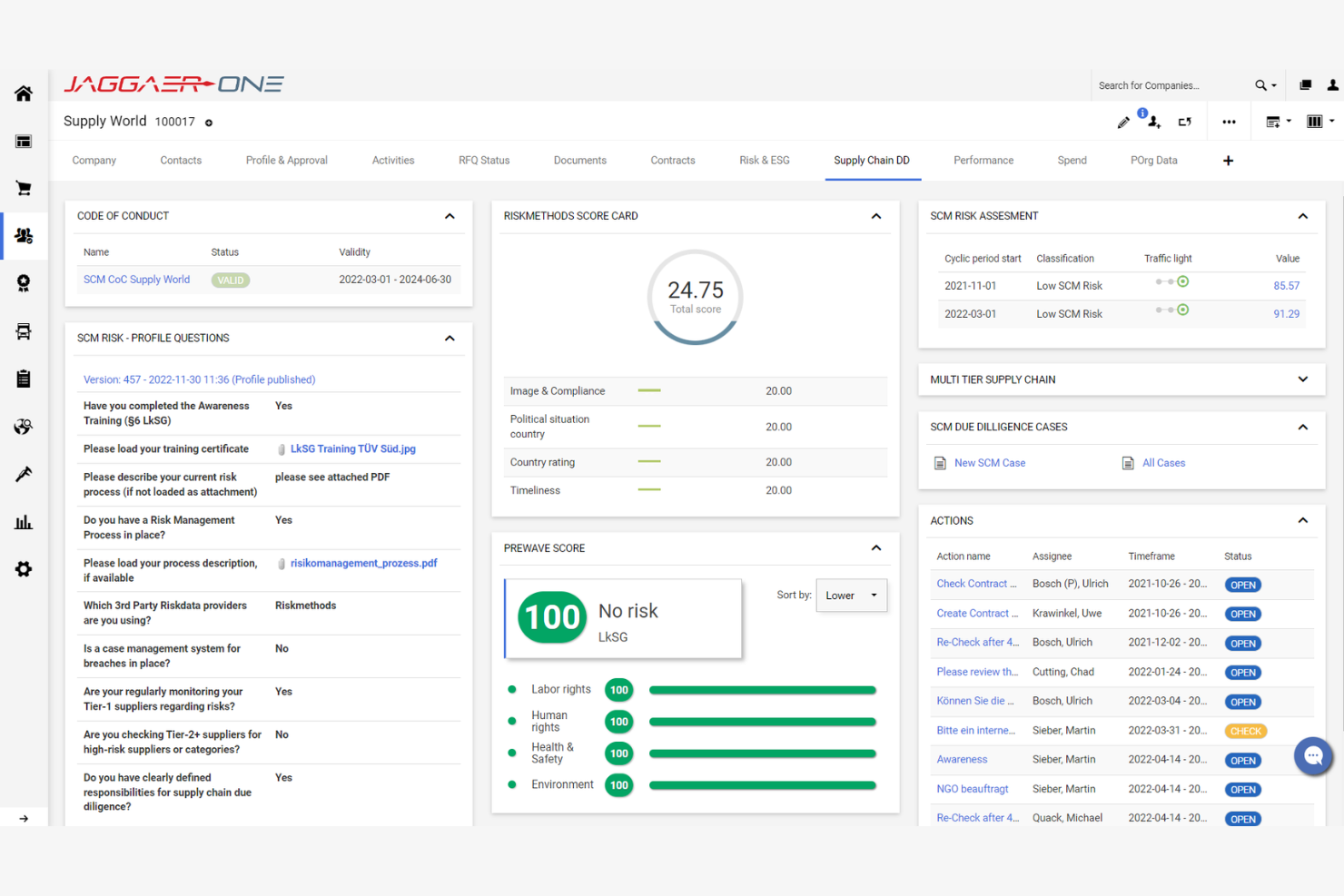
Jaggaer is a procurement and spend management solution tailored for large enterprises aiming to support supplier collaboration. It supports procurement processes, supplier management, and sourcing, providing a variety of tools for managing supplier relationships.
Why I picked Jaggaer: It excels in fostering supplier collaboration, which is important for businesses focused on optimizing their supply chain. The platform's supplier management features allow for effective communication and relationship building. Jaggaer includes contract management and sourcing capabilities, ensuring your team can handle complex procurement tasks. Its user-friendly tools make it easier to collaborate and negotiate with suppliers.
Standout features and integrations:
Features include sourcing, contract management, and spend analysis. These features help your team manage procurement and supplier relationships. The platform also offers risk management tools to mitigate supplier-related risks.
Integrations include SAP, Oracle, Microsoft Dynamics, Salesforce, NetSuite, Ariba, and more.
Pros and Cons
Pros:
- User-friendly interface
- Strong sourcing capabilities
- Detailed contract management
Cons:
- Poor user experience
- Requires dedicated IT resources

Ivalua is a procurement and spend management platform tailored for large enterprises that require flexible data management solutions. It supports procurement, supplier management, and financial processes, offering a vast suite of tools for managing spend.
Why I picked Ivalua: It provides customizable workflows that adapt to your unique business needs. You can tailor procurement processes to fit your organization's structure and requirements. The platform includes supplier management and contract management features, which enhance operational efficiency. Its modular design allows you to scale and adjust functionalities as your business grows.
Standout features and integrations:
Features include spend analysis, e-sourcing, and supplier risk management. These tools help your team assess and mitigate risks associated with suppliers. The platform also offers invoicing and payment solutions to improve financial processes and manage organizational spend.
Integrations include SAP, Oracle, Microsoft Dynamics, Salesforce, Workday, NetSuite, Coupa, Ariba, JAGGAER, QuickBooks, and more.
Pros and Cons
Pros:
- Tailored procurement processes
- Modular design for scalability
- Highly customizable workflows
Cons:
- High cost for smaller businesses
- Limited out-of-the-box features
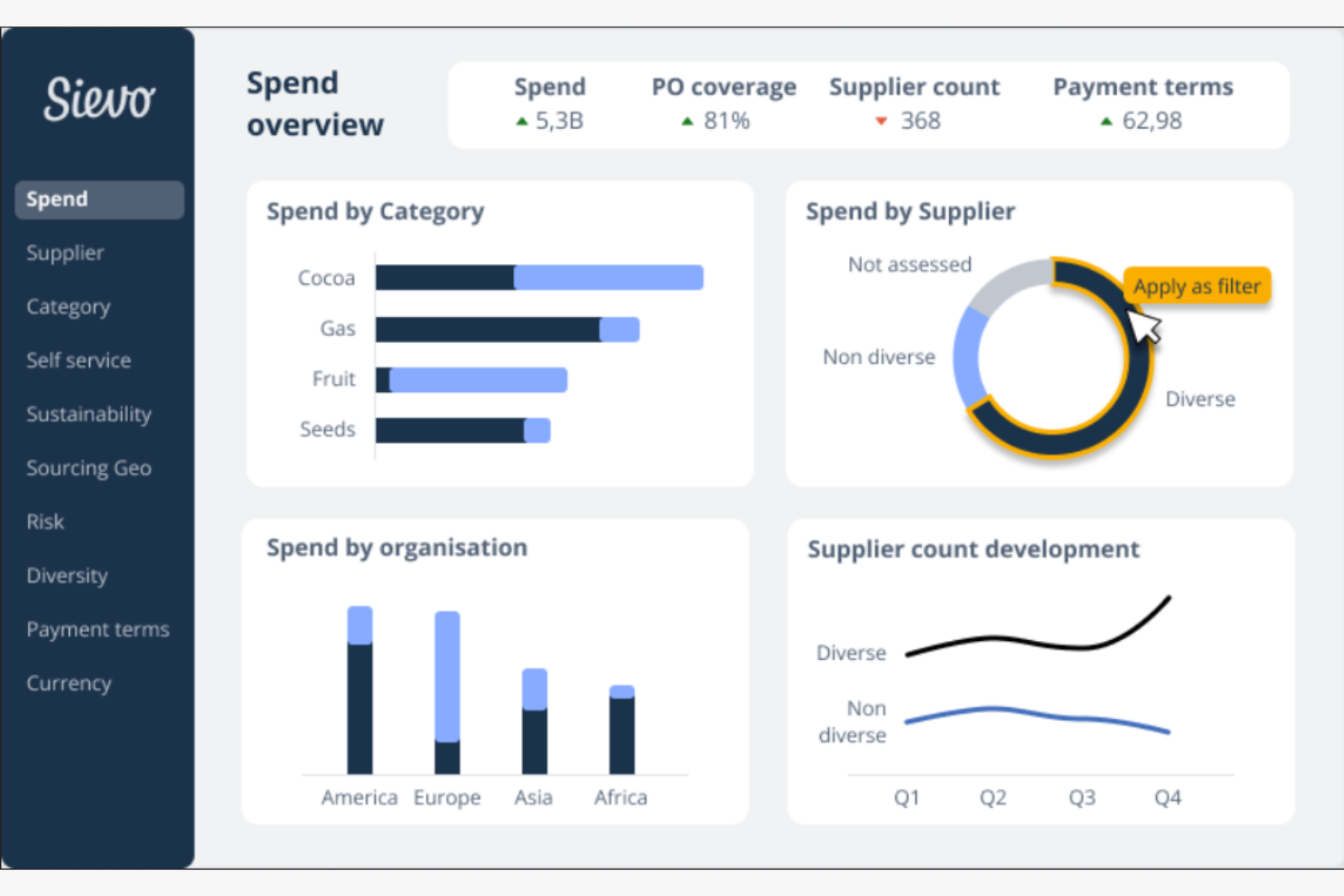
Sievo is a spend analysis software tailored for large enterprises looking to gain detailed procurement insights. It empowers businesses to make data-driven decisions by analyzing spending patterns and supplier performance.
Why I picked Sievo: It excels in delivering actionable insights that help your team identify cost-saving opportunities. The platform's spend management capabilities include spend visibility and supplier performance tracking, which are vital for strategic sourcing. Sievo's intuitive dashboards make it easy to interpret complex data sets, such as spend cubes. Its data cleansing and categorization tools create end-to-end accountability for procurement performance.
Standout features and integrations:
Features include spend forecasting, contract management, and savings tracking. These tools assist your team in planning and managing spend. The platform also offers category management to optimize procurement taxonomies.
Integrations include SAP, Oracle, Microsoft Dynamics, Workday, Infor, Sage, and more.
Pros and Cons
Pros:
- Strong category management
- Intuitive dashboards
- Detailed procurement insights
Cons:
- Poor workflow automation
- Complexity in data integration
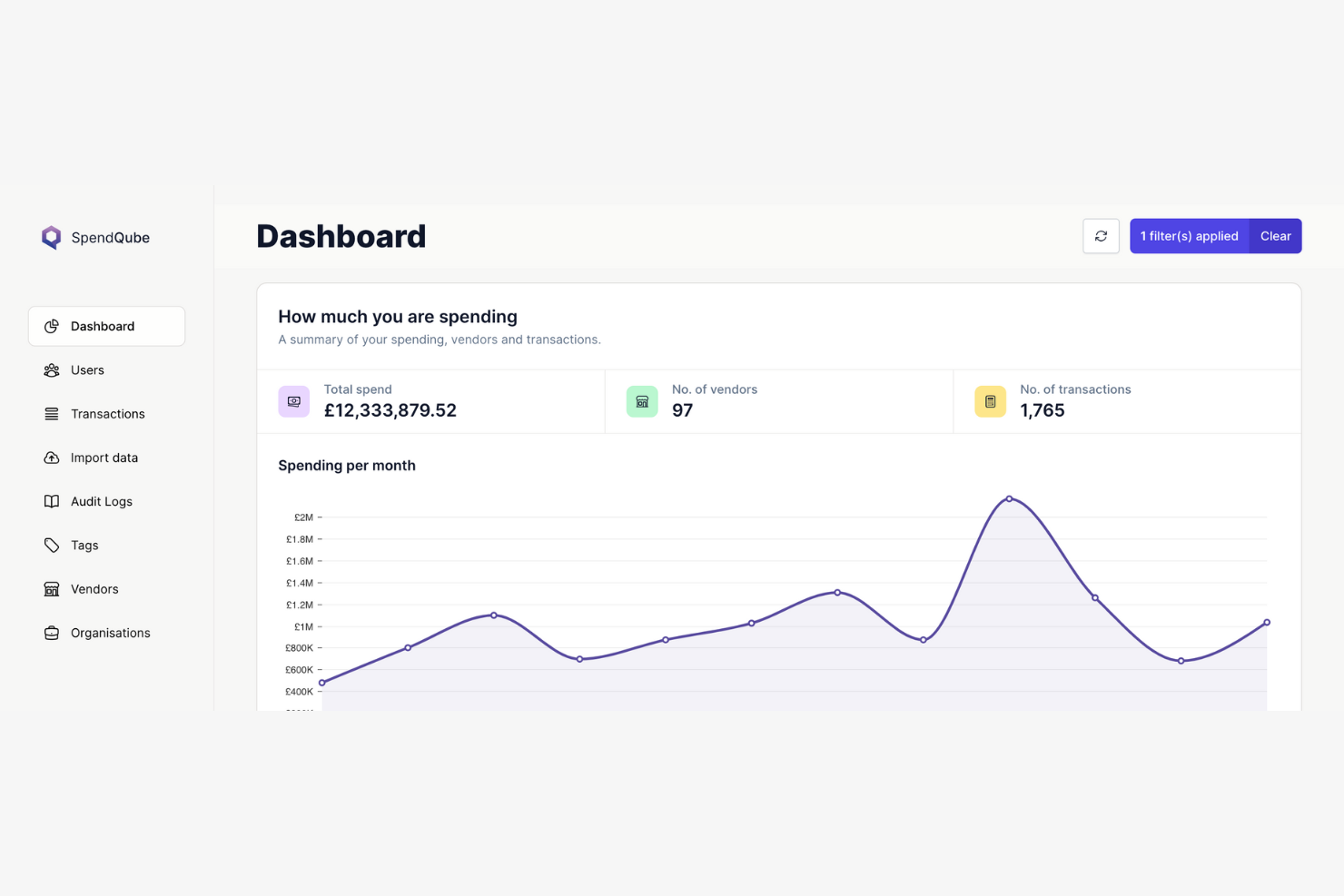
SpendQube is a spend analytics software designed for small businesses aiming to improve procurement processes and manage supplier risks. It consolidates spending data into customizable dashboards for easy analysis and decision-making.
Why I picked SpendQube: It offers small businesses the ability to manage spending with its intuitive dashboards. The spend analysis solution includes features such as spend analytics and supplier risk management, which are essential for cost control. Its focus on categorization helps your team optimize procurement strategies. SpendQube's straightforward interface makes it accessible for small procurement teams without extensive resources.
Standout features and integrations:
Features include spend analytics, supplier risk management, and category management. These features assist your team in drilling down to make data-driven procurement decisions. The platform also offers ESG reporting to align spending with sustainability goals.
Integrations are not publicly listed.
Pros and Cons
Pros:
- Integrates with ESG and compliance data
- No need for extensive resources
- Supports sustainability goals
Cons:
- Lacks AI-driven predictive metrics
- May require data cleanup
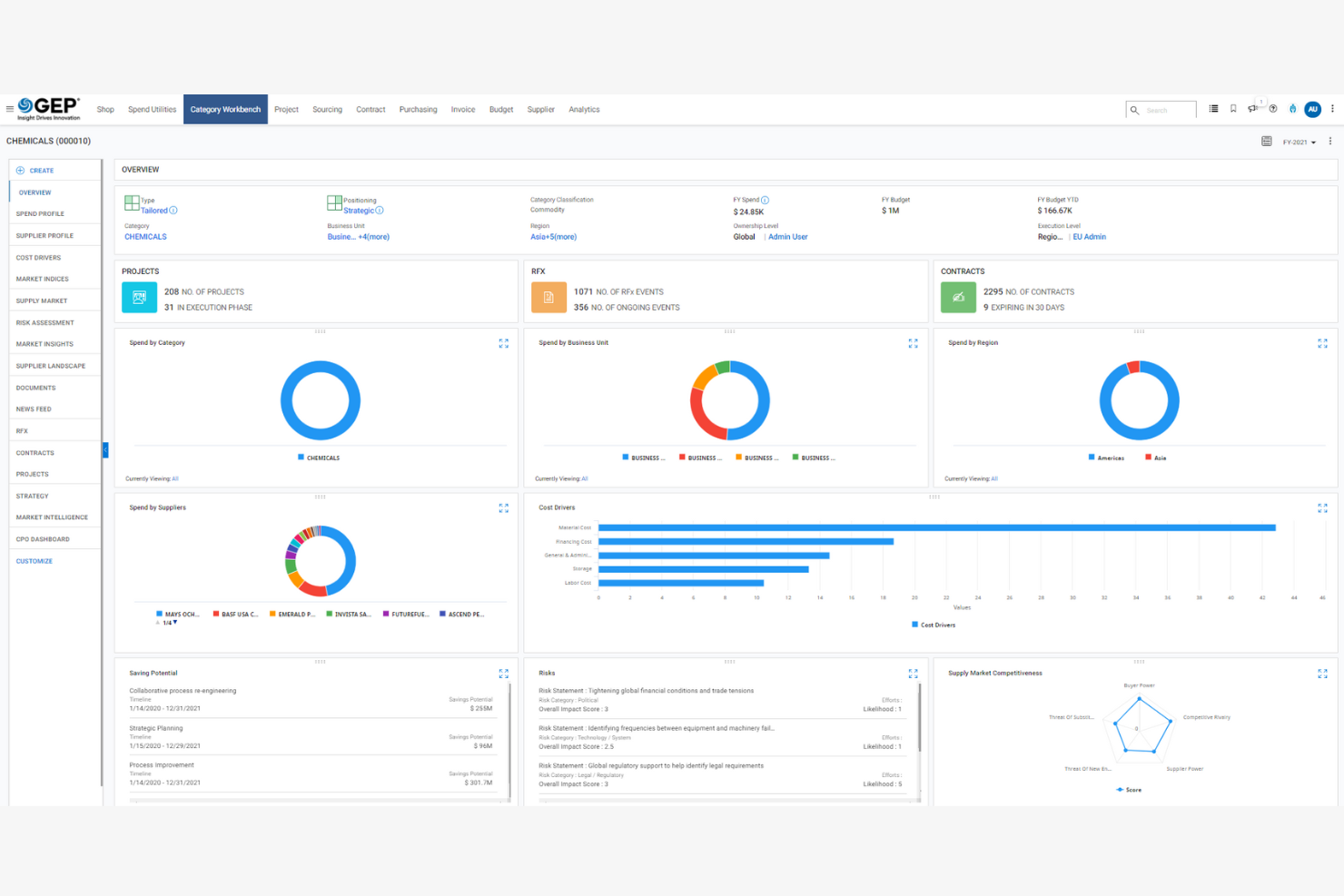
GEP is a procurement software solution designed for large enterprises that need an aggregated platform for managing procurement operations. It covers procurement, supply chain, and spend management, offering tools to manage processes and improve efficiency.
Why I picked GEP: It provides a unified procurement platform, which is essential for large organizations seeking to integrate various procurement functions. The software includes spend analysis and supply chain management tools that enhance decision-making. GEP's contract management features support efficient procurement operations. Its focus on unifying procurement processes sets it apart, enabling your team to manage procurement tasks.
Standout features and integrations:
Features include spend analysis, supplier management, and contract lifecycle management. These features help your team optimize procurement and supplier interactions. The platform also offers project management tools to support procurement initiatives.
Integrations include SAP, Microsoft Dynamics, Salesforce, and more.
Pros and Cons
Pros:
- Real-time alerts for threshold breaches
- Effective supply chain tools
- Unified procurement platform
Cons:
- Dependency on accurate data inputs
- Requires extensive training
Other Spend Analysis Software
Here are some additional spend analysis software options that didn’t make it onto my shortlist but are still worth checking out:
- Rosslyn
For data integration
- Procurify
For budget control
- Oracle Fusion Cloud Procurement
For integrated procurement solutions
- Spendscape
For strategic spend insights
- Suplari
For predictive spend analytics
- Procure Analytics
For group purchasing power
- Veridian
For supply chain visibility
- Workday Spend Management
For unified financial management


Spend Analysis Software Selection Criteria
When selecting the best spend analysis software to include in this list, I considered common buyer needs and pain points such as cost control and data integration challenges. I also used the following framework to keep my evaluation structured and fair:
Core Functionality (25% of total score)
To be considered for inclusion in this list, each solution had to fulfill these common use cases:
- Spend analysis
- Budget tracking
- Supplier management
- Expense reporting
- Procurement automation
Additional Standout Features (25% of total score)
To help further narrow down the competition, I also looked for unique features, such as:
- Predictive analytics
- Real-time data visualization
- Customizable dashboards
- Integration with ERP systems
- AI-driven insights
Usability (10% of total score)
To get a sense of the usability of each system, I considered the following:
- Intuitive interface
- Easy navigation
- Clear layout and design
- Minimal learning curve
- Accessibility across devices
Onboarding (10% of total score)
To evaluate the onboarding experience for each platform, I considered the following:
- Availability of training videos
- Interactive product tours
- Access to templates
- Supportive chatbots
- Engaging webinars
Customer Support (10% of total score)
To assess each software provider’s customer support services, I considered the following:
- 24/7 availability
- Multichannel support options
- Responsive support team
- Access to a knowledge base
- Personalized assistance
Value For Money (10% of total score)
To evaluate the value for money of each platform, I considered the following:
- Competitive pricing
- Feature-to-price ratio
- Flexible pricing plans
- Discounts for bulk purchases
- Return on investment
Customer Reviews (10% of total score)
To get a sense of overall customer satisfaction, I considered the following when reading customer reviews:
- Consistent positive feedback
- Reported ease of use
- Customer service experiences
- Satisfaction with features
- Frequency of updates and improvements
How to Choose Spend Analysis Software
It’s easy to get bogged down in long feature lists and complex pricing structures. To help you stay focused as you work through your unique software selection process, here’s a checklist of factors to keep in mind:
| Factor | What to Consider |
| Scalability | Will the software grow with your business? Consider future needs and whether the tool can handle increased data, users, and complexity without a hitch. |
| Integrations | Does it work with your existing systems? Check if it connects smoothly with your ERP, CRM, or other key tools to avoid data silos and manual work. |
| Customizability | Can you tailor it to fit your unique workflows? Look for options to adjust settings, dashboards, and reports to suit your team's specific processes. |
| Ease of use | Is the interface intuitive for your team? Test the software's user-friendliness, as a steep learning curve can slow down adoption and productivity. |
| Implementation and onboarding | How long will setup take? Evaluate the time and resources needed for a smooth transition, including training and support during the early stages. |
| Cost | What’s the total cost of ownership? Consider the upfront and ongoing costs, including hidden fees, to ensure it fits your budget. Look for value rather than just the lowest price. |
| Security safeguards | Are your data and transactions secure? Ensure the software meets industry standards for data protection, such as encryption and regular security updates. |
| Support availability | Is help readily accessible when you need it? Check the vendor's support options, like 24/7 availability and multiple contact channels, to ensure you get timely assistance. |
What Is Spend Analysis Software?
Spend analysis software is a tool used to evaluate and manage a company's spending to identify cost-saving opportunities. Finance professionals, procurement managers, and supply chain analysts typically use these tools to gain insights into spending patterns and improve financial decision-making. Spend visibility, supplier management, and expense tracking features help with data analysis, cost control, and strategic sourcing. Overall, these tools provide businesses with the ability to make informed financial decisions and optimize their spending.
Features
When selecting spend analysis software, keep an eye out for the following key features:
- Spend visibility: Offers a clear view of all company expenditures, helping you identify cost-saving opportunities and monitor spending patterns.
- Supplier management: Manages supplier relationships by tracking performance and ensuring compliance with contracts and agreements.
- Expense tracking: Monitors and records all business expenses in real time, aiding in accurate budgeting and financial reporting.
- Budget tracking: Keeps track of budget allocations and expenditures to prevent overspending and ensure financial compliance.
- Customizable dashboards: Allows you to tailor data views and reports to fit your team's specific needs, formats, and preferences.
- Real-time data analysis: Provides up-to-date insights into spending patterns, enabling quick decision-making and strategic adjustments.
- Approval workflows: Facilitate controlled spending by automating the approval process for purchases and expenses.
- Integration capabilities: Connect with existing systems such as ERP and CRM to ensure seamless data flow and reduce manual entry.
- Security safeguards: Protect sensitive financial data with encryption and regular security updates, ensuring compliance with industry standards.
- Predictive analytics: Utilize historical data to forecast future spending trends and identify potential savings opportunities.
Benefits
Implementing spend analysis software provides several benefits for your team and your business. Here are a few you can look forward to:
- Cost savings: Identifies areas where you can reduce expenses by analyzing spending patterns and supplier performance.
- Improved budgeting: Enhances budget accuracy and compliance through real-time tracking and monitoring of expenditures.
- Enhanced decision-making: Provides data-driven insights that enable better financial and procurement decisions.
- Supplier efficiency: Strengthens supplier relationships and ensures contract compliance with effective management tools.
- Increased visibility: Offers a clear view of your financial landscape, helping you monitor and control spending.
- Time efficiency: Reduces manual data entry and paperwork through automated processes and integrations with existing systems.
- Risk management: Helps mitigate financial risks by providing insights into spending habits and potential savings opportunities.
Costs and Pricing
Selecting spend analysis software requires an understanding of the various pricing models and plans available. Costs vary based on features, team size, add-ons, and more. The table below summarizes common plans, their average prices, and typical features included in spend analysis software solutions:
Plan Comparison Table for Spend Analysis Software
| Plan Type | Average Price | Common Features |
| Free Plan | $0 | Basic spend tracking, limited supplier management, and standard reporting. |
| Personal Plan | $10-$30/user/month | Spend tracking, budget alerts, supplier management, and basic reporting features. |
| Business Plan | $50-$100/user/month | Advanced spend analysis, enhanced supplier management, real-time data insights, and custom dashboards. |
| Enterprise Plan | $150-$300/user/month | Detailed analytics, full integration capabilities, predictive analytics, and custom workflows. |
Spend Analysis Software FAQs
Here are some answers to common questions about spend analysis software
How does spend analysis software handle data security?
Most spend analysis software solutions prioritize data security. They typically use encryption to protect sensitive financial data and regularly update security protocols to guard against breaches. When evaluating software, check if it complies with industry standards such as GDPR or SOC 2. It’s also wise to ask vendors about their data backup processes and how they manage user access.
How does spend analysis software help reduce overall costs?
Spend analysis software identifies spending patterns and consolidates data from multiple sources, making it easier to spot savings opportunities. You can quickly flag duplicate vendors, negotiate better contracts, and eliminate wasteful or maverick spending.
Can spend analysis software integrate with existing systems?
Yes, many spend analysis tools offer integration capabilities with systems such as ERP, CRM, and accounting software. This ensures data flows smoothly across platforms, reducing manual entry and errors. Before purchasing, list the systems your team uses and confirm compatibility with the vendor. Integration helps maintain data accuracy and saves time.
How customizable are spend analysis software solutions?
Most spend analysis software offers some level of customization, allowing you to tailor dashboards, reports, and workflows to fit your needs. However, the extent of customization varies by vendor. Before deciding, identify your team’s specific requirements and check if the software can accommodate them. Customization ensures the tool aligns with your processes.
What support options are typically available with spend analysis software?
Support options can vary, but most vendors offer email, phone, and chat support. Some might provide a knowledge base, community forums, or dedicated account managers. When choosing software, consider your team’s support needs and the vendor’s availability. Reliable support can make a big difference during implementation and troubleshooting.
Is training available for new users?
Yes, most vendors provide training resources such as tutorials, webinars, and product tours to help new users get started. Some may offer personalized training sessions or workshops. When evaluating options, consider the learning curve of the software and the training materials available. Good training resources can ease the transition and enhance user adoption.
What’s Next:
If you're in the process of researching spend analysis software, connect with a SoftwareSelect advisor for free recommendations.
You fill out a form and have a quick chat where they get into the specifics of your needs. Then you'll get a shortlist of software to review. They'll even support you through the entire buying process, including price negotiations.