
20 Workday Alternatives Picked for 2026

Workday Alternatives Shortlist
Here's my pick of the 10 best software from the 20 tools reviewed.


A strong Workday alternative offers reliable HR, payroll, and workforce management features that match or exceed what you expect from a leading human capital management platform. If you’re searching for options beyond Workday, you’re likely balancing complex compliance needs, evolving business priorities, and the demand for accurate, timely reporting.
The right alternative can help your team manage global payroll, automate HR workflows, and support strategic decision-making—without disrupting your operations. In this list, you’ll find Workday alternatives that address these challenges and give you the flexibility to choose a solution that fits your organization’s unique requirements.
What Is Workday?
Workday is a cloud-based human capital management platform that helps organizations manage HR, payroll, talent, and workforce planning in one system. It’s widely used by businesses to centralize employee data, automate HR processes, and support compliance with global regulations. Workday is known for its unified approach, allowing HR and finance teams to access real-time insights and simplify core people operations across multiple locations.
Best Workday Alternatives Summary
This comparison chart summarizes pricing details for my top Workday alternative selections to help you find the best one for your budget and business needs.
| Tool | Best For | Trial Info | Price | ||
|---|---|---|---|---|---|
| 1 | Best with employee self-service options | Free demo available | Pricing upon request | Website | |
| 2 | Best for real-time data processing | Free demo available | Pricing upon request | Website | |
| 3 | Best for multi-country payroll support | Free demo available | Pricing upon request | Website | |
| 4 | Best for global workforce management | Free trial + free demo available | From $18/month | Website | |
| 5 | Best for small business usability | Free demo available | From $10/employee/month | Website | |
| 6 | Best with advanced analytics tools | Free demo available | Pricing upon request | Website | |
| 7 | Best for learning and development features | Free demo available | Pricing upon request | Website | |
| 8 | Best for payroll and talent integration | Free demo available | Pricing upon request | Website | |
| 9 | Best for project-based organizations | Free demo available | Pricing upon request | Website | |
| 10 | Best for unified HR and IT management | Free demo available | Pricing upon request | Website |

Why Trust Our Software Reviews
-

LiveFlow
Visit WebsiteThis is an aggregated rating for this tool including ratings from Crozdesk users and ratings from other sites.4.9 -
Float Financial
Visit WebsiteThis is an aggregated rating for this tool including ratings from Crozdesk users and ratings from other sites.4.1 -
Creatio CRM
Visit WebsiteThis is an aggregated rating for this tool including ratings from Crozdesk users and ratings from other sites.4.7


Workday Alternatives Reviews
Below are my detailed summaries of the best Workday alternatives that made it onto my shortlist. My reviews offer a detailed look at the features, best use cases, and integrations of each platform to help you find the best one for you.

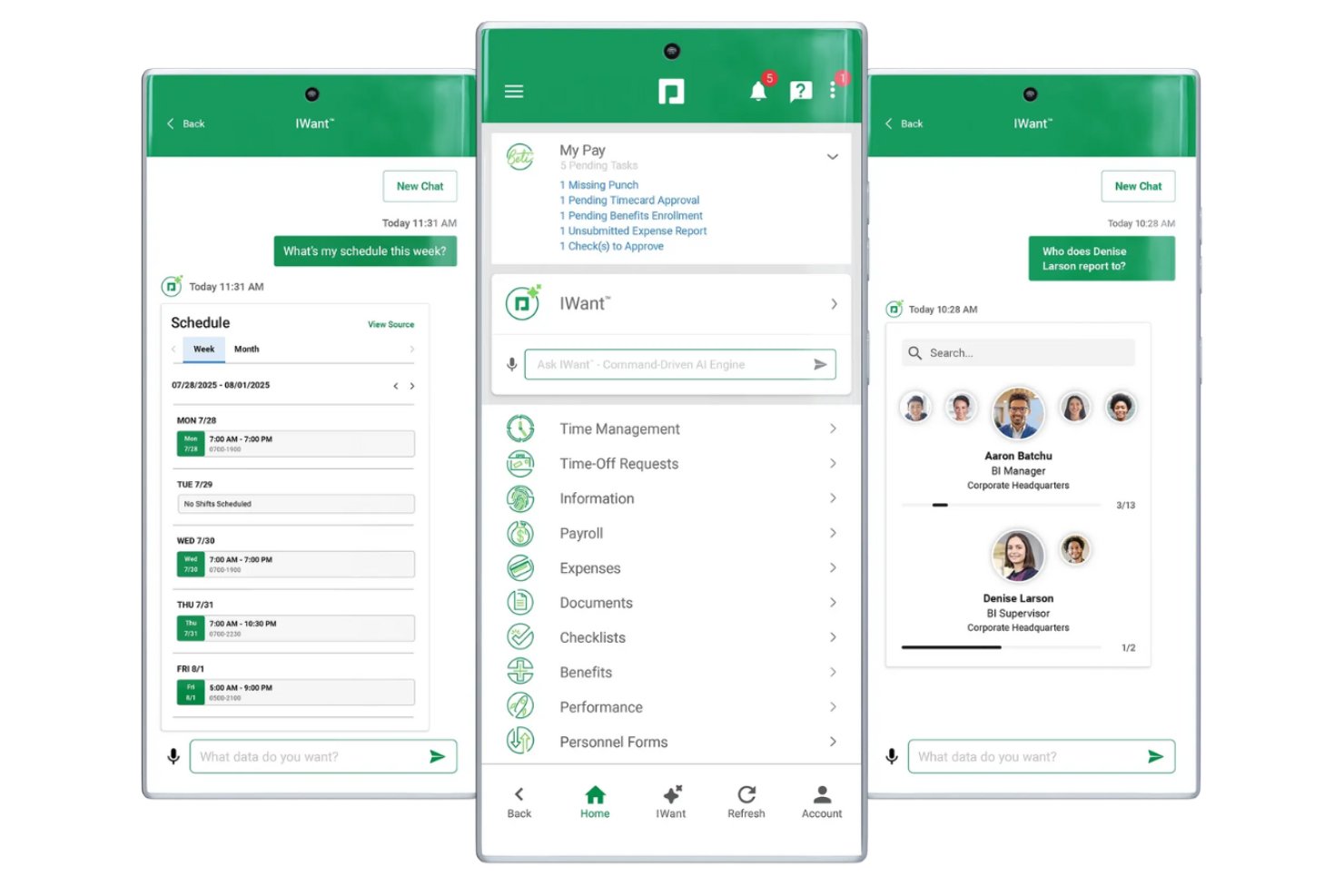
Paycom stands out for organizations that want to give employees direct control over their HR data and tasks. It’s a strong fit for businesses that need to reduce HR bottlenecks by letting staff manage their own payroll, benefits, and time-off requests. Unlike Workday, Paycom’s single-database approach and self-service features help minimize manual HR intervention and keep data accurate.
Why Paycom Is a Good Workday Alternative
For teams that want to empower employees to manage their own HR tasks, Paycom offers a unique approach. I picked Paycom because its self-service portal lets employees update personal information, enroll in benefits, and handle payroll tasks without relying on HR staff. The platform’s single-database design ensures that all updates are reflected instantly across payroll, benefits, and time tracking modules. This focus on employee self-service helps businesses reduce administrative workload and improve data accuracy compared to more traditional platforms like Workday.
Paycom Key Features
Some other features that may be valuable for HR and finance teams include:
- Onboarding Workflows: Automate new hire paperwork, training assignments, and compliance tasks from a single dashboard.
- Performance Management Tools: Set goals, track progress, and conduct performance reviews within the platform.
- Expense Management: Submit, approve, and track employee expenses directly through the system.
- Learning Management System: Assign, deliver, and monitor employee training and certifications.
Paycom Integrations
Integrations are not publicly available.
Pros and Cons
Pros:
- Performance reviews link to goal tracking
- Onboarding tasks are assigned automatically
- Mobile app supports clock-in and approvals
Cons:
- Does not support multi-currency
- No public list of native integrations

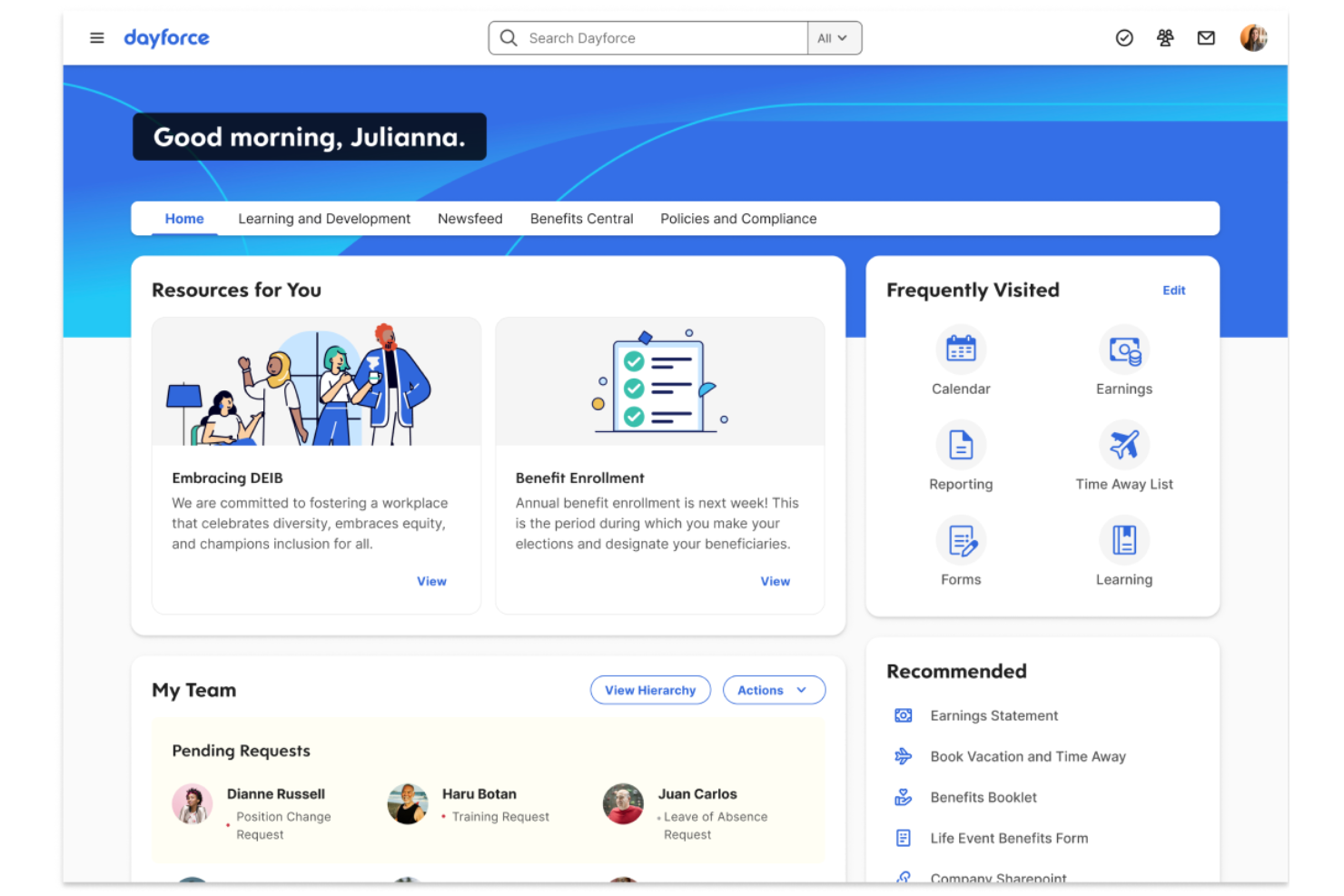
Dayforce is designed for organizations that need up-to-the-minute workforce and payroll data to make fast, informed decisions. It’s especially useful for finance and HR teams in industries where real-time labor cost visibility and compliance are essential. Unlike Workday, Dayforce processes data continuously, so you always have current information for payroll, scheduling, and analytics.
Why Dayforce Is a Good Workday Alternative
What sets Dayforce apart is its continuous calculation engine, which updates payroll and HR data in real time. I picked Dayforce for teams that need instant access to labor costs, compliance status, and workforce analytics without waiting for batch processing. Its unified database means changes to schedules, pay rates, or employee records are reflected immediately across the platform. If your organization relies on up-to-date information for decision-making, Dayforce offers a level of real-time visibility that Workday doesn’t match.
Dayforce Key Features
Some other Dayforce features that may be valuable for HR and finance teams include:
- Document Management: Store, organize, and access employee documents securely within the platform.
- Mobile App: Employees and managers can review schedules, request time off, and access pay information from their mobile devices.
- Benefits Administration: Manage open enrollment, eligibility, and benefits selections in one system.
- Talent Acquisition Tools: Post jobs, track applicants, and manage the hiring process from requisition to onboarding.
Dayforce Integrations
Integrations are not publicly available.
Pros and Cons
Pros:
- Mobile app supports employee self-service
- Single database for all HR functions
- Real-time payroll calculations update instantly
Cons:
- System performance slows during peak payroll runs
- Implementation process can be resource-intensive

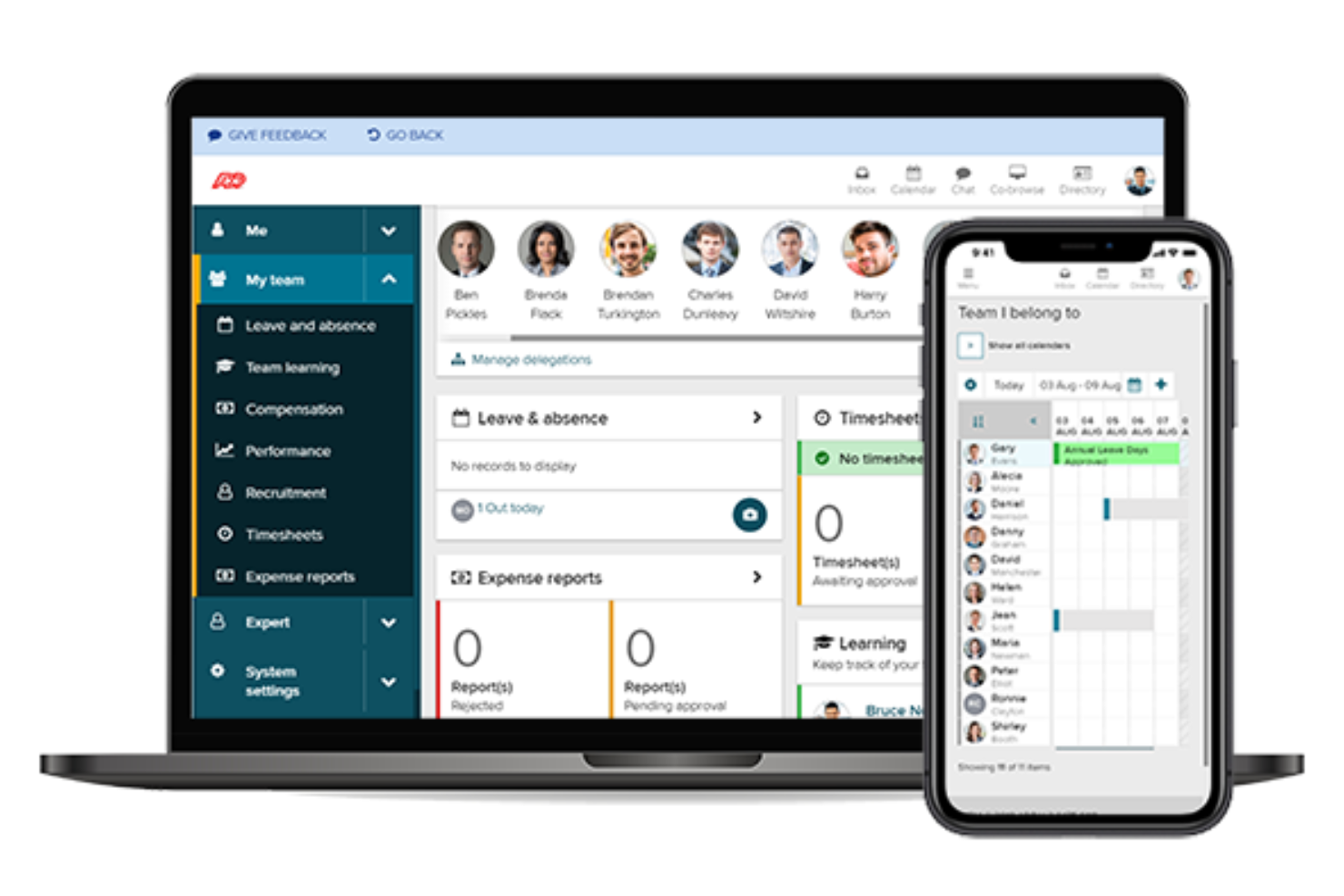
If your business needs to manage payroll across multiple countries, ADP is built to handle complex global requirements. It’s a strong fit for multinational organizations and finance teams that need to navigate local tax laws, currencies, and compliance in one platform. ADP stands out from Workday and other HCM solutions by offering deep expertise and infrastructure for multi-country payroll processing.
Why ADP Is a Good Workday Alternative
When you need to pay employees in multiple countries, ADP brings specialized payroll capabilities that go beyond what many HCM platforms offer. I picked ADP because it supports local tax compliance, currency conversions, and region-specific reporting for dozens of countries. Its global payroll engine is designed to handle complex pay rules and statutory requirements, which is essential for multinational organizations. If your team is looking for a Workday alternative with proven multi-country payroll support, ADP is purpose-built for that challenge.
ADP Key Features
Some other ADP features that may be useful for HR and finance teams include:
- Employee Self-Service Portal: Employees can access pay statements, tax forms, and update personal details online.
- Time and Attendance Management: Track employee hours, manage scheduling, and automate time-off requests within the platform.
- Talent Management Suite: Tools for recruiting, onboarding, performance management, and learning are available in one system.
- HR Analytics and Benchmarking: Access workforce analytics and compare your organization’s data to industry benchmarks.
ADP Integrations
Integrations include QuickBooks, Xero, Sage, SAP, Oracle, Workday, HealthEquity, ZipRecruiter, ClockShark, and more.
Pros and Cons
Pros:
- Built-in benchmarking for compensation analysis
- Multi-currency payroll processing is included
- Local tax compliance updates are automated
Cons:
- Customer support response times vary widely
- Implementation timelines can be lengthy
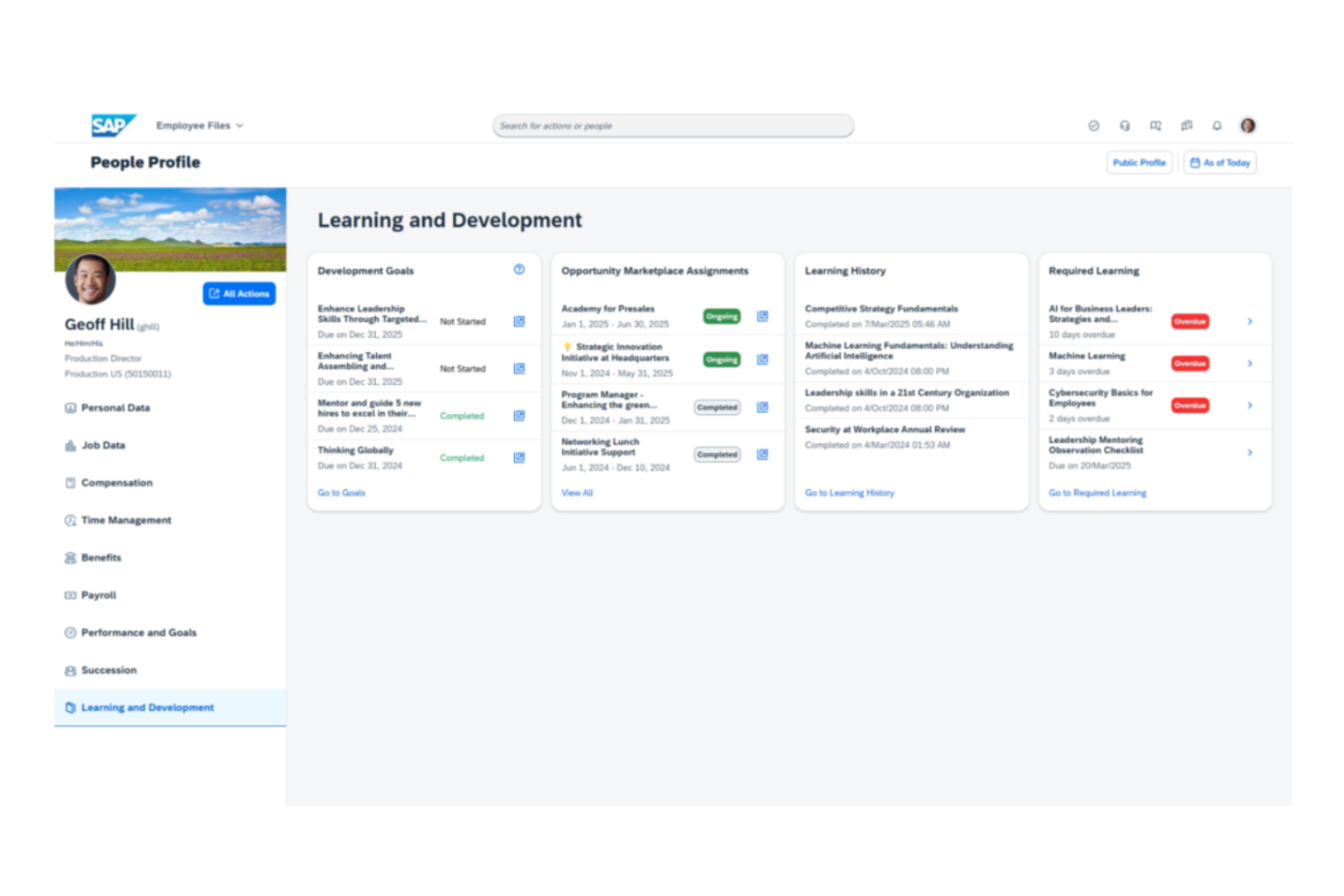
SAP SuccessFactors is designed for organizations managing a global workforce with complex HR needs. It appeals to multinational companies that need to unify HR, payroll, and talent management across multiple countries and regulatory environments. If you’re looking for a platform that supports international compliance and scalable people operations, this solution stands out from Workday with its deep localization and global HR capabilities.
Why SAP SuccessFactors Is a Good Workday Alternative
For businesses with a global footprint, SAP SuccessFactors offers specialized tools for managing international HR operations. I picked it as a Workday alternative because it provides strong localization support, including country-specific compliance and payroll features. The platform also enables centralized management of talent, performance, and learning across multiple regions. These capabilities make it a solid choice for organizations that need to coordinate HR processes worldwide.
SAP SuccessFactors Key Features
Some other features in SAP SuccessFactors that may interest HR and finance teams include:
- Succession Planning Tools: Build and manage talent pipelines with tools for identifying and developing future leaders.
- Employee Central Service Center: Provide employees with a centralized portal for HR service requests and case management.
- Compensation Management: Design, manage, and automate compensation programs, including salary, bonus, and equity planning.
- Workforce Analytics: Access advanced analytics and reporting tools to monitor workforce trends and support data-driven HR decisions.
SAP SuccessFactors Integrations
Integrations include SAP S/4HANA, SAP Business Technology Platform, SAP Business Data Cloud, SAP Fieldglass, SAP Concur, Microsoft Teams, Docusign, ADP, and more.
Pros and Cons
Pros:
- Advanced workforce analytics and reporting tools
- Strong payroll management
- Localization for country-specific compliance needs
Cons:
- Limited self-service options for some users
- Interface can feel dated and complex
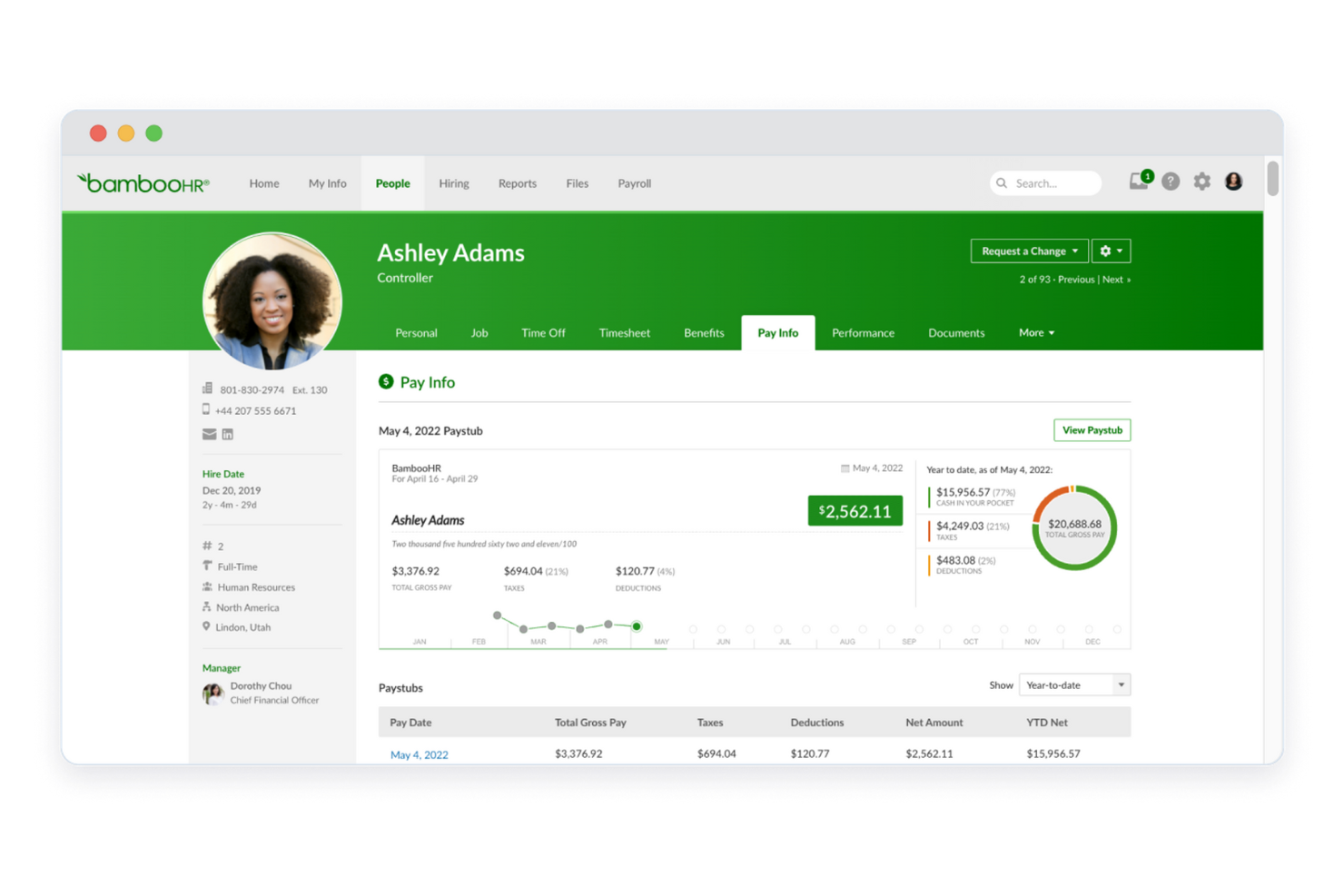
If you’re looking for a human capital management platform that’s approachable for small teams, BambooHR is worth considering. It’s designed for startups and small to medium-sized businesses that want to simplify HR tasks like onboarding, time-off tracking, and employee records without extra complexity. Unlike Workday, BambooHR focuses on usability and quick setup, so you can get started with core HR functions right away.
Why BambooHR Is a Good Workday Alternative
For small businesses that want a human capital management platform without unnecessary complexity, BambooHR offers a focused solution. I picked BambooHR because it simplifies core HR processes like onboarding, time-off management, and employee recordkeeping in a way that’s approachable for teams without dedicated HR staff. The platform’s customizable workflows and self-service employee portal help reduce manual admin work and empower employees to manage their own information. This makes BambooHR a practical choice for organizations that need essential HR features without the overhead of a large enterprise resource planning (ERP) system like Workday.
BambooHR Key Features
Some other features that stand out include:
- Applicant Tracking System (ATS): Manage job postings, candidate pipelines, and interview feedback in one place.
- Performance Management: Set goals, conduct reviews, and gather feedback with built-in performance tools.
- Employee Satisfaction Surveys: Collect and analyze employee feedback through customizable survey templates.
- E-signatures: Send, sign, and store important HR documents electronically within the platform.
BambooHR Integrations
Integrations include Slack, QuickBooks, Greenhouse, Checkr, Lattice, Okta, Namely, NetSuite, Workable, and more.
Pros and Cons
Pros:
- Performance management includes peer feedback tools
- Time-off approvals sync with company calendars
- Built-in e-signature for HR documents
Cons:
- No built-in global compliance features
- Payroll is only available in the US
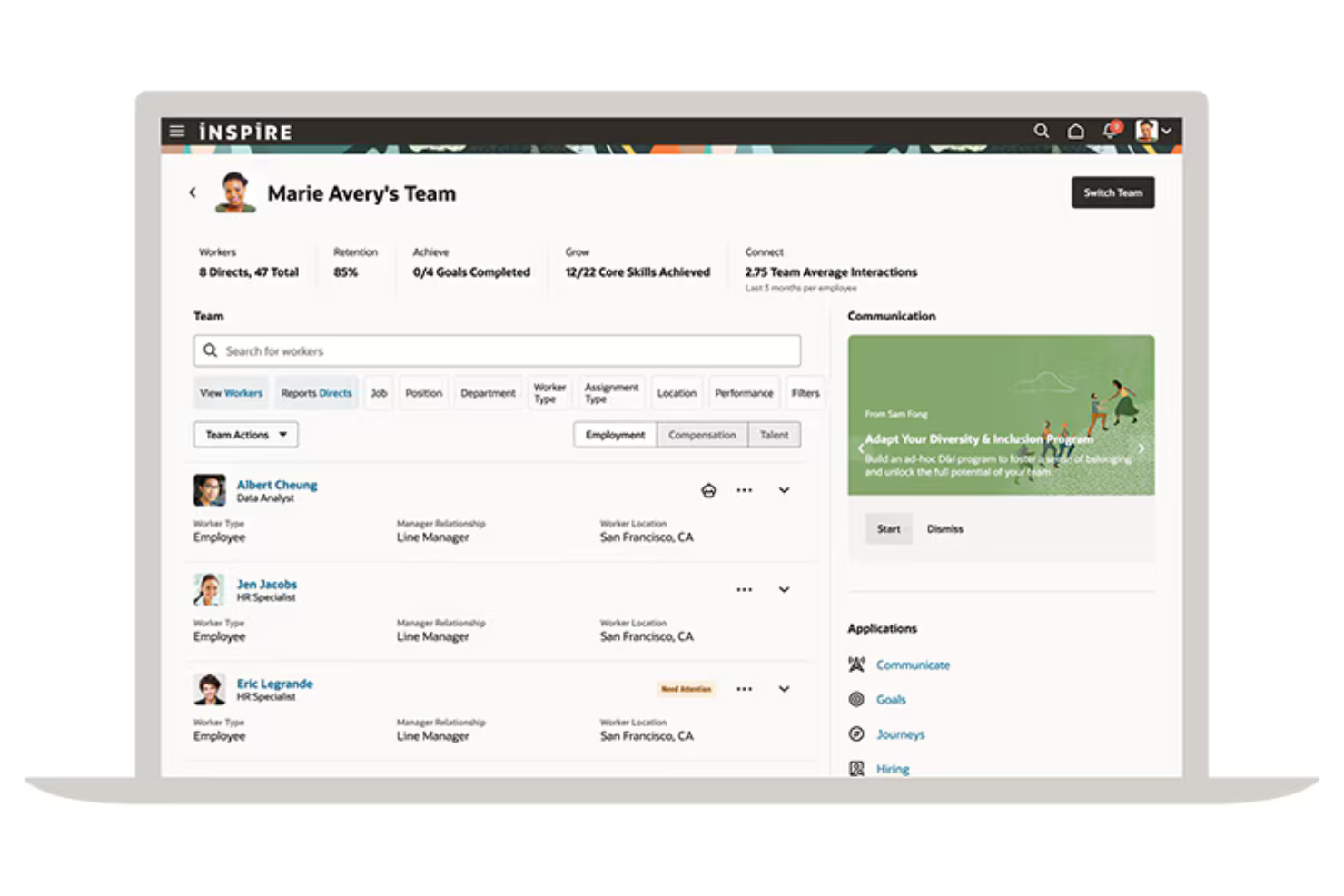
Oracle Cloud HCM stands out for organizations that want to leverage advanced features for analytics in their HR processes. It’s a strong fit for enterprises and data-driven HR teams that need deep insights into workforce trends, talent management, and operational efficiency. If you’re looking for a platform that goes beyond standard reporting, Oracle Cloud HCM offers predictive analytics and AI-powered tools that set it apart from Workday and other alternatives.
Why Oracle Cloud HCM Is a Good Workday Alternative
If your team prioritizes advanced analytics in HR, Oracle Cloud HCM is worth considering as a Workday alternative. I picked it for its embedded AI and machine learning tools that help HR teams forecast workforce needs and identify talent gaps. The platform’s predictive analytics and customizable dashboards give you a deeper understanding of workforce trends and performance drivers. These features make Oracle Cloud HCM a strong choice for organizations that want to make data-driven HR decisions.
Oracle Cloud HCM Key Features
Some other Oracle Cloud HCM features that may interest HR and finance professionals include:
- Global HR Management: Manage employee records, organizational structures, and HR processes across multiple countries from a single platform.
- Talent Acquisition Suite: Post jobs, track applicants, and manage the hiring process with integrated recruiting tools.
- Compensation Management: Configure and administer salary, bonus, and incentive programs with built-in compliance checks.
- Learning Management System: Deliver, track, and manage employee training and development programs within the platform.
Oracle Cloud HCM Integrations
Integrations are not publicly available.
Pros and Cons
Pros:
- Built-in compliance for global HR processes
- AI-driven talent management recommendations
- Predictive analytics for workforce planning
Cons:
- Limited prebuilt integrations with third-party tools
- Reporting setup can require technical support

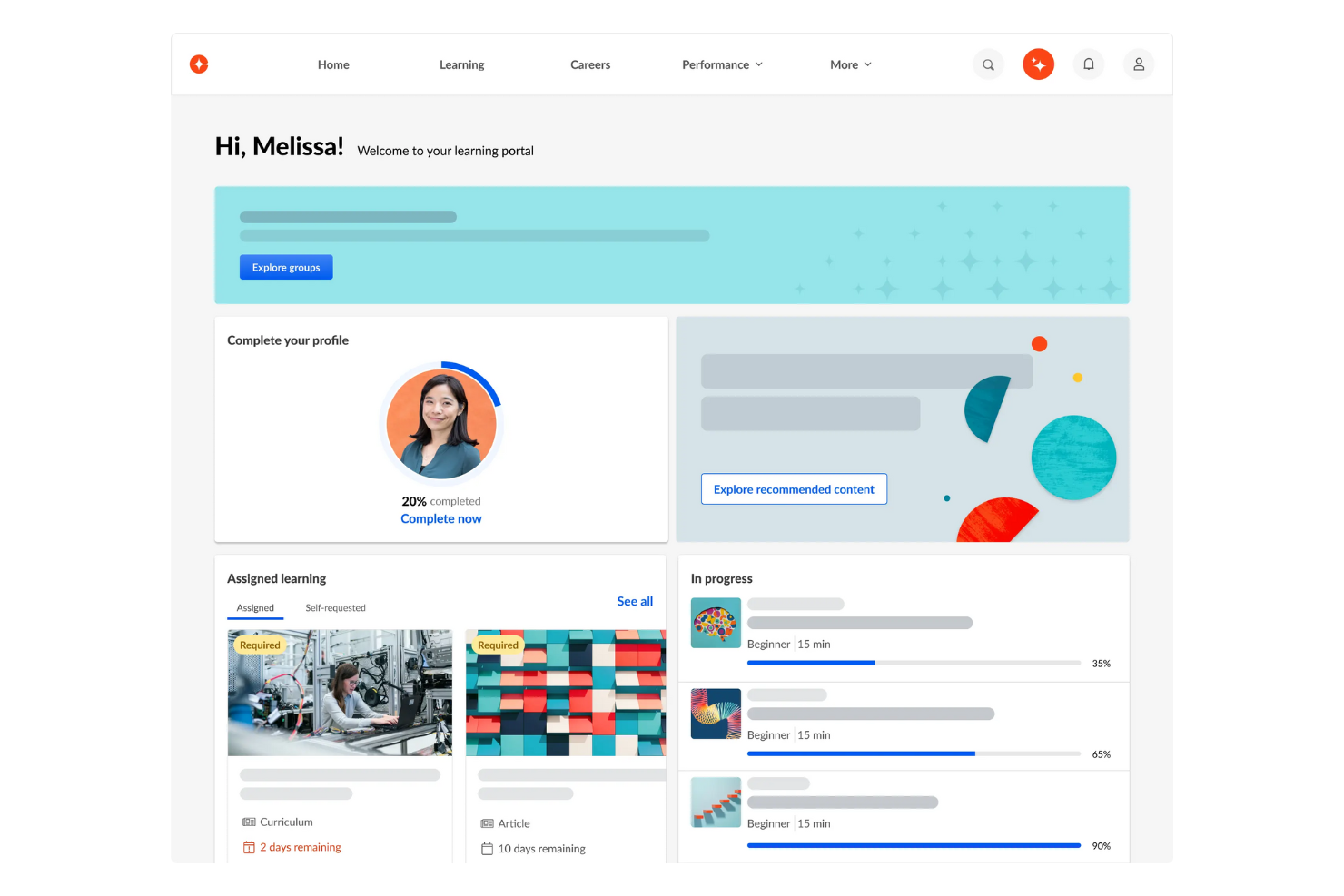
Cornerstone is built for organizations that want to prioritize employee growth and upskilling as part of their HR strategy. It’s a strong fit for HR and learning teams in industries where ongoing training, compliance, and career development are business-critical. Unlike Workday, Cornerstone offers advanced learning management features and curated content libraries that help you deliver personalized learning experiences at scale.
Why Cornerstone Is a Good Workday Alternative
For organizations focused on employee learning and development, Cornerstone offers a depth of features that Workday doesn’t match. I picked Cornerstone because its learning management system includes course authoring tools and access to a wide range of curated content libraries. The platform also supports personalized learning paths and compliance tracking, making it easier to address both skill gaps and regulatory requirements. If your HR strategy centers on upskilling and continuous development, Cornerstone provides specialized tools that go beyond what’s available in Workday.
Cornerstone Key Features
Some other features that may interest HR and talent leaders include:
- Performance Management Suite: Set goals, conduct reviews, and manage feedback cycles within the platform.
- Succession Planning Tools: Identify high-potential employees and map out future leadership pipelines.
- Compensation Management: Plan, allocate, and track compensation adjustments and bonus programs.
- HR Analytics Dashboard: Visualize workforce data and generate reports on key HR metrics.
Cornerstone Integrations
Integrations include Slack, Microsoft Teams, Google Tag Manager, and more.
Pros and Cons
Pros:
- Built-in succession planning and talent mapping
- Personalized learning paths for skill development
- Extensive content library for employee training
Cons:
- Course authoring tools require separate licensing
- Reporting tools lack real-time customization

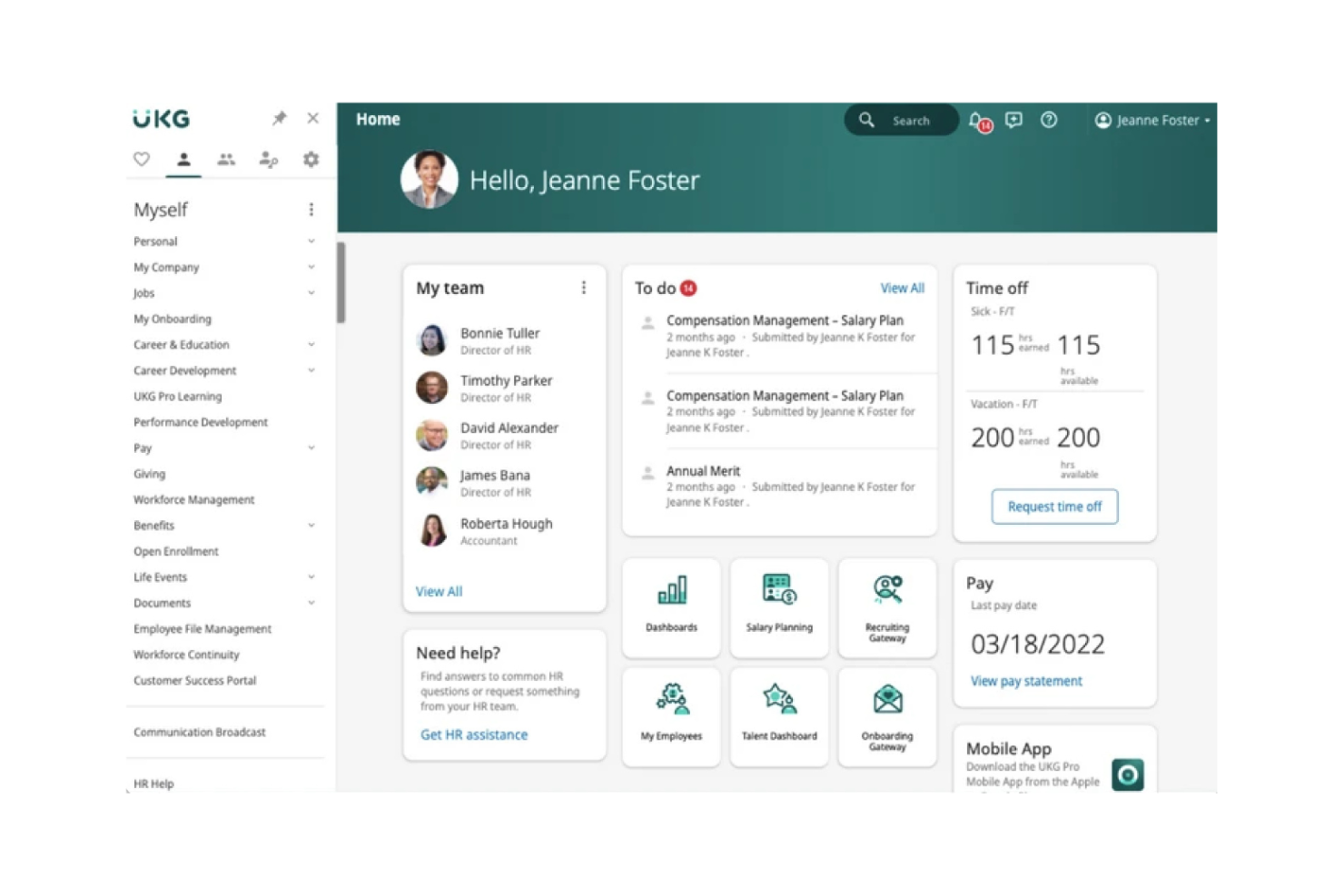
UKG Pro is designed for organizations that want to tightly connect payroll with talent management in one platform. It’s especially useful for HR and payroll teams in mid-market to large businesses that need unified processes for pay, benefits, and employee development. If you’re looking for a Workday alternative with strong payroll capabilities and integrated talent tools, UKG Pro brings both together in a single solution.
Why UKG Pro Is a Good Workday Alternative
For organizations that need payroll and talent management to work hand in hand, UKG Pro offers a unified approach that’s hard to match. I picked it because its payroll engine is tightly integrated with talent management features like performance reviews and succession planning. This means you can manage compensation, benefits, and employee growth from a single platform without switching between modules. UKG Pro is a strong choice if you want payroll and talent processes to be fully connected and visible in one place.
UKG Pro Key Features
Some other UKG Pro features that may interest HR and finance teams include:
- Employee Self-Service Portal: Employees can update personal information, view pay statements, and manage benefits directly.
- Time and Attendance Tracking: Track employee hours, manage schedules, and automate time-off requests within the platform.
- HR Analytics and Reporting: Access prebuilt and customizable reports to analyze workforce trends and support compliance.
- Onboarding Management: Guide new hires through onboarding tasks, document completion, and training modules in one place.
UKG Pro Integrations
Integrations include Boomi, Andgo, Emburse, and more.
Pros and Cons
Pros:
- Employee self-service portal for pay and benefits
- Talent acquisition integrates with onboarding
- Supports complex payroll rules
Cons:
- Performance review templates are not industry-specific
- Requires manual reporting data exports

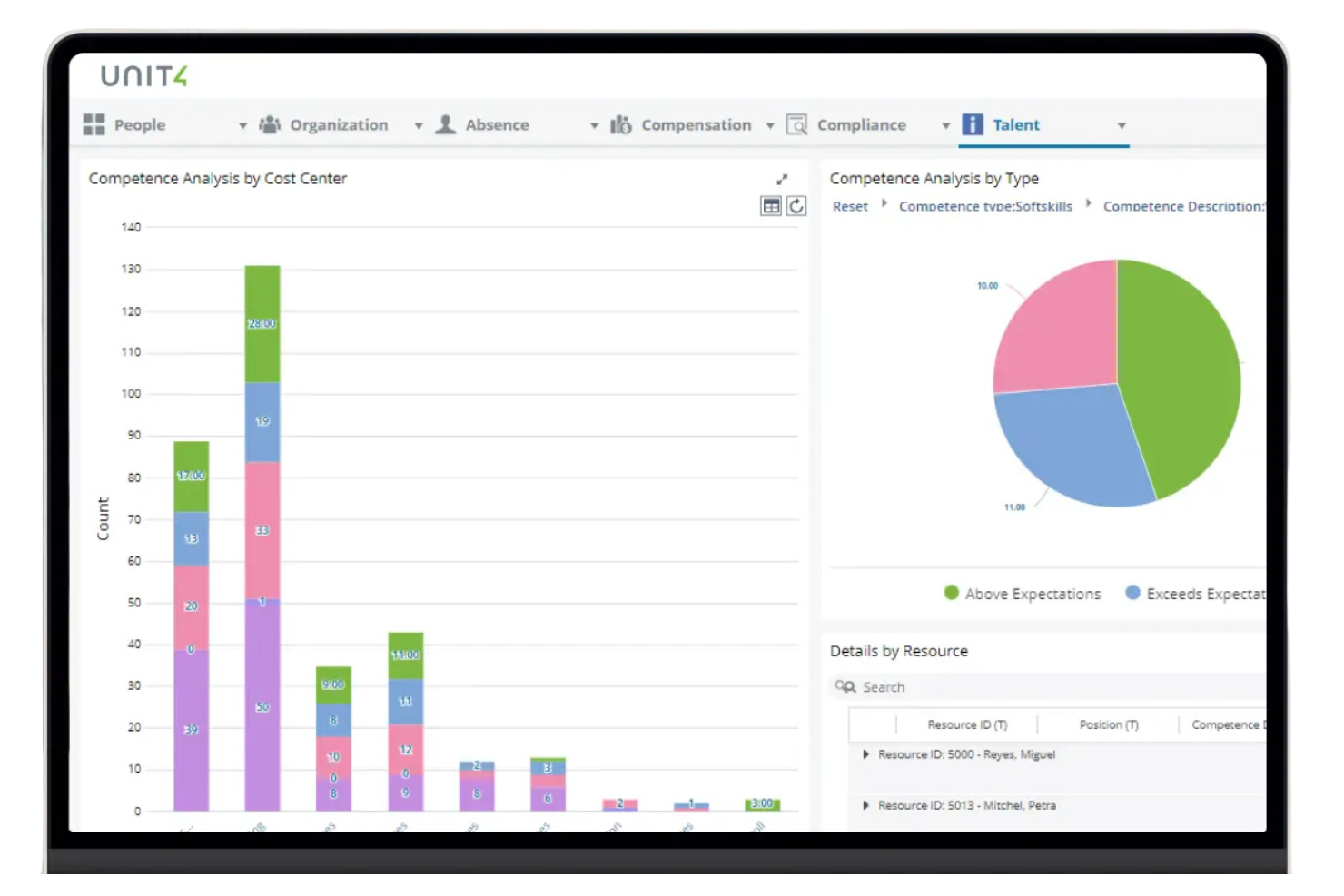
Project-driven organizations often need HR tools that align closely with project workflows, and Unit4 is built with this in mind. Its human capital management platform is designed for professional services, consulting, and other project-based teams that need to manage people, skills, and resources across dynamic assignments. Unlike Workday, Unit4 connects HR processes directly to project planning and resource allocation, helping you match talent to project needs in real time.
Why Unit4 Is a Good Workday Alternative
When your organization’s success depends on managing people across multiple projects, Unit4 offers a tailored approach that’s hard to find in other platforms. I picked Unit4 because it connects human capital management directly to project planning, allowing you to allocate resources and track skills based on real project needs. Its workforce planning tools let you forecast demand and assign employees to projects according to availability and expertise. This makes Unit4 especially valuable for professional services, consulting, and other project-based teams that need HR processes to work hand-in-hand with project delivery.
Unit4 Key Features
In addition to its project-focused HR solutions, I also found these features worth noting:
- Talent Management Suite: Manage recruitment, onboarding, and employee development in one integrated module.
- Absence and Leave Management: Track employee absences, vacation requests, and approvals with configurable workflows.
- Payroll Processing: Automate payroll calculations, deductions, and compliance for multiple regions.
- Employee Self-Service Portal: Allow employees to update personal information, view payslips, and manage requests directly.
Unit4 Integrations
Integrations are not publicly available.
Pros and Cons
Pros:
- Talent management covers recruitment and onboarding
- Employee self-service includes document management
- Supports complex approval chains
Cons:
- Implementation timelines are longer than average
- Interface updates can disrupt existing workflows
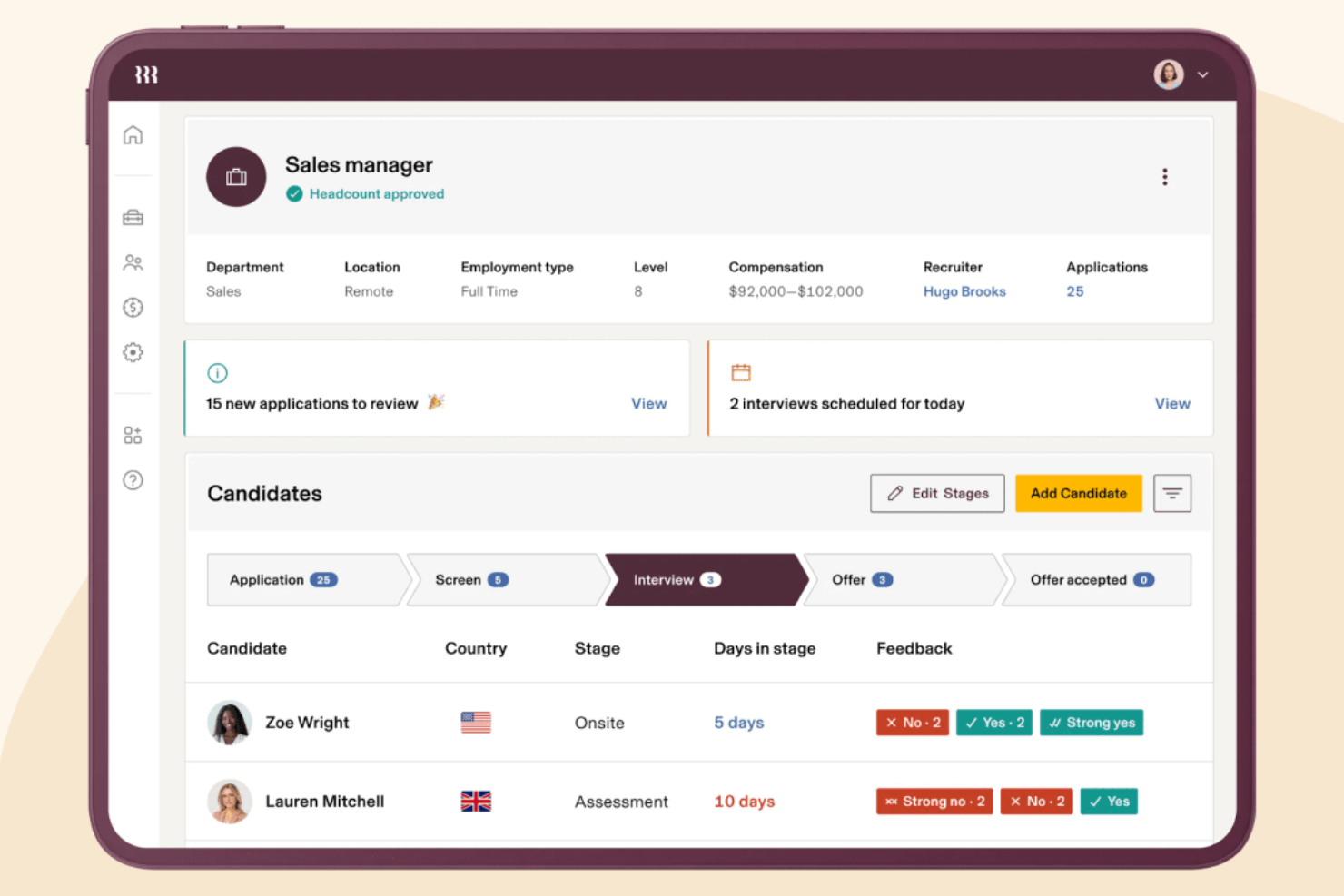
Rippling brings HR and IT management together in a single platform, making it a strong fit as an HRIS for organizations that want to manage people, devices, and apps from one place. It’s especially useful for businesses with distributed teams or complex onboarding needs that go beyond HR tasks. Unlike Workday, Rippling lets you automate both employee lifecycle processes and IT provisioning, so you can handle everything from payroll to device setup in one workflow.
Why Rippling Is a Good Workday Alternative
For teams that need to manage both HR and IT tasks in one place, Rippling offers a unified approach that Workday doesn’t match. I picked Rippling because it lets you automate onboarding by provisioning devices, setting up app access, and managing payroll all from a single dashboard. The platform’s workflow engine connects HR processes with IT actions, so you can trigger device assignments or software permissions as part of hiring or offboarding. This level of integration helps businesses reduce manual coordination between HR and IT, making it easier to support employees from day one.
Rippling Key Features
Some other features that caught my attention include:
- Global Payroll: Process payroll for employees and contractors in multiple countries from one platform.
- Time and Attendance Management: Track employee hours, manage PTO requests, and sync data directly with payroll.
- Expense Management: Capture, approve, and reimburse employee expenses within the same system.
- Learning Management System (LMS): Assign, track, and report on employee training and compliance courses.
Rippling Integrations
Integrations include Carta, PayPal, 1Password, YubiKey, Slack, QuickBooks Online, Xero, and more.
Pros and Cons
Pros:
- Expense management is included in the platform
- App access can be managed automatically
- IT device provisioning is built into onboarding
Cons:
- Custom reporting options are limited
- Benefits administration is US-focused only
New Product Updates from Rippling

Rippling Adds New Device Buyback Feature
Rippling has unveiled Device Buyback in its Inventory Management, allowing IT teams to retire and recycle hardware securely, with proceeds credited to future invoices. For more information, visit Rippling's official site.
Other Workday Alternatives
Here are some additional Workday alternatives that didn’t make it onto my shortlist, but are still worth checking out:
- Paylocity
For mid-sized business automation
- Paycor
For simplified onboarding workflows
- Remote
For hiring international contractors
- Sage Intacct
For financial reporting integration
- QuickBooks Payroll
For integration with accounting workflows
- Paychex Flex
For scalable payroll and HR services
- Gusto
For small business payroll automation
- Deel
For managing global payroll compliance
- Infor
For industry-specific workforce solutions
- Dynamics 365 Human Resources
With Microsoft ecosystem compatibility


Workday Alternatives Selection Criteria
When selecting the best Workday alternatives to include in this list, I considered common buyer needs and pain points related to HR software products, like managing complex workforce structures and ensuring compliance with changing labor regulations. I also used the following framework to keep my evaluation structured and fair:
Core Functionality (25% of total score)
To be considered for inclusion in this list, each solution had to fulfill these common use cases:
- Manage employee records
- Track time and attendance
- Process payroll
- Administer benefits
- Support performance management
Additional Standout Features (25% of total score)
To help further narrow down the competition, I also looked for unique features, such as:
- AI-driven workforce analytics
- Project-based resource allocation
- Global payroll compliance tools
- Customizable workflow automation
- Integrated learning management systems
Usability (10% of total score)
To get a sense of the ease of use of each system, I considered the following:
- Simple and user-friendly navigation
- Modern interface design
- Customizable dashboards
- Mobile accessibility without steep learning curve
- Minimal training required for basic tasks
Onboarding (10% of total score)
To evaluate the user experience during employee onboarding for each platform, I considered the following:
- Availability of training videos and tutorials
- Access to onboarding templates
- Interactive product tours
- In-app chatbots for guidance
- Live or recorded webinars for new users
Customer Support (10% of total score)
To assess each software provider’s customer support services, I considered the following:
- 24/7 support availability
- Multiple support channels
- Dedicated account managers
- All-in-one help center resources
- Fast response times
Value For Money (10% of total score)
To evaluate the value for money of each platform, I considered the following:
- Transparent pricing structure
- Flexible contract terms
- Features included in base price
- Discounts for annual billing
- No hidden fees
Customer Reviews (10% of total score)
To get a sense of overall customer satisfaction, I considered the following when reading customer reviews:
- Positive feedback on reliability
- High ratings for customer service
- Reports of successful implementation
- User satisfaction with the feature set
- Willingness to recommend to others
Why Look For a Workday Alternative?
While Workday is a good choice of human capital management platform, there are a number of reasons why some users seek out alternative solutions. You might be looking for a Workday alternative because…
- You need more flexible pricing or contract terms
- Your organization is smaller than Workday’s typical customer base
- You want deeper industry-specific features
- You require faster implementation timelines
- You need better support for global payroll compliance
- You prefer a simpler, less complex user interface
If any of these sound like you, you’ve come to the right place. My list contains several HR platform options that are better suited for teams facing these challenges with Workday and looking for alternative solutions.
Workday Key Features
Here are some of the key features of Workday, to help you contrast and compare what alternative solutions offer:
- Core HR management for employee records and organizational structures
- Global payroll processing and compliance tools
- Advanced workforce analytics and reporting
- Talent acquisition and applicant tracking system
- Performance and goal management modules
- Benefits administration and open enrollment workflows
- Learning management system for employee development
- Time tracking and absence management
- Compensation planning and benchmarking
- Mobile access for employees and managers