

Hubstaff Review: Pros, Cons, Features, and Pricing
Hubstaff excels with its user-friendly time and expense tracking, making it a standout choice for teams looking to efficiently manage employee work hours and monitor productivity.

We review tools independently, and commissions help fund our testing. See our transparency policy, our methodology, or suggest a tool.
Hubstaff is an expense management software built into a broader workforce management platform that covers time tracking, project budgets, and payroll. It's worth considering if your team already needs time tracking and wants expense reporting in the same place. If you're currently running a dedicated tool like Expensify alongside a separate time tracker, Hubstaff gives you both in one platform, which cuts down on the admin of syncing data across systems.
Hubstaff Evaluation Summary
4.5/5
- Pricing upon request
- 14-day free trial + demo available
Why Trust Our Software Recommendations
6,700+
Reviews
20
Industry experts
16+
Evaluation factors
14
Years
Our team has been testing and reviewing software since 2012. As finance leaders ourselves, we know how difficult—and important—it is to choose the right software.
For this guide, we evaluated tools using hands-on testing and independent research, scoring tools using our selection criteria.
Our reviews reflect our human editorial judgment, not a sales pitch.
Hubstaff Overview
In my opinion, Hubstaff stands out as a reliable time tracking software, especially for remote teams and freelancers. Its employee timesheets and project cost tracking are intuitive, providing clear oversight. While it excels in user-friendliness and support, onboarding could be smoother. Compared to competitors, Hubstaff offers a solid balance of features and value, making it a good choice for small to medium-sized businesses looking to simplify employee monitoring and time management. It may not suit those needing extensive customization or complex integrations, but for straightforward tracking needs, it's a sound option.
Pros
- Time tracking is simple and effective for your team.
- The user interface is clean and easy to navigate.
- Customer support is responsive and helpful.
Cons
- Onboarding can be a bit challenging for new users.
- Functionality might be limited for complex needs.
- Some users find customization options lacking.


How We Test & Score Tools
We’ve spent years building, refining, and improving our software testing and scoring system. The rubric is designed to capture the nuances of software selection and what makes a tool effective, focusing on critical aspects of the decision-making process.
Below, you can see exactly how our testing and scoring works across seven criteria. It allows us to provide an unbiased evaluation of the software based on core functionality, standout features, ease of use, onboarding, customer support, integrations, customer reviews, and value for money.
Core Functionality (25% of final scoring)
The starting point of our evaluation is always the core functionality of the tool. Does it have the basic features and functions that a user would expect to see? Are any of those core features locked to higher-tiered pricing plans? At its core, we expect a tool to stand up against the baseline capabilities of its competitors.
Standout Features (25% of final scoring)
Next, we evaluate uncommon standout features that go above and beyond the core functionality typically found in tools of its kind. A high score reflects specialized or unique features that make the product faster, more efficient, or offer additional value to the user.
We also evaluate how easy it is to integrate with other tools typically found in the tech stack to expand the functionality and utility of the software. Tools offering plentiful native integrations, 3rd party connections, and API access to build custom integrations score best.
Ease of Use (10% of final scoring)
We consider how quick and easy it is to execute the tasks defined in the core functionality using the tool. High scoring software is well designed, intuitive to use, offers mobile apps, provides templates, and makes relatively complex tasks seem simple.
Onboarding (10% of final scoring)
We know how important rapid team adoption is for a new platform, so we evaluate how easy it is to learn and use a tool with minimal training. We evaluate how quickly a team member can get set up and start using the tool with no experience. High scoring solutions indicate little or no support is required.
Customer Support (10% of final scoring)
We review how quick and easy it is to get unstuck and find help by phone, live chat, or knowledge base. Tools and companies that provide real-time support score best, while chatbots score worst.
Customer Reviews (10% of final scoring)
Beyond our own testing and evaluation, we consider the net promoter score from current and past customers. We review their likelihood, given the option, to choose the tool again for the core functionality. A high scoring software reflects a high net promoter score from current or past customers.
Value for Money (10% of final scoring)
Lastly, in consideration of all the other criteria, we review the average price of entry level plans against the core features and consider the value of the other evaluation criteria. Software that delivers more, for less, will score higher.
Core Features
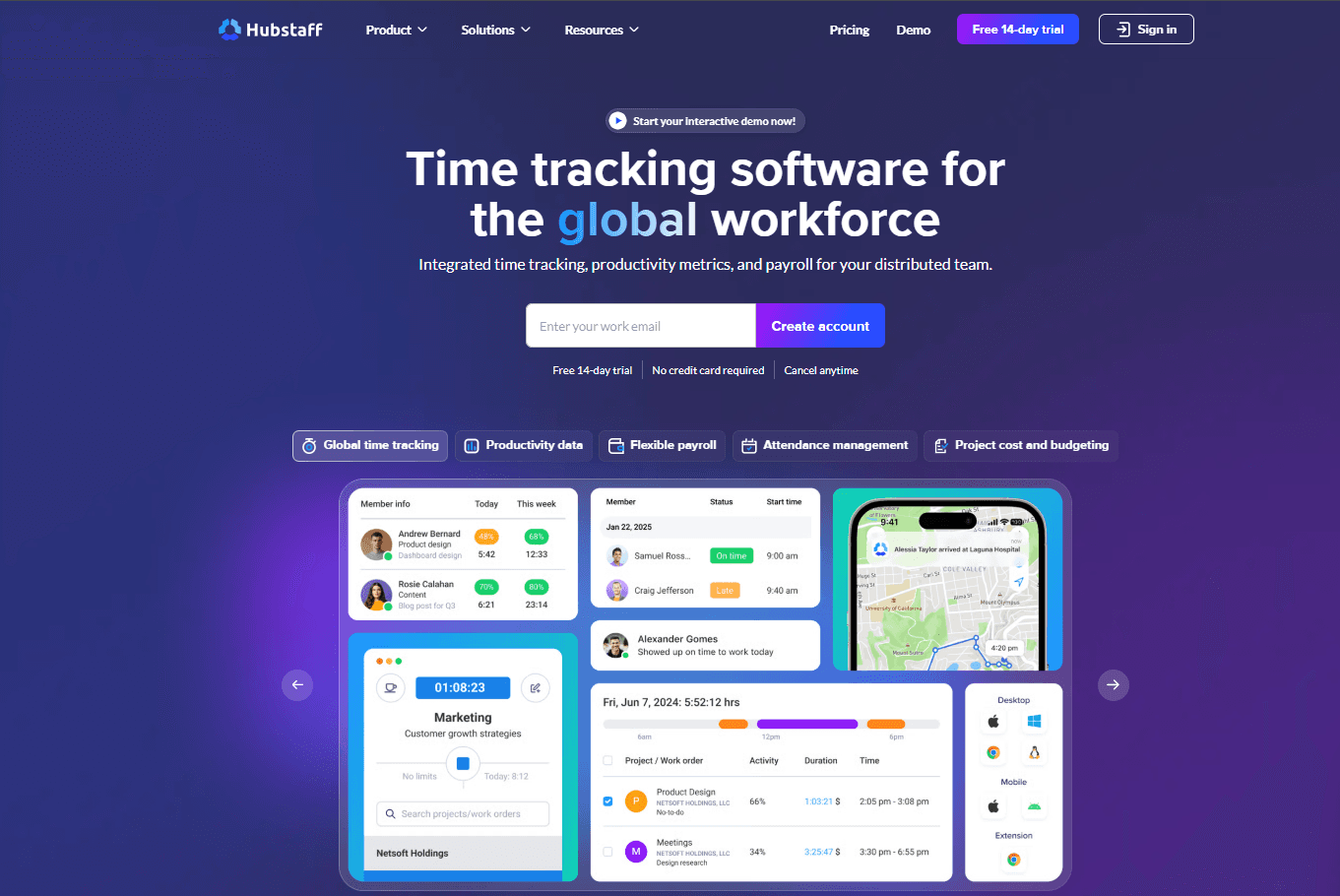
Time Tracking: The simple interface of the Hubstaff time tracker lets your team log hours accurately. This feature supports project budgeting by providing detailed time reports.
Expense Tracking: You can manage and record expenses efficiently to stay within budget. This helps you organize clear financial records and ensure your pay rates accurately reflect your projects.
Project Management: With Hubstaff, you can assign tasks, set time off policies and monitor progress, keeping your team aligned. It helps you oversee project timelines and deliverables effectively.
Activity Monitoring: Screenshots and other features capture the activity levels of your team members during work hours to give you insights into productivity patterns.
Reporting: Hubstaff provides detailed reports on tracked hours and expenses, helping you analyze project performance. Use these insights to make informed business decisions.
Invoicing: You can generate invoices directly from tracked time and expenses, simplifying your billing process. This makes it easier to bill clients accurately and promptly.

Ease of Use
Hubstaff is user-friendly, with a straightforward interface that makes tracking time and expenses easy for your team. Its clean design ensures you won't get lost navigating features, allowing you to focus on your work. While some users find onboarding a bit challenging, once set up, the simplicity of managing tasks and monitoring productivity shines through. Compared to other software, Hubstaff excels in offering a seamless user experience that supports efficient project management.

Integrations
Hubstaff integrates with Hubstaff Tasks, Asana, ClickUp, Bitwage, PayPal, Monday, Slack, Jira, Salesforce, and Trello.
Hubstaff also offers an API, allowing for custom integrations and connects with third-party integration tools, including Zapier.

Hubstaff Specs
- 360 Degree Feedback: Yes
- API: Yes
- Attendance Tracking: Yes
- Batch Permissions & Access: Yes
- Budgeting: Yes
- Calendar Management: Yes
- Dashboard: Yes
- Data Export: Yes
- Data Import: Yes
- Data Visualization: Yes
- Employee Database: Yes
- Employee Engagement: Yes
- Employee Onboarding: Yes
- External Integrations: Yes
- Feedback Management: Yes
- Forecasting: Yes
- Multi-User: Yes
- Notifications: Yes
- Project Management: Yes
- Scheduling: Yes
- Timesheets: Yes
- Travel Management: Yes
- Vacation & Absence Calendar: Yes


