

I migliori software per la gestione dei debiti verso i fornitori aiutano i CFO di aziende in forte crescita a semplificare l’elaborazione delle fatture, controllare la spesa e ampliare le operazioni, senza aggiungere personale. Se il tuo team è sommerso dalle approvazioni e dalle conversazioni via email, è arrivato il momento di fare un aggiornamento.
Negli ultimi anni ho testato strumenti finanziari progettati per eliminare gli ostacoli dai flussi di lavoro amministrativi. Gli strumenti per la gestione dei debiti verso i fornitori presenti in questo elenco si distinguono perché automatizzano le attività che richiedono più tempo, riducono il rischio di frodi e si integrano facilmente con i sistemi che già utilizzi. Sono rapidi da implementare e abbastanza flessibili da supportare il percorso di crescita della tua azienda.
Che tu stia gestendo l’azienda con una struttura snella o stia pianificando il prossimo ciclo di finanziamento, questo elenco ti aiuterà a trovare una soluzione per la gestione dei debiti verso i fornitori che faccia risparmiare tempo, aumenti la visibilità e amplifichi l’impatto del tuo team finanziario.
Perché fidarsi dei nostri consigli sui software
6,700+
Reviews
20
Industry experts
16+
Evaluation factors
14
Years
Le nostre recensioni riflettono il nostro giudizio indipendente, non un discorso di vendita. Scopri come manteniamo la trasparenza.
Per questa guida, abbiamo valutato gli strumenti attraverso test pratici e ricerche indipendenti, assegnando un punteggio agli strumenti in base ai nostri criteri di selezione.
Le nostre recensioni riflettono il nostro giudizio editoriale umano, non un discorso di vendita.
Tabella comparativa dei software per la gestione dei debiti verso i fornitori
La tabella seguente confronta i dettagli sui prezzi delle mie migliori selezioni di software per la gestione dei debiti verso i fornitori.
| Tool | Best For | Trial Info | Price | ||
|---|---|---|---|---|---|
| 1 | Ideale per il rilevamento delle frodi nei processi AP | Demo gratuita disponibile | Prezzi su richiesta | Website | |
| 2 | Ideale per metodi di pagamento diversificati | Demo gratuita disponibile | Prezzo su richiesta | Website | |
| 3 | Ideale per pagamenti flessibili e flussi di approvazione | Piano gratuito + prova gratuita di 30 giorni disponibile | Da $25/mese (fatturazione annuale) | Website | |
| 4 | Ideale per la riconciliazione automatica a tre vie | Demo gratuita disponibile | Da $499/mese (fatturazione annuale) | Website | |
| 5 | Ideale per automatizzare l'inserimento delle fatture | Prova gratuita di 21 giorni disponibile | A partire da $99/mese | Website | |
| 6 | Ideale per la gestione delle spese | Demo gratuita disponibile | Da $2.000 al mese | Website | |
| 7 | Migliore per l'automazione delle fatture basata sull'IA | Demo gratuita disponibile | Prezzo su richiesta | Website | |
| 8 | Ideale per l'automazione personalizzabile dei flussi di lavoro AP | Prova gratuita disponibile + demo gratuita | Prezzo su richiesta | Website | |
| 9 | Ideale per la gestione automatica delle spese | Piano gratuito + prova gratuita di 30 giorni + demo gratuita disponibile | Da $15/utente/mese | Website | |
| 10 | Ideale per le piccole imprese | Prova gratuita di 30 giorni | A partire da $13 al mese | Website |


Recensioni dei migliori software per la gestione dei debiti verso i fornitori
Di seguito approfondisco i dettagli di ciascuna delle mie opzioni di software per la gestione dei debiti verso i fornitori. Per ognuna troverai una rapida panoramica delle funzionalità principali, delle integrazioni disponibili, delle informazioni sui prezzi (quando disponibili), oltre ad alcuni pro e contro per aiutarti nel confronto.
 Ideale per il rilevamento delle frodi nei processi AP
- Demo gratuita disponibile
- Prezzi su richiesta
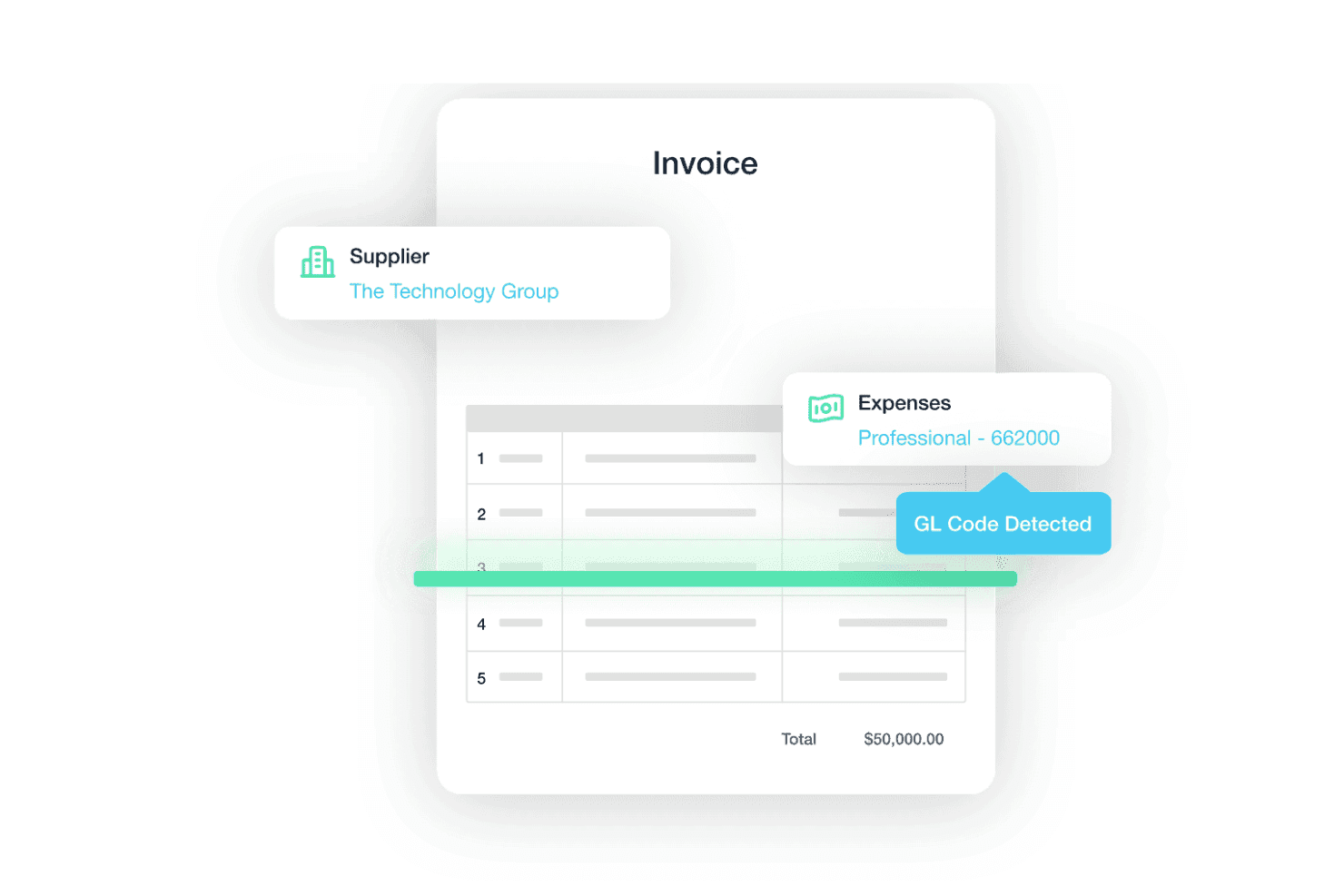
Traild utilizza l'IA per estrarre dettagli dei fornitori, categorie di spesa e codici GL dalle fatture, aiutando a ridurre la gestione manuale dei processi AP. Traild è una piattaforma di contabilità fornitori che integra elaborazione delle fatture potenziata dall'IA, flussi di approvazione configurabili, esecuzione dei pagamenti su più canali e rilevamento delle frodi direttamente all'interno dei principali ambienti ERP.
Per chi è pensato Traild?
Traild è particolarmente indicato per i team finanziari di medie dimensioni che utilizzano sistemi ERP come Acumatica, NetSuite o SAP Business One e che necessitano di automazione dei processi AP con serie funzionalità di controllo delle frodi integrate.
Perché ho scelto Traild
Ho scelto Traild come uno dei migliori perché il suo rilevamento delle frodi va ben oltre un semplice controllo dei duplicati. La piattaforma costruisce un'impronta comportamentale dei tuoi modelli normali di fatturazione e pagamento, segnalando in tempo reale anomalie come modifiche alle coordinate bancarie, fornitori fittizi o cambiamenti nei termini di pagamento. Mi piace anche come la Verifica Fornitore funzioni come un controllo continuo in background, identificando account fornitori compromessi prima che venga autorizzato un lotto di pagamenti.
Caratteristiche principali di Traild
- Acquisizione e codifica delle fatture tramite IA: Traild utilizza l'apprendimento automatico per estrarre e codificare i dati delle intestazioni e delle linee delle fatture ricevute via email o upload.
- Rilevamento di errori e frodi: Il rilevamento continuo delle anomalie monitora costantemente le fatture, identificando comportamenti insoliti e potenziali errori o frodi prima che i pagamenti vengano eseguiti.
- Verifica dei fornitori: Il sistema integrato di verifica dei fornitori aiuta a validare i partner e identifica coordinate di pagamento compromesse prima dell'erogazione dei fondi.
- Flussi di approvazione unificati: I percorsi di approvazione configurabili mostrano i dettagli delle fatture insieme alle informazioni sulle frodi per supportare decisioni di approvazione consapevoli.
Integrazioni Traild
Traild offre integrazioni native con Acumatica, NetSuite, SAP Business One, Syspro, IFS, MYOB e Xero.
Pros and Cons
Pros:
- Strumenti di rilevamento frodi e anomalie basati su IA
- Sincronizzazione bidirezionale con diversi ERP
- Pagamenti multivaluta in oltre 150 paesi
Cons:
- Le funzionalità avanzate di rilevamento delle frodi possono richiedere configurazione
- Numero limitato di integrazioni
Learn more about Traild: Ideale per metodi di pagamento diversificati
- Demo gratuita disponibile
- Prezzo su richiesta
Visit WebsiteCustomer Rating:4.5/5
La dashboard di Payouts facilita la gestione delle fatture in sospeso, consentendo agli utenti di monitorare i pagamenti non saldati e gestire efficacemente il flusso di cassa. Per chi si trova ad affrontare le complessità dei conti da pagare, Payouts.com offre una piattaforma progettata per semplificare le operazioni finanziarie globali. Pensata per aziende in forte crescita e settori che necessitano di una gestione precisa dei fornitori, automatizza l'elaborazione delle fatture e migliora la precisione dei pagamenti. Grazie al supporto di diversi metodi di transazione, come valute fiat e criptovalute, Payouts.com aiuta a ridurre gli errori manuali e a ottenere informazioni finanziarie in tempo reale, favorendo relazioni più solide con i fornitori e una migliore gestione del flusso di cassa.
Perché ho scelto Payouts
Ho scelto Payouts perché si distingue nell'offerta di numerosi metodi di pagamento che rispondono alle esigenze moderne dei processi di contabilità fornitori. Questa piattaforma supporta sia transazioni in valute fiat che criptovalute, semplificando i trasferimenti globali in oltre 150 paesi, ideale per aziende che lavorano con fornitori internazionali. La possibilità di usare carte virtuali e prepagate aggiunge flessibilità, consentendo di gestire le spese globali senza i vincoli delle banche tradizionali. Inoltre, l'integrazione di eWallet e carte regalo assicura pagamenti senza interruzioni, offrendo una soluzione completa per gestire diverse necessità di pagamento in modo efficiente.
Caratteristiche principali di Payouts
Oltre ai suoi vari metodi di pagamento, Payouts offre altre funzionalità che migliorano l'operatività dei conti da pagare:
- Elaborazione automatica delle fatture: questa funzione utilizza la tecnologia OCR per estrarre dati da diversi formati di fattura, semplificando l'inserimento dati e riducendo il lavoro manuale.
- Approvazioni semplificate: grazie a workflow di approvazione personalizzabili e accesso tramite app mobile, questa funzione garantisce l'approvazione tempestiva delle fatture, mantenendo efficienti i processi.
- Abbinamento automatico delle fatture: confrontando le fatture con ordini di acquisto e ricevute, questa funzione riduce gli sforzi manuali di riconciliazione e aumenta la precisione.
- Portale collaborativo per i fornitori: questa funzione consente ai fornitori di inviare fatture e controllare lo stato dei pagamenti, migliorando la comunicazione e la trasparenza nelle relazioni con i fornitori.
Integrazioni di Payouts
Le integrazioni native di Payouts includono Global Smart Payouts, Vendor Relationship Suite, AP Automation, AI Payout Automation, Dynamic Tax Engine, Flexible Payout Methods, Crypto Pay-Ins, Global Payment Acceptance, Virtual and Prepaid Cards ed eWallets.
Pros and Cons
Pros:
- Automazione completa dei processi di contabilità fornitori
- Molteplici metodi di pagamento
- Supporta la scalabilità delle operazioni
Cons:
- Possibili sfide nell'integrazione con sistemi esistenti
- Potrebbe richiedere tempo per una personalizzazione completa
Learn more about Payouts: Ideale per pagamenti flessibili e flussi di approvazione
- Piano gratuito + prova gratuita di 30 giorni disponibile
- Da $25/mese (fatturazione annuale)
Visit WebsiteCustomer Rating:4.2/5
Melio ti permette di gestire fatture e pagamenti per aiutarti a organizzare il processo di contabilità fornitori. Per i proprietari di piccole imprese che desiderano semplificare i propri processi di contabilità fornitori, Melio offre una piattaforma intuitiva che si integra perfettamente con sistemi come QuickBooks e Xero. Puoi gestire fatture e fornitori con facilità, utilizzando funzionalità come i bonifici bancari ACH gratuiti e la programmazione dei pagamenti online. Melio ti consente di migliorare le tue operazioni finanziarie e la gestione del flusso di cassa senza l’onere di costi mensili.
Perché ho scelto Melio
Ho scelto Melio per la sua capacità eccezionale di offrire opzioni di pagamento flessibili e flussi di approvazione efficienti, fondamentali per ottimizzare la gestione della contabilità fornitori. Grazie a funzionalità come i flussi di approvazione personalizzabili, puoi coinvolgere membri del team o commercialisti nel processo di pagamento, garantendo operazioni sicure e snelle. La piattaforma di Melio ti permette di gestire i pagamenti con diversi metodi, inclusi i bonifici ACH gratuiti, rendendolo uno strumento versatile per le aziende. Queste capacità favoriscono una migliore gestione del flusso di cassa e offrono una soluzione semplice per la gestione delle tue operazioni finanziarie.
Caratteristiche principali di Melio
Oltre a opzioni di pagamento flessibili e flussi di approvazione, Melio offre una gamma di funzionalità che ne aumentano l’utilità come software di contabilità fornitori.
- Acquisizione Fatture: Puoi caricare e gestire le tue fatture senza sforzo semplicemente scattando una foto o inoltrando un’email, che vengono poi organizzate automaticamente nel sistema.
- Gestione Fornitori: Questa funzionalità ti consente di tenere traccia di tutti i tuoi fornitori e delle loro preferenze di pagamento in un unico luogo, facilitando la gestione dei rapporti.
- Programmazione dei Pagamenti: Programma i pagamenti in anticipo per assicurarti che le tue fatture vengano saldate puntualmente senza intervento manuale.
- Sincronizzazione Bidirezionale con Software Contabili: Melio offre sincronizzazione in tempo reale con software di contabilità popolari come QuickBooks, garantendo che i tuoi registri finanziari siano sempre aggiornati e accurati.
Integrazioni di Melio
Le integrazioni includono QuickBooks Online, QuickBooks Desktop e Xero. Attualmente, Melio non elenca altre integrazioni native oltre a queste opzioni.
Pros and Cons
Pros:
- Offre opzioni di pagamento differito
- Gli utenti possono programmare e automatizzare i pagamenti
- I bonifici bancari ACH sono completamente gratuiti
Cons:
- Potrebbero essere offerte più integrazioni
- I pagamenti internazionali possono essere effettuati solo in USD
 Ideale per la riconciliazione automatica a tre vie
- Demo gratuita disponibile
- Da $499/mese (fatturazione annuale)
Visit WebsiteCustomer Rating:4.8/5
La dashboard di Precoro centralizza tutti gli ordini di acquisto e include stati, dettagli dell'acquirente e documenti correlati. Per le aziende che desiderano ottimizzare i processi di contabilità fornitori, Precoro offre una soluzione automatizzando la gestione delle fatture e dei flussi di pagamento. Questa piattaforma è particolarmente interessante per aziende di medie dimensioni e multi-ente che puntano a migliorare l'efficienza operativa grazie a funzionalità avanzate con intelligenza artificiale, garantendo accuratezza e conformità. Con l'integrazione ERP e la visibilità in tempo reale, Precoro consente al tuo team finanziario di mantenere il controllo sulle spese, ridurre errori manuali e chiudere più velocemente i conti a fine mese.
Perché ho scelto Precoro
Ho scelto Precoro per la sua straordinaria funzionalità di riconciliazione automatica a tre vie, fondamentale nel settore della contabilità fornitori. Questa funzione confronta automaticamente gli ordini di acquisto, le ricevute e le fatture dei fornitori, riducendo al minimo le discrepanze e garantendo l'accuratezza finanziaria. Grazie all'avanzata tecnologia OCR, Precoro migliora l'efficienza dei flussi di lavoro, permettendo al tuo team di concentrarsi sulla risoluzione dei problemi invece che sul controllo manuale. Inoltre, la perfetta integrazione con i più diffusi sistemi contabili garantisce che vengano processate solo le fatture verificate, promuovendo fiducia e trasparenza all'interno dell'organizzazione.
Caratteristiche principali di Precoro
Oltre alla riconciliazione automatica a tre vie, Precoro offre diverse altre funzionalità utili per la gestione della contabilità fornitori:
- Elaborazione automatica delle fatture: Questa funzione utilizza la tecnologia OCR con intelligenza artificiale per digitalizzare istantaneamente le fatture, riducendo l'inserimento manuale dei dati e velocizzando i tempi di elaborazione.
- Portale fornitori: Una piattaforma centralizzata per gestire le informazioni dei fornitori e le comunicazioni, favorendo migliori rapporti e interazioni più snelle con i partner commerciali.
- Accessibilità mobile: Precoro mette a disposizione un'app mobile che consente di revisionare e approvare fatture ovunque ti trovi, offrendo flessibilità a dirigenti impegnati e team remoti.
- Monitoraggio centralizzato: Questa funzione migliora la visibilità permettendo di tracciare le fatture in un ambiente centralizzato, riducendo la necessità di continui scambi di email e ottimizzando la comunicazione.
Integrazioni di Precoro
Le integrazioni includono QuickBooks, Xero, Amazon Business e altri tramite connessioni native, ed è disponibile un'API per integrazioni personalizzate.
Pros and Cons
Pros:
- Creazione ed evasione efficiente degli ordini di acquisto
- Informazioni centralizzate sui fornitori migliorano la gestione dei partner commerciali
- Flussi di lavoro personalizzabili che si adattano a diverse esigenze aziendali
Cons:
- L'app mobile potrebbe essere migliorata
- Potrebbe offrire più integrazioni native
Learn more about Precoro: Ideale per automatizzare l'inserimento delle fatture
- Prova gratuita di 21 giorni disponibile
- A partire da $99/mese
Visit WebsiteCustomer Rating:4.9/5
Una fattura digitale di MakersHub che mostra dettagli di acquisto specifici, termini di pagamento e importo totale dovuto. Per chi deve gestire le complessità della contabilità fornitori in settori come l'edilizia e la produzione, MakersHub offre una soluzione su misura che trasforma il tuo flusso di lavoro. Questo software innovativo automatizza la registrazione e l'elaborazione delle fatture, riducendo la necessità dell'inserimento manuale dei dati e migliorando la precisione. Integrandosi perfettamente con piattaforme come QuickBooks, MakersHub permette al tuo team di concentrarsi su attività strategiche invece che su noiose pratiche burocratiche, con conseguente risparmio di tempo e miglioramento delle relazioni con i fornitori.
Perché ho scelto MakersHub
Ho scelto MakersHub per la sua straordinaria capacità di automatizzare l'inserimento delle fatture, un fattore fondamentale per chi gestisce la contabilità fornitori. La funzione Smart Data Capture del software elimina la necessità di inserire manualmente i dati, acquisendo con precisione oltre 39 campi dati da diversi formati di fatture. Inoltre, l'integrazione con QuickBooks garantisce sincronizzazione senza interruzioni ed elaborazione efficiente dei pagamenti. Queste funzioni non solo fanno risparmiare tempo, ma migliorano anche la precisione, rendendo MakersHub uno strumento prezioso per settori come l'edilizia e la produzione, dove la gestione di flussi di lavoro complessi è fondamentale.
Funzionalità principali di MakersHub
Oltre alla sua eccellenza nell'automatizzare l'inserimento delle fatture, MakersHub offre una serie di funzionalità che migliorano la gestione della contabilità fornitori.
- Flussi di approvazione: Facilita la revisione e l'autorizzazione dei pagamenti all'interno di un hub sicuro e dedicato.
- MakersHub Pay: Fornisce opzioni di pagamento flessibili senza richiedere la registrazione degli account dei fornitori, offrendo pieno controllo sui tuoi processi di pagamento.
- Posta centralizzata per fatture e ricevute: Offre uno spazio dedicato per l'elaborazione efficiente dei documenti, ottimizzando organizzazione e accessibilità.
- Regole di mappatura automatica: Garantisce la corretta codifica di spese e articoli con una configurazione una tantum, riducendo gli errori nei report finanziari.
Integrazioni di MakersHub
Le integrazioni includono Sage Intacct e QuickBooks.
Pros and Cons
Pros:
- Integrazione con QuickBooks
- Processo di approvazione multilivello
- Automazione di fatture e pagamenti
Cons:
- Curva di apprendimento ripida per i nuovi utenti
- Alcune funzionalità sono disponibili solo nei piani superiori
Learn more about MakersHub: Ideale per la gestione delle spese
- Demo gratuita disponibile
- Da $2.000 al mese
Visit WebsiteCustomer Rating:4.6/5
Procurify si concentra nell’aiutare la tua azienda a ridurre gli sprechi. Per le aziende di medie dimensioni che desiderano ottimizzare le proprie operazioni finanziarie, Procurify offre una soluzione che si integra perfettamente con sistemi contabili esistenti come QuickBooks e NetSuite. Il tuo team può beneficiare di un'elaborazione migliorata delle fatture e della gestione delle bollette, aumentando la precisione e fornendo preziose informazioni. Modernizzando la gestione delle spese, Procurify aiuta a prendere decisioni finanziarie informate con semplicità.
Perché ho scelto Procurify
Ho scelto Procurify perché eccelle nella gestione delle spese integrando acquisti e finanza attraverso la sua piattaforma AI centralizzata procure-to-pay. Questa soluzione semplifica il processo di acquisto e ottimizza il processo di riconciliazione dei conti da pagare, consentendo al tuo team di gestire la spesa senza complicazioni. Funzionalità chiave come l'elaborazione delle fatture e l'analisi approfondita sono pensate per aumentare la produttività e risparmiare tempo. Inoltre, la sua integrazione fluida con diversi software di contabilità lo rende uno strumento completo per la gestione moderna delle spese.
Caratteristiche principali di Procurify
Oltre alle sue capacità di gestione delle spese, Procurify offre diverse altre funzionalità che possono migliorare i tuoi processi di contabilità fornitori:
- Gestione automatizzata degli ordini di acquisto: Semplifica la creazione e il monitoraggio degli ordini di acquisto, garantendo che tutti gli ordini siano documentati accuratamente e facilmente accessibili.
- Gestione dei fornitori: Fornisce strumenti per gestire le relazioni e le prestazioni dei fornitori, offrendo informazioni sull'affidabilità e sui prezzi dei fornitori.
- Rendicontazione delle spese: Semplifica la presentazione e l'approvazione delle note spese, consentendo rimborsi rapidi e un monitoraggio accurato delle uscite.
- Report e analisi in tempo reale: Offre dashboard e report che forniscono visibilità sui modelli di spesa e sulle prestazioni finanziarie, aiutando a prendere decisioni informate.
Integrazioni di Procurify
Le integrazioni includono QuickBooks Online, QuickBooks Desktop, NetSuite, Sage Intacct e Microsoft Dynamics 365.
Pros and Cons
Pros:
- Flussi di lavoro e processi di approvazione personalizzati
- Nessun costo nascosto
- Dashboard in tempo reale e personalizzabili
Cons:
- Nessuna prova gratuita
- Opzioni di integrazione limitate
Learn more about Procurify: Migliore per l'automazione delle fatture basata sull'IA
- Demo gratuita disponibile
- Prezzo su richiesta
Visit WebsiteCustomer Rating:4.8/5
La funzione di elaborazione automatica delle fatture di DOKKA semplifica e automatizza l'estrazione e l'organizzazione dei dati delle fatture. Per i professionisti della finanza che desiderano semplificare i processi di contabilità fornitori, DOKKA offre una soluzione basata sull'intelligenza artificiale che si integra facilmente con i sistemi ERP esistenti. Si rivolge a CFO e responsabili della contabilità fornitori automatizzando l'elaborazione delle fatture e riducendo le attività manuali. Questo permette al tuo team di dare priorità alla gestione finanziaria strategica rispetto alle attività amministrative di routine.
Perché ho scelto DOKKA
Ho scelto DOKKA per la sua automazione delle fatture basata sull'intelligenza artificiale, che affronta le principali sfide della gestione della contabilità fornitori. La piattaforma di DOKKA automatizza l'intero flusso di lavoro di elaborazione delle fatture, dalla scansione fino all'approvazione, riducendo in modo significativo l'intervento manuale. La rapida elaborazione delle fatture e i flussi di approvazione automatizzati si integrano direttamente con i sistemi ERP esistenti, eliminando la necessità di inserimenti doppi dei dati. Queste caratteristiche offrono uno spazio di lavoro centralizzato per la gestione delle fatture e delle approvazioni, rendendola una scelta ideale per i team finanziari che desiderano migliorare le proprie attività.
Caratteristiche principali di DOKKA
Oltre all'automatizzazione delle fatture basata sull'IA, DOKKA offre diverse altre funzionalità che migliorano il processo di contabilità fornitori:
- Ricerca di documenti in stile Google: Trova rapidamente fatture, commenti o storici di approvazione grazie a potenti funzioni di indicizzazione e ricerca per parole chiave.
- Abbinamento automatico dell'ordine di acquisto: Riconcilia con precisione gli ordini di acquisto con le relative fatture, riducendo al minimo errori di pagamento e visualizzando eventuali discrepanze.
- Estrazione delle voci di dettaglio: Estrae informazioni dettagliate dalle fatture per la registrazione su prima nota, migliorando la velocità di elaborazione e l'accuratezza dei registri contabili.
- Flussi di approvazione multi-livello: Configura processi di approvazione complessi per garantire conformità e controllo sulle transazioni finanziarie.
Integrazioni DOKKA
Le integrazioni includono NetSuite, SAP Business One, QuickBooks, Xero, Acumatica, Microsoft Dynamics 365, Sage Intacct, FreshBooks, MYOB e Oracle Financials.
Pros and Cons
Pros:
- Estrazione dei dati altamente accurata
- Fornisce flussi di lavoro personalizzabili
- Offre funzionalità avanzate di collaborazione
Cons:
- Ripida curva di apprendimento iniziale
- Il prezzo può essere troppo elevato per le piccole imprese
Learn more about DOKKA: Ideale per l'automazione personalizzabile dei flussi di lavoro AP
- Prova gratuita disponibile + demo gratuita
- Prezzo su richiesta
Visit WebsiteCustomer Rating:4.9/5
Nanonets ti permette di caricare, revisionare e approvare le fatture tutto in un unico posto. Per le aziende che desiderano semplificare i processi di contabilità fornitori, Nanonets offre una piattaforma di automazione intelligente pensata per ottimizzare le operazioni finanziarie. Sfruttando l'intelligenza artificiale avanzata, Nanonets gestisce documenti come fatture e ricevute, automatizzando i flussi di lavoro e integrandosi con gli strumenti ERP e di contabilità già in uso. Questa piattaforma è ideale per i settori che puntano a ottimizzare la gestione finanziaria, ridurre le attività manuali e migliorare la precisione dei dati, risparmiando tempo e risorse.
Perché ho scelto Nanonets
Ho scelto Nanonets per la sua capacità unica di offrire un'automazione personalizzabile dei flussi di lavoro della contabilità fornitori, una caratteristica che si distingue nel mercato affollato dei software AP. Consentendo agli utenti di personalizzare i flussi di lavoro utilizzando il linguaggio naturale e integrando il sistema in modo fluido con quelli già esistenti, Nanonets risponde all'esigenza di automazione su misura nelle operazioni finanziarie. L’elaborazione documentale basata su AI della piattaforma garantisce un’elevata precisione nell’estrazione dei dati da fatture e ricevute, riducendo significativamente l'inserimento manuale e gli errori. Questa capacità di personalizzazione consente alle aziende di ottimizzare i processi AP, risparmiando tempo e migliorando l’efficienza complessiva.
Caratteristiche principali di Nanonets
Oltre alla personalizzazione dei flussi di lavoro, Nanonets offre diverse funzionalità che ne aumentano l’efficacia come software per la contabilità fornitori.
- Estrazione documenti con AI: Questa funzione utilizza modelli intelligenti di intelligenza artificiale per catturare e convertire con precisione i dati da documenti come fatture e ricevute, garantendo l'esattezza nella gestione dei dati.
- Automazione delle email: Automatizzando i processi email, Nanonets facilita la comunicazione e il trasferimento di documenti, riducendo il tempo dedicato alla gestione manuale delle email.
- Riconciliazione finanziaria: Nanonets supporta la riconciliazione finanziaria automatizzata, consentendo di abbinare le transazioni e risolvere le discrepanze senza intervento manuale.
- Analisi dettagliata dei dati e reportistica: Questa funzione permette di generare report e analisi approfondite, offrendo una visione dettagliata delle operazioni finanziarie e supportando le decisioni strategiche.
Integrazioni di Nanonets
Le integrazioni includono QuickBooks, Salesforce, Xero, Sage, NetSuite, Yardi, Google Drive, SharePoint, Notion, Gmail, Airtable, Dropbox, Microsoft D365, Google Sheets e Zapier.
Pros and Cons
Pros:
- Estrazione dati accurata dalle fatture
- Flussi di approvazione personalizzabili
- Monitoraggio in tempo reale delle fatture
Cons:
- Possibili ritardi nell'elaborazione di documenti di grandi dimensioni
- La configurazione iniziale può richiedere tempo
Learn more about TrailHQ: 9Ideale per la gestione automatica delle spese
Ramp
- Piano gratuito + prova gratuita di 30 giorni + demo gratuita disponibile
- Da $15/utente/mese
Visit WebsiteCustomer Rating:4.8/5
Ramp offre una dashboard contabile automatizzata che categorizza le transazioni, sincronizza le spese e segnala le note mancanti per la revisione. Per chi desidera migliorare le operazioni finanziarie, Ramp offre un software per la contabilità fornitori basato sull'intelligenza artificiale che semplifica il processo di pagamento delle fatture. È ideale per i team finanziari che vogliono gestire fatture, approvazioni e pagamenti con precisione, riducendo al contempo i costi grazie al piano gratuito senza commissioni di elaborazione per pagamenti ACH e assegni. Integrandosi con i sistemi contabili esistenti e offrendo funzionalità come il rilevamento delle frodi e i flussi di lavoro di approvazione personalizzabili, Ramp affronta le sfide della gestione dei conti fornitori, diventando una scelta interessante per le aziende che puntano a ottimizzare i loro processi finanziari.
Perché ho scelto Ramp
Ho scelto Ramp perché si distingue nel campo dei software per la gestione dei conti fornitori grazie alle sue capacità di gestione automatizzata delle spese, che rispondono direttamente all'esigenza di efficienza e precisione. L'elaborazione delle fatture basata sull'intelligenza artificiale di Ramp, che utilizza la tecnologia OCR, riduce notevolmente l'inserimento manuale dei dati e accelera la gestione delle fatture. Inoltre, la sua orchestrazione delle approvazioni instrada automaticamente le fatture agli approvatori corretti, velocizzando il processo decisionale e minimizzando i ritardi. Queste funzionalità, unite all'automazione dei pagamenti che supporta metodi multipli e individua opportunità di cashback, rendono Ramp una scelta eccellente per i team finanziari che desiderano semplificare la gestione dei conti fornitori.
Caratteristiche principali di Ramp
Oltre alle sue capacità di gestione automatica delle spese, Ramp offre una gamma di funzionalità che ne aumentano l'utilità come software per la contabilità fornitori.
- Monitoraggio delle spese in tempo reale: Questa funzione consente di monitorare le spese man mano che si verificano, offrendo una visione immediata delle attività finanziarie.
- Controlli di spesa personalizzabili: È possibile impostare limiti e restrizioni specifici sulle transazioni per garantire la conformità e prevenire spese eccessive.
- Strumenti di gestione dei fornitori: Questi strumenti aiutano a organizzare e gestire le informazioni e i pagamenti dei fornitori, semplificando le interazioni con i partner commerciali.
- Reportistica e analisi dettagliate: Con report completi è possibile analizzare i modelli di spesa e prendere decisioni finanziarie informate basate sui dati.
Integrazioni di Ramp
Le integrazioni includono Xero, QuickBooks, Netsuite, Sage, Slack, Dropbox, Google Workspace, Microsoft 365, Stripe e Salesforce. È inoltre disponibile un'API per integrazioni personalizzate.
Pros and Cons
Pros:
- Funzionalità di reportistica completa
- Possibilità di emettere più carte virtuali con controlli personalizzabili
- Reportistica automatica delle spese e abbinamento delle ricevute
Cons:
- Si concentra principalmente sui conti fornitori e sulla gestione delle spese
- Potrebbe offrire funzionalità di contabilità più avanzate
 10Ideale per le piccole imprese
Xero
- Prova gratuita di 30 giorni
- A partire da $13 al mese
Visit WebsiteCustomer Rating:4.4/5
Xero non offre tutte le funzionalità, ma è sufficiente per le piccole imprese che vogliono iniziare. Per chi desidera semplificare le operazioni finanziarie, Xero offre una soluzione su misura per le piccole imprese. Il suo software di contabilità fornitori presenta funzionalità come l'inserimento automatico delle fatture e i flussi di lavoro per l'approvazione, aiutando a gestire i pagamenti e a mantenere una chiara visione della liquidità. Con un'interfaccia intuitiva e capacità di integrazione, Xero riduce gli errori manuali e migliora il controllo finanziario.
Perché ho scelto Xero
Ho scelto Xero per la sua capacità di automatizzare i processi di contabilità fornitori, rendendolo una scelta ideale per le piccole imprese. Funzionalità come la cattura automatica dei dati e i flussi di lavoro digitalizzati aiutano a ridurre gli errori di tracciamento manuale e i pagamenti in ritardo. L'abilità del software di abbattere in modo significativo i costi di elaborazione, da circa $12.88 a $2.78 per fattura, si traduce in risparmi mensili sostanziali. Inoltre, l'integrazione di Xero con strumenti di terze parti ne aumenta la funzionalità, consentendo un adattamento su misura alle esigenze aziendali.
Caratteristiche principali di Xero
Oltre alle sue capacità di automazione, Xero offre una varietà di funzionalità per migliorare il processo di contabilità fornitori:
- Confronto a Tre Vie: Automatizza il confronto tra ordini di acquisto, fatture e ricevute di consegna per mantenere una contabilità accurata.
- Flussi di lavoro automatizzati: Semplifica i processi di approvazione riducendo le attività manuali e sincronizzando i dati direttamente con Xero.
- Categorizzazione delle spese: Garantisce che le spese siano categorizzate in modo accurato e coerente, con integrazione continua nella piattaforma Xero.
- Automazione con intelligenza artificiale: Utilizza tecnologie avanzate per automatizzare l'elaborazione delle fatture e la gestione documentale, minimizzando l'inserimento manuale dei dati.
Integrazioni di Xero
Le integrazioni includono Hubdoc, Syft, Stripe, Xero Inventory Plus, Integrazione Shopify by Xero, Xero Practice Manager, Integrazione HubSpot CRM, Xero Analytics Plus, GoCardless e ApprovalMax.
Pros and Cons
Pros:
- Rende facile la riconciliazione bancaria
- Scalabile per aziende in crescita
- Economico
Cons:
- Nessuna opzione di fatturazione annuale
- Il piano più economico prevede un limite di 20 fatture e cinque pagamenti al mese
Learn more about Xero:
Altri software per la gestione dei debiti verso i fornitori
Ecco alcune altre opzioni di software per la gestione dei debiti verso i fornitori che non sono entrate nel mio elenco, ma che potrebbe valere la pena valutare.
- 11TipaltiIdeale per l'automazione
- 12Zoho BooksIdeale per la gestione dei fornitori
- 13AvidXchangeIdeale per le integrazioni
- 14Sage IntacctIdeale per organizzazioni non profit
- 15CentimeLa miglior soluzione tutto-in-uno
- 16QuickBooks EnterpriseIdeale per le funzioni di gestione paghe
- 17SAP ConcurIdeale per la gestione di viaggi e spese
- 18Rippling SpendIdeale per il rimborso dei dipendenti
- 19Doxis SpendControlIdeale per tecnologia OCR avanzata
- 20BILLIdeale per i pagamenti internazionali
- 21DualEntryIdeale per aziende in crescita
Software finanziari correlati
Se non hai ancora trovato quello che cerchi, dai un’occhiata a questi strumenti strettamente correlati ai software per la gestione dei debiti verso i fornitori, che abbiamo testato e valutato.
- Software di contabilità
- Software per la fatturazione
- Software ERP
- Sistemi POS
- Software per la reportistica finanziaria
- Software per le previsioni
- Servizi per conti esercenti
- Software per le note spese
Come valuto i software per la gestione dei pagamenti fornitori
Analizzo gli strumenti per l'AP su due livelli: le funzionalità di base—come la capacità di far passare una fattura dall'email al pagamento senza reinserimento manuale—e i fattori di differenziazione che distinguono le migliori opzioni.
Funzionalità di base (Requisiti minimi per questa lista)
Quando seleziono gli strumenti per la mia lista, assegno a ciascuno un punteggio da 0 (la funzionalità non è presente) a 5 (eccelle in quest’area) per ogni funzionalità di base elencata di seguito. Poi calcolo il punteggio totale dello strumento trasformandolo in percentuale. Ogni strumento deve ottenere un punteggio totale minimo del 75% per essere considerato.
- Acquisizione fatture & OCR: Verifico se lo strumento può acquisire le fatture da email, upload o EDI ed estrarre in modo accurato i dati di intestazione e di riga per ridurre l'inserimento manuale.
- Workflow di approvazione: La configurabilità del percorso è essenziale—cerco approvazioni in più fasi con regole basate sui ruoli, soglie di attivazione e delega affinché le fatture arrivino al giusto approvatore.
- Esecuzione pagamenti fornitori: Valuto quali metodi di pagamento supporta nativamente la piattaforma, come ACH, assegno, bonifico o carta virtuale, e se è possibile avviare pagamenti in batch direttamente dall'applicazione.
- Integrazione ERP & Contabilità: Un buon strumento AP sincronizza i codici GL, le fatture e i dati di pagamento in modo bidirezionale con sistemi come QuickBooks, NetSuite, Sage o Xero senza reinserimento manuale.
- Confronto PO & fatture: Verifico la presenza di matching automatico a 2 o 3 vie che segnala discrepanze tra ordini di acquisto e ricevute prima che la fattura passi all'approvazione.
- Gestione fornitori & conformità: La piattaforma dovrebbe mantenere un’anagrafica fornitori che gestisca onboarding, raccolta di moduli fiscali (W-9/W-8) e funzioni di reporting di fine anno come la preparazione 1099.
Dopo aver identificato gli strumenti che soddisfano questi criteri, considero ciò che rende ogni piattaforma unica.
Fattori di differenziazione (Cosa distingue i fornitori)
Ecco come confronto e metto a confronto i diversi fornitori:
Caratteristiche distintive
La classificazione AI dei conti GL è un grande elemento di differenziazione—cerco strumenti che imparano dai modelli di fatturazione passati e suggeriscono automaticamente conti e centri di costo, risparmiando ore ai team AP durante la chiusura mensile. Il supporto multi-entità e multi-valuta è fondamentale per le organizzazioni che gestiscono filiali in diverse regioni, quindi verifico se una piattaforma gestisce nativamente le allocazioni intercompany. Valuto anche i programmi di cashback con carte virtuali, che possono trasformare il ciclo AP da puro centro di costo a fonte di ricavo tramite rimborsi.
Oltre le funzionalità
La sicurezza e la conformità sono aspetti fondamentali—verifico la presenza di certificazioni SOC 1 e SOC 2 Type II, tracciabilità audit-ready SOX e controlli antifrode come il rilevamento di fatture duplicate e la verifica dei conti bancari. Anche la trasparenza nei prezzi influisce sulla mia valutazione, in particolare se il fornitore applica tariffe per utente, per fattura o per transazione, e se i costi delle reti di pagamento sono chiaramente comunicati. Considero inoltre la scalabilità, perché una piattaforma che funziona per un’azienda di 50 persone che gestisce poche centinaia di fatture al mese potrebbe non adattarsi alle esigenze di un gruppo multi-societario con migliaia di documenti.
Come scegliere un software per la gestione dei debiti verso i fornitori
Per aiutarti a rimanere sulla buona strada nella scelta del software giusto, ecco un rapido elenco degli aspetti da tenere a mente:
| Fattore | Cosa considerare |
|---|---|
| FattoreScalabilità | Cosa considerareIl software crescerà insieme alle esigenze del tuo team? |
| FattoreIntegrazioni | Cosa considerareSi integra con i tuoi sistemi attuali (ovvero sistemi ERP o CRM)? |
| FattorePersonalizzazione | Cosa considerarePuoi adattare il software al tuo flusso di lavoro? |
| FattoreFacilità d'uso | Cosa considerareIl software è intuitivo per il tuo team? |
| FattoreBudget | Cosa considerareRientra nei tuoi vincoli finanziari? |
| FattoreMisure di sicurezza | Cosa considerareSoddisfa i tuoi requisiti di sicurezza? |
| FattoreAssistenza clienti | Cosa considerareÈ disponibile un'assistenza affidabile quando hai bisogno di aiuto? |
| FattoreFunzionalità di reportistica | Cosa considerareOffre le analisi di cui hai bisogno? |
Tendenze nei software per la contabilità fornitori
Mentre analizzavo diversi strumenti per la contabilità fornitori, ho consultato moltissimi aggiornamenti di prodotto, comunicati stampa e registri delle funzionalità di fornitori di ogni tipo. Ecco alcune tendenze che si sono davvero distinte e che vale la pena tenere d'occhio:
- Analisi basate sull'intelligenza artificiale: l'intelligenza artificiale viene utilizzata per fornire analisi più approfondite dei modelli di spesa e prevedere le esigenze di flusso di cassa. Aiuta le aziende a prendere decisioni informate analizzando rapidamente grandi volumi di dati. È particolarmente utile per le piccole imprese e le startup concentrate sul percorso di crescita.
- Sconti dinamici: questa tendenza consente alle aziende di negoziare condizioni migliori con i fornitori offrendo sconti per i pagamenti anticipati. Ne beneficiano sia gli acquirenti sia i fornitori, grazie a una migliore gestione della liquidità. Alcune piattaforme offrono funzionalità di sconto dinamico per ottimizzare i rapporti con i fornitori.
- Contratti intelligenti basati sulla blockchain: i contratti intelligenti automatizzano l'esecuzione degli accordi, garantendo il rispetto di tutte le condizioni contrattuali senza intervento manuale. Questo riduce i ritardi e migliora l'accuratezza dei contratti. Alcuni fornitori stanno esplorando i contratti intelligenti per migliorare i processi di gestione dei contratti.
- Monitoraggio della sostenibilità: il monitoraggio dell'impatto ambientale sta acquisendo importanza, mentre le aziende puntano ad attività più sostenibili. Alcune soluzioni per la contabilità fornitori offrono metriche di sostenibilità per aiutare le aziende a monitorare e ridurre la propria impronta di carbonio. Anche se non direi che questo sia così importante (per ora) dal punto di vista della conformità, fa sicuramente piacere lavorare su quest'area della propria azienda.
Che cos'è un software per la contabilità fornitori?
Il software per la contabilità fornitori è uno strumento che automatizza l'elaborazione delle fatture, l'approvazione dei pagamenti e la gestione dei fornitori, consentendo transazioni puntuali e accurate con meno lavoro manuale. I team finanziari lo utilizzano per ridurre gli errori, prevenire le frodi e migliorare la visibilità sul flusso di cassa.
Questi sistemi si integrano generalmente con le piattaforme contabili, offrono flussi di approvazione e supportano i pagamenti in più valute. Per le aziende in rapida crescita, semplificano l'espansione delle attività finanziarie senza aumentare il numero di dipendenti.
Funzionalità dei software per la contabilità fornitori
Quando scegli un software per la contabilità fornitori, cerca strumenti che semplifichino la gestione delle fatture, rafforzino i controlli interni e migliorino la visibilità lungo l'intero flusso di lavoro dei debiti verso i fornitori. Le funzionalità principali includono:
- Elaborazione automatizzata delle fatture: Le solide piattaforme AP acquisiscono, instradano e convalidano automaticamente le fatture, riducendo l'inserimento manuale dei dati e minimizzando gli errori. Questo accelera le approvazioni e mantiene fluido il ciclo dei debiti.
- Analisi basate sull'IA: Molti strumenti moderni offrono analisi integrate per aiutarti ad anticipare le esigenze di flusso di cassa, identificare i modelli di spesa e prendere decisioni finanziarie migliori. Il risultato è una visione più chiara delle passività e una pianificazione più strategica dei pagamenti.
- Sicurezza blockchain: Alcuni sistemi AP integrano la tecnologia blockchain per creare registri delle transazioni a prova di manomissione. Questo aumenta la trasparenza e protegge dalle frodi, garantendo che ogni modifica venga registrata in modo sicuro.
- Sconti dinamici: Grazie alle funzionalità di sconto dinamico, puoi usufruire degli sconti per i pagamenti anticipati o negoziare condizioni flessibili con i fornitori. È un modo efficace per migliorare la gestione della liquidità e rafforzare le partnership con i fornitori.
- Contratti intelligenti: Le funzionalità dei contratti intelligenti automatizzano l'applicazione delle condizioni concordate, come i criteri per l'attivazione dei pagamenti o le conferme di consegna, senza controlli manuali. Questo aiuta a ridurre il lavoro amministrativo e garantisce il rispetto delle condizioni contrattuali.
- Monitoraggio della sostenibilità: Se la tua organizzazione attribuisce priorità agli obiettivi ESG, il software AP con monitoraggio dell'impronta di carbonio può aiutarti a controllare gli indicatori di sostenibilità dei fornitori e a prendere decisioni di spesa consapevoli dal punto di vista ambientale.
- Gestione dei fornitori: I profili centralizzati dei fornitori, le condizioni di pagamento e gli strumenti di comunicazione facilitano la gestione di registri ordinati, l'inserimento efficiente dei fornitori e la costruzione di relazioni più solide.
- Report e analisi: Dashboard complete e report personalizzabili offrono ai CFO una visione delle passività, dei riepiloghi dello scaduto, dei colli di bottiglia nelle approvazioni e delle tendenze di spesa, favorendo una supervisione e una pianificazione migliori.
- Supporto multivaluta: Per le organizzazioni che operano a livello globale, le funzionalità multivaluta semplificano i pagamenti transfrontalieri e aiutano a gestire con facilità le fluttuazioni dei tassi di cambio.
- Accesso tramite app mobile: Gli strumenti AP ottimizzati per i dispositivi mobili consentono ai responsabili di esaminare le fatture, approvare i pagamenti e accedere alle informazioni finanziarie principali ovunque si trovino, garantendo la continuità dei flussi di lavoro anche fuori dall'ufficio.
Funzionalità comuni di IA dei software per la gestione dei debiti
Oltre alle funzionalità AP principali, molte piattaforme per la gestione dei debiti includono ora funzionalità basate sull'IA, come:
- Acquisizione automatizzata dei dati: L'IA legge ed estrae i dettagli delle fatture, come nomi dei fornitori, importi e voci, con grande precisione. Questo elimina l'inserimento manuale e accelera l'elaborazione.
- Instradamento intelligente delle approvazioni: L'IA apprende i modelli di approvazione e instrada automaticamente le fatture alle parti interessate corrette. Può persino rilevare anomalie e segnalare le fatture per un controllo aggiuntivo quando qualcosa sembra fuori dall'ordinario.
- Pianificazione predittiva dei pagamenti: I modelli di IA prevedono il momento ottimale per i pagamenti sulla base del flusso di cassa, del comportamento storico dei fornitori e delle opportunità di sconto. Questo aiuta a massimizzare il capitale circolante e a ridurre al minimo le penali per i ritardi o la perdita degli sconti.
- Rilevamento di anomalie e frodi: L'apprendimento automatico monitora le transazioni alla ricerca di attività insolite, come fatture duplicate, modifiche impreviste o fornitori sospetti, permettendoti di individuare i problemi prima che incidano sui risultati economici.
- Inserimento automatizzato dei fornitori: L'IA accelera l'inserimento dei fornitori verificando la documentazione, compilando automaticamente i profili dei fornitori e convalidando i dati rispetto a fonti esterne per ridurre gli errori di configurazione.
Vantaggi del software per la gestione dei debiti
Il software per la gestione dei debiti potrebbe non rivoluzionare la tua attività, ma ridurrà sicuramente i tuoi grattacapi. Ecco alcuni vantaggi che puoi aspettarti:
- Maggiore precisione: L'elaborazione automatizzata delle fatture riduce gli errori manuali e garantisce registri finanziari più accurati.
- Maggiore sicurezza: La tecnologia blockchain offre un modo sicuro e trasparente di gestire le transazioni, proteggendo i dati sensibili.
- Migliore gestione della liquidità: Le funzionalità di sconto dinamico aiutano a negoziare condizioni di pagamento vantaggiose, ottimizzando il flusso di cassa.
- Risparmio di tempo: Le analisi basate sull'IA e i contratti intelligenti automatizzano le attività di routine, lasciando più tempo per le attività strategiche.
- Operazioni ecocompatibili: Il monitoraggio della sostenibilità sostiene gli obiettivi ambientali controllando e riducendo l'impronta di carbonio dell'azienda.
- Portata globale: Il supporto multivaluta consente transazioni internazionali fluide, ampliando le opportunità commerciali.
- Decisioni informate: Report e analisi completi forniscono informazioni preziose per la pianificazione strategica e la supervisione finanziaria.
Costi e prezzi del software per la gestione dei debiti
La tabella seguente ti dà un'idea indicativa di quanto puoi aspettarti di pagare e di ciò che otterrai in cambio per ogni tipo di software per la gestione dei debiti verso fornitori. Considerala una guida rapida che ti aiuta a confrontare le opzioni disponibili.
Tabella comparativa dei piani per il software per la gestione dei debiti verso fornitori
| Tipo di piano | Prezzo medio | Funzionalità comuni |
|---|---|---|
| Tipo di pianoPiano gratuito | Prezzo medio$0 | Funzionalità comuniElaborazione di base delle fatture, gestione dei fornitori e assistenza via e-mail. |
| Tipo di pianoPiano personale | Prezzo medio$10-$30/utente/mese | Funzionalità comuniElaborazione avanzata delle fatture, reportistica di base e integrazioni limitate. |
| Tipo di pianoPiano aziendale | Prezzo medio$50-$100/utente/mese | Funzionalità comuniFlussi di lavoro automatizzati, reportistica avanzata, supporto multivaluta e assistenza clienti. |
| Tipo di pianoPiano aziendale avanzato | Prezzo medio$150-$300/utente/mese | Funzionalità comuniFunzionalità personalizzabili, analisi basate sull'intelligenza artificiale, assistenza premium e gestione della conformità. |
Domande frequenti sul software per la gestione dei debiti verso fornitori
Ecco alcune risposte alle domande comuni sul software per la gestione dei debiti verso fornitori:
Cosa utilizza il software per la gestione dei debiti verso fornitori per acquisire i dati?
La maggior parte dei software per la gestione dei debiti verso fornitori utilizza il riconoscimento ottico dei caratteri (OCR) e l’apprendimento automatico per estrarre i dati da fatture e ricevute. Questa automazione elimina l’inserimento manuale, facendoti risparmiare tempo e riducendo gli errori umani nel tuo flusso di lavoro AP.
In che modo il software per la gestione dei debiti verso fornitori può aiutare a prevenire le frodi?
I migliori software di automazione della gestione dei debiti verso fornitori aiutano a prevenire le frodi utilizzando la verifica dei fornitori, i flussi di lavoro di approvazione e le tracce di controllo. Segnalano le transazioni sospette e limitano i pagamenti ai fornitori autorizzati. Questo ti offre un controllo più rigoroso e una maggiore trasparenza.
Il software per la gestione dei debiti verso fornitori può integrarsi con il mio sistema contabile esistente?
Sì, i migliori software per la gestione dei debiti verso fornitori si integrano con i sistemi contabili più diffusi, come QuickBooks o Xero. In questo modo puoi sincronizzare automaticamente i dati, evitare duplicazioni nell’inserimento e mantenere accurate le tue scritture finanziarie.
Come posso iniziare ad automatizzare il mio processo di gestione dei debiti verso fornitori?
Per iniziare ad automatizzare il tuo processo di gestione dei debiti verso fornitori, segui questi passaggi:
\u003cul\u003e
\u003cli\u003eMappa il tuo processo AP attuale\u003c/li\u003e
\u003cli\u003eDefinisci chi deve esaminare o approvare le fatture\u003c/li\u003e
\u003cli\u003eStabilisci regole chiare per le tempistiche dei pagamenti e le eccezioni.\u003c/li\u003e
\u003c/ul\u003e
Infine, cerca un software che ti permetta di personalizzare questi flussi di lavoro e che offra l’integrazione con gli strumenti contabili che utilizzi attualmente.
Quali sono gli errori comuni da evitare quando si implementa un software per la gestione dei debiti verso fornitori?
Non affrettare la configurazione e non saltare la formazione. Assicurati di coinvolgere il tuo team nell’implementazione, di ripulire i dati obsoleti prima della migrazione e di testare i flussi di lavoro prima della distribuzione completa. Questo ti aiuterà a evitare interruzioni o problemi di conformità.
Come posso assicurarmi che il software per la gestione dei debiti verso fornitori soddisfi le esigenze di audit e conformità della mia azienda?
Verifica che il software fornisca una traccia di controllo dettagliata, registri tutte le approvazioni e supporti l’archiviazione sicura dei documenti. Assicurati che sia conforme alle normative pertinenti, come SOX o GDPR, se necessario per il tuo settore.
Quali sono le migliori pratiche per passare da sistemi manuali a sistemi automatizzati di gestione dei debiti verso fornitori?
Inizia digitalizzando le fatture cartacee e chiarendo il processo AP esistente. Inoltre, comunica chiaramente i cambiamenti al tuo team, organizza una formazione approfondita e mantieni in esecuzione entrambi i sistemi per un breve periodo. Questo può aiutarti a individuare i problemi prima di passare completamente all’automazione.
In che modo il software per la gestione dei debiti verso fornitori migliora l'efficienza?
Il software di automazione della gestione dei debiti verso fornitori velocizza l’elaborazione delle fatture, riduce gli errori manuali e automatizza le attività ripetitive. Grazie a questo strumento, dedicherai meno tempo a sollecitare le approvazioni, avrai una supervisione migliore e chiuderai i libri contabili più rapidamente.