
13 Credit Card Expense Management Software for 2026

Credit Card Expense Management Software Shortlist
Here’s my shortlist of credit card expense management software:


Credit card expense management software helps your team track, control, and reconcile business credit card spending in one place. If you’re searching for an all-in-one solution to reduce manual work, improve policy compliance, and gain real-time visibility into company expenses, the right platform can make a measurable difference. With growing pressure to close books faster and meet complex reporting requirements, choosing the right tool is essential for accuracy and control. This list will help you compare leading options for 2026, so you can find a solution that fits your organization’s needs and supports your finance team’s goals.
Why Trust Our Software Reviews
Best Credit Card Expense Management Software Summary
This comparison chart summarizes pricing details for my top credit card expense management software selections to help you find the best one for your budget and business needs.
| Tool | Best For | Trial Info | Price | ||
|---|---|---|---|---|---|
| 1 | Best for unified spend approvals and controls | Free demo available | Pricing upon request | Website | |
| 2 | Best for integrated travel and expense workflows | Free plan available | From $15/user/month | Website | |
| 3 | Best for mobile-first expense submissions | Free demo available | From $8/user/month (billed annually) | Website | |
| 4 | Best for multi-entity expense reconciliation | Free demo available | From $8.50 to $12/active user | Website | |
| 5 | Best for fast-growing tech and life sciences companies | Free plan + free demo available | From $12/user/month | Website | |
| 6 | Best for enterprise-grade ERP integrations | Free demo available | Pricing upon request | Website | |
| 7 | Best for multinational compliance management | Free demo available | From €8/user/month | Website | |
| 8 | Best for real-time card transaction tracking | Free demo available | From $11.99/user/month (billed annually) | Website | |
| 9 | Best for automated receipt matching | 30-day free trial + free plan + free demo available | From $15/user/month + platform-based fee | Website | |
| 10 | Best for global card controls and policy automation | 7-day free trial + free demo available | From $299/month | Website |
-

LiveFlow
Visit WebsiteThis is an aggregated rating for this tool including ratings from Crozdesk users and ratings from other sites.4.9 -
Float Financial
Visit WebsiteThis is an aggregated rating for this tool including ratings from Crozdesk users and ratings from other sites.4.1 -
Rippling Spend
Visit WebsiteThis is an aggregated rating for this tool including ratings from Crozdesk users and ratings from other sites.4.8


Credit Card Expense Management Software Reviews
Below are my detailed summaries of the credit card expense management software that made it onto my shortlist. My reviews offer a detailed look at the features, integrations, and best use cases of each platform to help you find the best one for you.

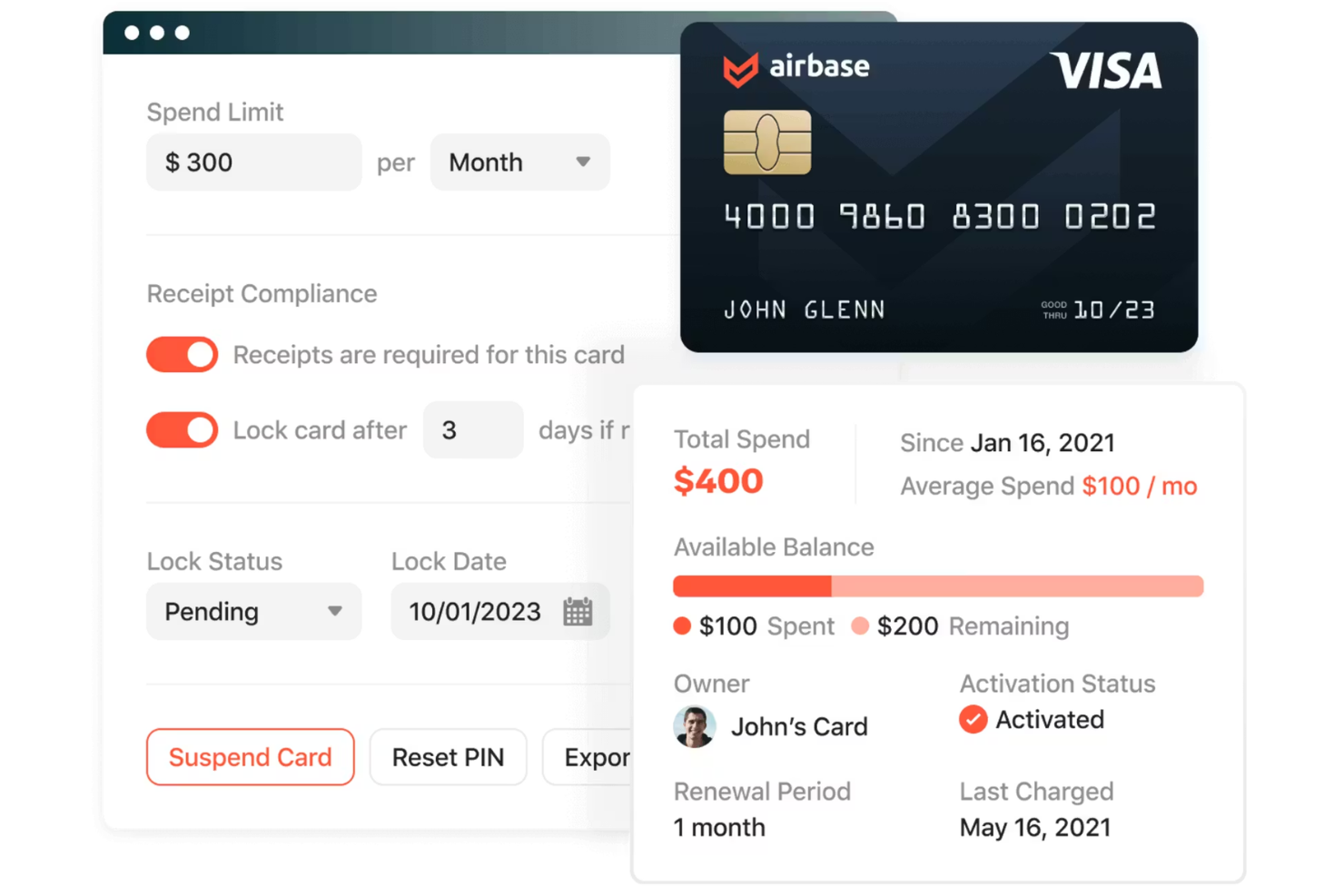
Airbase is a spend management platform designed for finance teams that want to centralize and control company card expenses. It appeals to businesses looking for real-time visibility into spending and automated workflows for approvals and reconciliation. The platform helps organizations reduce manual work and improve compliance by bringing all expense processes into one system.
Who Is Airbase Best For?
Airbase fits mid-sized to large companies that need centralized control over company card spending and approval workflows.
Why I Picked Airbase
What sets Airbase apart for credit card expense management is its unified approach to spend approvals and controls. I picked Airbase because it lets you set up custom approval workflows for every card transaction, so finance teams can enforce policy before spend happens. The platform also provides real-time visibility into all card activity, making it easier to spot issues and maintain compliance. With centralized controls, you can manage virtual and physical cards, set spending limits, and automate receipt collection—all from one dashboard.
Airbase Key Features
Some other features that make Airbase valuable for credit card expense management include:
- Automated transaction categorization: The platform automatically assigns GL codes to card transactions based on your accounting rules.
- Receipt compliance monitoring: Airbase tracks missing receipts and sends reminders to cardholders for timely submission.
- Multi-entity support: Manage expenses and cards across multiple subsidiaries or business units from a single account.
- Real-time spend analytics: Access up-to-date dashboards and reports that break down card spend by user, department, or vendor.
Airbase Integrations
Integrations include NetSuite, QuickBooks Online, Sage Intacct, Xero, Slack, Google Workspace, and an API for custom integrations.
Pros and Cons
Pros:
- Offers virtual and physical cards
- Advanced custom approval workflows
- Strong NetSuite and ERP integrations
Cons:
- Some users report delays in bank feed syncing
- Approval workflow setup can be time-consuming

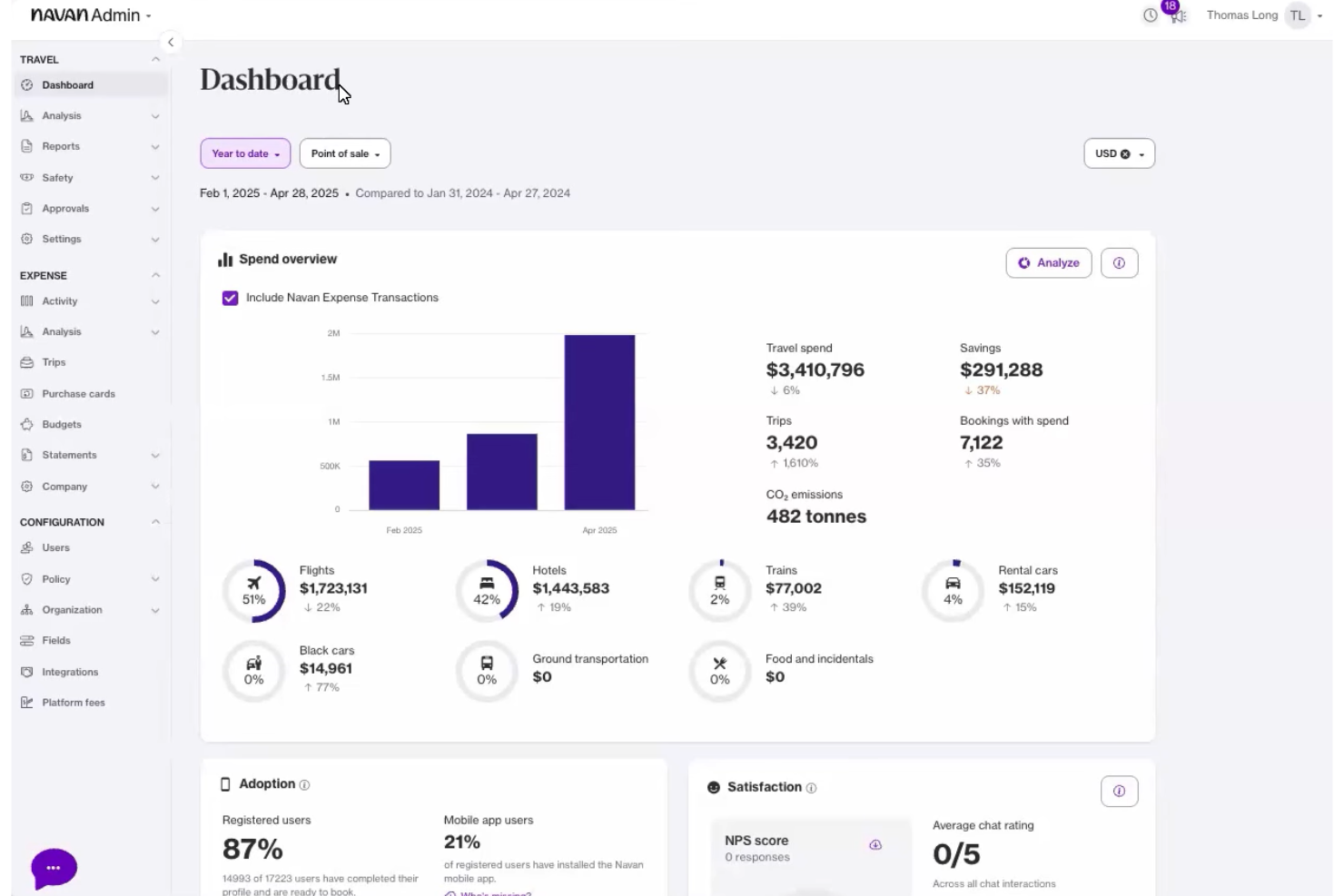
Navan offers a unified platform for managing both business travel and credit card expenses. It’s a strong fit for finance teams and travel managers who want to connect spend data with travel bookings in one place. The tool helps organizations gain better visibility into employee expenses and streamline reconciliation.
Who Is Navan Best For?
Navan suits mid-sized to large organizations with frequent business travel and a need to manage credit card expenses alongside travel bookings.
Why I Picked Navan
What drew me to Navan is how it brings travel booking and credit card expense management together in a single workflow. The platform automatically matches card transactions to travel bookings, which helps finance teams reconcile expenses without manual cross-checking. I also like that Navan provides real-time policy enforcement during both booking and expense submission, reducing out-of-policy spend before it happens. This integrated approach is especially useful for organizations that want to control travel costs and simplify expense reporting at the same time.
Navan Key Features
Some other features that make Navan useful for credit card expense management include:
- Automated receipt capture: Users can upload receipts via mobile app, which are then matched to card transactions for faster reconciliation.
- Custom approval workflows: Finance teams can configure multi-level approval processes to fit their organizational structure.
- Real-time spend analytics: The platform provides dashboards and reports that break down card spend by category, department, or user.
- Mobile policy reminders: Employees receive in-app notifications about policy requirements when submitting expenses on the go.
Navan Integrations
Integrations include NetSuite, QuickBooks Online, Xero, Sage Intacct, and American Express.
Pros and Cons
Pros:
- Detailed spend analytics by department or user
- Multi-level approval workflows for expenses
- Real-time policy enforcement during expense submission
Cons:
- Limited customization for expense categories
- No built-in virtual card issuing

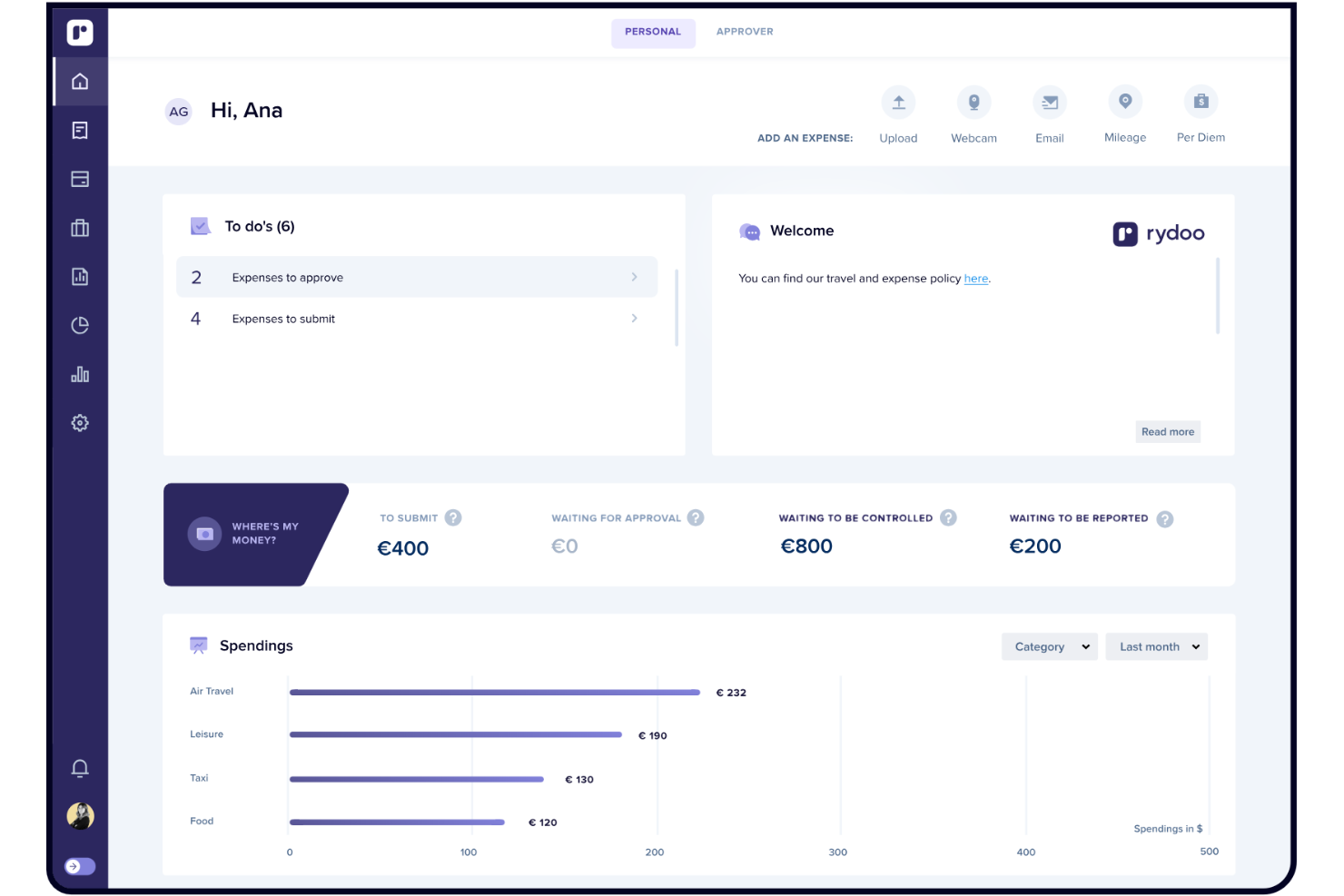
Rydoo is an expense management platform designed for finance teams that want to simplify and speed up expense submissions. It appeals to organizations with distributed or traveling employees who need to capture and process expenses on the go. The platform helps reduce manual entry and accelerates reimbursement cycles by digitizing receipts and automating policy checks.
Who Is Rydoo Best For?
Rydoo suits finance teams at mid-sized businesses with frequent travelers or remote employees who need to submit expenses from anywhere.
Why I Picked Rydoo
I chose Rydoo because it puts mobile expense capture at the center of its platform, which is especially valuable for teams that are always on the move. The mobile app lets users snap photos of receipts, submit expenses instantly, and even match transactions to corporate card charges in real time. I also appreciate how Rydoo automates policy checks and approvals directly from the app, so finance teams can maintain control without slowing down employees. This mobile-first approach makes Rydoo a strong fit for businesses that need fast, accurate credit card expense management from anywhere.
Rydoo Key Features
Some other features that make Rydoo useful for credit card expense management include:
- Corporate card transaction matching: Automatically links card transactions to submitted expenses for easier reconciliation.
- Multi-currency support: Handles expenses in multiple currencies with automatic conversion and exchange rate tracking.
- Custom approval workflows: Lets you set up multi-level approval chains based on your company’s policies.
- Real-time spend analytics: Provides dashboards and reports to monitor card usage and spending trends.
Rydoo Integrations
Integrations include NetSuite, SAP S/4HANA, QuickBooks, Xero, Sage, Microsoft Dynamics 365, Workday, Slack, Egencia, and Uber.
Pros and Cons
Pros:
- Strong global tax compliance
- Integrates well with ERP systems
- Automated per diem calculations
Cons:
- Custom reporting is limited
- Initial setup is time-consuming

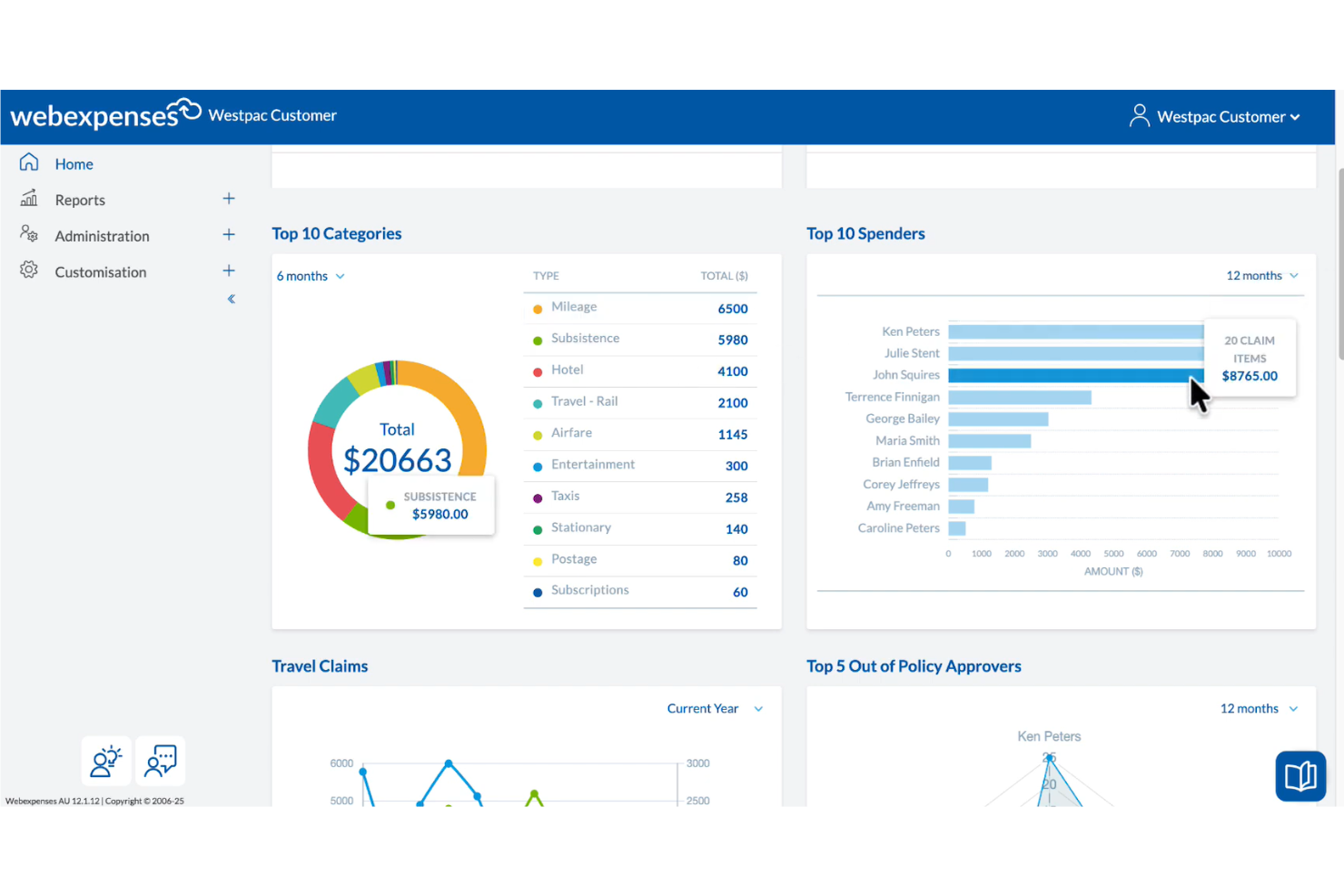
Finance teams managing expenses across multiple business units often turn to Webexpenses for its flexible approach to credit card expense management. The platform is designed for organizations that need to handle complex approval structures and detailed spend tracking. Webexpenses helps businesses gain better control over card transactions, policy compliance, and reconciliation processes.
Who Is Webexpenses Best For?
Webexpenses suits finance teams at mid-sized to large organizations that need to manage credit card expenses across multiple entities or departments.
Why I Picked Webexpenses
I picked Webexpenses because it’s one of the few platforms that truly supports multi-entity expense reconciliation for credit card spend. The tool lets you allocate transactions to different business units, departments, or cost centers, which is essential for organizations with complex structures. I also like that you can set up tailored approval workflows and reporting for each entity, making it easier to maintain clear audit trails. This level of flexibility helps finance teams keep card expenses organized and compliant across multiple parts of the business.
Webexpenses Key Features
Some other features that make Webexpenses useful for credit card expense management include:
- Automated receipt matching: The platform automatically matches uploaded receipts to card transactions for faster reconciliation.
- Real-time policy violation alerts: Users and approvers receive instant notifications when a transaction falls outside company policy.
- Mobile expense capture: Employees can submit card expenses and receipts directly from their mobile devices.
- Audit-ready reporting: Generate detailed, exportable reports that support compliance and audit requirements.
Webexpenses Integrations
Integrations include Sage Intacct, Sage 200, Sage 50, Oracle, NetSuite, and Mastercard.
Pros and Cons
Pros:
- Customizable approval workflows
- Automated mileage tracking tools
- Mobile app for fast receipt capture
Cons:
- OCR receipt scanner can make errors
- Initial setup can be time-consuming

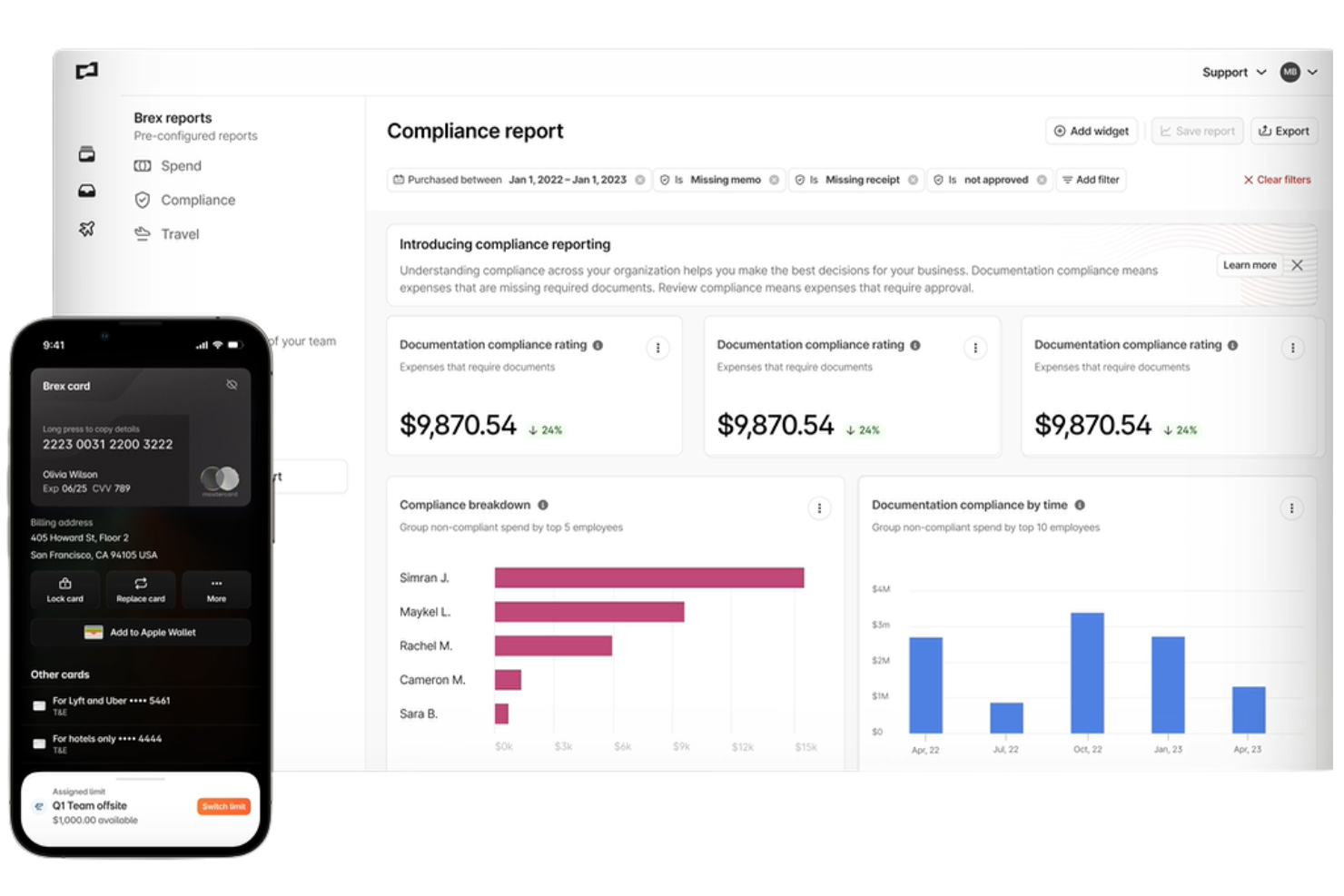
Brex offers a unified spend management platform designed for startups and high-growth companies that need to manage credit card expenses at scale. Finance teams can use Brex to issue cards, automate expense tracking, and enforce policies across distributed teams. Its focus on real-time controls and automation helps businesses keep spending aligned with company goals.
Who Is Brex Best For?
Brex is a strong choice for finance teams at fast-growing tech, life sciences, and venture-backed companies that need scalable expense controls.
Why I Picked Brex
I picked Brex because it’s built to support the rapid pace and complexity of spend management in tech and life sciences companies. The platform lets you issue unlimited virtual and physical cards instantly, with customizable controls for each department or project. I also like how Brex automates expense categorization and policy enforcement, which helps fast-moving teams stay compliant without slowing down. Its real-time spend visibility and centralized dashboard make it easier for finance leaders to manage distributed teams and shifting budgets.
Brex Key Features
Some other features that make Brex useful for credit card expense management include:
- Automated receipt matching: The platform automatically matches uploaded receipts to card transactions for faster reconciliation.
- Global currency support: Brex cards and expense tracking work across multiple currencies for international teams.
- Mobile app for on-the-go management: Users can submit expenses, capture receipts, and manage cards directly from their mobile devices.
- Real-time alerts and notifications: The system sends instant alerts for policy violations, large transactions, or suspicious activity.
Brex Integrations
Integrations include NetSuite, QuickBooks, Xero, Sage Intacct, and Zoom.
Pros and Cons
Pros:
- Auto-matches receipts to charges
- Built-in custom spending limits
- Unlimited virtual & physical cards
Cons:
- Custom reporting options are somewhat restricted
- Mobile app can be slow to sync

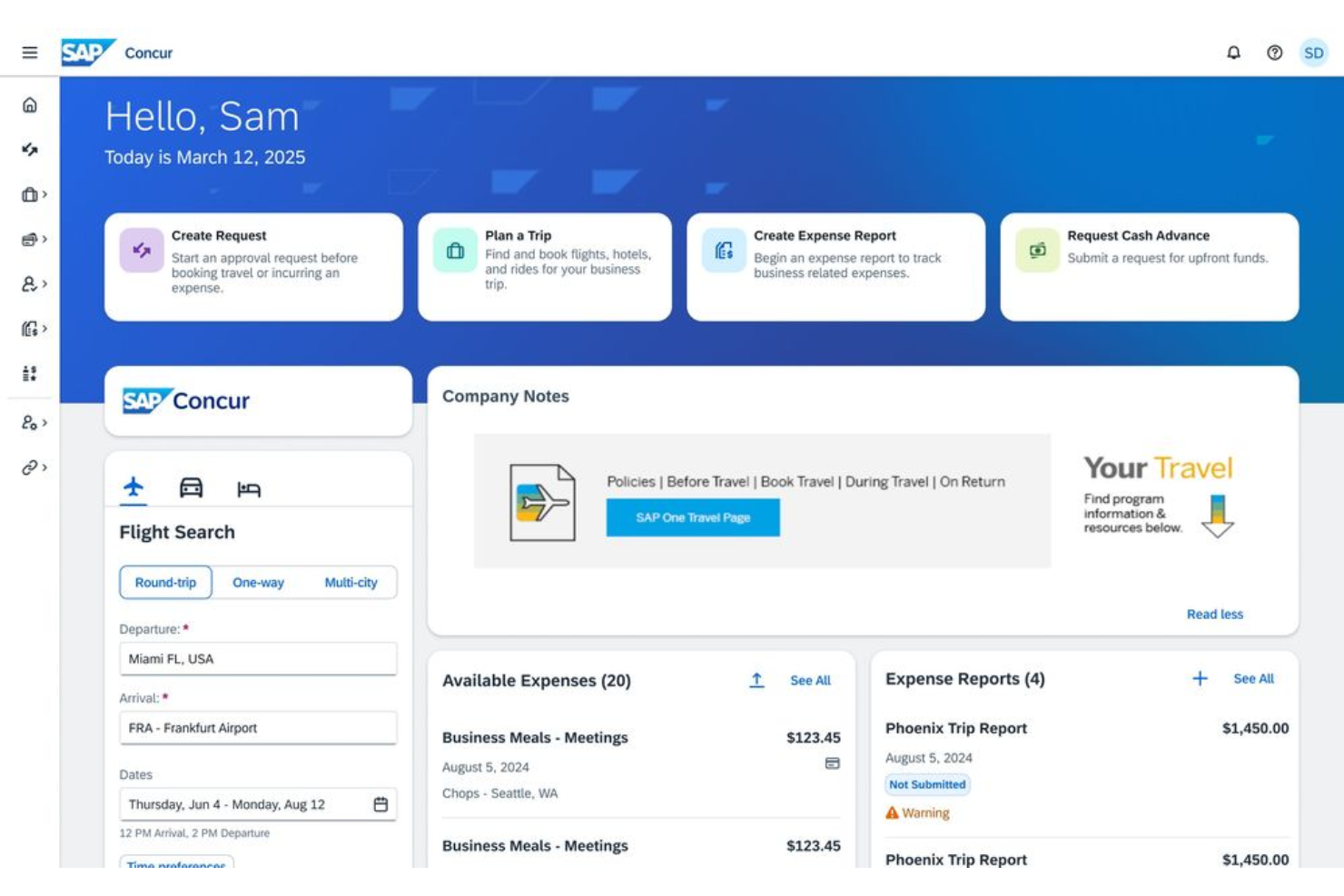
SAP Concur is a cloud-based platform that optimizes the expense management process for organizations with complex financial operations and global reach. It appeals to finance teams that need to manage high volumes of credit card transactions while maintaining compliance and audit trails. The platform helps businesses automate expense capture, enforce policy controls, and integrate spend data across multiple departments.
Who Is SAP Concur Best For?
SAP Concur suits large enterprises and multinational organizations that require advanced expense controls and deep ERP integrations.
Why I Picked SAP Concur
What makes SAP Concur a strong choice for credit card expense management is its ability to connect seamlessly with major ERP systems, which is essential for organizations with complex financial infrastructures. I picked SAP Concur because it offers native integrations with platforms like SAP, Oracle, and Microsoft Dynamics, allowing finance teams to sync expense data directly with their core accounting and procurement systems. This level of integration helps automate reconciliation, enforce company-wide policies, and maintain a single source of truth for spend data. For businesses that need to manage expenses across multiple entities or regions, these ERP connections are a significant advantage.
SAP Concur Key Features
Some other features that make SAP Concur valuable for credit card expense management include:
- Automated receipt capture: Users can upload receipts via mobile app or email, and the system matches them to transactions automatically.
- Policy enforcement engine: Administrators can set granular spend rules and flag out-of-policy expenses in real time.
- Mobile expense reporting: Employees can submit, review, and approve expenses directly from their smartphones.
- Audit trail tracking: Every transaction and change is logged for compliance and audit readiness.
SAP Concur Integrations
Integrations include SAP, Oracle NetSuite, QuickBooks, Xero, Microsoft Dynamics 365, and Uber.
Pros and Cons
Pros:
- Scales well for large enterprises
- Mobile app for receipt capture
- Strong global travel compliance
Cons:
- Expensive for smaller businesses
- Implementation is very complex

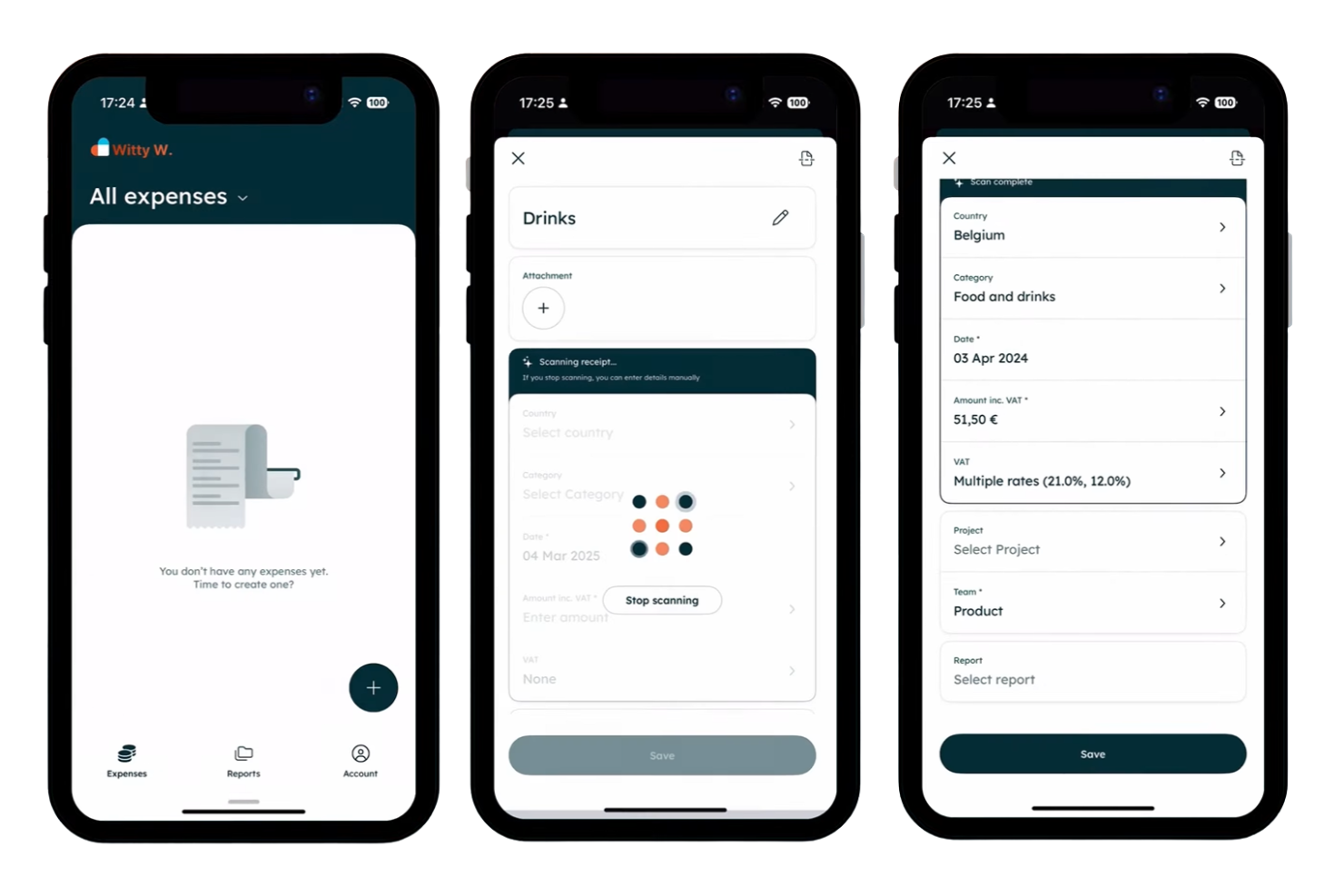
Mobilexpense is a credit card expense management platform designed for organizations operating across multiple countries. It appeals to finance teams that need to handle complex regulatory requirements and local tax rules. The tool helps businesses simplify expense tracking, automate compliance checks, and manage card spend in diverse regulatory environments.
Who Is Mobilexpense Best For?
Mobilexpense fits multinational finance teams that need to manage credit card expenses while meeting local compliance and tax requirements.
Why I Picked Mobilexpense
What stands out about Mobilexpense is its strong focus on multinational compliance management for credit card expenses. The platform supports automated VAT and tax calculations for different countries, which helps finance teams stay compliant with local regulations. I also appreciate that Mobilexpense offers built-in policy enforcement and real-time checks for cross-border transactions, reducing the risk of non-compliant spend. These features make it a practical choice for organizations that operate in multiple jurisdictions and need to manage card expenses within complex regulatory frameworks.
Mobilexpense Key Features
Some other features that make Mobilexpense useful for credit card expense management include:
- Automated receipt capture: Users can snap photos of receipts with their mobile device and link them directly to card transactions.
- Multi-language support: The platform is available in multiple languages to accommodate global teams.
- Card transaction import: Credit card transactions can be imported automatically for faster reconciliation.
- Custom approval workflows: Finance teams can set up multi-level approval processes tailored to their organizational structure.
Mobilexpense Integrations
Integrations include Exact, DATEV, d.velop, Twinfield, QuickBooks Online, SAP, and Oracle.
Pros and Cons
Pros:
- Intuitive and simple user interface
- Speeds up the reimbursement process
- Strong European regulatory compliance
Cons:
- Mobile app experiences occasional bugs
- Lacks a recurring expenses feature

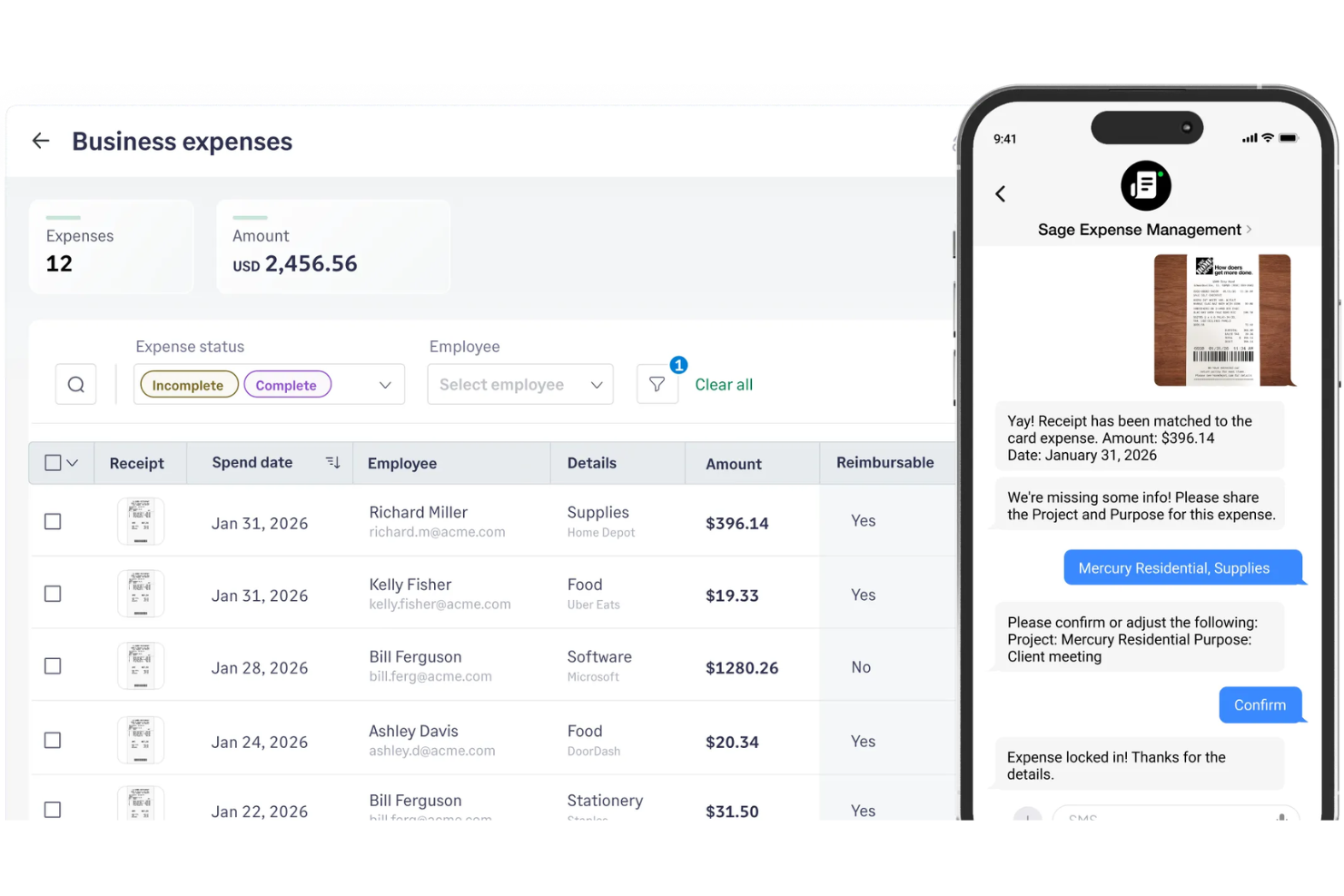
Sage Expense Management offers a modern approach to tracking and managing business card expenses. It’s designed for finance teams and business owners who want more control and visibility over company spending. The platform helps automate reconciliation, enforce policies, and reduce manual work tied to corporate credit card transactions.
Who Is Sage Expense Management Best For?
Sage Expense Management is a strong fit for finance teams at small to midsize businesses that need real-time oversight of company card spending.
Why I Picked Sage Expense Management
I picked Sage Expense Management because it gives finance teams immediate visibility into every card transaction as it happens. The platform pulls in real-time feeds from business credit cards, so you can monitor spend and flag issues without waiting for statements to close. I also appreciate how it automatically categorizes transactions and prompts users for receipts right away, which helps reduce missing documentation and speeds up reconciliation. This real-time tracking is especially valuable for businesses that need to keep a close eye on budgets and policy compliance.
Sage Expense Management Key Features
Some other features that make Sage Expense Management useful for credit card expense management include:
- Automated policy enforcement: The system flags out-of-policy transactions and notifies users to ensure compliance.
- Direct accounting software sync: You can connect Sage Expense Management to accounting platforms like QuickBooks and Xero for faster reconciliation.
- Custom approval workflows: Set up multi-level approval chains to match your organization’s spend controls.
- Mobile receipt capture: Users can snap photos of receipts and attach them to transactions directly from their phones.
Sage Expense Management Integrations
Integrations include Sage Intacct, Sage 300 CRE, Sage 50, QuickBooks Online, and Mastercard.
Pros and Cons
Pros:
- Multi-level approval workflows for card expenses
- Mobile receipt capture for card purchases
- Direct sync with major accounting platforms
Cons:
- Custom reporting options are somewhat restricted
- Limited card issuing outside the US


Ramp is a corporate card and expense management platform designed for finance teams that want to automate manual expense tasks. It appeals to businesses looking for real-time visibility into company spend and tighter control over employee purchases. Ramp helps organizations reduce time spent on reconciliation and policy enforcement by connecting card usage directly to expense workflows.
Who Is Ramp Best For?
Ramp fits mid-sized and larger businesses that want automated controls over corporate card spending and expense reconciliation.
Why I Picked Ramp
What stands out about Ramp is how it automates receipt matching for every card transaction, which directly addresses one of the most tedious parts of expense management. The platform uses AI to scan, match, and verify receipts as soon as they’re uploaded, reducing manual review and missing documentation. I also like that Ramp automatically flags transactions without receipts and sends reminders to cardholders, helping finance teams close the loop quickly. This level of automation is especially useful for organizations with high transaction volumes or strict compliance requirements.
Ramp Key Features
In addition to automated receipt matching, Ramp offers several other features that support credit card expense management:
- Real-time spend controls: Set granular limits on card usage by merchant, category, or amount to prevent out-of-policy spending.
- Automatic transaction categorization: Transactions are auto-coded to the correct general ledger accounts based on your accounting rules.
- Integrated bill payments: Pay vendors directly from Ramp and sync payment data with your accounting system.
- Custom approval workflows: Configure multi-level approval processes for expenses and card requests to match your organization’s policies.
Ramp Integrations
Integrations include NetSuite, Sage Intacct, QuickBooks, Microsoft Dynamics Business Central, Xero, Microsoft Dynamics 365 Finance and Operations, and Oracle Fusion Cloud.
Pros and Cons
Pros:
- Built-in custom spend controls
- Automated AI receipt matching
- High limits based on cash flow
Cons:
- Reporting exports limited to certain formats
- Travel booking features are not included

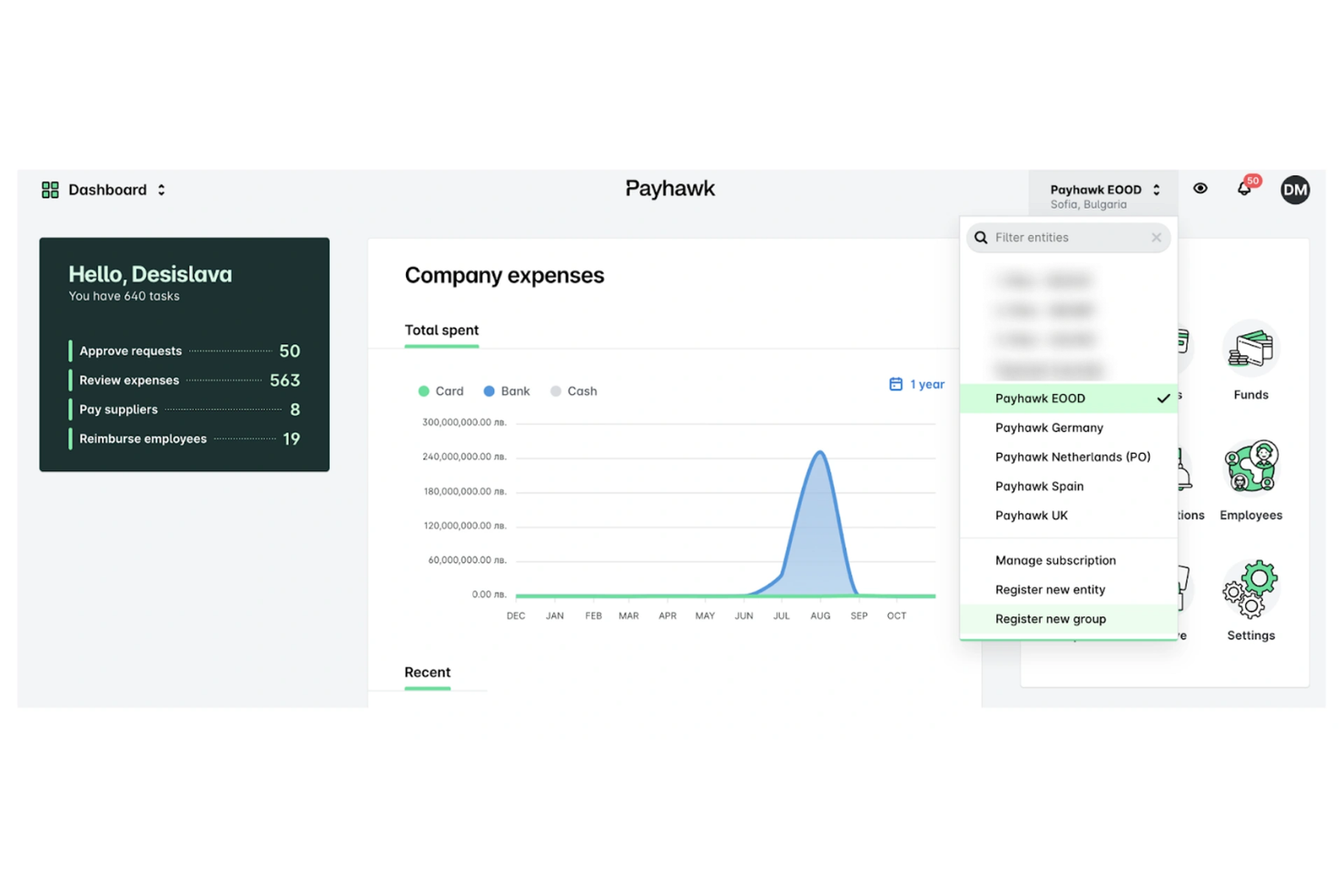
Payhawk offers a unified platform for managing company cards and expenses across multiple countries. Finance teams at global organizations can use it to centralize spend, enforce policies, and automate reconciliation. Its focus on international controls and compliance makes it a strong fit for businesses with distributed operations.
Who Is Payhawk Best For?
Payhawk is a good fit for finance teams at multinational companies that need centralized control over global card spending and policy enforcement.
Why I Picked Payhawk
I chose Payhawk because it offers advanced global card controls and policy automation that are hard to find in other platforms. The tool lets you issue cards in multiple currencies, set granular spending limits, and automate policy enforcement across different regions. I appreciate how Payhawk’s real-time expense controls help finance teams prevent out-of-policy spending before it happens. Its automated workflows for approvals and reconciliation also support organizations with complex, multinational operations.
Payhawk Key Features
Some other features that make Payhawk useful for finance teams include:
- Receipt capture via mobile app: Users can snap photos of receipts and attach them directly to card transactions for faster reconciliation.
- Automated VAT extraction: The platform identifies and extracts VAT from receipts to support accurate tax reclaim and reporting.
- Custom approval workflows: Configure multi-level approval chains for card transactions based on amount, department, or location.
- ERP and accounting integrations: Payhawk connects with systems like NetSuite, Microsoft Dynamics 365, and QuickBooks to sync expense data automatically.
Payhawk Integrations
Integrations include NetSuite, Microsoft Dynamics 365, Xero, QuickBooks, Sage Intacct, and Workday.
Pros and Cons
Pros:
- Direct integrations with major ERPs
- Built-in VAT extraction from receipts
- Real-time spend tracking and notifications
Cons:
- Limited card issuing in some countries
- High starting price for small businesses
Other Credit Card Expense Management Software
Here are some additional credit card expense management software options that didn’t make it onto my shortlist, but are still worth checking out:


Credit Card Expense Management Software Selection Criteria
When selecting the best credit card expense management software to include in this list, I considered common buyer needs and pain points like reconciling card transactions quickly and enforcing spend policies automatically. I also used the following framework to keep my evaluation structured and fair:
Core Functionality (25% of total score)
To be considered for inclusion in this list, each solution had to fulfill these common use cases:
- Capture and store digital receipts
- Match expenses to credit card transactions
- Automate expense policy enforcement
- Support multi-level approval workflows
- Export data to accounting systems
Additional Standout Features (25% of total score)
To help further narrow down the competition, I also looked for unique features, such as:
- Real-time spend analytics dashboards
- Built-in virtual card issuance
- Automated mileage and per diem tracking
- Mobile-first expense submission tools
- Integration with travel booking platforms
Usability (10% of total score)
To get a sense of the usability of each system, I considered the following:
- Simple and intuitive user interface
- Fast navigation between expense categories
- Clear labeling of features and actions
- Responsive design for mobile and desktop
- Minimal manual data entry required
Onboarding (10% of total score)
To evaluate the onboarding experience for each platform, I considered the following:
- Step-by-step product tours for new users
- Availability of training videos and webinars
- Pre-built templates for expense categories
- In-app chatbots for onboarding support
- Clear documentation for setup and migration
Customer Support (10% of total score)
To assess each software provider’s customer support services, I considered the following:
- Live chat or phone support availability
- Fast response times to support tickets
- Access to a searchable help center
- Dedicated account managers for larger clients
- Community forums for peer-to-peer help
Value For Money (10% of total score)
To evaluate the value for money of each platform, I considered the following:
- Transparent and predictable pricing structure
- No hidden fees for core features
- Flexible plans for different company sizes
- Free trial or demo availability
- Discounts for annual commitments
Customer Reviews (10% of total score)
To get a sense of overall customer satisfaction, I considered the following when reading customer reviews:
- Positive feedback on expense automation
- Reports of reliable mobile app performance
- Comments on integration quality and ease
- User satisfaction with customer support
- Feedback on speed of reimbursements
How to Choose Credit Card Expense Management Software
It’s easy to get bogged down in long feature lists and complex pricing structures. To help you stay focused as you work through your unique software selection process, here’s a checklist of factors to keep in mind:
| Factor | What to Consider |
|---|---|
| Scalability | Will the software handle your current and projected transaction volume and user count as you grow? |
| Integrations | Does it connect natively to your accounting, ERP, HR, and banking systems without manual workarounds? |
| Customizability | Can you tailor approval workflows, expense categories, and policy rules to match your organization’s needs? |
| Ease of use | Will employees and approvers adopt the tool quickly, or will training and support be a constant drain? |
| Implementation and onboarding | How long will it take to get up and running, and what resources or support does the vendor provide during rollout? |
| Cost | Are pricing tiers transparent, and do they align with your usage patterns and budget constraints? |
| Security safeguards | Does the platform offer encryption, role-based access, and audit trails to protect sensitive financial data? |
| Compliance requirements | Will the software help you meet industry, tax, and audit requirements relevant to your business and region? |
What Is Credit Card Expense Management Software?
Credit card expense management software is a digital tool that helps businesses track, reconcile, and control spending made with company credit cards. These platforms automate the collection of receipts, match transactions to card statements, enforce expense policies, and streamline approvals. Finance teams use them to improve visibility, reduce manual errors, and ensure compliance with internal and external reporting requirements.
Features of Credit Card Expense Management Software
When selecting credit card expense management software, keep an eye out for the following key features:
- Receipt capture: Lets users upload or photograph receipts, automatically attaching them to the correct expense for easy documentation and audit trails.
- Transaction matching: Automatically links credit card transactions to submitted expenses, reducing manual reconciliation and minimizing errors.
- Policy enforcement: Applies company spending rules to each transaction, flagging or blocking out-of-policy expenses before they reach approval.
- Multi-level approvals: Supports customizable approval workflows, ensuring expenses are reviewed by the right people at each stage.
- Multi-currency support: Handles expenses in different currencies, converting amounts and tracking exchange rates for accurate reporting.
- Integration with accounting systems: Connects directly to accounting or ERP platforms, syncing expense data for faster month-end close and accurate financials.
- Real-time dashboards: Provides up-to-date visualizations of spending patterns, card usage, and outstanding approvals for better financial oversight.
- Mobile access: Offers a mobile app or responsive web interface so employees can submit, review, and approve expenses from anywhere.
- Audit trails: Maintains a detailed log of all actions taken on each expense, supporting compliance and simplifying audits.
- Corporate card management: Allows administrators to issue, deactivate, and monitor company credit cards within the platform, centralizing control and oversight.
Common Credit Card Expense Management Software AI Features
Beyond the standard credit card expense management software features listed above, many of these solutions are incorporating AI with features like:
- Automated receipt data extraction: Uses AI-powered optical character recognition to read and extract key details from receipts, reducing manual entry and errors.
- Anomaly detection: Flags unusual or suspicious spending patterns by analyzing transaction data and comparing it to historical norms.
- Smart expense categorization: Automatically assigns expenses to the correct categories based on transaction details and learned user behavior.
- Predictive policy violation alerts: Anticipates potential policy breaches by analyzing spending trends and proactively warning users before submission.
- Duplicate expense detection: Identifies and flags potential duplicate submissions by comparing receipt images, amounts, and transaction dates using AI algorithms.
Benefits of Credit Card Expense Management Software
Implementing credit card expense management software provides several benefits for your team and your business. Here are a few you can look forward to:
- Faster reconciliation: Automated transaction matching and receipt capture reduce manual work and speed up month-end close.
- Improved policy compliance: Built-in policy enforcement and real-time alerts help ensure spending stays within company guidelines.
- Greater financial visibility: Real-time dashboards and reporting tools give finance teams a clear view of spending patterns and outstanding approvals.
- Reduced errors and fraud: AI-powered anomaly detection and audit trails help catch mistakes and flag suspicious activity before it becomes a problem.
- Simplified approvals: Multi-level approval workflows and mobile access make it easy for managers to review and approve expenses from anywhere.
- Streamlined integrations: Direct connections to accounting and ERP systems eliminate duplicate data entry and keep financial records accurate.
- Enhanced audit readiness: Centralized documentation and detailed logs make it easier to prepare for audits and demonstrate compliance.
Costs and Pricing of Credit Card Expense Management Software
Selecting credit card expense management software requires an understanding of the various pricing models and plans available. Costs vary based on features, team size, add-ons, and more. The table below summarizes common plans, their average prices, and typical features included in credit card expense management software solutions:
Plan Comparison Table for Credit Card Expense Management Software
| Plan Type | Average Price | Common Features |
|---|---|---|
| Free Plan | $0 | Basic receipt capture, limited transaction matching, manual approvals, and basic reporting. |
| Personal Plan | $11-$15/user/month | Receipt capture, transaction matching, single-user policy enforcement, and export to accounting. |
| Business Plan | $15-$25/user/month | Multi-user support, multi-level approvals, policy enforcement, integrations, and real-time dashboards. |
| Enterprise Plan | $35-$60/user/month | Advanced analytics, custom workflows, dedicated support, enhanced security, and audit trails. |
Credit Card Expense Management Software FAQs
Here are some answers to common questions about credit card expense management software:
How does credit card expense management software help with month-end close?
Credit card expense management software automates transaction matching and data export, reducing manual reconciliation work. This speeds up the month-end close process and helps ensure all expenses are accurately captured and categorized.
Can these tools integrate with my existing accounting or ERP system?
Yes, most credit card expense management software solutions offer direct integrations with popular accounting and ERP platforms. This allows you to sync expense data automatically, reducing duplicate entry and keeping your financial records up to date.
What types of controls can I set for employee spending?
You can set spending limits, restrict merchant categories, require multi-level approvals, and enforce company expense policies. These controls help prevent unauthorized purchases and keep spending aligned with your organization’s guidelines.
Is it possible to manage multiple company cards within one platform?
Yes, most solutions allow you to issue, deactivate, and monitor multiple company credit cards from a single dashboard. This centralizes card management and provides better oversight of all card activity.
How do these platforms support compliance and audit readiness?
Credit card expense management software maintains detailed audit trails, stores digital receipts, and enforces policy rules. This documentation supports compliance with tax, regulatory, and internal audit requirements.