

Engineering accounting software is a valuable asset for any company. With the right software, teams can improve project cost management and enhance financial reporting accuracy. However, finding the right engineering accounting software can be challenging, especially with so many available options.
Using my experience with finance and accounting software, I tested and compared several of the top engineering accounting software available. From there, I compiled my results into detailed reviews to help you find the best software for your needs.
Why Trust Our Software Recommendations
6,700+
Reviews
20
Industry experts
16+
Evaluation factors
14
Years
Our team has been testing and reviewing software since 2012. As finance leaders ourselves, we know how difficult—and important—it is to choose the right software.
For this guide, we evaluated tools using hands-on testing and independent research, scoring tools using our selection criteria.
Our reviews reflect our human editorial judgment, not a sales pitch.
Engineering Accounting Software Comparison Table
This comparison table summarizes pricing details for my top engineering accounting software selections.
| Tool | Best For | Trial Info | Price | ||
|---|---|---|---|---|---|
| 1 | Best for multi-entity engineering firm billing | Free demo available | From $1,495/month | Website | |
| 2 | Best for time-tracking integration | Free demo available | Pricing upon request | Website | |
| 3 | Best for real-time financial insights | Free demo available | From £1,200/month | Website | |
| 4 | Best for project workflow automation across entities | Free demo available | Pricing upon request | Website | |
| 5 | Best for A&E firms scaling project billing | Free demo available | Pricing upon request | Website | |
| 6 | Best for AEC firms managing project-to-profit | Free demo available | Pricing upon request | Website | |
| 7 | Best for government-contracting engineering firms | Free demo available | Pricing upon request | Website | |
| 8 | Best for global scalability | Free demo available | Pricing upon request | Website | |
| 9 | Best for Microsoft 365-native project accounting | Free trial available | From $135/user/month (billed annually) | Website | |
| 10 | Best for large engineering firms | Not available | Pricing upon request | Website |


Best Engineering Accounting Software Reviews
Below are my detailed summaries of the best engineering accounting software that made it onto my shortlist. My reviews offer a detailed look at the key features, pros & cons, integrations, and ideal use cases of each tool to help you find the best one for you.
 Best for multi-entity engineering firm billing
- Free demo available
- From $1,495/month
Visit WebsiteCustomer Rating:4.4/5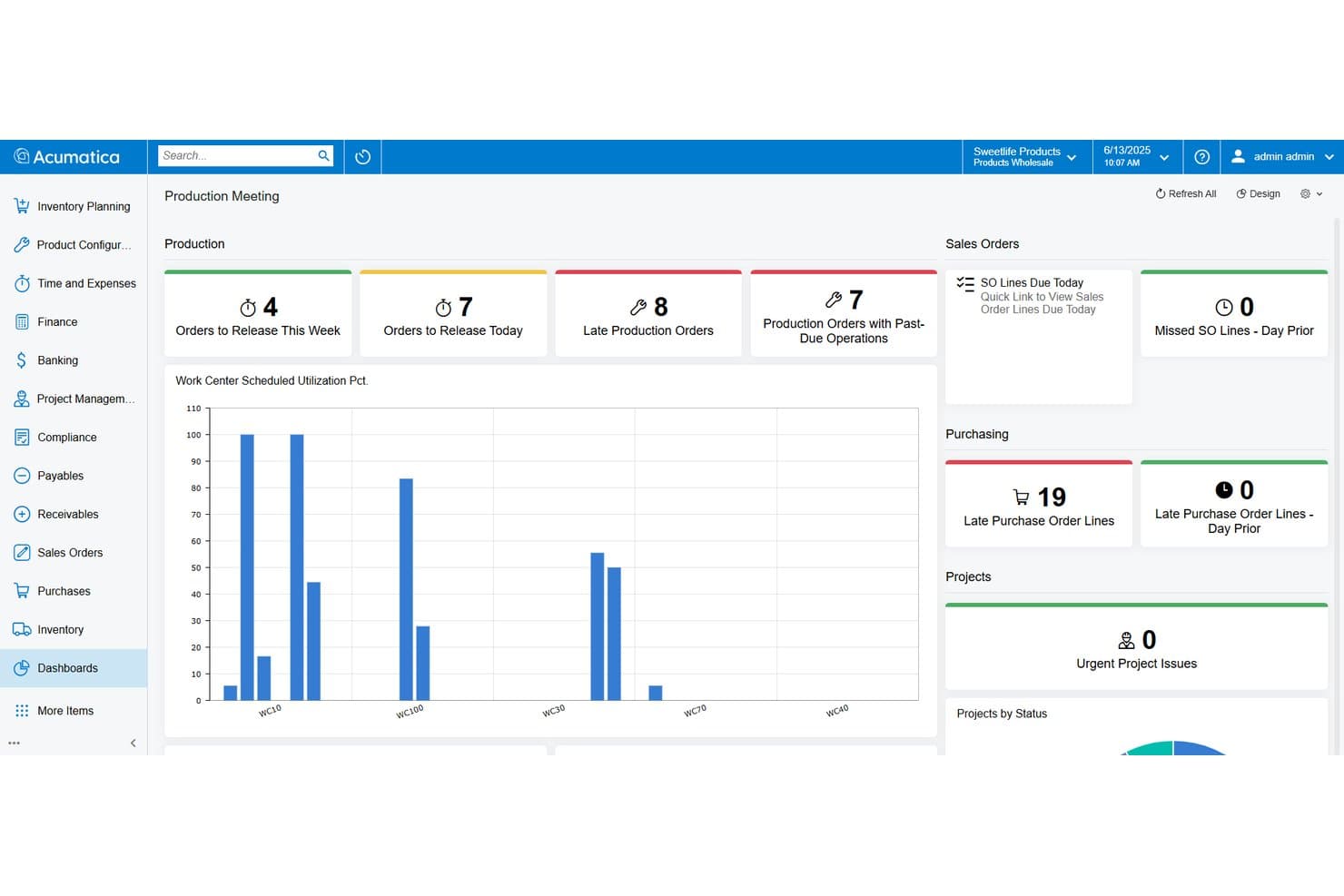
Acumatica tracks production orders, purchasing, and project status in one dashboard. My Evaluation Score
- Time & Expense Tracking
- Excels
- Project-Based Accounting
- Excels
- Core Financial Management
- Excels
- Project & Contract Billing
- Excels
- WIP & Project Revenue Management
- Strong
- Multi-Entity & Financial Controls
- Strong
Acumatica is a cloud ERP platform with a dedicated Professional Services Edition built for engineering, architecture, and consulting firms, offering project accounting, multi-method contract billing, WIP reporting, time and expense tracking, and multi-entity financial management.
Who Is Acumatica Best For?
Acumatica fits mid-market engineering firms managing multiple offices or subsidiaries that need unified billing, intercompany accounting, and project financials in one platform.
Why I Picked Acumatica
I picked Acumatica as one of the best because its multi-entity and intercompany accounting capabilities are genuinely built for engineering firms running multiple offices or subsidiaries. Automated intercompany transactions, consolidated statements with elimination, and drill-down reporting across entities all live in one platform. I also like that its Project 360 Dashboard gives real-time billing visibility across every active engagement, so nothing slips through when managing complex, overlapping contracts.
Acumatica Key Features
- Multi-method contract billing: Supports T&M, fixed-price, cost-plus, milestone, and percentage-of-completion billing structures natively within the same platform.
- Web-based labor timer: Lets employees clock in and out on specific project tasks directly, with entries flowing automatically into project accounting and payroll.
- Unbilled project revenue aging report: Surfaces billable amounts that haven't yet been invoiced, helping you catch revenue gaps before they affect cash flow.
- Consolidated financial statements with elimination: Generates cross-entity financial statements with automated intercompany eliminations, supporting multi-office or multi-subsidiary reporting.
Acumatica Integrations
Acumatica has a native Procore integration, plus marketplace integrations with ProjectManager and JAMIS Prime. It also lists Autodesk Construction Cloud and BuildingConnected connections, with an open API for custom integrations.
Pros and Cons
Pros:
- Flexible billing for complex engineering contracts
- Unlimited users without per-seat charges
- Real-time project profitability and WIP tracking
Cons:
- DCAA compliance requires a paid add-on
- No native earned value management dashboards
Learn more about Acumatica: Best for time-tracking integration
- Free demo available
- Pricing upon request
Visit WebsiteCustomer Rating:4.5/5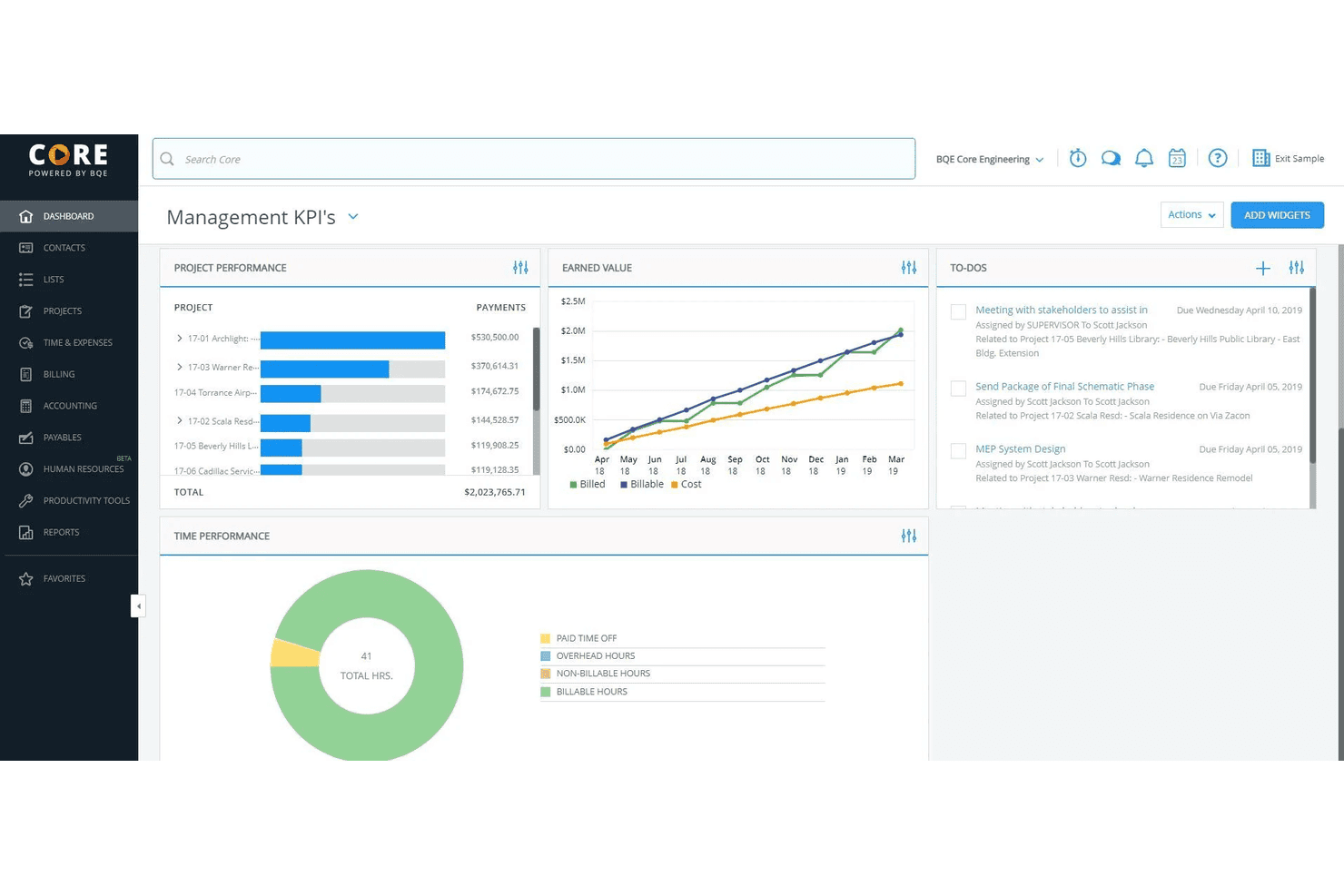
BQE Core helps service firms with time tracking, billing, and project management. My Evaluation Score
- Time & Expense Tracking
- Excels
- Project-Based Accounting
- Excels
- Core Financial Management
- Adequate
- Project & Contract Billing
- Excels
- WIP & Project Revenue Management
- Strong
- Multi-Entity & Financial Controls
- Adequate
BQE Core is an all-in-one firm management and accounting platform built specifically for architecture and engineering firms, covering project accounting, time and expense tracking, billing, invoicing, and financial reporting.
Who Is BQE Core Best For?
BQE Core is a strong fit for small to mid-sized architecture, engineering, and consulting firms that manage projects, track billable time, and need integrated accounting in one platform.
Why I Picked BQE Core
I've included BQE Core in my top picks because its time-tracking features don't exist in isolation—they feed directly into project budgets, billing, and the general ledger in real time. As time entries hit a project, budget tracking updates automatically, so there's no lag between what your team logs and what the financials reflect. I also like that Core supports pause-and-play timers, automatic timesheet reminders, and pre-populated timesheets that pull from recent activity, which cuts down on the manual data entry that causes incomplete records at billing time.
BQE Core Key Features
- Project accounting: Manage a full general ledger, P&L statements, balance sheets, and trial balance within project workflows.
- Flexible billing and invoicing: Generate invoices across multiple fee structures, including fixed fee, time and materials, and hourly rates.
- Expense tracking: Capture and categorize project expenses with receipt uploads linked directly to client billing.
- Resource management: Assign staff to projects, monitor utilization rates, and adjust allocations by project workload.
Pros and Cons
Pros:
- Automated time tracking
- Detailed project reports
- Strong billing integration
Cons:
- Steep learning curve
- Complex feature set
Learn more about BQE Core: Best for real-time financial insights
- Free demo available
- From £1,200/month
Visit WebsiteCustomer Rating:4.3/5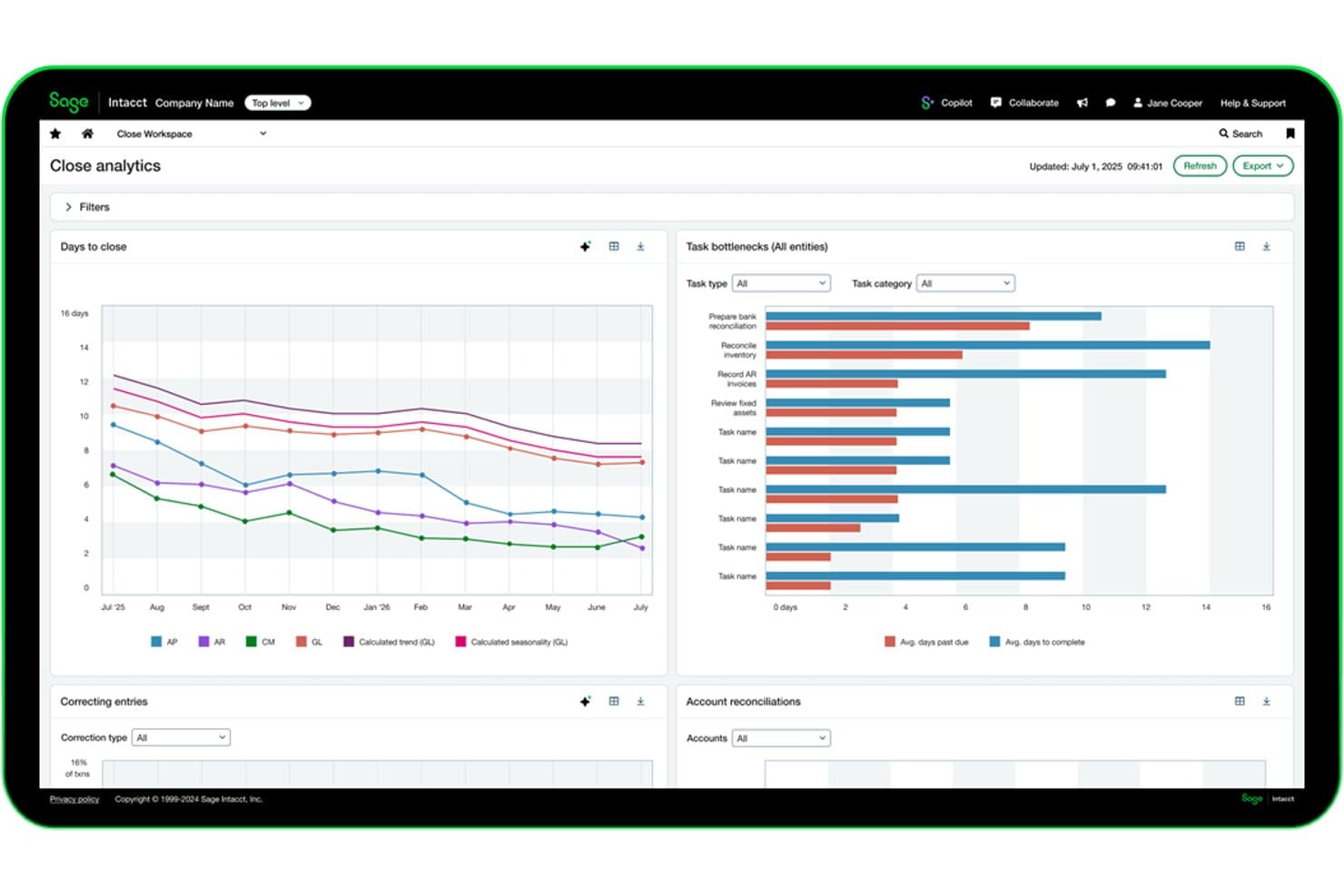
Sage Intacct tracks close cycle analytics and task bottlenecks in real time. My Evaluation Score
- Time & Expense Tracking
- Excels
- Project-Based Accounting
- Excels
- Core Financial Management
- Excels
- Project & Contract Billing
- Excels
- WIP & Project Revenue Management
- Strong
- Multi-Entity & Financial Controls
- Strong
Sage Intacct is a cloud financial management platform built for project-based organizations, combining general ledger, project accounting, contract billing, WIP tracking, revenue recognition, and multi-entity consolidation in one system.
Who Is Sage Intacct Best For?
Sage Intacct is a strong fit for mid-market engineering and AEC firms that need live project financial visibility across multiple entities, contracts, and billing structures.
Why I Picked Sage Intacct
Sage Intacct earns its spot on my shortlist because real-time financial visibility isn't just a dashboard feature here—it's built into how the system handles project data. I particularly like how dimensional reporting lets you slice live P&L by project, client, or department without waiting on a manual pull. Sage Intelligent Time reconstructs billable hours from calendar and email activity automatically, which closes the gap between time worked and time billed on active contracts.
Sage Intacct Key Features
- Multi-entity consolidation: Consolidates hundreds of legal entities in minutes with automated intercompany eliminations and multi-currency translation.
- ASC 606/IFRS 15 revenue recognition: Configurable recognition schedules tied to project milestones or percent-complete track earned revenue separately from cash billing.
- WIP schedule tracking: Monitors overbilling, underbilling, and sub-job rollups with automated WIP relief to eliminate manual journal entries on long-duration contracts.
- PSA resource and capacity planning: AI-driven forecasting of resource demand and workload tied directly to project delivery timelines and profitability targets.
Sage Intacct Integrations
Sage Intacct offers 350+ marketplace integrations, including BigTime, Kimble PSA, Salesforce, Expensify, and Nexonia. Its Web Services API supports custom integrations with engineering project and operational systems.
Pros and Cons
Pros:
- Multi-entity consolidation with automated eliminations
- AI timesheets capture missed billable hours
- Real-time project financial dashboards for controllers
Cons:
- No native earned value management tools
- No turnkey workflows for DCAA compliance
Learn more about Sage Intacct: Best for project workflow automation across entities
- Free demo available
- Pricing upon request
Visit WebsiteCustomer Rating:4.5/5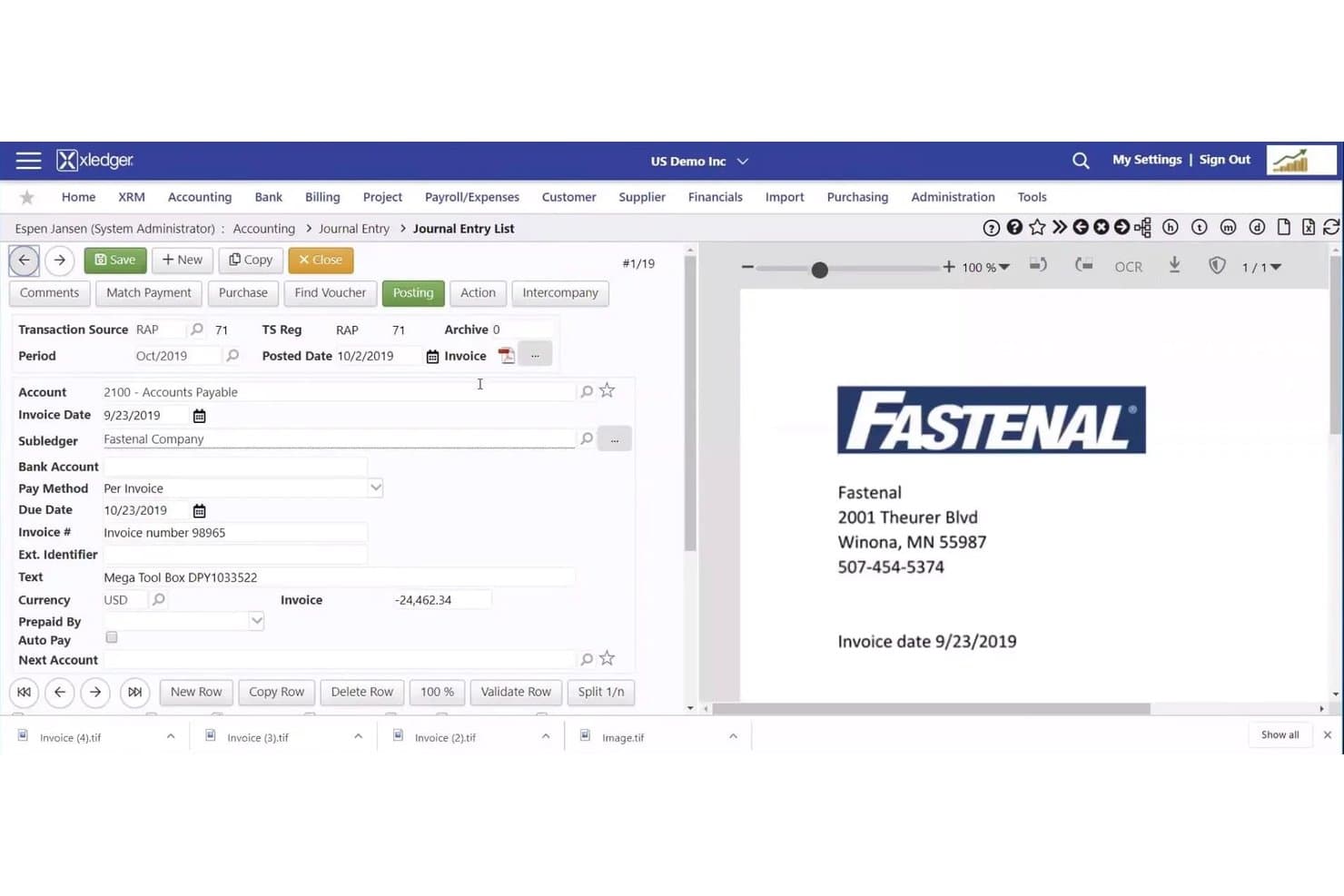
Xledger streamlines invoice entry with vendor and payment details. My Evaluation Score
- Time & Expense Tracking
- Excels
- Project-Based Accounting
- Excels
- Core Financial Management
- Excels
- Project & Contract Billing
- Strong
- WIP & Project Revenue Management
- Strong
- Multi-Entity & Financial Controls
- Strong
Xledger is a cloud-based project accounting platform that combines multi-entity financial management, automated billing, timesheets, expense tracking, and a built-in resource planner for mid-market professional services and engineering firms.
Who Is Xledger Best For?
Xledger fits mid-market engineering consultancies and professional services firms managing multiple entities that need automated billing workflows and consolidated financial reporting across a group structure.
Why I Picked Xledger
Xledger earns its spot on my shortlist because of how well it handles project workflow automation across multi-entity structures. I particularly like that time entries automatically convert to billables and route through configurable approval chains, so invoices generate without manual hand-offs between entities. The built-in Resource Planner ties staffing directly to project financials, which means utilization data and billing workflows live in the same system rather than across disconnected tools.
Xledger Key Features
- Multi-entity project billing: Invoice at any project or subproject level across entities, with automated intercompany postings handling the background accounting.
- OCR-driven AP processing: Captures and validates supplier invoices with up to three AI-assisted passes, claiming 95%+ accuracy before approval routing.
- Configurable GL dimensions: User-defined dimensions across departments, projects, and funds let you slice financial data without restructuring your chart of accounts.
- Budget-vs-actuals reporting: Nearly 300 configurable reports surface real-time variance data across project, task, and activity levels for ongoing performance monitoring.
Xledger Integrations
Xledger’s documented integrations include Salesforce, Microsoft Dynamics CRM, HubSpot, Microsoft Power BI, Stripe, PayPal, GoCardless, JPMorgan Chase Bank, Wells Fargo, and Bank of America. It also offers an Open API and Zapier.
Pros and Cons
Pros:
- Resource planner ties staffing to project financials
- Automated workflow converts time to billable invoices
- Full project hierarchy with real-time margin tracking
Cons:
- No native earned value management tools
- No DCAA or AIA billing compliance
Learn more about Xledger: Best for A&E firms scaling project billing
- Free demo available
- Pricing upon request
Visit WebsiteCustomer Rating:3.9/5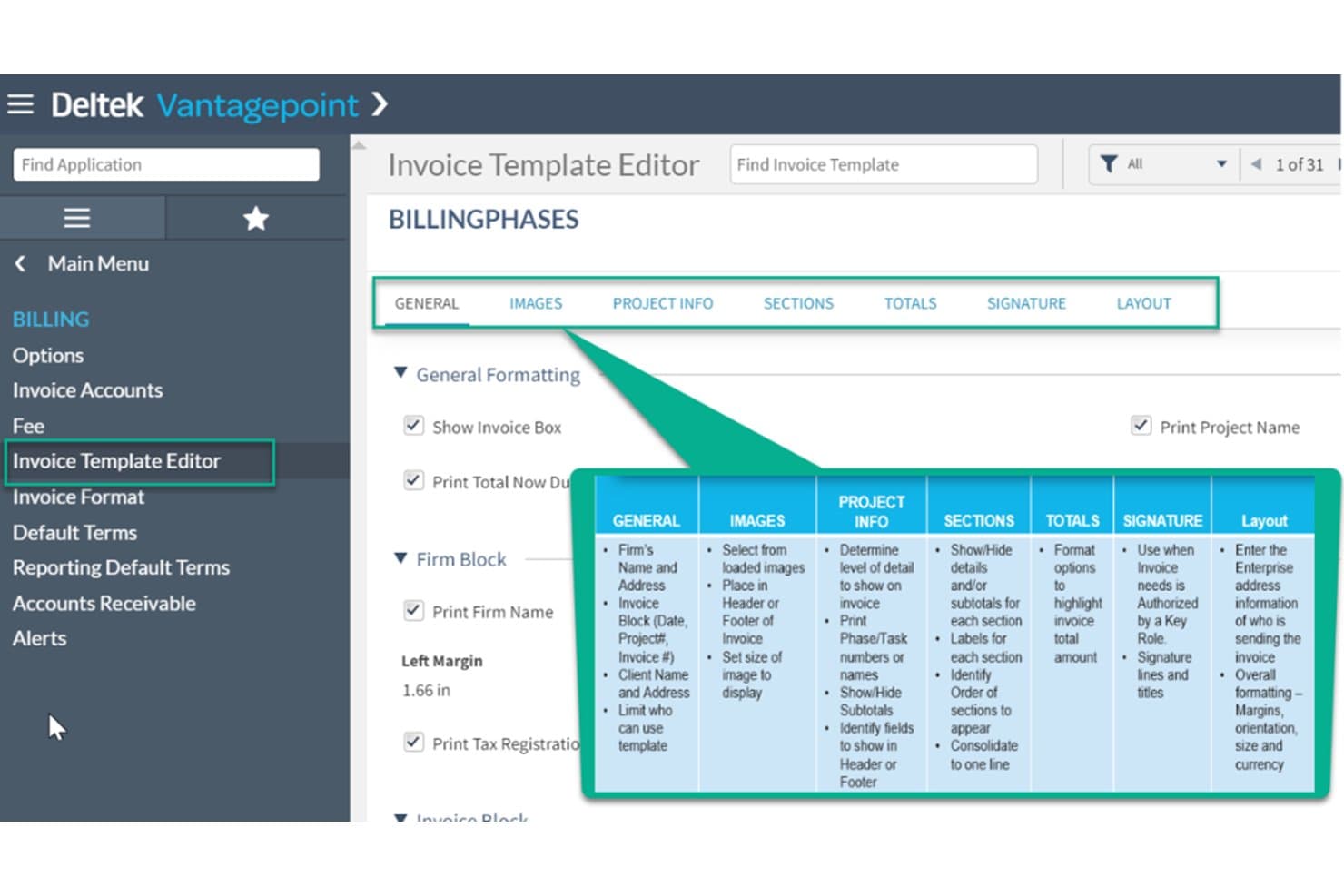
Deltek Vantagepoint streamlines billing with customizable invoice templates. My Evaluation Score
- Time & Expense Tracking
- Excels
- Project-Based Accounting
- Excels
- Core Financial Management
- Excels
- Project & Contract Billing
- Excels
- WIP & Project Revenue Management
- Strong
- Multi-Entity & Financial Controls
- Strong
Deltek Vantagepoint is a purpose-built ERP for architecture, engineering, and consulting firms that covers project accounting, WBS-driven billing, resource management, CRM, and core financials in a single platform.
Who Is Deltek Vantagepoint Best For?
Deltek Vantagepoint is built for mid-to-large architecture and engineering firms that need project billing, resource planning, and financial management in one connected system.
Why I Picked Deltek Vantagepoint
Deltek Vantagepoint earns its spot on my shortlist because no other platform comes close to matching its depth of project billing flexibility for A&E firms. I love that billing terms are configured at the WBS level, meaning a single project can run T&M at one phase, fixed-fee at another, and percent-of-construction at a third. The Pay When Paid functionality for subconsultants is equally impressive, automatically holding AP vouchers until the client pays, which is exactly how engineering firms actually operate.
Deltek Vantagepoint Key Features
- Multi-company account groups: View and manage financials across multiple entities or offices in a single consolidated dashboard.
- Dela AI assistant: A built-in AI tool that suggests timesheet entries, captures expense receipts, drafts client communications, and answers project queries in natural language.
- Skills-based resource matching: Search and assign staff to projects based on qualifications, availability, and utilization to manage workload across the firm.
- Revenue Generation module: Supports multiple revenue recognition methods—including percent complete, job-to-date, and milestone—tracked at the project, phase, or task level.
Deltek Vantagepoint Integrations
Deltek Vantagepoint has native integrations with GovWin IQ, Deltek PIM, Deltek ArchiSnapper, UKG, Microsoft Outlook, Gmail, and Deltek Talent Management. Its open API and iPaaS-compatible connectors support custom integrations.
Pros and Cons
Pros:
- Pipeline, resource, and financial data unified
- Native pay when paid subconsultant workflows
- WBS-driven billing terms by project phase
Cons:
- Mobile app limited to time and expense
- Reporting setup is clunky and confusing
Learn more about Deltek Vantagepoint: Best for AEC firms managing project-to-profit
- Free demo available
- Pricing upon request
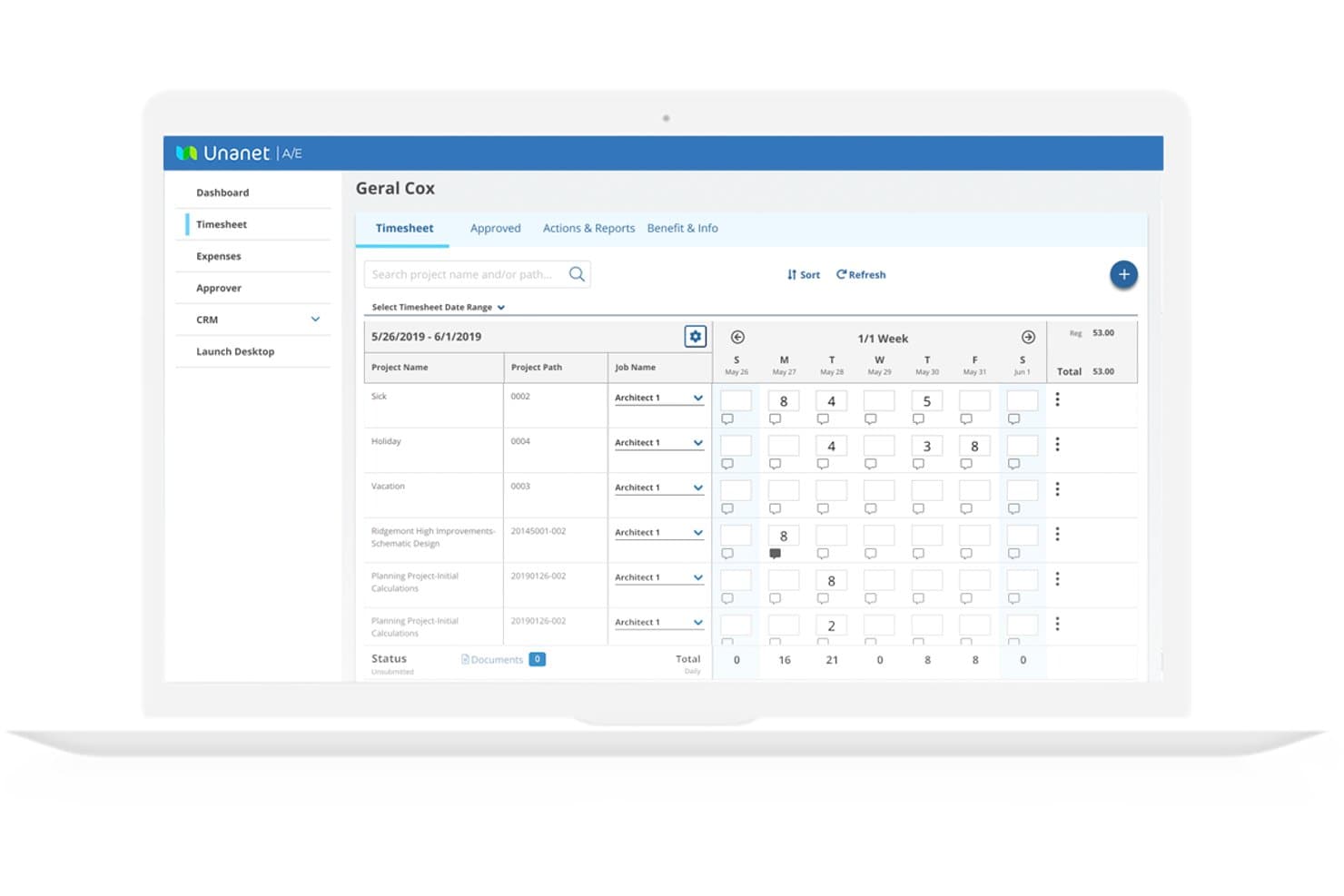
Unanet lets engineers log hours across projects in a weekly timesheet view. My Evaluation Score
- Time & Expense Tracking
- Excels
- Project-Based Accounting
- Excels
- Core Financial Management
- Excels
- Project & Contract Billing
- Excels
- WIP & Project Revenue Management
- Excels
- Multi-Entity & Financial Controls
- Excels
Unanet is an ERP platform purpose-built for AEC and government contracting firms, unifying project accounting, time and expense tracking, billing, WIP management, resource planning, and core financials in a single system.
Who Is Unanet Best For?
Unanet is a strong fit for mid-sized AEC and government contracting firms that need a single system to connect project financials, billing, and compliance from pursuit to invoice.
Why I Picked Unanet
Unanet earns its spot on my shortlist because it's built entirely around how AEC firms move from project pursuit to final invoice, without needing separate systems to stitch that journey together. I particularly like its WIP dashboards, which flag billing risk in real time when unbilled work sits too long without an invoice, and its native support for Fixed-Fee, T&M, Cost-Plus, and milestone billing in one place. The EVM tracking with ETC and EAC calculations is genuinely useful for long-duration projects where cost overruns can quietly compound before anyone notices.
Unanet Key Features
- Resource and capacity planning: Built-in tools show real-time staff availability, skills, and workload across your firm, tied directly to project budgets and financials.
- Indirect rate management: Configurable cost pool allocations and what-if scenario modeling calculate indirect rates for compliance and accurate project costing.
- Multi-entity accounting: Tracks intercompany transactions, allocations, and consolidated financials across multiple legal entities within a single system.
- CRM and pipeline integration: Unanet's native AEC CRM connects business development opportunities directly to project records, giving you visibility from pursuit through final billing.
Unanet Integrations
Unanet Connect offers 100+ pre-built integrations, including Salesforce, ADP, Newforma Project Center, Procore, Power BI, and Tableau. An open API supports custom integrations and multi-directional data syncs.
Pros and Cons
Pros:
- Tracks every billing structure in one system
- In-depth WIP and earned value management
- Purpose-built for AEC and GovCon workflows
Cons:
- Performance issues reported during invoicing and time tracking
- Custom reports require significant manual adjustments
Learn more about Unanet: Best for government-contracting engineering firms
- Free demo available
- Pricing upon request
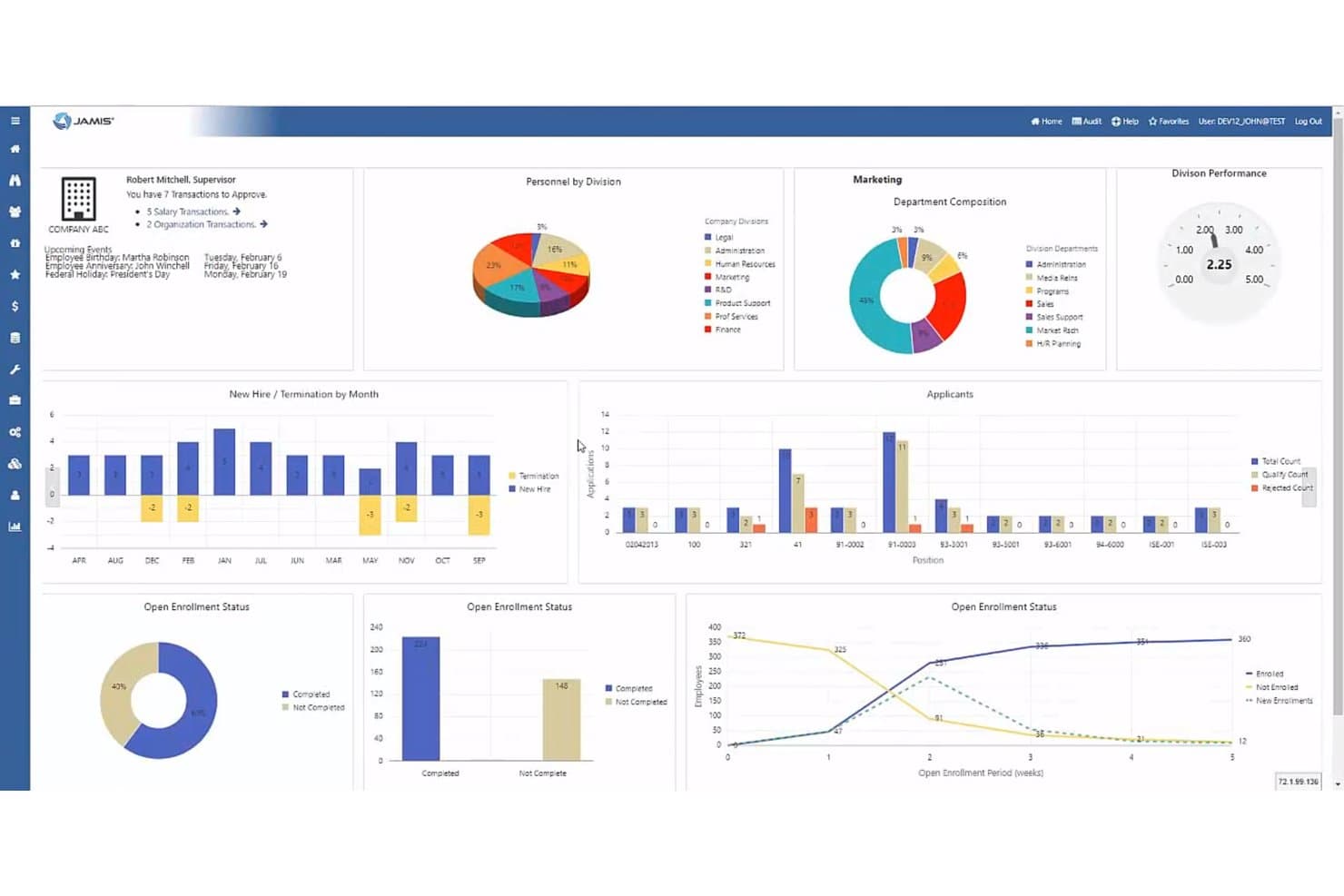
Jamis Prime ERP centralizes HR, enrollment, and hiring data in one dashboard. My Evaluation Score
- Time & Expense Tracking
- Excels
- Project-Based Accounting
- Excels
- Core Financial Management
- Excels
- Project & Contract Billing
- Excels
- WIP & Project Revenue Management
- Excels
- Multi-Entity & Financial Controls
- Excels
Jamis Prime ERP is a government contractor-focused ERP and project accounting platform that covers contract billing, DCAA-compliant timekeeping, indirect cost allocation, multi-entity financial management, and earned value management.
Who Is Jamis Prime ERP Best For?
Jamis Prime ERP is built for engineering firms that hold federal government contracts and need DCAA-compliant project accounting, contract billing, and cost allocation in one platform.
Why I Picked Jamis Prime ERP
I've included Jamis Prime ERP in my top picks because it's the only tool on this list built from the ground up for federal government contractors, where DCAA compliance and FAR Part 31 cost accounting aren't optional add-ons but core architecture. I particularly like how it handles indirect cost allocation across separate indirect jobs at the contract, project, and subtask level, which is exactly what engineering firms need when segregating direct, indirect, and unallowable costs for audit purposes. Its native support for Cost-Reimbursable, T&M, and FFP billing, complete with ACRN funding tracking and automated retention withholdings, covers contract structures that most general-purpose accounting tools simply can't handle.
Jamis Prime ERP Key Features
- DCAA-compliant timekeeping: Enforces labor charging rules, prevents charges outside a contract's period of performance, and supports total time accounting including uncompensated overtime calculations.
- Earned value management (EVM) via WBS: Lets you configure Direct Jobs as EVM tasks and subtasks within the work breakdown structure for tracking schedule and cost performance.
- Business Planning Suite: Provides EAC forecasting with unlimited saved versions, what-if scenario planning, and win-probability-weighted revenue forecasting for new business bids.
- JAMIS Advanced Analytics: Combines an automated SQL Data Warehouse with native Microsoft Power BI dashboards for role-based reporting across project, contract, and financial data.
Jamis Prime ERP Integrations
Documented integrations include Microsoft Power BI, SharePoint, Box.com, Deltek GovWin IQ, BambooHR, Paylocity, Workday HCM, and GovConPay. Jamis Prime ERP also supports REST and SOAP APIs, plus the Acumatica integration ecosystem for custom connectivity.
Pros and Cons
Pros:
- Deep government contractor compliance support
- Automated contract and project billing types
- DCAA-compliant timekeeping with audit trail
Cons:
- All modules not included in base product
- Limited support for commercial AEC workflows
Learn more about Jamis Prime ERP: Best for global scalability
- Free demo available
- Pricing upon request
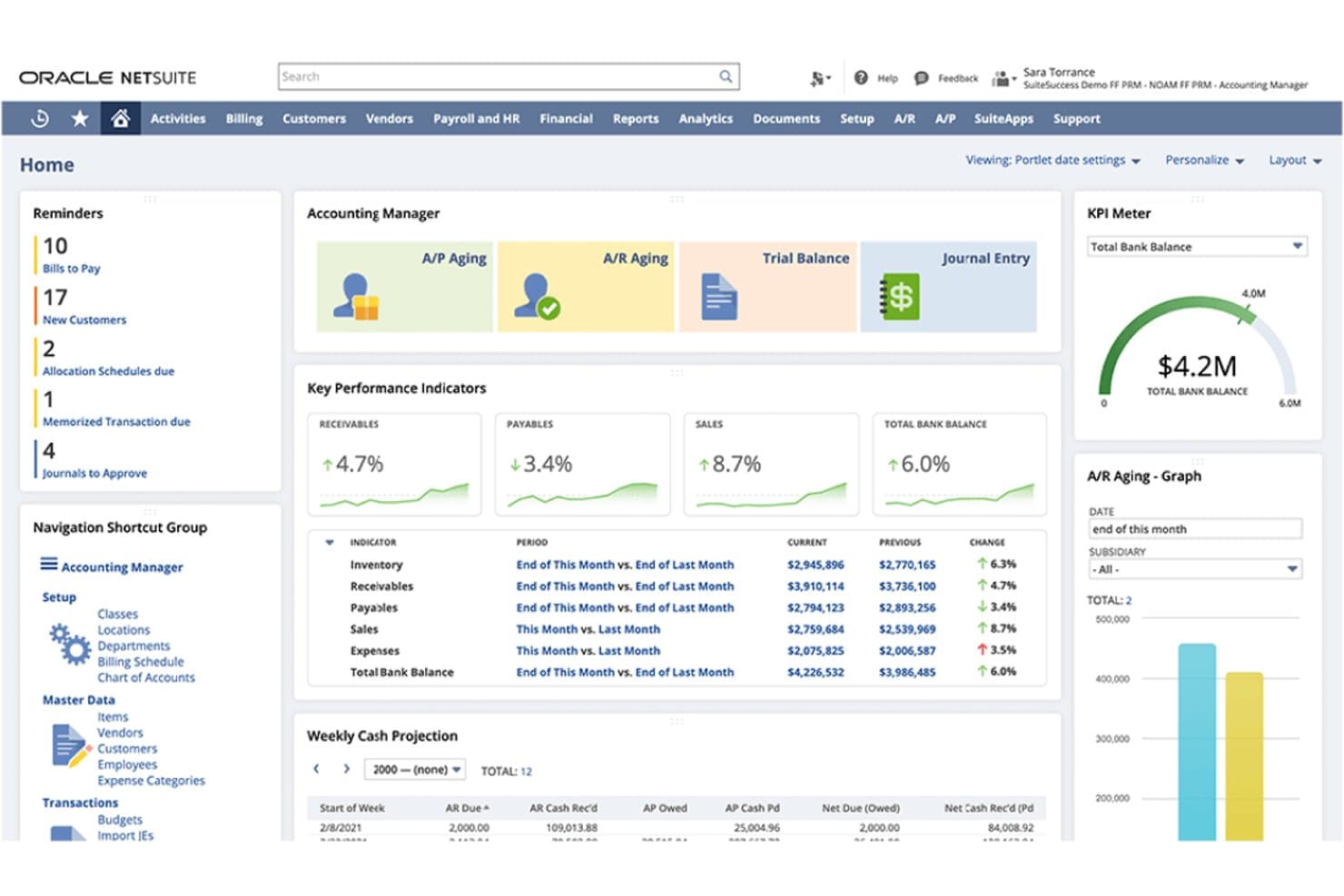
NetSuite gives accounting managers a centralized view of financial KPIs, accounts receivable and payable, cash projections, and outstanding tasks. My Evaluation Score
- Time & Expense Tracking
- Excels
- Project-Based Accounting
- Excels
- Core Financial Management
- Excels
- Project & Contract Billing
- Excels
- WIP & Project Revenue Management
- Strong
- Multi-Entity & Financial Controls
- Excels
NetSuite Cloud Accounting is an ERP-grade accounting platform that combines general ledger, project-based accounting, multi-entity consolidations, flexible billing, revenue recognition, and time and expense tracking in a single cloud suite.
Who Is NetSuite Cloud Accounting Best For?
NetSuite Cloud Accounting is the strongest fit for mid-market to enterprise engineering firms managing multiple entities, currencies, or legal structures across more than one geography.
Why I Picked NetSuite Cloud Accounting
NetSuite Cloud Accounting earns its spot on my shortlist because no other platform I've reviewed handles multi-entity, multi-currency consolidations as natively as this one. I'm particularly impressed by how it lets engineering firms running offices across multiple countries generate consolidated financial statements in real time, without manual workarounds. Its billing rules engine also supports the full range of contract structures, from T&M to fixed-fee and progress billing, within a single project record.
NetSuite Cloud Accounting Key Features
- Resource management module: Assigns engineers to projects based on skills, availability, and experience, with a real-time timeline for workload balancing.
- ASC 606/IFRS 15-compliant revenue recognition: Recognizes revenue separately from billing using labor-based, fixed, percent-complete, or charge-based methods on a per-project basis.
- Automated close management: Automates journal entries, reconciliations, variance analysis, and intercompany transactions to accelerate the financial close cycle.
- SuiteApp marketplace: Provides certified third-party add-ons, including DCAA-On-Demand for government contractor compliance and PLM integrations for Autodesk tools.
NetSuite Cloud Accounting Integrations
NetSuite Cloud Accounting has a documented native Salesforce Connector, while its SuiteApp marketplace offers Autodesk PLM Integrations and DCAA-On-Demand. SuiteTalk REST and SOAP APIs, SuiteCloud, and iPaaS partners such as Celigo support custom connections to engineering and finance systems.
Pros and Cons
Pros:
- Resource planning tied to project financials
- Flexible project billing and revenue recognition
- Real-time financials across global entities
Cons:
- Not purpose-built for engineering workflows
- High setup and implementation complexity
Learn more about NetSuite Cloud Accounting: Best for Microsoft 365-native project accounting
- Free trial available
- From $135/user/month (billed annually)
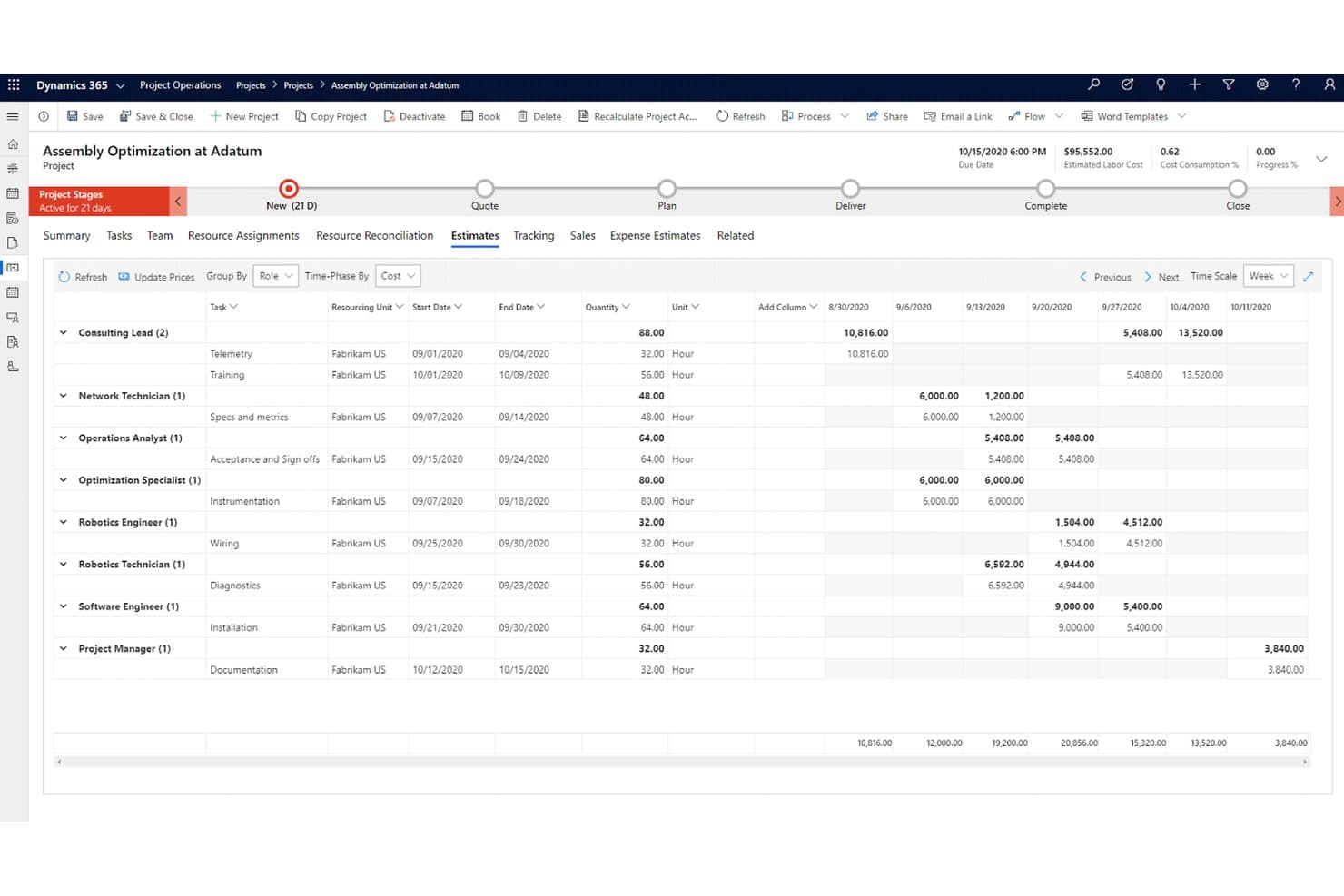
Dynamics 365 Project Operations tracks labor costs and estimates by role and task weekly. My Evaluation Score
- Time & Expense Tracking
- Excels
- Project-Based Accounting
- Excels
- Core Financial Management
- Excels
- Project & Contract Billing
- Excels
- WIP & Project Revenue Management
- Strong
- Multi-Entity & Financial Controls
- Excels
Dynamics 365 Project Operations is a Microsoft project accounting platform that covers the full project lifecycle—from deal management and resource scheduling to time and expense tracking, contract billing, WIP accounting, and revenue recognition.
Who Is Dynamics 365 Project Operations Best For?
It's a strong fit for mid-market to enterprise engineering and AEC firms already running on Microsoft 365 that need ERP-grade project accounting in one connected environment.
Why I Picked Dynamics 365 Project Operations
Dynamics 365 Project Operations earns its spot on my shortlist because it's the only tool here that runs project accounting directly inside the Microsoft 365 environment your team already works in. I like that revenue recognition, WIP accrual, and earned value metrics (CPI, SPI) aren't bolt-ons—they're built into the same platform handling your GL, AP, and AR via Dynamics 365 Finance. On a fixed-price engagement, that means percentage-of-completion calculations and proforma invoicing happen in one connected workflow, not across two systems.
Dynamics 365 Project Operations Key Features
- Universal Resource Scheduling: A built-in scheduling engine that matches resources to project needs based on skills, proficiency levels, availability, and workload across your project portfolio.
- Subcontractor management: A dedicated module for vendor onboarding, subcontract line tracking, and three-way invoice matching across purchase orders, receipts, and vendor invoices.
- Multi-entity intercompany accounting: Supports separate legal entities with automated intercompany cost and revenue posting, enabling financial consolidation across multi-office engineering operations.
- Earned value management (EVM): Calculates cost variance (CV), schedule variance (SV), CPI, and SPI at the project level, with EVM data postable directly to ledger accounts for structured project financial control.
Dynamics 365 Project Operations Integrations
Dynamics 365 Project Operations offers native integrations across the Microsoft ecosystem, including Dynamics 365 Finance, Dynamics 365 Sales, Teams, Power BI, SharePoint, and Microsoft Planner. Dataverse APIs and Power Automate support custom connectivity, while marketplace solutions include OnePlan, GovCon365, and aec360.
Pros and Cons
Pros:
- Includes built-in earned value management
- Supports multi-entity and intercompany transactions
- Handles project accounting and WIP natively
Cons:
- No native connectors to Deltek or Autodesk
- Full features require Dynamics Finance integration
Learn more about Dynamics 365 Project Operations: Best for large engineering firms
- Not available
- Pricing upon request
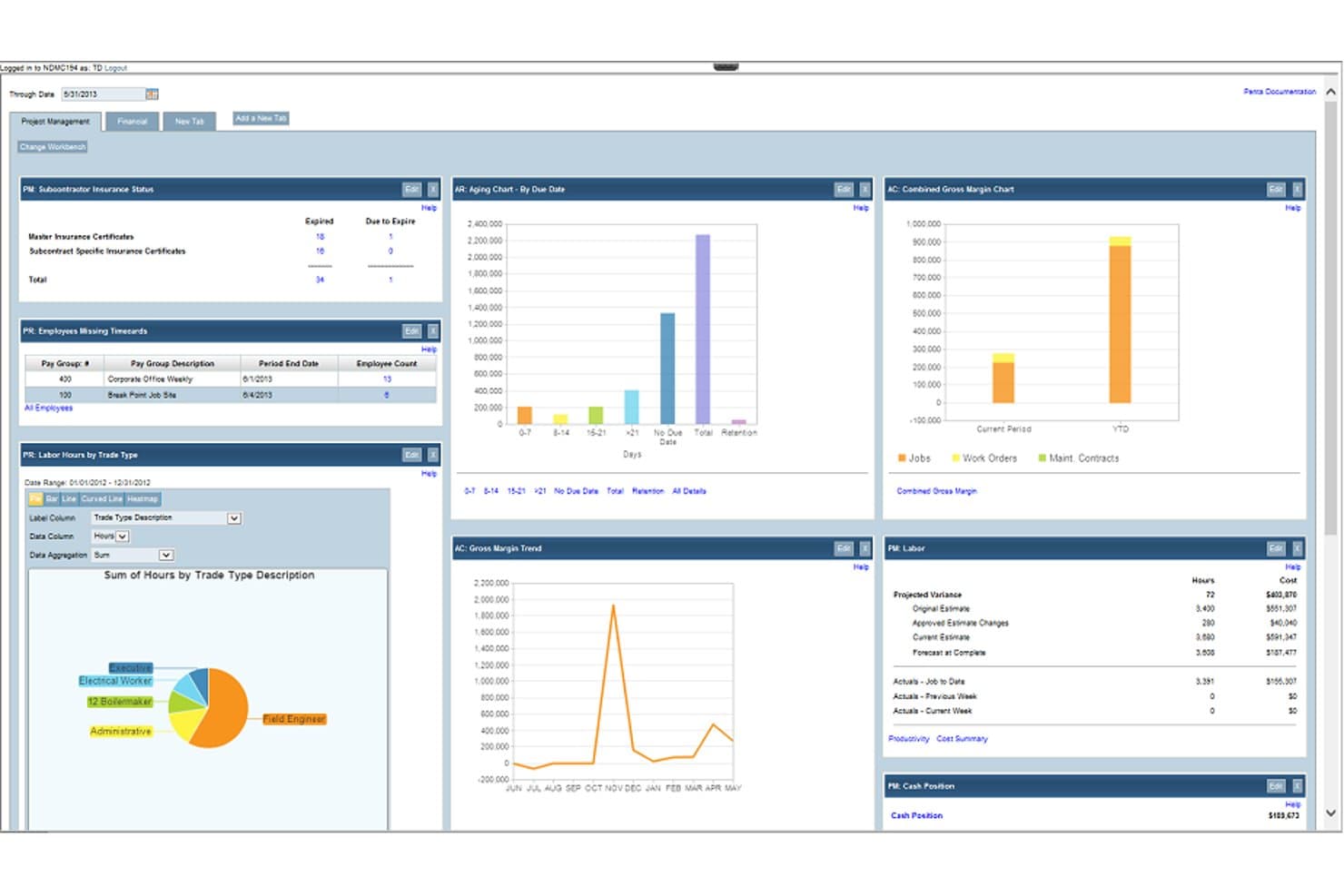
PENTA Project Accounting simplifies multi-project management, cost control, and tracking. My Evaluation Score
- Time & Expense Tracking
- Excels
- Project-Based Accounting
- Excels
- Core Financial Management
- Excels
- Project & Contract Billing
- Adequate
- WIP & Project Revenue Management
- Strong
- Multi-Entity & Financial Controls
- Strong
PENTA is a project accounting and ERP platform built specifically for specialty contractors, with modules covering job costing, financial management, construction payroll, and field service management.
Who Is PENTA Project Accounting Best For?
PENTA is a strong fit for large specialty contractors and engineering firms that need integrated project accounting, multi-company financials, and construction payroll in one platform.
Why I Picked PENTA Project Accounting
I picked PENTA as one of the best because it's purpose-built for the scale and complexity that large engineering firms actually deal with. I especially like the multi-level reporting with unlimited parent/child relationships, which lets you drill from consolidated financials all the way down to individual cost codes without hitting a ceiling. Add intercompany automation that posts entries across business units in real time, and large multi-entity engineering operations get a level of financial control that generic accounting tools simply can't replicate.
PENTA Project Accounting Key Features
- Daily job costing: Tracks labor, material, and equipment costs as they're incurred and generates automated cost-to-complete forecasts.
- Automated revenue recognition: Calculates earned revenue and over/under-billed amounts using cost-to-complete data tied directly to each project.
- Construction payroll: Handles multi-union payroll, prevailing wage calculations, and certified payroll reporting with direct job cost integration.
- Role-based workbench panels: Surfaces financial data relevant to each user's specific role, from project managers to executives.
Pros and Cons
Pros:
- Handles multi-company accounting
- Advanced cost management
- Real-time dashboard insights
Cons:
- Complex implementation process
- Requires extensive training
Learn more about PENTA Project Accounting:
Other Engineering Accounting Software
Here are some additional engineering accounting software options that didn’t make it onto my shortlist, but are still worth checking out:
- 11BigTimeBest for quote-to-cash billing on T&M contracts
- 12KantataBest for resource-to-financials project accounting
- 13SYSPROBest for manufacturing industries
- 14ProjectworksBest for engineering consultancy billing and resourcing
Related Reviews
How I Evaluate Engineering Accounting Software
I split my evaluation into baseline requirements—like project-level cost tracking and flexible contract billing—and the differentiators that separate a good fit from the right one.
Core Functionality (Table Stakes For This List)
When I'm selecting tools for my list, I rank each one on a scale from 0 (does not offer the functionality) to 5 (excels in this area) for each core functionality listed below. I then calculate the tool's total score into a percentage, using 65% as a benchmark to help assess its overall fit for the list.
- Project-Based Accounting: I look for whether the platform tracks revenue, costs, budgets, and margins at the project and phase level—not just across the general ledger.
- Time & Expense Tracking: I evaluate how well the platform captures billable hours and reimbursable expenses against specific projects, phases, or tasks for accurate job costing.
- Project & Contract Billing: I check for native support across multiple billing structures—time-and-materials, fixed-fee, milestone, and cost-plus—since engineering firms rarely work with just one contract type.
- WIP & Revenue Management: I assess whether the platform handles WIP tracking and project revenue recognition for long-duration or multi-phase engagements, not just at invoice time.
- Core Financial Management: I look for a full financial system of record—GL, AP, AR, and standard financial reporting—rather than a project tool with accounting bolted on.
- Multi-Entity & Financial Controls: I consider support for organizational complexity, including multi-entity accounting, indirect cost allocation, audit trails, and where relevant, regulatory frameworks like DCAA compliance.
Once I have a list of tools that meet the criteria, I consider what sets each platform apart.
Differentiating Factors (What Sets Vendors Apart)
Here's how I compare and contrast different vendors:
Standout Features
Subconsultant management is one I look at closely—specifically whether the platform automates markup calculations and pay-when-paid workflows, since manually reconciling sub invoices against client billings is where errors tend to creep in. I also evaluate earned value management depth: not just whether EVM exists, but whether CPI and SPI dashboards are native and actionable. Finally, I check how well the CRM pipeline connects to project financials—tools that convert opportunities into staffing plans and revenue forecasts save project accountants real coordination effort.
Beyond Features
Firm size and practice fit matter more than most buyers expect. A tool that works well for a 10-person civil engineering firm often buckles under the complexity of a multi-office AEC enterprise managing dozens of concurrent projects. I also look closely at compliance and audit readiness—specifically whether a platform supports DCAA-compliant timekeeping and FAR Part 31 indirect cost structuring, since firms doing government work can't afford gaps there. Deployment model and total cost of ownership round out my evaluation, because module-based pricing can make an affordable-looking platform expensive once you add the features you actually need.
How to Choose Engineering Accounting Software
It’s easy to get bogged down in long feature lists and complex pricing structures. To help you stay focused as you work through your unique software selection process, here’s a checklist of factors to keep in mind:
| Factor | What to Consider? |
| Scalability | Will this software grow with your team? |
| Integrations | Does it integrate with your existing tools (i.e. engineering ERP software and CRM systems)? |
| Customizability | Can you tailor the software to fit your needs? |
| Ease of Use | Is the software user-friendly for your team? |
| Budget | Does the price fit within your budget constraints? |
| Security Safeguards | Are your financial data protected adequately? |
| Support | Is customer support available when you need it ? |
| Compliance | Does it align with your industry’s regulations? |
Trends In Engineering Accounting Software
In my research, I sourced countless product updates, press releases, and release logs from different engineering accounting software vendors. Here are some of the emerging trends I’m keeping an eye on:
- AI-Driven Insights: Vendors are incorporating AI to provide real-time insights and predictive analytics. This helps users make informed decisions by analyzing large data sets quickly. For instance, some tools use AI to identify spending patterns and suggest cost-saving measures.
- Blockchain Integration: Blockchain technology is being used to enhance data security and transparency. It's becoming useful for tracking transactions and ensuring the integrity of financial records. Vendors are exploring how blockchain can be applied to improve trust and accuracy in accounting systems.
- Cloud Collaboration: More tools are focusing on enhancing remote collaboration by leveraging cloud technology. This allows teams to work together from anywhere, sharing data and financial reports in real time. Some solutions offer cloud-based project management features to facilitate this trend.
- Sustainability Tracking: There's a growing demand for features that allow businesses to track and report on sustainability metrics. This trend is driven by increased regulatory requirements and corporate responsibility goals. Vendors are adding modules that help companies measure their environmental impact.
- Customizable Reporting: Users are seeking more flexibility in how they generate and view reports. Customizable reporting allows businesses to tailor financial statements to their specific needs. Some software offers drag-and-drop interfaces for creating personalized dashboards and reports.
What Is Engineering Accounting Software?
Engineering accounting software is designed to handle the financial side of engineering projects. It’s typically used by project managers, business contractors, accountants, and financial analysts in engineering firms to track expenses, budgets, and overall financial performance.
Key features like time tracking, invoicing, and reporting help manage project costs, ensure compliance, and provide insights into financial health. These tools improve the accuracy of financial data and support more efficient project management.
Features
When selecting engineering accounting software, keep an eye out for the following key features:
- Project Budgeting: Helps track and manage project costs to ensure they stay within budget.
- Time Tracking: Monitors hours spent on projects, aiding in accurate billing and resource allocation.
- Invoicing: Automates the creation and management of invoices to streamline billing processes.
- Financial Reporting: Generates detailed financial reports to provide insights into project and company performance.
- Regulatory Compliance: Ensures adherence to industry-specific regulations and standards. This is valuable if you work in aerospace, oil and gas, or trucking.
- Expense Management: Tracks and controls spending to maintain financial discipline within projects.
- Customizable Dashboards: Allows users to tailor dashboards to display relevant financial metrics.
- AI-Driven Insights: Provides predictive analytics to help make informed financial decisions.
- Multi-Currency Support: Facilitates transactions and reporting in multiple currencies for international projects.
- Cloud Collaboration: Enables teams to work together remotely by sharing financial data in real time.
Benefits
Implementing engineering accounting software provides several benefits for your team and your business. Here are a few you can look forward to:
- Improved Cost Management: Helps keep project expenses under control through effective budgeting and expense tracking.
- Enhanced Financial Accuracy: Reduces errors in financial data with automated invoicing and reporting features.
- Time Savings: Automates routine tasks like time tracking and billing, freeing up your team to focus on strategic work.
- Better Compliance: Ensures adherence to industry regulations with features designed to manage compliance requirements. For businesses in petroleum engineering, such as oil and gas companies, this is a large benefit.
- Increased Collaboration: Facilitates teamwork with cloud collaboration tools that allow real-time data sharing.
- Informed Decision-Making: Provides insights and predictive analytics to help make strategic financial decisions.
- Flexible Reporting: Offers customizable dashboards and reports to suit your business's unique needs.
Costs & Pricing
Selecting engineering accounting software requires an understanding of the various pricing models and plans available. Costs vary based on features, team size, add-ons, and more. The table below summarizes common plans, their average prices, and typical features included in engineering accounting software solutions:
Plan Comparison Table for Engineering Accounting Software
| Plan Type | Average Price | Common Features |
| Free Plan | $0 | Basic invoicing, expense tracking, and limited reporting |
| Personal Plan | $10-$30/user/month | Time tracking, basic reporting, invoicing, and basic customer support |
| Business Plan | $30-$60/user/month | Project budgeting, multi-currency support, financial, and advanced customer support |
| Enterprise Plan | $60-$100/user/month | Advanced analytics, customizable dashboards, regulatory compliance features, and priority customer support |
Engineering Accounting Software FAQs
Here are some answers to common questions about engineering accounting software.
Why choose accounting software specifically designed for engineering firms?
Accounting software designed for engineering firms offers specialized features that cater to the unique needs of these businesses. You can benefit from project-based accounting, which helps manage costs and profitability on a per-project basis. These tools often include features like time tracking, budget management, and resource allocation. This specificity ensures that the software supports your firm’s operational workflow seamlessly.
How can engineering accounting software help with compliance?
Engineering accounting software can help ensure compliance by providing tools to manage regulatory requirements specific to the industry. It often includes features for tracking expenses and generating reports that meet industry standards. This can be crucial for audits and ensuring adherence to financial regulations. By automating reporting processes, it reduces the risk of errors and non-compliance.
How can engineering accounting software improve project budgeting?
Engineering accounting software can significantly enhance project budgeting by providing tools to monitor and control costs in real-time. It allows you to set budgets for specific projects and track expenses against those budgets. This helps you identify areas where you might overspend and adjust accordingly. The software can also generate detailed financial reports, offering insights into your project’s financial status.
Related Reviews