
14 Best Expense Management Software for Small Businesses for 2026

Expense Management Software for Small Businesses
Here’s my shortlist of expense management software for small businesses:


Expense management software can help your small businesses track, categorize, and control company spending, so you can stay compliant and make informed decisions. If you’re searching for the right tool, you’re likely balancing the need for accurate reporting, policy enforcement, and time savings—without adding complexity to your workflow.
The right solution can help you manage receipts, automate approvals, and keep expenses organized, even as your business grows or regulations change. In this list, you’ll find options tailored to small business needs, with details on features, pricing, and what makes each tool unique, so you can confidently choose the best fit for your team.
Why Trust Our Software Reviews
Best Expense Management Software for Small Businesses Summary
This comparison chart summarizes pricing details for my top expense management software for small business selections to help you find the best one for your budget and business needs.
| Tool | Best For | Trial Info | Price | ||
|---|---|---|---|---|---|
| 1 | Best with integrated accounting tools | 30-day free trial available | From $38/user/month | Website | |
| 2 | Best for customizable approval workflows | 14-day free trial + free plan + free demo available | From C$4/user/month (billed annually) | Website | |
| 3 | Best for freelancers managing expenses | 30-day free trial + free demo available | From $23/month | Website | |
| 4 | Best for rapid expense report creation | Free demo available | From $8/user/month (billed annually) | Website | |
| 5 | Best for mobile expense submissions | Free demo available | From $8.50 to $12/active user | Website | |
| 6 | Best for real-time spend visibility | Free plan + free demo available | From $49/user/month | Website | |
| 7 | Best for automated receipt scanning | Free demo available | From $5/member/month | Website | |
| 8 | Best for global travel expense support | Free demo available | Pricing upon request | Website | |
| 9 | Certify automates expense reporting with approvals and analytics | Free plan + free demo available | Pricing upon request | Website | |
| 10 | Best for personal and business expense separation | Free demo available | From $5.99/month (billed annually) | Website |
-

LiveFlow
Visit WebsiteThis is an aggregated rating for this tool including ratings from Crozdesk users and ratings from other sites.4.9 -
Float Financial
Visit WebsiteThis is an aggregated rating for this tool including ratings from Crozdesk users and ratings from other sites.4.1 -
Creatio CRM
Visit WebsiteThis is an aggregated rating for this tool including ratings from Crozdesk users and ratings from other sites.4.7


Expense Management Software for Small Businesses
Below are my detailed summaries of small business expense management software that made it onto my shortlist. My reviews offer a detailed look at the features, best use cases, and integrations of each software to help you find the best one for you.

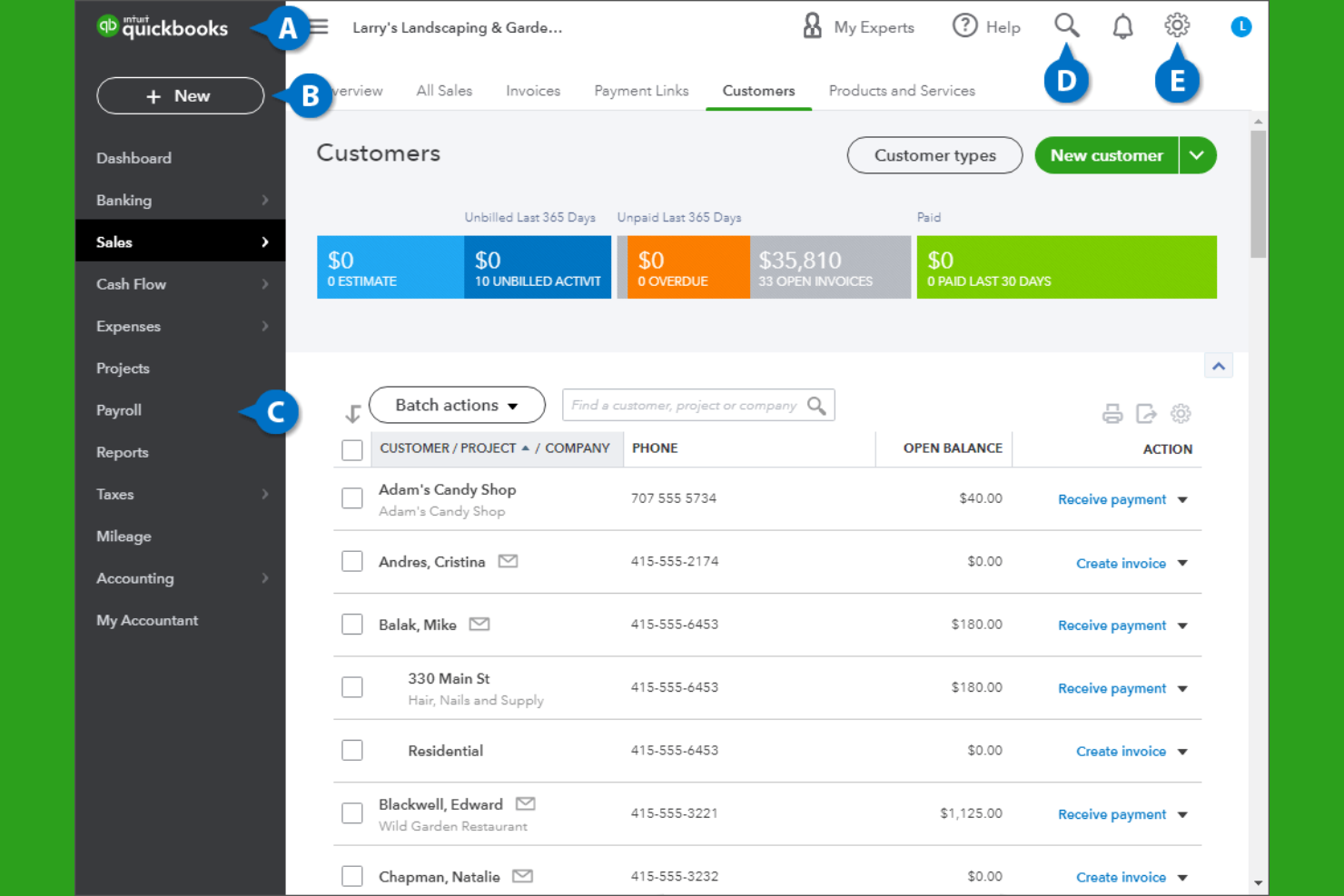
If you’re looking for expense management that connects directly with your accounting, QuickBooks is a strong choice. This platform is designed for small businesses that want to track expenses, manage invoices, and handle payroll all in one place. QuickBooks stands out for its deep integration between expense tracking and core accounting features, helping business owners keep financial data accurate and audit-ready.
Why I Picked QuickBooks
What sets QuickBooks apart is how it brings expense management and accounting together in one system. I picked QuickBooks because it automatically syncs expense data with your general ledger, reducing manual entry and the risk of errors. The platform also lets you categorize expenses, attach receipts, and reconcile transactions directly within your accounting workflow. For small businesses that want to keep their books accurate and audit-ready without juggling multiple tools, QuickBooks offers a tightly integrated solution.
QuickBooks Key Features
Some other features in QuickBooks that small businesses may find useful include:
- Payroll processing: Run payroll, calculate taxes, and manage employee payments within the platform.
- Customizable invoicing: Create, send, and track invoices with custom branding and payment options.
- Inventory tracking: Monitor inventory levels, set reorder points, and track product sales.
- Mobile app: Capture receipts, track mileage, and manage expenses on the go.
QuickBooks integrations
Integrations include Shopify, PayPal, Square, TSheets, Bill.com, HubSpot, Salesforce, Expensify, Gusto, and Receipt Bank.
Pros and Cons
Pros:
- Broad integrations help small businesses move beyond Excel and disconnected spreadsheets
- Bank feeds receipt capture and mileage tracking support cleaner records and tax prep
- Integrated accounting and expense tracking reduce manual work across one cloud-based system
Cons:
- Advanced reporting and higher-value features often require pricier plans
- Bank feed connection issues are a recurring complaint in third-party reviews

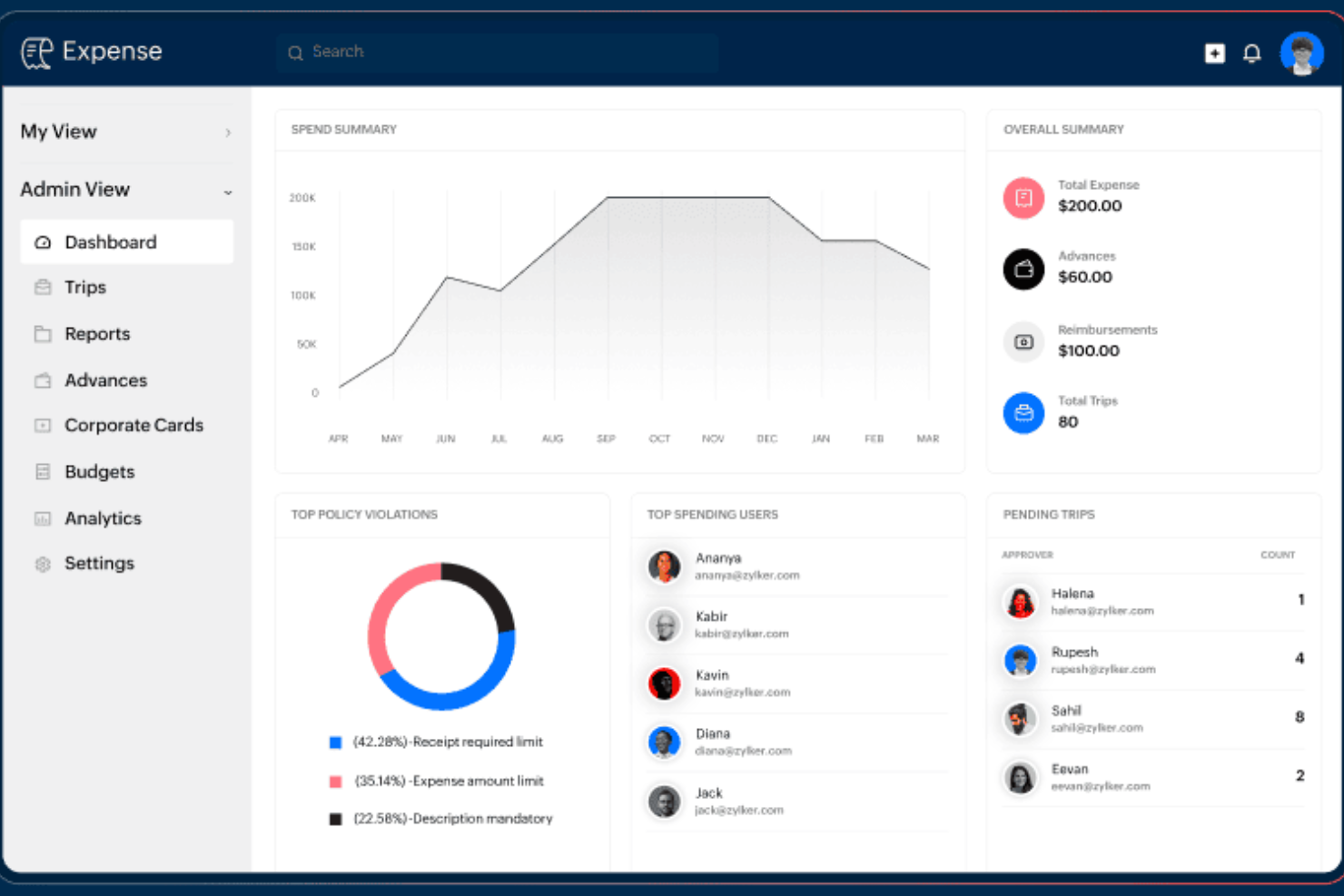
For small businesses that need flexible control over expense approvals, Zoho Expense offers a highly customizable workflow engine. Finance teams and administrators can tailor multi-level approval processes to match unique company policies or departmental needs. This helps organizations manage compliance and accountability without slowing down reimbursement cycles.
Why I Picked Zoho Expense
What drew me to Zoho Expense is its ability to let small businesses design approval workflows that fit their exact needs. You can create multi-stage approval chains, set conditional rules based on expense type or amount, and assign different approvers for different departments. I appreciate how this flexibility helps organizations enforce policy compliance without adding unnecessary steps for every user. For teams with unique or evolving approval requirements, Zoho Expense offers the kind of customization that’s hard to find elsewhere.
Zoho Expense Key Features
Some other features that make Zoho Expense a strong choice for small business expense management include:
- Corporate card reconciliation: Match card transactions with submitted expenses to simplify account balancing.
- Mileage and per diem tracking: Calculate and record travel-related expenses based on distance or daily rates.
- Multi-currency support: Submit and approve expenses in various currencies for global teams.
- Mobile receipt scanning: Capture and upload receipts directly from a smartphone or tablet.
Zoho Expense Integrations
Integrations include Zoho Books, Zoho CRM, Zoho Projects, Zoho People, QuickBooks Online, Xero, G Suite, Slack, Microsoft Teams, and Zapier.
Pros and Cons
Pros:
- Strong value for businesses wanting cloud-based expense tracking software without enterprise pricing
- User-friendly interface helps small businesses adopt the platform quickly
- Custom approval workflows and permissions are a major strength for policy-driven teams
Cons:
- Integration breadth outside the Zoho ecosystem is more limited than some rivals
- There can be a learning curve when configuring policies reports and workflows


Freelancers and solo professionals who need to keep business and personal expenses organized often turn to FreshBooks. This tool combines expense tracking with invoicing and time tracking, making it easier to manage all aspects of freelance finances in one place. FreshBooks is especially helpful for those who want to automate expense imports and simplify tax preparation.
Why I Picked FreshBooks
For freelancers who need to keep business expenses separate and organized, FreshBooks offers targeted features that make expense management straightforward. I picked FreshBooks because it automatically imports expenses from bank accounts and credit cards, reducing manual entry and helping users stay on top of their finances.
The tool also lets you attach receipts to expenses and categorize them for tax time, which is especially useful for solo professionals. With built-in invoicing and time tracking, FreshBooks gives freelancers a single platform to manage both income and expenses.
FreshBooks Key Features
Some other features in FreshBooks that freelancers may find valuable include:
- Project tracking: Monitor project budgets, expenses, and billable hours in one place.
- Client portal: Share invoices, estimates, and project updates directly with clients.
- Recurring billing: Set up automatic recurring invoices for ongoing clients or subscriptions.
- Mobile app: Capture expenses, send invoices, and track time from your phone.
FreshBooks Integrations
Integrations include Mailchimp, Zapier, HubSpot CRM, Gusto, and more.
Pros and Cons
Pros:
- Bank imports and receipt capture help organize tax deductions without relying on spreadsheets
- User-friendly interface makes expense tracking software easier for non-accountants to adopt
- Strong fit for freelancers and service businesses that want expenses invoicing and time tracking together
Cons:
- Multi-currency support and some advanced features are restricted on higher tiers
- Reporting depth is limited for more complex financial reporting needs
New Product Updates from FreshBooks

Faster Payouts and Smarter Payroll With FreshBooks
FreshBooks introduces Instant Payouts, Buy Now, Pay Later through Affirm, and smarter payment defaults to improve cash flow and payment flexibility. These updates help businesses access funds faster while giving clients more convenient ways to pay. For more information, visit FreshBooks' official site.
 .
.
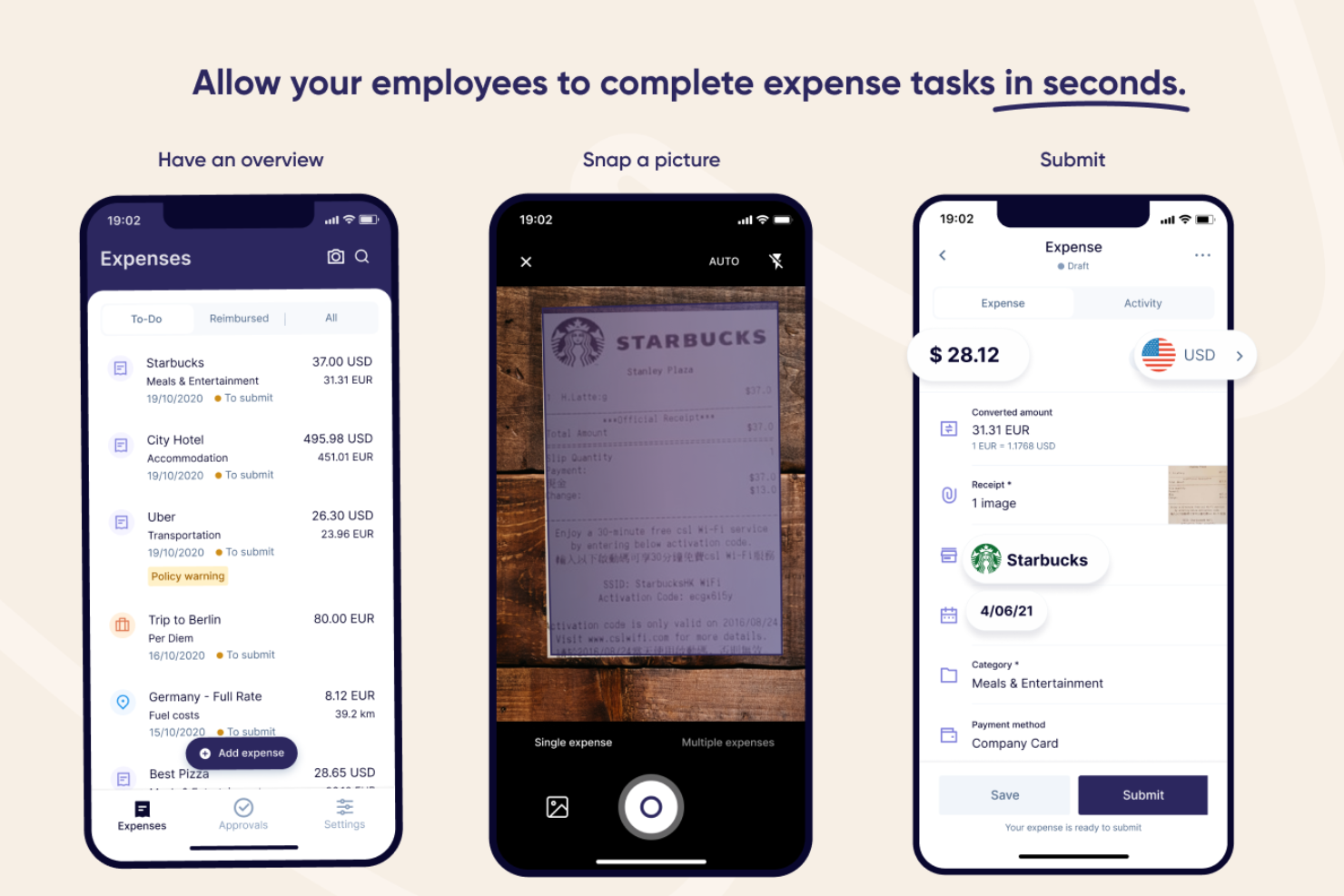
Rydoo is designed for small businesses and finance teams that need to process expense reports quickly without sacrificing accuracy. It’s especially useful for companies with frequent business travel or decentralized teams who want to capture and approve expenses on the go. With features that automate receipt capture and streamline approvals, Rydoo helps you cut down on manual entry and keep expense workflows moving fast.
Why I Picked Rydoo
When speed is a top priority for expense reporting, Rydoo offers a clear advantage. I picked it because you can snap a photo of a receipt and have the data extracted instantly, which means less time spent on manual entry.
The platform also supports real-time approvals, so managers can review and approve expenses as soon as they’re submitted. For small businesses that need to keep expense processes moving quickly, these features help reduce bottlenecks and keep reimbursements on track.
Rydoo Key Features
Some other features that make Rydoo valuable for small business expense management include:
- Mileage tracking: Users can log business travel mileage directly in the app for accurate reimbursement.
- Per diem management: The platform supports automated per diem calculations based on company policy and travel location.
- Multi-currency support: Rydoo handles expenses in multiple currencies, making it suitable for international teams.
- Policy enforcement engine: Built-in controls flag out-of-policy expenses before they reach the approval stage.
Rydoo Integrations
Integrations include SAP S/4HANA, NetSuite, QuickBooks, Xero, Sage, and Uber.
Pros and Cons
Pros:
- Per diem and multi-currency support make it more capable than basic small business expense trackers
- User-friendly mobile app helps employees submit expenses with minimal training
- Fast receipt scanning and OCR-based report creation are a clear strength
Cons:
- Some users mention app instability or sync issues when uploading multiple receipts
- Approval customization is lighter than some more complex enterprise tools

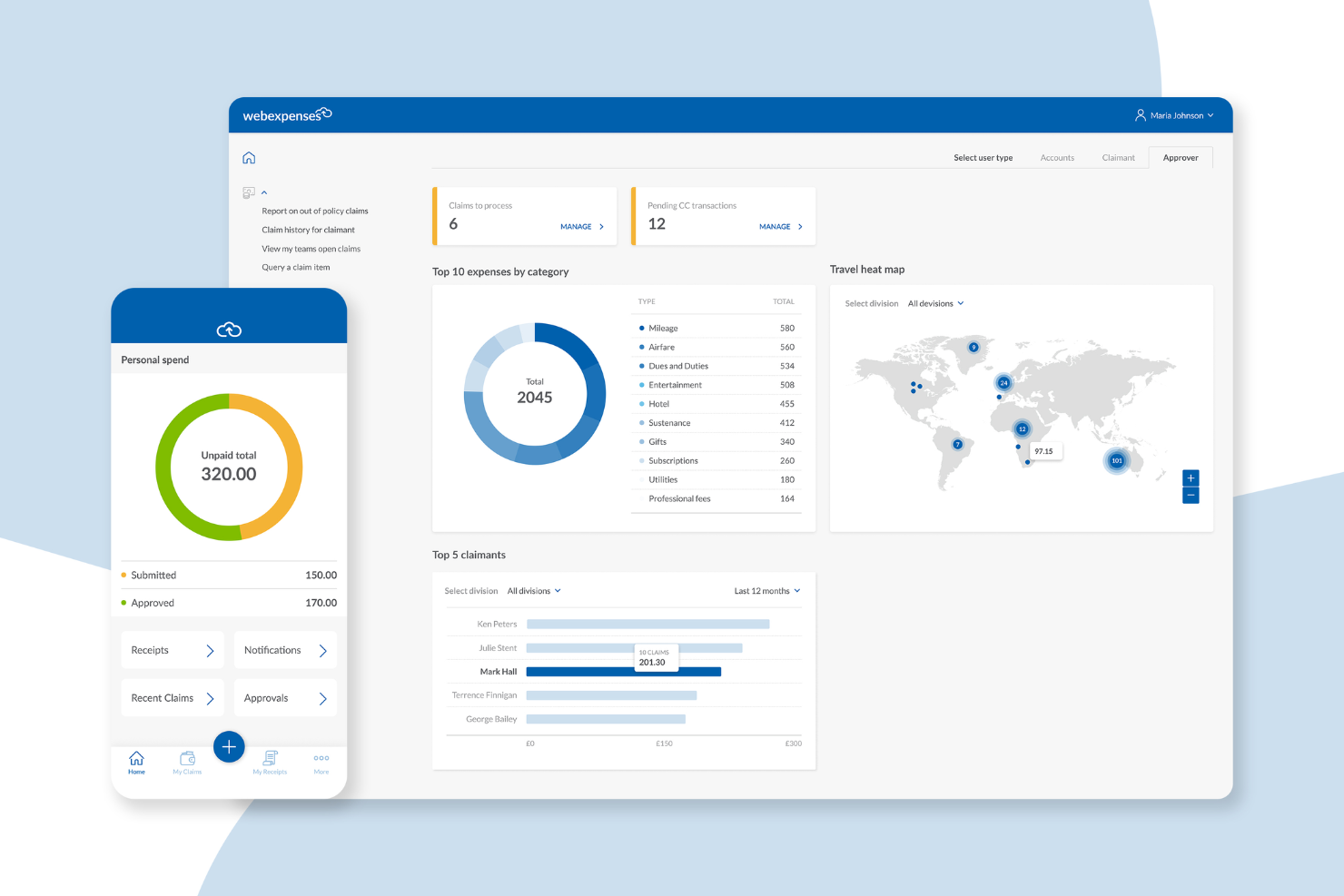
Webexpenses is designed for small businesses that want to simplify expense submissions from anywhere. Its mobile-first approach appeals to teams with frequent travelers or remote staff who need to capture and submit expenses on the go. If your business struggles with delayed or incomplete expense reports, Webexpenses helps keep everything moving with real-time mobile tools.
Why I Picked Webexpenses
What sets Webexpenses apart is its focus on mobile expense submissions, which is especially valuable for small businesses with employees who are often on the move. I picked it because the mobile app lets users snap photos of receipts, submit claims instantly, and track approval status from their phones.
The app also supports offline expense entry, so your team can log expenses even without an internet connection. For businesses that want to speed up expense reporting and reduce paperwork delays, these mobile features make Webexpenses a strong fit.
Webexpenses Key Features
In addition to its mobile-first approach, I also found these features useful for small business expense management:
- Automated policy enforcement: The system checks each claim against your company’s expense policies before approval.
- Credit card integration: Import and match business credit card transactions directly to expense claims.
- Multi-level approval workflows: Set up custom approval chains to match your organization’s structure.
- Digital audit trail: Every action on an expense claim is logged for compliance and review purposes.
Webexpenses Integrations
Integrations include NetSuite, Sage Intacct, Oracle, Microsoft Dynamics, and Amazon.
Pros and Cons
Pros:
- Highly customizable approval flows
- Automated policy checks help reduce manual expense review time
- Mobile app allows receipt capture and claim submission anywhere
Cons:
- Reporting features may lack depth for advanced analytics needs
- Can be pricey for small businesses
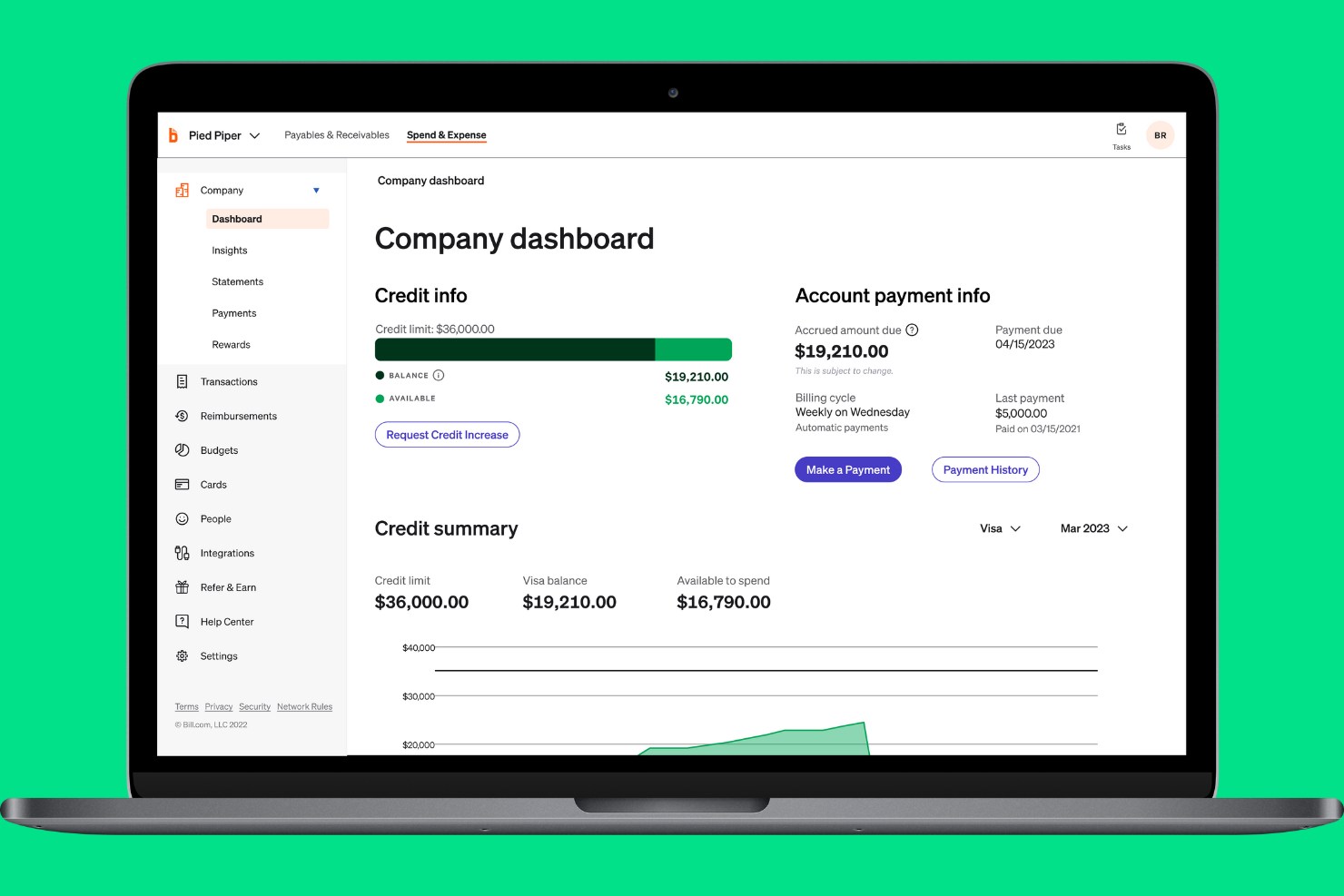
If your small business needs instant insight into company spending, BILL Spend & Expense is designed for you. The platform gives finance teams and business owners real-time visibility into every transaction as it happens. This helps you monitor budgets, spot unusual activity, and keep spending aligned with company policies.
Why I Picked BILL Spend & Expense
What stands out about BILL Spend & Expense is its focus on real-time spend visibility, which is essential for small businesses that need to keep a close eye on budgets. The platform updates transaction data instantly, so you always know where company money is going.
I like that you can set custom spend controls and get alerts for out-of-policy purchases as they happen. For teams that want to prevent overspending and react quickly to unusual activity, this level of transparency is a major advantage.
BILL Spend & Expense Key Features
Some other features that make BILL Spend & Expense useful for small business expense management include:
- Virtual and physical card issuance: Issue company cards to employees for controlled spending and easy tracking.
- Automated receipt capture: Upload and match receipts to transactions directly from a mobile device.
- Customizable approval workflows: Set up multi-level approvals to match your organization’s expense policies.
- Integration with accounting software: Sync expense data with platforms like QuickBooks and NetSuite for accurate bookkeeping.
BILL Spend & Expense Integrations
Native integrations are not currently listed by BILL Spend & Expense.
Pros and Cons
Pros:
- QuickBooks syncing is frequently cited as a practical advantage for small business accounting workflows
- Corporate cards and receipt capture reduce manual entry and speed up expense coding
- Real-time spend visibility gives finance teams stronger control over budgets and forecasting
Cons:
- Reimbursements and reporting are less polished than the card-first workflow
- Transaction sync issues still appear in user feedback

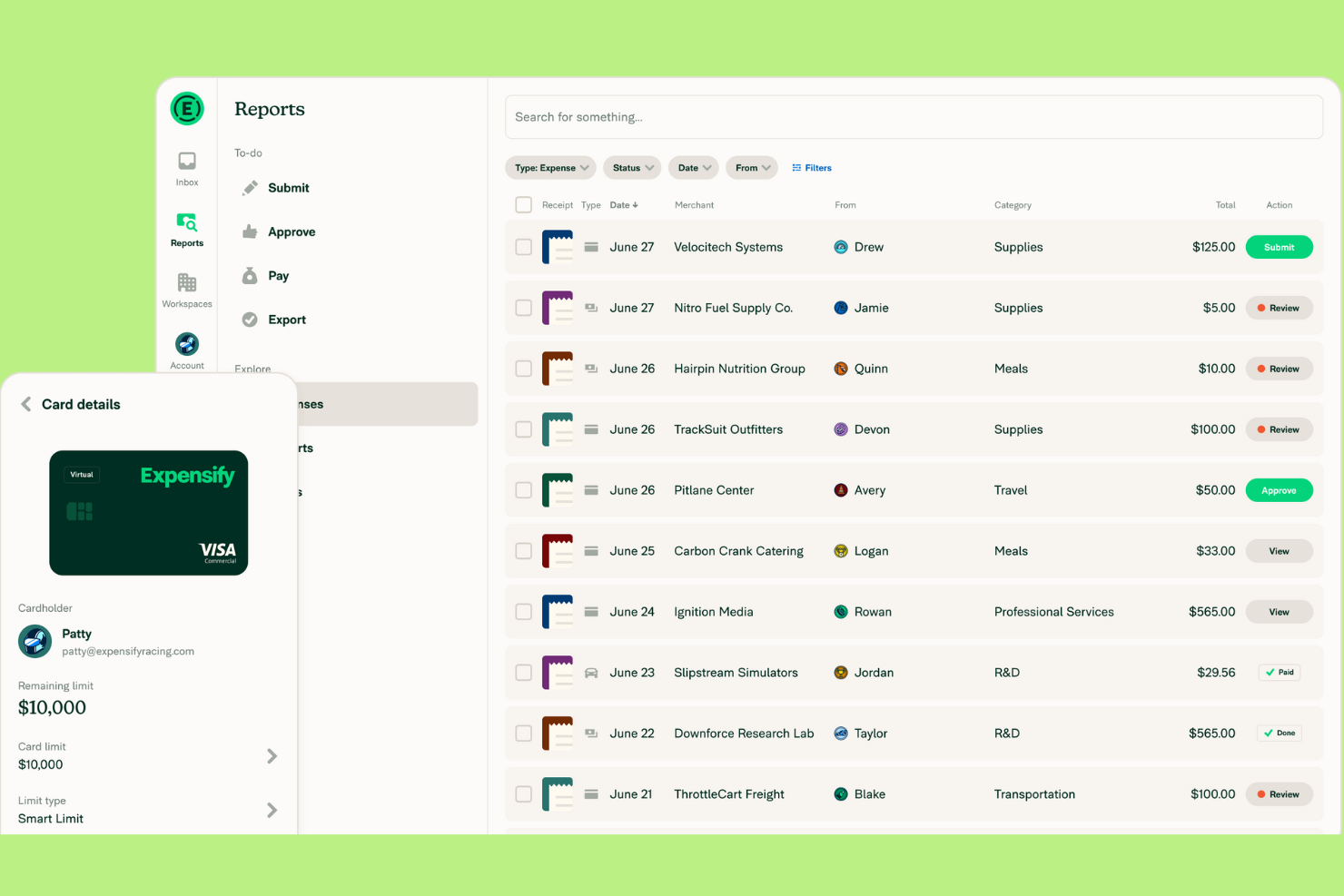
Expensify is designed for small businesses that want to automate receipt capture and simplify expense reporting. If your team spends too much time manually entering receipts or tracking down missing documentation, this tool can help. Expensify’s automated scanning and real-time expense tracking make it easier to stay organized and compliant.
Why I Picked Expensify
Expensify stands out for its automated receipt scanning, which is a major time-saver for small businesses handling frequent expense submissions. I picked this tool because its SmartScan technology lets users snap a photo of a receipt and have the details automatically extracted and categorized. This reduces manual data entry and helps prevent errors or lost receipts. Expensify also supports real-time expense tracking, so you can keep your records up to date without chasing paperwork.
Expensify Key Features
Some other features in Expensify that small businesses may find useful include:
- Corporate card reconciliation: Match expenses to card transactions automatically to simplify month-end close.
- Custom expense policy enforcement: Set up rules to flag out-of-policy expenses and require additional approvals and permissions.
- Multi-level approval workflows: Route expense reports through multiple approvers based on your organization’s structure.
- Mileage tracking: Log business travel mileage directly in the expense tracker app for accurate reimbursement.
Expensify Integrations
Integrations include QuickBooks, Xero, NetSuite, Sage Intacct, and TravelPerk.
Pros and Cons
Pros:
- Customizable approval workflows support multi-level sign-offs
- Real-time expense tracking helps maintain up-to-date records
- Automated receipt scanning reduces manual entry and lost receipts
Cons:
- Occasional scanning errors require manual correction of receipts
- Policy enforcement features may require advanced setup

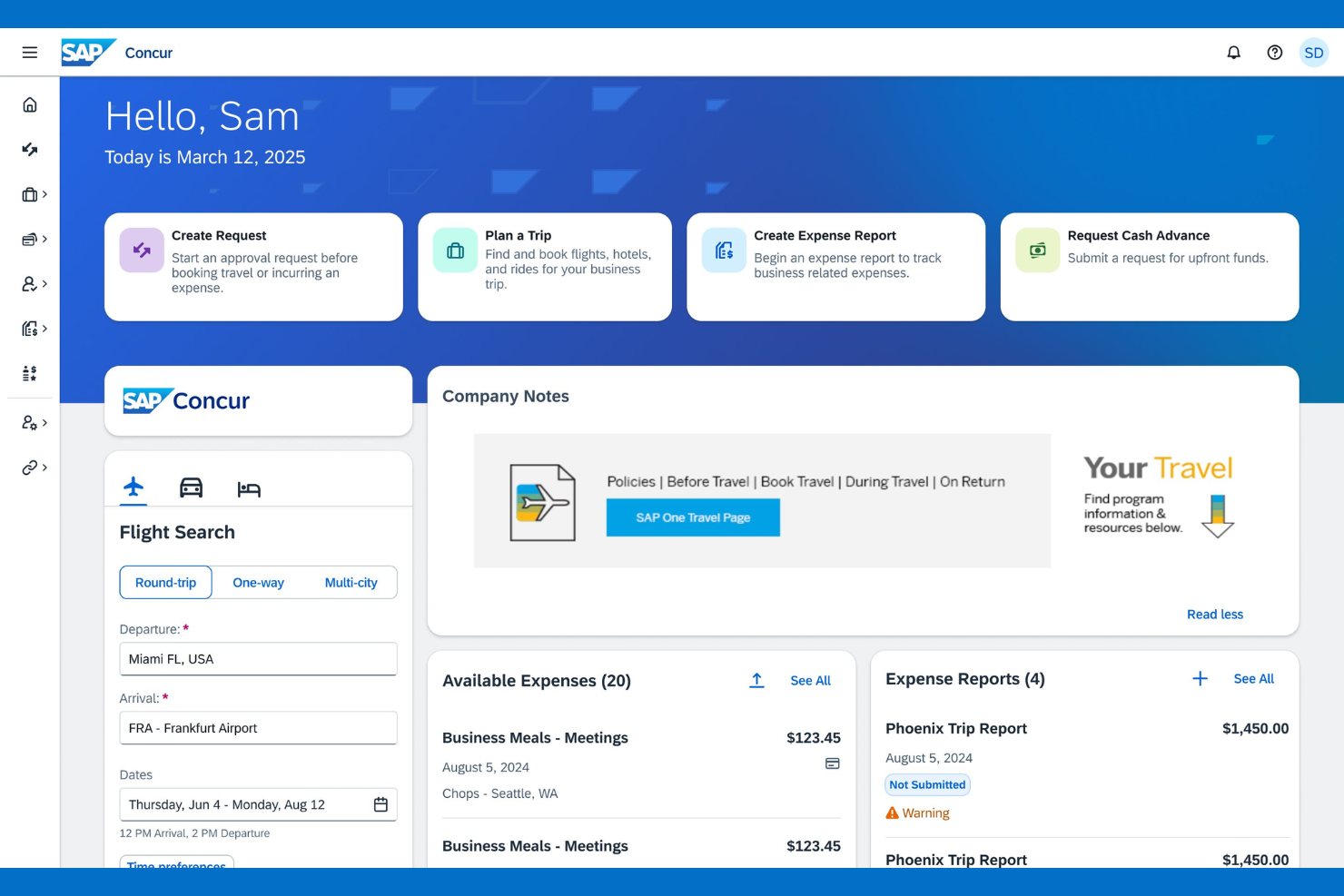
If your small business manages travel expenses across multiple countries, SAP Concur offers specialized tools for global compliance and currency handling. It’s built for finance teams that need to track, audit, and reimburse travel spend while meeting international tax and policy requirements. This makes it a strong choice for organizations with distributed teams or frequent cross-border travel.
Why I Picked SAP Concur
For small businesses that need to manage travel expenses across borders, SAP Concur stands out for its global travel expense support. I picked it because it handles multi-currency transactions and automates compliance with international tax regulations, which is a challenge for many growing companies.
The platform also lets you set travel policies that adapt to different countries, helping you control costs and reduce policy violations. If your team travels internationally or you have remote employees in multiple regions, SAP Concur’s global features are hard to match.
SAP Concur Key Features
Some other features that make SAP Concur useful for small business expense management include:
- Mobile receipt capture: Snap photos of receipts and upload them directly from your phone.
- Automated expense report creation: Generate expense reports automatically from imported card transactions and receipts.
- Mileage tracking: Log and calculate mileage for business travel using built-in GPS tools.
- Audit rules engine: Apply custom audit rules to flag out-of-policy expenses before reimbursement.
SAP Concur Integrations
Integrations include Microsoft Outlook, Salesforce, Oracle, Workday, NetSuite, ADP, Chrome River, Expensify, QuickBooks, and SAP ERP.
Pros and Cons
Pros:
- Audit trails and policy automation support stronger compliance than lighter small business tools
- Travel booking and expense reporting in one system reduce tool sprawl for distributed teams
- Best suited here for travel-heavy teams that need global expense controls and multi-currency support
Cons:
- Interface updates can disrupt established workflows for users
- Setup and configuration can be time-consuming for small businesses

Certify is designed for small businesses that need to enforce strict expense policies and reduce compliance risks. It’s especially useful for finance teams that want automated controls to flag out-of-policy spending before it becomes a problem. With Certify, you can set custom rules and approval workflows that help keep expenses aligned with company guidelines.
Why I Picked Certify
Certify stands out for its focus on policy compliance, which is a top concern for small businesses managing employee expenses. I picked Certify because it lets you build detailed policy rules that automatically flag or block out-of-policy submissions before they reach approval. The platform also supports multi-level approval workflows, so you can route expenses to the right people based on amount, department, or other criteria. For teams that need to enforce spending limits and reduce compliance headaches, Certify offers granular controls that help keep expenses in check.
Certify Key Features
In addition to its policy compliance controls, I also found these features worth noting:
- Automated receipt capture: Upload receipts using a mobile app or email, and Certify extracts the data automatically.
- Corporate card reconciliation: Match card transactions with submitted expenses to simplify reconciliation.
- Customizable reporting: Build and export detailed reports on spending by category, user, or department.
- Travel booking integration: Book business travel within the platform and link travel data to expense reports.
Certify Integrations
Integrations include SAP Concur, Oracle, NetSuite, QuickBooks, Microsoft Dynamics, Salesforce, Workday, ADP, Chrome River, and Coupa.
Pros and Cons
Pros:
- Mobile receipt capture and travel-expense linkage reduce reliance on manual spreadsheets
- Multi-level approvals and permissions suit small businesses with stricter compliance needs
- Strong policy enforcement helps finance teams control out-of-policy spending early
Cons:
- Setup of detailed policy rules and approval logic can take time
- Receipt date and amount inaccuracies can require manual edits


If you need to keep personal and business expenses clearly separated, Quicken Simplifi offers a straightforward solution. This tool is well-suited for small business owners, freelancers, or anyone managing mixed finances who wants to avoid confusion at tax time. With customizable tracking and clear categorization, it helps you stay organized and maintain accurate records for both sides of your financial life.
Why I Picked Quicken Simplifi
Unlike many expense tools that blur the line between personal and business spending, Simplifi stands out for its clear separation features. I picked it because you can create custom categories and tags to track both business and personal transactions in one dashboard. The tool also lets you generate separate reports for each, making it easier to prepare for tax season or business reviews. For small business owners who juggle both types of expenses, this level of organization helps prevent mix-ups and keeps records audit-ready.
Quicken Simplifi Key Features
Some other features that make Simplifi useful for small business expense management include:
- Automatic bank syncing: The tool connects to your bank accounts and imports transactions in real time.
- Spending plan creation: You can set up monthly or custom spending plans to monitor cash flow.
- Custom alerts: Receive notifications for large transactions, low balances, or upcoming bills.
- Goal tracking: Track progress toward savings or business investment goals within the platform.
Quicken Simplifi Integrations
Integrations include Dropbox, PayPal, and Zillow.
Pros and Cons
Pros:
- Offers customizable alerts for large or unusual business spending
- Imports transactions automatically from most major US banks
- Lets you create separate categories for business and personal expenses
Cons:
- Limited reporting options compared to business-focused expense tools
- Does not support multi-user access for team expense management
Other Expense Management Software for Small Businesses
Here are some additional expense management software for small business options that didn’t make it onto my shortlist, but are still worth checking out:
- Ramp
For corporate card integration
- Sage Expense Management (formerly Fyle)
For multi-currency expense tracking
- Shoeboxed
For digitizing paper receipts
- Everlance
For automatic mileage tracking


Expense Management Software for SMBs Selection Criteria
When selecting the best expense management software for small businesses to include in this list, I considered common buyer needs and pain points like reducing manual data entry and ensuring policy compliance. I also used the following framework to keep my evaluation structured and fair:
Core Functionality (25% of total score)
To be considered for inclusion in this list, each solution had to fulfill these common use cases:
- Capture and store digital receipts
- Submit and approve expense reports
- Track mileage and travel expenses
- Enforce company expense policies
- Export data to accounting software
Additional Standout Features (25% of total score)
To help further narrow down the competition, I also looked for unique features, such as:
- Real-time receipt scanning with OCR
- Automated per diem calculations
- Multi-currency and international support
- Built-in mileage tracking via GPS
- Customizable approval workflows
Usability (10% of total score)
To get a sense of the usability of each system, I considered the following:
- Simple and intuitive user interface
- Mobile app availability and functionality
- Clear navigation and labeling of features
- Minimal steps to complete common tasks
- Accessibility for users with different needs
Onboarding (10% of total score)
To evaluate the onboarding experience for each platform, I considered the following:
- Availability of training videos and tutorials
- Access to setup templates and guides
- Interactive product tours for new users
- In-app chatbots for onboarding support
- Live or recorded webinars for new customers
Customer Support (10% of total score)
To assess each software provider’s customer support services, I considered the following:
- Multiple support channels (chat, email, phone)
- Fast response times to inquiries
- Access to a searchable help center
- Availability of dedicated account managers
- Community forums or user groups
Value For Money (10% of total score)
To evaluate the value for money of each platform, I considered the following:
- Transparent and predictable pricing structure
- Features included in base pricing tier
- Discounts for annual billing or volume
- No hidden fees or surprise charges
- Free trial or demo availability
Customer Reviews (10% of total score)
To get a sense of overall customer satisfaction, I considered the following when reading customer reviews:
- Consistent positive feedback on core features
- Reports of reliable customer support
- User comments on ease of adoption
- Feedback on mobile app performance
- Noted limitations or frustrations with the tool
How to Choose Expense Management Software for Small Businesses
It’s easy to get bogged down in long feature lists and complex pricing structures. To help you stay focused as you work through your unique software selection process, here’s a checklist of factors to keep in mind:
| Factor | What to Consider |
|---|---|
| Scalability | Will the software handle your business as it grows, including more users, higher transaction volumes, or new locations? Avoid tools that cap users or reports. |
| Integrations | Does the tool connect natively to your accounting, payroll, and banking systems? Check for direct integrations, not just API or Zapier workarounds. |
| Customizability | Can you tailor approval workflows, expense categories, and policy rules to match your business processes? Rigid systems may force you to change workflows. |
| Ease of use | Will your team adopt the tool quickly, or will it require extensive training? Look for clear navigation and mobile access for employees on the go. |
| Implementation and onboarding | How long will it take to get up and running? Ask about data migration, training resources, and support during rollout—especially if you have limited IT staff. |
| Cost | Are all necessary features included in the base price, or are there add-on fees? Compare monthly vs. annual pricing and watch for minimum user requirements. |
| Security safeguards | Does the software offer encryption, role-based access, and audit trails? Ensure it meets your company’s data protection and compliance standards. |
| Support availability | What support channels are offered, and during what hours? Consider if you need 24/7 help, dedicated account management, or self-service resources. |
What Is Expense Management Software for a Small Business?
Expense management software for small businesses is a digital tool that helps companies track, process, and control employee spending and business expenses. It automates tasks like receipt capture, expense report submission, and policy enforcement, reducing manual work and errors.
These systems give finance teams better visibility into spending, support compliance, and simplify reimbursement and accounting processes.
Features
When selecting expense management software for a small business, keep an eye out for the following key features:
- Receipt capture: Lets users upload photos or scans of receipts, automatically storing them with each expense entry for easy reference and audit trails.
- Expense report creation: Allows employees to group expenses into reports, categorize spending, and submit them for manager review and approval.
- Policy enforcement: Flags or blocks expenses that fall outside company rules, helping maintain compliance and reduce unauthorized spending.
- Approval workflows: Routes submitted expenses to the right managers or finance staff for review, with customizable steps based on your organization’s structure.
- Mileage tracking: Enables employees to log business travel mileage, often using GPS or manual entry, for accurate reimbursement calculations.
- Multi-currency support: Handles expenses in different currencies, automatically converting amounts and supporting international business operations.
- Integration with accounting software: Syncs expense data directly with your accounting or ERP system, reducing manual entry and reconciliation work.
- Per diem management: Calculates daily allowances for travel based on company policy and location, simplifying compliance and reimbursement.
- Mobile app access: Provides employees with the ability to submit expenses, capture receipts, and track spending from their smartphones or tablets.
- Audit trail: Maintains a detailed record of all expense submissions, approvals, and changes, supporting transparency and regulatory compliance.
Benefits
Implementing expense management software for your small business provides several benefits for your team and your business. Here are a few you can look forward to:
- Reduced manual data entry: Automated receipt capture and report creation minimize time spent on paperwork and lower the risk of errors.
- Improved policy compliance: Built-in policy enforcement and approval workflows help ensure spending aligns with company rules and regulatory requirements.
- Faster reimbursements: Digital submission and processing of expenses speed up approval cycles and get funds back to employees more quickly.
- Greater financial visibility: Real-time tracking and reporting features give finance teams a clear view of spending patterns and budget adherence.
- Simplified audits and recordkeeping: Centralized storage of receipts, reports, and audit trails makes it easier to prepare for audits and maintain compliance.
- Enhanced integration with accounting: Direct syncing with accounting software reduces manual reconciliation and streamlines month-end close processes.
- Support for business growth: Scalable platforms and multi-currency support allow your expense management processes to grow with your business.
Costs and Pricing
Selecting expense management software for a small business requires an understanding of the various pricing models and plans available. Costs vary based on features, team size, add-ons, and more. The table below summarizes common plans, their average prices, and typical features included in expense management software for small business solutions:
Plan Comparison Table for Expense Management Software for SMBs
| Plan Type | Average Price | Common Features |
|---|---|---|
| Free Plan | $0 | Basic receipt capture, limited expense reports, manual approvals, and basic support. |
| Personal Plan | $5-$10/user/month | Receipt capture, mileage tracking, simple policy enforcement, mobile app access, and email support. |
| Business Plan | $10-$25/user/month | Automated approvals, integration with accounting software, multi-currency support, advanced reporting, and chat support. |
| Enterprise Plan | $25-$50/user/month | Custom workflows, advanced security, dedicated account management, API access, and priority support. |
Expense Management Software for Small Businesses FAQs
Here are some answers to common questions about expense management software for small businesses:
How do I know if my business needs expense management software?
If your team spends significant time tracking receipts, processing reimbursements, or managing expense reports manually, you likely need expense management software. These tools help reduce errors, speed up approvals, and provide better visibility into company spending.
Can expense management software integrate with my existing accounting system?
Yes, most expense management software for small businesses offers integrations with popular accounting platforms. Before choosing a tool, confirm it supports direct syncing with your current system to avoid manual data entry and ensure accurate financial records.
What security measures should I look for in expense management software?
Look for software that offers data encryption, role-based access controls, and audit trails. These features help protect sensitive financial information and support compliance with data privacy regulations relevant to your business.
Is it possible to manage expenses for remote or traveling employees?
Yes, many solutions include mobile apps and cloud access, allowing employees to submit expenses, capture receipts, and track mileage from anywhere. This flexibility is especially useful for distributed teams or frequent business travelers.
How long does it take to implement expense management software?
Implementation time varies by provider and business size, but most small businesses can get started within a few days to a couple of weeks. Look for solutions with onboarding resources like training videos, setup guides, and responsive support to speed up the process.
What’s Next:
If you're in the process of researching expense management software for your small business, connect with a SoftwareSelect advisor for free recommendations.
You fill out a form and have a quick chat where they get into the specifics of your needs. Then you'll get a shortlist of software to review. They'll even support you through the entire buying process, including price negotiations.