

El software ERP gratuito es un sistema todo en uno que ayuda a las pequeñas empresas y a las startups a gestionar funciones esenciales como las finanzas, el inventario, las ventas y los RR. HH., sin tener que pagar por una plataforma premium. Sustituye las hojas de cálculo desconectadas, las aplicaciones aisladas y los procesos manuales al centralizar los datos, agilizar los flujos de trabajo y ofrecer visibilidad en tiempo real en todos los equipos.
A lo largo de mi carrera en la gestión financiera y el software digital, he comprobado cómo trabajar con varias herramientas puede provocar datos duplicados, plazos incumplidos y errores costosos. El ERP adecuado, incluso uno gratuito, puede reunirlo todo en un mismo lugar, reducir la fricción entre departamentos y darte un mayor control sobre tu empresa a medida que crece.
Después de realizar pruebas prácticas exhaustivas y analizar las opiniones de los usuarios, he reunido las mejores opciones de software ERP gratuito disponibles. Estas son las herramientas que realmente funcionan, para que puedas olvidarte del caos de los sistemas dispersos y volver a dirigir tu empresa con confianza.
Por qué confiar en nuestras recomendaciones de software
6,700+
Reviews
20
Industry experts
16+
Evaluation factors
14
Years
Nuestras reseñas reflejan nuestro criterio independiente, no un discurso de ventas. Descubra cómo mantenemos la transparencia.
Para esta guía, evaluamos las herramientas mediante pruebas prácticas e investigación independiente, puntuando las herramientas según nuestros criterios de selección.
Nuestras reseñas reflejan nuestro criterio editorial humano, no un discurso de ventas.
Tabla comparativa de software ERP gratuito
Esta tabla comparativa resume los detalles de precios de mi selección de los mejores programas ERP gratuitos:
| Tool | Best For | Trial Info | Price | ||
|---|---|---|---|---|---|
| 1 | Ideal para informes en vivo de planta | Prueba gratuita de 30 días disponible | Desde $49/usuario/mes | Website | |
| 2 | Mejor con automatización de flujo de trabajo personalizable | Prueba gratuita disponible | Desde $35/usuario/mes | Website | |
| 3 | Ideal para coordinar el trabajo junto con un sistema ERP | Plan gratuito + prueba gratuita de 14 días + demostración gratuita disponible | Desde $10/usuario/mes (facturado anualmente) | Website | |
| 4 | Ideal para ERP de bajo código con amplia suite de aplicaciones | Plan gratuito disponible | Precios a consultar | Website | |
| 5 | Ideal como espacio de trabajo en línea gratuito con CRM y tareas | Prueba gratuita de 15 días + plan gratuito + demo gratuita disponible | Desde $49/organización/mes (facturado anualmente) | Website | |
| 6 | El mejor ERP personalizable sin costes de licencia | Demostración gratuita disponible | Uso gratuito | Website | |
| 7 | La mejor opción para una gestión empresarial flexible y todo en uno | Prueba gratuita de 30 días disponible | Precios bajo petición | Website | |
| 8 | Ideal para un paquete integral de aplicaciones empresariales | Prueba gratuita + plan gratuito disponible | Desde $31.10/usuario/mes (facturado anualmente) | Website | |
| 9 | Mejor para software empresarial modular y escalable | Demostración gratuita disponible | Uso gratuito | Website | |
| 10 | Mejor para ERP de código abierto con sólido respaldo comunitario | Plan gratuito disponible | Gratis para usar | Website |


Análisis del mejor software ERP gratuito
Descubre el mejor software ERP gratuito en mis análisis detallados. He desglosado las funciones principales, las ventajas y desventajas, las integraciones y los casos de uso más destacados para ayudarte a encontrar rápidamente la opción adecuada.
 Ideal para informes en vivo de planta
- Prueba gratuita de 30 días disponible
- Desde $49/usuario/mes
Visit WebsiteCustomer Rating:4.5/5
MRPeasy ofrece una sección integral de inventario de existencias. MRPeasy es un sistema ERP basado en la nube diseñado para pequeñas empresas manufactureras. Te ayuda a gestionar la producción, el inventario, las ventas y las finanzas en una sola plataforma, con visibilidad en tiempo real de la actividad en planta y asignación de recursos.
Por qué elegí MRPeasy: Elegí MRPeasy por su fuerte enfoque en la planificación de la producción. Funciones como la programación automática y los reportes en tiempo real de planta facilitan la alineación de recursos con la demanda y mantienen la producción sin contratiempos. También soporta listas de materiales multinivel, lo cual es especialmente útil para fabricantes que gestionan procesos de ensamblaje complejos.
Características destacadas e integraciones:
Las características incluyen gestión de inventario en tiempo real con rastreo por lotes y códigos de barras, previsión de compras con creación de órdenes de compra y herramientas de gestión financiera para transacciones e informes.
Las integraciones incluyen Amazon, BigCommerce, HubSpot, Magento, Microsoft Power BI, Pipedrive, QuickBooks Online, Salesforce, ShipStation, Shopify, WooCommerce, Xero, Zapier y EDI.
Pros and Cons
Pros:
- Potentes herramientas de planificación de la producción
- Seguimiento de inventario en tiempo real
- Amplias opciones de integración
Cons:
- Opciones de personalización limitadas
- Configuración inicial compleja
Learn more about MRPeasy: Mejor con automatización de flujo de trabajo personalizable
- Prueba gratuita disponible
- Desde $35/usuario/mes
Visit WebsiteCustomer Rating:4.7/5
Striven ofrece un panel ERP accesible con facturación integrada, informes financieros y herramientas de seguimiento operacional. Striven es una plataforma ERP basada en la nube para empresas que reúne contabilidad, inventario, CRM, gestión de proyectos y automatización de flujos de trabajo en un solo sistema.
¿Para quién es mejor Striven?
Striven es adecuado para pequeñas y medianas empresas que desean un sistema ERP unificado para gestionar operaciones en varios departamentos.
Por qué elegí Striven
Elegí Striven como uno de los mejores porque puedo crear automatizaciones de flujo de trabajo personalizadas que se adaptan exactamente a los procesos de mi equipo. Utilizo su diseñador de flujos de trabajo con función de arrastrar y soltar para automatizar aprobaciones, asignaciones de tareas y notificaciones en contabilidad, ventas e inventario. Mi equipo puede configurar desencadenantes condicionales y flujos de trabajo de varios pasos sin programación, lo que nos ayuda a mantener las operaciones en marcha sin intervención manual.
Características clave de Striven
- Contabilidad integrada: Administre el libro mayor, cuentas por pagar y cuentas por cobrar dentro de la misma plataforma.
- Gestión de inventarios: Supervise niveles de stock, puntos de reorden y transferencias de almacén en tiempo real.
- Herramientas CRM: Almacene datos de clientes, gestione oportunidades y registre actividades de ventas desde un solo panel.
- Gestión de proyectos: Planifique proyectos, asigne tareas y supervise el progreso con herramientas integradas de seguimiento de proyectos.
Integraciones de Striven
Las integraciones nativas no están claramente documentadas. Striven proporciona una API para integraciones personalizadas.
¿Qué es gratis?
Striven ofrece una prueba gratuita, pero no dispone de un plan gratuito para siempre. La prueba gratuita brinda acceso completo a las funciones por un tiempo limitado, después de lo cual se requiere una suscripción paga.
Pros and Cons
Pros:
- Automatización de flujos de trabajo para procesos empresariales
- Incluye herramientas de gestión de activos e inventario
- Ofrece funciones integradas de CRM y RRHH
Cons:
- Integraciones nativas limitadas con herramientas de terceros
- Las funciones avanzadas requieren suscripción paga
Learn more about Striven: Ideal para coordinar el trabajo junto con un sistema ERP
- Plan gratuito + prueba gratuita de 14 días + demostración gratuita disponible
- Desde $10/usuario/mes (facturado anualmente)
Visit WebsiteCustomer Rating:4.3/5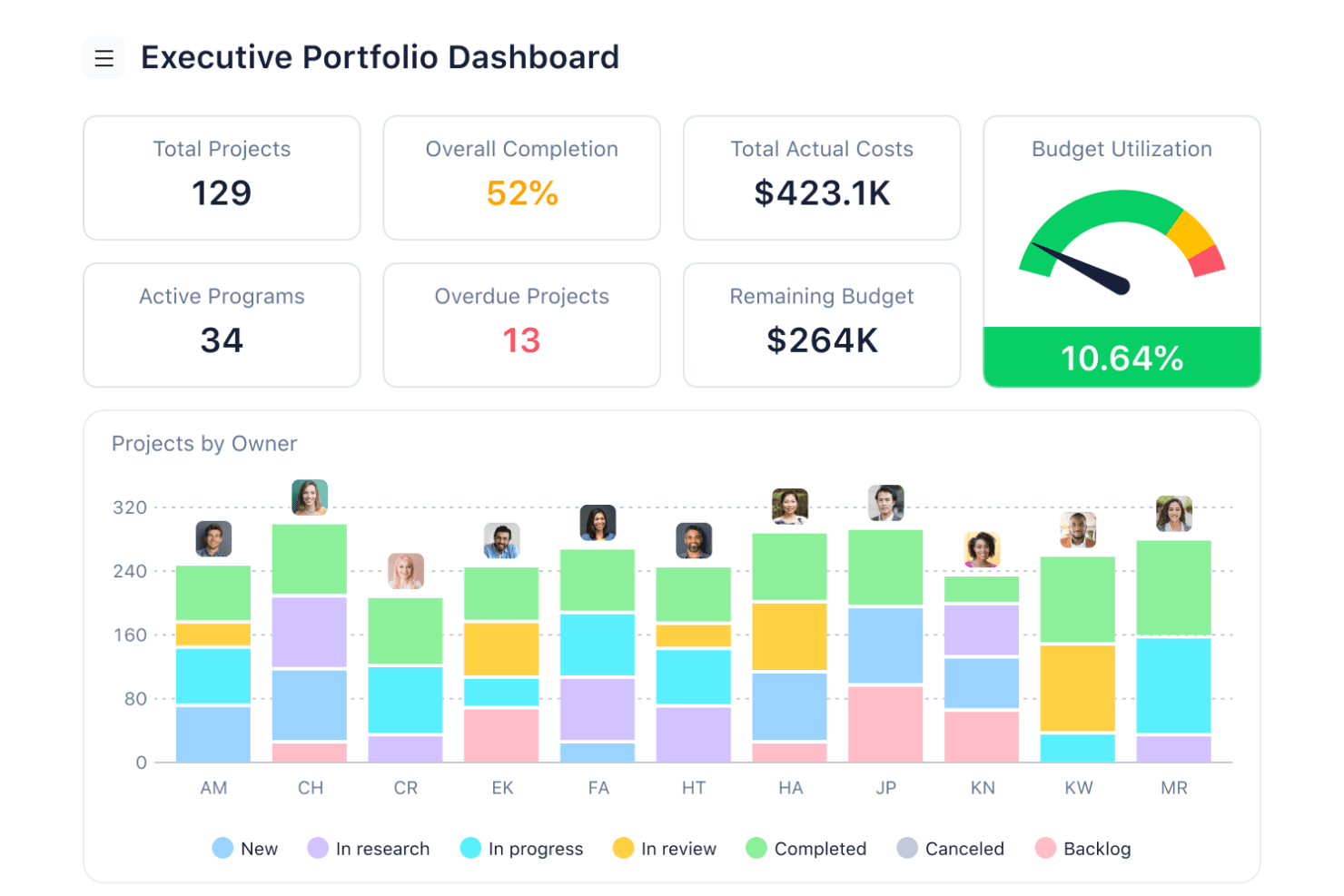
Los paneles de equipo de Wrike ofrecen a los responsables visibilidad en tiempo real del progreso de los proyectos y del estado de las tareas en las vistas de escritorio y móviles. Wrike es una plataforma de gestión de proyectos y trabajo basada en la nube, con gestión de tareas y proyectos, múltiples vistas de trabajo, herramientas de colaboración e integraciones que pueden conectarla con otros sistemas empresariales. Las capacidades más avanzadas, incluidos los formularios de solicitud, el seguimiento del tiempo, la gestión de recursos y la elaboración de presupuestos, requieren planes de pago.
¿Para quién es más adecuado Wrike?
Wrike es adecuado para equipos de operaciones y proyectos que necesitan coordinar proyectos y el trabajo diario junto con un sistema ERP o contable independiente.
Por qué elegí Wrike
Elegí Wrike para la coordinación básica del trabajo y las vistas flexibles de proyectos, no por su funcionalidad de ERP. Su plan gratuito proporciona gestión básica de proyectos y tareas, junto con vistas de Tablero y Tabla, lo que lo hace útil para equipos que desean organizar el trabajo sin adoptar otro sistema de pago. Las capacidades más avanzadas, como los formularios de solicitud, la gestión de recursos, el seguimiento del tiempo y la elaboración de presupuestos, requieren planes de nivel superior.
Características principales de Wrike
- Gestión de proyectos y tareas (gratuita): Organiza proyectos, asigna trabajo, adjunta archivos y realiza un seguimiento de tareas y subtareas.
- Vistas de Tablero y Tabla (gratuitas): Visualiza y gestiona el trabajo mediante tableros de estilo Kanban o una tabla similar a una hoja de cálculo.
- Formularios de solicitud (Business): Estandariza la recepción de trabajo y convierte automáticamente las solicitudes enviadas en elementos de trabajo.
- Gestión del tiempo y los recursos (Business y superiores): Los niveles de pago añaden capacidades para realizar un seguimiento del tiempo y gestionar las cargas de trabajo y los recursos del equipo.
Integraciones de Wrike
Wrike admite integraciones con otras aplicaciones empresariales y ofrece una API REST abierta disponible para las cuentas de cualquier plan de suscripción, incluido el gratuito. Las integraciones disponibles y sus funciones pueden variar según el plan.
¿Qué incluye el plan gratuito?
Wrike ofrece un plan gratuito centrado en la gestión esencial de tareas y proyectos, que incluye aplicaciones web, de escritorio y móviles, además de vistas de Tablero y Tabla. Los formularios de solicitud, el seguimiento del tiempo, la gestión avanzada de recursos, la elaboración de presupuestos y otras funciones avanzadas no están incluidos en el plan gratuito y requieren una actualización. Wrike también ofrece una prueba independiente de 14 días de las funciones de pago.
Pros and Cons
Pros:
- Los usuarios ilimitados favorecen una amplia participación en los proyectos
- La coordinación de proyectos complementa los sistemas ERP independientes
- El seguimiento del trabajo mejora la visibilidad operativa
Cons:
- No incluye libro mayor, cuentas por pagar ni cuentas por cobrar
- No incluye estados financieros, inventario ni herramientas fiscales
 Ideal para ERP de bajo código con amplia suite de aplicaciones
- Plan gratuito disponible
- Precios a consultar
Visit WebsiteCustomer Rating:4.8/5
Axelor combina potentes módulos para finanzas, gestión de proyectos y CRM para optimizar las operaciones empresariales. Axelor es un software ERP de bajo código con una amplia suite de aplicaciones para diversas necesidades empresariales. Permite una personalización extensa para satisfacer los requerimientos específicos de cada empresa, convirtiéndolo en una solución versátil para compañías de todos los tamaños.
Por qué elegí Axelor: La naturaleza de código abierto de Axelor garantiza una mejora continua y soporte de la comunidad, proporcionando una solución confiable y actualizada. A diferencia de otros software ERP, ofrece una combinación única de flexibilidad y una amplia gama de aplicaciones empresariales integradas. Su diseño modular ofrece una gran variedad de aplicaciones, desde CRM hasta gestión de proyectos, que pueden adaptarse a las necesidades de cada empresa, mejorando la eficiencia y capacidad de adaptación.
Características y integraciones destacadas:
Las características incluyen una plataforma de bajo código, CRM, ERP, gestión de proyectos, gestión de RRHH, contabilidad, inventario, manufactura, ventas, compras y módulos de gestión de procesos de negocio.
Las integraciones incluyen MySQL, PostgreSQL, Oracle, MS SQL Server, Apache Tomcat, JasperReports, Google Maps, Dropbox, LDAP, SMTP y Active Directory.
Pros and Cons
Pros:
- Modular y personalizable
- Amplia suite de aplicaciones
- Plataforma de bajo código
Cons:
- Soporte comunitario limitado
- Requiere conocimientos técnicos
Learn more about Axelor: Ideal como espacio de trabajo en línea gratuito con CRM y tareas
- Prueba gratuita de 15 días + plan gratuito + demo gratuita disponible
- Desde $49/organización/mes (facturado anualmente)
Visit WebsiteCustomer Rating:4.2/5
Bitrix24 combina gestión de proyectos, CRM y herramientas de comunicación en una sola plataforma, diseñada para potenciar la colaboración y agilizar los procesos empresariales. Bitrix24 es un espacio de trabajo en línea gratuito para empresas que ofrece CRM, gestión de tareas, reuniones en línea y más. Es la mejor opción para proporcionar una avanzada suite de herramientas para gestionar ventas, clientes y proyectos sin ningún costo.
Por qué elegí Bitrix24: Bitrix24 ofrece a los usuarios una amplia gama de funciones que cubren diversas necesidades empresariales, todas disponibles de forma gratuita. A diferencia de otras herramientas que cuentan con opciones gratuitas limitadas, Bitrix24 proporciona una suite completa de funcionalidades, lo que lo convierte en una excelente elección para empresas que buscan una solución rentable. Además, el software integra múltiples herramientas empresariales esenciales en una sola plataforma, mejorando la productividad y la colaboración.
Funciones e integraciones destacadas:
Las funciones incluyen gestión de ventas, centro de contacto, colaboración de equipos de ventas, habilitación de ventas, análisis e informes, CRM móvil, marketing, automatización e integraciones, gestión de tareas, seguimiento de tareas, API e integraciones y gestión de proyectos.
Las integraciones incluyen herramientas como WhatsApp, Instagram, Facebook, Google Analytics, Stripe, Mailchimp, Trello, Asana, Microsoft Office y Google Drive.
Pros and Cons
Pros:
- Plan gratuito completo
- Amplio conjunto de funciones
- Potentes capacidades de CRM
Cons:
- Interfaz compleja
- Problemas ocasionales de rendimiento
Learn more about Bitrix24: El mejor ERP personalizable sin costes de licencia
- Demostración gratuita disponible
- Uso gratuito
Visit WebsiteCustomer Rating:4.1/5
Apache OFBiz ofrece herramientas avanzadas de gestión empresarial y un conjunto personalizable para empresas. Apache OFBiz es un conjunto de aplicaciones empresariales lo suficientemente flexible como para utilizarse en cualquier sector. Ofrece una amplia variedad de módulos y funciones que pueden adaptarse a las necesidades de cualquier empresa sin la carga de los costes de licencia.
Por qué elegí Apache OFBiz: Apache OFBiz destaca como una solución ERP altamente flexible y personalizable. A diferencia de otros sistemas ERP que pueden tener costes ocultos o versiones gratuitas limitadas, Apache OFBiz es completamente gratuito y de código abierto, lo que lo convierte en una opción rentable para las empresas. El software ofrece una amplia variedad de módulos y la posibilidad de modificar y ampliar sus funciones para adaptarlas a requisitos empresariales específicos.
Funciones e integraciones destacadas:
Las funciones incluyen contabilidad, CRM, gestión de pedidos, comercio electrónico, almacenamiento, inventario, fabricación, MRP, gestión de productos y catálogos, gestión de promociones y precios, cumplimiento de la cadena de suministro, contratos, pagos y facturación.
Las integraciones incluyen Apache Tomcat, PostgreSQL, MySQL, MariaDB, Oracle Database, Google Maps, Apache Lucene, Apache FOP, Apache Velocity y JasperReports.
Pros and Cons
Pros:
- Sin costes de licencia
- Altamente personalizable
- Amplia variedad de módulos
Cons:
- Requiere conocimientos técnicos
- Opciones de interfaz de usuario limitadas
Learn more about Apache OFBiz: La mejor opción para una gestión empresarial flexible y todo en uno
- Prueba gratuita de 30 días disponible
- Precios bajo petición
Visit WebsiteCustomer Rating:4.5/5
Dolibarr combina sencillez y flexibilidad para gestionar las operaciones empresariales de manera eficiente, ofreciendo módulos para facturación, inventario, gestión de proyectos y más. Dolibarr es una suite web de ERP y CRM de código abierto diseñada para empresas de todos los tamaños. Es ideal para la gestión empresarial todo en uno y flexible, gracias a sus módulos personalizables y su avanzado conjunto de funciones.
Por qué elegí Dolibarr: La flexibilidad y la amplia gama de funciones de Dolibarr se adaptan a diversas necesidades empresariales. Destaca porque permite a los usuarios activar solo las características necesarias, haciéndolo altamente adaptable. El software integra múltiples funciones empresariales en una sola plataforma, reduciendo la necesidad de varias soluciones de software.
Funciones destacadas e integraciones:
Las funciones incluyen gestión de relaciones con clientes, ventas, recursos humanos, logística, gestión de inventarios, facturación, contabilidad, fabricación, marketing, gestión de fundaciones y personalización mediante un generador de módulos de bajo código fuente.
Las integraciones incluyen PayPal, Stripe, Google Calendar, Google Contacts, Google Drive, Dropbox, Mailchimp, WooCommerce, Prestashop y Magento.
Pros and Cons
Pros:
- Altamente personalizable
- Amplio conjunto de funciones
- Fuerte apoyo de la comunidad
Cons:
- Integraciones nativas limitadas
- Requiere conocimientos técnicos para la configuración
Learn more about Dolibarr: 8Ideal para un paquete integral de aplicaciones empresariales
Odoo
- Prueba gratuita + plan gratuito disponible
- Desde $31.10/usuario/mes (facturado anualmente)

Odoo proporciona extensas aplicaciones empresariales para diversas necesidades operativas. Odoo es un avanzado software ERP y CRM de código abierto que ofrece una extensa gama de aplicaciones para diversas funciones empresariales. Incluye un completo conjunto de aplicaciones empresariales, lo que lo convierte en una solución versátil para empresas de todos los tamaños.
Por qué elegí Odoo: Odoo proporciona a los usuarios una amplia variedad de aplicaciones empresariales integradas, lo que lo diferencia de otras soluciones ERP. La capacidad de la plataforma para cubrir múltiples necesidades empresariales, desde CRM hasta la gestión de inventarios, es insuperable. Así, esta estructura modular permite que las empresas comiencen con lo esencial y amplíen según sus necesidades, asegurando flexibilidad y rentabilidad.
Características e integraciones destacadas:
Entre las características se encuentran su diseño modular, que permite a las empresas agregar aplicaciones según lo requieran, y su naturaleza de código abierto, que otorga flexibilidad y personalización. La plataforma también presume de una interfaz fácil de usar y un sólido respaldo de la comunidad.
Las integraciones incluyen Google Calendar, Google Drive, Microsoft Outlook, QuickBooks, PayPal, Stripe, Amazon, eBay, WooCommerce y Shopify.
Pros and Cons
Pros:
- Paquete amplio de aplicaciones
- Flexibilidad de código abierto
- Fuerte respaldo de la comunidad
Cons:
- Configuración compleja
- Funciones gratuitas limitadas
Learn more about Odoo: Mejor para software empresarial modular y escalable
- Demostración gratuita disponible
- Uso gratuito

Tryton presenta un diseño modular que permite a las empresas personalizar y ampliar las funcionalidades según sus necesidades únicas. Tryton es un software ERP gratuito, modular y escalable que ofrece amplias funciones de gestión empresarial para diversas industrias.
Por qué elegí Tryton: Tryton destaca por su excepcional modularidad y escalabilidad, lo que lo hace adaptable a diferentes necesidades empresariales. Su naturaleza de código abierto y el apoyo activo de la comunidad lo distinguen de otras soluciones ERP. Además, la comunidad activa y las actualizaciones regulares contribuyen a su robustez y mejora continua.
Características destacadas e integraciones:
Las características incluyen arquitectura modular, contabilidad financiera, gestión de inventario, gestión de proyectos, gestión de ventas, gestión de compras, CRM, gestión de fabricación, recursos humanos y punto de venta.
Las integraciones incluyen PostgreSQL, MySQL, SQLite, LDAP, Google Maps, Matomo, LibreOffice, Microsoft Office, Odoo y OpenERP.
Pros and Cons
Pros:
- Altamente modular
- Arquitectura escalable
- Gran apoyo de la comunidad
Cons:
- Funcionalidades limitadas de serie
- Requiere personalización
Learn more about Tryton: Mejor para ERP de código abierto con sólido respaldo comunitario
- Plan gratuito disponible
- Gratis para usar

iDempiere ofrece soluciones escalables de nivel empresarial respaldadas por una comunidad global colaborativa. iDempiere es un software ERP de código abierto y gratuito, además de ser un sistema CRM. Es ideal para empresas que buscan una solución ERP confiable con un fuerte respaldo de la comunidad, lo que garantiza una mejora continua y colaboración.
Por qué elegí iDempiere: El sólido respaldo de su comunidad y el carácter de código abierto distinguen a iDempiere de otras soluciones ERP. La activa comunidad de profesionales y desarrolladores asegura que el software se mantenga actualizado y de alta calidad. Combina tecnología de vanguardia con un enfoque colaborativo, convirtiéndose en una opción confiable y rentable.
Funciones e integraciones destacadas:
Funciones incluyen gestión financiera, gestión integrada de la cadena de suministro, informes y análisis flexibles, flujos de trabajo personalizables, soporte multilingüe y multicurrency, funciones de seguridad robustas, amplias capacidades de integración, interfaz fácil de usar, arquitectura escalable y apoyo activo de la comunidad.
Integraciones incluyen PostgreSQL, Oracle, Java, ZK, OSGi, Maven, JasperReports, Apache Tomcat, Eclipse, GitHub y Jenkins.
Pros and Cons
Pros:
- Fuerte apoyo de la comunidad
- Software de alta calidad
- Rentable
Cons:
- Soporte oficial limitado
- Requiere conocimientos técnicos
Learn more about iDempiere:
Otro software ERP gratuito
A continuación encontrarás una lista de otros programas ERP gratuitos que preseleccioné. Aunque no llegaron a estar entre los 15 mejores, siguen siendo valiosos y merecen una investigación más exhaustiva.
- 11ERP5Mejor para aplicaciones de misión crítica con modelo de negocio unificado
- 12Scipio ERPMejor para operaciones de comercio electrónico a gran escala
- 13ERPNextEl mejor para pequeñas empresas que necesitan usuarios ilimitados
- 14inoERPIdeal para ERP de código abierto con documentación extensa
- 15BlueSeerMejor para ERP y EDI gratuitos para manufactura
- 16monday AI WorkspaceIdeal para la gestión de proyectos y la colaboración en equipo
- 17EpicflowIdeal para gráficas de carga histórica y futura
Análisis relacionados de software ERP
Si todavía no has encontrado aquí lo que buscas, consulta estas herramientas estrechamente relacionadas con el software ERP que hemos probado y evaluado.
- Software de contabilidad
- Sistemas de punto de venta
- Software de facturación
- Servicios de nóminas
- Servicios de cuentas comerciales
- Software de gestión de inventario
Cómo Evalúo el Software ERP Gratuito
Evalúo las herramientas ERP gratuitas en dos niveles: la base innegociable—acceso realmente gratuito, GL, AP/AR y alcance multi-módulo—y los diferenciadores que separan una opción fuerte de una más débil.
Funcionalidad Básica (Requisitos Indispensables para Esta Lista)
Cuando selecciono herramientas para mi lista, califico cada una en una escala del 0 (no ofrece la funcionalidad) al 5 (sobresale en este aspecto) para cada funcionalidad principal que se detalla a continuación. Luego, calculo la puntuación total de la herramienta como un porcentaje. Cada herramienta debe alcanzar una puntuación total mínima del 65% para ser considerada en la selección.
- Gestión Financiera: Busco una base contable completa—libro mayor, cuentas por pagar, cuentas por cobrar y conciliación bancaria—que pueda manejar el cierre de mes sin soluciones manuales o seguimiento en hojas de cálculo.
- Disponibilidad de Plan Gratuito: El producto debe ofrecer realmente un plan gratuito o una edición open-source, no una prueba de 14 días que te bloquea a mitad de una conciliación. Verifico si la versión gratuita soporta el trabajo contable diario real.
- Módulos Integrados de ERP: Una herramienta se merece el nombre de ERP cuando conecta la contabilidad con módulos como inventario, compras o CRM. Evalúo si los datos fluyen entre módulos o quedan aislados.
- Soporte Multiusuario: El trabajo financiero involucra aprobadores, contadores y controllers. Analizo cuántos usuarios permite el plan gratuito y si incorpora permisos basados en roles para la segregación de funciones.
- Informes y Paneles: Verifico si la plataforma genera estados financieros estándar como PyG, balances generales e informes de flujo de efectivo. Los paneles personalizables con KPIs en tiempo real aumentan la puntuación.
- Importación y Exportación de Datos: La capacidad de mover datos es crucial para auditorías, migraciones y conexión con herramientas externas. Evalúo si la versión gratuita permite exportar/importar en CSV, Excel y acceso API para extraer datos en herramientas BI.
Una vez que tengo una lista de herramientas que cumplen con estos criterios, considero qué distingue a cada plataforma.
Factores Diferenciadores (Qué Distingue a los Proveedores)
Así comparo y contrasto diferentes proveedores:
Características Destacadas
La automatización de flujos de trabajo es un gran diferenciador. Busco flujos de aprobación configurables en órdenes de compra y facturas para que los controllers puedan hacer cumplir políticas de gastos sin perseguir correos electrónicos. También es importante un plan de cuentas flexible, especialmente para ONGs que desean rastrear presupuestos por fondos, o para startups que necesitan desglose por departamentos. Verifico si la plataforma registra una bitácora de auditoría inalterable, ya que tener un historial de transacciones limpio hace mucho más fáciles las auditorías de cierre de año y los informes para subvenciones.
Más Allá de las Características
La escalabilidad es de lo primero que evalúo. Un ERP gratuito que te limita a pocas transacciones o usuarios puede convertirse en un callejón sin salida al crecer tu negocio más allá del primer año. Busco una vía clara de mejora con umbrales de planes transparentes. El modelo de despliegue también influye: opciones open-source autoalojadas como ERPNext dan pleno control de datos a finanzas, mientras que planes en la nube reducen la carga IT para equipos sin infraestructura dedicada. El soporte comunitario también importa, ya que los usuarios del plan gratuito rara vez tienen prioridad en los tickets. Una documentación sólida y foros activos marcan la diferencia al implementar.
Cómo elegir un software ERP gratuito
Mientras avanzas en tu propio proceso de selección de software, ten en cuenta los siguientes aspectos:
| Factor | Qué tener en cuenta |
|---|---|
| FactorEscalabilidad | Qué tener en cuenta¿Crecerá el software con tu empresa? Considera las necesidades futuras y asegúrate de que el ERP pueda gestionar una carga de trabajo mayor sin problemas de rendimiento. |
| FactorIntegraciones | Qué tener en cuenta¿Puede el ERP conectarse con tus herramientas actuales? Verifica la compatibilidad con sistemas esenciales como el CRM y el software de contabilidad. |
| FactorCapacidad de personalización | Qué tener en cuenta¿Permite adaptarlo a tus procesos? Asegúrate de que admita flujos de trabajo únicos sin necesitar una gran cantidad de recursos de desarrollo. |
| FactorFacilidad de uso | Qué tener en cuenta¿Es intuitivo para tu equipo? Busca interfaces fáciles de usar y comprueba que haya recursos de formación para minimizar la curva de aprendizaje. |
| FactorImplementación e incorporación | Qué tener en cuenta¿Cuánto tiempo llevará empezar? Evalúa el calendario y los recursos necesarios para la implementación. Ten cuidado con los costes ocultos de los servicios de incorporación. |
| FactorCoste | Qué tener en cuenta¿Hay gastos ocultos? Además de ser gratuito, comprueba los costes relacionados con complementos, asistencia o funciones adicionales que puedas necesitar más adelante. |
| FactorMedidas de seguridad | Qué tener en cuenta¿Protege tus datos? Asegúrate de que cumpla las normas pertinentes, como el RGPD, y comprueba que incluya cifrado y auditorías de seguridad periódicas. |
| FactorDisponibilidad de asistencia | Qué tener en cuenta¿Es fácil acceder a la ayuda? Evalúa la disponibilidad y la capacidad de respuesta del servicio de atención al cliente, teniendo en cuenta las zonas horarias y los idiomas que cubre. |
Tendencias del software ERP gratuito
Estas son algunas tendencias que he observado en la tecnología de software ERP gratuito, además de lo que podrían significar para el futuro. He consultado innumerables actualizaciones de productos, comunicados de prensa y registros de versiones para extraer las conclusiones más importantes.
- Mayor enfoque en las plataformas de bajo código: Las plataformas de bajo código permiten a las empresas personalizar sus sistemas ERP sin amplios conocimientos de programación. Esta tendencia es importante porque democratiza el acceso a la personalización de los ERP y la hace accesible a empresas más pequeñas.
- Integración con la inteligencia artificial y el aprendizaje automático: Las integraciones de inteligencia artificial y aprendizaje automático son cada vez más habituales en el software ERP. Estas tecnologías mejoran la toma de decisiones al proporcionar análisis predictivos y automatizar tareas rutinarias, lo que aumenta la eficiencia.
- Mayor accesibilidad desde dispositivos móviles: La accesibilidad móvil es una tendencia en crecimiento, y las soluciones ERP ofrecen aplicaciones móviles completas. Esto permite a los usuarios gestionar los procesos empresariales desde cualquier lugar, aumentando la flexibilidad y la capacidad de respuesta.
- Énfasis en la seguridad y la privacidad de los datos: La seguridad y la privacidad de los datos son fundamentales, y los sistemas ERP implementan medidas de seguridad avanzadas. Esta tendencia es esencial debido a la creciente cantidad de datos sensibles que gestionan los sistemas ERP.
- Adopción de soluciones ERP basadas en la nube: Las soluciones ERP basadas en la nube están ganando popularidad frente a las opciones locales debido a su escalabilidad y rentabilidad. Esta tendencia permite a las empresas acceder a las funcionalidades de los ERP sin realizar grandes inversiones iniciales en infraestructura.
¿Qué es el software ERP gratuito?
El software ERP gratuito es una herramienta que integra varios procesos empresariales en un sistema unificado sin el coste asociado a las soluciones ERP comerciales.
Es especialmente valioso para empresas emergentes y pequeñas empresas que buscan optimizar sus operaciones y mejorar la eficiencia con un presupuesto ajustado. Aunque algunas plataformas son completamente gratuitas, la mayoría ofrece planes gratuitos limitados o pruebas. Normalmente, estos incluyen funciones clave como gestión financiera, seguimiento del inventario, herramientas básicas de gestión de relaciones con los clientes y controles de acceso de los usuarios.
Funciones del software ERP gratuito
Al considerar un software ERP gratuito, es esencial comprender las funciones clave que pueden influir significativamente en las operaciones de tu empresa. Estas son algunas de las funciones más importantes que debes buscar en un software ERP gratuito:
- Gestión financiera: Esta función incluye herramientas para gestionar cuentas por pagar, cuentas por cobrar, gestión de efectivo y reconocimiento de ingresos. Ayuda a las empresas a gestionar de forma centralizada todos los procesos financieros, garantizando informes financieros precisos y el cumplimiento normativo.
- Contabilidad: Al igual que el software de contabilidad independiente, los sistemas ERP ofrecen un libro mayor, flujos de efectivo, cuentas por cobrar y por pagar, y gestión de gastos. Integrar la contabilidad en un sistema ERP permite una mejor síntesis y generación de informes de datos.
- Procesamiento de pedidos: Esta función gestiona el ciclo de vida de las órdenes de compra desde su captura inicial hasta la facturación, entrega y pago. Agiliza la gestión de pedidos al extraer información de varios sistemas y reunirla en un único flujo de datos.
- Gestión de proyectos: Los sistemas ERP suelen incluir herramientas para planificar, ejecutar y supervisar proyectos. Entre sus funciones pueden incluirse la gestión de tareas, la elaboración de presupuestos, el control de costes y la gestión de riesgos, aspectos cruciales para completar los proyectos con éxito.
- IA integrada: Las capacidades de IA de los sistemas ERP automatizan tareas como la elaboración de informes de gastos y los resúmenes financieros. La IA mejora la eficiencia al reducir la intervención manual y acelerar los procesos.
- Datos en tiempo real: El acceso a datos en tiempo real permite a las empresas tomar decisiones fundamentadas rápidamente. Garantiza la integridad de los datos y ayuda a detectar rápidamente los cambios en las condiciones empresariales.
- Automatización: Automatizar procesos empresariales rutinarios, como el cumplimiento de pedidos y la gestión de inventario, reduce el esfuerzo manual, minimiza los errores y mejora la productividad general.
- Análisis de datos: Las capacidades principales de generación de informes y análisis ayudan a las empresas a recopilar y analizar datos operativos. Esta función respalda la toma de decisiones al proporcionar información mediante informes, paneles y visualizaciones.
- Controles de los procesos empresariales: Estos controles optimizan y automatizan las tareas rutinarias, mejorando la eficiencia operativa y el cumplimiento normativo. Incluyen la gestión de flujos de trabajo, los procesos de aprobación y los controles de acceso basados en roles.
- Informes: Los sistemas ERP ofrecen diversas capacidades de generación de informes, incluidos informes financieros, operativos y de cumplimiento normativo. Estos informes proporcionan transparencia y ayudan a tomar decisiones basadas en datos.
Ventajas del software ERP gratuito
El software ERP gratuito ofrece ventajas significativas para los usuarios y las organizaciones. Estas son algunas de las principales ventajas que los posibles compradores deben tener en cuenta:
- Ahorro de costes: El software ERP gratuito elimina la necesidad de pagar costosas licencias, lo que permite a las empresas destinar recursos a otras áreas críticas. Esto resulta especialmente beneficioso para pequeñas empresas, empresas emergentes u organizaciones sin ánimo de lucro.
- Escalabilidad: Muchas soluciones ERP gratuitas ofrecen módulos escalables, lo que permite a las empresas añadir funciones a medida que crecen sin incurrir en costes adicionales.
- Personalización: Las plataformas ERP gratuitas suelen incluir capacidades de código abierto, lo que permite a las empresas adaptar el software a sus necesidades y flujos de trabajo específicos.
- Asistencia de la comunidad: Los usuarios se benefician de comunidades activas de desarrolladores y usuarios que contribuyen a las mejoras continuas, la asistencia y la resolución de problemas.
- Accesibilidad: El software ERP gratuito suele estar basado en la nube, lo que ofrece a los usuarios un acceso sencillo a los datos y procesos empresariales desde cualquier lugar con conexión a Internet.
Costes y precios del software ERP gratuito
Para los compradores de software con poca o ninguna experiencia, comprender los costes y las opciones de precios del software ERP gratuito puede resultar complicado.
Sin embargo, es importante recordar que, aunque el software sea gratuito, las funciones, el uso o la asistencia pueden ser limitados en comparación con los planes de pago. A continuación se muestra una tabla que resume las distintas opciones de software ERP gratuito, sus precios medios y las funciones habituales incluidas en cada plan.
Tabla comparativa de planes de software ERP gratuito
| Opción de plan | Precio medio (al mes) | Funciones habituales incluidas |
| Plan gratuito | $0 | Contabilidad básica, gestión de inventario, CRM y asistencia limitada para usuarios. |
| Plan básico | $50-$100 | Módulos principales, como contabilidad, CRM básico y gestión de inventario. |
| Plan estándar | $100-$250 | Incluye módulos avanzados, como gestión de proyectos, recursos humanos y funciones mejoradas de CRM. |
| Plan prémium | $250+ | Ofrece funciones completas, incluidos análisis avanzados, automatización y personalizaciones. |
| Plan empresarial | Precios personalizados | Proporciona acceso completo a todos los módulos, asistencia específica y amplias opciones de personalización. |
Preguntas frecuentes sobre el software ERP gratuito
Estas son algunas preguntas frecuentes que he recibido sobre el software ERP gratuito.
¿Puede el software ERP gratuito gestionar operaciones empresariales a gran escala?
Sí, muchas soluciones ERP gratuitas están diseñadas para adaptarse al crecimiento de su empresa. Ofrecen arquitecturas modulares que permiten añadir funciones y capacidades a medida que crece su empresa.
¿Qué nivel de seguridad ofrece el software ERP gratuito?
La seguridad del software ERP gratuito varía según el proveedor. Muchas soluciones implementan medidas de seguridad avanzadas, pero es esencial evaluar las funciones de seguridad específicas de cada software y asegurarse de que cumplen los requisitos de su empresa.
¿Hay asistencia técnica disponible para el software ERP gratuito?
La disponibilidad de asistencia técnica varía. Muchas soluciones ERP gratuitas cuentan con comunidades de usuarios activas y foros de asistencia, mientras que algunas ofrecen planes de asistencia de pago para obtener ayuda y servicios adicionales.
¿Existen limitaciones al utilizar software ERP gratuito?
El software ERP gratuito puede presentar limitaciones en cuanto a funciones avanzadas y escalabilidad en comparación con las versiones de pago. Algunas soluciones también pueden requerir conocimientos técnicos para su personalización e implementación.
¿Qué dificultad tiene implementar software ERP gratuito?
La dificultad de implementación depende del software y de las necesidades de su empresa. Algunas soluciones ERP gratuitas ofrecen procesos de instalación sencillos y documentación exhaustiva, mientras que otras pueden requerir más conocimientos técnicos.