

30 Best Forecasting Software for Finance Teams in 2026

Best Forecasting Software Providers Shortlist


Forecasting software refers to digital tools that help businesses predict future outcomes by analyzing historical data and identifying trends. From projecting sales and revenue to planning demand and managing inventory, these platforms support more strategic, data-driven decision-making across finance and operations.
I’ve spent the last few years writing about digital tools for finance teams, working closely with FP&A professionals who live and breathe forecasting. When your forecasts shape high-stakes decisions, you need tools that are accurate, agile, and built for real business needs. But with so many tools on the market, it’s tough to know which ones truly meet the needs of modern finance teams.
That’s why I drew on my experience in digital software to identify the top forecasting software available today. This list includes a mix: some designed specifically for forecasting, others part of broader CPM or ERP systems. After hours of testing and research, these are the tools that can help ease the stress of financial planning.
Why Trust Our Financial Software Reviews
We have been testing and reviewing forecasting software since 2023. As a collection of software analysts and experienced financial operators, we know how critical and difficult it is to make the right decision when selecting software.
We invest in deep research to help our audience make better software purchasing decisions. We’ve tested more than 2,000 tools for different finance use cases—including over 150 forecasting software solutions—and written over 1,000 comprehensive software reviews. Learn how we stay transparent & our forecasting software review methodology.
Best Forecasting Software Summary
Pressed for time? Skip the deep dive. Here’s a quick comparison of my top forecasting software picks. It includes pricing, standout features, and links.
| Tool | Best For | Trial Info | Price | ||
|---|---|---|---|---|---|
| 1 | Best for enterprise financial predictability | Free demo available | Pricing upon request | Website | |
| 2 | Best for cross-departmental forecasting | Free demo available | Pricing upon request | Website | |
| 3 | Best for cash flow forecasting | Free demo available | Pricing upon request | Website | |
| 4 | Best for enterprise financial forecasting in Excel | Free demo available | Pricing upon request | Website | |
| 5 | Best for resource-based revenue forecasting | Free trial available | From $14/user/month (billed annually) | Website | |
| 6 | Best for agency profitability forecasts | 14-day free trial + free demo available | From $10/user/month | Website | |
| 7 | Best for portfolio value per constrained hour | 30-day free trial + free demo available | From €22.5/month (billed annually) | Website | |
| 8 | Best for real-time finance insights | 30-day free trial + free plan + free demo available | From $15/user/month + platform-based fee | Website | |
| 9 | Best spreadsheet-native forecasting tool | Free demo available | Pricing upon request | Website | |
| 10 | Best CPM software with forecasting | Free demo available | Pricing upon request | Website | |
| 11 | Best forecasting software with simple integrations | Free demo available | From $50/month | Website | |
| 12 | Best for startups | Free demo available | From $15/month (billed annually) | Website | |
| 13 | Best for detailed scenario models | Free demo available | Pricing upon request | Website | |
| 14 | Best for ease of use | Free demo available | Pricing upon request | Website | |
| 15 | Best for real-time financial visibility | 14-day free trial | From $25/month | Website | |
| 16 | Best financial software suite with forecasting | 14-day free trial | From $249 per month (up to 10 users, $9 per additional user) | Website | |
| 17 | Best for collaboration | Free demo available | Pricing upon request | Website | |
| 18 | Best for expense forecasting | Free demo available | From $8/user/month (billed annually) | Website | |
| 19 | Best for AI-driven financial forecasting | Free demo available | Pricing upon request | Website | |
| 20 | Best for teams with 100-500 users | No free trial available | Pricing upon request | Website |

-

Creatio CRM
Visit WebsiteThis is an aggregated rating for this tool including ratings from Crozdesk users and ratings from other sites.4.7 -
DealHub AI
Visit WebsiteThis is an aggregated rating for this tool including ratings from Crozdesk users and ratings from other sites.4.7 -
LiveFlow
Visit WebsiteThis is an aggregated rating for this tool including ratings from Crozdesk users and ratings from other sites.4.9


Best Forecasting Software Reviews
I rounded up the best forecasting software with financial analysts in mind. Each one is reviewed for what really matters: accuracy, efficiency, and making your reporting process smoother.


Xactly is a forecasting platform built for enterprise finance and sales teams who need to improve revenue predictability, align sales performance with business goals, and make data-driven decisions using advanced analytics and scenario modeling.
Who Is Xactly Best For?
Xactly is a strong fit for enterprise organizations with complex sales structures that need tighter alignment between compensation planning, quota setting, and revenue forecasting.
Why I Picked Xactly
I picked Xactly as one of the best because it's one of the few forecasting platforms that folds compensation data directly into revenue predictions. Most tools only look at pipeline signals, but Xactly's Commission Earnings Forecasting combines live pipeline data with incentive compensation outputs, so finance leaders can see projected commission expenses shift in real time as deals move. I also like how Xactly Forecast uses AI to assign deal health scores based on signals like email sentiment and historical rep behavior, which removes the optimism bias that makes so many enterprise forecasts unreliable. That combination of compensation-aware forecasting and AI-driven pipeline analytics is what makes Xactly a genuinely strong fit for enterprise teams that need financial predictability.
Xactly Key Features
- Quota and capacity planning: Model ideal sales coverage and headcount against revenue targets using Xactly Plan's sales planning and forecast modeling tools.
- What-if scenario modeling: Build and compare multiple plan iterations side by side, including monthly forecasts, to test adjustments before committing to a strategy.
- Territory management: Design and balance sales territories by geography, account, or custom model using map-based interfaces and analytics in Xactly Plan.
- AI attrition risk detection: Xactly Intelligence flags sales rep turnover risk by analyzing compensation and performance data, helping finance teams account for headcount changes in revenue plans.
Xactly Integrations
Integrations include Salesforce, NetSuite, Snowflake, HubSpot, Microsoft Dynamics, and Workday.
Pros and Cons
Pros:
- Supports multi-currency transactions for global operations
- Delivers predictive insights using 20 years of proprietary sales data
- Offers real-time visibility into sales pipeline health
Cons:
- Some users note that its user interface can be improved
- Limited customization in reporting capabilities

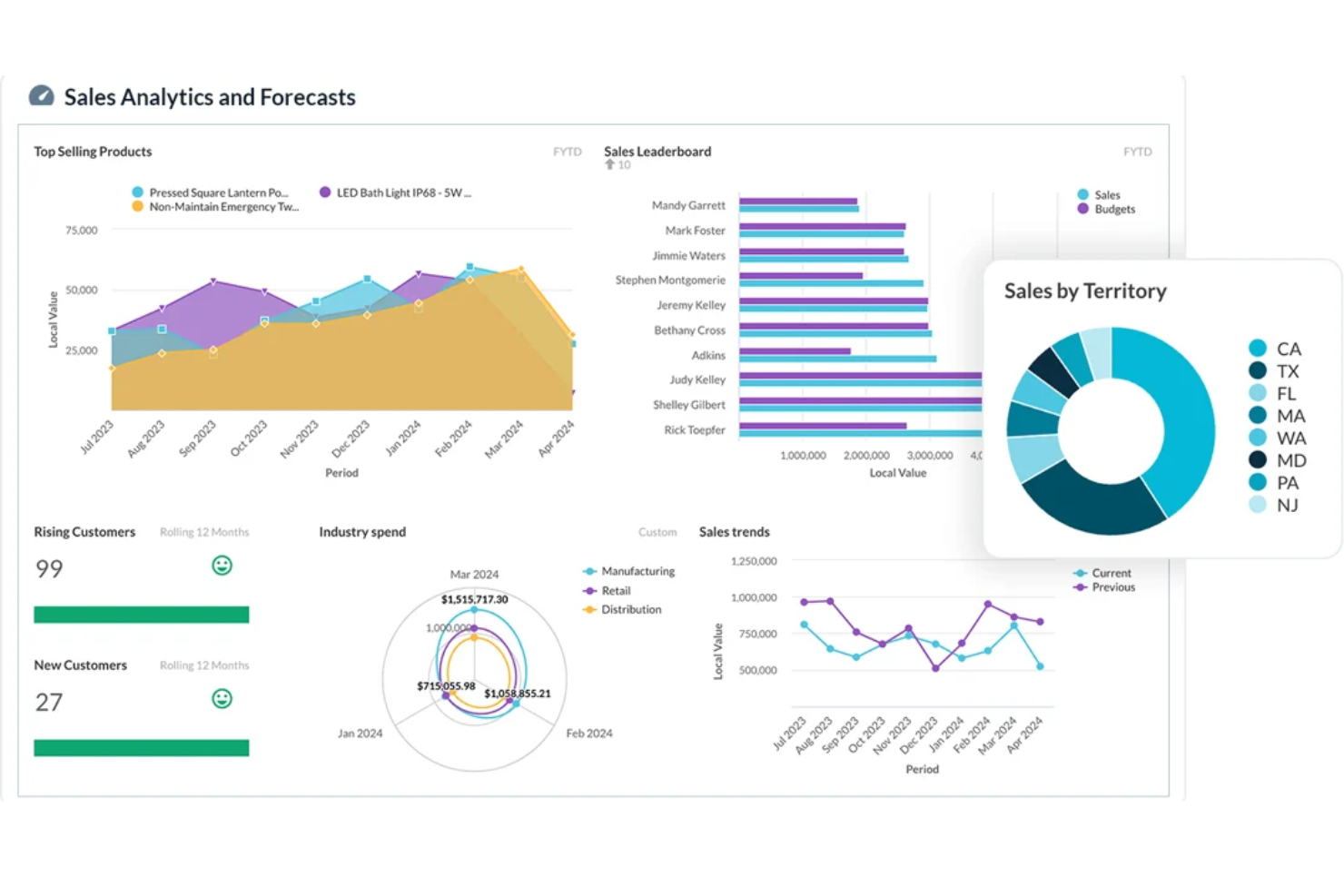
Phocas is a financial forecasting and analytics platform built for finance teams and business leaders who need to turn complex data into clear, actionable forecasts and reports.
Who Is Phocas Best For?
Phocas is a strong fit for mid-market businesses where finance teams need to collaborate with sales, operations, and other departments on budgeting and forecasting.
Why I Picked Phocas
I picked Phocas as one of the best because of how well it handles forecasting across departments, not just within finance. What I like most is the driver-based budgeting functionality, which lets sales, operations, and inventory teams contribute their own inputs—like headcount numbers or sales volumes—directly into the same budget model. In practice, that means my team isn't chasing spreadsheet updates from department heads or reconciling conflicting versions. The real-time collaboration workflow, with cell-level history tracking and built-in security controls, keeps everyone accountable without giving anyone access to data they shouldn't see.
Phocas Key Features
- Rolling forecast: Link budgets to live actuals and financial reports so you can update forecasts after each month-end close.
- 3-statement budgeting: Sync your profit and loss, balance sheet, and cash flow forecasts automatically to maintain an accurate view of your cash position.
- Scenario modeling: Adjust drivers and assumptions to run what-if analysis and compare outcomes across different planning scenarios.
- Variance analysis: Drill down to transactional-level data and run side-by-side year-on-year comparisons to identify where actuals diverge from plan.
Phocas Integrations
Integrations include Epicor, Infor, Klipboard, Oracle Cloud EPM, Board, Jedox, Prophix, Vena, and an API is available for custom integrations.
Pros and Cons
Pros:
- AI feature for quick insights
- Customizable dashboards and reports
- Forecasting functions for different departments
Cons:
- Access to lots of data can be overwhelming
- May take time to fully learn the software


Payouts is a payment automation platform for finance teams and businesses that manage high-volume payouts and need real-time visibility into their cash flow and payment operations.
Who Is Payouts Best For?
Payouts is a good fit for finance teams at high-growth or marketplace businesses that process large volumes of outbound payments and need tighter control over cash flow.
Why I Picked Payouts
I picked Payouts as one of the best because its real-time invoice and payout tracking gives finance teams a live view of outgoing cash at any point in the payment cycle. When you're managing high volumes of vendor or partner payments, knowing exactly what's queued, approved, and processed is the foundation of any reliable cash flow forecast. I also like that Payouts connects to over 600 systems through its Universal Connectors, pulling payment data from APIs, email parsing, and file uploads into one place. This consolidated data feed means my team doesn't have to manually reconcile figures from five different sources before projecting cash positions.
Payouts Key Features
- Dynamic tax engine: Automates tax form collection, validation, and withholding rate calculations across multiple jurisdictions to keep payouts compliant.
- AI payout automation: Lets you build custom payout rules with automated triggers and approval workflows to support any commission structure or payment schedule.
- Real-time reporting dashboards: Surfaces vendor performance, payment cycle status, and compliance data in customizable reports you can pull at any time.
- AP automation: Manages accounts payable workflows end-to-end, from invoice intake through payment execution, without manual intervention.
Payouts Integrations
Integrations include API data sources, email parsing, file uploads, tracking platforms, eWallets, bank transfer networks, cryptocurrency payment networks, virtual card issuers, gift card providers, and prepaid card issuers.
Pros and Cons
Pros:
- Strong multi-currency support for forecasting needs
- Easy automation of complex payout workflows
- Supports scaling operations
Cons:
- May not integrate with all existing systems
- May require time to fully customize


Vena is a financial planning and analysis platform designed for finance teams at large organizations who need to manage complex forecasting, budgeting, and reporting directly within Excel while maintaining control, collaboration, and data integrity.
Who Is Vena Best For?
Vena is a strong fit for mid-market and enterprise finance teams that run their planning processes in Excel and need a structured, scalable layer on top of it.
Why I Picked Vena
Vena earns its spot on my shortlist because it's the only enterprise FP&A platform that treats Excel as a first-class citizen rather than a workaround. I particularly like how Vena CubeFLEX sits beneath your Excel templates as an OLAP database, so your existing models keep working exactly as built while gaining centralized data governance and version control. The driver-based forecasting lets my team generate structured revenue and expense forecasts directly in Excel via the Planning Agent's natural-language interface—no template rebuilds required. The scenario modeling capability also lets me run unlimited what-if analyses across multiple scenarios simultaneously, which most enterprise teams handle manually across dozens of spreadsheet versions.
Vena Key Features
- Reporting Agent: Generate ad-hoc financial reports for any view, including drill-downs to underlying data, using natural language requests directly in Excel.
- Workflow automation: Route budgets and forecasts through structured approval workflows with task tracking, reminders, and a real-time dashboard for monitoring progress.
- Interactive KPI dashboards: Track and analyze financial and operational KPIs with live dashboards built directly in Excel, without exporting data to a separate reporting tool.
- Vena Copilot for Microsoft Teams: Access FP&A insights, analysis, and ad-hoc reports from within Teams meetings and chats using natural language prompts.
Vena Integrations
Vena native integrations include Microsoft Excel, Microsoft Teams, Microsoft Power BI, Microsoft PowerPoint, NetSuite, Sage Intacct, Microsoft Dynamics 365, Salesforce, Workday, and QuickBooks Online.
Pros and Cons
Pros:
- Sophisticated financial models and scenarios
- Familiar Microsoft Excel interface
- Usually quick to implement
Cons:
- No mobile app
- Mac compatibility issues
New Product Updates from Vena
Vena Unveils AI-Enhanced Platform Innovations
Vena introduces Vena Financial Consolidation, expanded AI planning tools, and a unified data layer with Acterys. These updates help finance teams streamline planning, financial close, reporting, and AI-driven decision-making workflows. For more information, visit Vena’s official site.
 .
.

VOGSY is a project and resource management platform built for professional services firms that need to forecast revenue, manage project margins, and optimize resource allocation in one unified system.
Who Is VOGSY Best For?
VOGSY is a strong fit for professional services firms—like consulting, IT services, and agencies—that bill by the hour and need project-level financial visibility.
Why I Picked VOGSY
VOGSY earns its spot on my shortlist because it ties resource planning directly to revenue forecasting in ways most tools don't. When a new deal enters the pipeline, VOGSY lets you model the capacity impact before a contract is even signed—so you're not scrambling to staff a project after the fact. I also like the utilization forecast feature, which gives you a forward-looking view of team capacity by week or month, helping you spot gaps before they affect margins. Additionally, the margin forecasting tracks past, present, and future margins at the project, customer, department, and revenue-stream levels—all in one place.
VOGSY Key Features
- Revenue recognition: Supports flexible revenue recognition methods, including work-in-progress valuation, to keep project accounting accurate across billing cycles.
- P&L reporting: Generates profit and loss reports that track actual performance against financial targets, with simultaneous reporting in both base and local operating currencies.
- Opportunity bookings: Lets you define resource demand and skill requirements for pipeline deals, so you can see who is booked against upcoming opportunities before a contract is signed.
- VOGSY AI assistant: A natural language AI tool that lets you query live project, financial, and resource data—such as client profitability or team capacity—without leaving the platform.
VOGSY Integrations
Integrations include Xero, Sage, QuickBooks Online, Oracle, Tally, Wave, ABSS, Omie, Datev, and Jira.
Pros and Cons
Pros:
- Real-time global financial overview
- Fast setup and onboarding
- Robust resource planning tools
Cons:
- Restrictive customization options
- Limited mobile functionality
New Product Updates from VOGSY
VOGSY Improves Operations and Forecasting
VOGSY introduces employee management APIs and more precise sales probability increments. These updates improve operational efficiency and enable more accurate forecasting. For more information, visit VOGSY’s official site.
 .
.
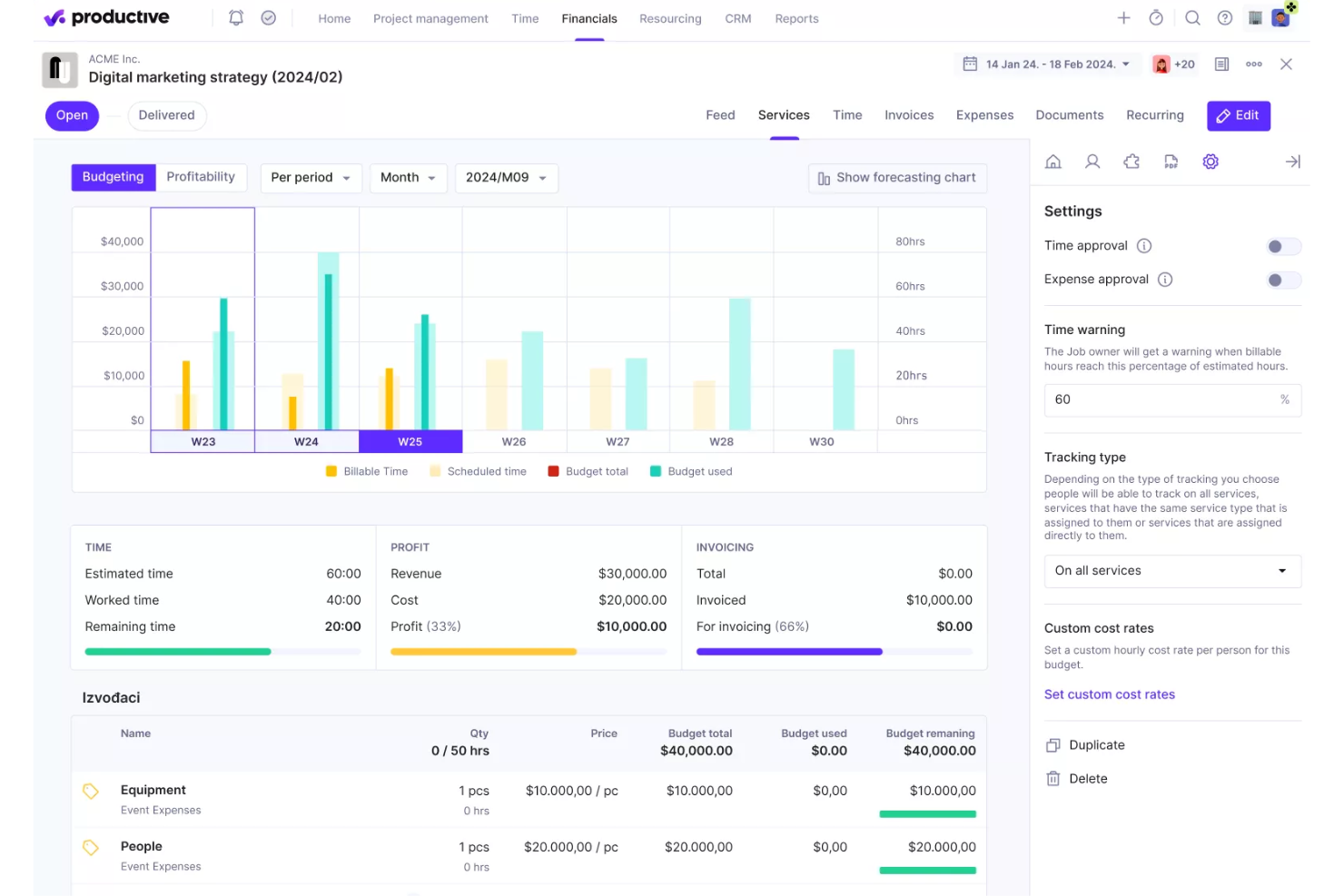
Productive is a project and financial management platform built for agencies and service businesses that need accurate forecasting, resource planning, and real-time insights to manage profitability and project performance.
Who Is Productive Best For?
Productive is a strong fit for creative and professional services agencies that need to connect project delivery, resource planning, and financial performance in one place.
Why I Picked Productive
Productive earns its spot on my shortlist because of how tightly it connects project delivery to profitability forecasting. I like that you can switch between a Budgeting and Profitability view on any project to see forecasted profit margins in real time—without pulling a separate financial report. The Scenario Builder is particularly useful: you can model multiple versions of a project by adjusting who does the work, when they start, and what it costs, then compare outcomes side by side before committing to a path. For agencies that regularly need to price work accurately and protect margins, pre-project financial modeling like this is hard to replicate in a general-purpose tool.
Productive Key Features
- Revenue forecasting: Generate projected revenue reports by quarter based on current sales deals and active project data.
- Financial forecast per project: Track forecasted budget usage and profit margins at the individual project level in real time.
- AI-powered reporting: Ask AI to generate specific reports—like utilization by team or profitability per project—without building them manually.
- Budget overrun alerts: Set custom threshold alerts that notify you before a project burns through its allocated budget.
Productive Integrations
Integrations include Jira, HubSpot, Xero, Google Calendar, Sage, Gmail, Microsoft Outlook, Slack, BugHerd, and QuickBooks.
Pros and Cons
Pros:
- Good reporting and resource management capabilities
- Consolidates multiple functions into one platform
- Ability to track project profitability
Cons:
- Could benefit from more integrations
- Initial setup can be time-consuming
New Product Updates from Productive

Productive 5.0 Introduces AI Agents and Workflow Automation
Productive 5.0 introduces AI Agents, Skills, Connectors, an upgraded AI Assistant, and a new AI-powered Notetaker. These updates help teams automate workflows, manage tasks more efficiently, and connect AI across business operations and external tools. For more information, visit Productive’s official site.


Epicflow is a forecasting platform for project-driven organizations and PMOs that need to predict resource bottlenecks, optimize project portfolios, and improve decision-making with real-time analytics and scenario planning.
Who Is Epicflow Best For?
Epicflow is a strong fit for PMOs and project managers in engineering, IT, and product development who manage multiple concurrent projects across shared resource pools.
Why I Picked Epicflow
Epicflow earns its spot on my shortlist because of how it approaches portfolio forecasting through the lens of constrained resources. I like that the Pipeline feature orders projects by business value and recalculates priorities in real time whenever anything changes, so my team always knows which projects deserve the next available hour from a bottlenecked resource group. The What-If Analysis mode lets me test scenarios like staggering project start dates or reallocating resources across the portfolio before committing to any changes in the live environment. Paired with the Future Load Graph, which forecasts resource demand and flags overload before it derails delivery, I can make portfolio-level decisions with actual data rather than gut instinct.
Epicflow Key Features
- Competence & attribute management: Match resources to tasks based on skills, experience, and availability using a semi-automated Resource Allocation Advisor.
- Historical Load Graph: Review past resource workload and output data to identify performance gaps and refine future project estimates.
- Bubble graph: Monitor all active projects simultaneously against time and budget constraints in a single visual view.
- Epica virtual assistant: Get AI-generated prompts and notifications about project changes, risks, and resource conflicts as they emerge.
Epicflow Integrations
Integrations include Jira, Microsoft Project, and Oracle Primavera, and custom integrations are available via API.
Pros and Cons
Pros:
- Strong multi project resource planning
- AI forecasts project completion dates
- Predicts resource bottlenecks accurately
Cons:
- Less suitable for single projects
- Steep learning curve initially


Ramp is a finance automation platform built for finance teams and business leaders who need to track spend, manage budgets, and forecast cash flow with real-time data and analytics.
Who Is Ramp Best For?
Ramp is a strong fit for fast-growing companies and mid-market businesses whose finance teams need centralized spend visibility and automated controls across the organization.
Why I Picked Ramp
I picked Ramp as one of the best because of how it surfaces real-time spend data without requiring any manual reporting work. The moment a transaction hits, my team can see it across cards, bills, and reimbursements—no waiting until month-end to understand where the budget stands. I also like the proactive alerting, which flags out-of-policy transactions instantly so we can course-correct before a small overspend becomes a bigger problem. And with direct data exports to Excel, Snowflake, or BigQuery, building live forecasts from actual spend data is something my team can do without jumping between tools.
Ramp Key Features
- Vendor management: Track vendor contracts, payment terms, and spend history in one place to support cash flow planning.
- Budget creation and monitoring: Set budgets at the team or project level and monitor actual spend against them in real time.
- AI-powered spend insights: Get automated recommendations to reduce costs based on patterns in your transaction data.
- Custom approval workflows: Configure multi-step approval rules for purchases to enforce spend controls before transactions are made.
Ramp Integrations
Integrations include NetSuite, Sage Intacct, QuickBooks, Microsoft Dynamics Business Central, Xero, Workday Financial Management, Acumatica, Oracle Fusion Cloud, Zoho Books, and Amazon Business.
Pros and Cons
Pros:
- Automated expense reporting and receipt matching
- Ability to issue multiple virtual cards with customizable controls
- Comprehensive reporting features
Cons:
- Limited customization options for reports and analytics
- Mostly focuses on accounts payable and spend management
New Product Updates from Ramp

Ramp Adds Auto-Capture Receipts via Chrome Extension
Ramp has introduced a Chrome extension that automatically captures receipts from merchants like Amazon and Uber. These updates simplify expense tracking by automating receipt collection and matching during checkout. For more information, visit Ramp's official site.
 .
.

LiveFlow connects real-time accounting data to spreadsheets, giving finance teams, accountants, and business owners a faster way to build, update, and share financial forecasts without manual data entry.
Who Is LiveFlow Best For?
LiveFlow is a strong fit for small to mid-sized businesses and accounting firms that manage financial reporting and forecasting primarily in Google Sheets or Excel.
Why I Picked LiveFlow
LiveFlow earns its spot as one of the best on my shortlist because it keeps forecasting inside the spreadsheet environment finance teams already work in. I like how it pulls live data from QuickBooks directly into Google Sheets, so my forecast models update automatically without manual exports or copy-pasting. I also use LiveFlow's pre-built financial templates to set up rolling forecasts and cash flow projections, then customize them to fit specific reporting structures. The ability to lock in a spreadsheet layout while still getting real-time data underneath it is something I haven't found in many other tools.
LiveFlow Key Features
- Multi-entity consolidation: Combine financial data from multiple QuickBooks accounts into a single consolidated report or forecast within your spreadsheet.
- Scenario planning: Build and compare multiple forecast scenarios side by side to model different financial outcomes.
- Automated report scheduling: Set reports to refresh and deliver automatically on a recurring schedule without manual intervention.
- Shareable dashboards: Publish live financial dashboards that non-finance stakeholders can view without accessing the underlying spreadsheet.
LiveFlow Integrations
Integrations include QuickBooks Online, Google Sheets, Excel, Ramp, and Plaid.
Pros and Cons
Pros:
- Versatile platform with tons of pre-built templates
- Solid automation features
- Great cash flow forecasting
Cons:
- Limited integrations


Anaplan is a cloud-based planning platform built for finance teams and enterprises that need advanced forecasting, scenario modeling, and collaborative planning to drive better business decisions.
Who Is Anaplan Best For?
Anaplan is best suited to large enterprises and mid-market companies with complex, cross-functional planning needs across finance, sales, and operations.
Why I Picked Anaplan
Anaplan earns its spot as one of the best on my shortlist because it's one of the few CPM platforms where forecasting and performance management are genuinely unified rather than bolted together. I particularly like the rolling forecast capability, which lets my team continuously update projections as new data comes in rather than waiting for a quarterly cycle to close. The AI-driven Finance Analyst agent goes further—it interrogates forecasts, surfaces cost drivers, and flags variances automatically, so I'm spending less time hunting for the story in the numbers. Anaplan's multidimensional modeling engine also handles the kind of scale that makes other tools buckle, processing hundreds of millions of data rows without losing real-time responsiveness.
Anaplan Key Features
- Scenario planning: Build and compare multiple what-if scenarios side by side to stress-test assumptions before committing to a plan.
- Workforce planning: Model headcount, compensation, and hiring timelines directly within the platform alongside financial forecasts.
- Dashboards and reporting: Create customizable dashboards that surface KPIs and plan-vs-actual comparisons for finance and business stakeholders.
- Workflow and approval management: Route plans through structured review and sign-off workflows to keep planning cycles on track.
Anaplan Integrations
Integrations include Salesforce, Workday, Microsoft Power BI, Tableau, Oracle NetSuite, SAP, Google BigQuery, Snowflake, Amazon Redshift, and Microsoft Excel.
Pros and Cons
Pros:
- Excellent reporting and analytics
- Advanced forecasting and analysis
- Extensive budgeting and planning features
Cons:
- Steep learning curve
- Implementation can take weeks


Jirav is a cloud-based forecasting platform built for finance teams at growing businesses who need to create, manage, and share dynamic financial models, budgets, and reports without relying on complex spreadsheets.
Who Is Jirav Best For?
Jirav is a strong fit for finance teams at small to mid-sized businesses that need a dedicated FP&A tool to move beyond spreadsheet-based planning.
Why I Picked Jirav
I picked Jirav as one of the best because it connects to your existing accounting stack and starts pulling in real data with minimal setup. The one-click sync with systems like Sage Intacct automatically imports your monthly trial balance, so my team can build driver-based forecasts without manually exporting data into spreadsheets. I also like that Jirav pulls in workforce and operational metrics alongside financial data, which means scenario planning reflects the full picture—not just what's in your ERP. That combination of a short setup for data connections and multi-source modeling makes it genuinely useful for rolling forecasts and cash flow projections.
Jirav Key Features
- Workforce planning: Model new hires, raises, bonuses, and accrued expenses directly within your forecast.
- 3-statement pro forma modeling: Build and maintain linked income statement, balance sheet, and cash flow projections in a single model.
- Scenario planning: Create and compare multiple planning scenarios side by side based on board or leadership input.
- KPI and metric reporting: Automate and customize KPI tracking across both actuals and forecast data.
Jirav Integrations
Integrations include Sage Intacct, QuickBooks Online, QuickBooks Desktop, Xero, NetSuite, ADP, Gusto, BambooHR, Paychex, and Rippling.
Pros and Cons
Pros:
- Full-featured free trial available
- Transparent yearly pricing
- Easy integrations with dozens of popular tools
Cons:
- Low user limits (2 admins max on the base plan)

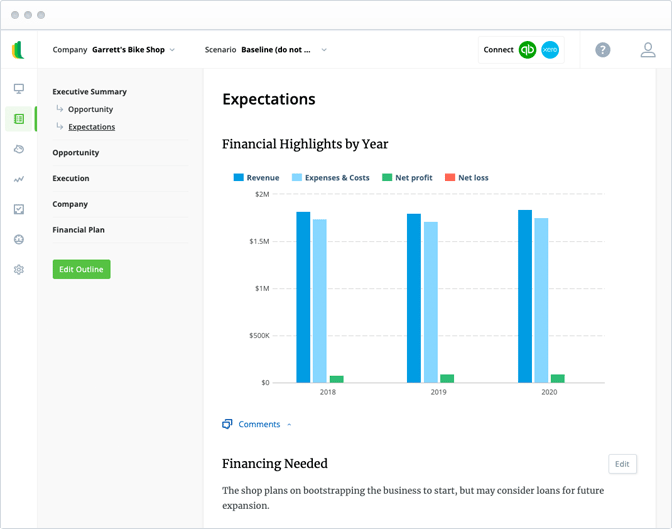
LivePlan is a cloud-based forecasting platform built for entrepreneurs and small business teams who need to create financial projections, budgets, and business plans to guide growth and secure funding.
Who Is LivePlan Best For?
LivePlan is a strong fit for early-stage founders and small business owners who need to build financial forecasts and business plans without a dedicated finance team.
Why I Picked LivePlan
LivePlan is a top pick because it is built specifically around the needs of early-stage businesses. When you're a founder without a finance background, LivePlan's automatic financials feature does the heavy lifting—it generates a full profit & loss, cash flow statement, and balance sheet from simple inputs, no formulas required. I also like the financial forecasts and scenarios feature, which lets you model how decisions today affect your numbers down the road. For a startup trying to validate a business model or prepare for a funding conversation, that kind of forward-looking visibility is exactly what you need.
LivePlan Key Features
- Sales forecasting: Build detailed sales and revenue predictions to project income across different time periods.
- Cash flow forecasting: Model future cash positions without building complex spreadsheets from scratch.
- Performance dashboard: Visualize actual business performance against your plan using connected financial data.
- Milestone scheduling: Set and track key business milestones to keep your plan tied to real execution timelines.
LivePlan Integrations
Integrations include QuickBooks and Xero.
Pros and Cons
Pros:
- Profit and cashflow forecasting tools
- Pre-revenue forecasting features
- Easy business plan building using 500+ templates
Cons:
- Limited integrations
- Limited functionality for established businesses


For those seeking a reliable forecasting software solution, Sage Intacct offers a cloud-based platform that modernizes budgeting and forecasting processes. It caters to CFOs, finance teams, and industries like healthcare and professional services by replacing outdated spreadsheets with real-time forecasting, modeling, and reporting capabilities. By integrating with Sage Intacct financials, it provides a single source of truth, enhancing collaboration and decision-making while reducing manual errors.
Why I Picked Sage Intacct
I chose Sage Intacct for its exceptional ability to model detailed scenarios, which is crucial for any forecasting software. The integration with Dryrun enhances this capability by providing real-time data synchronization and customizable forecasting options. This allows you to easily create and analyze various "what-if" scenarios, enabling informed decision-making and effective cash flow management. By significantly reducing manual entry errors and offering time savings, Sage Intacct ensures that your financial team can focus on strategic planning rather than operational inefficiencies.
Sage Intacct Key Features
In addition to its strong scenario modeling capabilities, Sage Intacct offers several other features that enhance its utility as a forecasting software.
- Rolling Forecasts: This feature allows you to update forecasts continuously, adapting to changes in real-time rather than sticking to a static annual plan.
- KPI Reporting: Provides dynamic reporting on key performance indicators, enabling your team to track financial metrics that are crucial for informed decision-making.
- Departmental Budgeting: Facilitates detailed budgeting at the departmental level, allowing for more granular financial planning and resource allocation.
- Visual Dashboards: Offers customizable dashboards that present financial data in an easily digestible visual format, aiding in quick analysis and reporting.
Sage Intacct Integrations
Popular native integrations with Sage Intacct include Ramp, Fortis, MineralTree, Siteline, Stampli, Dryrun, Yooz, Emburse Spend, Velixo, and BlackLine.
Pros and Cons
Pros:
- Scalable platform
- Real-time budget visibility and reporting
- Automates many financial and accounting processes
Cons:
- Invoices need to be approved individually
- Custom report builder could be more robust

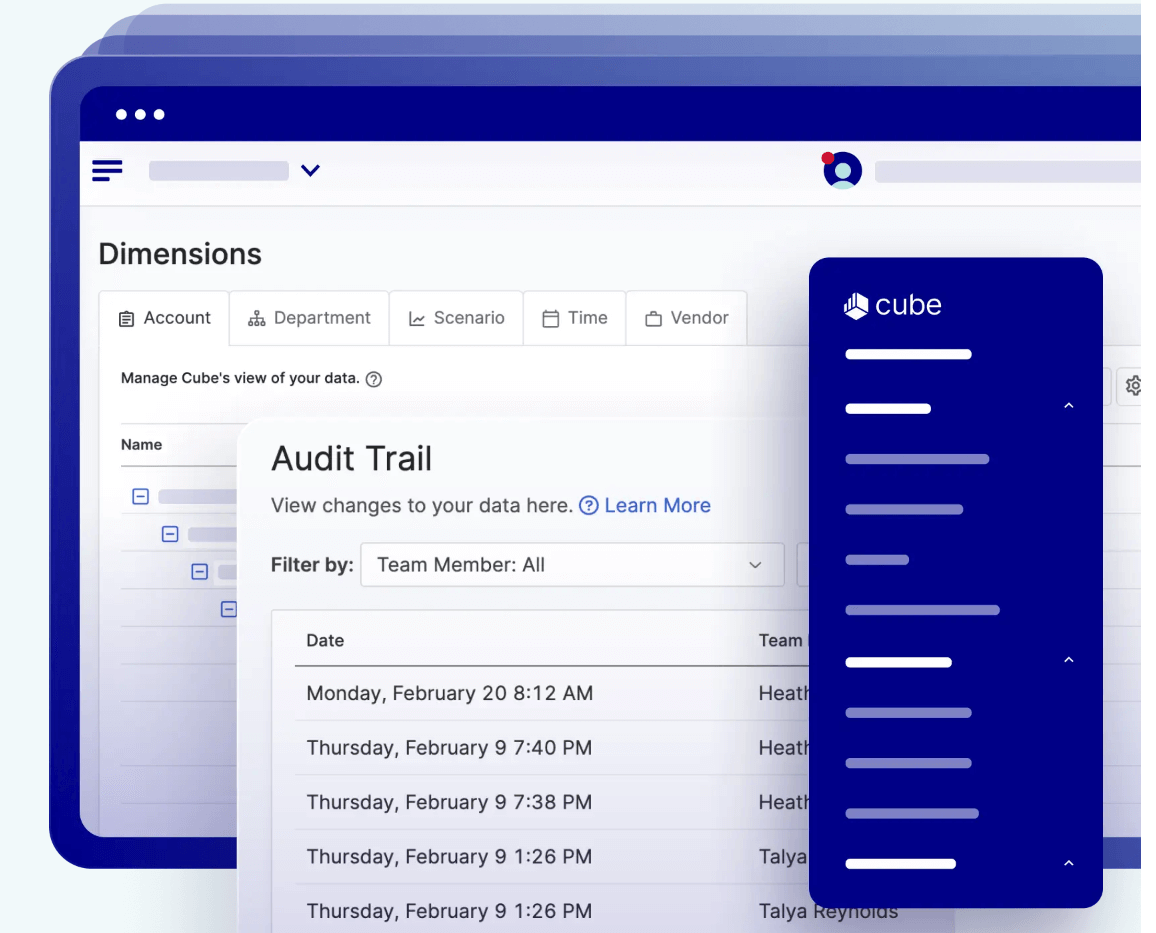
Cube is a forecasting platform built for finance teams who want to manage budgets, forecasts, and reporting directly in Excel or Google Sheets while centralizing data and automating manual processes.
Who Is Cube Best For?
Cube is a good fit for mid-market finance teams that need a structured FP&A platform without abandoning the spreadsheet workflows they already rely on.
Why I Picked Cube
I picked Cube as one of the best forecasting tools because it's genuinely built around how finance teams already work. The spreadsheet-native design means you can run driver-based forecasts directly in Excel or Google Sheets, with Cube syncing your data in real time—no rebuilding models from scratch in a new interface. I also like that Cube's AI-powered smart forecasting turns historical data into instant projections, which cuts down the manual legwork of building a rolling forecast. Add in unlimited scenario modeling with full version control, and my team can compare reforecasts, actuals, and what-ifs side by side without duplicating files or losing track of which version is current.
Cube Key Features
- Role-based access control: Set department-level permissions so each team only sees the data relevant to their role.
- Drag-and-drop report building: Build and update financial reports without writing formulas or starting from scratch each time.
- Audit logs: Log every change to forecasts and plans with a full, timestamped record for compliance and review.
- Variance analysis: Run AI-powered variance analysis to compare actuals against forecasts and identify where results diverged.
Cube Integrations
Integrations include AWS, Google Sheets, Excel, and custom integrations via API.
Pros and Cons
Pros:
- Easy integrations with ERP, CRM, HRIS, accounting, and BI platforms
- User-friendly FP&A capabilities
- Very user-friendly
Cons:
- Multicurrency support limited to the more expensive plans


Puzzle.io is a modern accounting platform designed for startups and small businesses. Its core service is AI-powered bookkeeping that handles categorization, reconciliations, and accruals automatically. Built on this foundation, Puzzle.io gives you continuous visibility into your financial position with live data that updates daily.
Why I picked Puzzle.io: I picked Puzzle.io for how it provides always-updated financial data that allows you to track business performance in near real-time. As transactions are processed, Puzzle.io applies automated revenue recognition and expense categorization to keep financial statements current. This allows you to monitor cash flow, track actuals against budgets, and catch unexpected changes as they happen. Because the system updates continuously, you don’t have to wait for monthly closes to review financial health or adjust planning decisions.
Puzzle.io Standout Features and Integrations:
Standout features include dual cash and accrual accounting, variance analysis, continuous accuracy reviews, customizable automation rules, AI-powered categorization, real-time dashboards, and access to certified experts.
Integrations include Mercury, Ramp, Brex, Every, Meow, Rippling, Gusto, Deel, Central, Stripe, Bill.com, Runway, and Causal.
Pros and Cons
Pros:
- Supports both cash and accrual accounting
- AI improves categorization accuracy over time
- Automates revenue recognition and expense categorization
Cons:
- Smaller integration ecosystem compared to ERP tools
- Limited customization for complex workflows


Zoho Finance Plus brings together accounting, invoicing, and analytics in one suite for finance teams and business leaders who want to manage forecasting, cash flow, and compliance from a single platform.
Who Is Zoho Finance Plus Best For?
Zoho Finance Plus is a strong fit for growing businesses and mid-sized companies that want to consolidate their financial operations across one connected platform.
Why I Picked Zoho Finance Plus
I've included Zoho Finance Plus in my top picks because it's one of the few forecasting tools that sits inside a fully connected financial suite. What I like most is that your forecasting data isn't isolated—Zoho Books feeds real-time P&L data, cash flow figures, and expense totals directly into your reporting layer, so the numbers you're projecting from are always current. I also like that Zoho Billing tracks MRR, ARPU, and LTV in the same platform, which means subscription-based businesses can build revenue forecasts from live billing data rather than manually exporting figures from a separate tool. Add in Zoho Analytics' predictive AI models and what-if scenario simulation, and you've got a forecasting setup that spans actuals, trends, and forward projections without stitching together multiple vendors.
Zoho Finance Plus Key Features
- Multi-channel sales order management: Zoho Inventory tracks and fulfills sales orders across multiple channels, with warehouse management and automated purchase order handling built in.
- 70+ financial reports in Zoho Books: Run pre-built reports covering P&L, balance sheets, cash flow statements, and tax summaries directly from your accounting data.
- Expense policy enforcement in Zoho Expense: Set spending limits, flag out-of-policy claims, and automate approval workflows across departments before expenses hit the books.
- Role-based access controls across the suite: Assign app-level and data-level permissions to users from a single admin console, keeping sensitive financial data visible only to the right people.
Zoho Finance Plus Integrations
Integrations include Zoho CRM, Zoho Projects, Zoho People, Zoho Analytics, Zoho Sign, Zoho Commerce, Zoho Payroll, Zoho Checkout, Zoho Inventory, and Zoho Books.
Pros and Cons
Pros:
- Centralized financial management, planning, and accounting
- Mobile-friendly
- Very cost-effective for small to midsize companies
Cons:
- Pricing structure isn’t ideal for large teams
- Forecasting features are relatively limited


Pigment is a modern forecasting platform built for finance and business teams who need flexible scenario modeling, real-time data updates, and collaborative planning to support fast, confident decision-making.
Who Is Pigment Best For?
Pigment is a strong fit for mid-market and enterprise finance and revenue teams that need a centralized platform for cross-functional planning and forecasting.
Why I Picked Pigment
Pigment earns its spot on my shortlist because of how well it handles cross-functional collaboration during the forecasting process. Finance, sales, HR, and operations teams all work from the same data, definitions, and assumptions—so when one plan changes, the impact is immediately visible across every connected model. I particularly like the built-in comments, tags, and notifications that let teams flag issues, request approvals, and loop in stakeholders without leaving the platform. The automated workflow alerts are also useful—you can set Pigment to notify the right person the moment a budget is exceeded or an approval is needed.
Pigment Key Features
- Scenario planning: Run multiple "what-if" scenarios simultaneously using Pigment's scalable data engine to compare outcomes side by side.
- Driver-based modeling: Build forecasts using configurable assumptions and drivers, then apply them across calendarized plans that update automatically as inputs change.
- Exec-ready reporting: Create drill-down reports with bar, line, waterfall, and org chart visuals, all connected to a single source of data and exportable as slides or PDFs.
- AI Analyst Agent: Scans your metrics, flags anomalies, and surfaces written or visual trend summaries so your team can focus on decisions rather than data gathering.
Pigment Integrations
Integrations include NetSuite, Sage Intacct, SAP, Salesforce, Workday, Greenhouse, HiBob, Lever, Snowflake, and Excel.
Pros and Cons
Pros:
- Impressive data visualization
- Intuitive design
- Easy to integrate with CRM, ERP, and other accounting tools
Cons:
- Expensive for small businesses


Rippling Spend is a comprehensive spend management solution designed to centralize and control all aspects of company expenditures.
Why I picked Rippling Spend: Rippling Spend offers an analytics-driven approach to expense planning. It provides real-time financial reporting and spend analytics, allowing your team to predict future costs based on historical data and current spending trends. Customizable dashboards also provide insights into department-level and company-wide expenses, making it easy to identify trends, anticipate financial risks, and adjust spending plans accordingly.
Rippling Spend Standout Features and Integrations:
Standout features include hiring scenarios, headcount planning, real-time budget tracking, AI-driven anomaly detection, automated expense categorization, role-based spending controls, predictive analytics, vendor payment automation, and transaction audit trails.
Integrations include Slack, Google, Zoom, Salesforce, Microsoft 365, Asana, Carta, PayPal, 1Password, Yubikey, Checkr, and Guideline.
Pros and Cons
Pros:
- Automated spend tracking
- Strong analytics and reporting tools
- Real-time financial visibility
Cons:
- Some users find approval workflows complex
- Limited customization in forecasting reports


DualEntry is an AI-native ERP platform designed to help finance teams manage complex accounting, reporting, and compliance tasks. It brings together financial planning, revenue management, and real-time analytics in one system.
Why I picked DualEntry: It offers real-time, AI-driven forecasting tools that use actual performance data to generate up-to-date projections. The platform supports driver-based forecasting, allowing you to model revenue based on specific business drivers. This approach helps create accurate sales forecasts by integrating data from finance, sales, and service teams. Additionally, DualEntry's scenario and variance analysis tools let you compare forecasts with actual bank transactions, identify discrepancies, and adjust forecasts using both real-time and historical data.
DualEntry Standout Features and Integrations:
Standout features include automated cash positioning, which provides real-time visibility into your cash position by entity, region, and currency. This helps in making informed decisions quickly without waiting for end-of-day reports. DualEntry's inventory management system also uses advanced algorithms to forecast sales accurately, even in volatile markets, ensuring your inventory aligns with actual demand.
Integrations include BambooHR, Bill.com, Brex, Deel, Google SSO, Gusto, HubSpot, Ramp, Rippling, Salesforce, Stripe Billing, and Stripe Invoicing.
Pros and Cons
Pros:
- AI-generated explanations and variance detection
- Automated cash positioning provides up-to-the-minute cash positions across entities
- Automated revenue recognition with predictive insights
Cons:
- Initial data migration could be complex depending on existing systems
- No option to try the system before buying

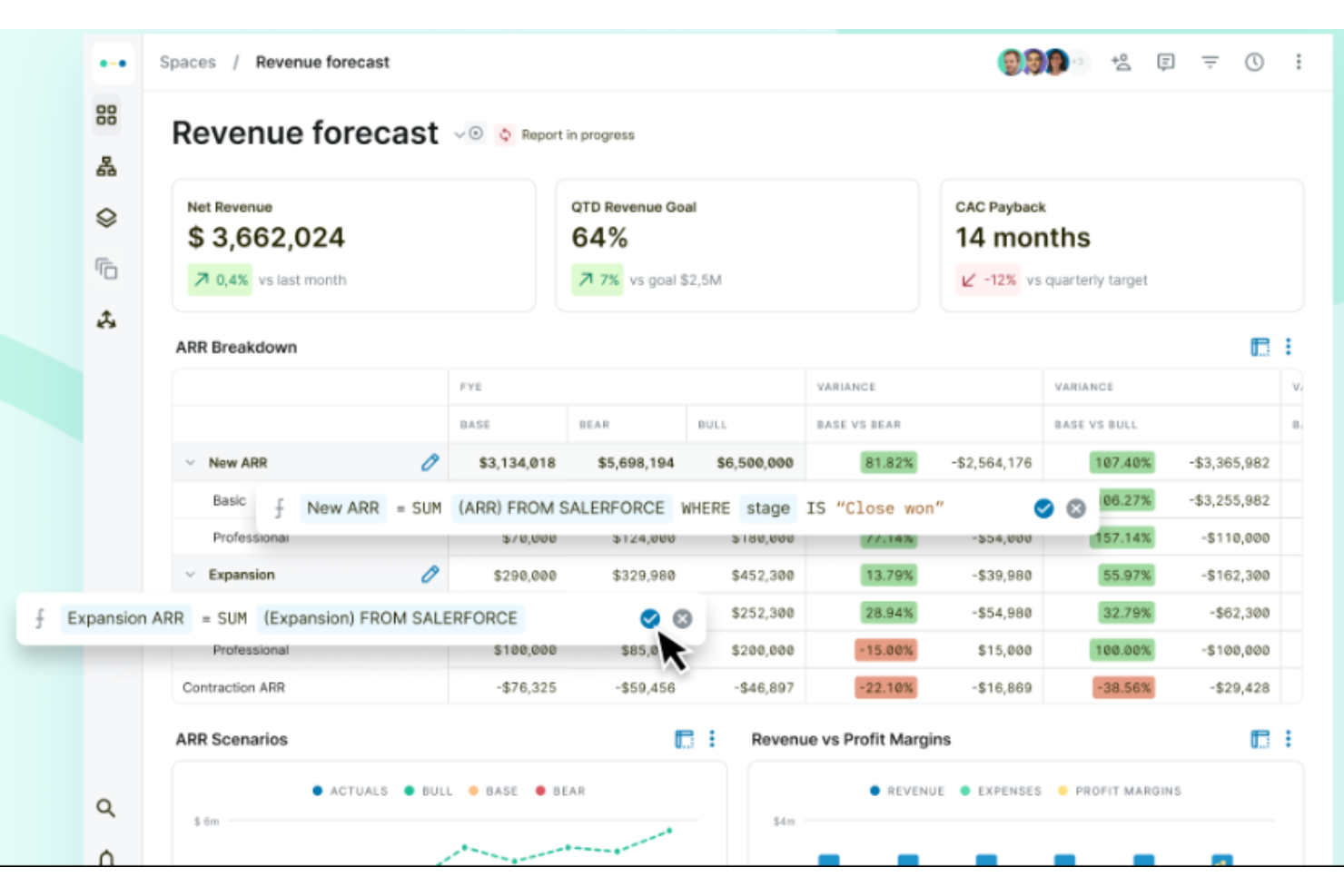
Abacum is a financial planning and analysis (FP&A) platform designed to support finance teams in their reporting, planning, and integration efforts to foster business growth.
Why I picked Abacum: I selected Abacum for its capability to automate manual reporting and deliver real-time data, which is crucial for finance teams. Its distinction lies in the facilitation of efficient business growth through real-time financial planning and analysis (FP&A) automation. I judge Abacum to be the best tool for real-time FP&A automation because it enables finance teams to reduce time spent on reporting, maintain data consistency, and focus more on providing insights.
Abacum Standout Features and Integrations:
Standout features include revenue forecasting, headcount planning, and operational expense budgeting.
I also like how Abacum facilitates the creation of financial reports and the execution of scenario analysis, which can be completed more rapidly compared to traditional methods.
Integrations include Salesforce, Netsuite, Google Sheets, Workday Adaptive, Tableau, Xero, Snowflake, and Personio.
Pros and Cons
Pros:
- Provides responsive customer support services
- Efficient to use
- Facilitates communication within teams
Cons:
- Some issues with data connections between databases and the platform
- Steep initial learning curve
Other Forecasting Software Options
If you didn’t quite find the right tool for your organization, these alternative forecasting software providers might be worth a look:
- Bonsai Agency Software
For forecasting project profitability
- Slash
For analyzing cash flow in real-time
- Workday Adaptive Planning
For advanced forecasting features
- Jedox
For forecasting with performance management
- SAP Analytics Cloud
For business intelligence tools
- Causal
For custom data modeling
- Mosaic Tech
For real-time data integration
- Salesforce Sales Cloud
For sales forecasting
- IBM Planning Analytics
Enterprise-level forecasting platform
- Budgyt
For team-based budgeting and forecasting


Related Financial Software
If these forecasting tools didn't have the functionality you need, check out these other financially-focused business tools, that we've tested and evaluated:
- Accounting Software
- POS Systems
- Billing Software
- Financial Reporting Software
- Payroll Services
- Merchant Account Services
- Inventory Management Software
- Expense Report Software
Selection Criteria for the best Forecasting Tools
When looking at forecasting software, I focused on one thing: can it deliver accurate, useful forecasts with less effort? I tested and vetted each tool against the following set of criteria:
Core Forecasting Software Functionality - 25% of total weighting score
- Consolidating data from multiple sources
- Generating accurate financial forecasts
- Creating and comparing multiple scenarios
- Automating routine forecasting tasks
- Collaborating across different departments
Additional Standout Features - 25% of total weighting score
- Machine learning algorithms that improve forecast accuracy over time
- Real-time integration with ERP and CRM systems
- Scenario planning with advanced simulation capabilities
- Intuitive and customizable dashboards tailored to specific business needs
- Predictive modeling that leverages historical data trends
Usability - 10% of total weighting score
- Intuitive user interface that is easy to navigate
- Clear, visually appealing dashboard layouts
- Simple data input methods and streamlined workflows
- Drag-and-drop functionality for creating reports and scenarios
- Easy-to-access help and documentation within the platform
Onboarding - 10% of total weighting score
- Comprehensive training videos and tutorials
- Interactive product tours and guided onboarding sessions
- Availability of templates for quick setup
- Chatbots and live support for real-time assistance
- Webinars and ongoing training opportunities for users
Customer Support - 10% of total weighting score
- 24/7 customer support availability
- Multiple support channels (phone, email, chat)
- Responsive and knowledgeable support team
- Detailed and accessible knowledge base
- Community forums for peer-to-peer support
Value For Money - 10% of total weighting score
- Competitive pricing compared to similar tools
- Transparent pricing structures without hidden fees
- Various pricing tiers to fit different business sizes and needs
- Discounts for long-term commitments or bundled services
- Free trials or money-back guarantees to ensure satisfaction
Customer Reviews - 10% of total weighting score
- High overall satisfaction ratings from users
- Consistent positive feedback on core features
- Testimonials highlighting ease of use and effectiveness
- Reviews that mention reliable customer support
- Recognition for delivering good value for the cost
How to Choose Forecasting Software
I’ve explained why each forecasting software made the list, but choosing the right one is up to you. As you compare options, keep these key points in mind:
| Factor | What to Consider |
|---|---|
| Scalability | Changing software is an administrative headache; thus, the forecasting tool you choose should be able to grow and change in step with your business. If you're a fast-growing startup, put more emphasis here. If you're an established multinational, perhaps scalability is less important. |
| Integrations | If you're getting a standalone tool, it has to integrate with your existing systems, like your ERP software or accounting platforms, to work properly. Clarify what tools are staying, what you can replace, and how it all connects together. |
| Use Case | Be clear on the analytical capabilities you want to unlock, like predictive modeling and scenario planning. While all these forecasting tools will analyze past trends to predict future outcomes, some businesses will need advanced analytics to, say, help deal with market volatility, while others won't. Be clear on the camp you fall into. |
| Number of Users | Who's going to be interacting with the software most? What's their level of digital fluency? These questions are going to help you understand how many licenses you'll need and just how complex the front-end can be before you get diminishing returns. |
| Company Fit | Consider each tool you shortlist alongside your workflows and delivery methodology. Evaluate what's currently working well, as well as the areas that are causing issues that need to be addressed. Then, see if they'd work together. Remember, every business is different — don’t assume that a tool will work for you just because it's popular. |
Trends in Forecasting Software
I reviewed dozens of product updates, press releases, and change logs from leading forecasting software vendors. These are the trends worth watching:
Advanced Analytics and AI Integration
- Machine Learning and Predictive Modeling: Many forecasting tools are now incorporating advanced machine learning algorithms to enhance predictive accuracy. These models learn from historical data and improve over time, making your tools work better for you the longer you're using them. This, coupled with the best statistical analysis software, can go a long way for financial reporting and data collection.
- Real-Time Data Processing: The ability to process and analyze data in real-time has become a key feature. This allows businesses to make immediate decisions based on the latest financial data, improving responsiveness and strategic planning.
Enhanced User Experience
- Intuitive User Interfaces: User interfaces have become more user-friendly, with drag-and-drop functionalities and customizable dashboards. This trend reduces the learning curve and increases user adoption, enabling finance teams to leverage the software's full capabilities more quickly.
- Collaboration Tools: Modern forecasting software includes advanced collaboration features, such as real-time editing and sharing, which facilitate better communication across departments. This improves alignment and ensures that all stakeholders are informed and involved in the financial planning process.
Comprehensive Integration
- Seamless ERP and CRM Integration: There is a growing emphasis on the seamless integration of forecasting tools with ERP and CRM systems. This ensures a unified data environment, reducing the manual effort required to consolidate information from disparate sources. Unsurprising, considering the usefulness of forecasting tools relies on this data.
Advanced Scenario Planning
- Scenario Simulation and Analysis: Tools are increasingly offering robust scenario planning capabilities, allowing businesses to model and compare multiple financial scenarios. This helps in better preparing for uncertainties and making informed strategic decisions.
Automation and Efficiency
- Automated Forecasting Processes: Automation features are becoming more sophisticated, reducing the manual effort required for data entry and analysis. This increases efficiency and allows finance professionals to focus on higher-value tasks, like making decisions based on that data.
What is Forecasting Software?
Forecasting software is a digital tool that helps businesses predict future trends, demand, and outcomes using historical data and analytics. These platforms are essential for planning in finance, inventory, workforce, and operations, especially in industries where anticipating change is critical.
From simple statistical models to advanced AI-powered projections, forecasting tools reduce guesswork and support more confident, data-driven decisions.
Key Features of Forecasting Tools
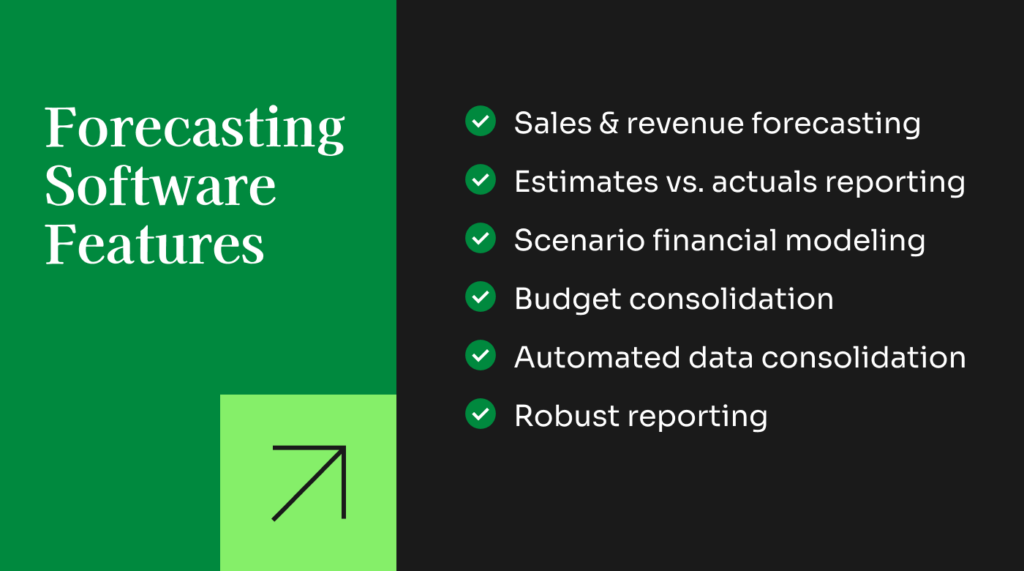
When evaluating forecasting tools, look for software that improves accuracy, streamlines planning workflows, and supports strategic financial decision-making. Key features include:
- Data integration: Effective forecasting starts with complete and reliable data. The best tools connect seamlessly to ERPs, CRMs, spreadsheets, and other financial systems so you can build forecasts using a unified, up-to-date dataset.
- Advanced analytics: Robust analytics capabilities help uncover patterns and trends that may not be obvious at first glance. This leads to more precise forecasts and better resource allocation across the organization.
- Scenario planning: Forecasting tools should make it easy to model best-case, worst-case, and most-likely scenarios. This enables leadership to stress-test assumptions and prepare for both risks and opportunities.
- Automated data processing: Automation reduces manual prep work by cleaning, consolidating, and updating data for you. This minimizes errors and frees up time for higher-level financial analysis.
- Predictive modeling: With predictive modeling, software uses historical data and established patterns to project future outcomes. This strengthens planning accuracy and helps teams anticipate changing market conditions.
- Budget consolidation: Strong forecasting software can consolidate budgeting, planning, and forecasting data into actionable insights. Whether done annually or more frequently, automated consolidation improves visibility and speeds up reporting cycles.
- Variance reporting: Great tools allow you to compare budgeted values or forecasted figures against actual results. These reports highlight gaps in earlier assumptions and help refine future planning.
- Machine learning integration: Machine learning algorithms enhance forecast accuracy by continuously learning from historical data. Over time, the tool becomes better at identifying correlations and predicting financial outcomes.
- Sales forecasting and production scheduling: Forecasting tools should help estimate sales based on seasonality, pricing trends, and past performance. They also support production scheduling so teams can align supply with expected demand.
- Custom reporting: Clear, intuitive reporting is essential. Look for tools that translate forecasts and analysis into digestible reports that can be shared with internal or external stakeholders, even if they’re not familiar with the platform.
Common Forecasting Tool AI Features
Many forecasting platforms now include AI-driven functionality designed to enhance speed, accuracy, and insight, such as:
- Automated pattern detection: AI scans historical data for trends, anomalies, and emerging patterns that might influence future performance, flagging insights that manual analysis could miss.
- AI-enhanced scenario modeling: Instead of building scenarios manually, AI can suggest plausible outcomes based on current conditions, giving leaders a broader and more accurate view of potential futures.
- Real-time forecast updates: AI adjusts projections as new financial, operational, or market data comes in. This provides continuously refreshed forecasts that reflect real conditions—not month-old assumptions.
- Natural language query: Users can ask simple questions like “How will next quarter’s expenses compare to this quarter?” and AI will pull relevant data and generate the correct forecast instantly.
- AI-driven variance explanations: Instead of manually digging through reports, AI summarizes why actuals diverged from forecasts—such as unexpected demand spikes, cost changes, or operational delays—to make variance analysis faster and more actionable.
Benefits of Forecasting Tools
Forecasting tools do more than simply tell you an outcome. By moving away from the spreadsheets and choosing a software solution, you can enjoy:
- Enhanced Accuracy: Using advanced algorithms and data integration, forecasting software improves the precision of financial projections, enabling businesses to make more informed decisions and reduce risks.
- Efficiency Gains: Automation of data processing and report generation saves time and reduces manual errors, allowing finance teams to focus on strategic analysis rather than repetitive tasks.
- Improved Strategic Planning: Scenario planning and predictive modeling provide insights into potential future outcomes, helping businesses prepare for various possibilities and make proactive adjustments.
- Better Collaboration: Integration with cloud services and collaboration tools ensures that all stakeholders have access to up-to-date information, fostering better communication and alignment across departments.
- Scalability and Flexibility: Forecasting software can scale with the growth of the business, accommodating increasing data volumes and complexity without compromising performance, ensuring continued relevance and utility.
Costs & Pricing for Forecasting Software
I included vendor-specific pricing above but, seeing as how much each tool's features can vary from the next, I wanted to put together a general pricing table for forecasting software, based on company size.
Here's a breakdown of the typical plan options and their pricing:
Plan Comparison Table for Forecasting Tools
| Plan Type | Average Price (/user/month) | Common Features | Best For | Integration Frequency |
|---|---|---|---|---|
| Free | $0 | - Basic forecasting tools - Limited data integration - Basic reporting capabilities | Startups and small businesses | Some standalone (intro plans), but often integrated into larger tools |
| Basic | $50 | - Standard forecasting models - Basic analytics - Integration with key data sources | Small to mid-sized businesses | Most often standalone |
| Professional | $150 | - Advanced analytics - Customizable dashboards - Scenario planning - Cloud integration | Growing businesses | Frequently integrated |
| Enterprise | $500+ | Full suite of advanced features - Machine learning - Real-time data processing - Dedicated support | Large enterprises | Most often integrated |
While changing software can be a real pain, changing tiers isn't as big of a deal. Businesses commonly change forecasting tool tiers as their needs evolve due to growth, increased data complexity, or the requirement for advanced features like machine learning and predictive modeling.
Transitions often occur during annual reviews, after significant growth phases, or when new ERP or CRM systems are implemented, which may have their own forecasting functionality.
What are the Different Types of Forecasting Software?
Forecasting software can take a few different forms. The primary categories are outlined below.

- Budgeting and forecasting software: Focuses on financial details, covering revenue estimates, operating expense planning, and financial budgeting. Basic features in this realm may be included in accounting platforms, but many organizations could benefit from dedicated financial forecasting software.
- Sales forecasting software: Focuses on the sales side of things and typically has more features for analyzing the effects of different marketing strategies (discounts, bundling, etc.). Sales forecasting tools are helpful in giving sales teams more accurate targets while also helping supply chain and production managers plan inventory levels and production targets accordingly.
- Demand forecasting software: Focuses on the demand side of the equation, helping businesses optimize inventory levels, plan for shifts in seasonal demand, and track consumer trends and buyer behavior.
- Capacity and workforce forecasting software: Focuses on labor, production capacity, and workflow planning while integrating projected demand and sales data. It’s useful for HR and executive teams to ensure their workforce can keep up with forecasted sales.
- Enterprise resource planning (ERP) software: Offers a versatile feature set to centralize most or all of your operating and planning efforts. ERP platforms are the most expensive of the lot but also the most flexible in how they can be deployed and used.
Some software tools combine multiple focus areas, while others are dedicated to a specific feature set. The best forecasting tool for your team depends on your specific needs—as well as the size of the business, the industry, and other variables.
Forecasting Software FAQs
Below you’ll find my answers to some common questions people have about forecasting software.
What features should I prioritize when choosing forecasting software for my finance team?
Prioritize intuitive dashboards, customizable reporting, and driver-based modeling so you can tailor forecasts to your business needs. Look for tools with strong version control, automated data imports, and seamless ERP or accounting integrations.
Additionally features, such as scenario planning and real-time collaboration can help your team test assumptions together, while audit trails ensure data integrity. Choosing financial forecasting software with automated alerts and permission controls also streamlines workflows and keeps sensitive information secure.
Can forecasting tools integrate with ERP or accounting software?
Yes, many cash forecasting software offer out-of-the-box integrations or APIs for connecting with ERP and accounting systems. This lets you import financial data automatically, saving hours of manual entry and minimizing errors.
With real-time syncing, your forecasts always reflect the latest transactions and balances. Integrations also simplify audit trails and support stronger collaboration across teams. Before choosing a tool, confirm it supports your specific ERP or accounting platform for a smooth setup.
What are the most common challenges when implementing forecasting software?
Common challenges for implementing demand forecasting software include data migration issues, training users, and integrating software. Teams often face resistance when changing established processes. Budget considerations and managing multiple user permissions can also further complicate onboarding.
To overcome these hurdles, involve stakeholders early, run pilot implementations, and lean on vendor support and documentation. Additionally, setting realistic timelines and goals helps ensure a smoother transition and greater long-term adoption success.
Does Excel have a forecasting tool?
Yes, Excel includes built-in forecasting functions like Forecast Sheet, regression, and time series analysis. These are helpful for one-off or straightforward projections and work well for small datasets.
However, keep in mind that Excel lacks automated data connections, version control, and advanced scenario planning, which most finance teams need. Many teams start with Excel but move to specialized forecasting software for better automation, collaboration, and error reduction.
How do scenario planning and ‘what-if’ analysis work in forecasting software?
Forecasting software lets you create different scenarios by changing inputs like sales, expenses, or market conditions. You can instantly compare best-case, worst-case, and base-case projections to see their financial impacts.
‘What-if’ analysis makes it easy to test the effects of changes in real time, supporting better risk management. This helps your team prepare for uncertainties, set contingency plans, and communicate potential outcomes with clear, data-driven visuals.
How does forecasting software assist finance teams?
Forecasting software streamlines budgeting, eliminates manual errors, and centralizes financial data. Your team can quickly build models, run multiple scenarios, and generate reports in real time. This efficiency frees analysts from repetitive tasks, allowing focus on valuable insights and strategic planning.
Collaborative features and audit trails ensure everyone’s on the same page. Ultimately, these tools enhance accuracy, transparency, and speed, so you deliver more timely, actionable forecasts to leadership.
What's Next?
To keep up to date with the latest trends in financial technology, subscribe to our free newsletter.